Roborock Q7 Max troubleshooting
Error-code and dock diagnostics. We route by the exact error or symptom rather than assuming a generic robot-vacuum fix applies.
Roborock Q7 Max issue index
6 guides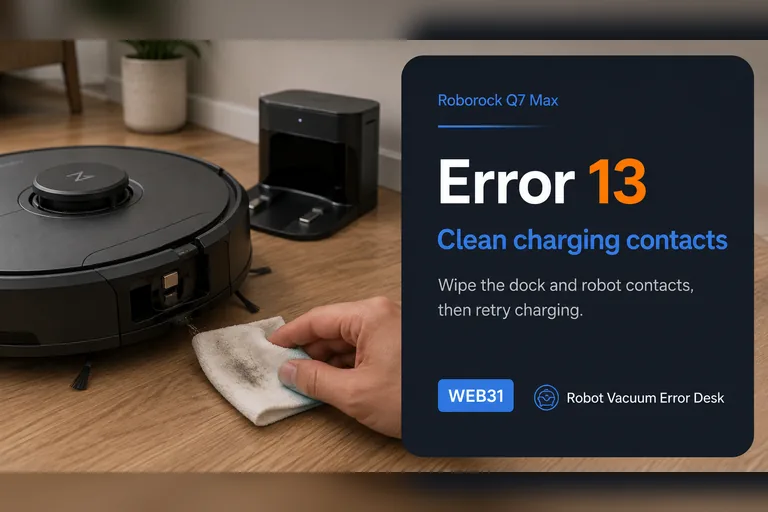
Error 13
Roborock Q7 Max Error 13 is a charging fault. First prove the charging connection with the dock indicator, then clean both contact sets, fully seat the dock power cable, power-cycle the dock for about two minutes and compare a known-good outlet. Once the dock light confirms contact, use a timed battery-percentage test instead of repeatedly repositioning the robot.
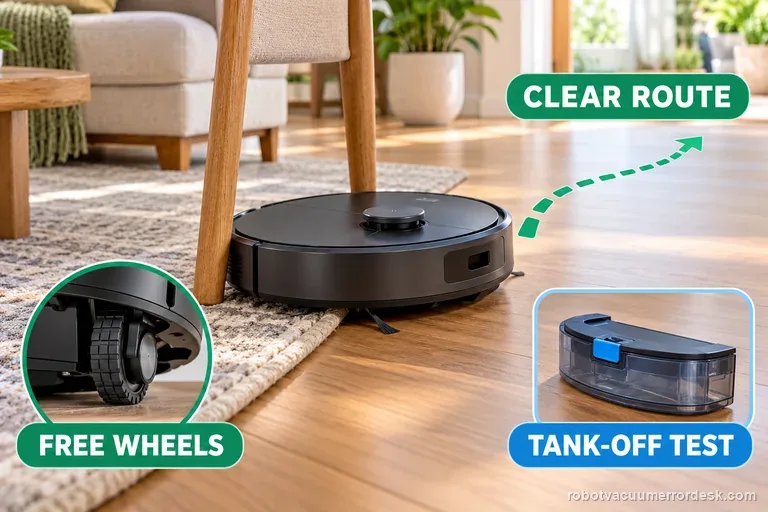
Error 8
The Q7 Max manual defines Error 8 as “Robot trapped.” First clear obstacles around the robot and relocate it. If the problem repeats, manually compare the drive wheels and, when a water tank is installed, remove it for an isolation test before escalating.
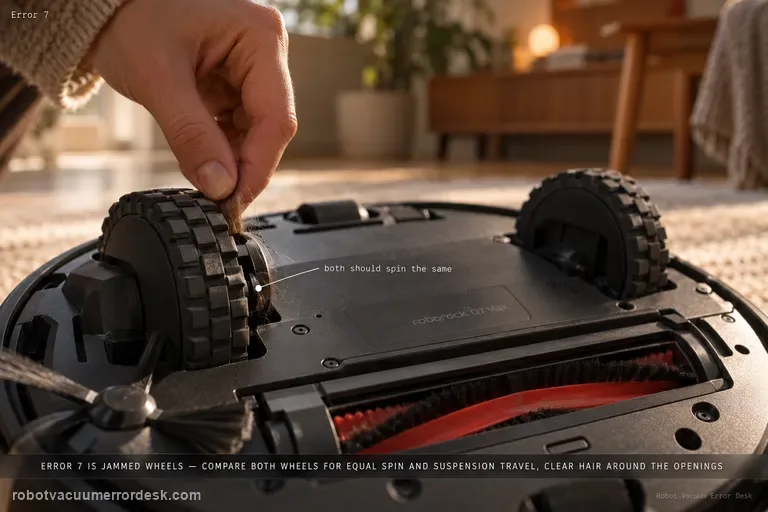
Error 7
The Q7 Max manual defines Error 7 as “Wheels jammed. Move the robot and restart.” Before restarting, compare the two drive wheels for normal rotation and suspension travel and remove accessible hair or debris around the wheel openings.
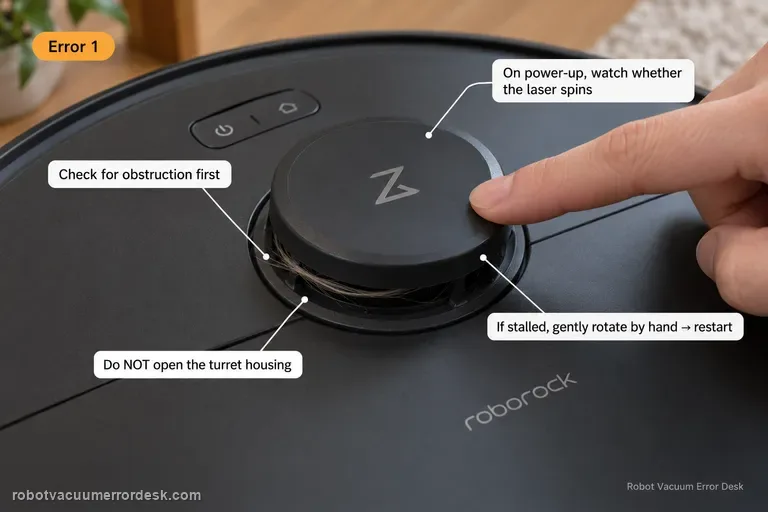
Error 1
Q7 Max Error 1 means the LiDAR turret or laser is blocked. Check for physical obstruction first, then power the robot and watch whether the laser unit spins. If it is stalled, Roborock’s Q7 support says to gently rotate it manually and restart. Do not open the turret housing.
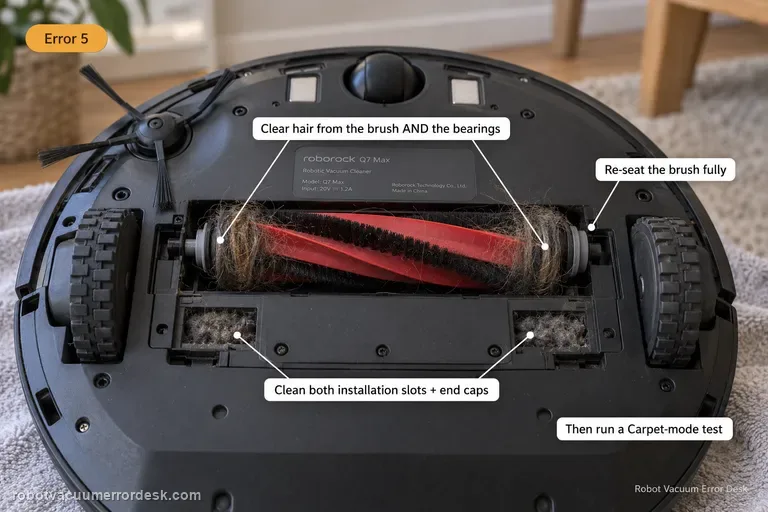
Error 5
Q7 Max Error 5 means the main brush is jammed. Remove the brush, clear hair from the brush and bearings, clean the two installation slots and both ends, then reinstall it correctly. Roborock’s Q7 support suggests a Carpet-mode test after the tangles are removed.
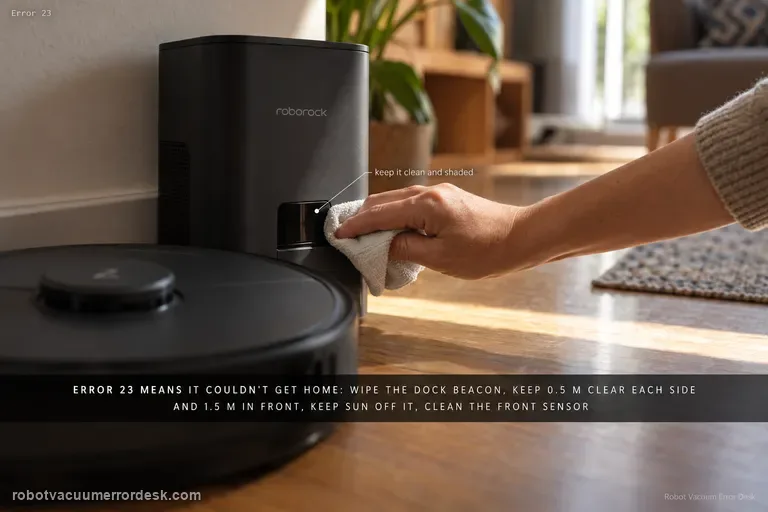
Error 23
Q7 Max Error 23 means the robot could not return to the dock. The exact manual says to clean the dock location beacon and retry. Also keep at least 0.5 m clear on each side and more than 1.5 m in front, avoid direct sunlight/blocking the beacon, clean the robot’s front sensor and run a short return test before moving the dock again.