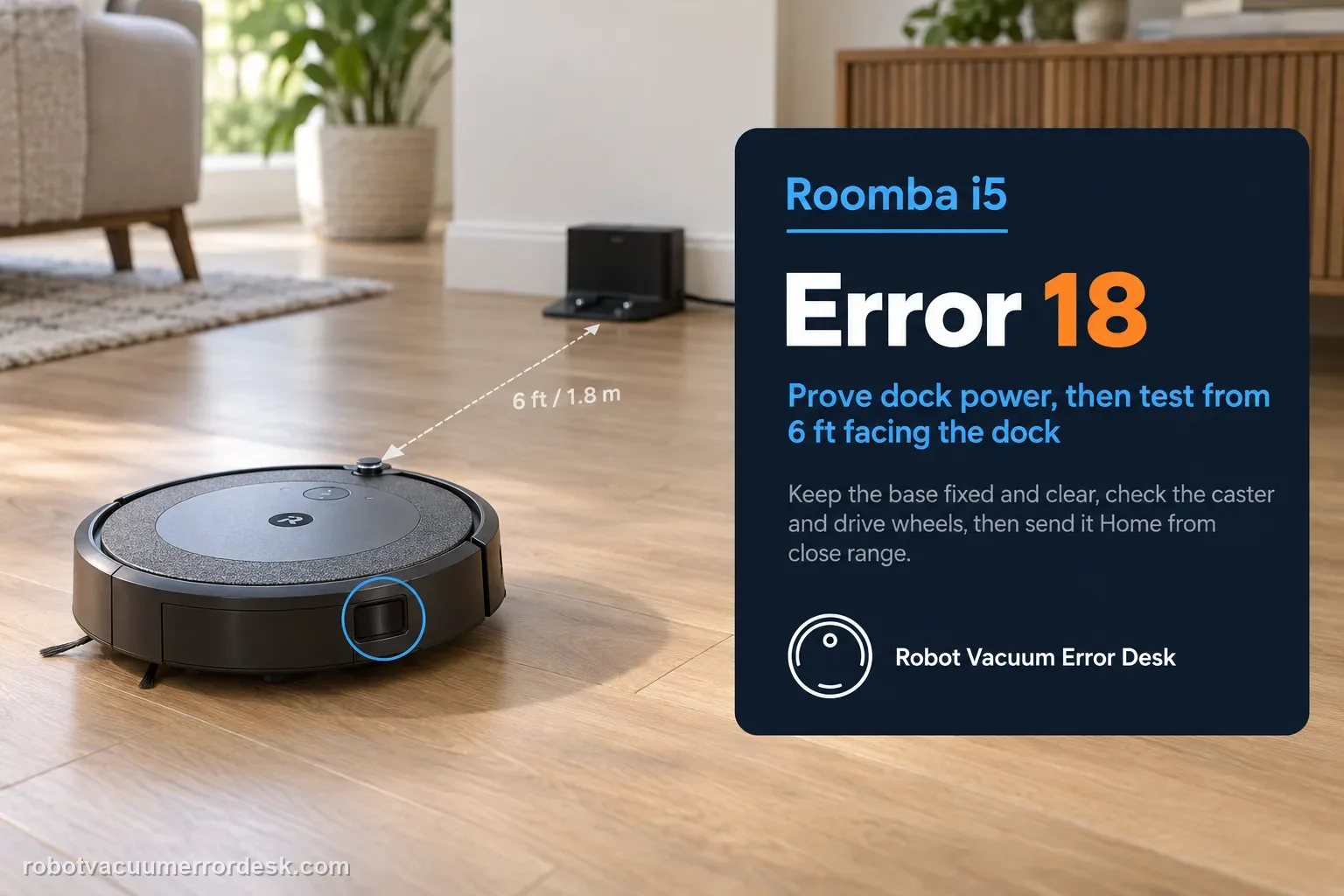
Error 18 on a Roomba i5 means it could not return to the Home Base or starting position. Treat the numbered error as a controlled docking diagnosis: prove dock power, keep the base fixed and clear, inspect the caster and drive wheels, then test the i5 facing the dock from about 6 ft (1.8 m). Unlike j-Series robots, the i Series is among the models iRobot lists with an RCON sensor for dock detection, so the close-range test helps evaluate that homing path. If the i5 docks from close range but fails after long missions, placement, navigation context, remaining battery and area coverage are stronger suspects than the dock itself.
Confirm the exact model and exact code, light pattern or symptom.
Run the lowest-risk physical or software check first.
Use each pass condition to decide what the result actually narrows down.
Does this match your problem?
- The app or robot explicitly reports Error 18.
- The i5 completes cleaning but fails to dock on the Home Base.
- The robot circles or passes near the dock without completing the return.
- The i5 can sometimes dock from close range but fails after large-area missions.
Most likely causes
Home Base is unplugged, moved or obstructed
RCON/dock detection is unreliable during the final approach
Caster or drive-wheel drag changes the approach angle
Robot was moved during the mission and lost consistent navigation context
Return distance and low remaining battery exceed what the current mission can support
What your test result means
| What you observe | What it narrows down | Next move |
|---|---|---|
| Error 18 occurs even from 6 ft | The final dock-detection/approach path is not reliable. | Recheck RCON/bumper area and base stability, then escalate with video. |
| 6 ft test passes, long return fails | Docking hardware can work; route/range/context is more likely. | Run an uninterrupted mission and record return distance/battery state. |
| Robot reaches base but will not charge | The fault has crossed from navigation into contact/charging. | Use the i5 charging guide instead of continuing Error 18 map work. |
| One wheel or caster drags | Approach geometry can be distorted before the robot reaches contacts. | Clean the owner-serviceable wheel/caster areas and repeat the same close test. |
| Dock was moved or robot carried | Localization context may no longer match the mission. | Stabilize the dock and run one clean, uninterrupted mission before remapping. |
Reset can erase maps/settings on this path. Use lower-risk checks first and document the current state before resetting.
Run these checks in order
Confirm the Error 18 meaning before resetting
Use the app or robot message to verify Error 18. iRobot defines it as a failure to return to the dock or starting position. That is different from Error 19, which concerns undocking, and different from a charging failure where the robot reaches the base but cannot take power. Keep the exact error visible while testing so you do not collapse navigation, docking and charging into one vague 'base problem.'
Prove dock power, position and approach clearance
Make sure the Home Base is powered, has not been rotated or moved, and sits on a hard level surface with a clear route. Remove clutter near the approach and keep other charging stations or interference sources away as iRobot recommends. A moved base can invalidate the robot's return assumptions even when the room looks unchanged to you. Do this physical reset of the environment before touching the map or rebooting the robot.
Inspect caster and both drive wheels
Turn the i5 off for maintenance and check the front caster for packed hair or debris, then compare both drive wheels for free movement and similar spring travel. The Error 18 article specifically asks owners to inspect mobility because a robot that steers slightly crooked can reach the dock area but miss the final contact geometry. Clean only the accessible owner-serviceable areas and reinstall the caster securely before testing again.
Clean the homing/contact surfaces
Wipe the relevant robot and dock surfaces so the i5 has an unobstructed homing and charging interface. The i Series is listed by iRobot among models with an RCON sensor used to detect compatible accessories such as the dock. Also clean the charging contacts because a robot that reaches the base but cannot settle into charging can appear to be 'still docking.' Do not cover the bumper or dock with labels, tape or decorative material during the test.
Run the controlled 6 ft RCON return test
Clear the previous job state if needed, place the i5 facing the Home Base from within about 6 ft (1.8 m), and command it Home. Keep the base and room unchanged. A successful close-range return shows the robot can detect and complete the final approach in a simplified environment. A failure at this distance, after power and wheel checks, is much stronger evidence of a docking-detection or hardware problem than a failure from the far side of the home.
If close range passes, test whole-home context
When the short test succeeds, stop working on contacts and look at mission context. iRobot cautions that moving the robot during cleaning can make it harder to find Home Base. Large areas also increase the chance that the robot reaches the return phase with low battery. The Error 18 article lists i3/i4/i5-family coverage around 1,600 ft² as a reference. Run an uninterrupted mission with the dock fixed and note where the return starts.
Escalate only after close-range proof
If the i5 cannot dock during the controlled 6 ft test despite a powered stationary base, clean homing areas, healthy contacts and free wheels, record a video and contact iRobot. If the close test passes but long missions fail, include approximate home size, where the robot begins returning and whether battery is low. Those two evidence patterns lead to different support decisions and are far more useful than repeated factory resets.
Escalate Error 18 when the i5 fails the controlled 6 ft return with a powered, unmoved Home Base, clear approach, clean RCON/bumper and contact areas, and free wheels. If close range passes but whole-home returns fail, give iRobot the approximate cleaned area, return distance and battery state instead. Do not conflate 'found the dock but will not charge' with Error 18; that symptom should move to the charging diagnostic so support receives the correct failure stage.
What to collect before contacting support
Give support a reproducible case instead of “it doesn’t work.” That reduces repeated basic troubleshooting and preserves the clues from your tests.
- Exact model name and the error code / voice prompt exactly as shown
- A photo or screenshot of the app error and the time it occurred
- A short list of the checks already completed and what happened after each one
- Robot serial number and proof of purchase if warranty may apply
Manufacturer evidence
iRobot — Error 18, all Roomba and Braava models
iRobot defines Error 18 as inability to return to the dock/start, specifies dock clearance and a roughly 6 ft return test, lists i Series among RCON-equipped models and discusses range/environment limits.
Additional official source: iRobot — i Series error message chart ↗Additional official source: iRobot — i Series battery and Home Base behavior ↗Last editorial review: September 5, 2026Regional note: manufacturer help centers, model suffixes, mains-power requirements and warranty procedures can differ by country. If the source redirects to a local support site, confirm that the model/hardware scope still matches before following a region-sensitive step.
This guide is rated Official series support. See what each evidence label means →
FAQ
What does Error 18 mean on a Roomba i5?
Error 18 means the i5 could not return to the Home Base or its starting position. It is primarily a docking/navigation error, not proof of a bad battery. Confirm dock power and placement, inspect the wheels, clean the homing/contact areas and run iRobot's close-range return test from about 6 ft. That sequence shows whether the final dock approach itself works.
Does the Roomba i5 use RCON to find the Home Base?
iRobot's Error 18 guidance lists the i Series among models equipped with the Room Confinement Sensor, or RCON, used to detect compatible accessories such as the dock. That is why a clear close-range test is useful on an i5. Clean the relevant bumper/homing area and keep the dock unobstructed before concluding that the map or battery caused the return failure.
Why does my Roomba i5 pass a short dock test but fail after cleaning?
A close-range pass proves the final dock interaction can work under simple conditions. Long-mission failures point more strongly to navigation context, the robot being moved, return distance, low remaining battery or environmental interference. iRobot lists an approximate coverage reference for i3/i4/i5-family robots, so very large missions deserve attention. Run an uninterrupted job and record where the return begins.
Should I remap my home for Roomba i5 Error 18?
Not before the 6 ft return test. If the i5 cannot dock from close range, remapping will not fix a powerless base, dirty RCON/bumper area, wheel drag or poor final contact. If close range succeeds and the robot fails only after normal missions, then map/context issues become more plausible. Stabilize the dock and run one uninterrupted mission before deciding whether remapping is justified.
When should I contact iRobot about Error 18 on an i5?
Contact iRobot when the i5 repeatedly fails from about 6 ft despite a powered stationary Home Base, clear approach, clean homing/contact surfaces and free wheels. Send a short video and say whether manual seating charges. If the close test passes but long missions fail, include the approximate area, return distance and battery state. Those details distinguish a dock-detection fault from a range/navigation problem.
Did this diagnostic narrow the fault?
Use this as an editorial signal, not a popularity counter. If a feedback address is configured you can email the note; otherwise you can copy it for your own support record.