Abnormal Noise, Grinding or Scraping
Use a controlled test to separate brush or roller contact, airflow or fan load, drive-wheel noise and wet-system noise before opening hardware.
Reproduce the sound on clean hard flooring and note exactly when it starts: brush spin-up, suction, turning, docking, mop-only or station operation.
What the symptom points to
Brush seating, tangles, guard contact or roller load.
Filter, airflow or fan path rather than wheels.
Wet-system, roller or base-station path.
Do not erase the evidence
- Running a scraping robot on scratch-sensitive floors
- Opening fan or drive modules before user-serviceable isolation
- Calling normal startup or docking sounds a defect without comparing modes
Capture a 20–30 second video plus the exact mode, suction level and whether the sound occurs with mopping-only or on a clean hard-floor test.
Matching model-specific guides
8 diagnostics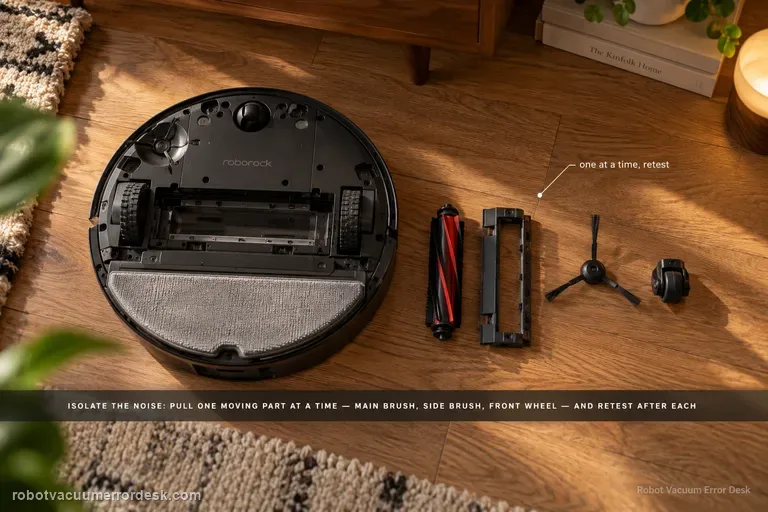
Abnormal noise
Roborock’s Saros 20 Sonic noise test is a component-isolation sequence, not “clean everything and hope.” Test briefly after each change: remove the main brush and cover, then the side brush, then the front wheel; press/rotate the drive wheels by hand; clean the dustbin/filter or use lowest suction; finally remove the mop mount or use Vacuum Only. When the noise disappears after one change, reinstall that component correctly and retest.
Brush guard rubs floor
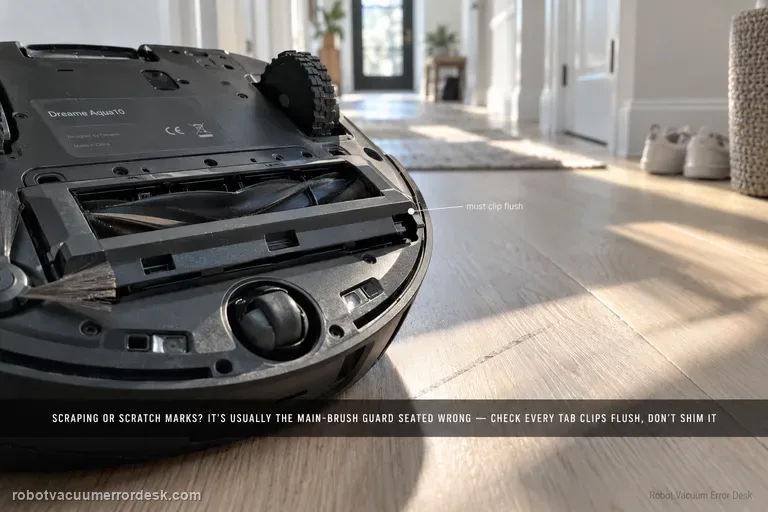
Dreame says brush-guard scraping, scratches on the guard and related abnormal noise can come from incorrect main-brush-guard installation. Before blaming wheel height or suspension, prove that every guard tab is seated correctly and the cover is not protruding. The key check is correct guard installation; repeated scraping is not a normal break-in condition. The useful proof is visual: the guard should sit flush at its normal clips before one brief hard-floor test. Do not sand, bend or shim the part to create clearance.
Abnormal noise
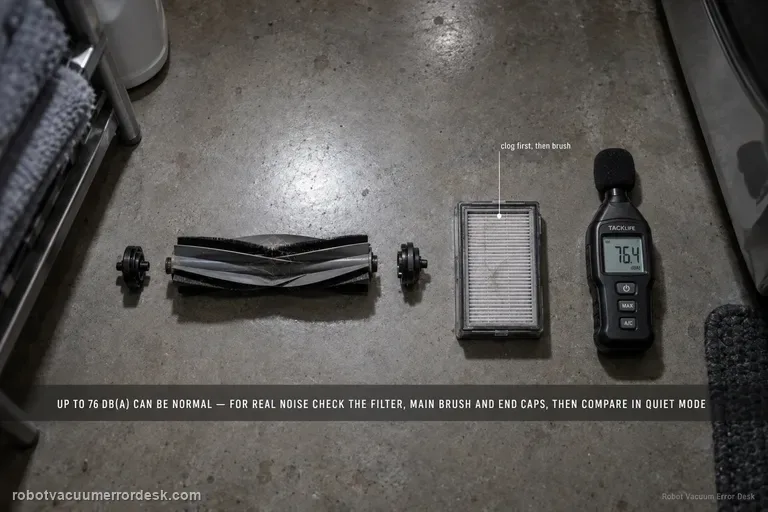
Dreame’s exact L50 Ultra AE noise article gives a useful boundary: normal operating noise is up to 76 dB(A), depending on function, and noise within that level can be normal. For noise that seems abnormal, the manufacturer points first to a clogged filter, hard objects in the main brush or dustbin, and foreign material tangled in the side/main brush. Clean those parts and compare the sound in Standard or Quiet suction. A second L50 article adds a stronger main-brush proof test: remove the brush cover and roller, clear hair/debris including the removable end cap, reinstall the roller, rotate it smoothly by hand, and make sure the cover plate is fully fastened.
Abnormal noise
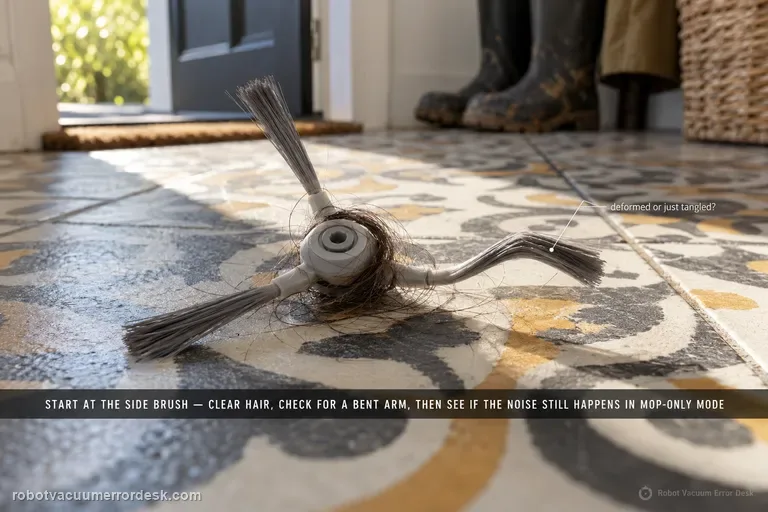
Narwal’s Flow-specific noise article starts with the side brush: clean away hair or foreign objects and check for deformation. Then compare whether the sound still occurs in mopping-only mode. Narwal’s broader robot-noise guide adds owner-safe checks for the roller brush and wheels when the source is unclear, and notes that the mopping module can make a normal motor feedback sound when fully lifted. If a clean robot still makes unfamiliar grinding, clicking or impact noise, stop speculative disassembly and record a close video showing the operating mode and moving part when the sound begins.
Abnormal noise
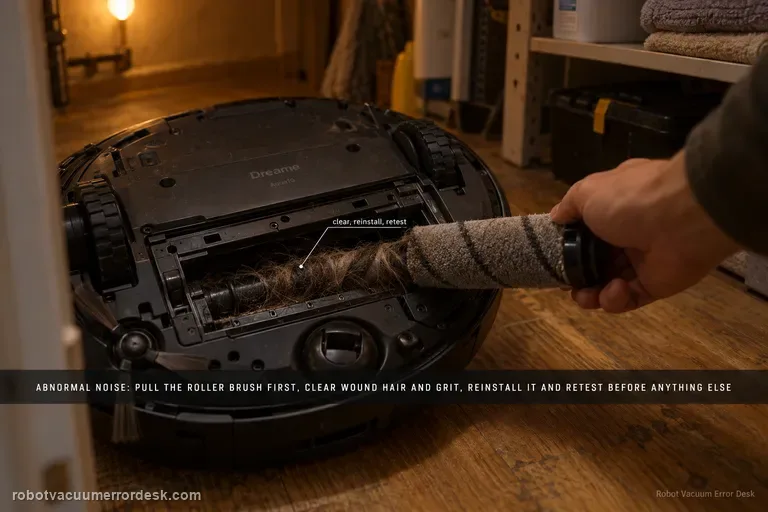
Dreame’s exact Aqua10 abnormal-noise article starts with foreign objects around the roller brush: remove the roller, clear debris, reinstall it and retest. The exact-model manual provides useful secondary discriminators if that first check is clean: a clogged dust-box filter, hard objects in the main brushes or dust box, tangles in the main/side brushes, and suction mode can all change operating noise. Use the exact roller check first, then the manual’s non-invasive comparisons; a repeated noise with all owner-serviceable paths clear belongs with support, not internal motor disassembly.
Unusual main-brush noise
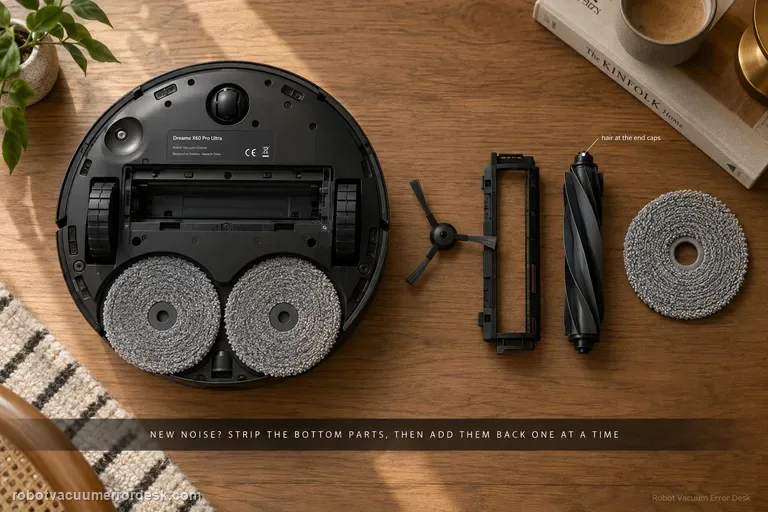
Treat a new X60 noise as an isolation problem, not a reason to replace the main brush immediately. Dreame’s exact-model procedure starts by removing the user-serviceable bottom components — side brush, roller-brush cover, roller brush and/or mop pad — and running a very short safe test. If the sound changes, reinstall one component at a time. A deformed side brush, hair around roller end caps, debris in the roller groove or a brush cover that is not secured on both sides can all create noise. If the sound remains with those parts removed, move to the drive wheels, caster and filter state. Dreame also notes that soft crawling mats can produce contact noise because the robot sinks slightly and the lowered roller reaches deeper. The useful endpoint is a repeatable source, not a long sequence of resets.
Unusual noise
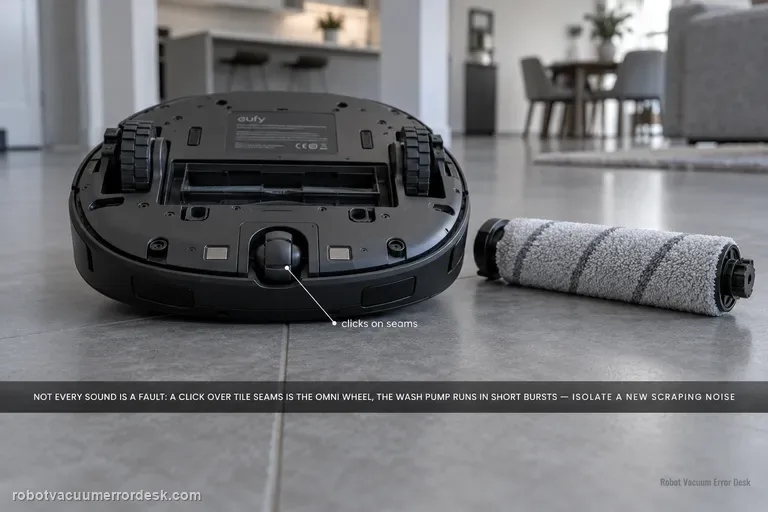
Do not treat every Omni S2 sound as a failing motor. eufy's exact S2 support says a rhythmic click over large tile/wood seams can come from the omni-directional wheel, and the mop-wash pump can run every 40–80 seconds for about 10 seconds as part of normal dirty-water handling. For a new scraping, grinding, persistent rhythmic sound or high-pitched wash-station whistle, isolate the source: brush-cover seating and debris, omni/driving wheels, cleaning roller, dustbin/HEPA airflow, side-brush condition, then the dirty-water reservoir duckbill-valve path described by eufy.
Abnormal noise
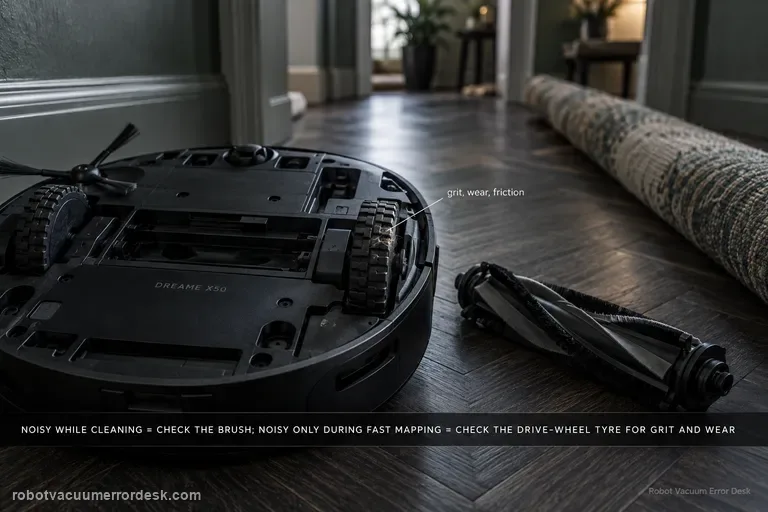
First reproduce when the X50 becomes noisy. Dreame’s exact model article splits the symptom into two scenarios: a strange sound during normal cleaning, where an entangled brush is the first check, and an unusual driving-wheel sound during rapid mapping, where tire/ground friction, debris or wear on the tire are the first owner checks. The X50 manual adds a broader operating-noise branch: a clogged dust-box filter, a hard object in the main brushes or dust box, tangled main/side brushes, or high suction can increase noise. That means the useful test is not ‘does it sound loud?’ but ‘does the sound track brush rotation, suction level, or wheel travel during mapping?’ Do not open a hub motor or fan because an internet post guesses at an internal bearing. Isolate the mode first, service only user-removable parts, then capture the sound for Dreame if it remains frequent or loud.