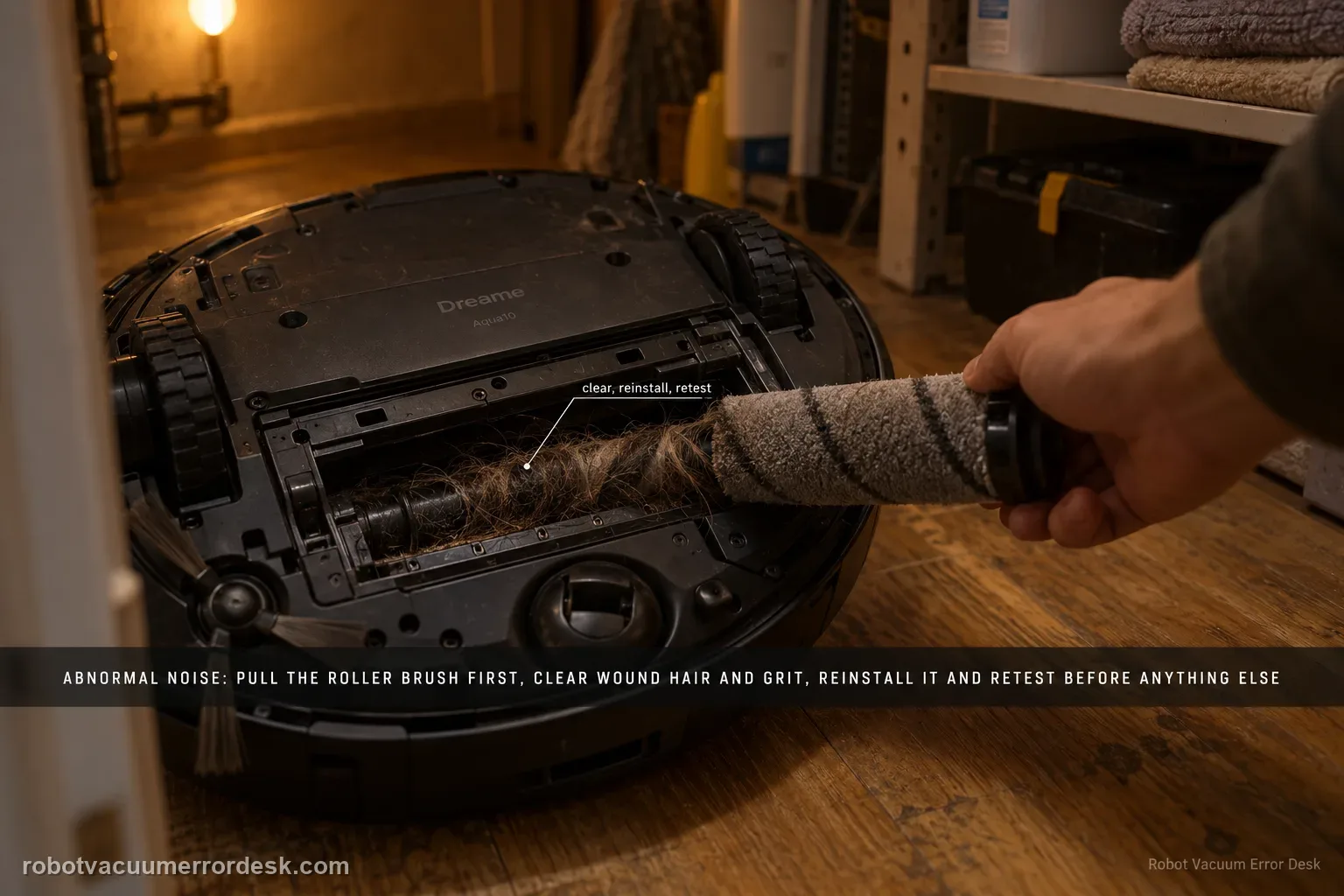
Dreame’s exact Aqua10 abnormal-noise article starts with foreign objects around the roller brush: remove the roller, clear debris, reinstall it and retest. The exact-model manual provides useful secondary discriminators if that first check is clean: a clogged dust-box filter, hard objects in the main brushes or dust box, tangles in the main/side brushes, and suction mode can all change operating noise. Use the exact roller check first, then the manual’s non-invasive comparisons; a repeated noise with all owner-serviceable paths clear belongs with support, not internal motor disassembly.
Confirm the exact model and exact code, light pattern or symptom.
Run the lowest-risk physical or software check first.
Use each pass condition to decide what the result actually narrows down.
Is this the problem you’re seeing?
- The Aqua10 makes an unusual sound while operating.
- The sound could plausibly come from the roller-brush area.
- The noise persists across normal floor types rather than only one rough threshold.
Likely root causes, ranked
Foreign object or wrapped fiber around the roller brush, which is Dreame’s exact-model first cause.
Hard object trapped in the main brushes or dust box, as listed in the Aqua10 manual troubleshooting table.
Main-brush or side-brush entanglement that changes load and sound.
Dust-box filter restriction or a high suction mode making operating noise more pronounced.
Persistent mechanical noise after the roller, brush, dust-box and filter paths are clean and correctly installed.
What the result narrows down
| What you observe | What it narrows down | Next move |
|---|---|---|
| Hair/thread is found on roller | Entanglement matches Dreame’s primary cause | Remove roller, clean it and accessible ends. |
| Hard object is trapped near roller | Impact/scrape source is identified | Remove it before any further run. |
| Noise disappears after reinstall | Roller contamination/seating was the cause | Run a longer normal task and monitor. |
| Noise returns immediately | First inspection may have missed debris | Stop and inspect roller a second time. |
| Second inspection is clean but noise remains | Owner roller path is exhausted | Record sound and contact Dreame support. |
Do not factory-reset by default. Use the exact model’s reboot/network-reset procedure only when the manufacturer path calls for it.
Checks to run, in sequence
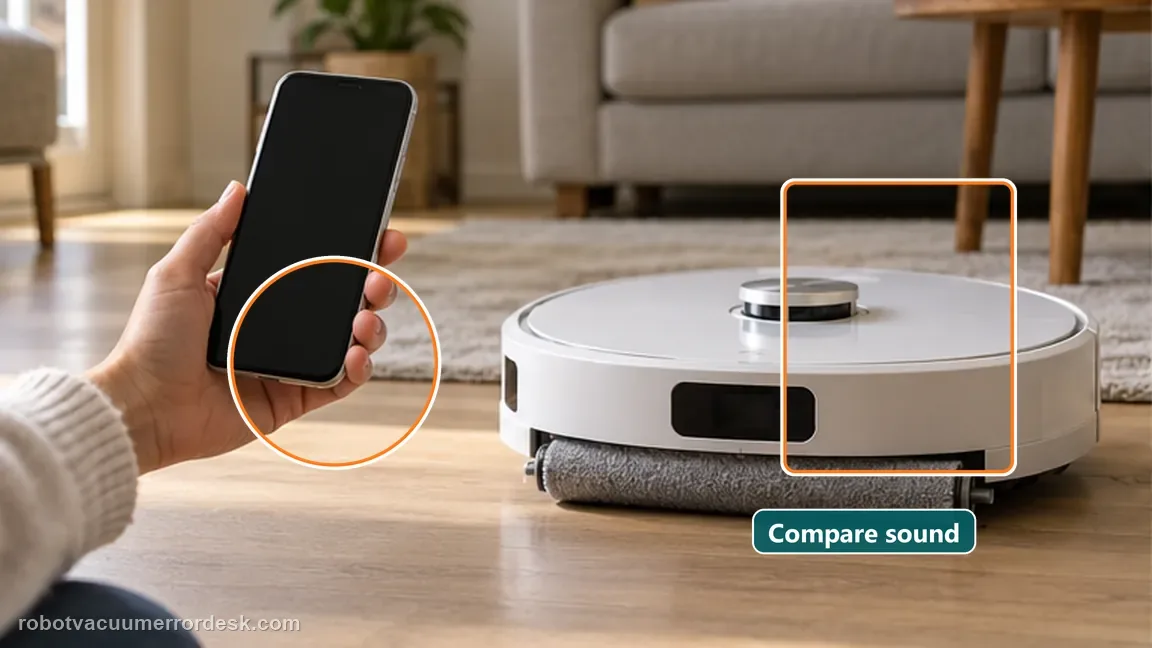
Record the sound and reproduce it on a small clear area
Capture 10–20 seconds of the abnormal sound before changing parts, and note the active suction mode. Use a clear hard-floor area so loose debris or rug fringe does not immediately add new noise. This baseline lets you compare the exact same symptom after Dreame’s roller-brush check.
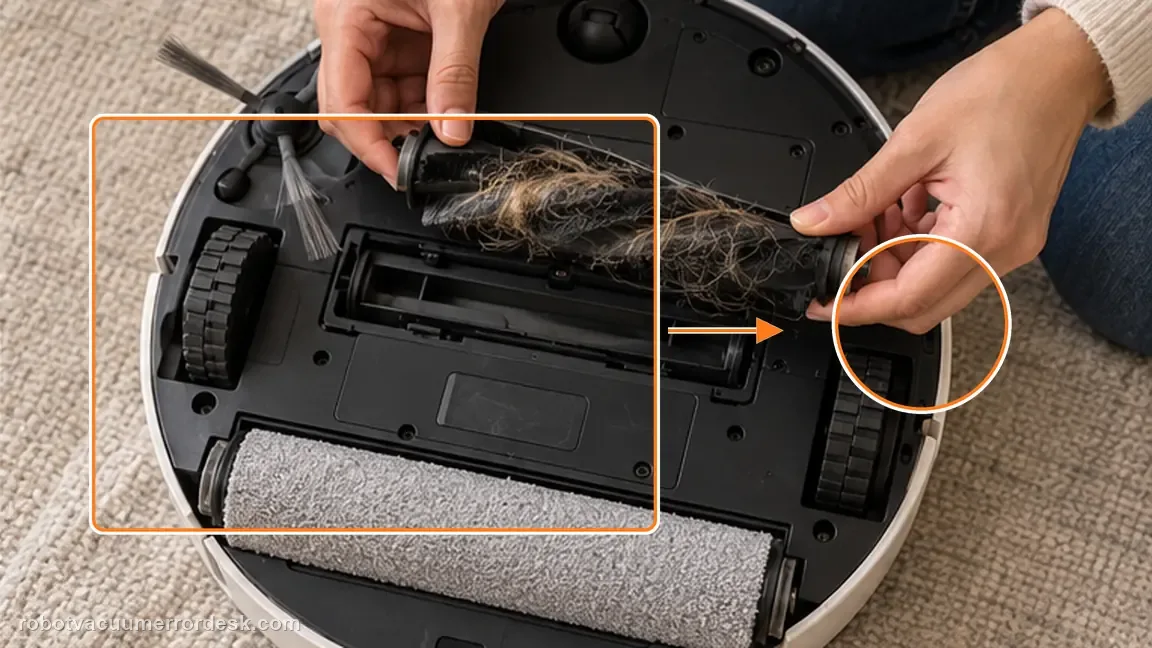
Remove the roller brush and clear foreign objects
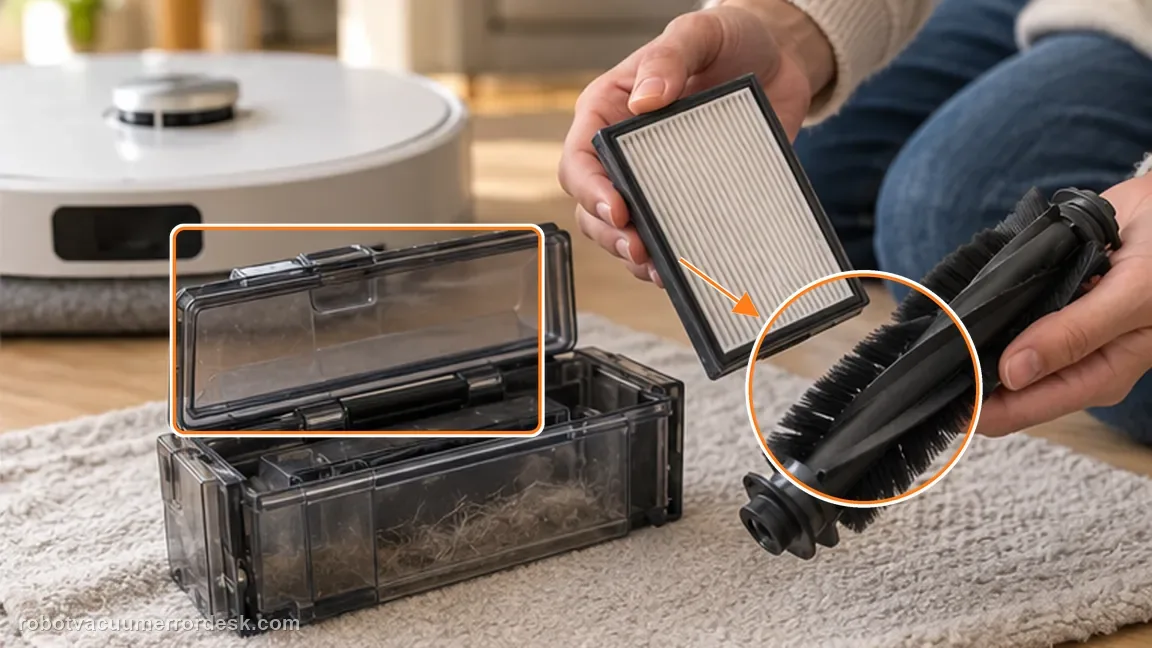
Follow Dreame’s exact Aqua10 article: remove the roller brush and clear hair, thread or hard debris wrapped around it. Inspect the accessible ends and seating area, but do not open the roller drive. This is the manufacturer’s primary branch for this exact-model noise complaint.
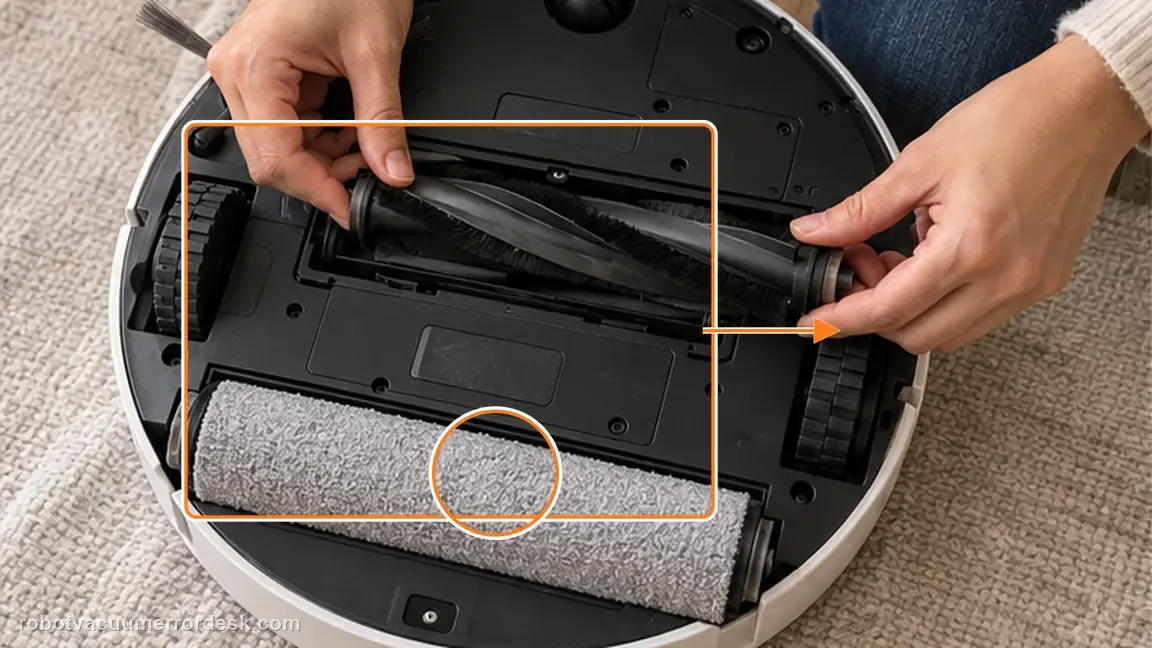
Reinstall the roller correctly and retest once
Seat the roller fully, then start a short run on the same clear area. Dreame specifically asks owners to reinstall and check whether the abnormal noise has disappeared. If the sound is gone, stop. If it remains, perform one second inspection before broadening the diagnosis.
Use the manual to check filter, dust box and other brushes
If the exact roller path is clean, the Aqua10 manual lists additional non-invasive noise checks: a clogged dust-box filter, a hard object in the main brushes or dust box, and tangles in the main or side brush. Clean only owner-serviceable parts and reassemble them normally. This is a manual cross-check, not a reason to open internal motors.
Compare Standard or Quiet mode, then stop if the mechanical sound remains
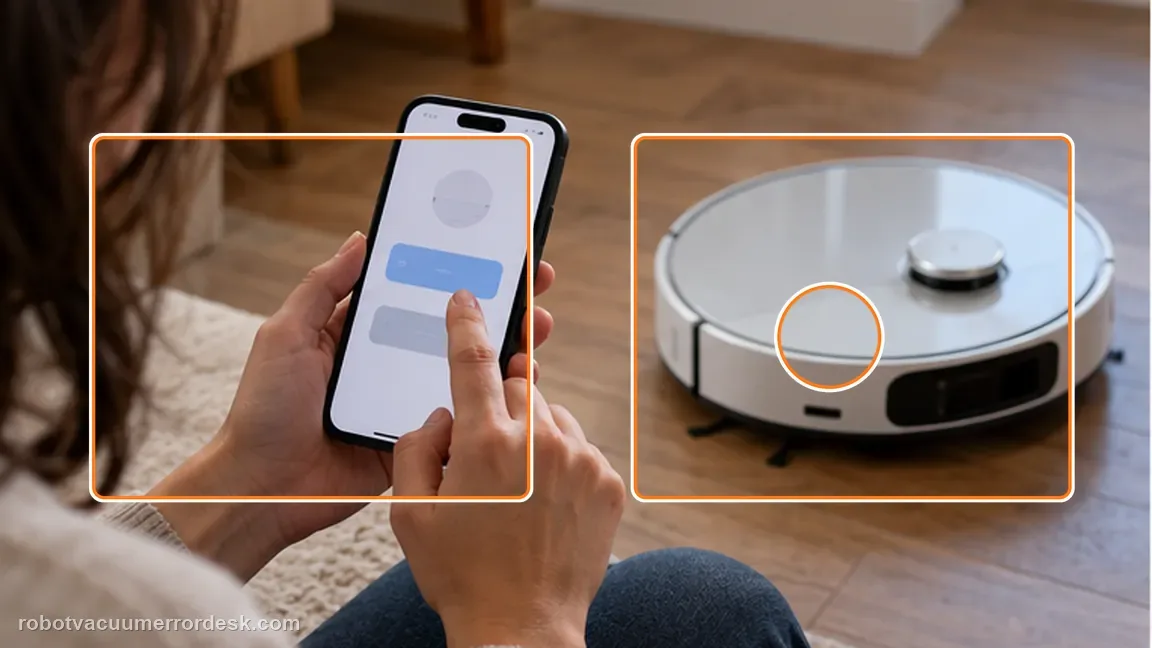
The manual suggests Standard or Quiet suction when operating noise is high. Use this only as a discriminator: a normal airflow roar that drops with mode is different from a scrape, knock or cyclic mechanical sound that remains. If the same mechanical noise persists after the physical checks, save the before/after recordings and contact support.
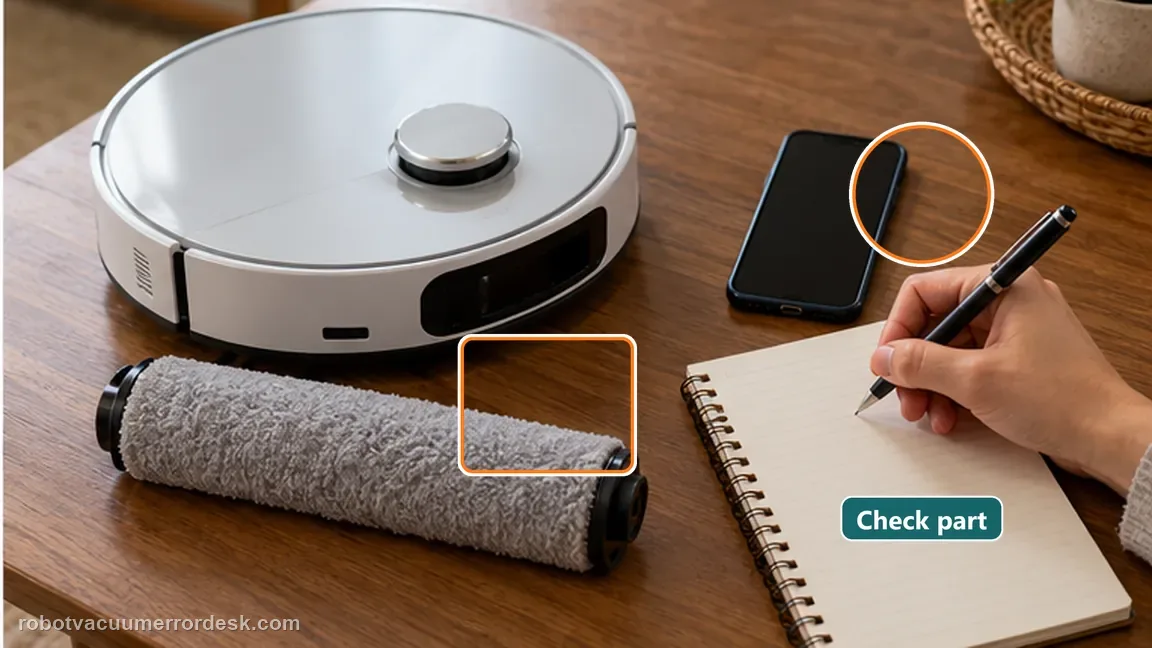
Contact Dreame if the same mechanical noise persists after the exact roller-brush clean/reinstall test and the manual’s owner-serviceable filter, dust-box and brush checks are all clear. Send the before/after audio or video and note whether Standard or Quiet mode changes the sound. Do not open internal fan, roller-drive or wheel-motor assemblies.
Information to have ready for support
Support can skip the basic troubleshooting script when you provide a reproducible case. That keeps the results of your checks from getting lost.
- Exact model name and the error code / voice prompt exactly as shown
- A photo or screenshot of the app error and the time it occurred
- A short list of the checks already completed and what happened after each one
- Short video showing the failed docking, mapping or base-station behavior
- Firmware version shown in Dreamehome
Source and evidence level
Dreame Aqua10 — abnormal noise
Dreame’s exact Aqua10 abnormal-noise article is roller-brush first: remove foreign objects, reinstall and retest, then recheck before after-sales escalation. The Aqua10 manual adds secondary owner-level discriminators for clogged filter, hard objects in main brushes/dust box, main/side-brush tangles and Standard/Quiet suction mode.
Additional official source: Dreame Aqua 10 Ultra Roller Complete — Support Hub ↗Additional official source: Dreame Aqua 10 Ultra Roller Complete — User Manual ↗Last editorial review: September 5, 2026Regional note: manufacturer help centers, model suffixes, mains-power requirements and warranty procedures can differ by country. If the source redirects to a local support site, confirm that the model/hardware scope still matches before following a region-sensitive step.
This guide is rated Official model support. See what each evidence label means →
Common questions
What should I check first when the Aqua10 makes an unusual mechanical noise?
Start with the roller brush because Dreame’s exact Aqua10 abnormal-noise article identifies foreign objects tangled around it as the primary cause. Remove the roller, clear hair or hard debris, reinstall it correctly and repeat the same short test. Do not begin by changing maps, Wi-Fi settings or opening the fan; those actions do not prove whether the documented roller path caused the sound.
What if the roller brush is clean but the noise remains?
The Aqua10 manual lists additional owner-level checks: dust-box filter clogging, hard objects in the main brushes or dust box, and tangles in the main or side brush. Clean those accessible parts and reinstall them normally. If a mechanical scrape, knock or cyclic sound still repeats, preserve a recording and move to support rather than opening internal drive or fan assemblies.
Can suction mode make the Aqua10 sound louder?
Yes. The manual suggests switching to Standard or Quiet when operating noise is high. Use that as a comparison, not as proof that every sound is normal. A broad airflow roar that changes with suction mode is different from a mechanical scrape or repeating knock that remains at lower suction. Record both states if the distinction is unclear and the physical brush paths are already clean.
Should I keep removing the roller if the second inspection is clean?
No. Dreame’s exact article says to check again for foreign objects if the sound persists, then contact after-sales if none are found and the problem continues. Once the roller has been cleaned, correctly installed and inspected a second time, repeated removal adds little diagnostic value. Broaden only to the manual’s other owner-serviceable checks, then preserve the persistent sound for support.
What evidence helps Dreame diagnose a persistent noise?
Send a short recording before and after the roller clean/reinstall, note the suction mode, and state whether the dust-box filter, main brushes, dust box and side brush were clear. Describe the sound as scrape, knock, rattle, cyclic rubbing or airflow rather than only “loud.” That gives support a reproducible symptom and shows the official owner-level paths were completed without internal disassembly.
Did this diagnostic narrow the fault?
Use this as an editorial signal, not a popularity counter. If a feedback address is configured you can email the note; otherwise you can copy it for your own support record.