Brush, Suction or Fan Problems
Airflow restrictions, wrapped brush ends and true motor faults need different actions. Clean the user-serviceable path before replacing assemblies.
Remove hair and packed debris from the full user-serviceable airflow/roller path, then run a short hard-floor test before blaming the motor.
What the symptom points to
Brush/roller bind, end-cap debris or cleaning-head load.
Bin/filter/duct restriction before a fan diagnosis.
Persistent fan/cleaning-head hardware becomes more plausible.
Do not erase the evidence
- Running with a wet filter unless the manual explicitly allows it
- Forcing a jammed roller or fan by hand
- Replacing the whole cleaning head before isolating airflow versus roller load
Note exactly when the error occurs in the cleaning cycle and whether it repeats with the bin/filter/rollers clean on hard flooring. That test result is more useful than a parts guess.
Matching model-specific guides
29 diagnostics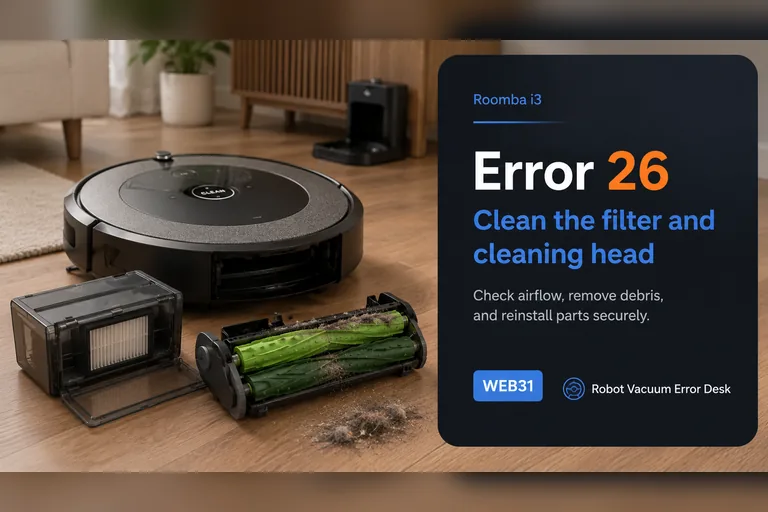
Error 26
On the Roomba i3, Error 26 is an airflow/vacuum problem, not a generic internal error. iRobot says to clean or replace the bin filter first, keep that filter dry, rinse only the bin and let it dry completely, then reinstall everything before retesting. If the code persists, reboot an i-Series robot by holding CLEAN for 20 seconds. A repeat Error 26 after a known-good filter and reboot raises the cleaning-head module as the next suspect, but newer i1/i3/i5 variants may be non-modular. Check the serial-number or bottom-cover clues before ordering a module that cannot be replaced on your particular robot.
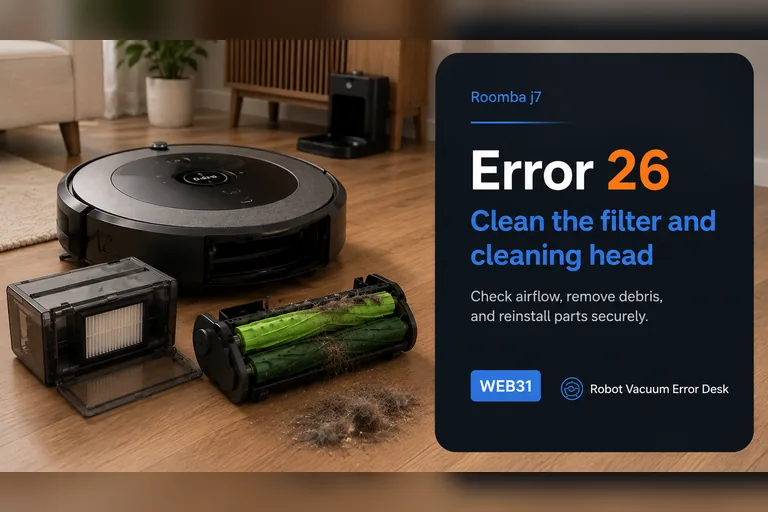
Error 26
iRobot defines Error 26 on the Roomba j7/j7+ as insufficient airflow, so start with the air path rather than the battery, dock or map. Remove the bin, tap dust from the filter without washing it, rinse only the bin with warm water and let it dry completely, then clear the dual rollers and intake path. Reassemble the filter and bin, reboot a j-series robot by holding CLEAN for nine seconds, and run a short controlled vacuum test. If Error 26 returns after a clean or replaced filter, a dry unobstructed bin path and the documented reboot, iRobot says the cleaning-head module may need service or replacement; stop buying random parts and use the repeatable test result for support.
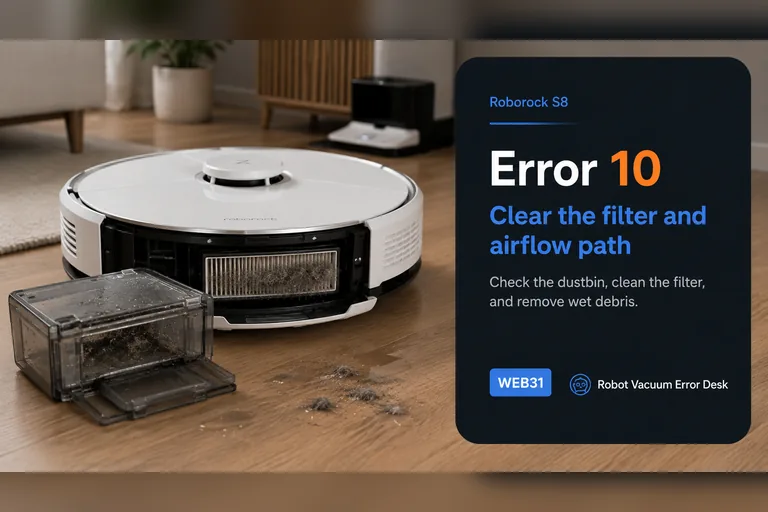
Error 10
Roborock S8 Error 10 is the blocked-or-wet filter path, not the same fault as Error 18. Empty the dustbin, clean the filter, let it dry completely and reinstall it correctly before testing again. Inspect the accessible inlet for compacted debris while the bin is out. If a clean, genuinely dry, known-good filter still triggers Error 10, stop repeatedly washing the same filter and escalate; a persistent airflow or sensing fault needs a different branch.
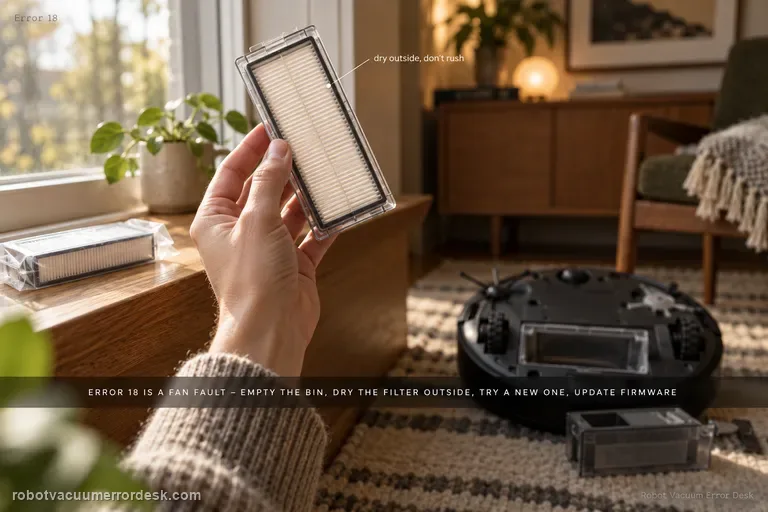
Error 18
S8 Error 18 is Roborock’s fan-error path. The official S8/S8+ support sequence is to empty the dustbin, clean the filter and dry it outside, replace it with a brand-new filter if necessary, and update the robot to the latest firmware. That sequence deliberately rules out airflow load before you conclude the fan itself has failed. Run only a short proof test after those checks; if Error 18 promptly returns or the fan sounds stalled, stop cycling the robot and escalate.
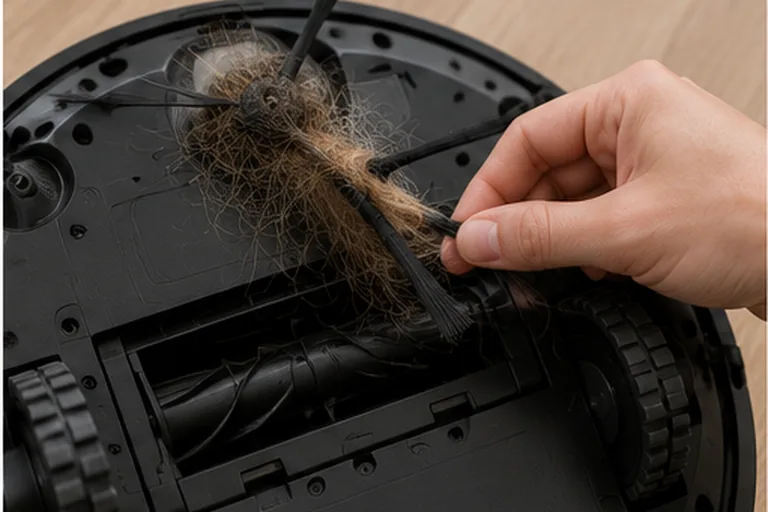
DOCK red + ! red
On the Shark Matrix Plus/2-in-1 chart, flashing red DOCK + red ! means the side brush is stuck. Power off, clear hair from around and beneath the hub, wipe the brush dry, reseat it, and turn it by hand. Replace a bent brush. If the code returns on open flooring with a clean, free brush, stop and contact Shark.
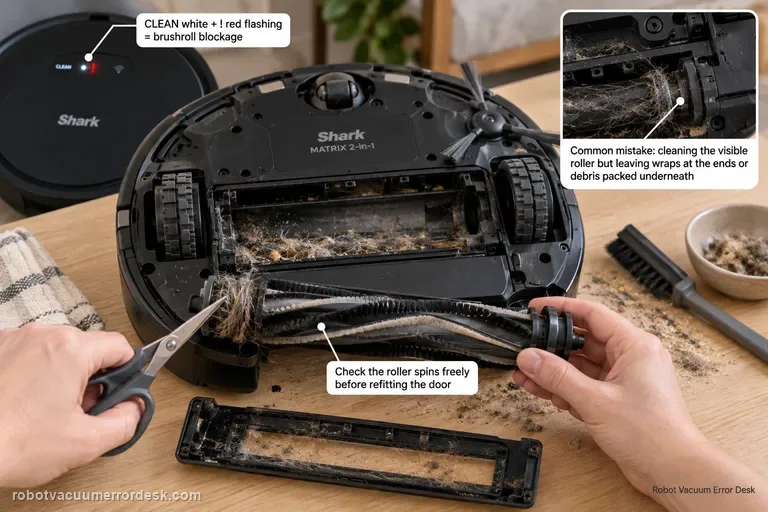
CLEAN white + ! red
On the Shark Matrix 2-in-1, CLEAN white + ! red flashing is the brushroll-blockage pattern. Power the robot off, remove the owner-serviceable brushroll and door, cut or pull away hair and thread from the roller and end areas, clear debris from the chamber, then make sure the brushroll can move normally before reinstalling the door. A common diagnostic mistake is to clean the visible roller surface but leave wrapped material at an end or packed debris under the roller. After reassembly, test on open hard flooring. If the roller is mechanically free, the door is fully latched and the same white/red pattern returns immediately, stop forcing the brushroll and contact Shark for the drive/service path.
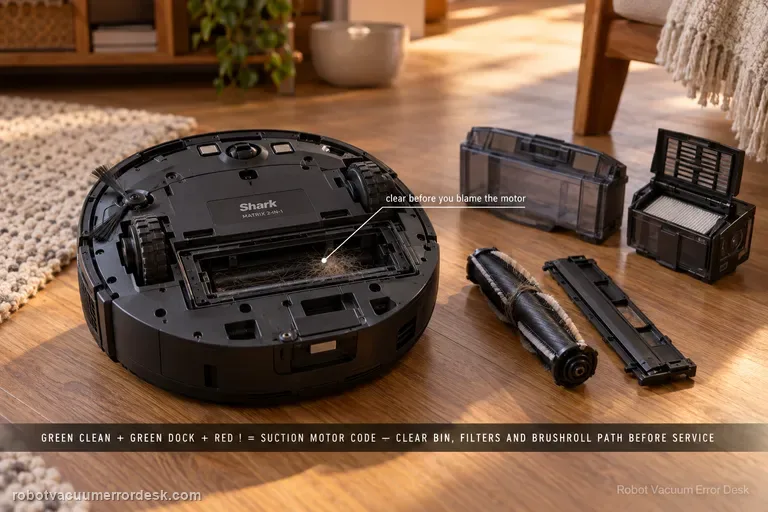
CLEAN green + DOCK green + ! red
The Shark Matrix 2-in-1 manual maps CLEAN green + DOCK green + ! red flashing together to suction motor failure, but Shark's first remedy is an airflow-path cleanup: empty the dust bin, clean the filters, remove the brushroll and brushroll door, and clear blockages. Follow that order before concluding the motor itself is defective. A loaded filter or packed inlet can make the suction system work abnormally even though the LED chart uses a motor-oriented label. After maintenance, reinstall every airflow component correctly and run a short hard-floor test. If the same green/green/red pattern returns with a clean bin, serviced filters and clear brushroll chamber, stop opening more parts and contact Shark.
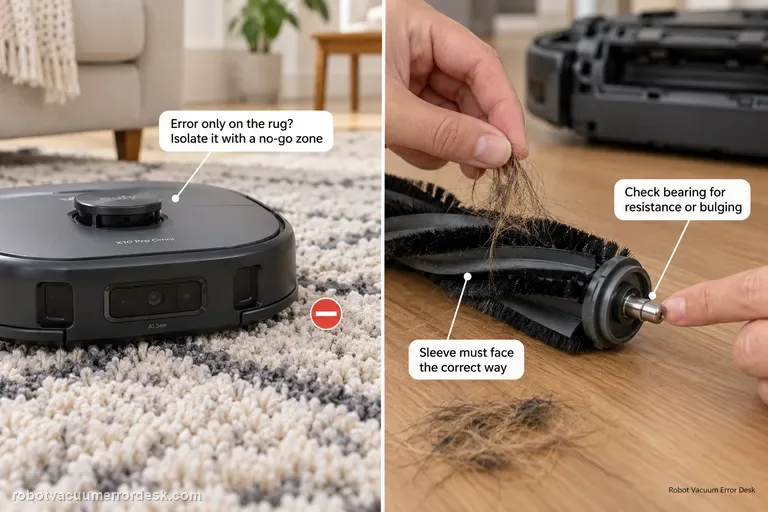
Roller brush stuck
Separate surface overload from a real roller fault. First run the X10 Pro Omni on hard floor: if the error happens only on a high-pile rug, eufy recommends isolating that rug with a no-go zone. If it happens on hard floor too, remove the roller, clear hair from the middle and both ends, inspect the silver shaft/bearing for resistance or bulging, verify the sleeve is installed in the correct orientation, then retest.
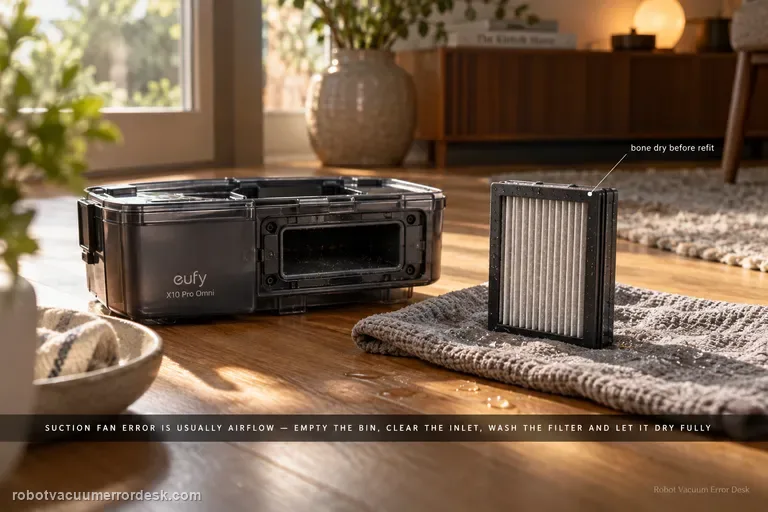
Suction fan error
For an X10 Pro Omni suction fan error, prove the airflow path is open before assuming the fan motor has failed. Empty the dustbin, clear the bin inlet, clean the filter, and if the filter is washed with cold water let it dry completely before reinstalling it. Then run one short suction test; an immediate repeat with a clean, dry airflow path is the point to escalate.
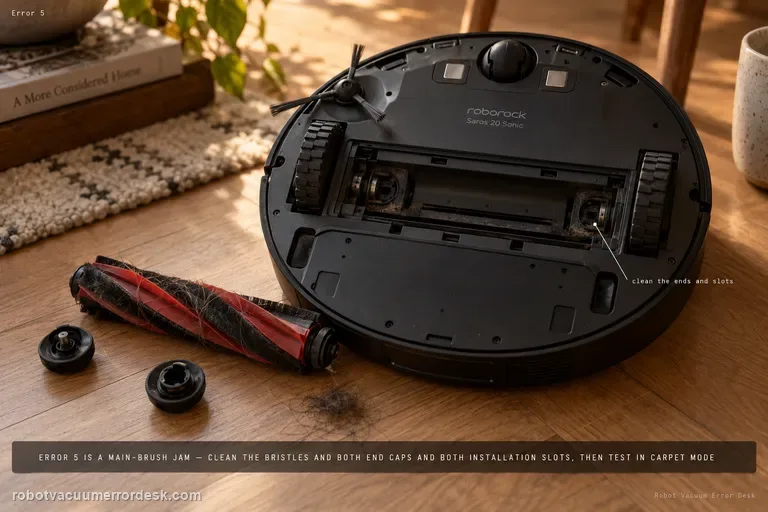
Error 5
Roborock Error 5 on the Saros 20 Sonic is the main-brush jam path. Remove hair and debris not only from the visible bristles but from both brush-installation slots and both ends of the brush. Reinstall it correctly, then run a short test with Carpet mode enabled as Roborock specifies. If the brush rotates freely by hand but Error 5 returns immediately in a clear test area, stop buying brushes at random and escalate with the cleaned end/slot condition.
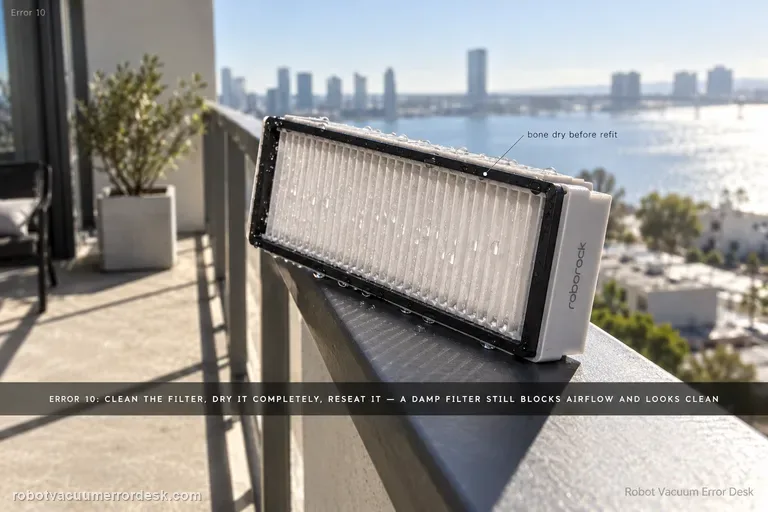
Error 10
Roborock’s exact Saros 20 Sonic Error 10 instruction is deliberately simple: clean the filter, dry it thoroughly, reinstall it and try again. The important diagnostic work is proving those words rather than doing them approximately. A damp filter can look clean while still restricting airflow; a dusty bin/filter seal or poorly seated assembly can produce the same practical symptom. Use a known-dry filter and a short controlled suction test before treating Error 10 as a fan failure.
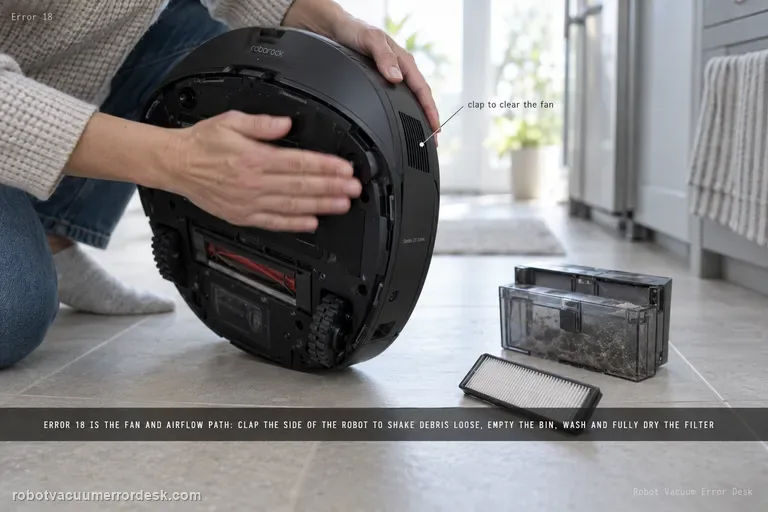
Error 18
Saros 20 Sonic Error 18 points to the fan/airflow path. The exact model page tells owners to clap the side of the robot several times to try to clear debris from the fan. Roborock’s broader Error 18 support also advises emptying the dustbin, cleaning and fully drying the filter, trying a new filter, and updating firmware. Use those owner-safe airflow checks before assuming the suction motor itself has failed.
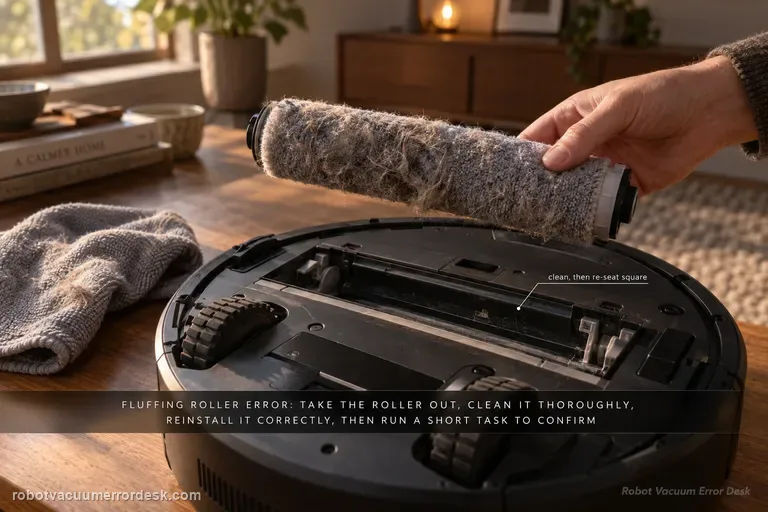
Fluffing Roller Error
Dreame’s model-specific path is straightforward: remove the robot from the base, detach and thoroughly clean the fluffing roller, reinstall it correctly, return the robot to the station and run a short cleaning task. The proof is whether the error stays gone after the roller is re-seated.
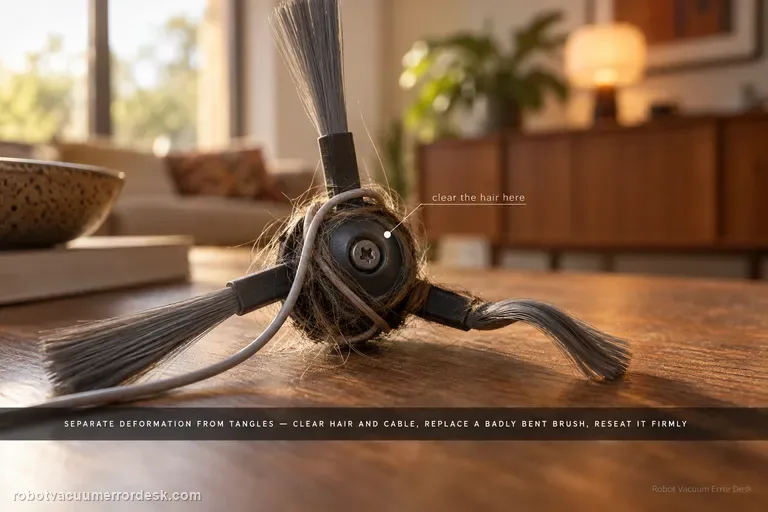
Side brush not rotating
For a side brush that will not rotate, makes abnormal noise or falls off, Dreame first separates deformation from entanglement. Remove hair, thread or cable debris, replace a badly deformed brush for the rotation test, reinstall it securely and continue cleaning near the same area. The Aqua10 also has a separate exact-model article for curled nylon bristles; use that shape-only path when the motor still rotates and the problem is simply deformation. If a clean, correctly shaped and securely mounted brush still will not rotate, stop at support rather than opening the brush drive.
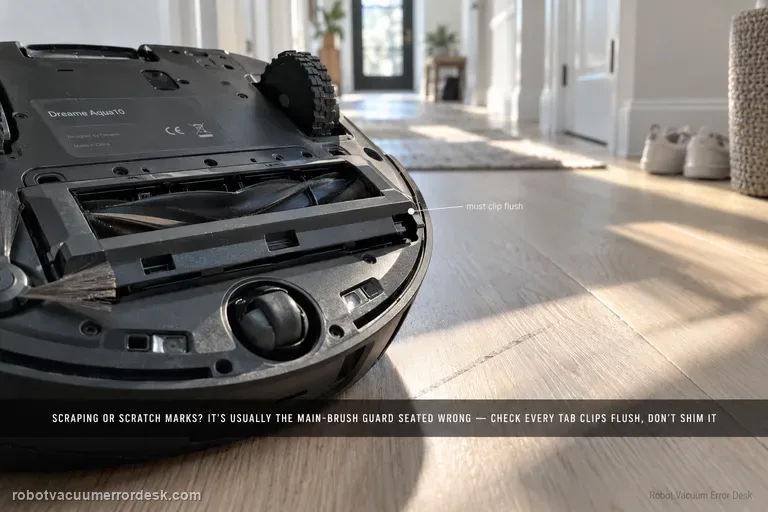
Brush guard rubs floor
Dreame says brush-guard scraping, scratches on the guard and related abnormal noise can come from incorrect main-brush-guard installation. Before blaming wheel height or suspension, prove that every guard tab is seated correctly and the cover is not protruding. The key check is correct guard installation; repeated scraping is not a normal break-in condition. The useful proof is visual: the guard should sit flush at its normal clips before one brief hard-floor test. Do not sand, bend or shim the part to create clearance.
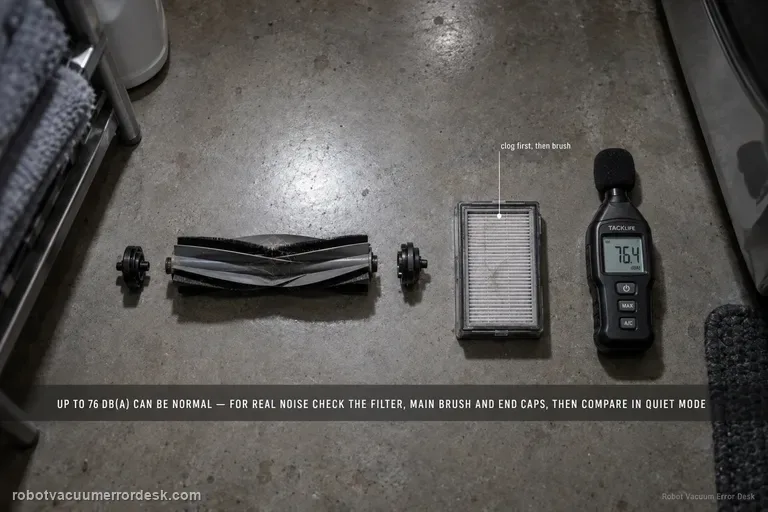
Abnormal noise
Dreame’s exact L50 Ultra AE noise article gives a useful boundary: normal operating noise is up to 76 dB(A), depending on function, and noise within that level can be normal. For noise that seems abnormal, the manufacturer points first to a clogged filter, hard objects in the main brush or dustbin, and foreign material tangled in the side/main brush. Clean those parts and compare the sound in Standard or Quiet suction. A second L50 article adds a stronger main-brush proof test: remove the brush cover and roller, clear hair/debris including the removable end cap, reinstall the roller, rotate it smoothly by hand, and make sure the cover plate is fully fastened.
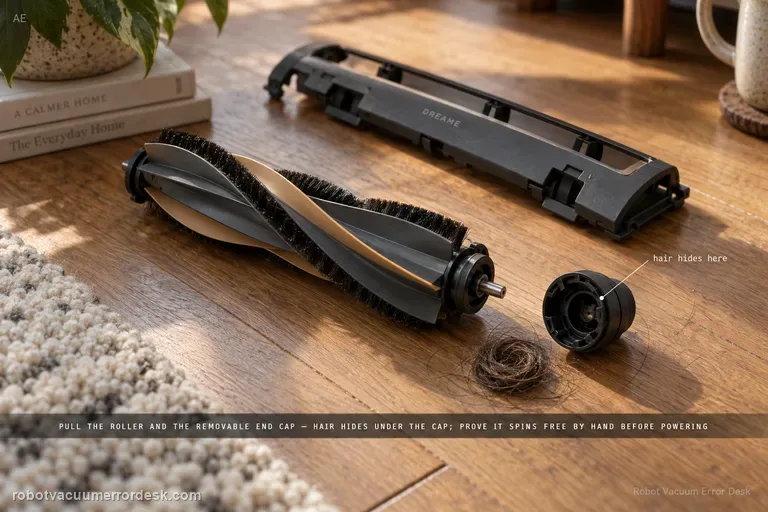
Main brush jammed
Treat an L50 Ultra AE main-brush jam as a mechanical-path problem first. Dreame says large/hard debris, wires and wrapped hair can stop the conical roller, including hair hidden under the removable end cap. Remove the cover and roller, clean the full user-serviceable path, reinstall it and prove smooth hand rotation before powering the brush. The exact manual separately advises clearing hard/sharp floor objects before cleaning, which helps prevent an immediate repeat jam.
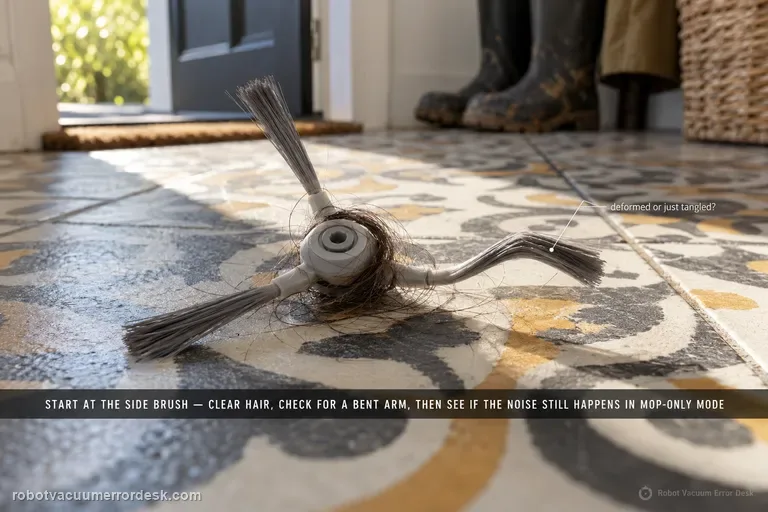
Abnormal noise
Narwal’s Flow-specific noise article starts with the side brush: clean away hair or foreign objects and check for deformation. Then compare whether the sound still occurs in mopping-only mode. Narwal’s broader robot-noise guide adds owner-safe checks for the roller brush and wheels when the source is unclear, and notes that the mopping module can make a normal motor feedback sound when fully lifted. If a clean robot still makes unfamiliar grinding, clicking or impact noise, stop speculative disassembly and record a close video showing the operating mode and moving part when the sound begins.
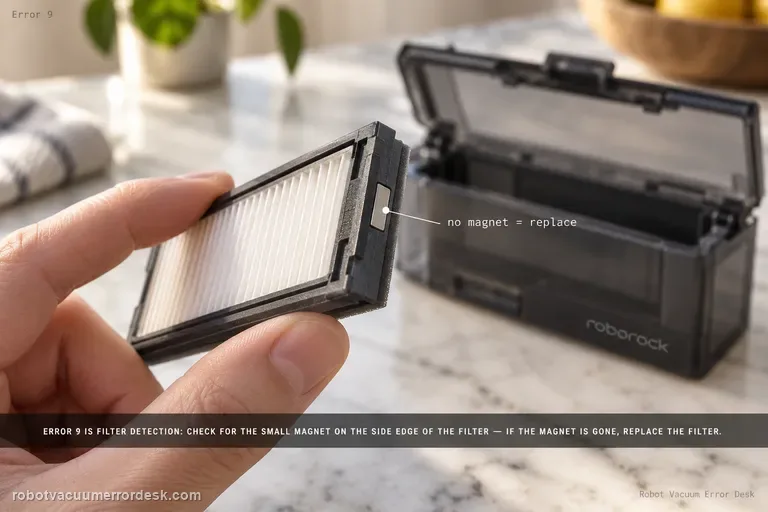
Error 9
Roborock Error 9 on the Saros 20 Sonic is a filter-detection check. The model support page says to look for the magnet on the side of the filter; if the magnet is missing, replace the filter and try again. First remove and inspect the filter carefully, clean its seating area, and reinstall it correctly. A present magnet plus correct seating but immediate Error 9 points beyond a simple missing-filter-magnet case.
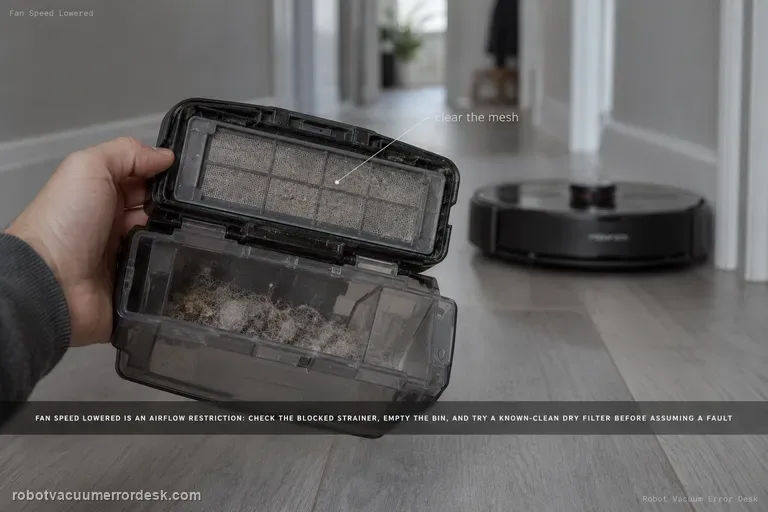
Fan speed lowered error
The Saros 20 Sonic “fan speed lowered” message is an airflow restriction check. Roborock says to inspect the blocked strainer and replace the filter to see whether the problem is solved. Empty the dustbin, clean accessible airflow surfaces, use a known-clean dry filter, then run the same suction mode again. If suction remains lowered with a clear bin/strainer and known-good filter, record the message and actual airflow behavior for support.
Abnormal noise
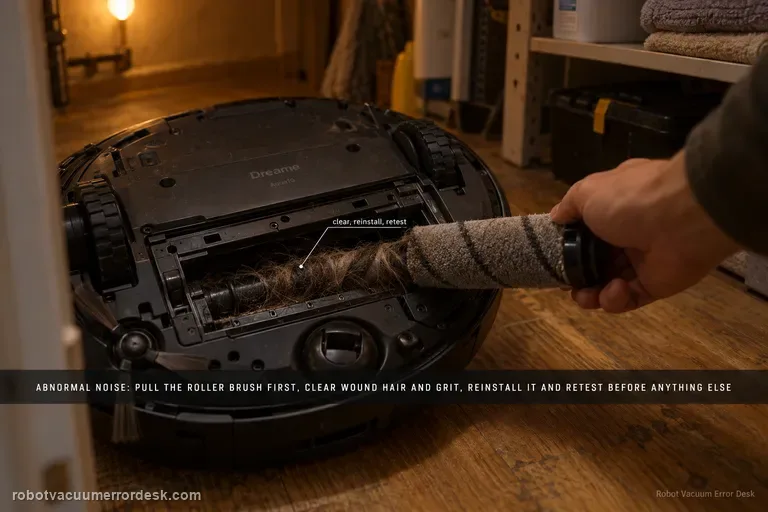
Dreame’s exact Aqua10 abnormal-noise article starts with foreign objects around the roller brush: remove the roller, clear debris, reinstall it and retest. The exact-model manual provides useful secondary discriminators if that first check is clean: a clogged dust-box filter, hard objects in the main brushes or dust box, tangles in the main/side brushes, and suction mode can all change operating noise. Use the exact roller check first, then the manual’s non-invasive comparisons; a repeated noise with all owner-serviceable paths clear belongs with support, not internal motor disassembly.
Side brush deformed
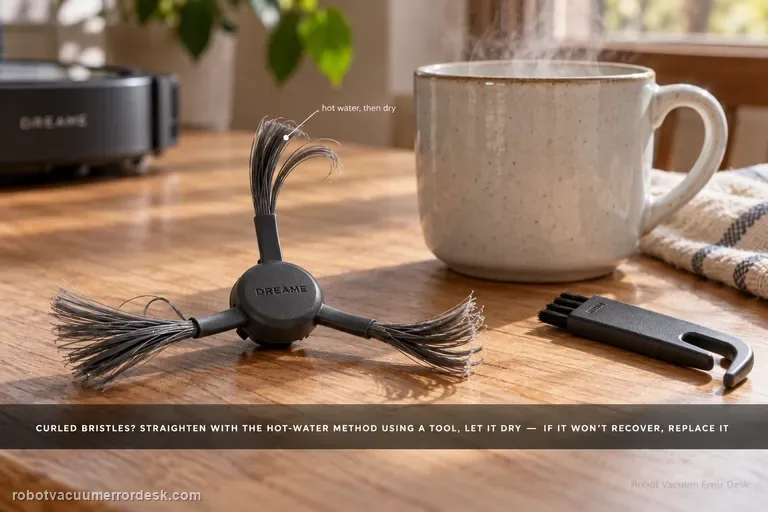
Dreame says the Aqua10 side brush uses nylon bristles that can curl in packaging or daily use. For deformation alone, remove the brush and follow the manufacturer’s hot-water straightening method using a tool rather than handling heated bristles directly; let the brush cool and dry before reinstalling it. If the bristles still do not recover, replace the brush. This page is not for a brush that will not rotate or keeps falling off — those symptoms use the separate side-brush drive/entanglement path.
One side brush is longer
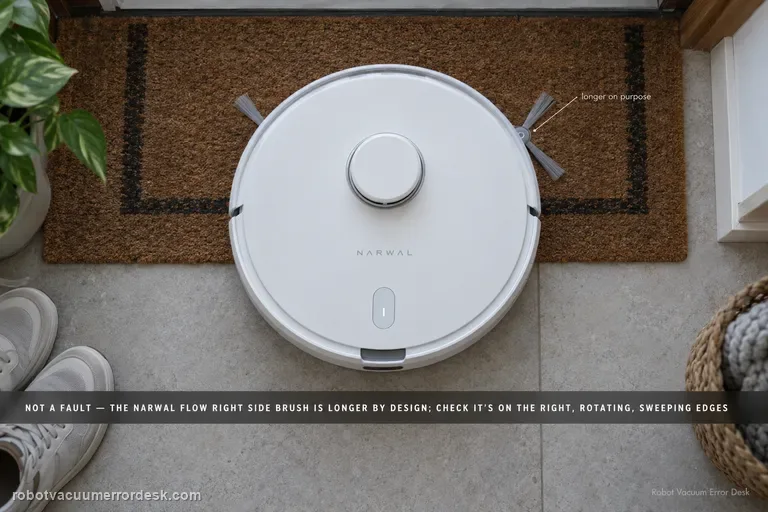
Yes—on Narwal Flow the right-hand side brush is intentionally longer. Narwal says the extra reach comes from the brush itself, not from an extend/retract actuator, so a healthy asymmetric pair should not be “fixed” or trimmed to match. Confirm the long brush is on the right, inspect for real damage or tangles, make sure any removed brush is seated correctly, and judge health by whether it rotates and sweeps edge debris normally. If the longer right brush stops rotating, repeatedly detaches or is physically damaged, that is a separate maintenance fault worth documenting for Narwal.
Unusual main-brush noise
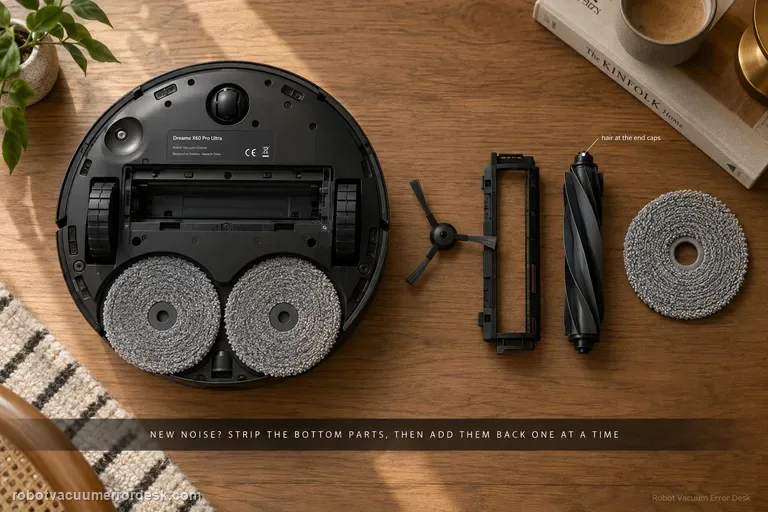
Treat a new X60 noise as an isolation problem, not a reason to replace the main brush immediately. Dreame’s exact-model procedure starts by removing the user-serviceable bottom components — side brush, roller-brush cover, roller brush and/or mop pad — and running a very short safe test. If the sound changes, reinstall one component at a time. A deformed side brush, hair around roller end caps, debris in the roller groove or a brush cover that is not secured on both sides can all create noise. If the sound remains with those parts removed, move to the drive wheels, caster and filter state. Dreame also notes that soft crawling mats can produce contact noise because the robot sinks slightly and the lowered roller reaches deeper. The useful endpoint is a repeatable source, not a long sequence of resets.
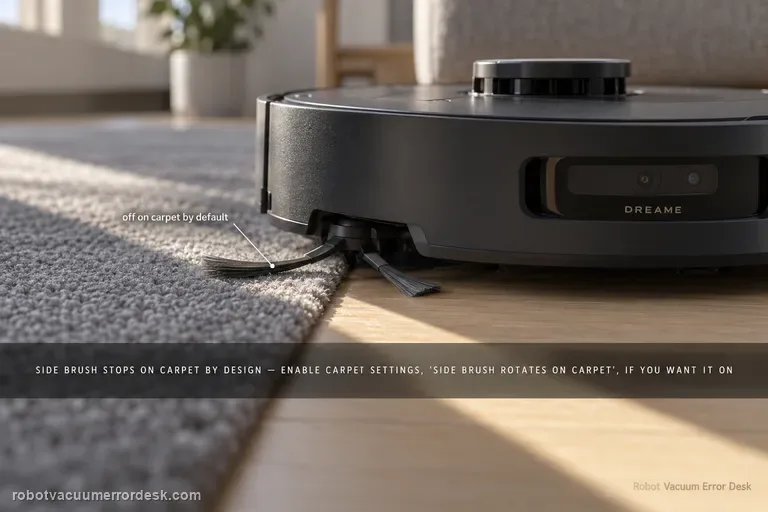
Side brush stops on carpet
On X40 Ultra, a side brush that lifts and stops on carpet can be normal behavior, not a failed motor. Dreame’s exact X40 carpet-setting page says side-brush cleaning on carpet is disabled by default to reduce secondary contamination, and you can enable Settings → Carpet Settings → “side brush rotates on carpet.” Dreame’s newer X40-series support adds that the brush may also lift during positioning, recharging, cross-zone navigation and voice calls. First prove the brush rotates on hard floor, then reproduce the same carpet transition before and after changing only the carpet setting.
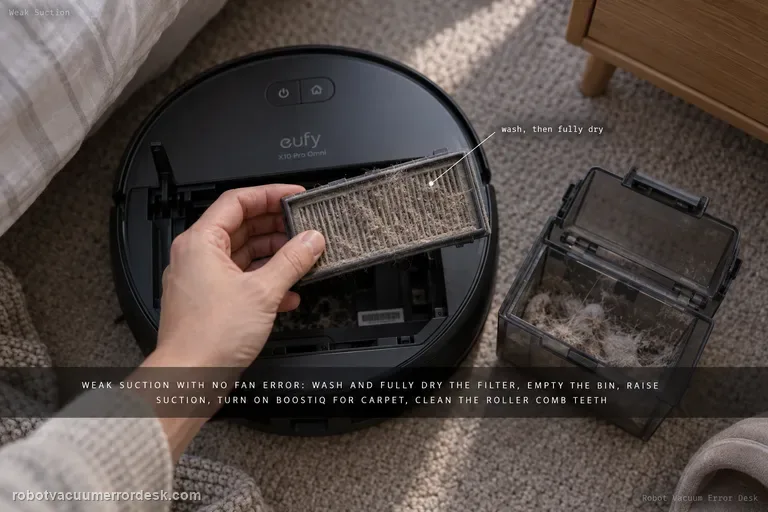
Weak suction / poor cleaning
For X10 Pro Omni weak pickup without a suction-fan error, follow eufy’s performance path in order: clean and fully dry the filter, empty the dustbin, raise suction power, enable BoostIQ for carpet, clean the roller-brush comb teeth, then inspect wear items that are easy to miss—the side brush and the rubber strip on the roller-brush guard. eufy says a filter older than about six months that still performs poorly after washing is a replacement candidate.
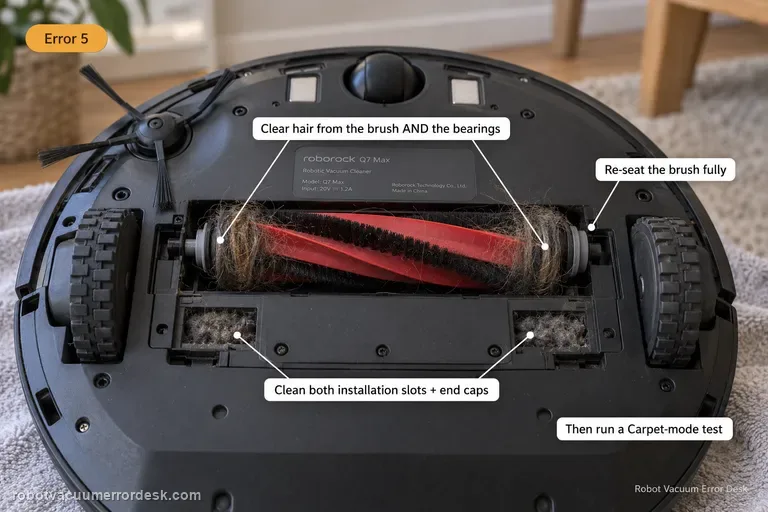
Error 5
Q7 Max Error 5 means the main brush is jammed. Remove the brush, clear hair from the brush and bearings, clean the two installation slots and both ends, then reinstall it correctly. Roborock’s Q7 support suggests a Carpet-mode test after the tangles are removed.
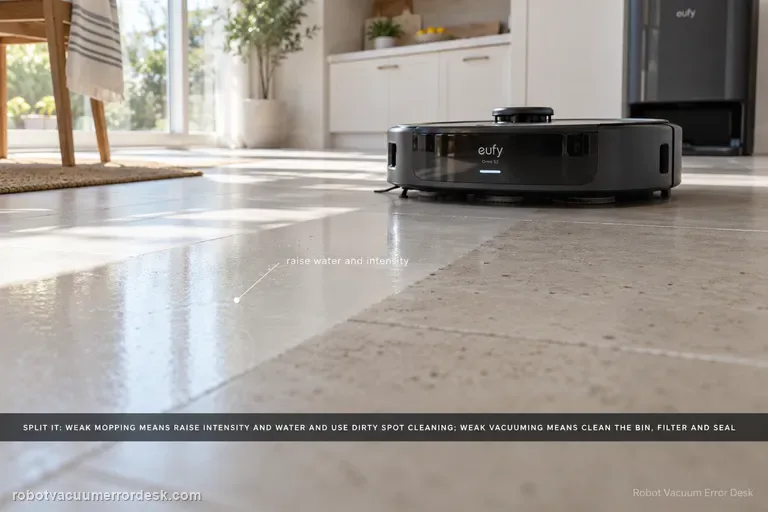
Poor Cleaning / Mopping
Split the symptom before changing parts. For weak mopping, eufy says to raise cleaning intensity and water level, enable Dirty Spot Cleaning for heavily soiled areas, and accept that hardened oil, glue or paint may still need manual cleaning. For weak vacuuming, clean the dustbin/filter, inspect the dustbin air-outlet silicone seal, replace worn brushes, then verify coverage and run a controlled second pass. Carpet results should be judged separately with higher suction if needed.
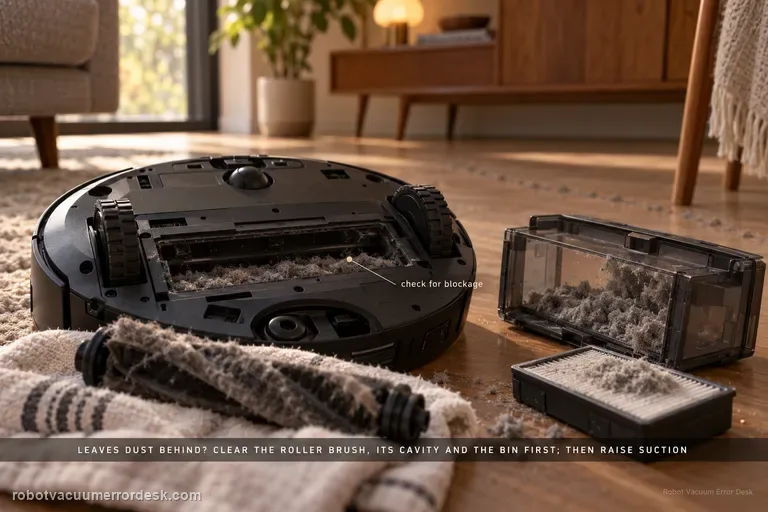
Not vacuuming dust
For an X50 that runs but leaves dust or loose debris behind, Dreame’s exact model article starts with blockage, not motor replacement: inspect and clean the roller brush, roller-brush cavity and dust bin. For difficult scenes with accumulated debris or clumps of hair, Dreame recommends more frequent cleaning and a higher suction level, while stubborn material may still need manual removal. The X50 manual adds the maintenance detail that the dust-box filter can be removed, gently tapped, and—if rinsed along with the dust box—must be cleaned with water only, no detergent, and dried completely before reinstalling; it also warns not to clean the filter with a brush, finger or sharp object. Use a small controlled debris strip to prove pickup after each branch. This page is about vacuum pickup, not a side brush failing to reach a corner or the base failing to auto-empty after the cleaning run.