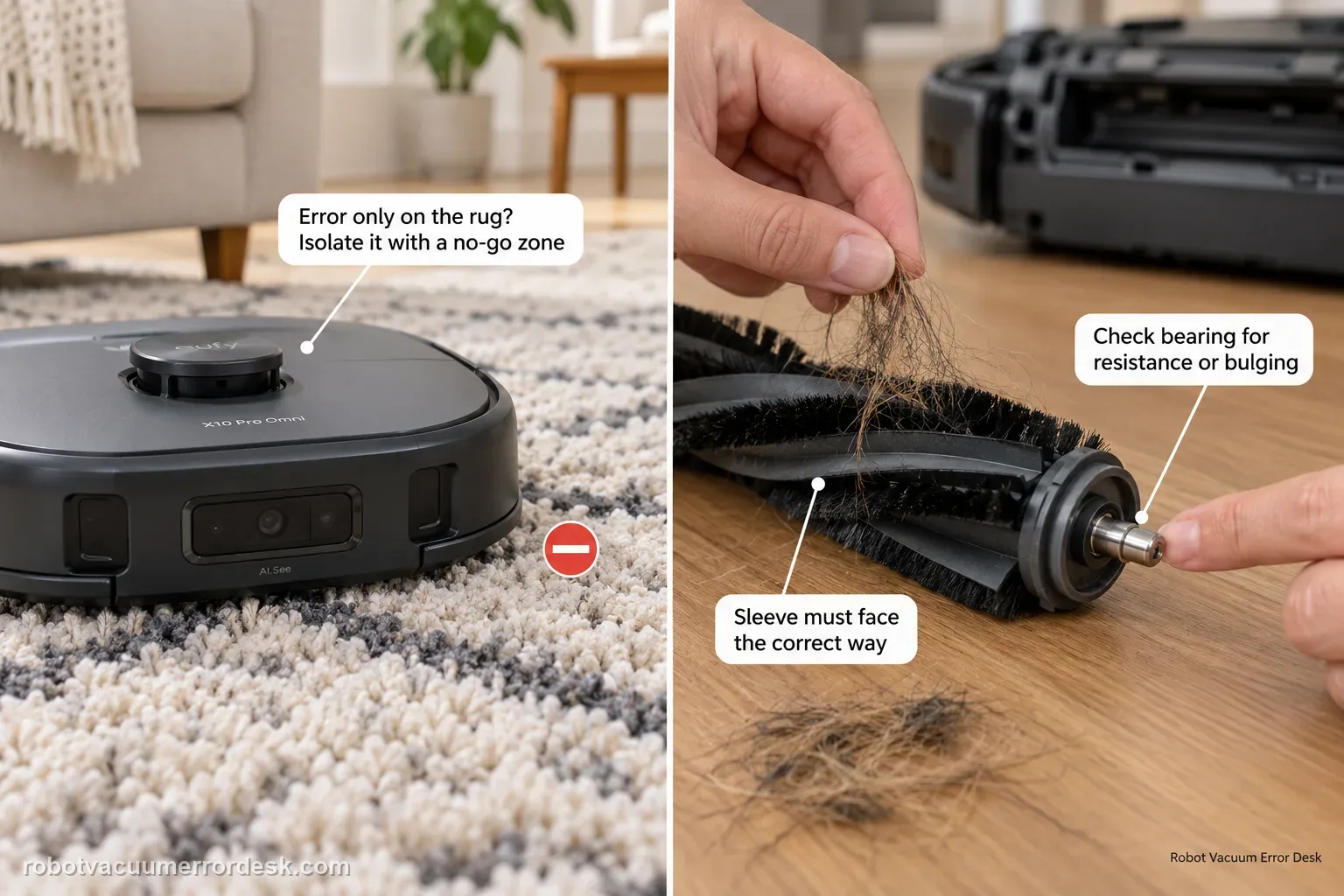
Separate surface overload from a real roller fault. First run the X10 Pro Omni on hard floor: if the error happens only on a high-pile rug, eufy recommends isolating that rug with a no-go zone. If it happens on hard floor too, remove the roller, clear hair from the middle and both ends, inspect the silver shaft/bearing for resistance or bulging, verify the sleeve is installed in the correct orientation, then retest.
Confirm the exact model and exact code, light pattern or symptom.
Run the lowest-risk physical or software check first.
Use each pass condition to decide what the result actually narrows down.
Is this the problem you’re seeing?
- The robot reports roller brush stuck.
- The error happens mainly on thick rugs.
- Hair is wrapped around the roller or its end bearing.
- A useful discriminator is observed: error occurs only on one high-pile rug.
- A useful discriminator is observed: error also occurs on hard floor with visible hair around roller ends.
Likely root causes, ranked
High-pile rug overloading the brush
Hair entanglement in the roller, ends or sleeve
Silver metal shaft/bearing resistance or deformation
Roller sleeve installed in the wrong orientation
Roller-brush motor overcurrent after mechanical causes are cleared
What the result narrows down
| What you observe | What it narrows down | Next move |
|---|---|---|
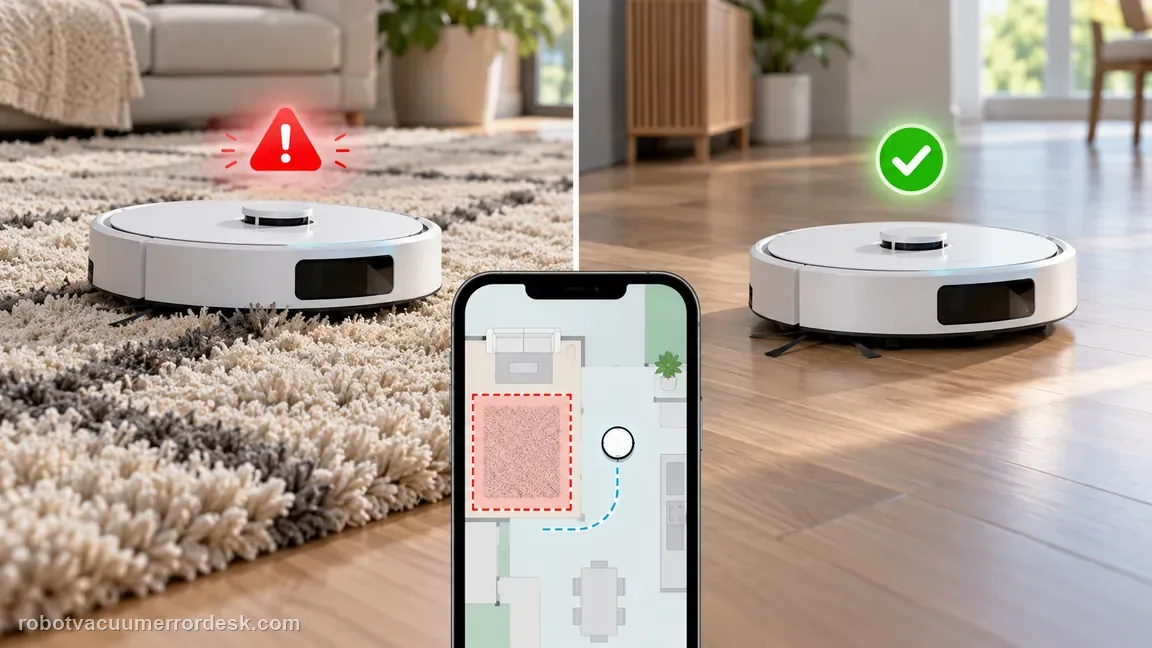
| Error occurs only on one high-pile rug | Surface load is the strongest discriminator because eufy specifically recommends a hard-floor comparison. | Confirm normal operation on hard floor and use a no-go zone for the problematic rug rather than replacing the brush motor. |
| Error also occurs on hard floor with visible hair around roller ends | Mechanical drag from entanglement is still present. | Remove the roller and clean the center, end grooves, sleeves and accessible hair traps before retesting. |
| Silver shaft resists rotation or bearing looks bulged/irregular | eufy treats shaft/bearing abnormality as a hardware problem, not ordinary hair. | Stop forcing the part and contact eufy; the robot may require replacement/service. |
| Brush was recently disassembled and error began afterward | Reverse sleeve orientation can bind the roller and trigger overcurrent. | Recheck positive/negative sleeve orientation against eufy’s diagrams and reinstall correctly. |
| Clean correctly assembled brush still faults on hard floor | External loading and assembly causes have been excluded; motor overcurrent becomes plausible. | Capture the hard-floor repeat and contact eufy for the roller-brush motor path. |
Do not factory-reset by default. Use the exact model’s reboot/network-reset procedure only when the manufacturer path calls for it.
Checks to run, in sequence
Separate high-pile rug loading from a true brush fault
Run the X10 Pro Omni on a clear hard floor before dismantling anything. eufy explicitly recommends this comparison because a roller-stuck alert that appears only on one high-pile rug can be a surface-load problem rather than a failed brush motor. If hard-floor operation is normal, keep that rug out with a no-go zone instead of repeatedly forcing the roller through it. If the same alert appears on hard floor, continue with the mechanical checks below.
Remove the roller and clear visible hair from the center and ends
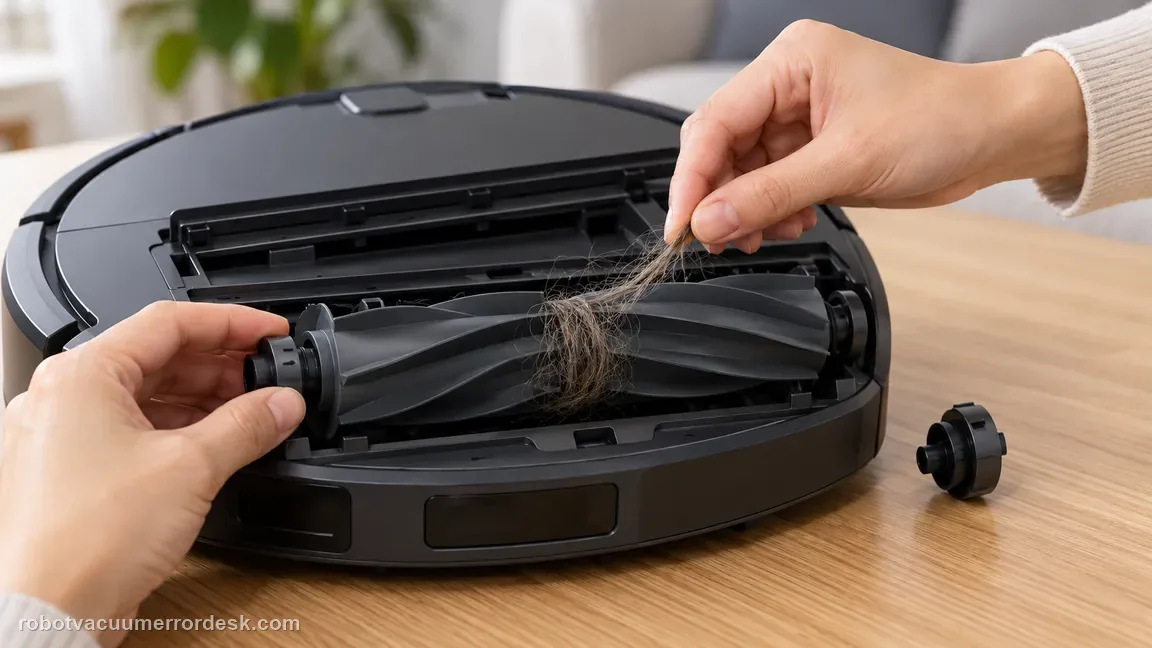
Power the robot off, remove the roller guard and lift out the roller. Cut and remove hair, thread and fibers from the brush body and the accessible end areas. Do not stop when the middle looks clean: hair can compact close to the end pieces where it adds much more drag. eufy’s own cleaning guidance shows the roller removed for this work, so use the owner-removable path rather than reaching into a running brush cavity.
Check the hidden end areas without over-disassembling the brush
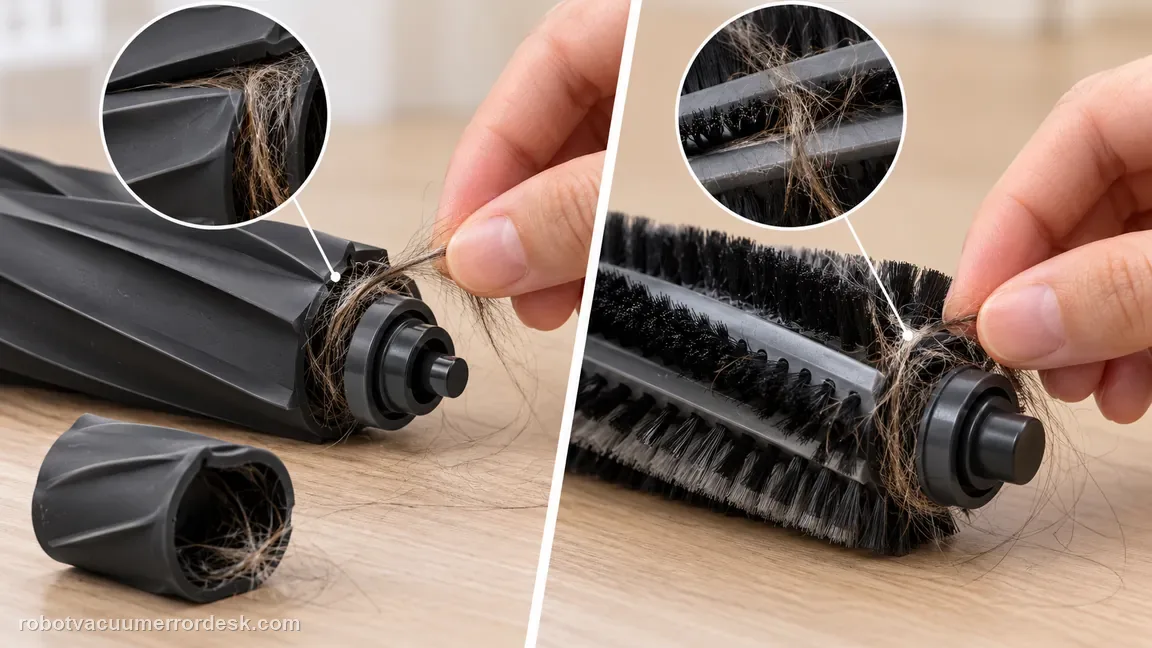
Inspect the extra hair-catching locations shown in eufy’s X10 guidance, including the spaces around the end components and sleeve. The rubber roller allows its two end components to be removed for cleaning; the bristle-brush construction is different, so do not assume both ends of every brush version are meant to come apart. Clean only owner-removable pieces and reassemble them in the same orientation. This prevents a cleaning attempt from creating a new fit problem.
Test the silver shaft and bearing for abnormal resistance or deformation
Gently rotate the silver metal shaft/bearing eufy identifies in its X10 support article. It should move without obvious binding. Check whether the bearing looks pulled out, bulged or otherwise deformed. This is a stronger discriminator than simply spinning the whole roller by hand, because a damaged or resistant end bearing can trigger overcurrent even after all visible hair has been removed. Do not sand, lubricate or pry the bearing.
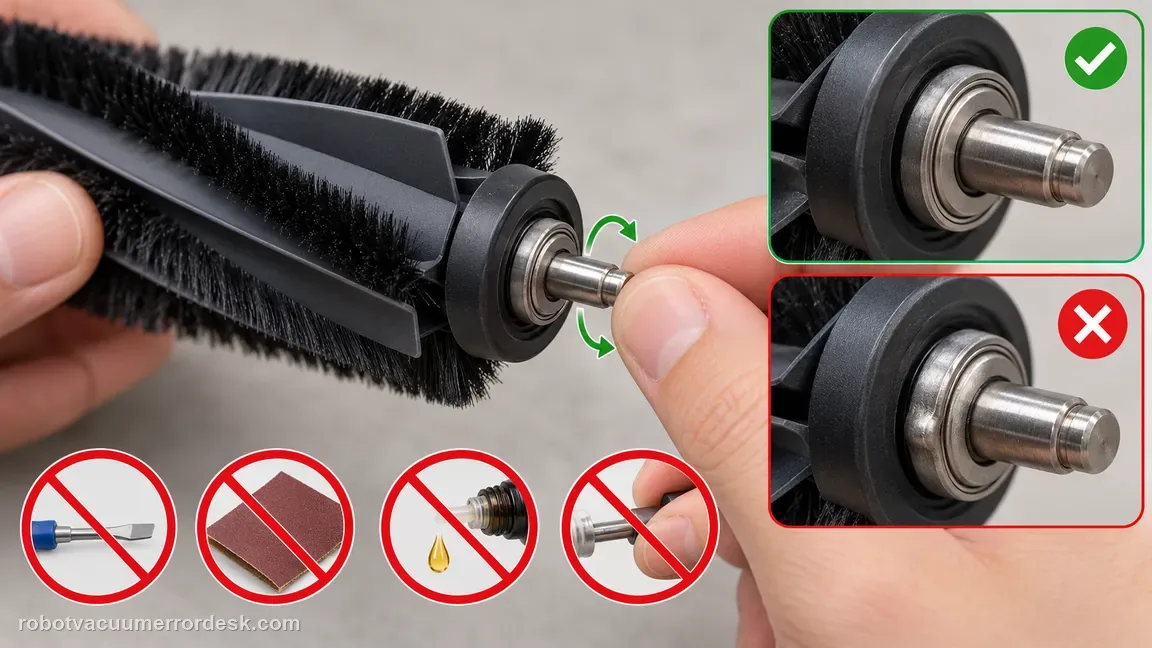
Verify the roller sleeve is installed in the correct positive/negative orientation
Before reinstalling the brush, check the sleeve orientation carefully. eufy warns that the X10 roller-brush sleeve has positive and negative ends and that reversing it can make the brush bind while rotating and trigger an overcurrent/stuck error. Align the sleeve exactly as shown in the support images rather than relying on “it fits.” A part can physically seat and still be backward.
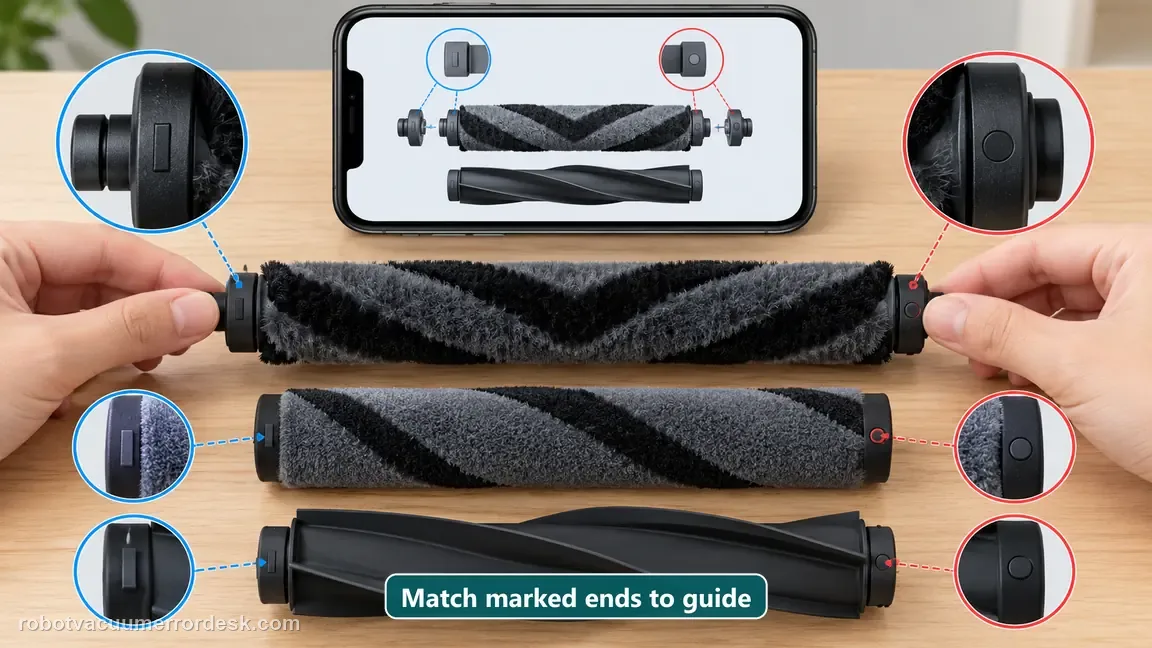
Reassemble fully and run one short hard-floor proof test
Reinstall the dry roller, sleeve, end pieces and brush guard, then place the X10 on the same open hard-floor area used for the first comparison. Start one short cleaning pass and listen for smooth roller rotation. A successful hard-floor run after cleaning shows the mechanical path is now free. If the error returns immediately on hard floor, do not keep flipping the sleeve or repeatedly restarting; the external causes have already been tested.
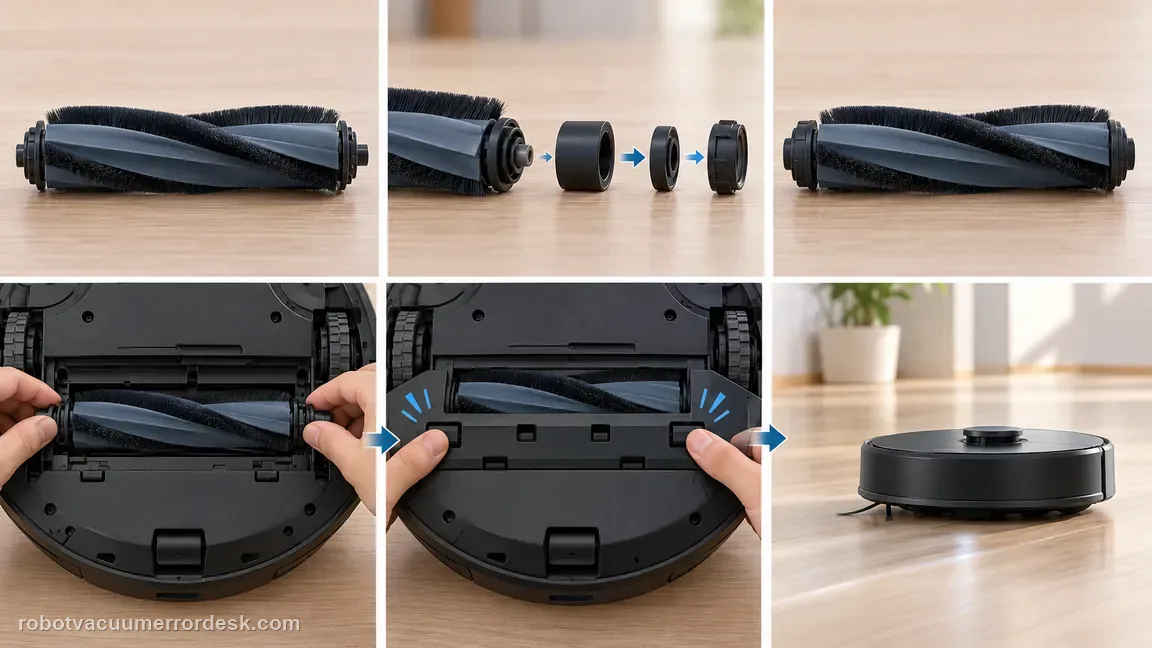
Escalate persistent hard-floor overcurrent after the mechanical checks
If the X10 still reports the roller brush stuck on hard floor after hair removal, a normal shaft/bearing check and verified sleeve orientation, eufy says the remaining issue is likely roller-brush motor overcurrent. Capture a photo of the clean roller/end components, the sleeve orientation and a short video of the hard-floor retest. Stop before opening the brush motor or gear train; those repairs are outside eufy’s owner troubleshooting path.
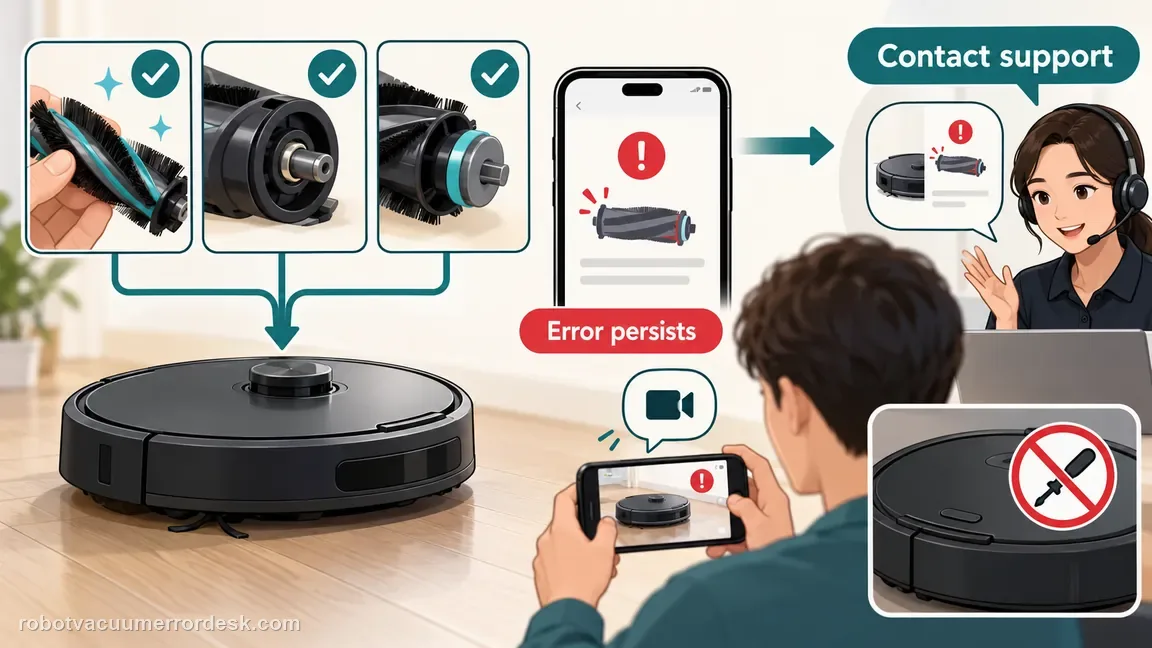
Contact eufy when the roller is clean and correctly oriented, the silver shaft/bearing moves normally, and the error still follows the robot onto hard floor. Escalate earlier for a shaft that resists rotation or a visibly abnormal bearing. Do not force the shaft or open the roller motor. Save the hard-floor test result because it proves the fault is not limited to a high-pile rug.
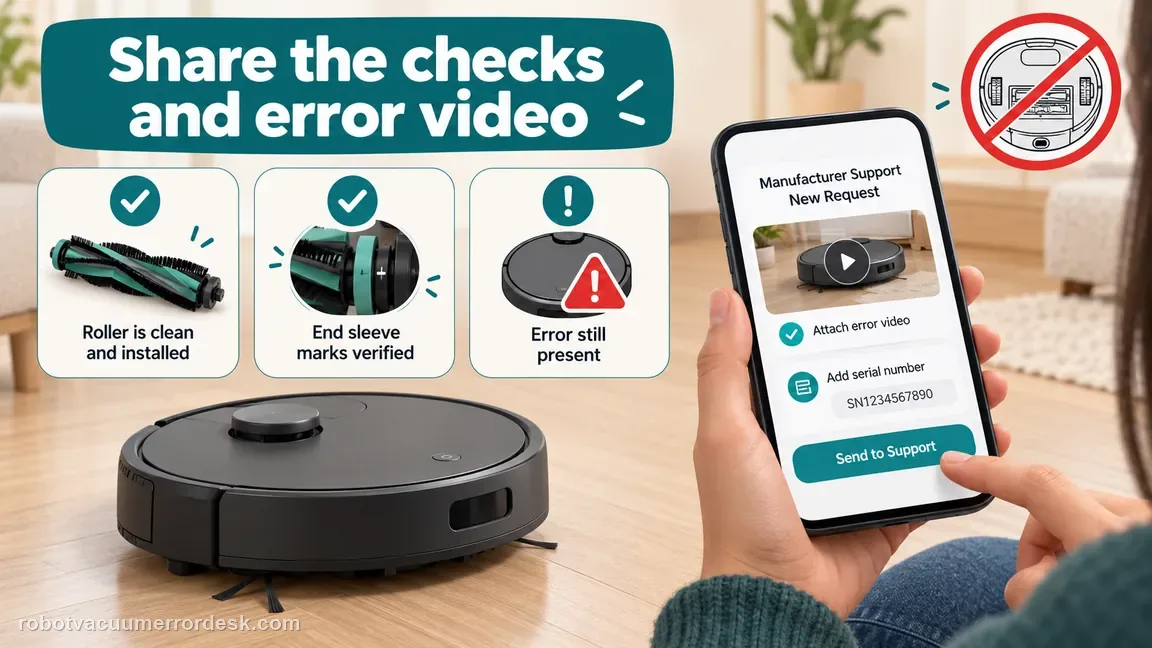
Information to have ready for support
Support can skip the basic troubleshooting script when you provide a reproducible case. That keeps the results of your checks from getting lost.
- Exact model name and the error code / voice prompt exactly as shown
- A photo or screenshot of the app error and the time it occurred
- A short list of the checks already completed and what happened after each one
- Device information / activity-log details from eufy Clean when the issue is mapping or routing related
Source and evidence level
eufy X10 Pro Omni roller brush support
eufy’s exact X10 Pro Omni roller-brush article separates high-pile-rug loading from a real hard-floor fault, then calls out the silver shaft/bearing, hidden hair around the brush ends and the sleeve’s positive/negative orientation. It warns that a reversed sleeve can create an overcurrent/stuck condition and routes a persistent fault after those checks to roller-motor overcurrent. The X10 manual is used only for owner-removable brush/guard maintenance and reassembly boundaries.
Additional official source: eufy — X10 Pro Omni not wetting floor during mopping ↗Additional official source: eufy — X10 Pro Omni T2351 English manual ↗Last editorial review: September 5, 2026Regional note: manufacturer help centers, model suffixes, mains-power requirements and warranty procedures can differ by country. If the source redirects to a local support site, confirm that the model/hardware scope still matches before following a region-sensitive step.
This guide is rated Official model support. See what each evidence label means →
Common questions
Why does my eufy X10 Pro Omni roller brush get stuck on one rug?
eufy specifically recommends comparing the problem rug with a hard floor. If the error appears only on a high-pile rug and the X10 runs normally on hard flooring, surface load is the likely trigger. Use a no-go zone for that rug rather than treating the robot as mechanically failed. If the error follows the robot onto hard floor, continue with hair, shaft and sleeve-orientation checks.
Where should I remove hair from the X10 Pro Omni roller brush?
Do not clean only the visible middle. eufy calls out hair around the roller and multiple end/sleeve locations, including grooves intended to make cutting tangled hair easier. Follow the support images because the bristle and rubber brush ends are not identical. After cleaning, verify the sleeves are assembled in the correct direction and that the roller turns normally before reinstalling the guard.
What does resistance in the silver roller shaft mean on the X10 Pro Omni?
eufy asks owners to rotate the silver metal shaft and inspect the bearing for abnormalities such as bulging or unusual resistance. A shaft/bearing that does not move normally is different from ordinary hair entanglement. Do not force it straight or lubricate it. Preserve the abnormal feel/appearance and contact eufy, because their guide says a defective silver shaft can require robot replacement.
Can installing the X10 roller sleeve backwards cause a stuck-brush error?
Yes. eufy warns that the roller-brush sleeve and its rubber component have correct positive/negative orientations; reverse installation can make the roller bind and report an overcurrent error. This is especially important if the fault began immediately after a deep clean. Reassemble against the official diagrams, then test first on hard floor. A correctly oriented clean roller that still faults points away from assembly error.
When is the X10 Pro Omni roller-brush error likely a motor problem?
The motor branch becomes credible only after the robot faults on hard floor with the roller free of hair, its sleeves correctly oriented, and the silver shaft/bearing moving normally. eufy says persistent cases after those checks may be roller-brush motor overcurrent. At that point stop repeated disassembly, save a video/error screenshot and contact eufy rather than opening the drive motor.
Did this diagnostic narrow the fault?
Use this as an editorial signal, not a popularity counter. If a feedback address is configured you can email the note; otherwise you can copy it for your own support record.