eufy X10 Pro Omni troubleshooting
Exact-model LiDAR, brush, suction, water, charging, Wi-Fi and auto-empty troubleshooting. We route by the exact error or symptom rather than assuming a generic robot-vacuum fix applies.
eufy X10 Pro Omni issue index
12 guides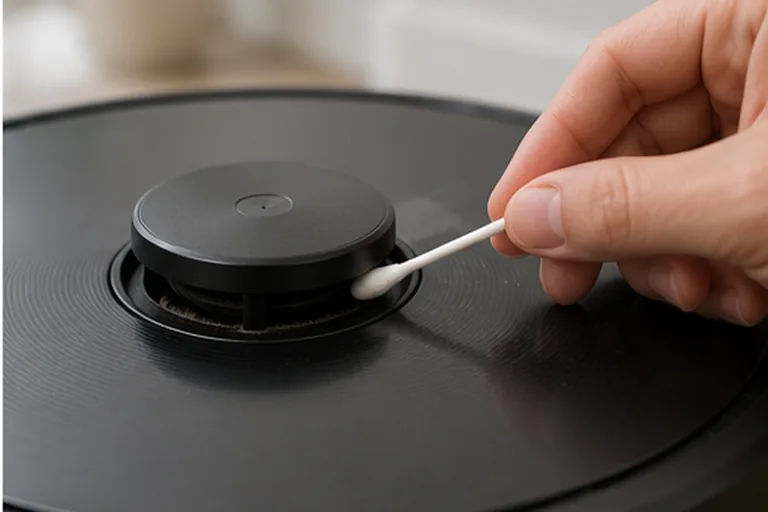
Laser sensor error
Start by writing down the exact X10 Pro Omni voice prompt, because eufy distinguishes four useful states: laser sensor stuck, laser sensor blocked, laser sensor error, and laser sensor cover stuck. Then power the robot on and watch the radar/LiDAR. If it rotates, clean the emission and reception apertures. If it does not rotate, remove the dustbin, gently invert/shake the robot as eufy instructs and verify the radar is not externally obstructed. If the cover-stuck prompt remains, press the cover only enough to confirm its normal click. A persistent hardware 'laser sensor error' after these external checks is a support case, not a reason to open the LiDAR module.
Roller brush stuck
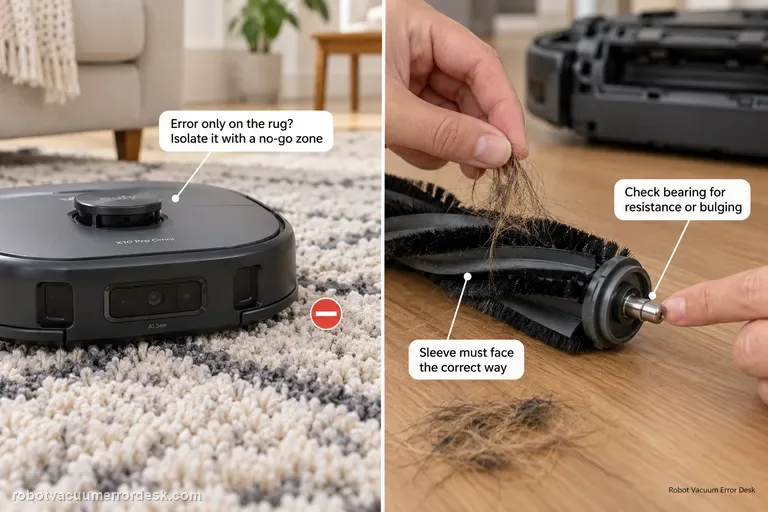
Separate surface overload from a real roller fault. First run the X10 Pro Omni on hard floor: if the error happens only on a high-pile rug, eufy recommends isolating that rug with a no-go zone. If it happens on hard floor too, remove the roller, clear hair from the middle and both ends, inspect the silver shaft/bearing for resistance or bulging, verify the sleeve is installed in the correct orientation, then retest.
Suction fan error
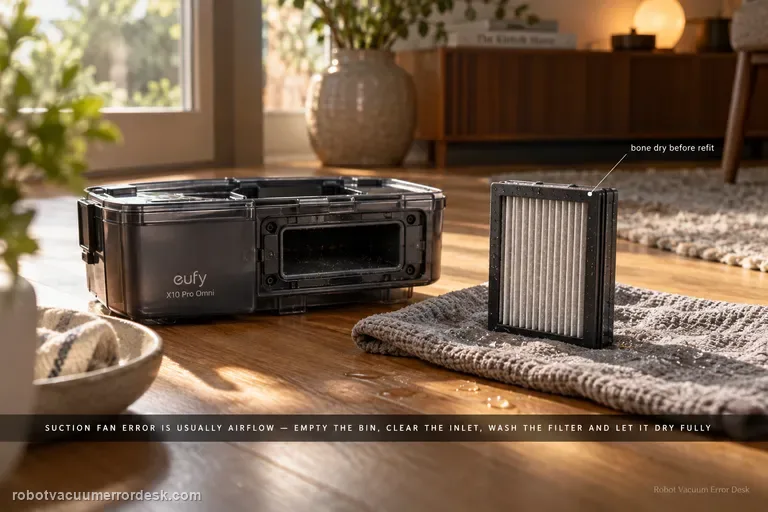
For an X10 Pro Omni suction fan error, prove the airflow path is open before assuming the fan motor has failed. Empty the dustbin, clear the bin inlet, clean the filter, and if the filter is washed with cold water let it dry completely before reinstalling it. Then run one short suction test; an immediate repeat with a clean, dry airflow path is the point to escalate.
Insufficient water
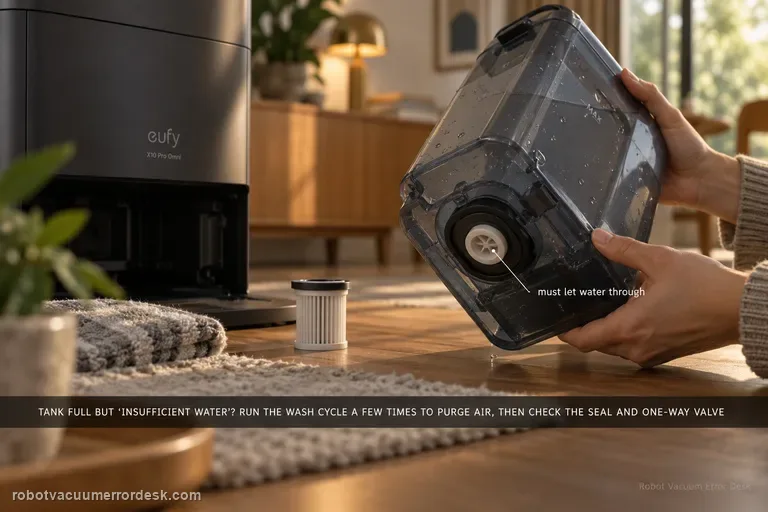
If the clean tank is filled but the station says water is insufficient, run the mop-washing task several times first; eufy notes trapped air can affect pumping. Then inspect the clean-water tank sealing ring and one-way valve behavior. Also inspect the clean-water filter and the tank-to-station water pipe; a full tank does not prove the supply path is open.
Wi-Fi won't connect
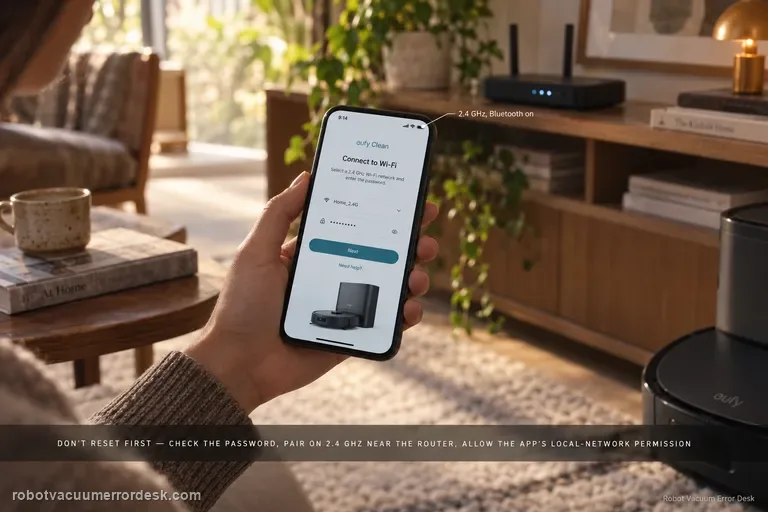
For X10 Pro Omni Wi-Fi setup, do not jump straight to factory reset. Confirm the network name/password, move the phone and robot closer to the router, allow eufy Clean location/precise-location and local-network permissions, pair on 2.4 GHz with Bluetooth enabled, then reset only the robot’s Wi-Fi by holding Home + Spot Cleaning for three seconds. If setup still fails, a phone-hotspot test can separate router configuration from robot/app problems.
Voice alerts
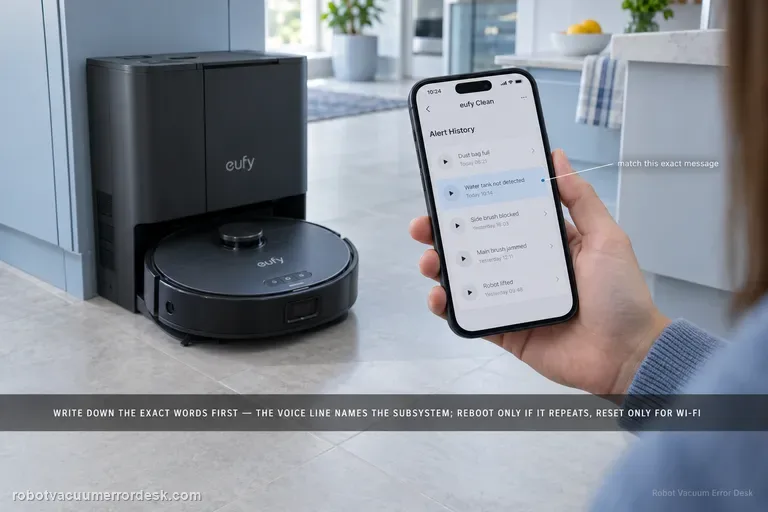
Treat the exact X10 Pro Omni voice prompt as the diagnostic key. Record the wording first, apply the matching quick solution in eufy’s alert table, then reboot the robot if the alert remains. Use the three-second Home + Spot Wi-Fi reset only for Wi-Fi faults; eufy’s separate Reset-button forced recovery is a power-off recovery and is not the same as a factory reset.
Auto-empty / dust collection not starting
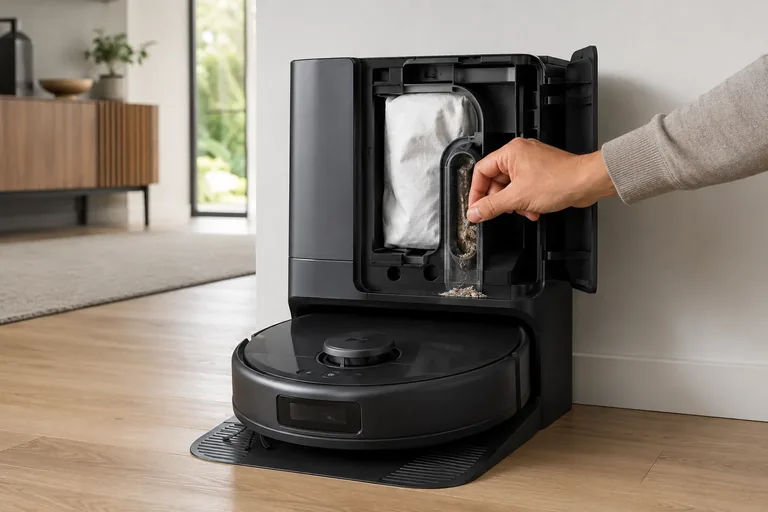
Treat X10 Pro Omni self-empty failures as two different states: “collection never starts” versus “fan runs but debris does not transfer.” First confirm the Omni Station has a steady white power light and its lid/bag state is normal, then clear the robot outlet and station path. eufy’s alert table also distinguishes a cooling self-empty fan from a permanent failure. In heavy-debris homes, eufy recommends 15-minute Pet-mode emptying with Turbo or Max suction to reduce repeated packing.
Omni Station leaking water
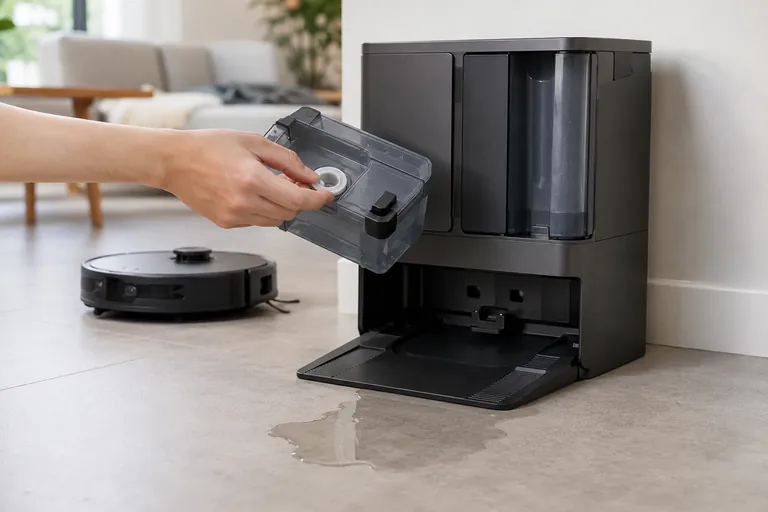
Stop repeated wash cycles and identify the leak path first. eufy’s exact X10 station guidance starts with the clean-water tank rubber seal, then the dirty-water tank seal, then the cleaning-tray float. If those are normal, the clean-water tank one-way valve becomes the next owner-level discriminator; persistent leakage beyond that can indicate an internal station water-path fault.
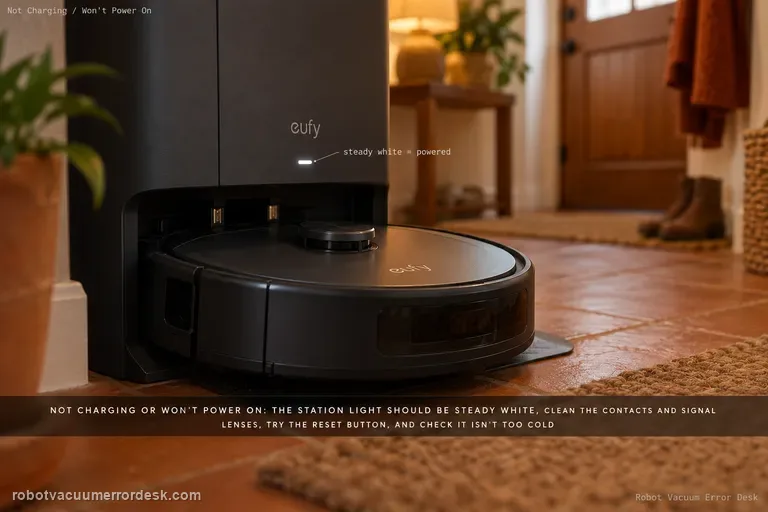
Not charging or powering on
Start at the powered dock, not the battery. eufy’s X10-specific sequence is: confirm the Omni Station shows a steady white indicator, clean the robot/station charging contacts and signal lenses, use the robot Reset button if it remains unresponsive, then rule out temperature protection. eufy lists 4–45°C (39.2–113°F) as the protective range boundary and advises warming/cooling farther into range before retrying charge.
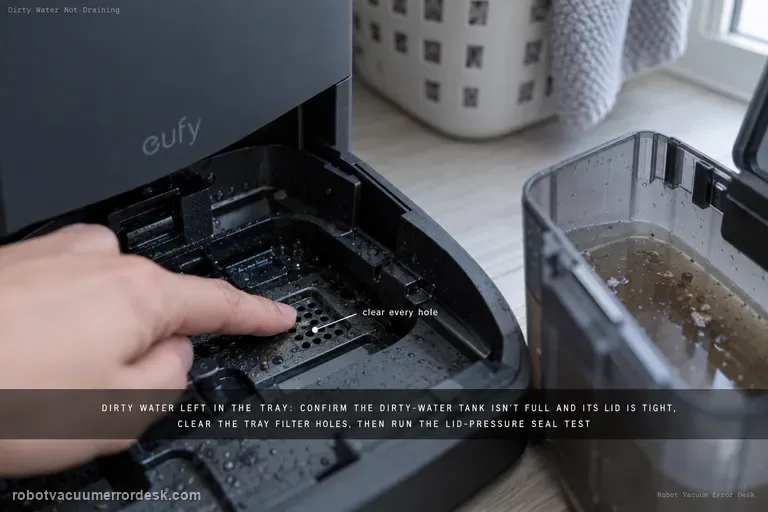
Dirty water not draining from cleaning tray
If dirty water remains in the X10 Pro Omni cleaning tray, start with the dirty-water tank: make sure the tank is not full and its lid is tightly closed. Clean clogged tray filter holes, then use eufy’s lid-pressure test during Wash Mop to check whether the dirty-water tank seal ring is leaking. Update firmware and collect logs/photos if the issue persists.
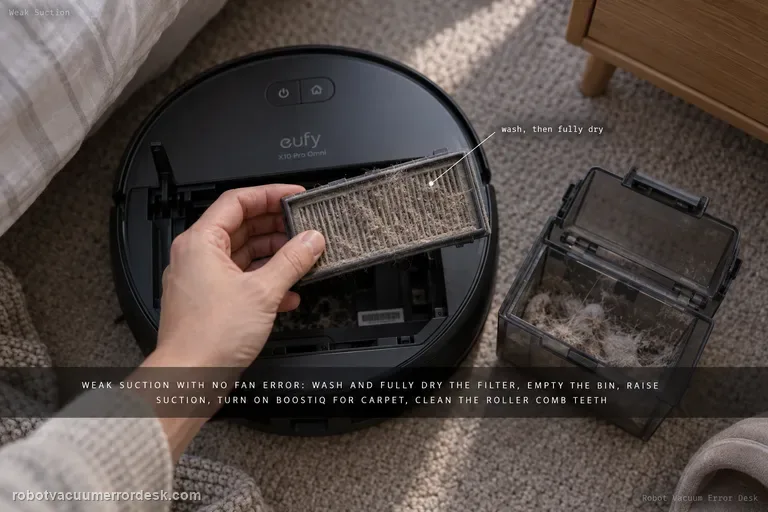
Weak suction / poor cleaning
For X10 Pro Omni weak pickup without a suction-fan error, follow eufy’s performance path in order: clean and fully dry the filter, empty the dustbin, raise suction power, enable BoostIQ for carpet, clean the roller-brush comb teeth, then inspect wear items that are easy to miss—the side brush and the rubber strip on the roller-brush guard. eufy says a filter older than about six months that still performs poorly after washing is a replacement candidate.
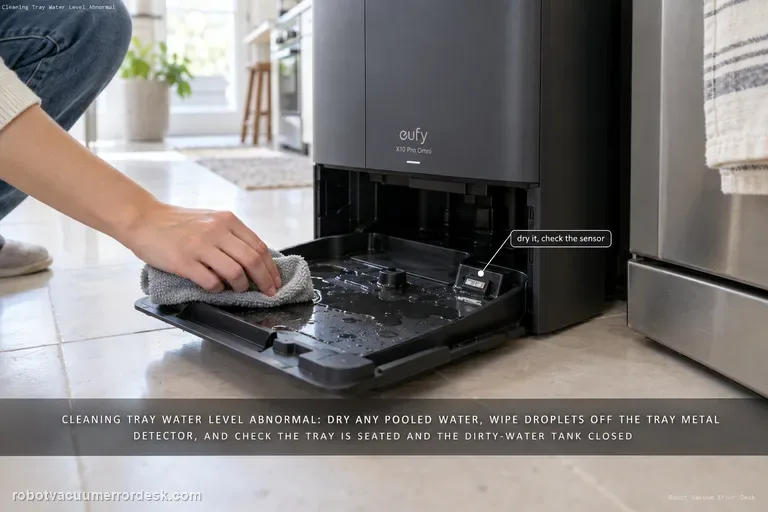
Cleaning tray water level abnormal
For the X10 Pro Omni “water level of the station’s cleaning tray is abnormal” alert, start by checking whether water is actually pooled in the tray and dry it if needed, then inspect the tray’s metal detector for water droplets. Also confirm the cleaning tray is installed correctly and the dirty-water tank is closed/seated so the station can pump water away.