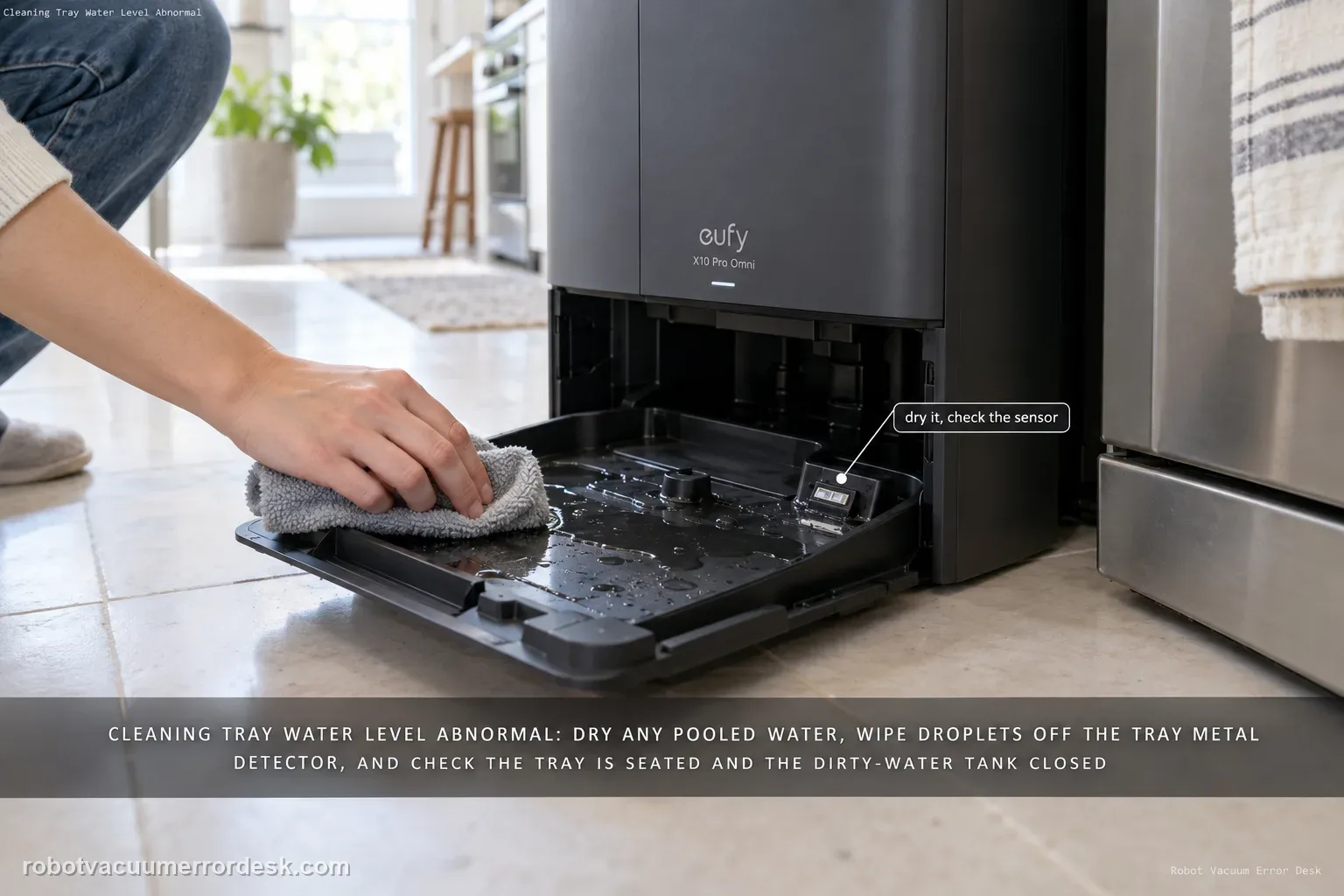
For the X10 Pro Omni “water level of the station’s cleaning tray is abnormal” alert, start by checking whether water is actually pooled in the tray and dry it if needed, then inspect the tray’s metal detector for water droplets. Also confirm the cleaning tray is installed correctly and the dirty-water tank is closed/seated so the station can pump water away.
Confirm the exact model and exact code, light pattern or symptom.
Run the lowest-risk physical or software check first.
Use each pass condition to decide what the result actually narrows down.
Does this match your problem?
- The station says the cleaning tray water level is abnormal.
- Water remains in the tray after washing or the alert appears after tray cleaning.
- The tray was recently removed/reinstalled or the dirty-water tank was opened.
- A useful discriminator is observed: visible standing water remains in the tray.
- A useful discriminator is observed: tray is mostly dry but metal detector/sensing area has droplets.
Most likely causes
Residual water around the tray sensor/metal detector
Cleaning tray not fully installed
Dirty-water tank cover not fully closed or tank mis-seated
Drain-path problem causing water to remain in the tray
What your test result means
| What you observe | What it narrows down | Next move |
|---|---|---|
| Visible standing water remains in the tray | The alert may be accurately reflecting an evacuation problem, not just a wet sensor. | Remove excess water, clean the tray/filter path and move to dirty-water-drain diagnostics if it does not evacuate. |
| Tray is mostly dry but metal detector/sensing area has droplets | Residual moisture can keep the abnormal-level alert active. | Dry the accessible detector area carefully, then retest from a dry baseline. |
| Cleaning tray is not fully seated | The station cannot trust tray state/geometry. | Remove/reinstall the tray in its normal position before running another wash cycle. |
| Dirty-water tank lid is loose or tank mis-seated | The station may be unable to pump water away, causing the tray level to remain high. | Close/reseat the dirty-water tank and use the dedicated drain path if water still accumulates. |
| Tray/detector/tank are correct but water accumulates again | The symptom is no longer just a residual sensor wetness issue. | Run the dirty-water tank seal/filter-hole test and escalate with photos/logs if evacuation still fails. |
Separate a wet sensor from a tray that cannot drain
Eufy’s troubleshooting is clearer when the alert is matched to the physical tray state. The same warning can follow residual droplets or real wastewater that is not being evacuated.
Tray mostly dry; detector has droplets
The sensing area may still report an abnormal level after a wash.
Water remains or returns to the tray
This is a drain/collection branch rather than a sensor-only issue.
All visible checks pass but warning repeats
The documented owner checks no longer explain the alert.
Do not factory-reset by default. Use the exact model’s reboot/network-reset procedure only when the manufacturer path calls for it.
Run these checks in order
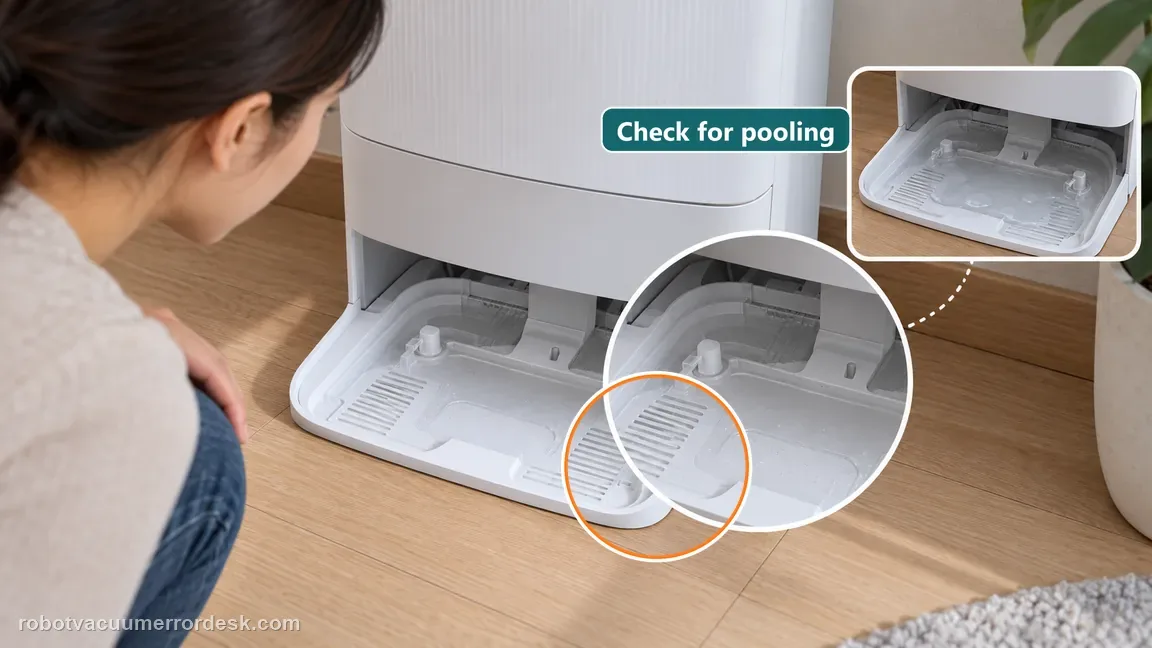
Look first: is there actually standing water in the cleaning tray?
Before removing parts, inspect the tray. If visible wash water is pooled where it should have drained, note that physical condition because it points toward the dirty-water evacuation path. Remove excess accessible water safely before handling the tray. If the tray is already mostly dry but the alert remains, preserve that fact because residual sensor wetness becomes more plausible than a pump that cannot evacuate bulk water.
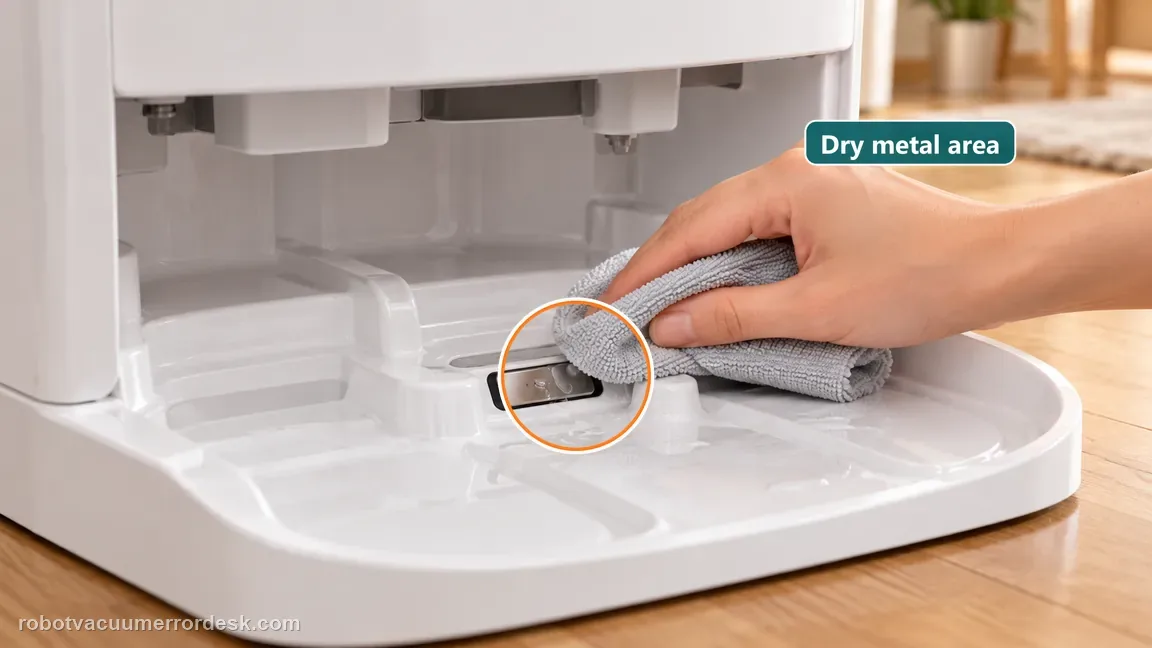
Dry the metal detector/sensing area eufy identifies
eufy’s X10 voice-alert guidance specifically tells owners to check the metal detector for water droplets. Wipe the accessible detector/sensing area dry with a soft dry cloth. Do not scrape the metal area or spray cleaner into the station. This step is for residual sensing moisture; it is not a substitute for fixing a tray that visibly refills and refuses to drain.
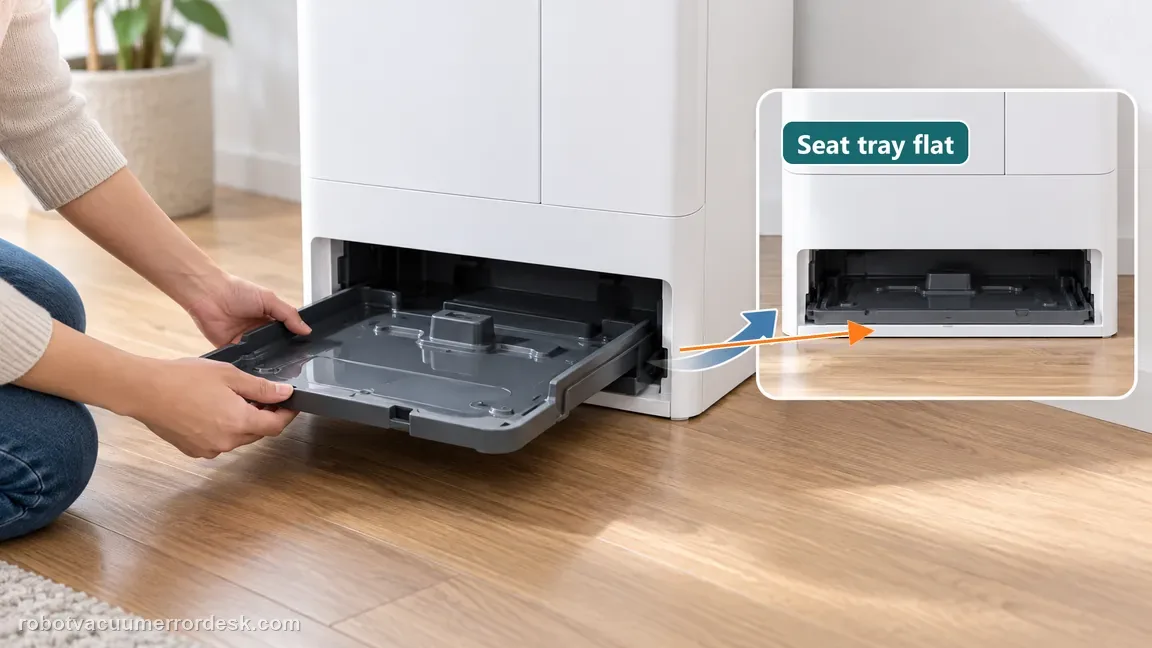
Re-seat the removable cleaning tray correctly
Remove/reinstall the cleaning tray so it sits flat in its intended position. A tray that was recently cleaned can be slightly out of place and create misleading water-level behavior. Inspect for debris under the tray that prevents full seating and clear only accessible material. Do not alter the tray or sensor to silence the alert.
Verify the dirty-water tank has capacity, a closed lid and correct seating
Check the dirty-water tank because the station cannot clear wash water reliably when that receiving path is full, unsealed or not seated. Empty it if needed, close the lid firmly and reinstall the tank. This step also prepares a valid transition to the deeper dirty-water guide if the next wash cycle leaves standing water behind.
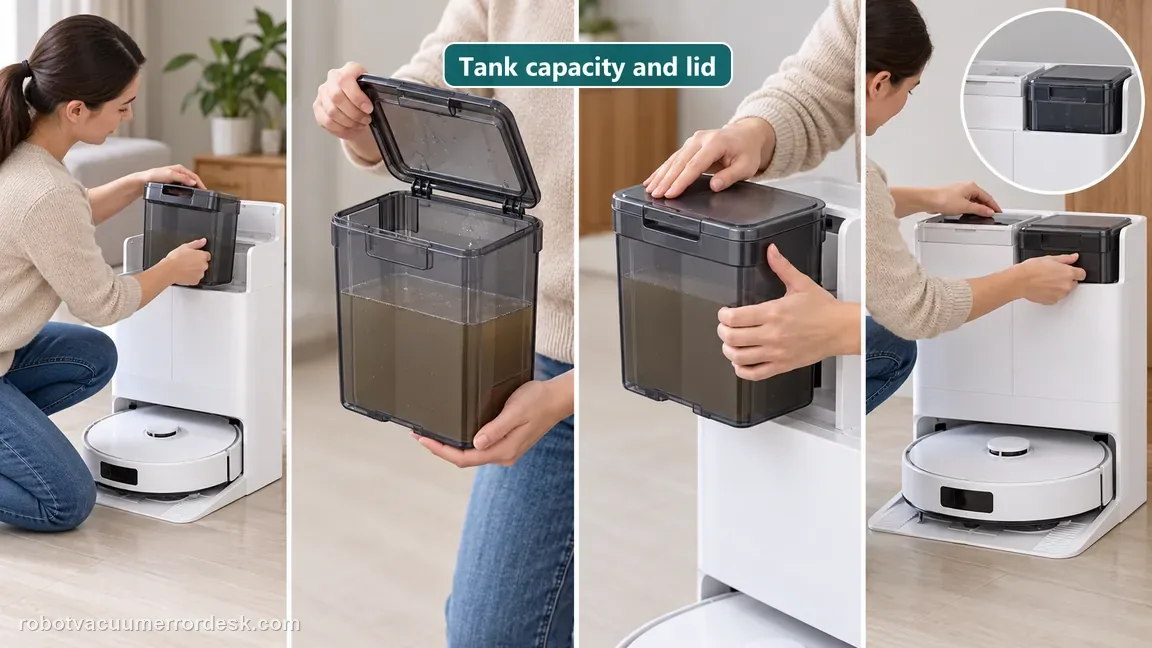
Run one controlled mop-wash cycle and watch fill versus drain behavior
Start one mop-wash cycle and watch what the tray does. If the tray briefly receives water and then drains and the alert clears, the dry/seating correction worked. If water visibly accumulates and stays, stop treating it as only a wet sensor: the hydraulic dirty-water branch is now stronger. If the alert returns while the tray is substantially dry, preserve that as a false-level/sensing-state result.
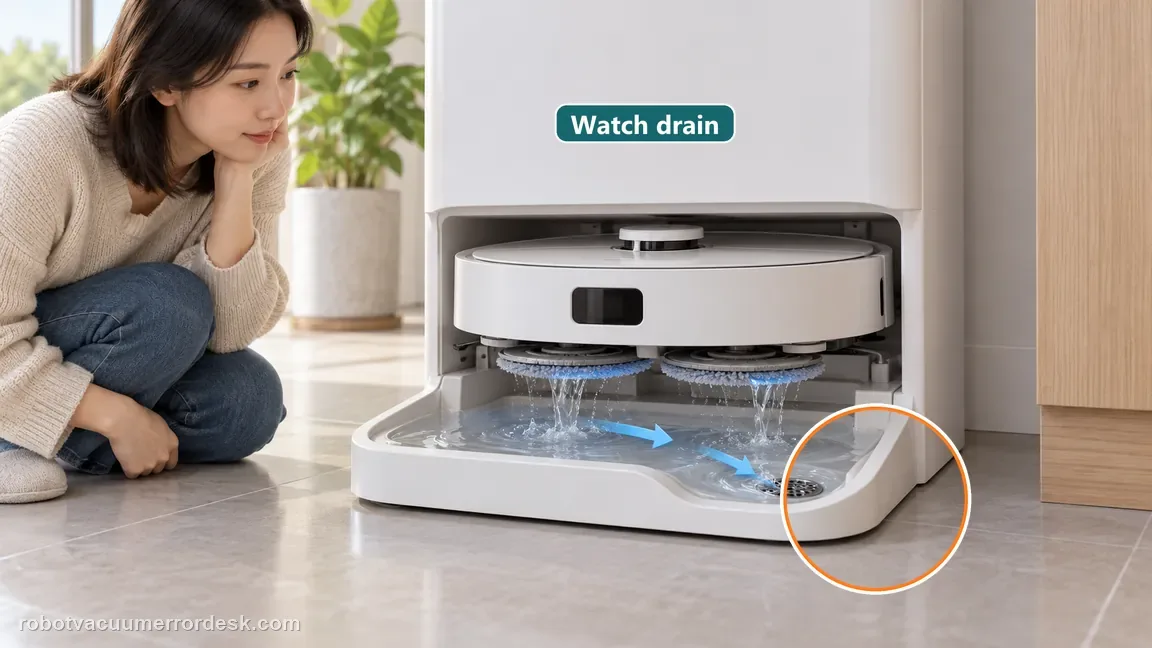
For real standing water, switch to the dirty-water drain diagnosis
When the tray truly fills and will not empty, use the dedicated drain path: dirty-water tank capacity/lid seal, cleaning-tray filter holes and eufy’s brief lid-pressure test. Those checks determine whether suction is lost at the tank seal or the drain path is blocked. Continuing to wipe the metal detector while water remains pooled would repeat the wrong branch.
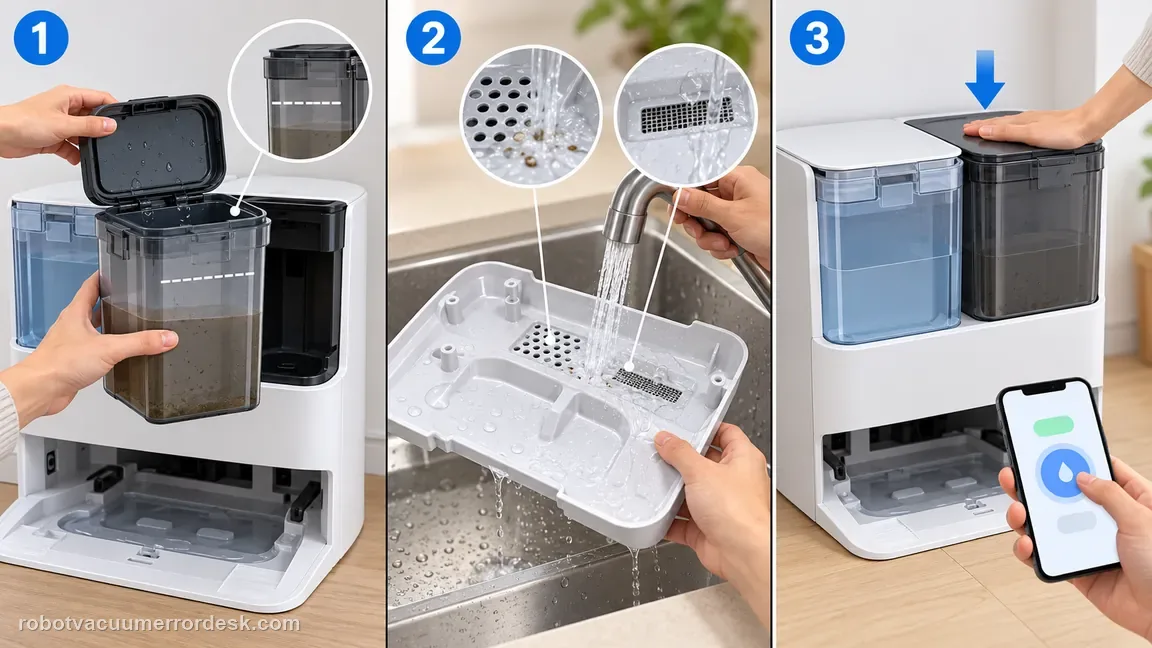
Escalate a dry-tray repeat alert with the sensing baseline documented
If the tray and metal detector are dry, tray/tank seating is correct and one controlled wash/drain cycle behaves normally but the same abnormal-level alert still returns, document the dry tray, detector area and exact prompt and contact eufy. Do not tape, bridge or bypass the detector. A repeat false-level state after the physical water path behaves normally is stronger support evidence than more washing cycles.
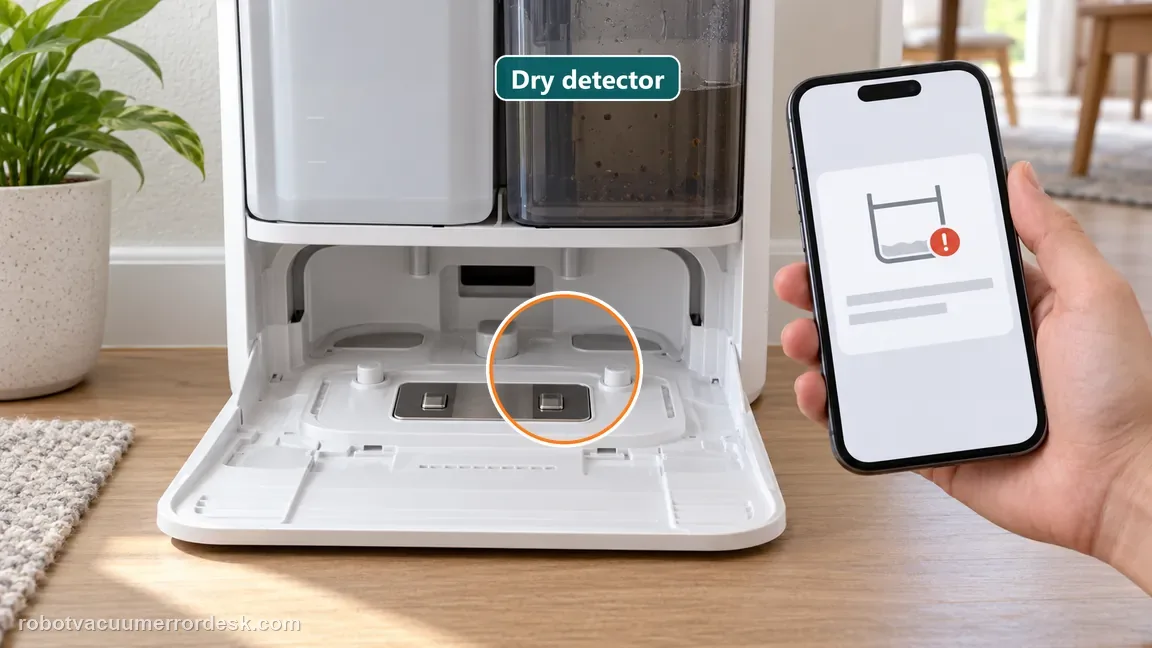
Escalate a false-looking tray-level alert when the tray/detector begin dry, the tray is fully installed and the dirty-water tank is correctly closed/seated, yet the alert returns. If water genuinely pools and does not drain, first complete the dedicated tank/seal/filter-hole drain diagnosis and send logs/photos with the event time. Do not keep running wash cycles into a full tray or open internal wet plumbing.
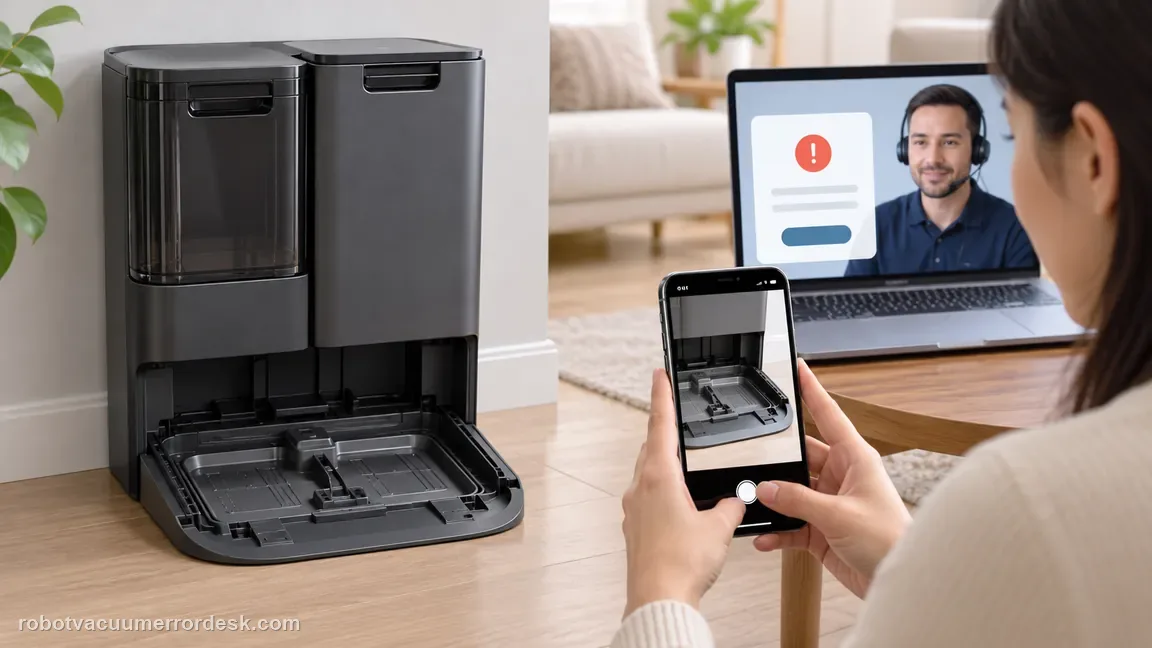
What to collect before contacting support
Give support a reproducible case instead of “it doesn’t work.” That reduces repeated basic troubleshooting and preserves the clues from your tests.
- Exact model name and the error code / voice prompt exactly as shown
- A photo or screenshot of the app error and the time it occurred
- A short list of the checks already completed and what happened after each one
- Device information / activity-log details from eufy Clean when the issue is mapping or routing related
Manufacturer evidence
eufy X10 Pro Omni voice alerts / cleaning tray water level
eufy has a dedicated X10 Pro Omni cleaning-tray water-level error page/video, while the X10 voice-alert table provides the exact first observations: check whether water is actually present and dry droplets from the tray’s metal detector/sensing area. The related dirty-water-drain article supplies the next hydraulic branch when the tray truly fills and will not evacuate. The manual confirms the removable tray and dirty-water tank. This page therefore distinguishes a residual-wetness/seating alert from a real drain failure instead of repeating the same “dry the tray” instruction.
Additional official source: eufy — X10 Pro Omni T2351 English manual ↗Additional official source: eufy X10 Pro Omni — dedicated cleaning-tray water-level error video/page ↗Additional official source: eufy — Omni Station dirty-water drain troubleshooting ↗Last editorial review: October 13, 2026Regional note: manufacturer help centers, model suffixes, mains-power requirements and warranty procedures can differ by country. If the source redirects to a local support site, confirm that the model/hardware scope still matches before following a region-sensitive step.
This guide is rated Official model support. See what each evidence label means →
FAQ
What does “water level of the station cleaning tray is abnormal” mean on X10 Pro Omni?
Start by looking at the tray rather than assuming the sensor is wrong. eufy’s X10 alert guidance says to check for water in the cleaning tray and for droplets on the metal detector/sensing area. Dry those surfaces, confirm the tray is correctly installed and the dirty-water tank is properly closed/seated, then run one controlled wash. Persistent standing water belongs on the separate dirty-water drainage path.
Can a few water droplets trigger the X10 cleaning-tray level alert?
eufy specifically tells owners to inspect the station’s metal detector/sensing area for water droplets and dry it. That means residual moisture can matter even after bulk water is removed. Start the retest from a dry tray/detector baseline. If the alert returns while the tray remains physically dry, preserve that result. If the tray actually fills and fails to drain, stop treating the problem as sensor moisture and diagnose evacuation.
Why should I reseat the X10 Pro Omni cleaning tray?
The station expects the removable cleaning tray to be installed in its intended position. A tray that is not fully seated can confuse the wash/drain state and should be corrected before deeper troubleshooting. Remove and reinstall it normally rather than forcing it. Also check the dirty-water tank lid and seating because the station must be able to evacuate wash water. Then observe one wash cycle from a dry starting point.
What if the X10 cleaning tray keeps filling with dirty water?
Move to the dedicated dirty-water-not-draining procedure. eufy’s deeper path checks dirty-water tank capacity and lid closure, cleaning-tray filter holes and a brief lid-pressure test that can reveal a tank seal problem. Repeatedly drying the water-level detector will not fix a genuine evacuation failure. Photograph the standing water and note the exact time if the external drain checks fail and you need to upload support logs.
When should I contact eufy about the X10 tray water-level error?
Contact eufy when the tray and detector start dry, the tray is correctly seated, the dirty-water tank is closed/positioned correctly, and the alert still returns without a correctable drain issue. If the tray truly cannot evacuate, complete the tank/seal/filter-hole drain checks first and send photos plus activity logs/time. Do not open the station’s internal pump or wet plumbing to investigate a persistent alert.
Did this diagnostic narrow the fault?
Use this as an editorial signal, not a popularity counter. If a feedback address is configured you can email the note; otherwise you can copy it for your own support record.