Mop, Water or Base-Station Problems
Water delivery, mop extension, wash trays, overflow and auto-empty functions add failure points that basic vacuum-only guides miss.
Identify whether the problem is robot-side or station-side first. A wet-system fault should not trigger random battery or navigation part replacement.
Trace the water problem to the stage that stopped
A robot mop can leave a dry pad, show a tank alert, or leave water at the station. Those observations point to different places. First note the exact model, alert wording, and whether the robot was washing its pad, mopping a room, or returning to the base. Do not use a repair step from another brand just because its dock looks similar.
Use this hub to choose a symptom family, then open the linked model guide. The Dreame Aqua10 MopExtend guide covers a moving-mop symptom, while the Narwal error 2003 guide addresses a station overflow alert. Neither one establishes the sequence for an Ecovacs, Eufy, or another station.
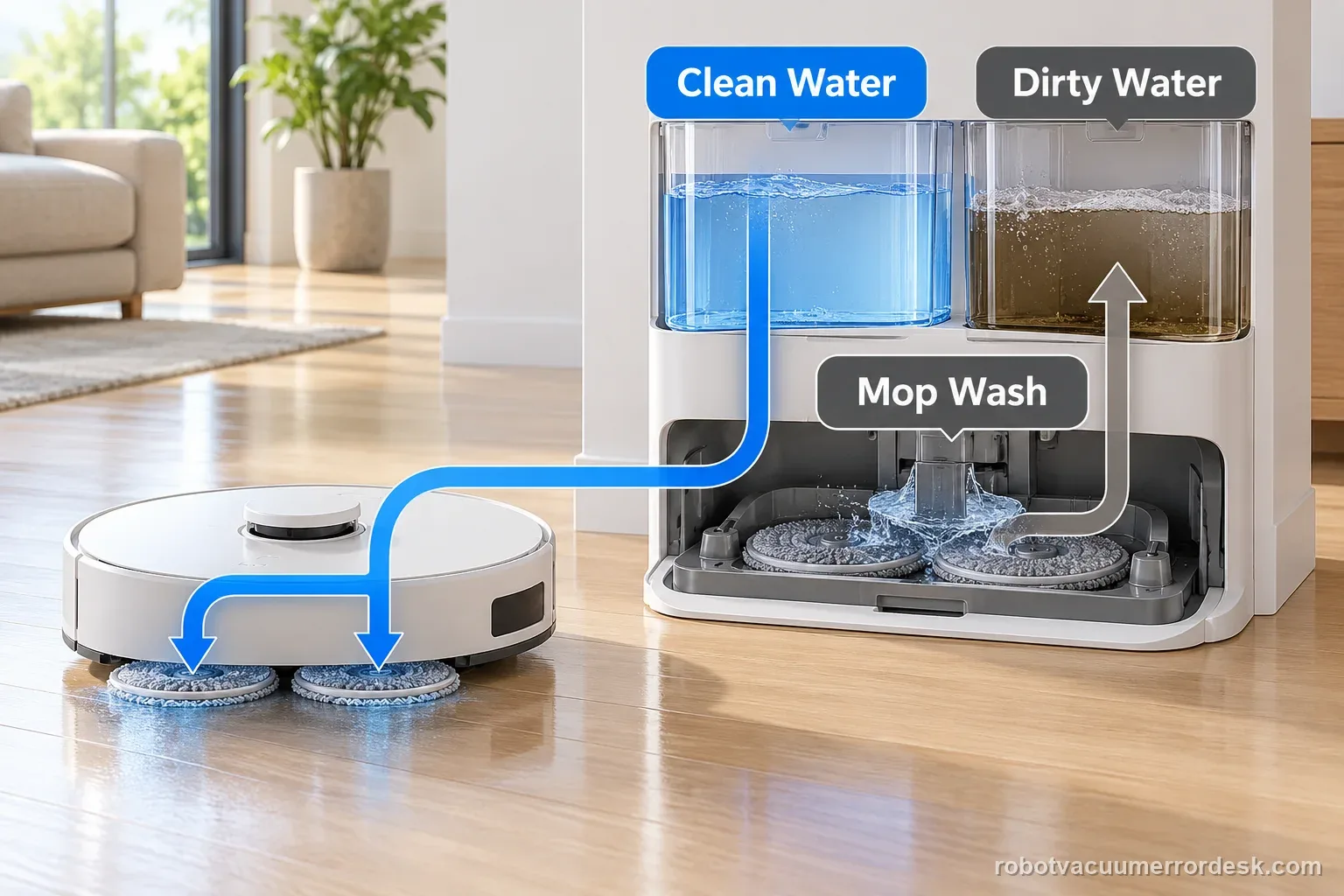
Separate a robot-side symptom from a station-side symptom
| Observation | First branch | Record before testing |
|---|---|---|
| Pad stays dry during a run | Robot water delivery | Mode, tank, and alert |
| Tank appears empty after docking | Station supply path | Tank seating and refill result |
| Mop wash does not finish | Station tray and cycle | Cycle stage and app message |
| Water appears outside station | Stop and inspect safely | Location and whether power is nearby |
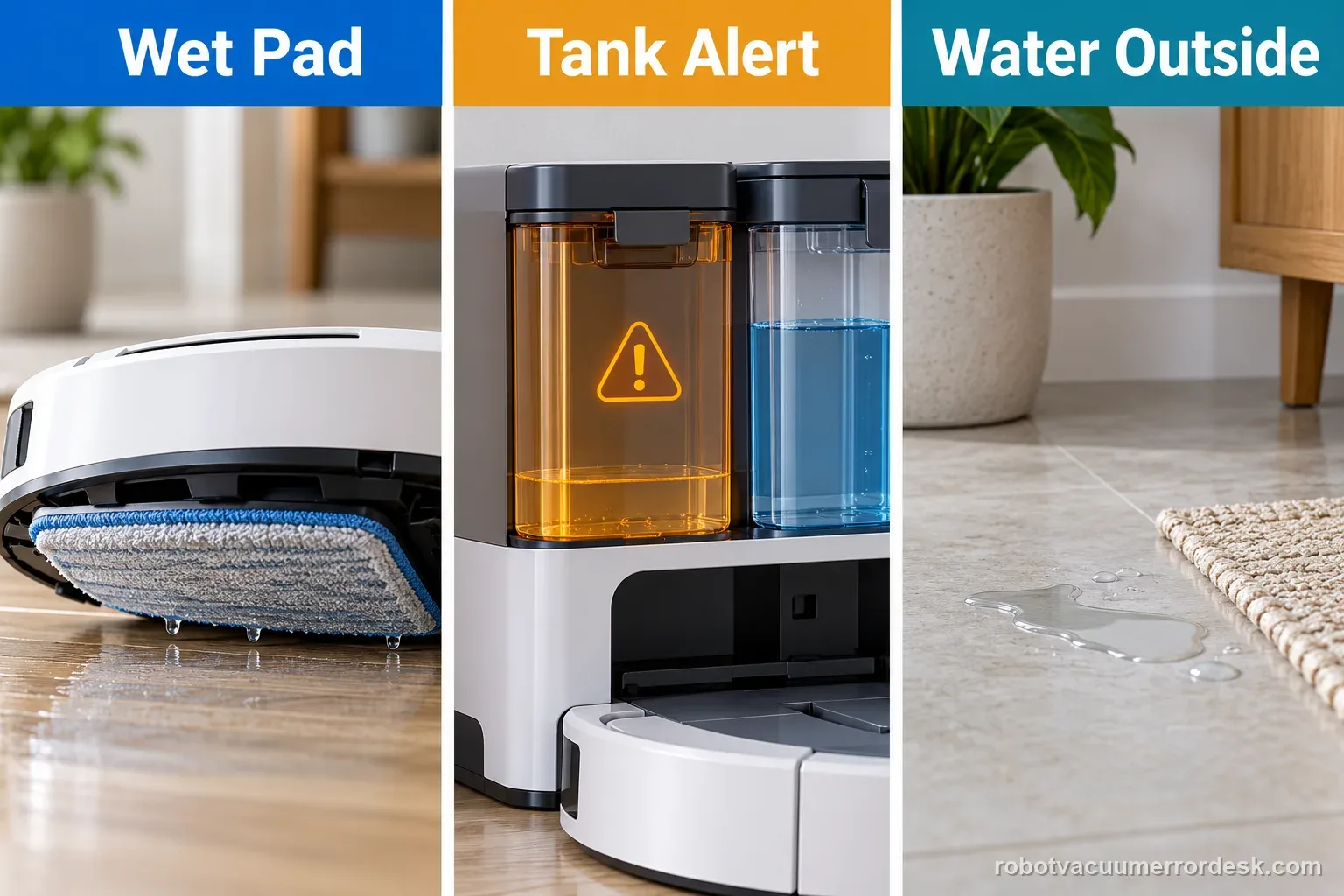
Example: the robot mops, but its pad stays dry
If the robot completes a room route, begin with the model's mop mode, installed module, and owner-accessible tank or outlet checks. Then run one documented test on a small hard-floor area. If it never dispenses, note whether the app showed a water alert. Do not open the sealed station to look for a pump.
Example: the pad is wet, but a station overflow alert returns
The robot has delivered water, so the next question is what happened during the station wash or drain stage. Stop repeating the wet cycle. Follow the exact alert in the manual and inspect only the removable tank, tray, and filter named there. The Narwal code-specific guide is a useful path for its own Error 2003, not a universal overflow fix.
Use one low-risk test and preserve the result
Power the station down only as the manufacturer directs. Check removable tanks for correct seating, visible damage, or a displaced seal. Clean only an accessible tray or filter identified in the manual. Refill with the approved liquid, if the model's instructions allow it. Keep the station dry during inspection and do not run another wash if water is escaping beyond the tray.
Change one condition before the next test. For example, reseat a tank and run the named wash command once; do not also change the water setting, move the dock, reset Wi-Fi, and factory-reset the map. A single-variable result tells you whether the refill, wash, or drainage step changed.
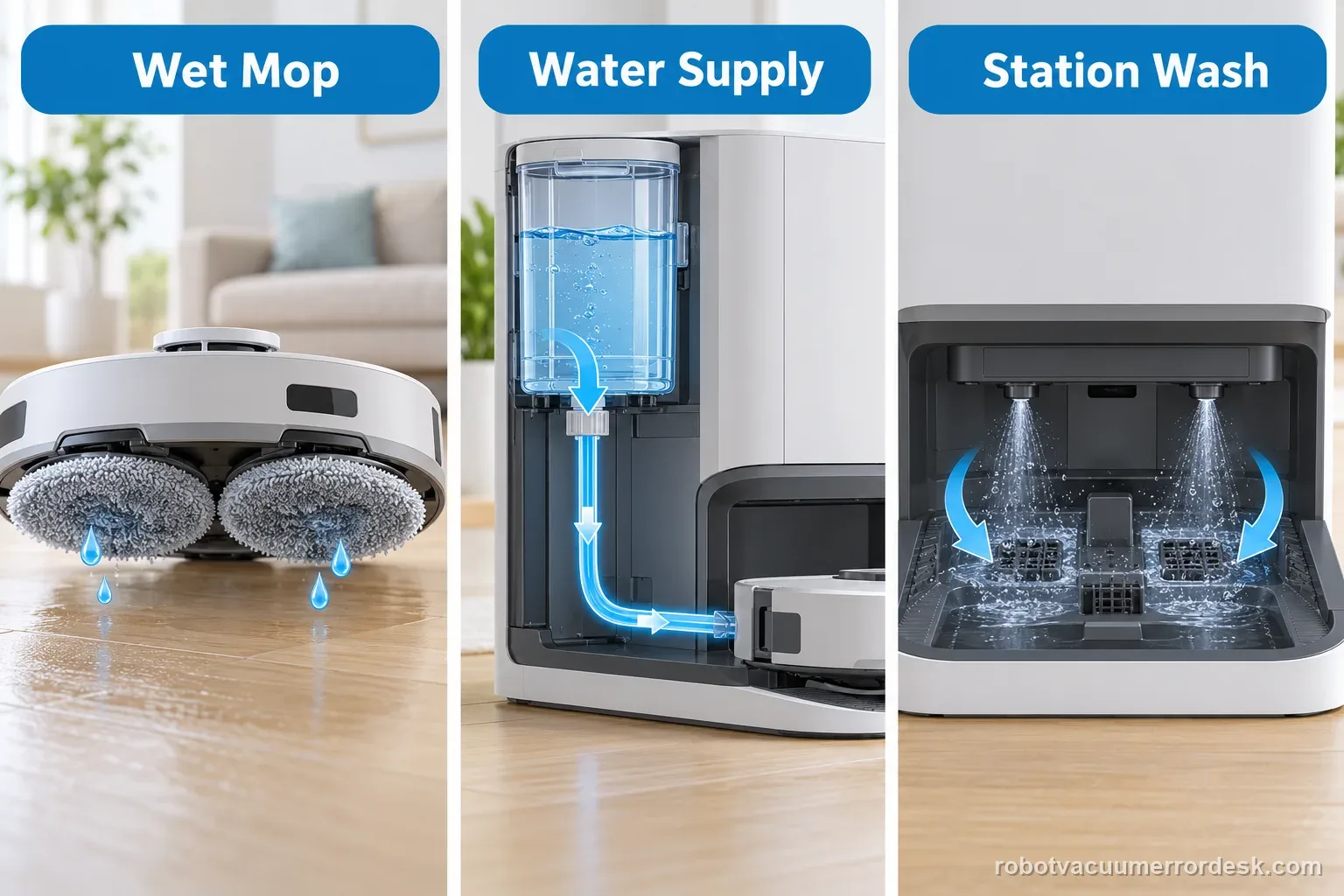
| Test result | What it narrows | Next action |
|---|---|---|
| Tank reseat changes alert | Fit or detection | Repeat once under same conditions |
| Tray clean, alert remains | Beyond surface debris | Capture message and contact support |
| Water escapes the tray | Uncontrolled leak | Stop and keep power away |
| No alert, pad stays dry | Delivery or mode | Use exact-model water guide |
- Record model and alert
- Check removable parts
- Run one documented test
- Stop if water escapes
Stop when water or damage makes the test unsafe
Stop the robot and station if water is reaching powered equipment, a cable, or a wall outlet. Do not pull a wet plug with wet hands. Keep the equipment off and contact the manufacturer or a qualified service provider for the next step. A damaged seal, cracked tank, burning smell, or repeated overflow is not a reason to keep cycling the wash routine.
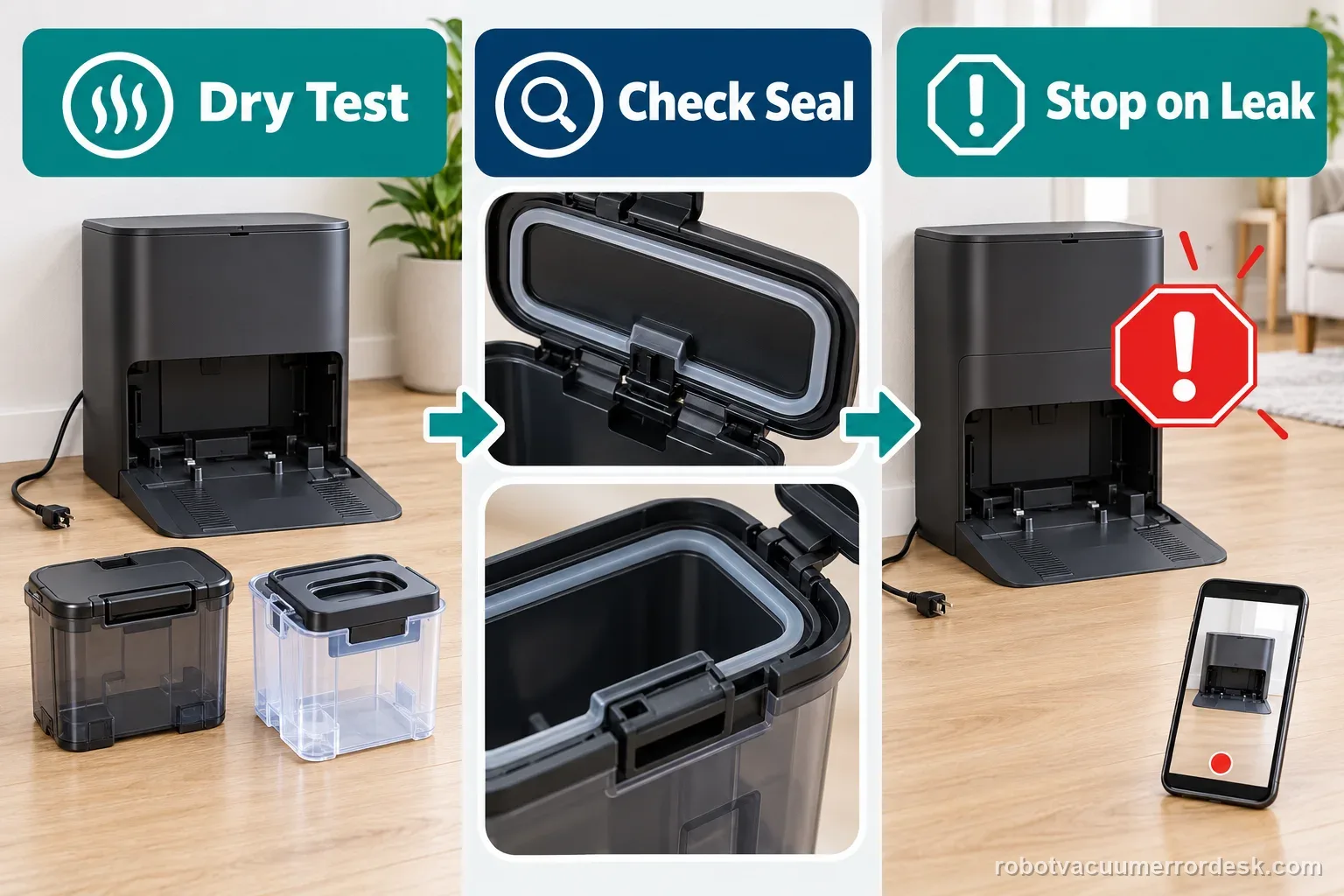
For source-backed next steps, use the Ecovacs model hub, the exact guide for your brand, or the support handoff builder. Record the model label, full alert, test performed, and a photo of the result before contacting support.
What the symptom points to
Tank seating, water path, wash tray, pump or station-side sensing.
Dust path, bag/bin seating, dock duct or station settings.
Stop repeated cycles; inspect tank lids, seals and tray before continuing.
Do not erase the evidence
- Repeated wash cycles during an active leak/overflow
- Using unsupported detergent while diagnosing a water-path error
- Opening a powered wet base station before owner-level checks are exhausted
Photograph the tray/tanks/seals, record which station operation triggers the fault, and include a short video if the robot or station makes an abnormal movement or sound.
Matching model-specific guides
51 diagnostics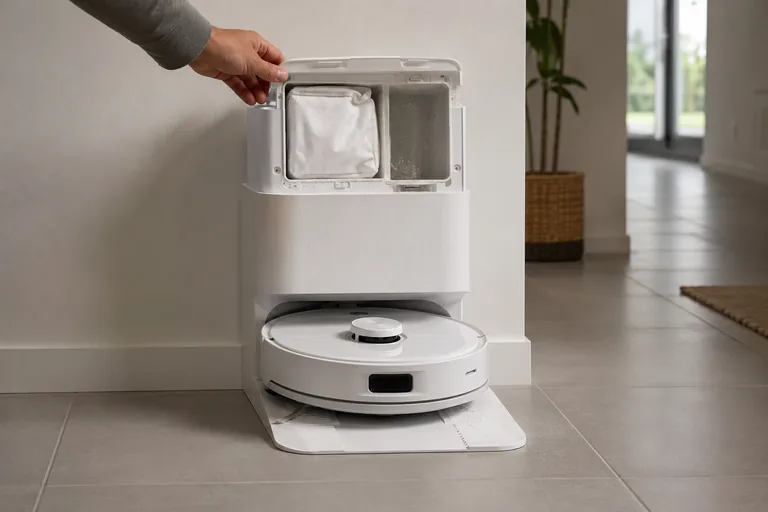
Auto-empty not working
First decide whether Q Revo auto-emptying never starts or starts but leaves debris behind—Roborock documents different branches. If the cycle does not start, check that Auto-Emptying is enabled, the dock dust-container cover is installed, the robot actually returned after a cleaning task, and Do Not Disturb is not configured to disable auto-emptying. Roborock also says manually putting the robot on the dock does not trigger automatic emptying. If the cycle starts but emptying is ineffective, shift to the airflow/mechanical branch: confirm the main brush and brush cover are installed correctly, then clear the filter, air duct, suction inlet, air inlet and dustbin. This trigger-vs-airflow split prevents unnecessary dock disassembly.
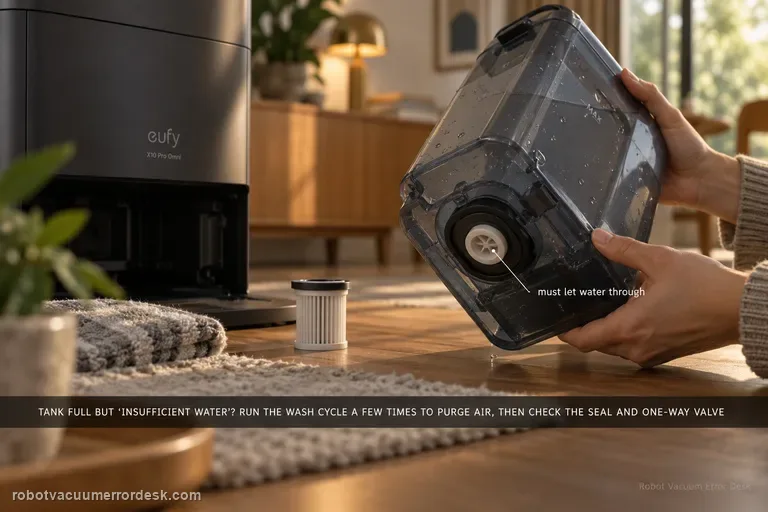
Insufficient water
If the clean tank is filled but the station says water is insufficient, run the mop-washing task several times first; eufy notes trapped air can affect pumping. Then inspect the clean-water tank sealing ring and one-way valve behavior. Also inspect the clean-water filter and the tank-to-station water pipe; a full tank does not prove the supply path is open.
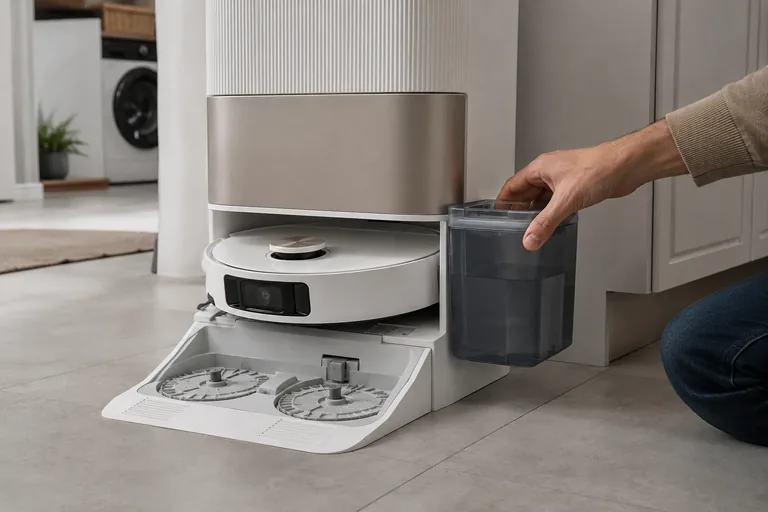
No wash water
This page is specifically for an L20 Ultra base that does not put water into the washboard while washing the mop pads. Dreame’s exact base-station procedure says to rule out incompatible cleaner, inspect the clean-water tank seal/piping interface, remove the robot and hold the base dock button for about 3 seconds to test water output. If the base can wash the pads but the robot later mops with no water, that is a different onboard-water path: Dreame now uses a holder-only five-minute flow test and checks the robot’s bottom water outlets.
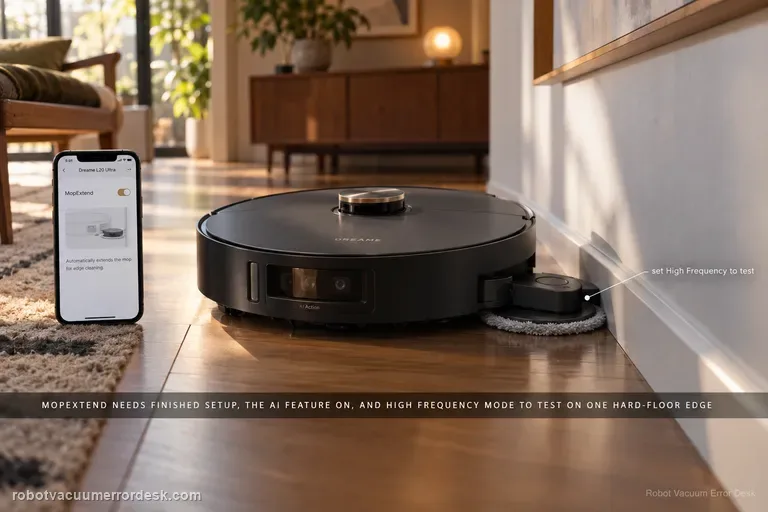
MopExtend not working
A non-extending L20 Ultra mop is often a settings/expectation problem before it is a failed actuator. Dreame’s current MopExtend article says the robot must finish network setup, AI-driven MopExtend must be enabled, and the selected mode matters: Standard runs the feature about once a week in Global Cleaning, Intelligence adjusts it by scenario, and High Frequency attempts extension during every cleaning. Use High Frequency on one clear hard-floor edge as the clean mechanism test.
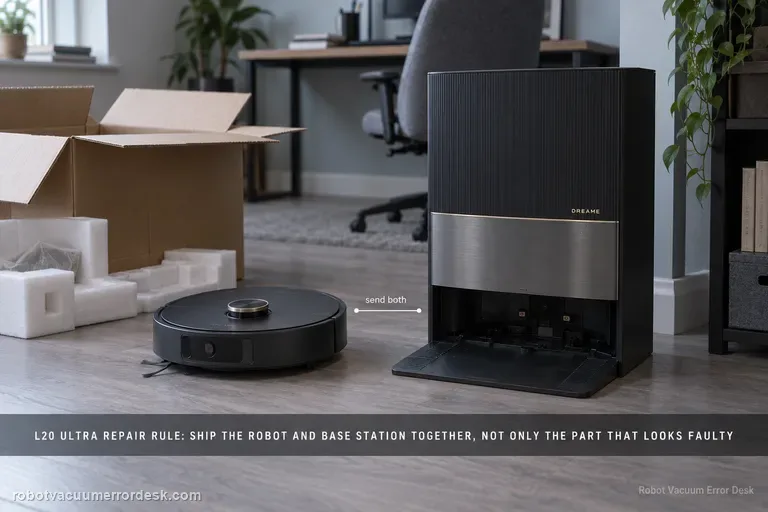
Base station repair
Dreame’s current send-in matrix gives the L20 Ultra a model-level rule before the general symptom table: send the robot and base station together. That means you should not self-select only the component that appears faulty for charging, no-water, dock-finding or other paired-system failures. The matrix answers the major-hardware scope; the active support ticket still controls liquids, tanks, dust bags, mop pads and other accessories, so document the symptom and follow the case-specific packing list.
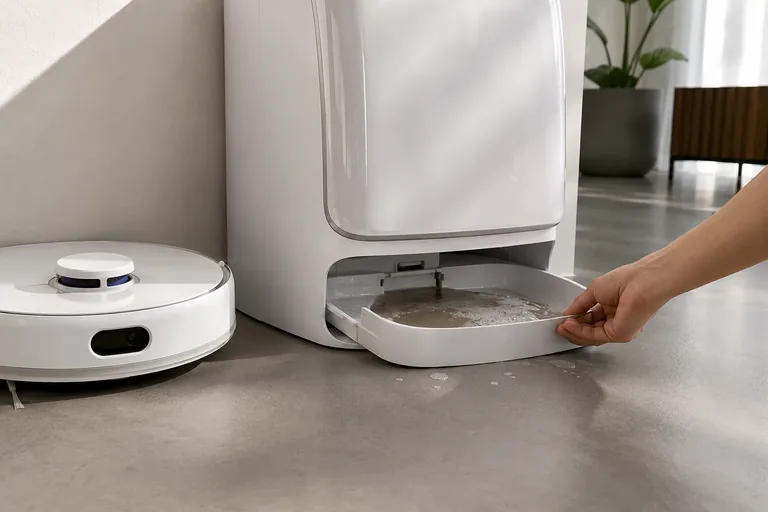
Error 2003
Narwal uses Error 2003 for a base-station overflow path, but its published steps use other Freo models as examples. First dry the removable tray and slope pad, then check the dirty-water lid click, both tank strips, and silicone seals. Restore Narwal-approved fluid. Run one wash only; if overflow returns, stop and contact support.
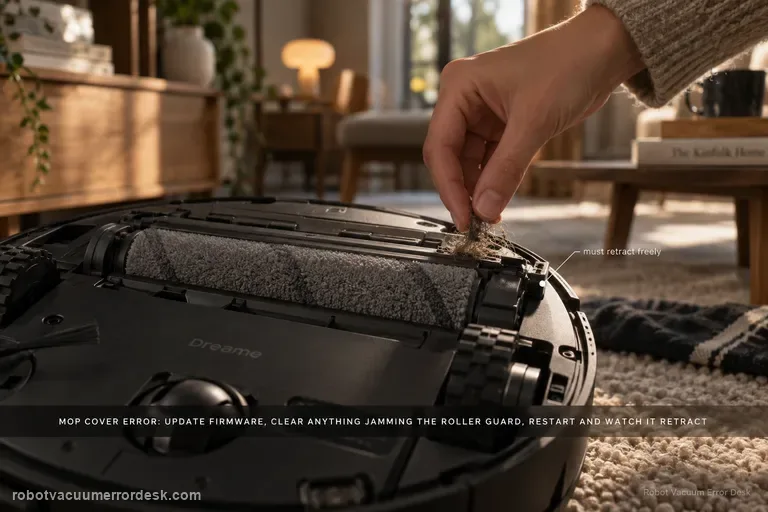
Mop cover / roller guard error
Dreame treats the Aqua 10 “mop cover error” as a firmware-and-obstruction check first. Confirm the robot is on current firmware, inspect the roller guard/cover area for foreign objects, clean it, then restart and see whether the guard retracts normally.
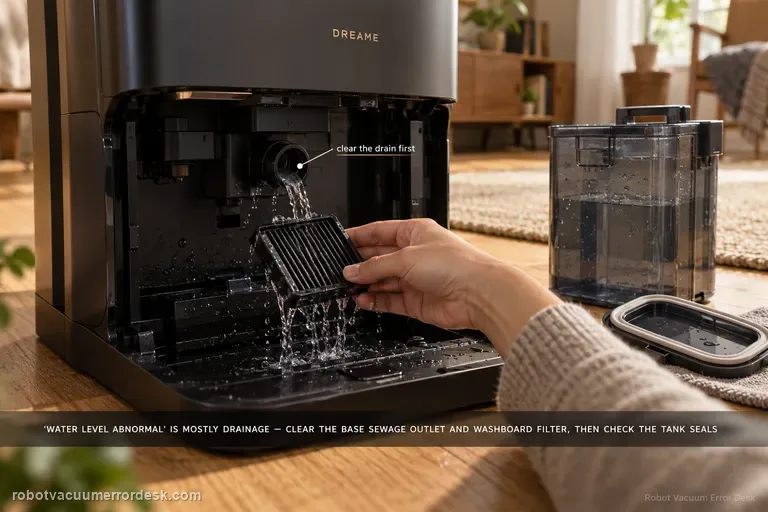
Washboard water level abnormal
Aqua10 'washboard water level abnormal' is primarily a drainage-and-sealing diagnosis in Dreame’s exact support article. First clear the base-station sewage outlet and rinse the washboard filter. Then inspect the used-water tank cover sealing ring for looseness or deformation, clean and close the sewage cover/buckle, inspect the sealing plug where the tank meets the station, and reseat the used-water tank firmly. The order matters: standing water with a blocked outlet points to drainage, while a clean drain plus a loose/deformed tank seal points to lost suction/sealing in the dirty-water path. Do not treat this as a clean-water refill problem unless the evidence actually points there.
Water leaking inside base
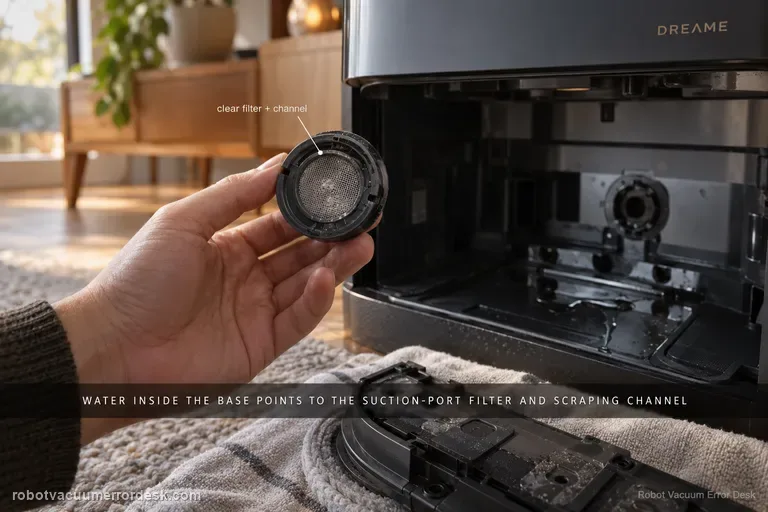
For water that appears inside the Aqua 10 Ultra Roller Complete base station, Dreame points first to the robot-side suction-port filter and the scraping channel around it. Treat this as a controlled leak-location test, not a reason to open the station. Stop repeated wet cycles, confirm the water is actually appearing inside the base rather than dripping outside it, remove the mop assembly, clear the filter and nearby channel, reinstall everything, then run one short task. If the base stays dry after that test, the blocked pickup path was the useful discriminator; if fresh water or sewage still accumulates inside the station, stop wet operation and escalate rather than disassembling powered wet-station parts.
Mop does not extend
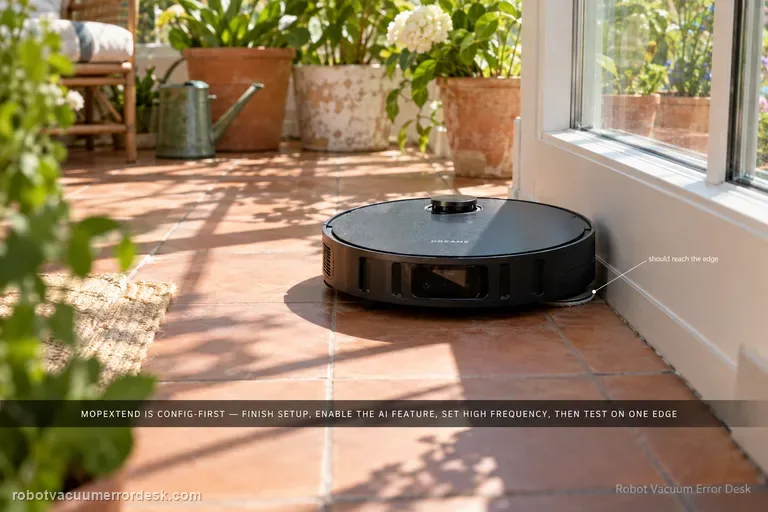
Dreame’s MopExtend troubleshooting is configuration-first, not a motor-disassembly path. Complete network setup, enable AI-driven MopExtend and read the selected mode correctly: Standard performs extension only once a week in Global Cleaning, Intelligence adapts automatically, and High Frequency is the proof mode because it extends during every cleaning. If the Aqua10 is online, MopExtend is enabled and High Frequency is selected but the mop still never extends during a normal edge-cleaning opportunity, record video and move to after-sales support.
Cleaning solution not installed
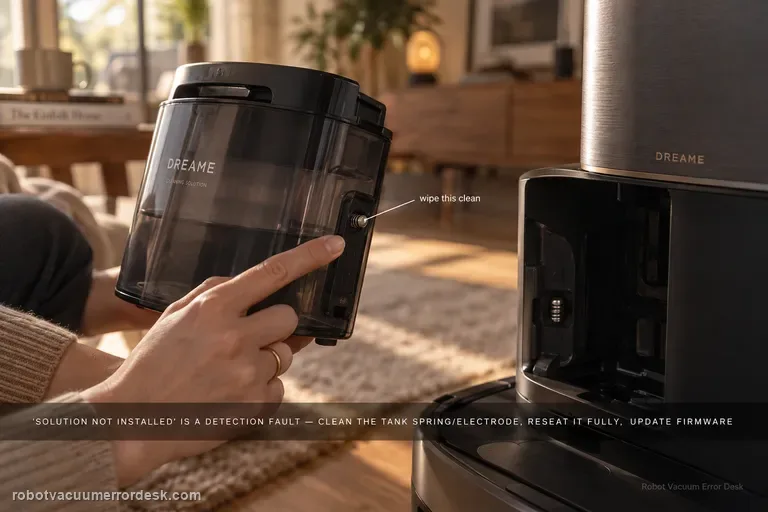
Treat “cleaning solution not installed” as a detection problem, not as proof that detergent is empty or not being consumed. Dreame's exact Aqua10 flow starts at the tank spring/electrode, then requires full seating, current firmware, a robot/base restart, and one global-cleaning observation when the robot returns to mop. That sequence separates a dirty contact or poor seating issue from a persistent detection fault before service.
Clean water not coming out
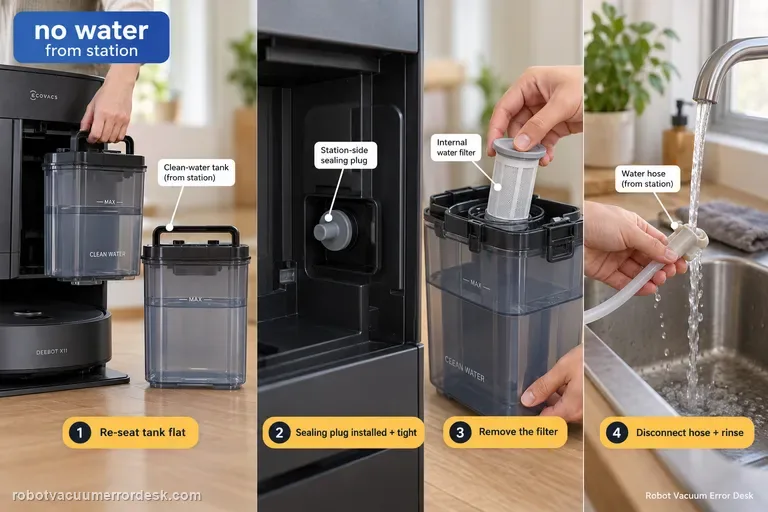
When the X11 station produces no clean water during mopping or self-cleaning, ECOVACS checks the supply path in a specific order: remove the clean-water tank, clear anything trapped between tank and station, seat the tank flat, verify the station-side sealing plug is correctly installed and tight, then open the tank, remove the filter, disconnect the water hose and rinse the filter with clean water before reassembly. That sequence distinguishes a seating/seal problem from a restricted filter/hose path.
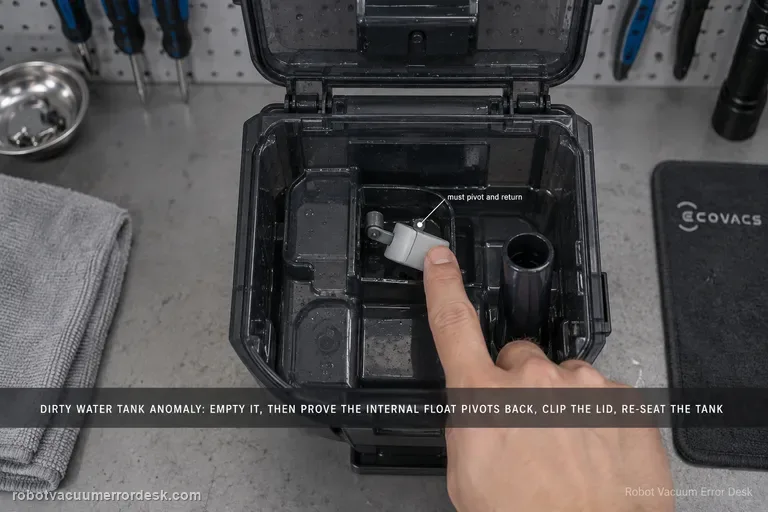
Dirty Water Tank Anomaly
For the X11 Dirty Water Tank Anomaly alert, ECOVACS tells owners to empty and clean the tank, check that the internal float pivots and returns normally, close the top lid with all clips secured, and reinstall the tank in the station. The key distinction is between a real full/dirty condition and a tank-state detection problem caused by a stuck float or poor sealing/seating. Test the float and lid deliberately instead of only emptying the water.
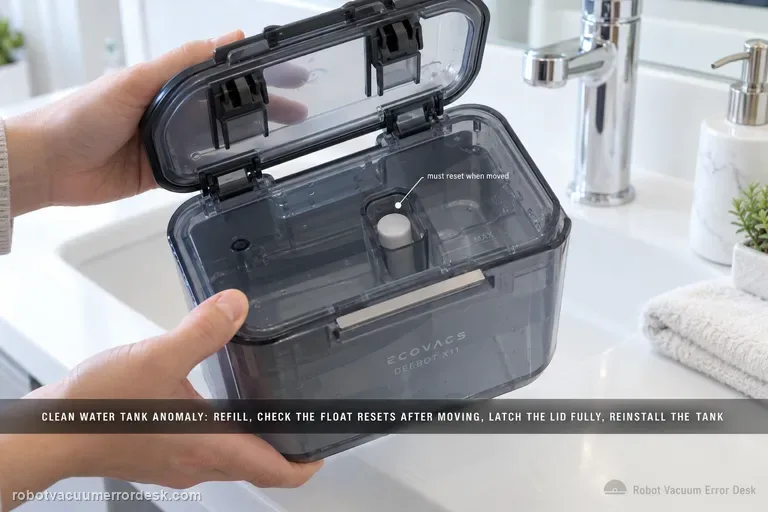
Clean Water Tank Anomaly
The X11 Clean Water Tank Anomaly path is about tank detection, not just whether water can flow. ECOVACS says to remove the clean-water tank, open it and refill as needed, inspect the float mechanism and make sure it resets after being moved, close the lid with all latches fully engaged, then reinstall the tank in the base station. If the tank is full but the float stays displaced or the lid/tank is not seated correctly, the alert can persist.
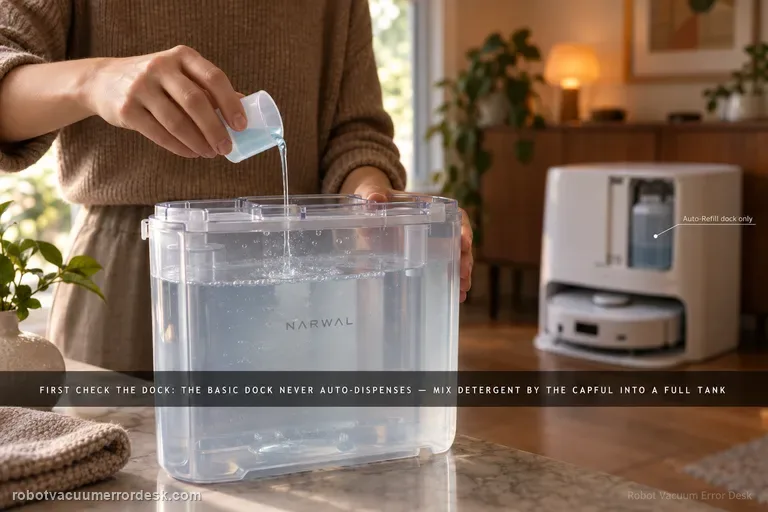
Detergent not auto-dispensing
The first test is not the detergent bottle; it is the dock version. Narwal says Flow’s Basic Dock does not auto-dispense detergent at all. With that dock, detergent is mixed manually into a full clean-water tank using Narwal’s specified capful guidance. The compact/Auto Refill & Drainage version has a built-in main detergent reservoir and can auto-dispense after the cartridge is filled and reinstalled horizontally. Narwal also documents an app switch under Device Homepage → Settings → Base Station → Automatically add detergent for Flow with Auto Refill & Drainage. If you diagnose the wrong dock as if it had the other dock’s dosing system, a normal design difference looks like a failure.
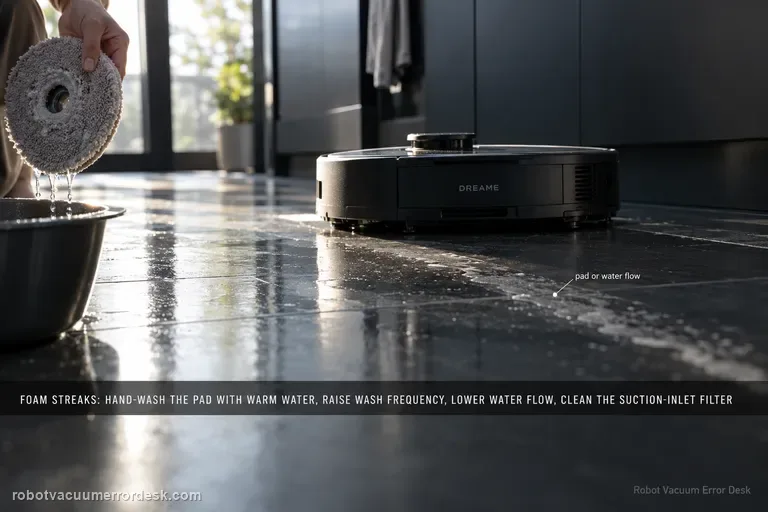
Foamy water marks
Dreame’s exact Aqua10 foam path checks four variables in order: mop-pad condition, wash frequency, app water-flow level and the suction-inlet filter. Hand-clean the removed mop pad with warm water and detergent as the support article instructs, rinse it thoroughly, and replace it if worn or permanently stained. Then increase wash frequency, reduce water flow and clean the suction-inlet filter. Do not pour household detergent into the robot’s clean-water tank; the Aqua10 manual says only clean water and officially approved cleaning solution belong there.
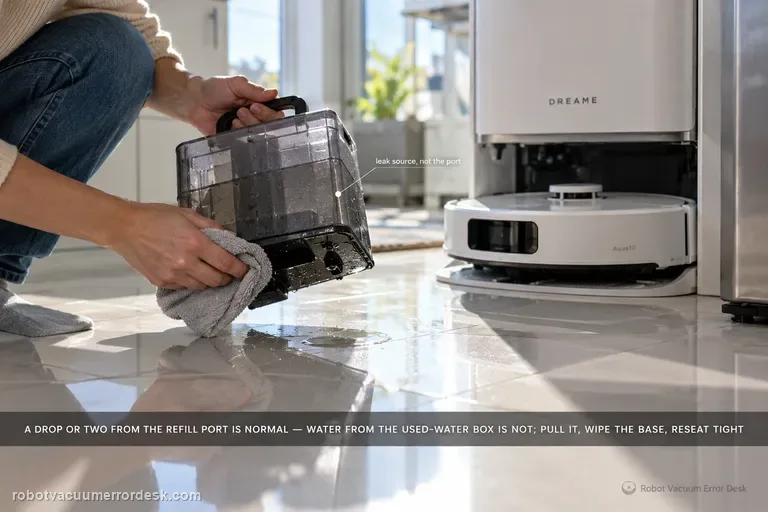
Water leaking outside base
Dreame says one or two drops from the robot’s water refill port after refilling can be normal. If water is instead coming from the robot’s used-water box, remove it, wipe the bottom surface clean, reinstall it tightly and retry. Larger or persistent leakage should not be normalized.
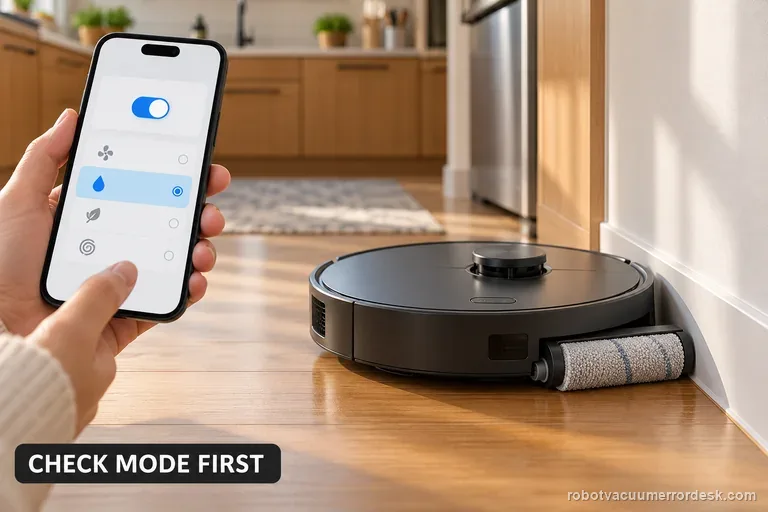
Roller mop will not expand
For an X11 roller mop that will not extend during edge cleaning, enable TruEdge Adaptive Edge Mopping and select Vacuum and Mop. If it stays retracted, check for debris and clean the removable roller using ECOVACS’ procedure. Test once beside a clear wall. If extension still fails, save the settings screens and a short video for support.
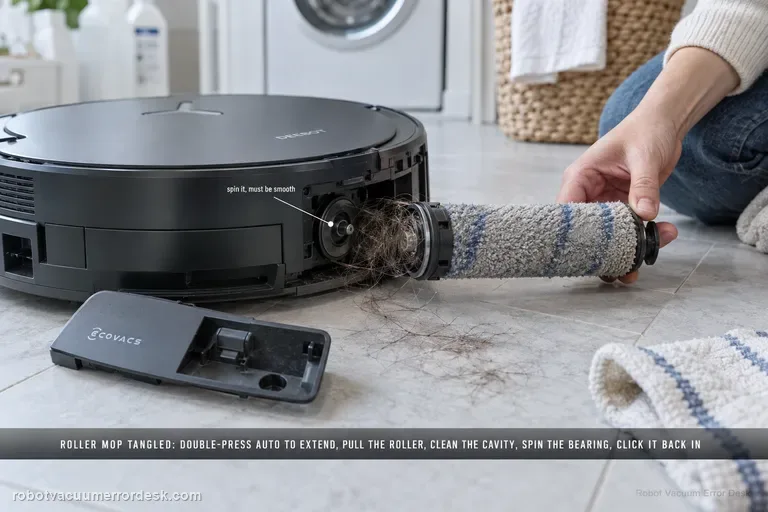
Roller Mop Tangled alert
The X11 Roller Mop Tangled alert has a detailed manufacturer service path. Double-press Robot AUTO to extend the roller component, release and remove the roller, separate the end cover and clean it. Remove the dirty-water box before turning the robot over; clear the roller cavity and spin the roller-motor bearing to confirm smooth movement. Refit the end cover, push the roller into the motor until it clicks, retract it with a double press, reinstall the dirty-water box and restart.
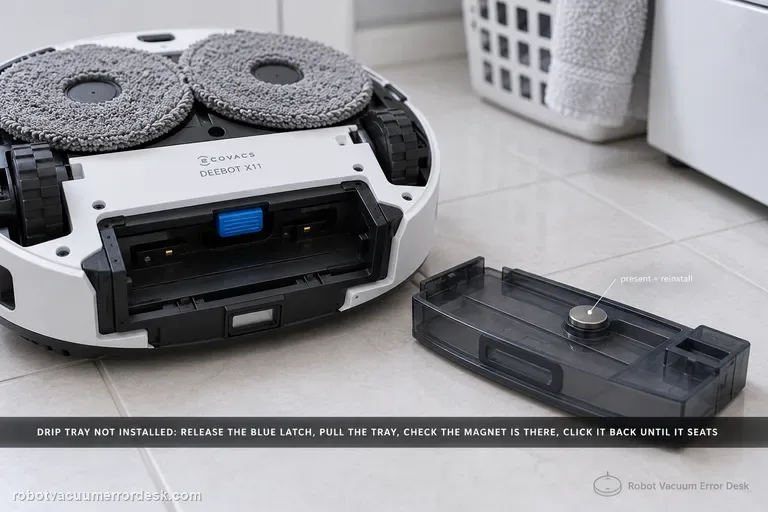
Drip Tray Not Installed alert
The X11 “Drip Tray Not Installed” alert has a clear hardware discriminator: ECOVACS tells owners to power the robot off, lift the roller-mop side, release the blue latch and remove the tray, then inspect whether the tray magnet is present. If the magnet is there, reinstall the tray until it clicks and restart. If the magnet is missing, contact customer service. Remove the dirty-water box first whenever you flip the robot to avoid leaks.
Residual water after mopping
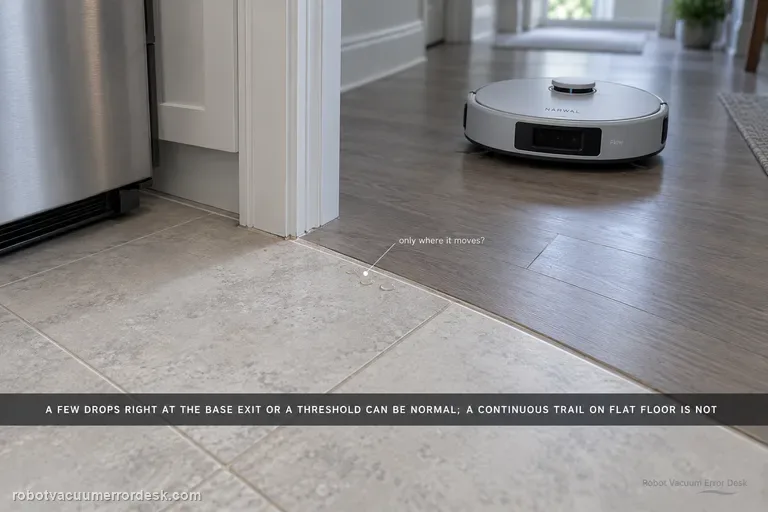
Narwal says Flow normally leaves no water in most cases, but a few droplets can be normal after significant movement—especially when the robot exits the base station or climbs a threshold. Treat quantity and pattern as the key discriminator. Dry the floor, repeat the same short route and note whether moisture is limited to those movement events or forms a continuous trail/puddle during ordinary travel. Do not open the internal water path for a few isolated drops. If the residue is clearly noticeable or persistent, Narwal asks for the robot serial number and a video of the robot operating.
Mop installation failed
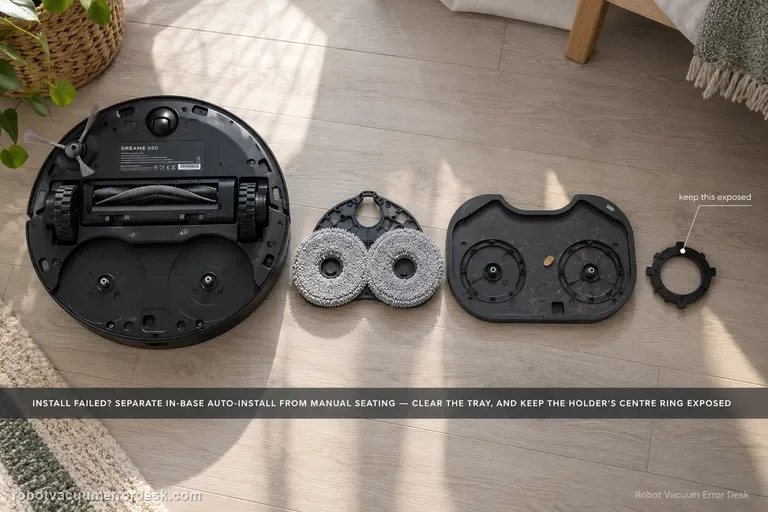
First classify where the error occurs. Dreame’s exact X60 article separates an in-base automatic installation failure from an outside-base case where the mop pad holder must be installed manually. A second X60 support article adds two high-value checks: foreign objects on the cleaning tray and whether the mop is fitted so the holder’s central ring remains fully exposed. If a clean, correctly fitted holder still fails after one restart/reinstall, document whether the same side fails and escalate instead of repeatedly cycling the installation mechanism.
Water stains or dripping
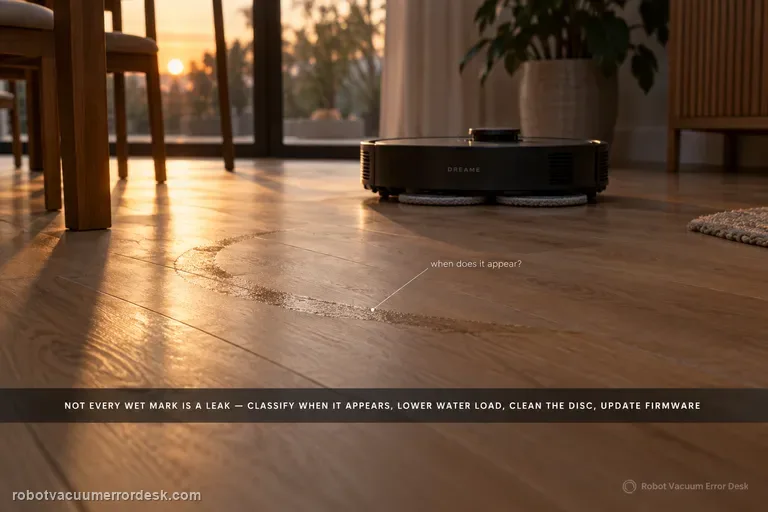
Not every wet mark under an X60 is a leak. Dreame distinguishes ordinary post-mop moisture, a few initial-use droplets left from factory water-circuit testing, and small droplets created when the robot rehydrates or spins the mop from persistent/excessive dripping that should go to service. Classify when the water appears, lower avoidable water load, clean the disc, update firmware, and use Dreame's 1–2-use observation window only for minor early-use droplets.
Extension arm stuck
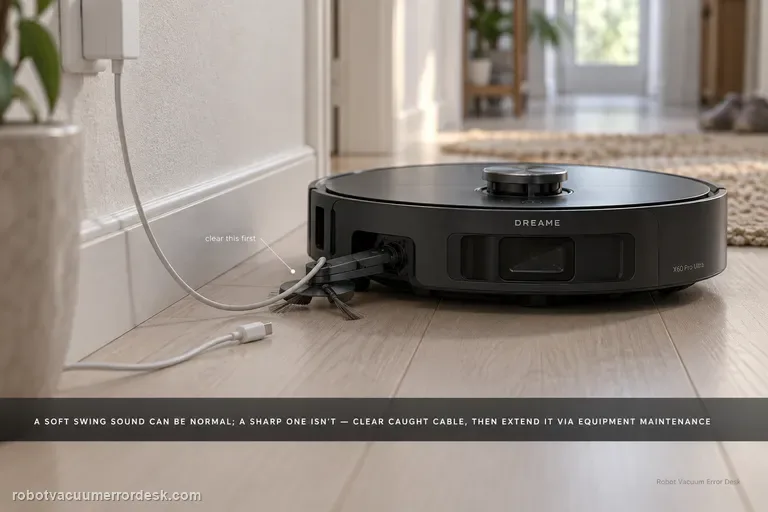
First decide whether the X60 arm is actually stuck. Dreame says a slight outward-swinging sound from the dual motors/gearboxes can be normal; a sharp abnormal sound is not. If a wire or rag is caught, stop the robot, clear loose floor hazards, then use Settings → Auxiliary Functions → Equipment Maintenance to extend the module far enough to remove the obstruction safely. If the arm remains extended after the obstruction is gone, Dreame provides App Settings → More Functions → Device Maintenance → Reset Mop → Retract. Do not force the linkage by hand when the app can command the mechanism.
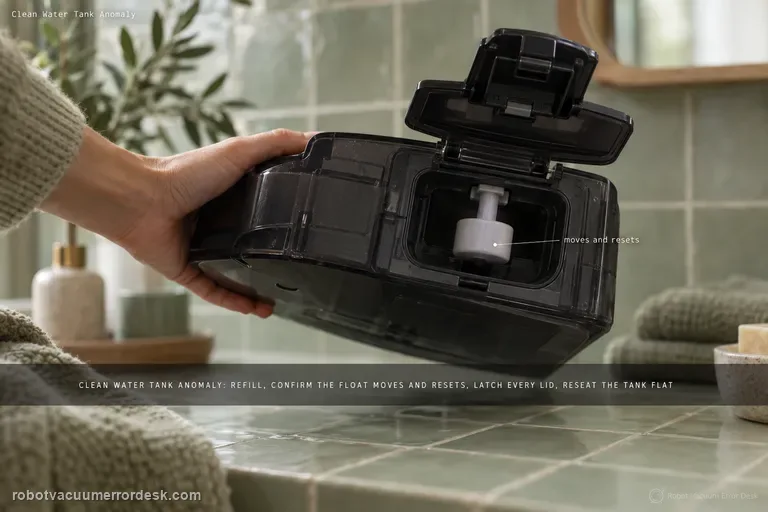
Clean Water Tank Anomaly
For the T80 OMNI Clean Water Tank Anomaly, stay on the tank-detection branch first: remove the fresh-water tank, refill it, verify that the float mechanism moves and resets, secure every lid latch, then reinstall the tank flat in the station. The goal of this page is to make the station recognize the tank and its level correctly. If the alert clears but fresh water still does not reach mopping or station self-cleaning, stop repeating tank-detection checks and switch to the separate clean-water-not-dispensing path, which tests the downstream seal, filter and hose. Keeping those two symptoms separate prevents a no-flow problem from being mistaken for a tank-state alert.
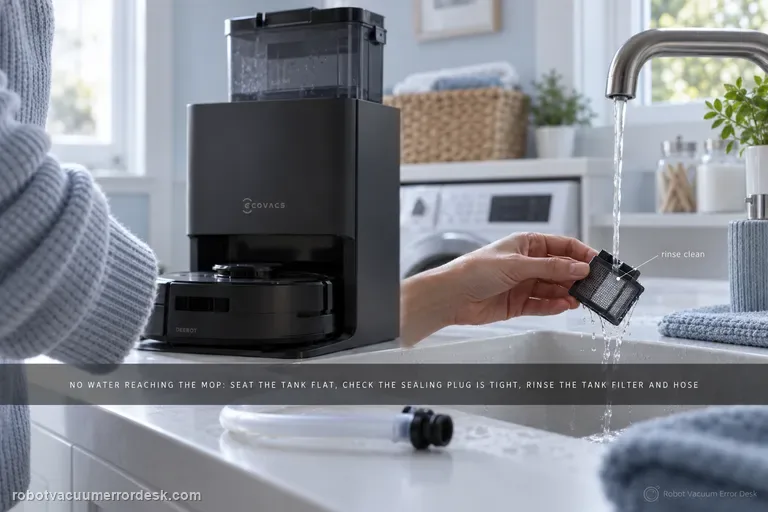
Clean water not dispensing
When the T80 OMNI has a recognized clean-water tank but no fresh water reaches mopping or station self-cleaning, troubleshoot the removable water path before assuming a pump failure. ECOVACS tells owners to seat the tank flat with no object trapped between tank and station, confirm the station sealing plug is fitted tightly, then remove the tank filter, disconnect the hose and rinse the filter with clean water. A separate Clean Water Tank Anomaly alert is a different branch that adds water level, float and lid checks.
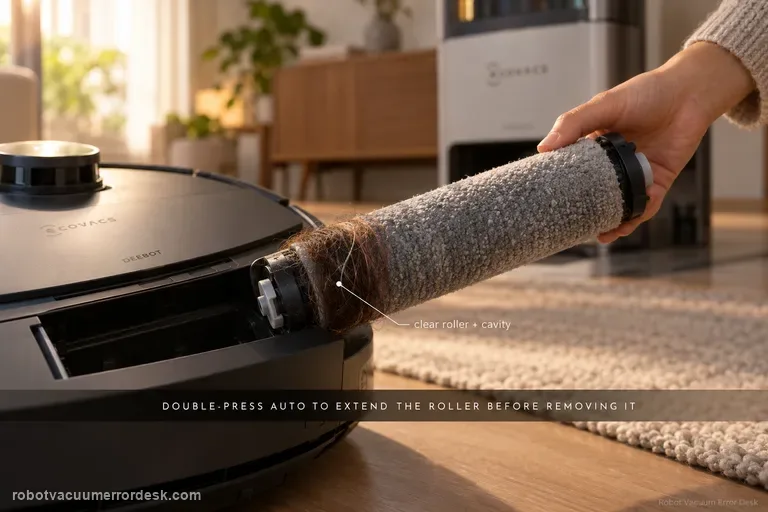
Roller Mop Tangled
Do not pull a tangled T80 roller while the mechanism is retracted. ECOVACS' exact-model sequence is to double-press AUTO so the roller-mop component extends, release and remove the integrated roller, take off its end cover, clear the roller and cavity, check the roller-motor bearing for smooth movement, reinstall the end cover, align the roller with the motor until it clicks, retract the component, reinstall the dirty-water box and restart. The companion removal guide also warns that expansion mode is required and that the roller and mop are integrated rather than separately replaceable.
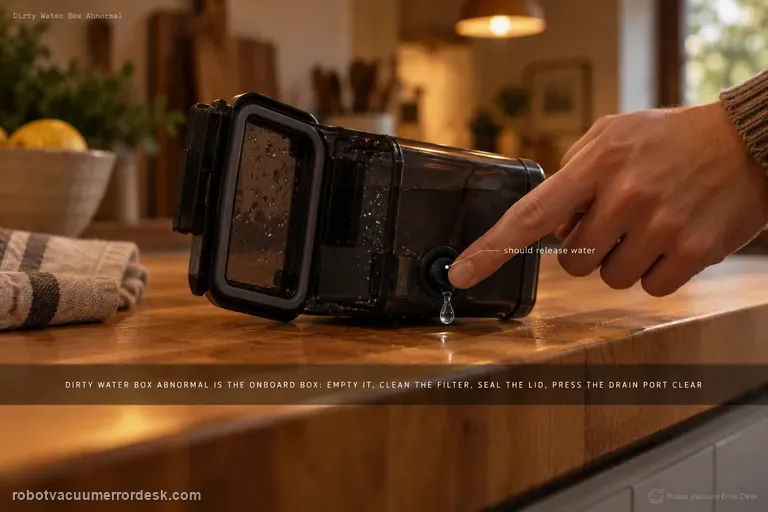
Dirty Water Box Abnormal
ECOVACS’ T80 Dirty Water Box Abnormal alert refers to the robot’s onboard Dirty Water Box, not the station’s larger Dirty Water Tank. Remove the onboard box, empty it, clean its filter and close the lid firmly for a tight seal. Then press the drain port: if the box contains water, pressing the port should release water; clean that port with a brush if it is blocked. The manufacturer adds a mechanical station test: press the charging contacts on the base’s right side for 1–2 seconds, release them and check whether the drain rod moves up/down smoothly. The same T80 support set also shows how to clean/reseat the dirty-water box and water tray, including the positive “click” on reinstallation.
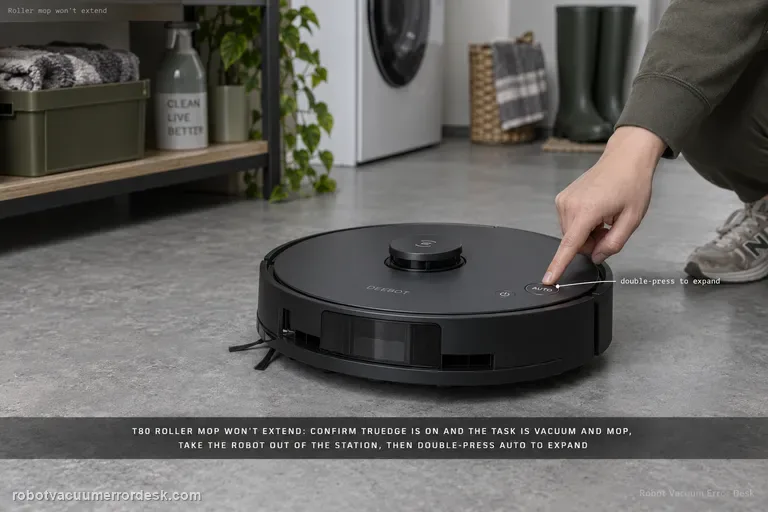
Roller mop will not expand
A T80 roller that will not extend should be treated as a conditions-and-mechanism problem, not immediately as a failed motor. ECOVACS says to confirm TruEdge Adaptive Edge Mopping is enabled and the task is in Vacuum and Mop mode, then check the roller for a debris jam. The companion roller guide adds two important installation facts: expansion mode is required for removal/installation, the robot should be outside the station when you double-press AUTO, and the roller must align to the motor until it clicks. Prove the settings, clean/reseat the roller, then run one repeatable edge pass.
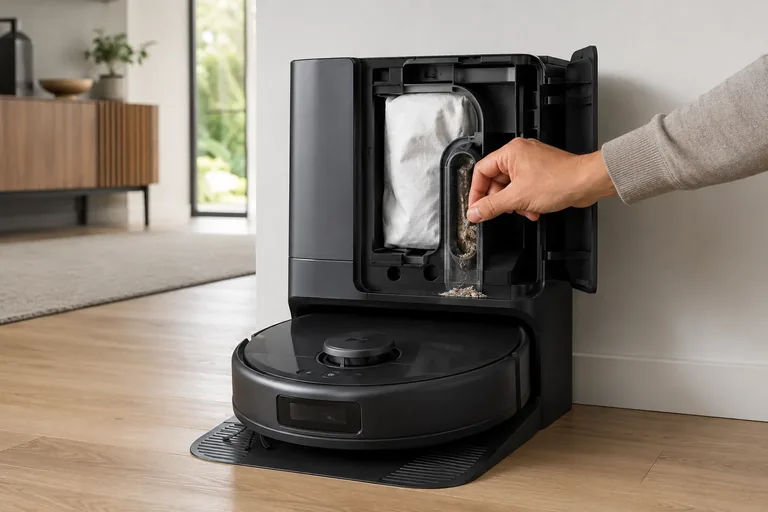
Auto-empty / dust collection not starting
Treat X10 Pro Omni self-empty failures as two different states: “collection never starts” versus “fan runs but debris does not transfer.” First confirm the Omni Station has a steady white power light and its lid/bag state is normal, then clear the robot outlet and station path. eufy’s alert table also distinguishes a cooling self-empty fan from a permanent failure. In heavy-debris homes, eufy recommends 15-minute Pet-mode emptying with Turbo or Max suction to reduce repeated packing.
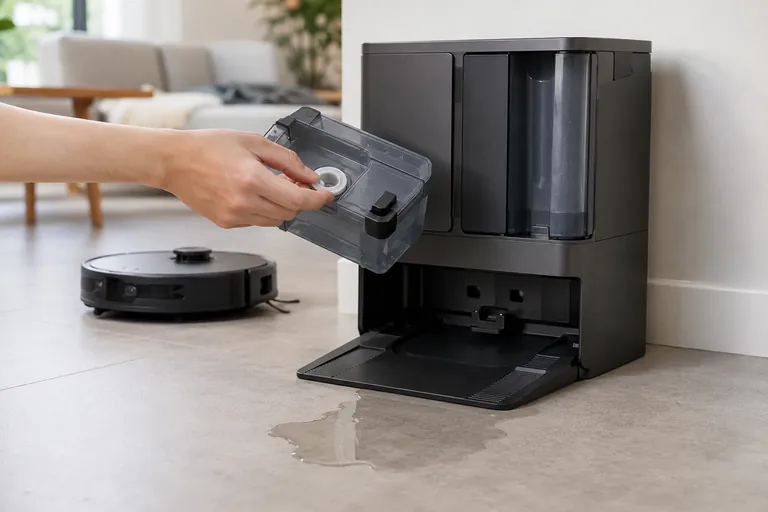
Omni Station leaking water
Stop repeated wash cycles and identify the leak path first. eufy’s exact X10 station guidance starts with the clean-water tank rubber seal, then the dirty-water tank seal, then the cleaning-tray float. If those are normal, the clean-water tank one-way valve becomes the next owner-level discriminator; persistent leakage beyond that can indicate an internal station water-path fault.
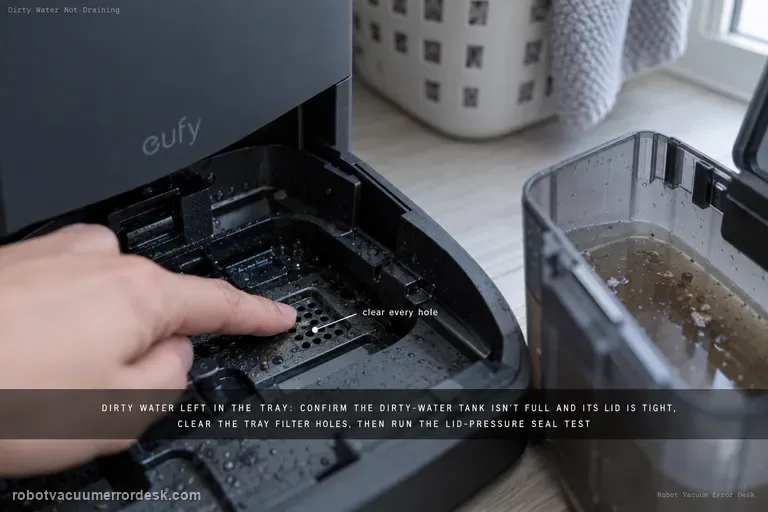
Dirty water not draining from cleaning tray
If dirty water remains in the X10 Pro Omni cleaning tray, start with the dirty-water tank: make sure the tank is not full and its lid is tightly closed. Clean clogged tray filter holes, then use eufy’s lid-pressure test during Wash Mop to check whether the dirty-water tank seal ring is leaking. Update firmware and collect logs/photos if the issue persists.
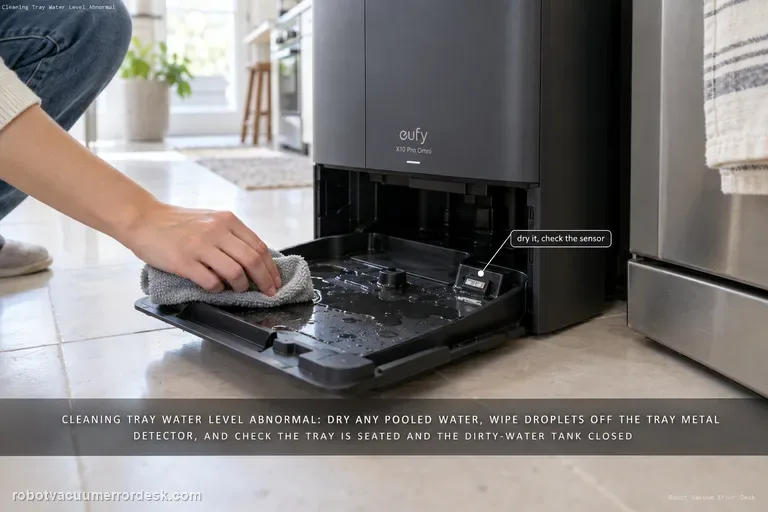
Cleaning tray water level abnormal
For the X10 Pro Omni “water level of the station’s cleaning tray is abnormal” alert, start by checking whether water is actually pooled in the tray and dry it if needed, then inspect the tray’s metal detector for water droplets. Also confirm the cleaning tray is installed correctly and the dirty-water tank is closed/seated so the station can pump water away.
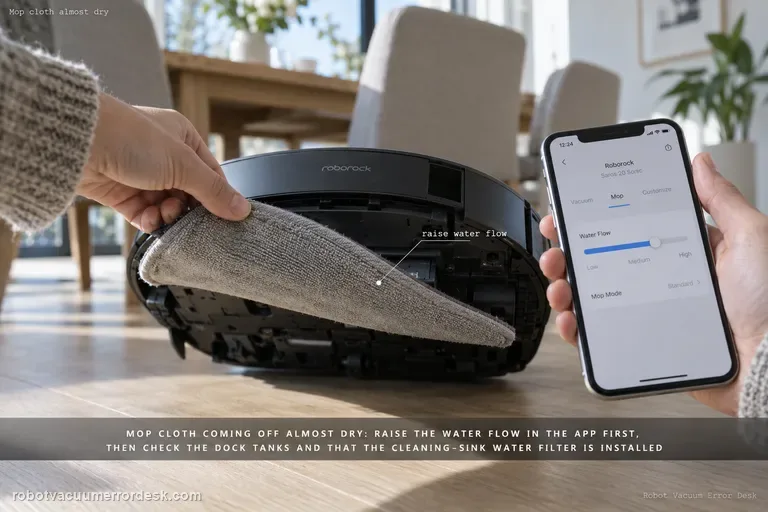
Mop cloth almost dry
For a Saros 20 Sonic that leaves the mop cloth almost dry, use the current model manual as the owner-safe baseline: its Common Issues table says to increase water flow in the mobile app when there is no or little water during mopping. If that does not change the cloth, verify the dock can support a normal wash/refill cycle—clean-water tank seated and filled, dirty-water tank seated with capacity, and the cleaning-sink water filter installed correctly. Then run one dock-started mopping test without changing several settings at once. Do not open the robot’s internal water path, probe outlets with a needle, or remove an internal tank; those actions are not part of the current Sonic manual’s owner procedure.
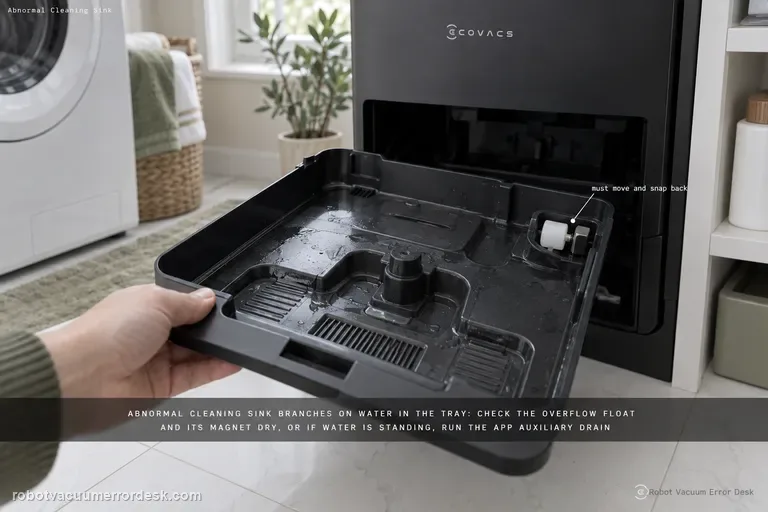
Abnormal cleaning sink alert
The X11 “Abnormal cleaning sink” alert branches on whether water is present in the mop-washing tray. First make sure the tray and overflow float are installed correctly and check the float magnet. If the tray is dry, clear any obstruction so the overflow float moves and snaps back. If water is standing in the tray, ECOVACS moves to dirty-water tank sealing, the tank-base plug, the app Auxiliary Drain function, tray cleaning/reinstallation and a station power-cycle before retesting drainage.
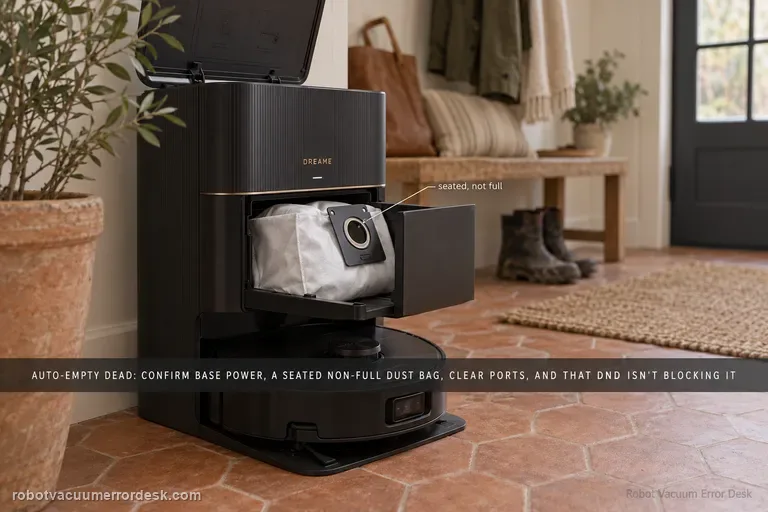
Auto-empty not working
Dreame’s current X40 Ultra dust-collection page separates a cycle that never starts from one that runs but moves little debris. Confirm the station is powered, the dust bag is correctly installed and not full, and the robot/base/dust-box collection ports are clear. In Dreamehome, make sure Dust Collection is enabled and remember that DND blocks dust-collection commands. Clean the charging-contact window that carries station communication, then run one controlled empty cycle and inspect whether debris actually moved.
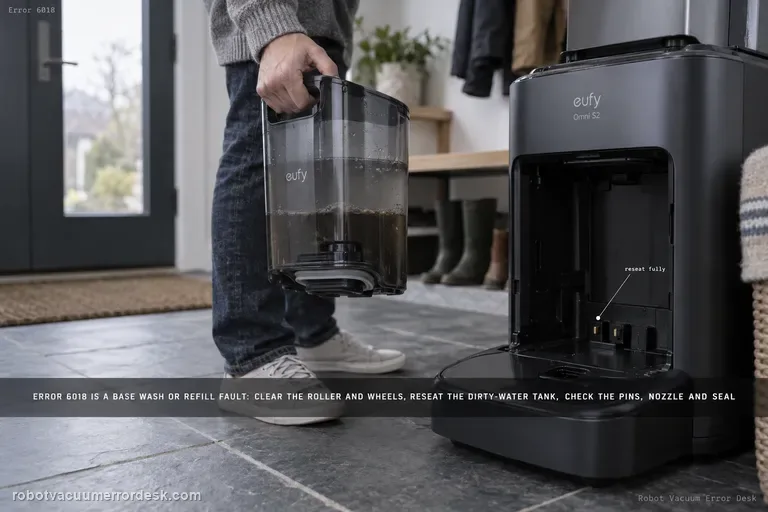
Error 6018
Error 6018 on the eufy Omni S2 means the UniClean base detected a problem during water refilling or mop washing. Do not confuse the model name S2 with older eufy 'Error S2' wheel-module codes. For Omni S2 Error 6018, eufy says to clear the robot's roller/brush/wheels, reseat the dirty-water reservoir, inspect charging pins, inspect the base water-injection nozzle and the screen-module silicone seal, then restart mop washing.
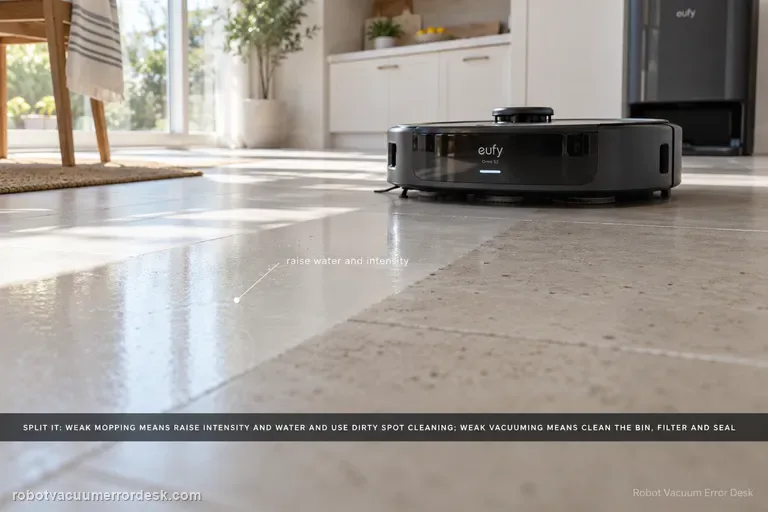
Poor Cleaning / Mopping
Split the symptom before changing parts. For weak mopping, eufy says to raise cleaning intensity and water level, enable Dirty Spot Cleaning for heavily soiled areas, and accept that hardened oil, glue or paint may still need manual cleaning. For weak vacuuming, clean the dustbin/filter, inspect the dustbin air-outlet silicone seal, replace worn brushes, then verify coverage and run a controlled second pass. Carpet results should be judged separately with higher suction if needed.
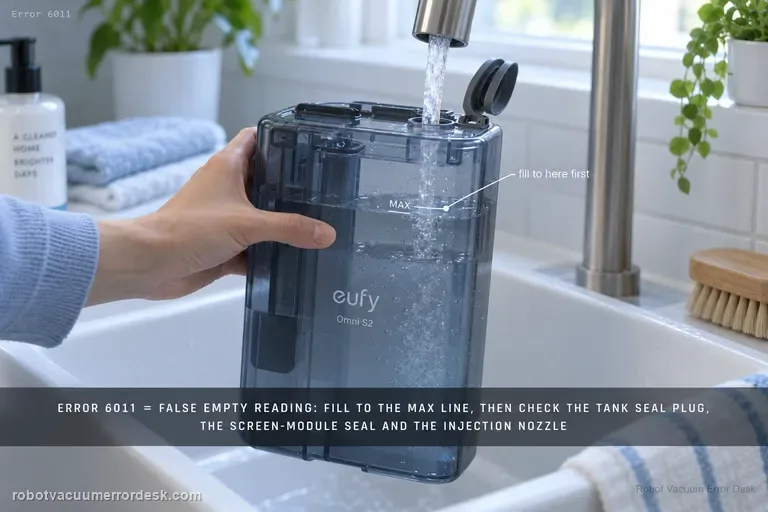
Error 6011
On the Omni S2, Error 6011 is the specific path for a clean-water tank that is reported empty even though water is still present. Start by filling above the minimum and up to the MAX line for the proof test. Then inspect the clean-water tank seal plug, the screen-module silicone seal and screen-module seating, and finally the base water-injection nozzle. This is different from Error 6018: 6011 is a false/failed clean-water-empty detection path; 6018 is a water-injection or mop-wash abnormality.
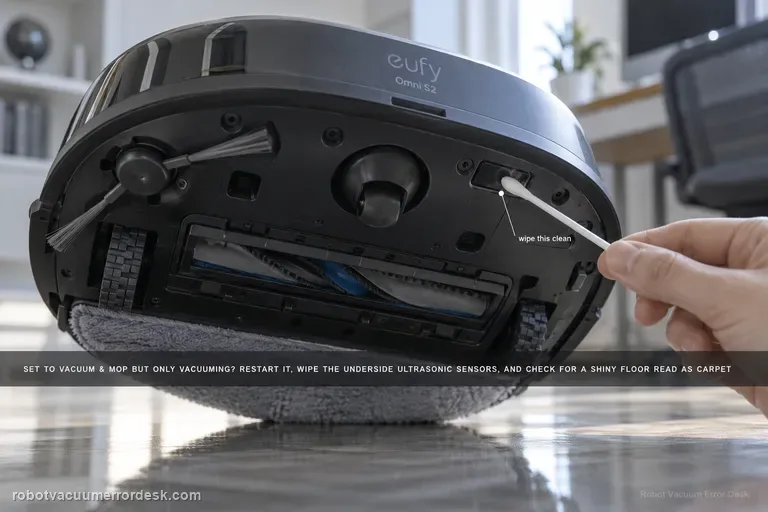
Vacuum & Mop only vacuums
If the Omni S2 is set to Vacuum & Mop but never activates mopping, do not use the weak-cleaning article first: this is a mode/surface-detection problem. eufy's exact S2 path says to restart the robot, clean the underside ultrasonic sensors, consider floors with large gaps or complex/reflective patterns that may be misidentified as carpet, and check multi-floor/no-base-station context. When the S2 cannot detect its base on another floor, it can switch to Vacuum-only to keep the task running.
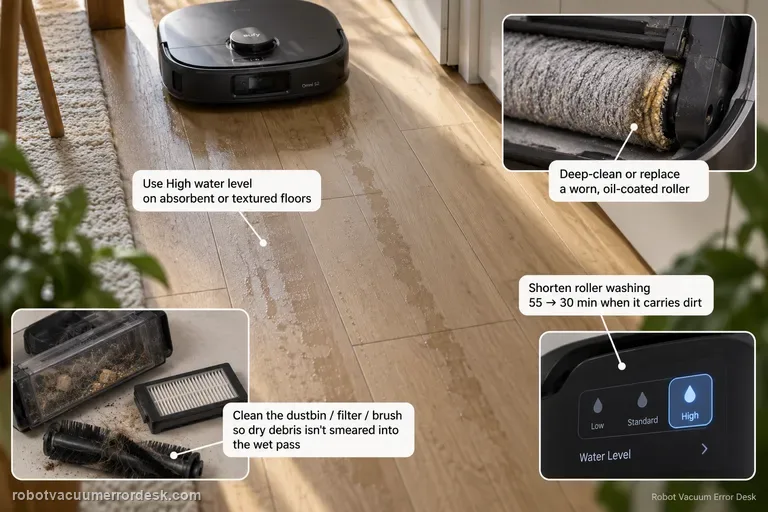
Mop streaks / water marks
Visible streaks or water marks are a finish-quality problem, not the same intent as 'mop never activates' or 'missed areas.' eufy's S2 support starts with water delivery and roller cleanliness: use High water level when low/medium dries too quickly on absorbent or textured flooring, shorten roller washing when the roller carries dirt (eufy's example is 55 → 30 minutes), clean the dustbin/filter/brush path so dry debris is not smeared into the wet pass, and deep-clean or replace a worn, oil-coated or sticky roller mop.
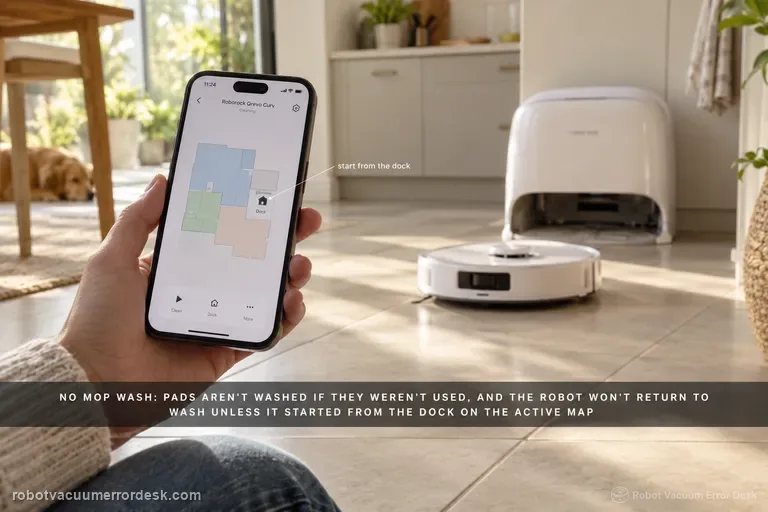
Mop wash won't start
Treat 'no mop wash' as a trigger-and-water-path problem, not as the same issue as weak washing or cold wash water. Roborock's Qrevo Curv manual says mop cloths are not washed if they were not used, and the robot will not return for washing if it did not start from the dock or if the dock is not found on the active app map. For a valid wash trigger, run a small mopping task from the mapped dock and let the robot return naturally. Then check the clean-water tank is filled and seated, the dirty-water tank is emptied and seated, and the cleaning-tray module/filter is correctly installed. Finally start one manual mop-wash cycle. If manual washing works, the dock water system can operate and the remaining problem is the automatic trigger/map state. If manual washing also fails, preserve tank/tray status and any dock error for support instead of deleting the map immediately.
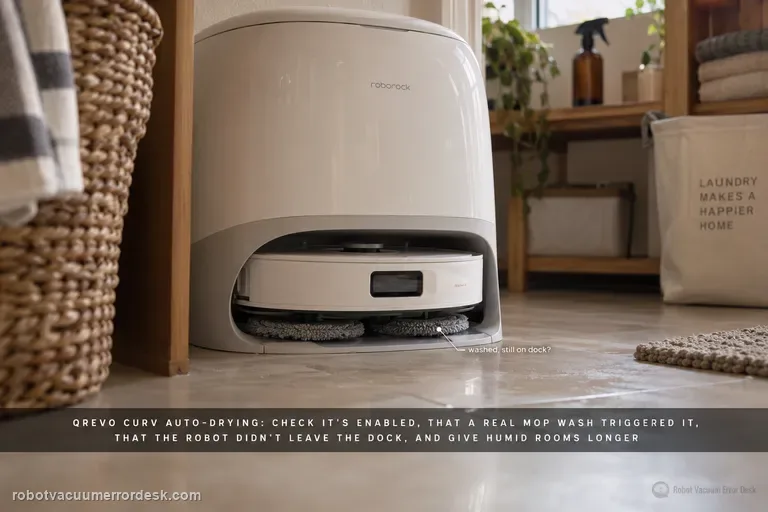
Auto-drying won't start
For a Qrevo Curv drying complaint, first distinguish three states: drying never starts, drying starts but ends early, or drying completes and the mop cloths still feel damp. Roborock's Qrevo Curv manual says Auto-Drying can be disabled in the app, that drying begins as needed after mop washing or cleaning, and that it can be started or stopped manually in the app. The troubleshooting table adds two key discriminators: leaving the dock during drying ends the cycle early, and high humidity may require a longer drying duration. The same Curv manual says the DND period can be configured to allow or suppress drying, so a failure that appears only overnight is a settings clue rather than immediate evidence of failed dock hardware. Therefore prove Auto-Drying, the DND drying permission and a valid post-wash trigger first, keep the robot docked for the test, then adjust duration for humidity before escalating.
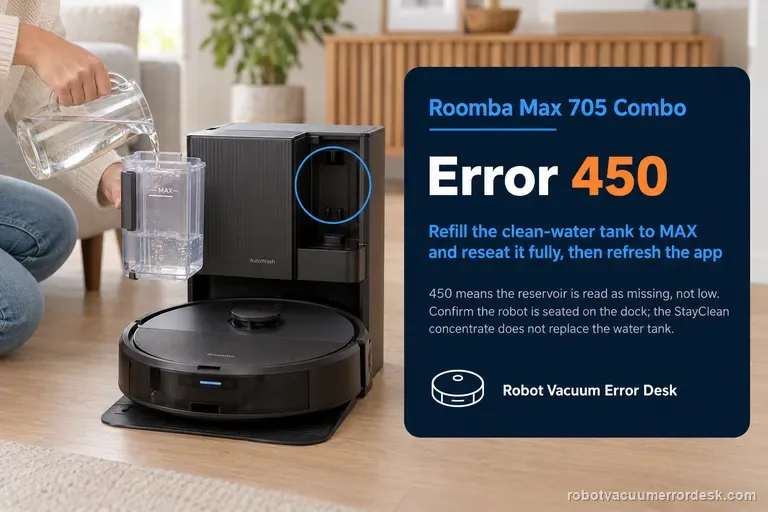
Error 450
Error 450 on the Roomba Max 705 Combo means the clean-water reservoir needed for dock-to-robot replenishment is being treated as missing, not merely low. The useful recovery path is physical and state-specific: remove the reservoir completely, fill it to MAX, then reinstall it so it is fully seated; make sure the robot is correctly seated on the AutoWash dock and the charging interface is engaged; then refresh the Roomba Home App and retry the water operation. Keep the Max 705’s two liquid concepts straight: the AutoWash system still needs clean water for refill, while the separate StayClean concentrate supplied with the Combo does not replace the clean-water reservoir. If a full, properly seated tank still produces 450, save that exact condition. Do not drift into Error 451/other low-water troubleshooting or repeatedly reboot unrelated components, because the diagnostic value is proving that the expected tank is present and recognized.
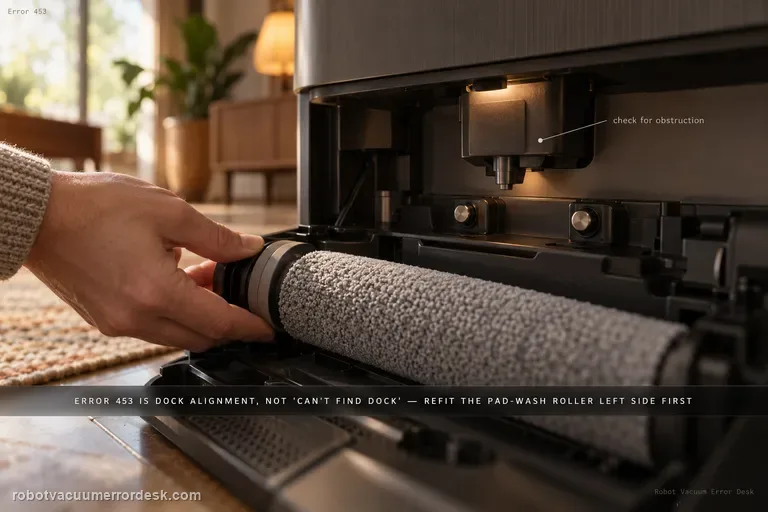
Error 453
Error 453 is an AutoWash dock alignment failure after multiple attempts to position the Max 705 closely enough for the refill nozzle to extend. It is not the same as ‘cannot find the dock.’ iRobot’s code-specific procedure focuses on the mechanical interface around the wash/refill position: reinstall the Pad Wash Roller left side first, verify the robot bin is correctly installed, press the movable port on the bin to make sure it can move, inspect the dock nozzle housing for obstruction, and test the two dock buttons that lift the charging contacts. Each button should move freely and the corresponding contact should spring upward; it should not remain stuck in the pressed position. Only after those external checks should you reboot the robot and briefly power-cycle the dock, then run one return/refill retest. Do not pull or force the nozzle or contacts into position by hand.
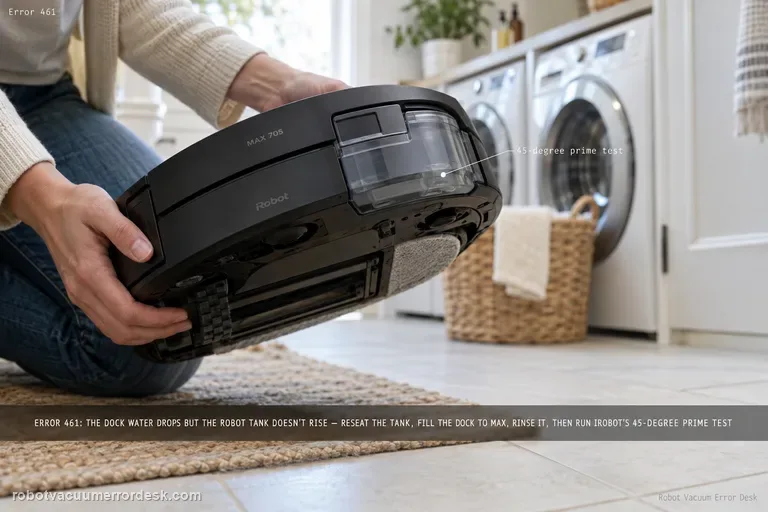
Error 461
Error 461 means the AutoWash dock believes clean water is being pumped — its tank level is decreasing — but the Max 705 robot tank is not reporting the expected rise. iRobot calls this an air-pressure build-up/nozzle-tube problem and warns that fluid may be spilling outside the robot during refill. Start by removing the robot bin/tank and drying any liquid on the dock ramp, then reinstall the robot tank and seat the robot correctly. Fill the dock’s clean-water reservoir to MAX. In the Roomba Home App, open Pad and Dock Control and run ‘Rinse pad wash System’ once to flush debris, reinstall the dock tank and retry refill. Only if the code persists should you use iRobot’s unusual but explicit tube-prime test: tilt the dock backward about 45 degrees while retrying refill. If that succeeds, return the dock to normal; iRobot says repeated tilting should not be necessary once the tube is filled. Stop immediately for uncontrolled leakage.
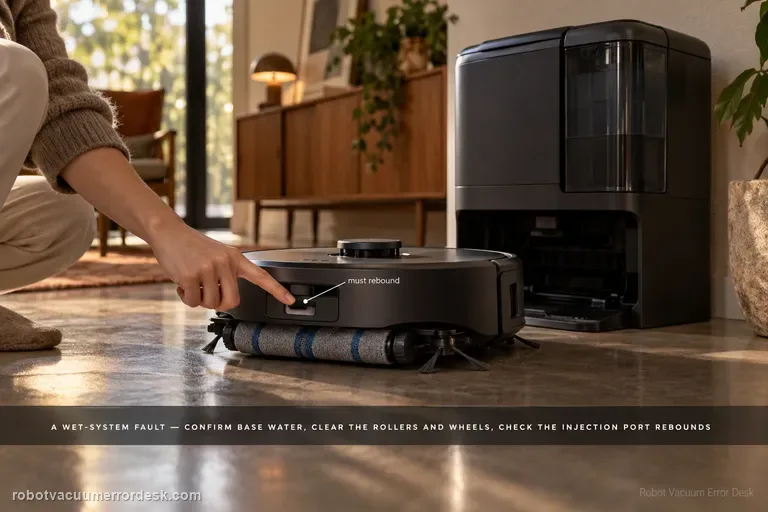
Water Injection Error
The E28 “Water Injection Error: Please check the app for troubleshooting” is a wet-system fault, not a generic low-water warning. eufy says to confirm water in the base tank, inspect the robot wheels/side brushes/roller brush/roller mop for obstruction and correct seating, check the Portable Deep Cleaner and cleaning tray, and keep the station on a hard level surface. The manufacturer also calls for checking water-injection-port rebound and sewage-outlet security, then using one Roller Self-Cleaning test to see whether water leaks into the tray.
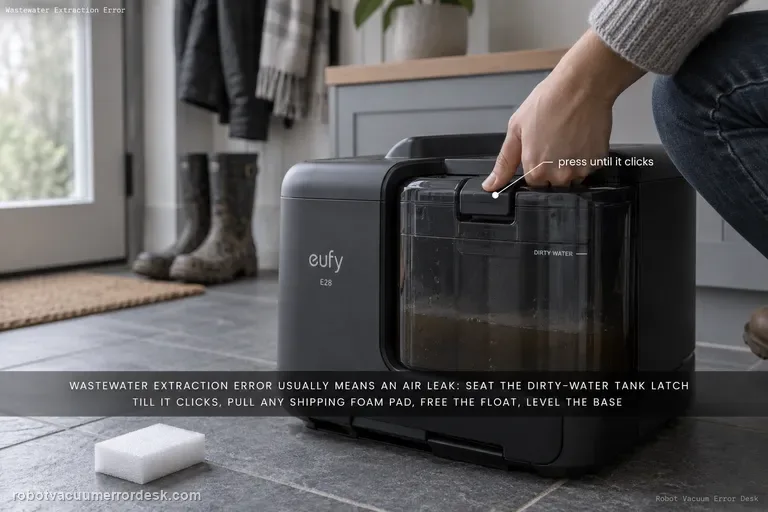
Wastewater Extraction Error
eufy says the E28 “Wastewater Extraction Error” usually means an air leak is preventing dirty water from being extracted into the tank. Start with the dirty-water tank latch and the foam shipping pad around the Portable Deep Cleaner, then inspect the robot/PDC/tray, free the dirty-water-tank float, place the base on a hard level surface, and check the exposed extraction/sewage interfaces. Finish with one Roller Self-Cleaning observation; persistent murky water or leakage in the tray is evidence to stop repeated wet cycles and escalate.
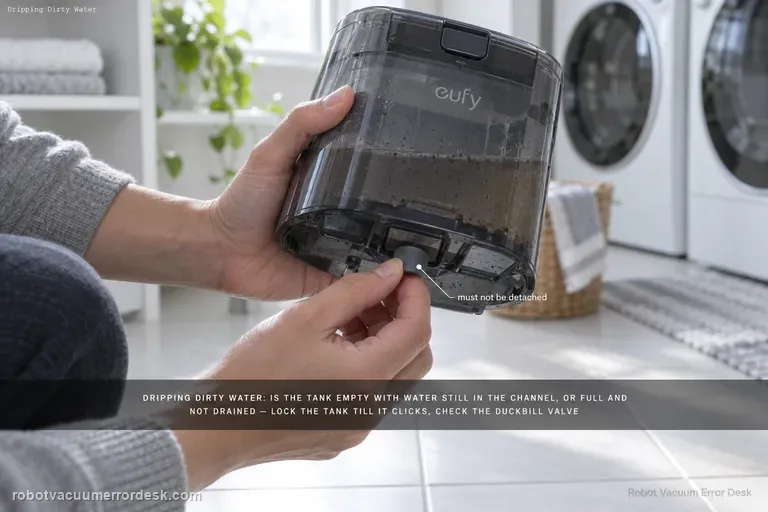
Dripping dirty water
For an E28 that drips dirty water, eufy first separates an empty dirty-water tank with water still in the drain channel from a full tank that the station failed to drain. Then lock the tank until it clicks, remove any Portable Deep Cleaner foam pad, inspect the dirty-water-tank duckbill valve for detachment, and check the tank-to-roller-mop contact area. If water flows correctly down the tank base, eufy says a worn roller mop or excessive water-output setting becomes the next discriminator.
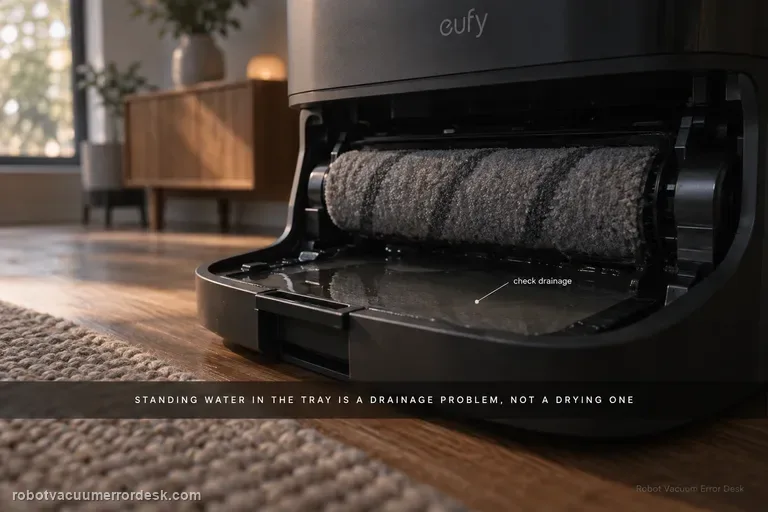
Roller mop not drying
For an eufy E28 roller mop that stays damp, first separate a wet-tray/drainage problem from a true drying problem. eufy says standing water in the cleaning tray can indicate a drainage issue that leaves excessive moisture in the roller. If the tray is draining normally, identify the selected drying mode: the station defaults to Adaptive Drying, while eufy recommends Standard Drying when high humidity prevents complete drying. The exact E25/E28 guidance also gives useful timing baselines—Standard Dry is 5 hours and Quick Dry is 3.5 hours. Run a complete cycle without interruption and evaluate the roller only at the end. A roller that remains clearly wet after a full 5-hour Standard Dry cycle with a normally drained tray is much stronger evidence of a station drying problem than dampness after an abbreviated Quick Dry cycle.
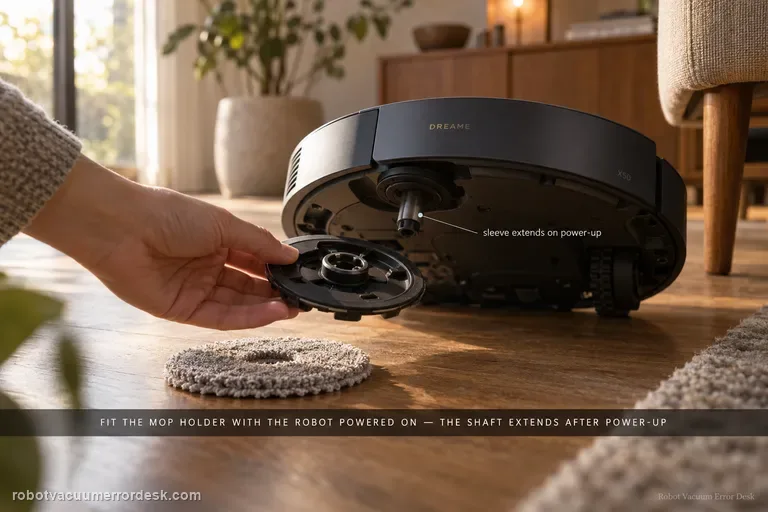
Mop falls off
Dreame’s exact X50 support says a mop tray/holder that falls off can be caused by installation state, the pad itself, floor obstacles or cleaning mode. A model-specific detail matters first: Dreame says the mop pad holder cannot be installed while the robot is turned off; after power-on, the holder shaft sleeve automatically extends, so install the holder with the robot powered on. Make sure the mop pad is attached evenly to the holder and replace a worn pad that will not hold securely. Then check the route: carpets, thresholds, small steps and loose cables can snag the tray. Dreame recommends a designated mopping area for problematic zones and Mop after Vac in Cleaning Settings, and notes that this model supports automatic mop installation/removal. If the holder physically detaches despite correct powered-on installation and a clear route, restart once and capture the detachment for support. Do not create a separate near-duplicate page for ‘mop pad holder falls off’ unless the diagnostic intent materially differs.