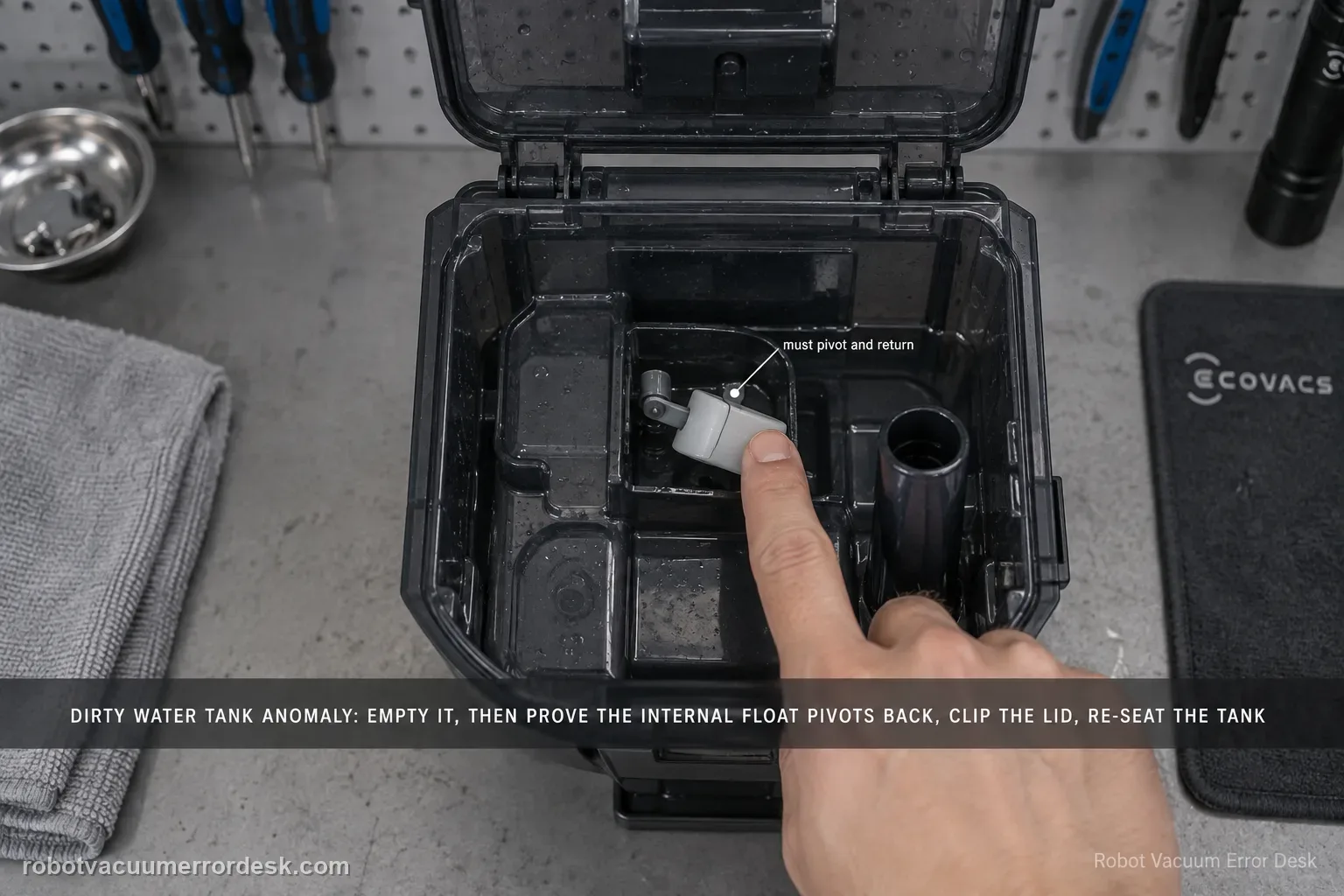
For the X11 Dirty Water Tank Anomaly alert, ECOVACS tells owners to empty and clean the tank, check that the internal float pivots and returns normally, close the top lid with all clips secured, and reinstall the tank in the station. The key distinction is between a real full/dirty condition and a tank-state detection problem caused by a stuck float or poor sealing/seating. Test the float and lid deliberately instead of only emptying the water.
Confirm the exact model and exact code, light pattern or symptom.
Run the lowest-risk physical or software check first.
Use each pass condition to decide what the result actually narrows down.
Does this match your problem?
- The station reports Dirty Water Tank Anomaly.
- The dirty-water tank was recently emptied or cleaned.
- The float or lid clips may not be returning/seating correctly.
- The station still reports Dirty Water Tank Anomaly after the tank has been emptied.
- You need to check float return, lid clips and station seating without confusing this tank with the robot’s onboard Dirty Water Box.
Most likely causes
The station dirty-water tank is full or still contains heavy sediment at the bottom
The tank float is stuck and does not pivot/return freely
The top lid is not closed with all clips fully engaged
The tank is not fully seated back in the station
The alert is being confused with the separate onboard Dirty Water Box alert
A station tank-detection fault remains after emptying, float, lid and seating checks
What your test result means
| What you observe | What it narrows down | Next move |
|---|---|---|
| Tank actually contains dirty water or heavy residue | A real full/dirty condition is present | Empty the sewage and clean the bottom of the tank. |
| Float does not pivot and return freely | Tank-level state may remain falsely asserted | Clean the float area until it returns normally. |
| Lid clips are not fully engaged | Tank assembly/seal is incomplete | Close the lid and secure every clip. |
| Alert names Dirty Water Box rather than Tank | You are on the wrong water-system branch | Use the robot dirty-water-box diagnostic instead. |
| Alert returns after clean float, sealed lid and reseating | Owner tank-state checks have passed | Escalate with photos/video of the float, lid and station alert. |
Do not factory-reset by default. Use the exact model’s reboot/network-reset procedure only when the manufacturer path calls for it.
Run these checks in order
Empty and clean the tank bottom
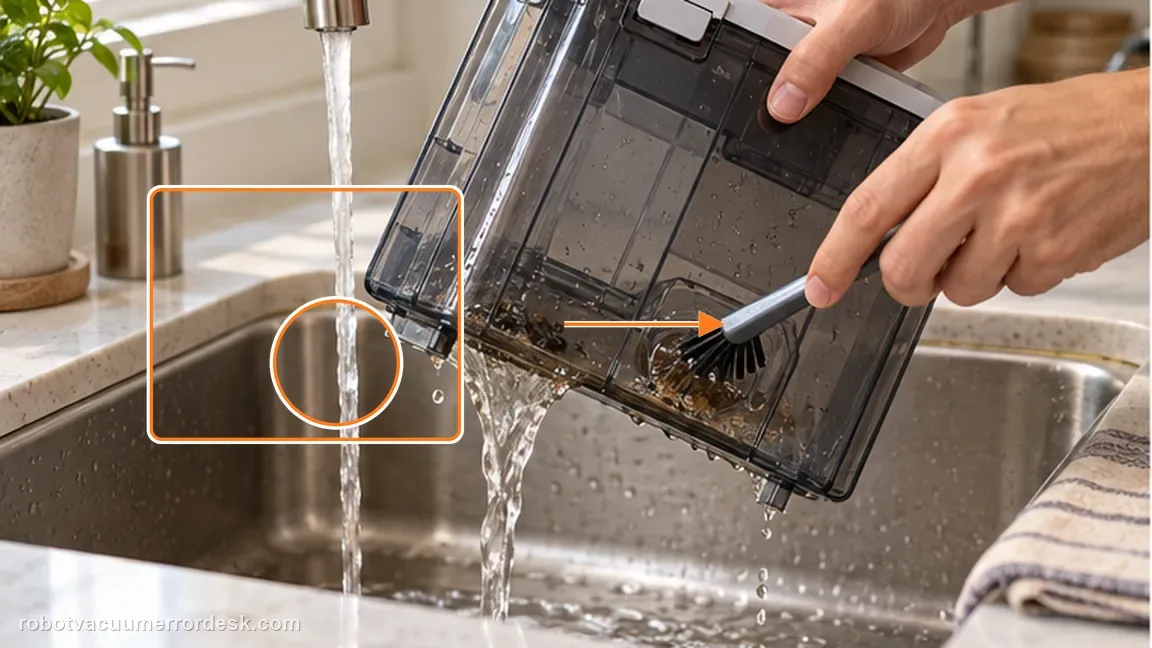
Remove the dirty-water tank, dump the sewage and use a cleaning brush for dirt remaining at the bottom if needed. Why it matters: Emptying sewage and cleaning bottom residue removes the real-full branch. Heavy residue can also interfere with tank components, so a visually empty tank is not the end of the inspection.
Check the float movement
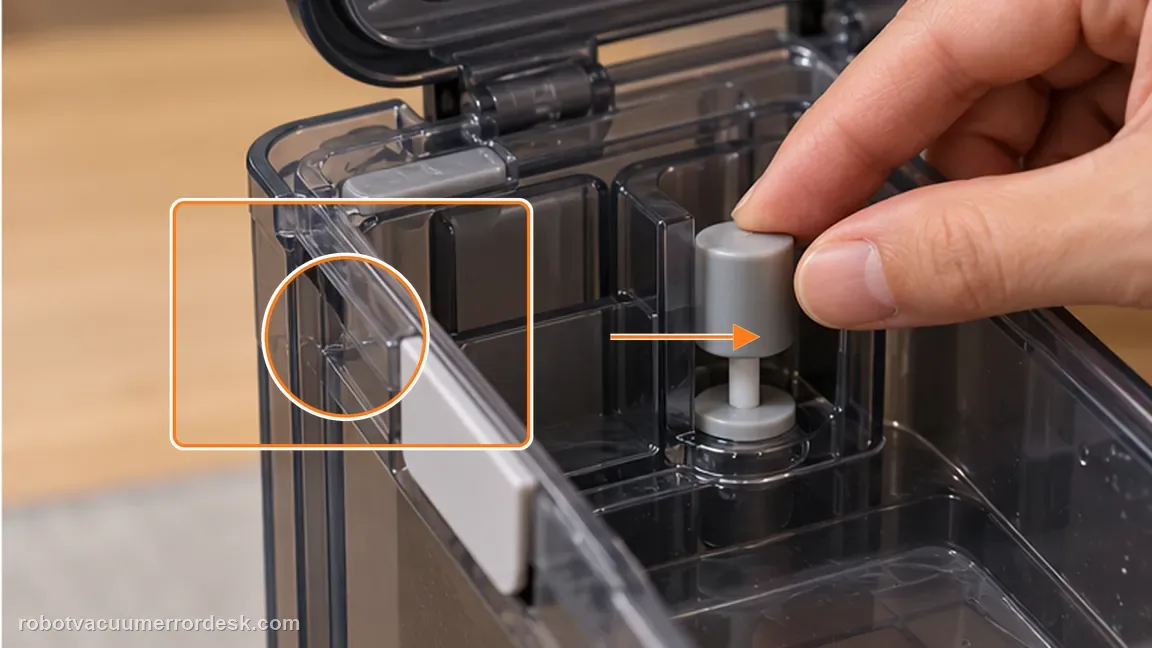
Move/inspect the float and make sure it pivots back to its normal position rather than sticking. The float must pivot back to its normal position. A float held up by grime can make the station continue reporting an abnormal tank state after the water is gone.
Secure the lid and re-seat the tank
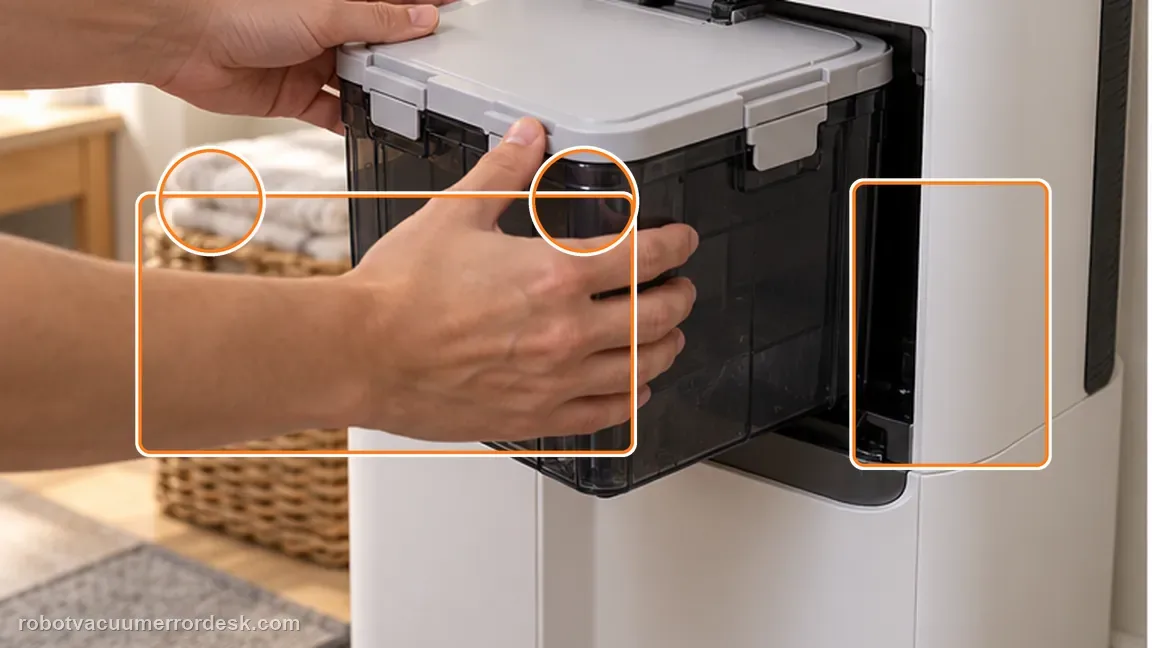
Close the tank lid so all clips are fitted, then reinstall the dirty-water tank in the station. The lid clips need to close securely. The station expects the tank to be assembled as a sealed unit, so a partly latched lid can remain relevant even when the float is clean.
Verify detection during one wash-and-drain cycle
After the tank bottom is clean, the float moves freely, the lid clips are secure and the tank is fully seated, run one station wash/drain cycle and watch whether the anomaly returns. Reinstall the tank squarely and press it into its normal seat. The final check should be a station cycle that actually uses the dirty-water path, not only dismissing the alert screen.
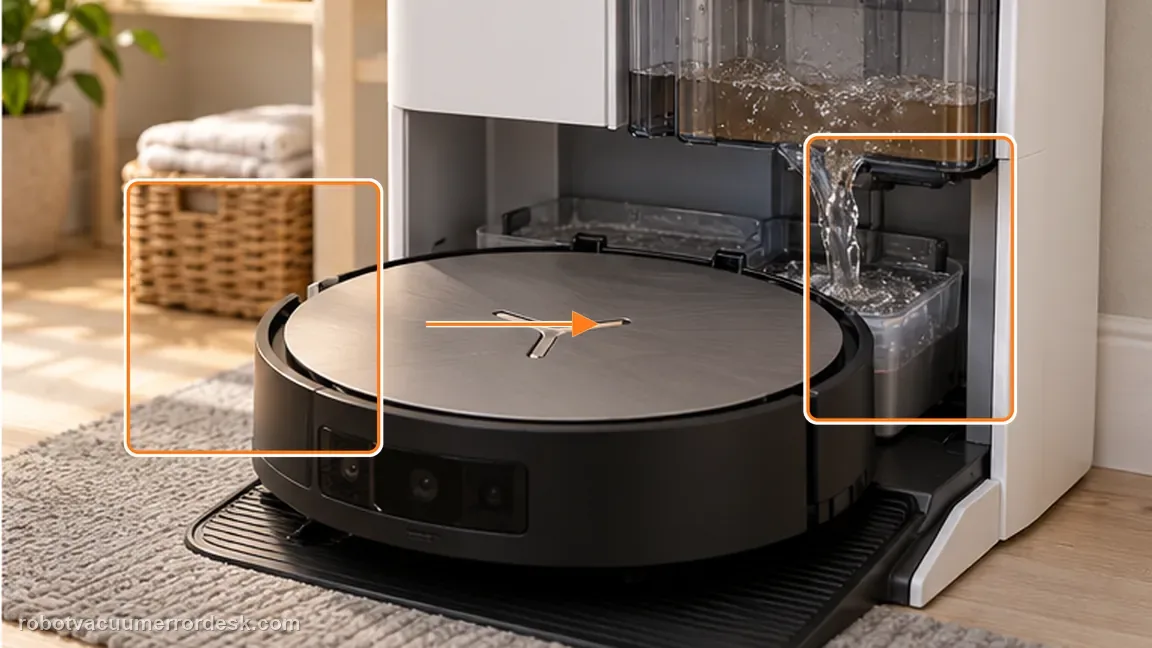
Compare with a dirty-water-box alert
The X11 also has a separate “Dirty Water Box Abnormal” diagnostic for the robot-side box, drain port and drain rod. Confirm which component the alert names before cleaning the wrong water system.
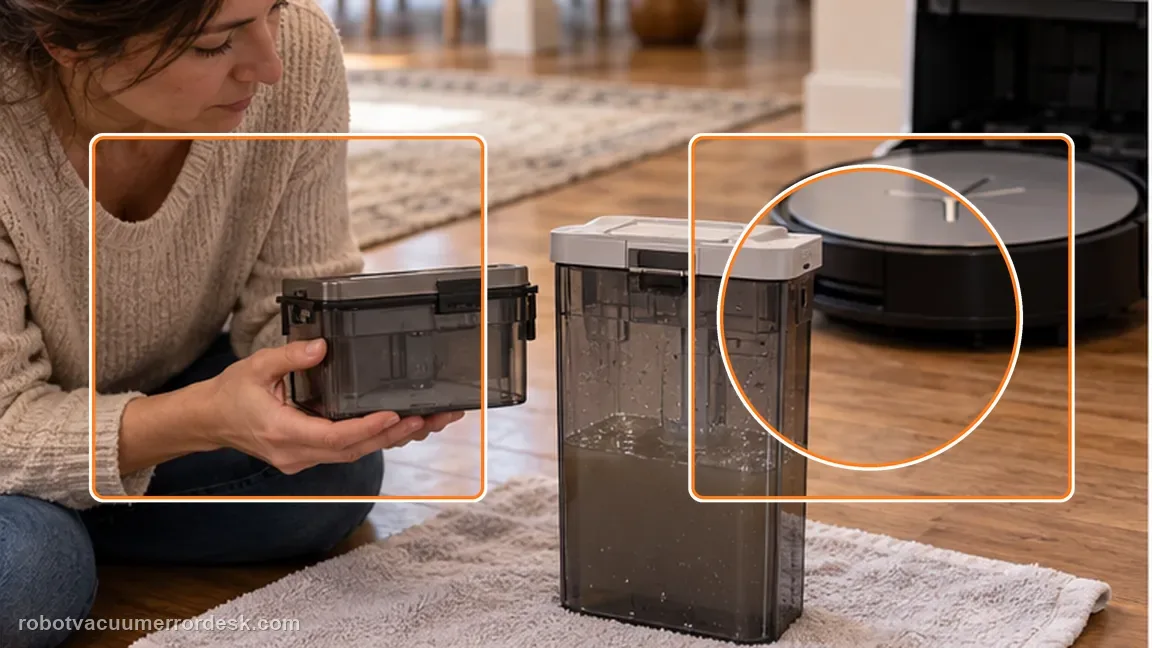
Run one wash/drain confirmation
After the tank is clean, float free, lid clipped and tank seated, run a normal station wash/drain action and watch whether the anomaly returns.
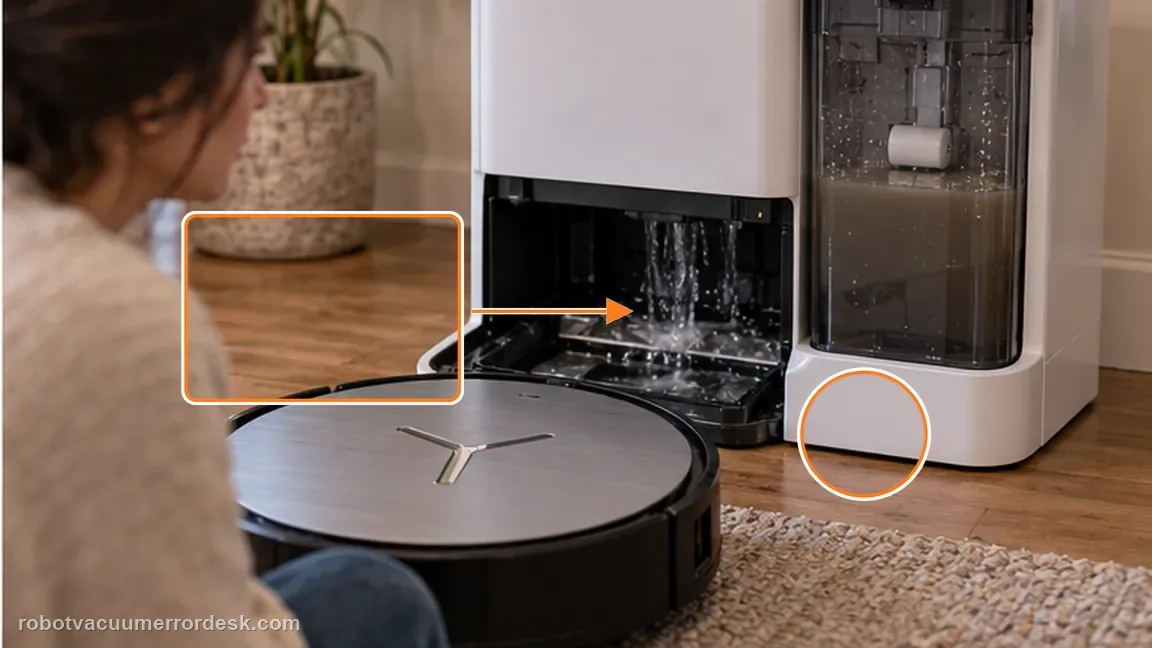
If the float moves freely and the lid/tank are correctly seated but the alert returns, contact Ecovacs with photos of the float and installed tank. Include photos of the emptied tank, free-moving float, fully clipped lid and seated station tank; name the exact alert to avoid confusion with Dirty Water Box Abnormal.
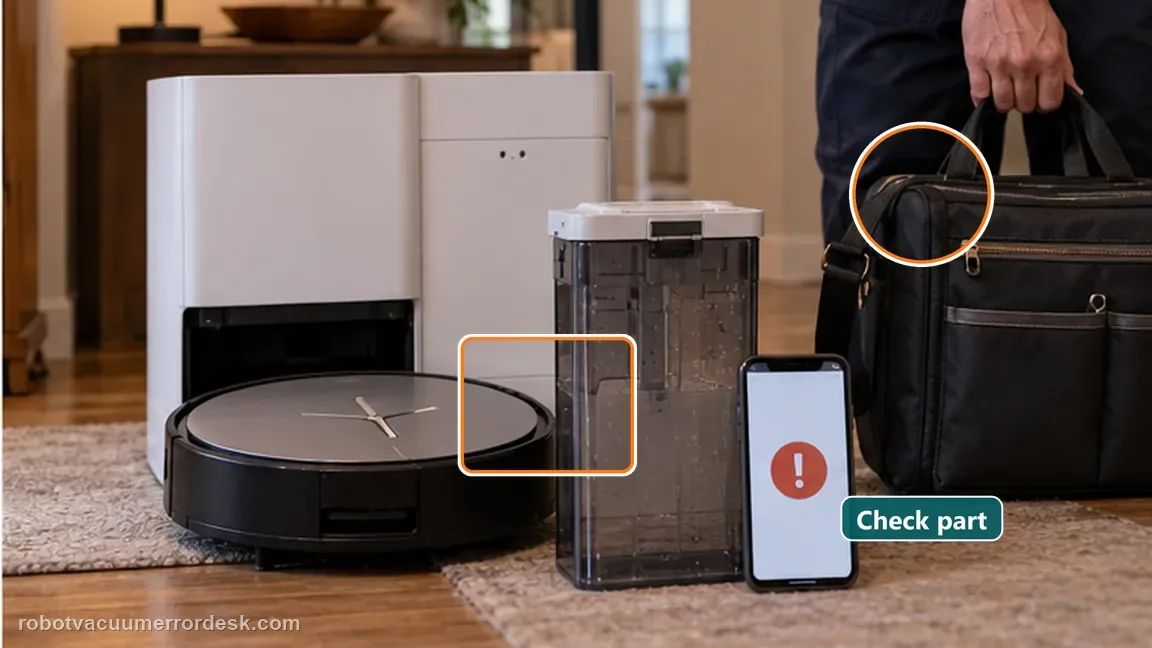
What to collect before contacting support
Give support a reproducible case instead of “it doesn’t work.” That reduces repeated basic troubleshooting and preserves the clues from your tests.
- Exact model name and the error code / voice prompt exactly as shown
- A photo or screenshot of the app error and the time it occurred
- A short list of the checks already completed and what happened after each one
- Map/station screenshot when the problem involves return-to-station or mapping
Manufacturer evidence
Ecovacs DEEBOT X11 OmniCyclone — Dirty Water Tank Anomaly
ECOVACS’ X11 article checks dirty-water debris, float return, lid clips and tank seating for this exact anomaly. The station Dirty Water Tank is not the robot’s onboard Dirty Water Box, so name the component shown in the alert before troubleshooting. An empty tank with a sticky float or an incompletely clipped lid can still fail the station-state check even though the owner has already poured the wastewater out. If wastewater is visibly left in the mop-washing tray while the tank itself is recognized normally, move to the station drain/cleaning-sink branch instead of repeatedly reseating this tank. This page is specifically about the tank anomaly state; drainage performance is a neighboring subsystem with its own float, seal, plug and Auxiliary Drain checks.
Additional official source: ECOVACS US — DEEBOT X11 OmniCyclone Support Center ↗Last editorial review: September 5, 2026Regional note: manufacturer help centers, model suffixes, mains-power requirements and warranty procedures can differ by country. If the source redirects to a local support site, confirm that the model/hardware scope still matches before following a region-sensitive step.
This guide is rated Official model support. See what each evidence label means →
FAQ
Why does the float matter?
The float is part of the tank-state sensing path. Ecovacs specifically asks owners to confirm it pivots back properly. The float should pivot and return freely; a tank that is empty but has a stuck float can still present the station with an abnormal state.
Can a loose lid cause the anomaly?
Yes. The official path includes re-closing the top lid and verifying the clips are securely fitted. Close every lid clip before reseating the tank, because the official X11 path treats the lid as part of the tank-state check, not a cosmetic detail. If the alert persists after reseating, photograph the float and fully closed lid before changing any other water-system parts.
What if the float moves freely but the warning remains?
Recheck the lid clips and full tank seating. If those are correct and the alert persists, preserve photos of the float/lid position and contact ECOVACS. Keep the station Dirty Water Tank separate from the robot’s onboard Dirty Water Box; the similar names refer to different components and different alerts.
Why does my DEEBOT X11 say Dirty Water Tank Anomaly after I emptied it?
Emptying the tank only clears one cause. ECOVACS also tells X11 owners to make sure the dirty-water float pivots back normally, the top lid clips are fully secured and the tank is reinstalled correctly. If residue holds the float up or the lid is not properly closed, the anomaly can remain even when little or no dirty water is inside.
What should the dirty-water tank float do on the X11?
The float should be able to pivot and return normally after it is displaced. ECOVACS specifically includes that check in the X11 Dirty Water Tank Anomaly procedure. Clean the tank and float area gently, confirm the lid clips are secure, then reinstall the tank. A float that remains stuck after cleaning is useful evidence to show customer support.
Did this diagnostic narrow the fault?
Use this as an editorial signal, not a popularity counter. If a feedback address is configured you can email the note; otherwise you can copy it for your own support record.