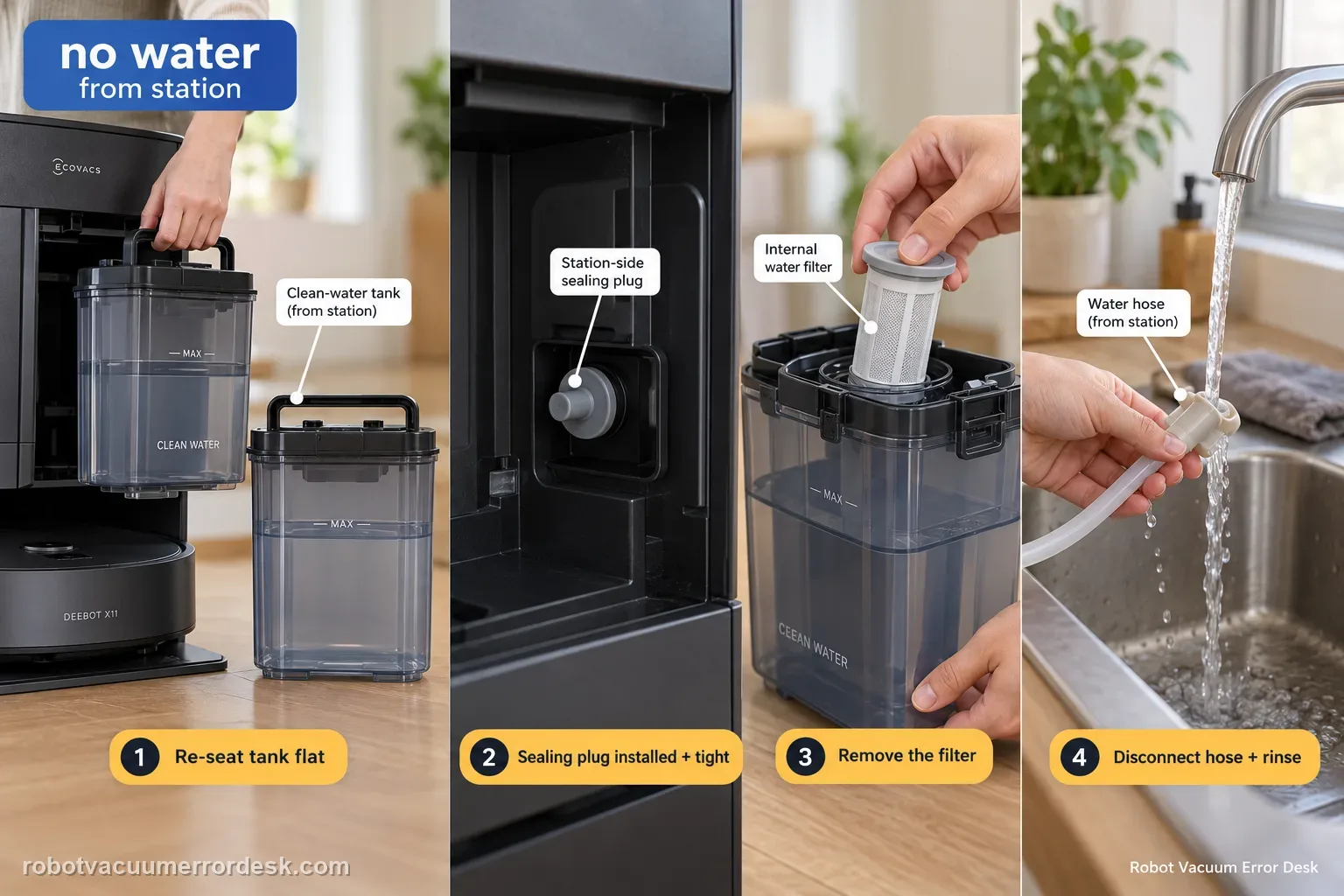
When the X11 station produces no clean water during mopping or self-cleaning, ECOVACS checks the supply path in a specific order: remove the clean-water tank, clear anything trapped between tank and station, seat the tank flat, verify the station-side sealing plug is correctly installed and tight, then open the tank, remove the filter, disconnect the water hose and rinse the filter with clean water before reassembly. That sequence distinguishes a seating/seal problem from a restricted filter/hose path.
Is the clean-water tank recognized and seated?
Confirm the exact model and exact code, light pattern or symptom.
Run the lowest-risk physical or software check first.
Use each pass condition to decide what the result actually narrows down.
Confirm this is the right issue
- No clean water comes from the station during mopping or self-cleaning.
- The clean-water tank was recently removed or refilled.
- The tank filter or hose may contain debris.
- The station recognizes the tank but no clean water reaches the washing tray during mopping or self-cleaning.
- You need to separate tank-state alerts from a true no-flow path through the plug, filter and hose connection.
What’s most likely causing this
The clean-water tank is not seated flat or debris is trapped between the tank and station
The station-side sealing plug is loose or incorrectly fitted
The clean-water filter is blocked
The water hose was disconnected for filter service and not reconnected securely
The tank is recognized but the station still cannot deliver water during mopping/self-cleaning
An internal station water-path fault remains after the documented tank, plug and filter checks
Reading your test result
| What you observe | What it narrows down | Next move |
|---|---|---|
| Tank is tilted or debris is underneath it | The station/tank interface may not be seated | Clean the interface and place the tank flat. |
| Station sealing plug is loose or misinstalled | The water connection may not seal correctly | Refit the sealing plug tightly. |
| Filter is visibly dirty or flow improves after rinsing | Restriction in the supply path was likely | Reassemble the filter/hose correctly and retest. |
| Separate Clean Water Tank Anomaly alert is present | The station may be reporting tank detection/float state instead of simple no-flow | Use the clean-water-tank anomaly diagnostic. |
| No water after seating, seal and filter/hose checks | Accessible owner flow checks are exhausted | Record the cycle behavior and escalate to ECOVACS. |
Do not factory-reset by default. Use the exact model’s reboot/network-reset procedure only when the manufacturer path calls for it.
Work through these checks in order
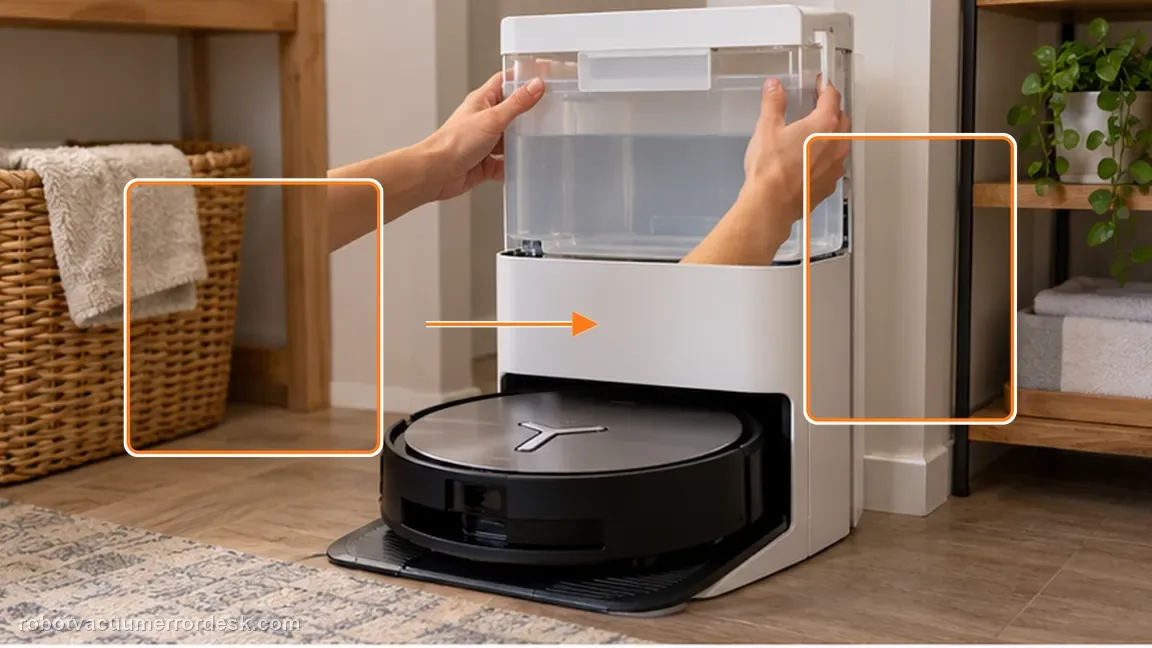
Re-seat the clean-water tank flat
Remove the tank, clear any foreign object between it and the station, then place the tank back flat. Why it matters: A tank that is cocked or sitting on debris can look installed while failing to interface correctly with the station. Reseat it on a clean contact surface before dismantling the internal filter path.
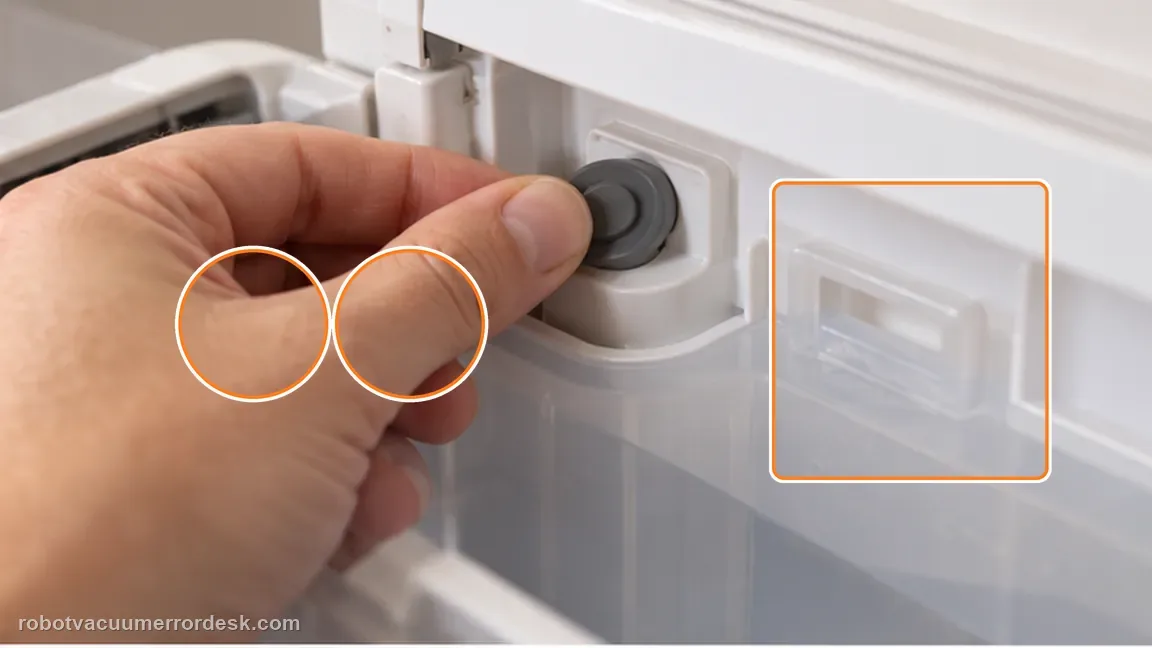
Inspect the station sealing plug
Check that the clean-water sealing plug on the station is installed correctly and fitted tightly. The sealing plug is part of the station-to-tank water connection. Confirm it is present and tightly fitted so the station can draw from the tank as designed.
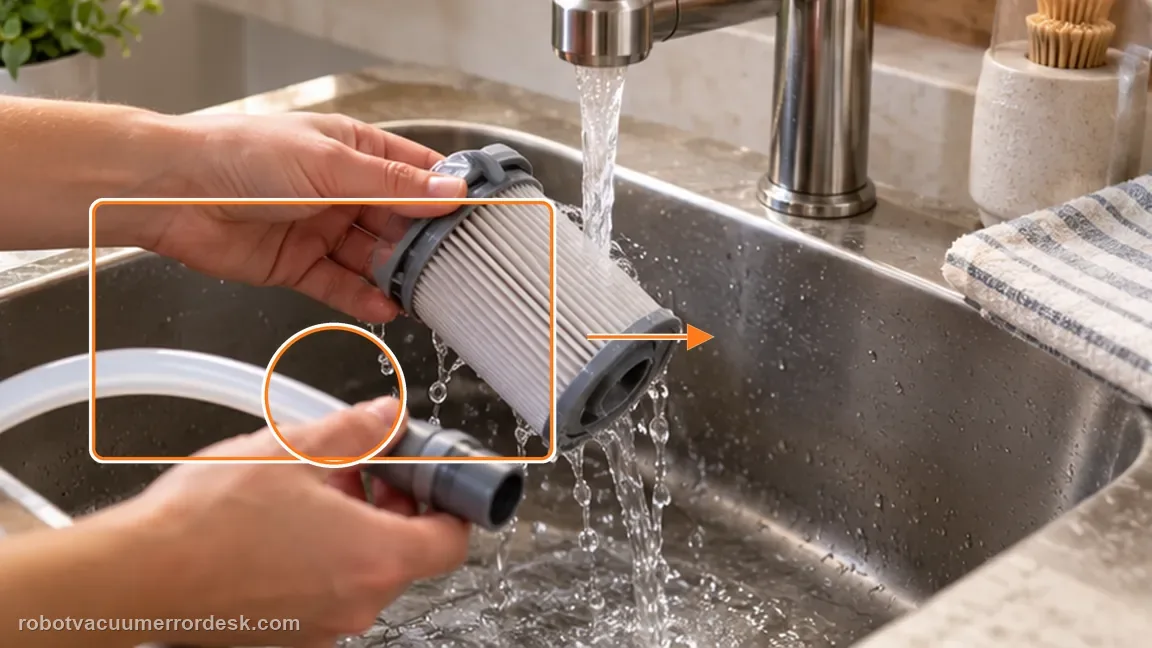
Rinse the filter and reconnect the hose
Open the clean-water tank, remove the filter, disconnect the water hose as ECOVACS instructs, and rinse the filter carefully with clean water. Reinstall the clean filter and reconnect the hose securely before closing the tank. The manufacturer step is to rinse the filter—not to flush or chemically clean the hose—so keep those actions distinct.
Run one station water-delivery test after reassembly
After the tank, sealing plug, filter and hose are correctly seated, run one mop-wash/water-delivery operation and watch whether clean water now reaches the tray. This confirms the external water path before service. After reassembly, use a normal mopping or self-cleaning action and listen/observe for actual water delivery. Do not infer success only because the alert disappears.
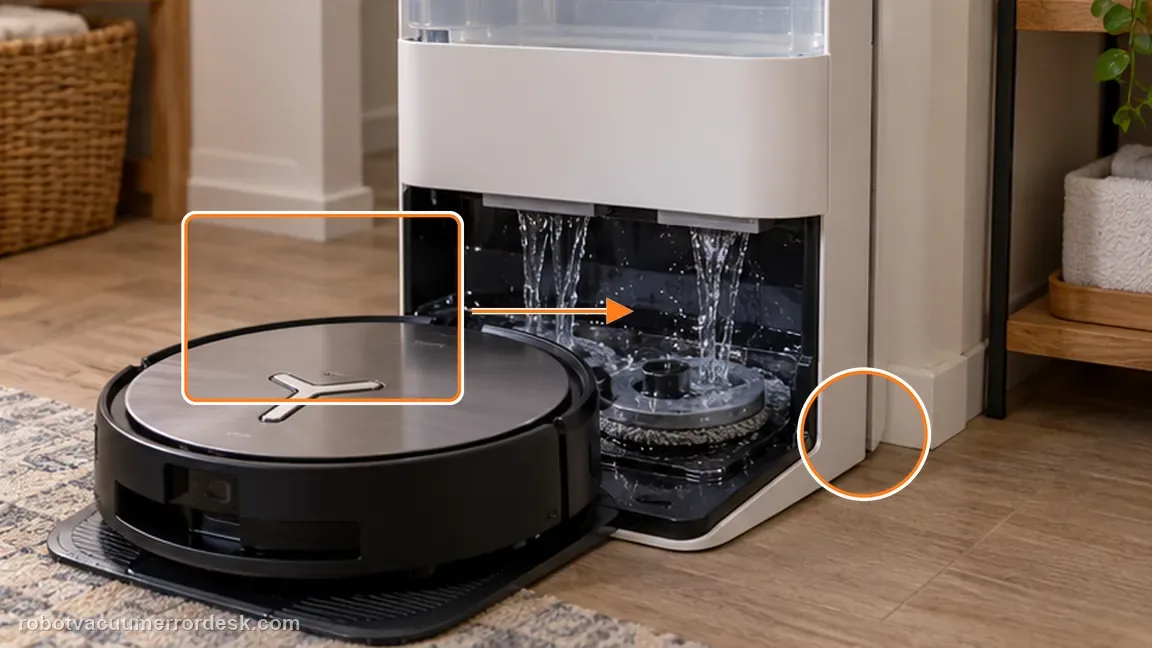
Differentiate tank anomaly from no-flow behavior
If the app or robot also reports a Clean Water Tank Anomaly, follow that float/lid/tank-seating diagnostic because it is a different branch. This article is for a tank that is present but the station still does not dispense clean water.
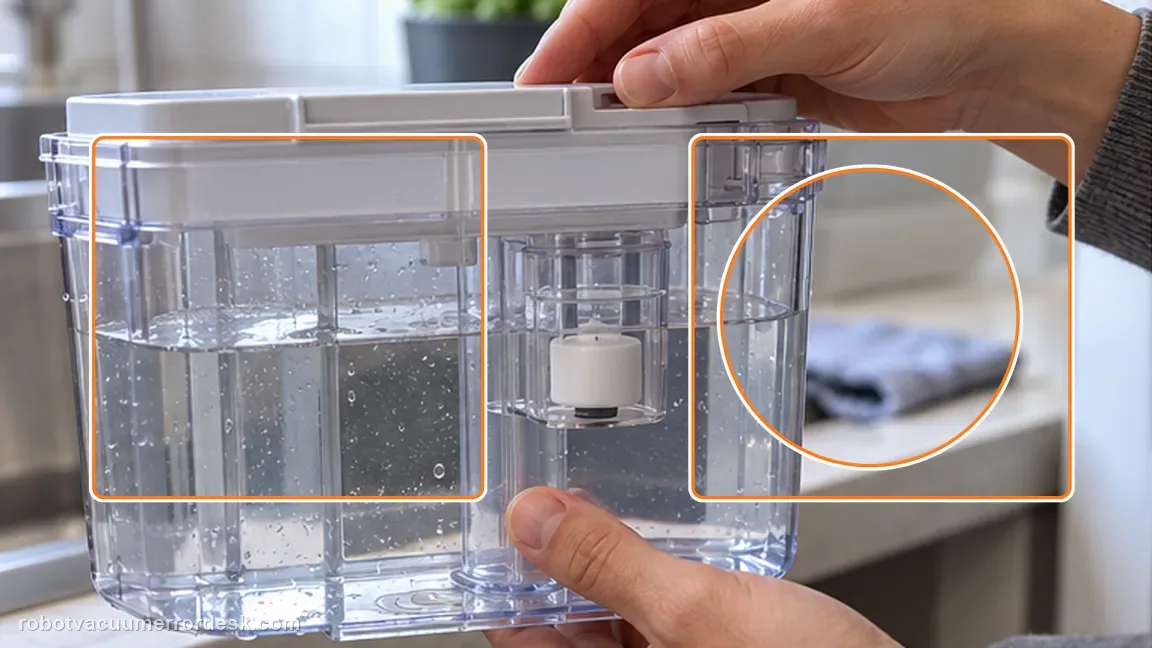
Record the point where water flow stops
After tank seating, plug and filter/hose checks, run one controlled mop-wash or mopping cycle and record whether the station makes the normal pump sound and whether any water reaches the tray.
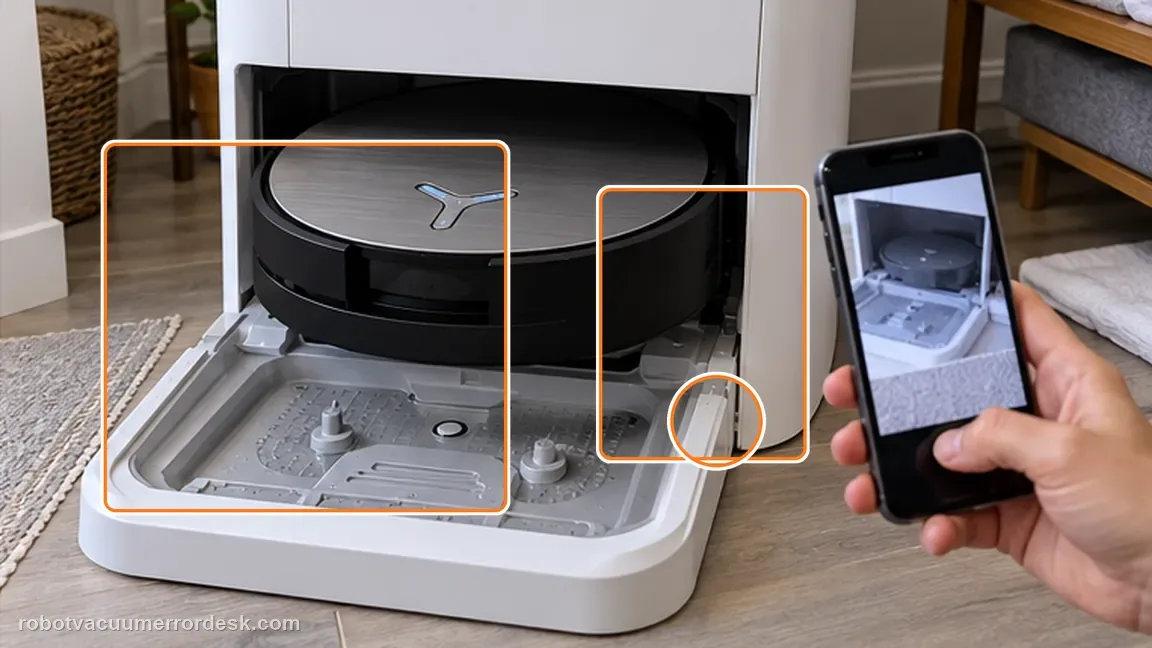
If no clean water is delivered after the tank, seal, filter and hose checks, stop repeated dry wash cycles and contact Ecovacs with station video and tank photos. Include the seated tank, sealing plug, cleaned filter/reconnected hose and a wash test showing whether any clean water reaches the tray.
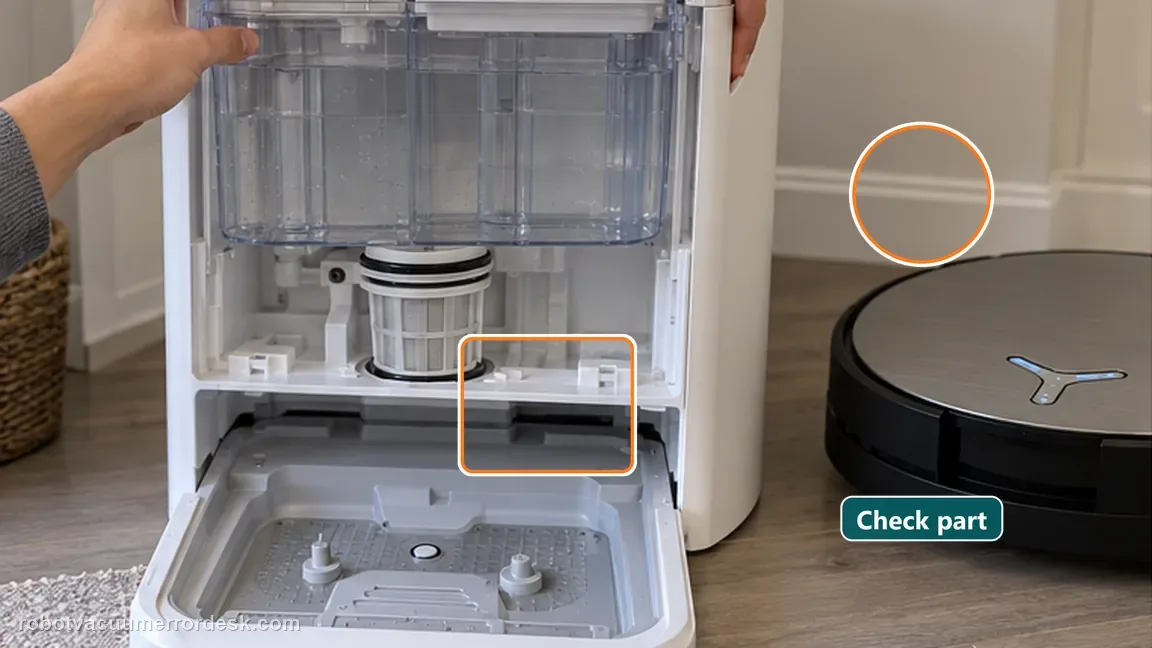
Before you contact support, gather this
A reproducible case moves a support call past the basic troubleshooting script faster than “it doesn’t work” does, and it keeps the clues from your own tests on record.
- Exact model name and the error code / voice prompt exactly as shown
- A photo or screenshot of the app error and the time it occurred
- A short list of the checks already completed and what happened after each one
- Map/station screenshot when the problem involves return-to-station or mapping
Where this comes from
Ecovacs DEEBOT X11 OmniCyclone — Clean water not coming out
ECOVACS’ X11 station-water article checks tank seating, the sealing plug, filter and water-hose connection for ‘Clean Water Not Coming out.’ The wording matters: the hose is disconnected so the filter can be removed and rinsed, then it is reconnected; the manufacturer does not instruct owners to flush or chemically clean the hose. This guide therefore keeps tank recognition separate from actual water delivery during a wash or mop test. Do not confuse this with Clean Water Tank Anomaly. If the station cannot recognize the tank, resolve that tank-state alert first; this no-flow path assumes the supply tank can be seated and then asks whether water is actually delivered. That distinction keeps float/lid detection issues from being mixed with plug, filter or internal water-path restrictions.
Additional official source: ECOVACS US — DEEBOT X11 OmniCyclone Support Center ↗Last editorial review: September 5, 2026Regional note: manufacturer help centers, model suffixes, mains-power requirements and warranty procedures can differ by country. If the source redirects to a local support site, confirm that the model/hardware scope still matches before following a region-sensitive step.
This guide is rated Official model support. See what each evidence label means →
Questions people ask
Is this a robot-side water problem?
This exact article focuses on clean water not coming out of the station during mopping/self-cleaning, so the first path is station-side. Keep the hose service precise: ECOVACS says to disconnect the hose so the filter can be rinsed, then reconnect it; it does not say to flush chemicals through the hose.
Should I use chemicals to clear the hose?
No. Ecovacs instructs rinsing the filter with clean water; do not improvise chemical cleaners in the water path. A seated tank can still have no flow if the sealing plug or filter path is wrong, so judge the branch by actual water delivery during a wash/mop test.
What should I document if water still does not come out?
Photograph the seated clean-water tank, plug/filter/hose area and record a short video of the station attempting the water-delivery operation. If the station detects the tank but no water reaches the tray after the plug/filter/hose-connection checks, that is stronger evidence of an internal station water-path issue.
Why is no clean water coming out of my DEEBOT X11 OmniCyclone station?
ECOVACS’ X11 no-flow procedure starts with the tank-to-station interface: remove the clean-water tank, clear trapped debris, seat it flat and verify the sealing plug is correctly fitted. Then rinse the tank filter after disconnecting the water hose and reassemble it carefully. If a controlled mopping or self-cleaning test still produces no water, document the pump/tray behavior.
Is “Clean Water Not Coming Out” the same as “Clean Water Tank Anomaly” on X11?
Not exactly. No-flow troubleshooting focuses on tank seating, the station sealing plug, filter and water-hose path. The Clean Water Tank Anomaly article focuses on water level, the tank float, lid latches and reinstalling the tank. If the X11 gives the explicit anomaly alert, use that branch rather than repeatedly cleaning the no-flow filter.
Did this diagnostic narrow the fault?
Use this as an editorial signal, not a popularity counter. If a feedback address is configured you can email the note; otherwise you can copy it for your own support record.