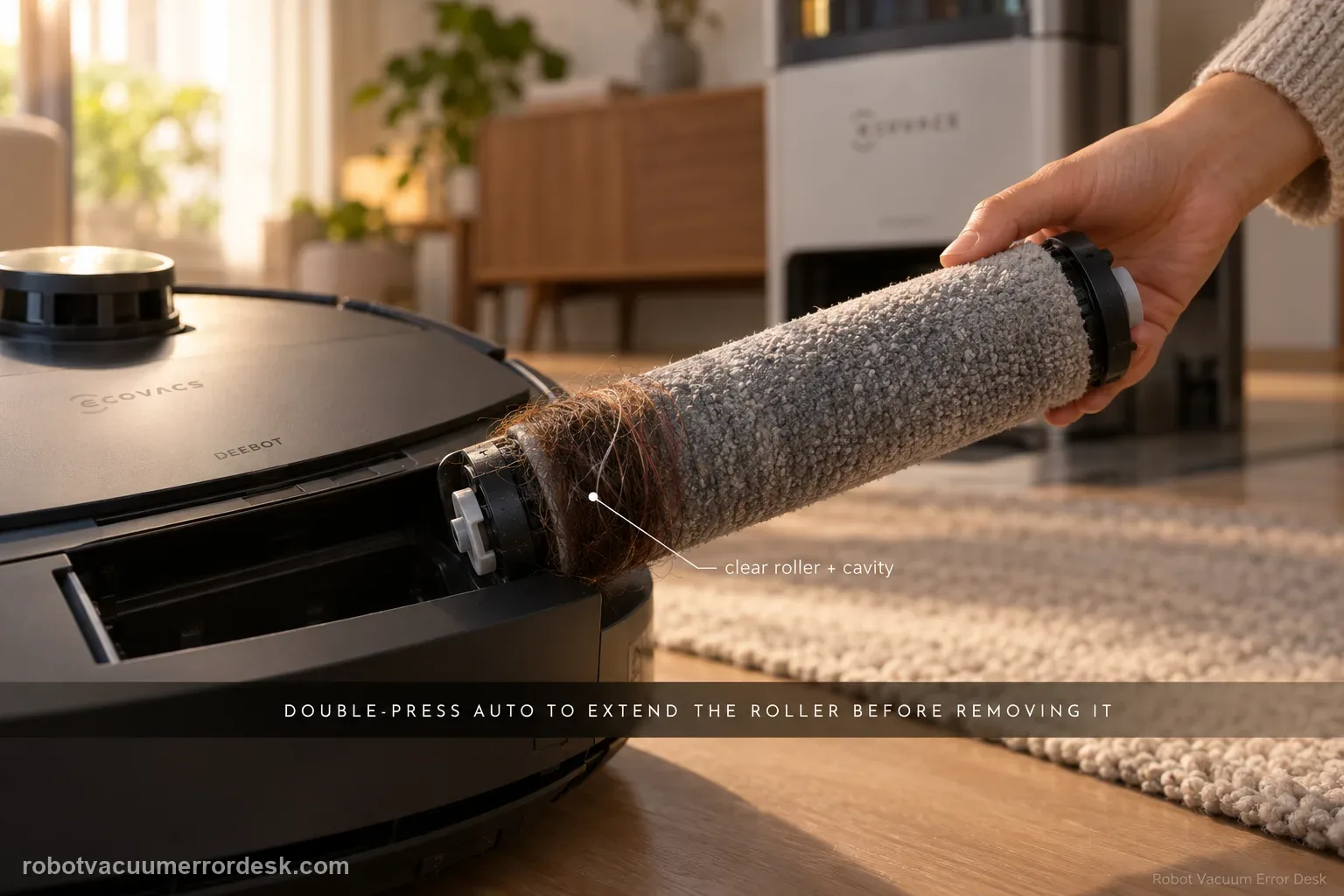
Do not pull a tangled T80 roller while the mechanism is retracted. ECOVACS' exact-model sequence is to double-press AUTO so the roller-mop component extends, release and remove the integrated roller, take off its end cover, clear the roller and cavity, check the roller-motor bearing for smooth movement, reinstall the end cover, align the roller with the motor until it clicks, retract the component, reinstall the dirty-water box and restart. The companion removal guide also warns that expansion mode is required and that the roller and mop are integrated rather than separately replaceable.
Confirm the exact model and exact code, light pattern or symptom.
Run the lowest-risk physical or software check first.
Use each pass condition to decide what the result actually narrows down.
Confirm this is the right issue
- The app/voice message specifically reports Roller Mop Tangled on a DEEBOT T80 OMNI.
- The roller stops rotating or the robot pauses during mopping with hair, thread or debris visible around the roller area.
- You need to remove the roller but it is currently retracted inside the robot body.
- The alert started after roller maintenance and you need to confirm the end cover and motor-side click were restored correctly.
- The roller is externally clean but the cavity or motor bearing still feels rough, which is a different escalation clue than simple hair wrapped around the mop.
What’s most likely causing this
Hair, thread or fibers wrapped around the integrated roller mop or its end cover
Debris lodged in the roller cavity prevents free rotation after the visible roller is cleaned
The roller-motor bearing does not turn smoothly because contamination remains around the drive interface
The roller was reinstalled without fully aligning to the motor and clicking into position
The roller assembly is being removed or installed while retracted, contrary to the expansion-mode procedure
A motor/drive fault remains when the roller and cavity are clean and correctly seated
Reading your test result
| What you observe | What it narrows down | Next move |
|---|---|---|
| Roller is retracted and will not come out easily | You are not in the documented service position. | Move the robot out of the station and double-press AUTO to extend the roller component before removal. |
| Hair is wrapped around roller/end cover | The alert has a visible mechanical cause. | Remove the roller, separate the end cover and clean both fully. |
| Roller looks clean but cavity contains debris | The obstruction is inside the accessible roller channel rather than on the mop surface. | Power down, remove the dirty-water box, invert safely and clean the cavity. |
| Bearing feels rough or will not rotate smoothly | The drive interface is still obstructed or may have a hardware problem. | Clear accessible debris; do not force the bearing if roughness remains. |
| Clean roller clicks in but alert returns after restart | The owner-serviceable tangle path is exhausted. | Document the installed roller and alert and contact ECOVACS. |
Do not factory-reset by default. Use the exact model’s reboot/network-reset procedure only when the manufacturer path calls for it.
Work through these checks in order
Move the robot out of the station and extend the roller component
Place the T80 on a stable floor outside the OMNI station. ECOVACS' removal guide says expansion mode is required for both removal and installation and warns not to double-press AUTO while the robot is inside the station. Double-press the robot AUTO button so the roller-mop component extends outward. Do not pry on the roller while it is retracted; doing so can load the extension mechanism instead of releasing the serviceable part. Once extended, stop the robot before putting fingers near the assembly.
Release the roller and remove its end cover
Press the release latch on the inside of the roller-mop component and pull the roller outward gently. Then remove the end cover from the integrated roller. ECOVACS notes that the roller and mop are integrated, so do not attempt to peel the mop material off as if it were a separately replaceable sleeve. Inspect both ends for hair that has migrated under the cover; that hidden wrap can create enough drag to trigger the alert even when the visible center of the roller looks clean.
Clean the roller and inspect for a single hard obstruction
Remove hair, thread, fibers and compacted debris from the roller surface and around the end-cover interface. Work gradually rather than cutting toward the roller body with a sharp blade. Rotate the roller by hand and look for a point where it catches. If one section is deformed or an object is embedded deeply enough that normal cleaning will damage the roller, stop and replace/service the part rather than forcing it. A uniformly clean roller is needed before you can tell whether the problem is actually deeper in the cavity.
Power down, remove the dirty-water box and clear the cavity
Turn the robot off, remove the dirty-water box and place the T80 upside down on a protected surface. ECOVACS' tangle article directs owners to clean the roller cavity with a cleaning tool or flathead screwdriver. Use the tool carefully to lift debris from the accessible channel rather than probing deeper into wiring or the motor. Check especially for strings pulled into the cavity where they are not visible from the extended roller position. Clear loose material and then inspect the motor-side bearing area.
Check bearing movement and reinstall until the roller clicks
Gently spin the roller-motor bearing to confirm it moves smoothly. If it is hard-stuck, do not apply increasing force. Reattach the end cover to the roller, align the roller with the motor and push inward until the click confirms proper installation. The companion ECOVACS guide uses that click as the seating cue. A roller that is merely resting in the cavity but not coupled to the motor can reproduce rotation faults even after excellent cleaning, so treat the click as part of the diagnostic rather than a cosmetic detail.
Retract, reassemble, restart and prove rotation under load
With the roller installed, double-press AUTO to retract the component, reinstall the dirty-water box and restart the T80. Begin a short Vacuum and Mop task on clean hard flooring. Listen for smooth roller operation and confirm the tangle alert does not return. If the alert returns immediately, stop rather than repeating removal several times. Save a video showing the clean installed roller and the app/voice alert; that proves the fault persists beyond ordinary debris removal and gives ECOVACS a much better basis for roller-drive service.
Contact ECOVACS if the integrated roller, end cover and accessible cavity are clean, the bearing can be checked without force, the roller is aligned to the motor and clicks fully into place, yet Roller Mop Tangled returns after restart. Escalate sooner if the bearing is hard-stuck or the roller cannot be installed without force. Do not open the roller motor or pry on the extension mechanism. Send a photo/video of the clean roller ends, cavity and installed click position plus the returning alert.
Before you contact support, gather this
A reproducible case moves a support call past the basic troubleshooting script faster than “it doesn’t work” does, and it keeps the clues from your own tests on record.
- Exact model name and the error code / voice prompt exactly as shown
- A photo or screenshot of the app error and the time it occurred
- A short list of the checks already completed and what happened after each one
- Photo or short video of the roller/tray/sensor state plus the exact app alert
Where this comes from
ECOVACS T80 OMNI — Roller Mop Tangled
ECOVACS provides both a T80 tangle recovery article and a separate roller removal/installation guide. Together they document expansion mode, release/end-cover removal, cavity cleaning, bearing movement, motor-side alignment/click, retraction and restart, while also stating that the roller and mop are integrated rather than separately replaceable.
Additional official source: ECOVACS T80 OMNI — roller mop removal and installation ↗Additional official source: ECOVACS T80 OMNI — abnormal robot/station noise checks ↗Additional official source: ECOVACS T80 OMNI product support hub ↗Last editorial review: September 5, 2026Regional note: manufacturer help centers, model suffixes, mains-power requirements and warranty procedures can differ by country. If the source redirects to a local support site, confirm that the model/hardware scope still matches before following a region-sensitive step.
This guide is rated Official model support. See what each evidence label means →
Questions people ask
How do I remove a tangled roller mop from the DEEBOT T80 OMNI?
Move the robot out of the station and double-press AUTO to extend the roller component first. Then use the inside release latch, pull the integrated roller outward and remove its end cover. ECOVACS warns that expansion mode is required for removal/installation. Do not yank the roller while retracted, because that loads the extension mechanism instead of using the designed release path.
Is the T80 roller mop pad removable separately from the roller?
No. ECOVACS' T80 removal guide says the roller and mop are integrated and the mop cannot be replaced separately. Treat the assembly as one service part. You can remove the end cover for cleaning, but do not peel or cut the mop material off the roller. If the integrated assembly is damaged or badly deformed, use the appropriate replacement/service path.
What if the T80 roller is clean but the Tangled alert keeps returning?
Inspect the accessible roller cavity and motor-side bearing, not just the visible mop surface. ECOVACS' tangle article specifically tells owners to clear the cavity and confirm the bearing turns smoothly. Then reinstall the roller until it clicks and restart. If the alert still returns with a clean cavity and correctly seated roller, the remaining fault may be in the drive mechanism and should go to support.
Why does the roller need to click when I reinstall it?
The click confirms the roller is aligned and seated into the motor-side connection rather than merely resting in the cavity. A partially seated roller can fail to rotate or trigger another fault even after the tangle is removed. After the click, retract the component, reinstall the dirty-water box and run a short mopping test to prove the roller turns under normal load.
When should I stop trying to free the T80 roller mop myself?
Stop if the bearing is hard-stuck, the extension mechanism will not move normally, the roller cannot seat without force, or the same tangle alert returns after a complete clean/cavity/reseat/restart sequence. Do not open the motor housing. Photograph the cleaned roller ends and cavity and record the alert after reassembly so ECOVACS can evaluate the drive side of the system.
Did this diagnostic narrow the fault?
Use this as an editorial signal, not a popularity counter. If a feedback address is configured you can email the note; otherwise you can copy it for your own support record.