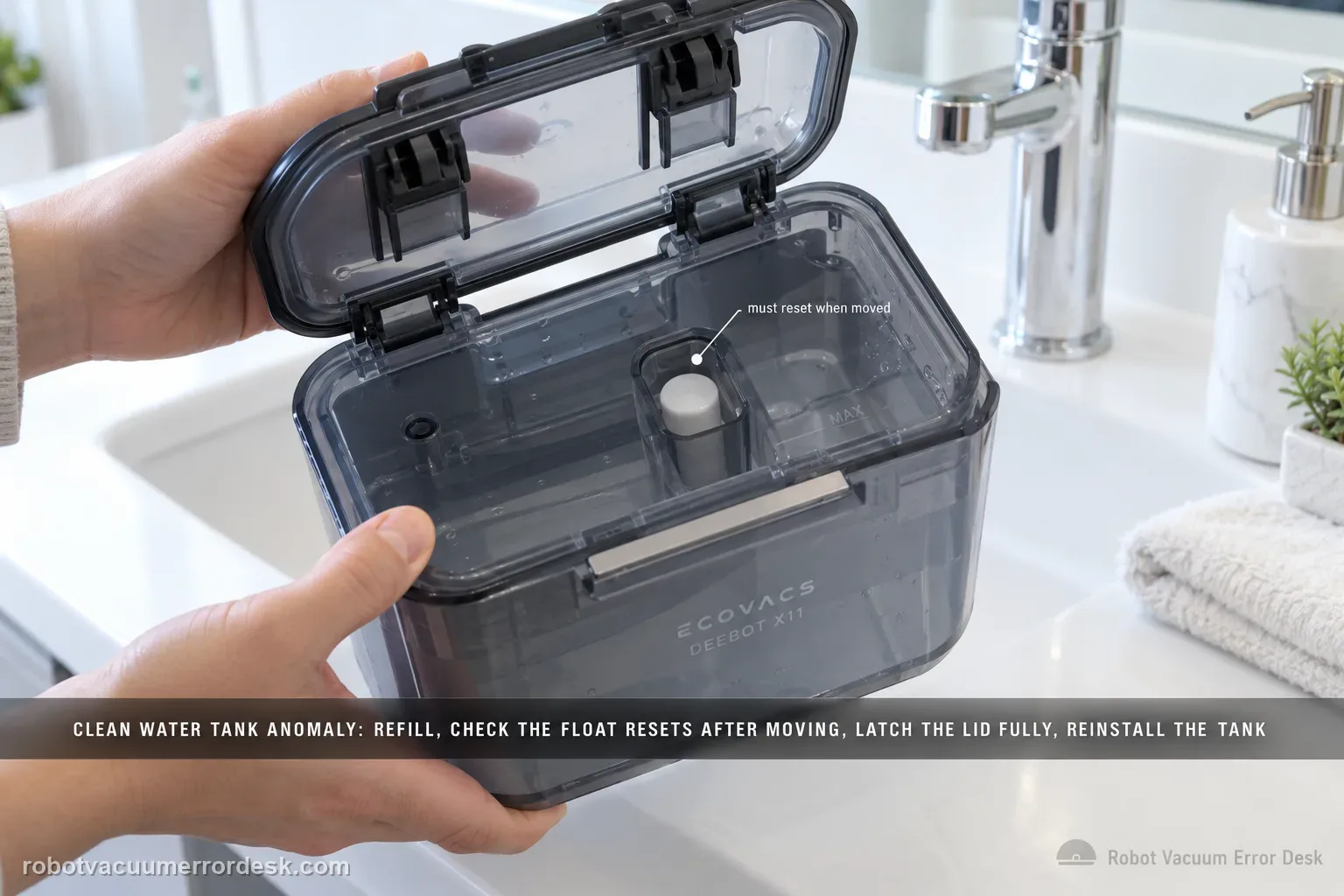
The X11 Clean Water Tank Anomaly path is about tank detection, not just whether water can flow. ECOVACS says to remove the clean-water tank, open it and refill as needed, inspect the float mechanism and make sure it resets after being moved, close the lid with all latches fully engaged, then reinstall the tank in the base station. If the tank is full but the float stays displaced or the lid/tank is not seated correctly, the alert can persist.
Confirm the exact model and exact code, light pattern or symptom.
Run the lowest-risk physical or software check first.
Use each pass condition to decide what the result actually narrows down.
Does this match your problem?
- The X11 station reports Clean Water Tank Anomaly.
- The clean-water tank is low, recently refilled or recently removed.
- The float or lid may not be seated correctly.
- The tank is full but the station still reports a Clean Water Tank Anomaly.
- The alert persists after checking the float, lid latches and tank seating, while water-flow symptoms may belong to a separate guide.
Most likely causes
The clean-water tank is actually low or empty
The tank float does not reset freely
One or more lid latches are not fully engaged
The clean-water tank is not fully seated in the station
The tank is detected but a separate no-flow problem is being mistaken for a tank anomaly
A station tank-state detection fault remains after the documented checks
What your test result means
| What you observe | What it narrows down | Next move |
|---|---|---|
| Tank is empty or low | The alert may reflect the actual water state | Refill the clean-water tank before further diagnosis. |
| Float stays displaced after you release it | Tank-state sensing can remain abnormal | Clean/inspect the float area and verify free reset. |
| One or more lid latches are not engaged | The tank assembly is not fully closed | Secure the lid completely. |
| Tank is detected but station still has no water flow | The problem has moved beyond tank-state detection | Use the no-clean-water-flow diagnostic. |
| Full tank, free float and latched lid still trigger anomaly | Accessible tank-state checks are exhausted | Escalate with photos of float, lid and seated tank. |
Do not factory-reset by default. Use the exact model’s reboot/network-reset procedure only when the manufacturer path calls for it.
Run these checks in order
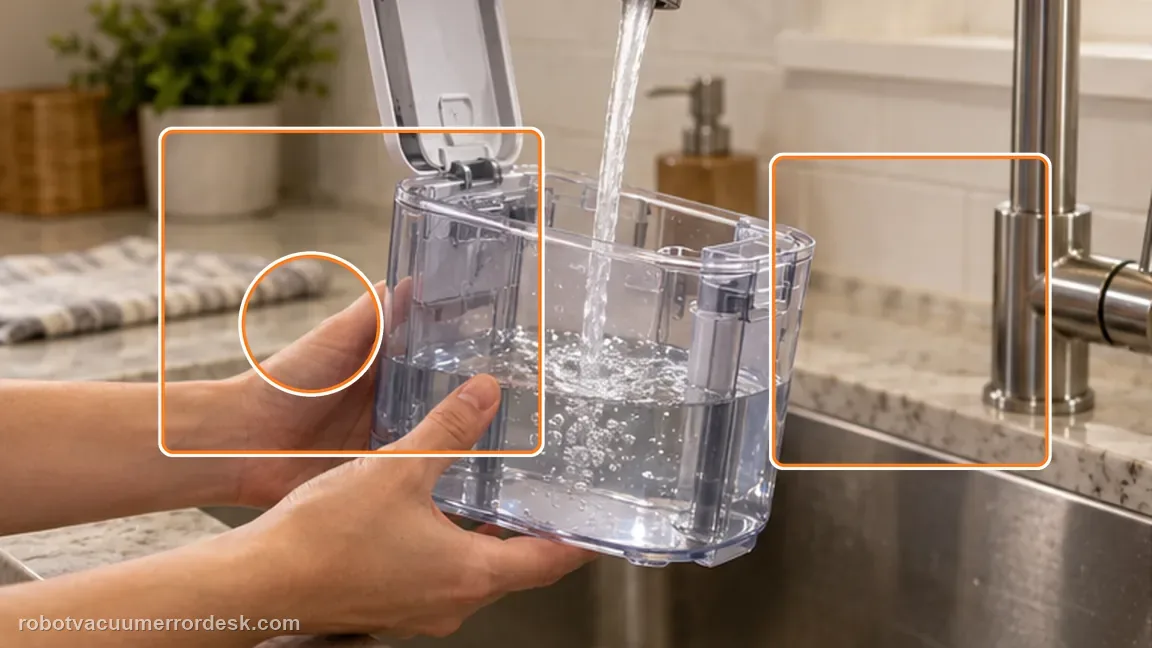
Refill the clean-water tank
Remove the tank, open the lid and add clean water to the intended operating level. Do this before testing sensors so a genuinely low tank is not confused with a detection fault. Why it matters: First prove there is actually enough water. A low/empty tank should be corrected before you interpret float behavior or station detection.
Inspect and reset the float
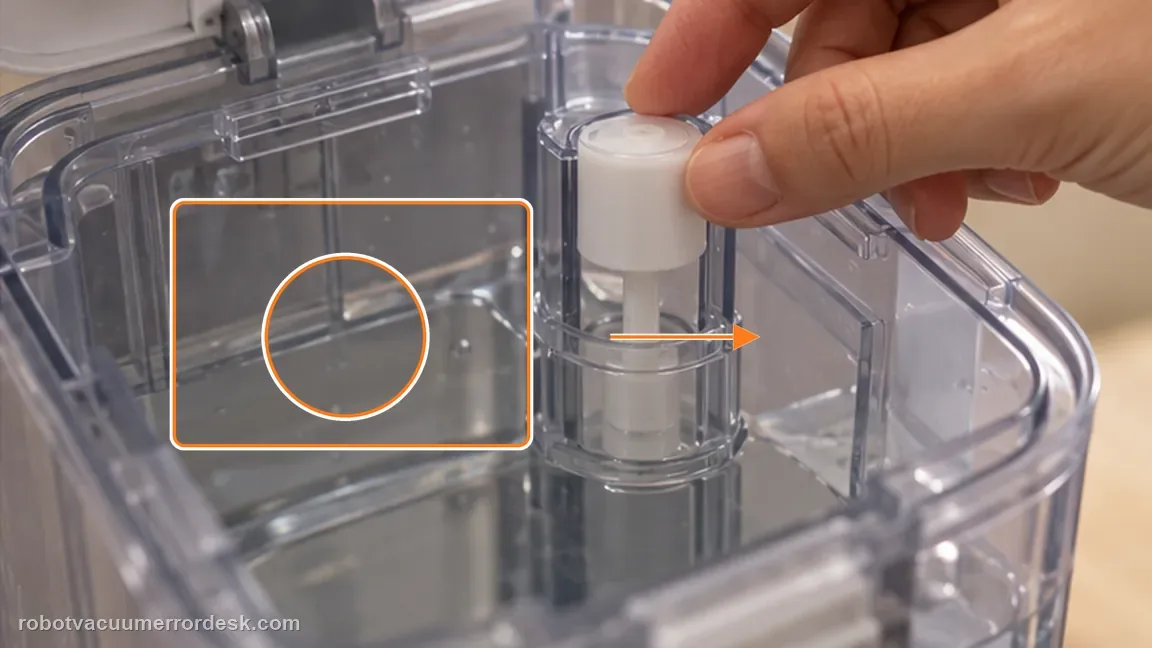
Move the float gently and verify it returns after displacement. The official X11 procedure specifically calls out float reset, so a sticky float should be treated separately from pump or station faults. The float is the central state check in the manufacturer procedure. Move it only as needed to verify it is not jammed and returns to its normal position.
Close the lid and every latch
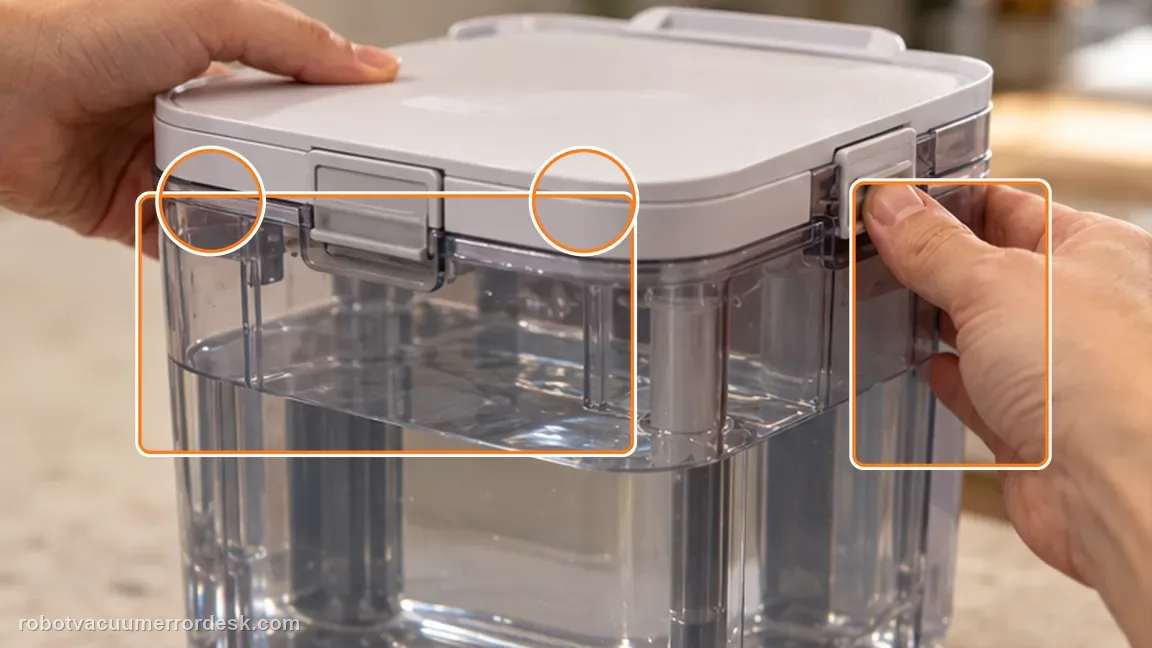
Seat the lid evenly and confirm all latches are fully engaged. An incompletely closed tank can alter how the tank sits and how the station senses it. A lid that is not fully latched changes how the tank sits and seals. Confirm every latch is engaged instead of pressing only the center of the lid.
Reinstall the tank fully and retest
Lower the tank squarely into the base station until it is fully seated, then start the relevant station function or allow the station to re-check the tank. Reinstall the tank into its normal base-station seat and then run a water-using function. A stable alert clearance during a real cycle is stronger than a momentary disappearance in the app.
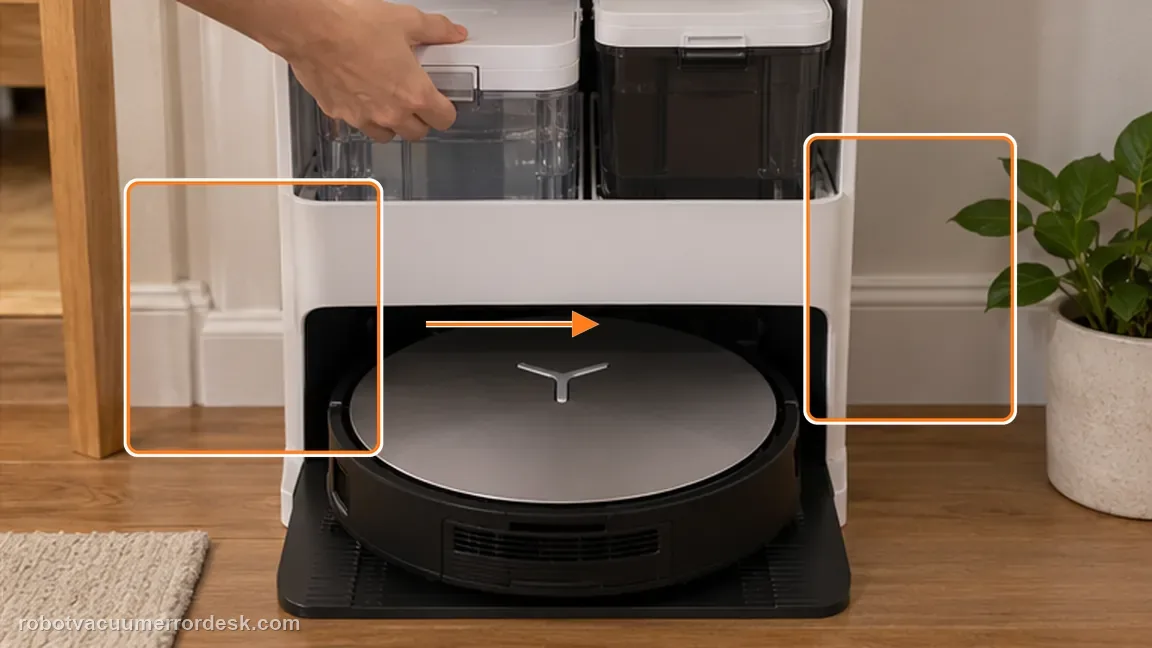
Separate tank anomaly from station no-flow
If the X11 recognizes the tank normally but still does not dispense water, switch to the Clean Water Not Coming Out diagnostic, which checks the station sealing plug, filter and hose.
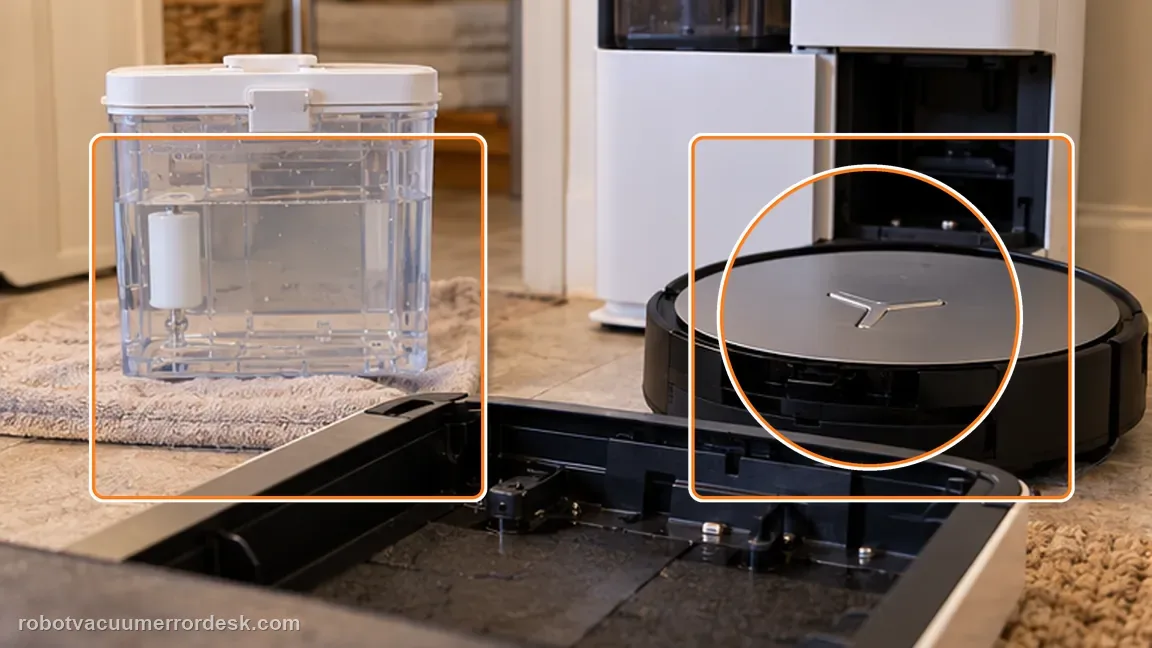
Capture float and latch condition if the alert returns
Photograph the water level, float resting position and fully latched lid before reseating the tank. If the anomaly comes back, those images show that the manufacturer’s owner checks were completed.
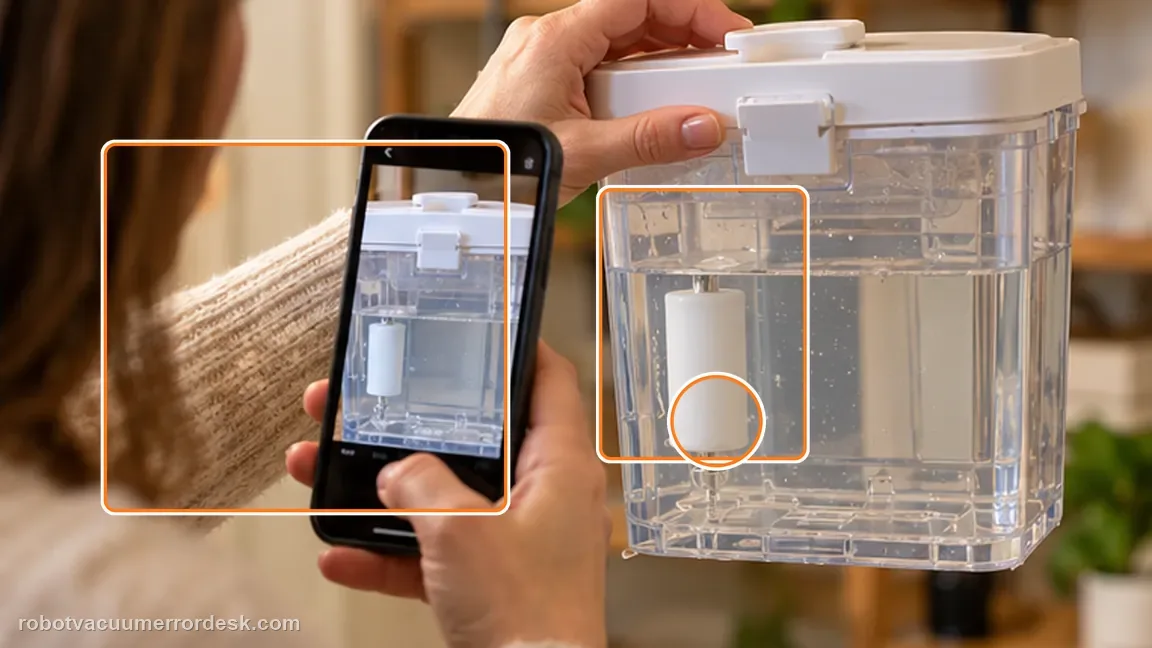
If a filled tank with a free-moving float, fully latched lid and correct seating still triggers the anomaly, contact Ecovacs. Send a photo of the float position, closed lid and the exact alert so support can distinguish a tank issue from station sensing hardware. Include the water level, float return, closed lid latches and seated tank; if flow—not detection—is the symptom, say so explicitly.
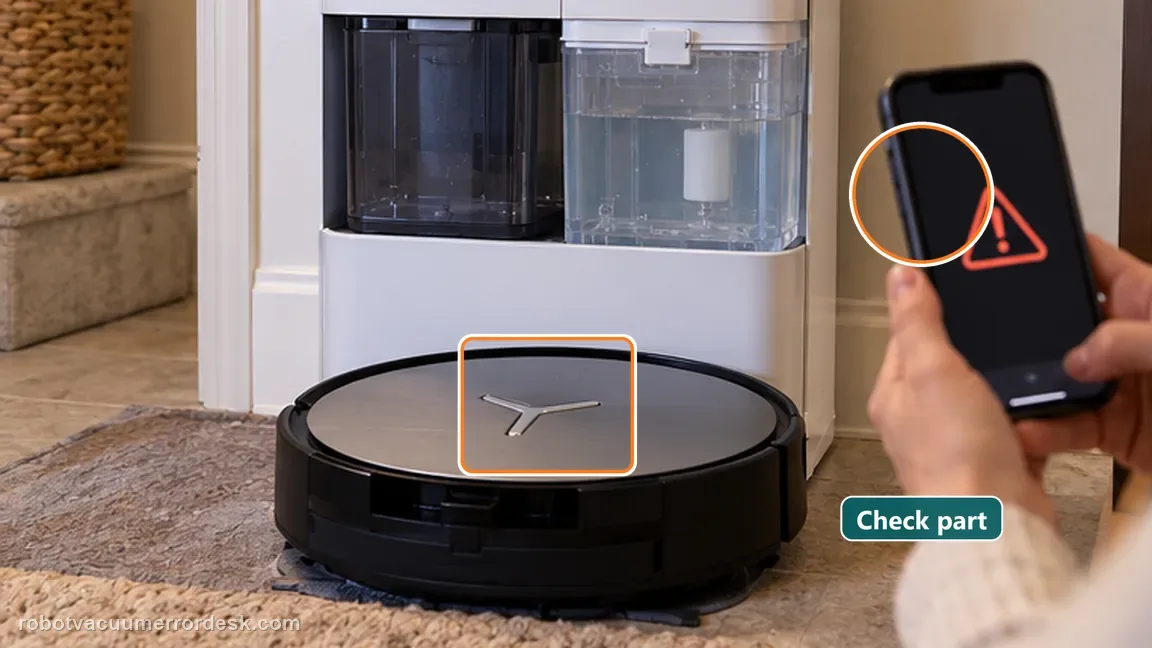
What to collect before contacting support
Give support a reproducible case instead of “it doesn’t work.” That reduces repeated basic troubleshooting and preserves the clues from your tests.
- Exact model name and the error code / voice prompt exactly as shown
- A photo or screenshot of the app error and the time it occurred
- A short list of the checks already completed and what happened after each one
- Map/station screenshot when the problem involves return-to-station or mapping
Manufacturer evidence
Ecovacs DEEBOT X11 OmniCyclone — Clean Water Tank Anomaly
Ecovacs’ exact X11 article specifies four checks: refill the tank, verify float reset, secure every lid latch and reinstall the tank in the station. Keep the endpoint component-specific. When the clean-water tank is full, the float moves freely, the lid is latched and the station accepts the tank, a remaining “no water comes out” symptom belongs to the separate delivery-path article. Repeating tank reseating after recognition is already normal adds little evidence and can obscure the actual filter, plug or internal-flow branch.
Additional official source: ECOVACS US — DEEBOT X11 OmniCyclone Support Center ↗Last editorial review: September 5, 2026Regional note: manufacturer help centers, model suffixes, mains-power requirements and warranty procedures can differ by country. If the source redirects to a local support site, confirm that the model/hardware scope still matches before following a region-sensitive step.
This guide is rated Official model support. See what each evidence label means →
FAQ
Does this alert automatically mean the water pump is bad?
No. The official path begins with tank level, float movement, lid closure and tank seating. A full tank only rules out low water; ECOVACS still asks you to prove float reset, lid latches and proper seating before moving away from the tank-state branch. That keeps a detection alert from being mixed with the separate station no-flow troubleshooting path.
Why does the float matter?
The station uses tank state information; a float that does not return normally can make a full tank appear abnormal. The float is a state-sensing checkpoint, so verify that it returns freely rather than assuming the station knows the tank is full from water level alone.
What should I photograph for support?
Capture the tank water level, float position, fully latched lid and the alert shown in the app or on the station. If tank recognition is normal but clean water still does not flow, switch to the separate no-flow guide instead of repeatedly reseating a healthy tank.
Why does my DEEBOT X11 show Clean Water Tank Anomaly when the tank is full?
A full tank does not rule out the other X11 checks. ECOVACS also tells owners to inspect the clean-water float and make sure it resets normally, fully engage the lid latches and reinstall the tank in the station. If the float remains displaced or the tank/lid is not seated correctly, the station can continue reporting an abnormal tank state.
Should I clean the X11 water filter for a Clean Water Tank Anomaly alert?
The explicit tank-anomaly procedure focuses first on water level, the float mechanism, lid latches and tank seating. Filter and hose cleaning belong to the separate “Clean Water Not Coming Out” path. Use the wording of the alert to choose the branch; that prevents unnecessary disassembly of the flow path when the real issue is tank-state detection.
Did this diagnostic narrow the fault?
Use this as an editorial signal, not a popularity counter. If a feedback address is configured you can email the note; otherwise you can copy it for your own support record.