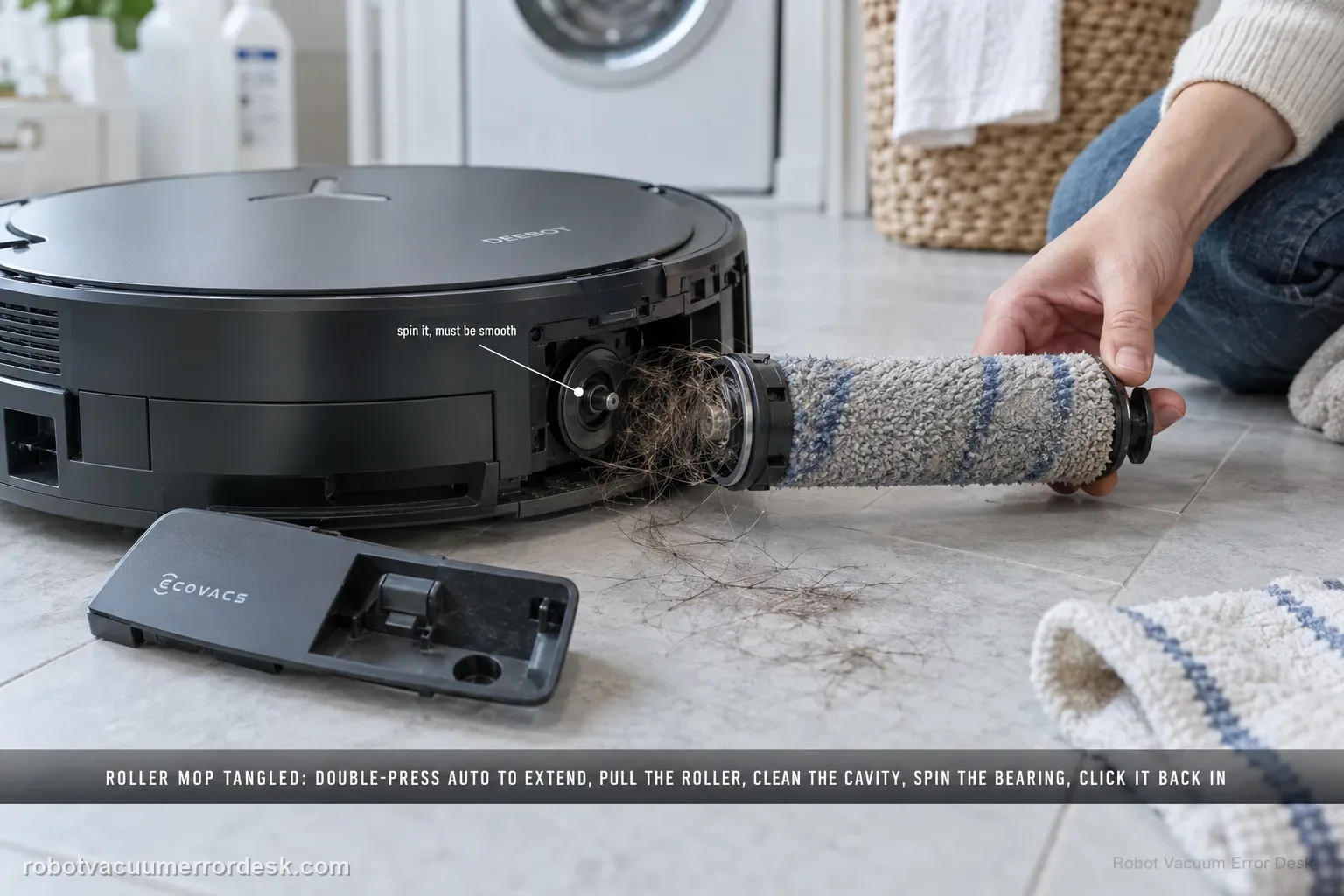
The X11 Roller Mop Tangled alert has a detailed manufacturer service path. Double-press Robot AUTO to extend the roller component, release and remove the roller, separate the end cover and clean it. Remove the dirty-water box before turning the robot over; clear the roller cavity and spin the roller-motor bearing to confirm smooth movement. Refit the end cover, push the roller into the motor until it clicks, retract it with a double press, reinstall the dirty-water box and restart.
Confirm the exact model and exact code, light pattern or symptom.
Run the lowest-risk physical or software check first.
Use each pass condition to decide what the result actually narrows down.
Is this the problem you’re seeing?
- The X11 reports Roller Mop Tangled.
- The roller mop does not rotate or retract normally.
- Hair, thread or debris may be wrapped around the roller or cavity.
- The X11 reports Roller Mop Tangled or the roller strains even after surface hair is removed.
- You need to inspect the end cover, accessible cavity and bearing before deciding the roller-drive hardware has failed.
Likely root causes, ranked
Hair or debris is wrapped around the roller mop or end cover
Debris remains inside the accessible roller cavity
The roller motor bearing does not turn smoothly after cleaning
The end cover or roller is not fully seated/clicked back into the motor
The dirty-water box was not removed before inversion, complicating safe access and leak control
A roller-drive fault remains after the complete remove-clean-bearing-reinstall sequence
What the result narrows down
| What you observe | What it narrows down | Next move |
|---|---|---|
| Hair/debris is wrapped at roller or end cover | A removable tangle is present | Extend, remove, separate the end cover and clean thoroughly. |
| Cavity contains packed debris | The roller can be obstructed even after its surface is clean | Remove the dirty-water box, invert safely and clear the cavity. |
| Motor bearing spins smoothly after cleaning | The accessible motor-side movement check passes | Reinstall the roller until it clicks and retest. |
| Bearing remains rough or roller cannot seat with a click | A deeper mechanical problem remains | Stop forcing the assembly and contact ECOVACS. |
| Alert returns immediately after correct reassembly/restart | The problem is persistent, not a one-time tangle | Escalate with photos of cleaned cavity and a short test video. |
X11 roller reassembly checkpoints
The X11 alert is cleared only after the roller can move freely and is correctly seated. Check each physical checkpoint before the confirmation run.
- 1Safe to turn over
Remove the dirty-water box first, then place the robot upside down on a stable, protected surface.
- 2Cavity clear
Remove hair/debris from the roller cavity with the supplied cleaning tool; use a screwdriver only for the cavity-cleaning step ECOVACS documents.
- 3Bearing turns smoothly
If it remains rough or locked after debris removal, do not force it.
- 4Cover and roller click in
Refit the end cover, align the roller to its motor, and confirm the retaining click before retracting.
Do not factory-reset by default. Use the exact model’s reboot/network-reset procedure only when the manufacturer path calls for it.
Checks to run, in sequence
Extend, release and remove the roller mop
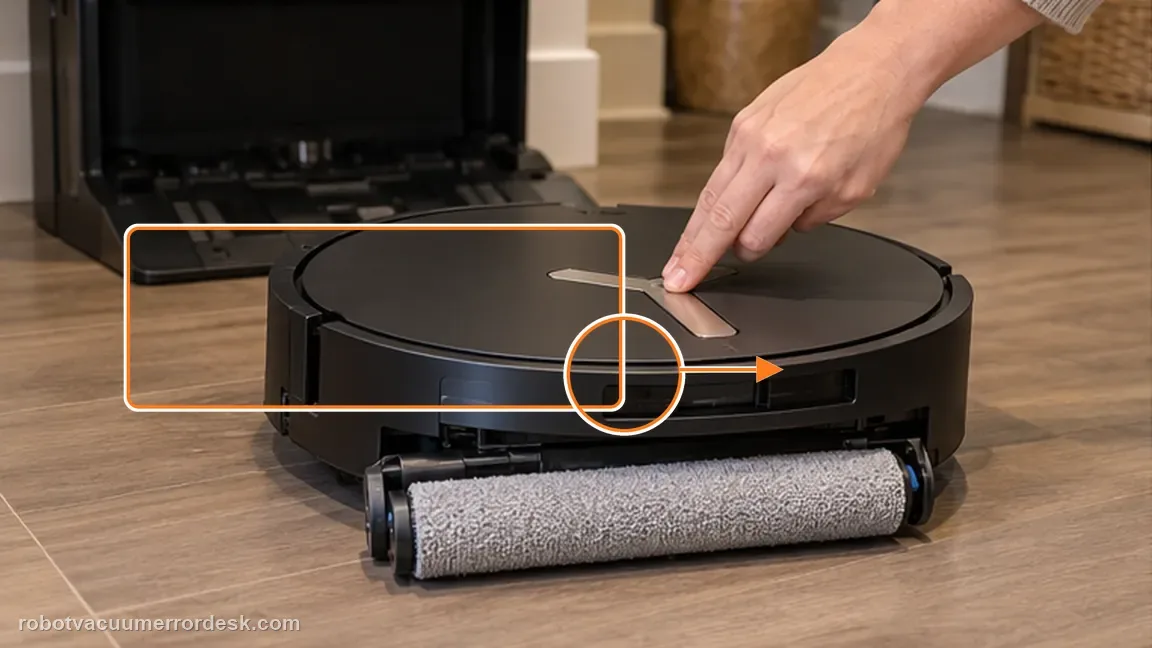
Double-press the Robot AUTO button to extend the roller-mop component while the robot is out of the station. Press the release latch, pull the roller out and remove its end cover. Clean hair and debris from the roller surface and end-cover area without forcing the extension mechanism.
Remove the dirty-water box before turning the robot over
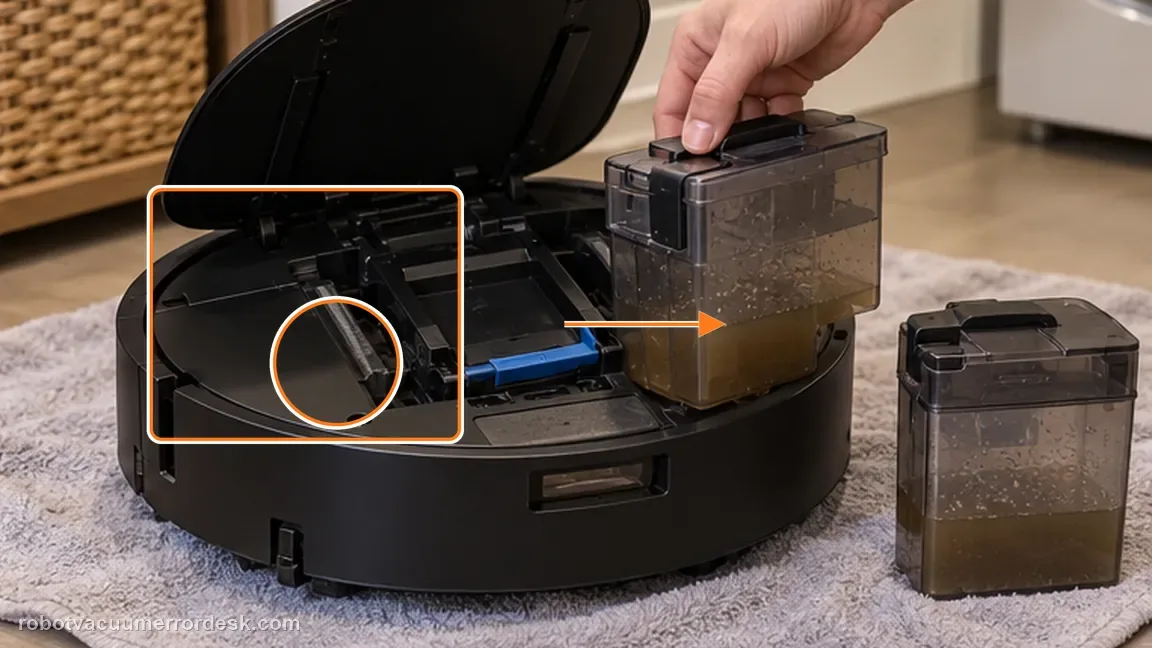
Take out the onboard dirty-water box before flipping the X11 upside down. This follows ECOVACS’ access order and reduces the chance of dirty water leaking while you inspect the underside roller cavity. Set the box upright aside before continuing.
Clean the roller cavity and check motor-bearing movement
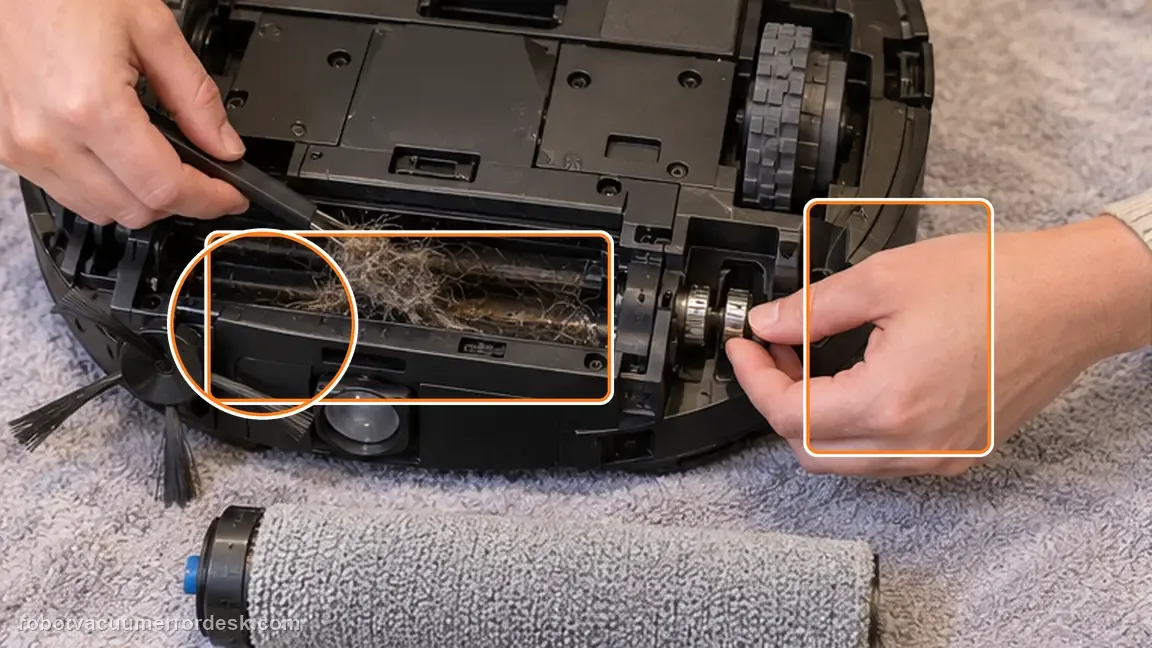
Use the normal cleaning tool or a suitable screwdriver only as ECOVACS describes to clear debris from the accessible roller cavity. Then turn the accessible roller-motor bearing gently and confirm it moves smoothly. Do not force a bearing that remains stiff after visible debris is gone; rough or seized movement is a different service signal from a removable hair tangle.
Reattach the end cover and click the roller into the motor
Put the roller end cover back on, align the roller with the motor and push it into place until it clicks. Check that the roller is seated straight rather than partially engaged on one end.
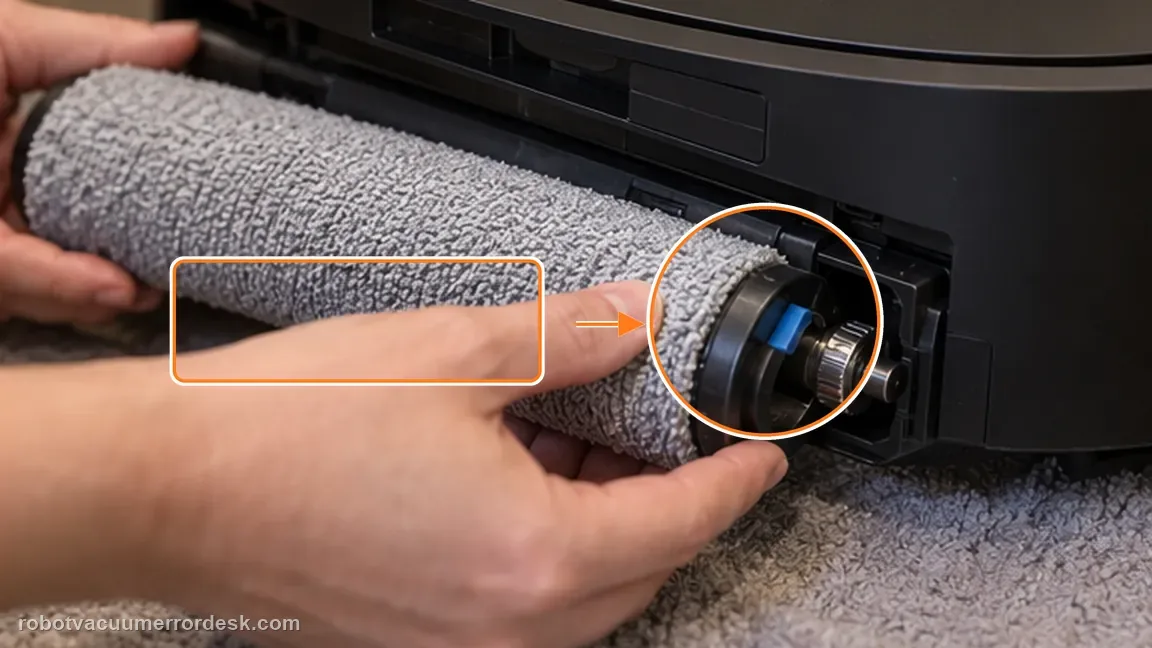
Retract the component, reinstall the box and restart
Double-press Robot AUTO again to retract the roller-mop component, then reinstall the dirty-water box and restart the X11. This restores the wet system to its normal operating configuration before the fault is judged.
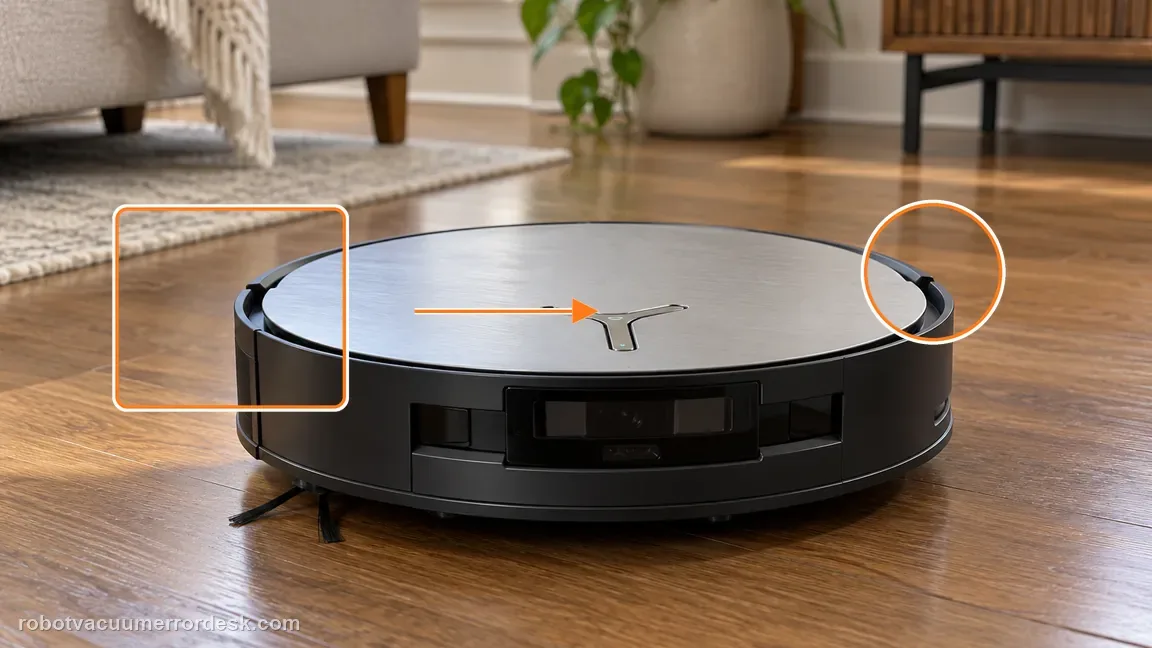
Run one short Vacuum-and-Mop confirmation
Start a short Vacuum-and-Mop task and listen for repeated strain while watching whether the Roller Mop Tangled alert returns. If it repeats after the roller, end cover, cavity and bearing were all checked in sequence, stop repeating the test and preserve the alert/video for ECOVACS.
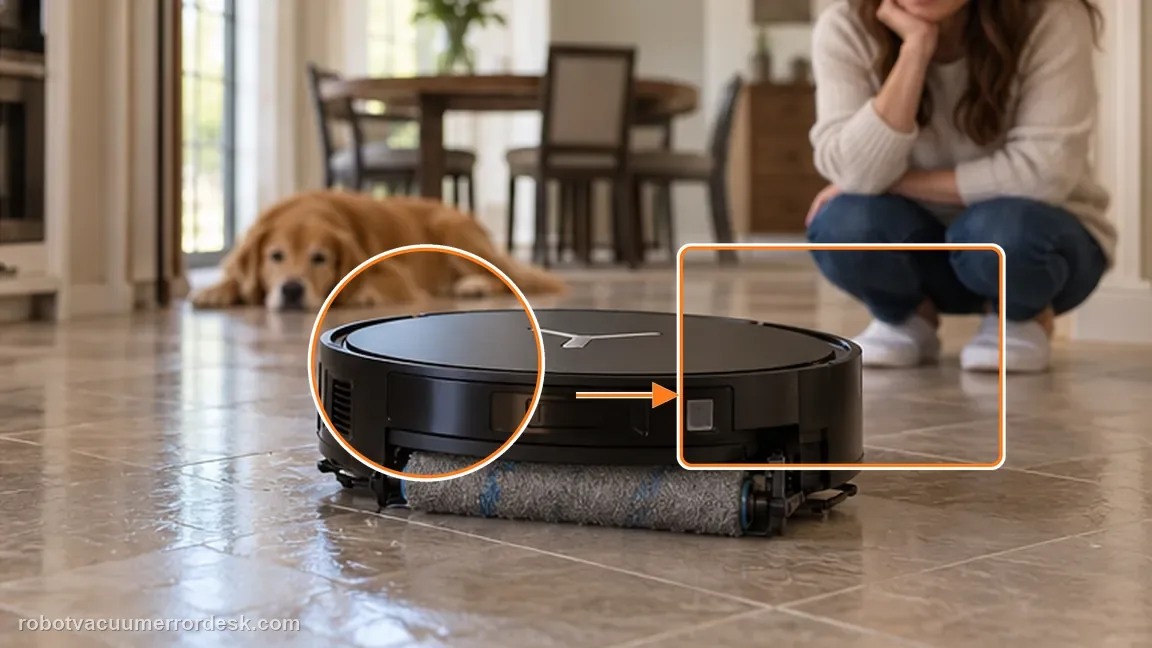
If the alert persists after the documented roller/cavity cleaning and restart, contact Ecovacs. Do not force a bearing that remains mechanically stuck. Include the cleaned roller/end cover/cavity, bearing movement and the first short mop-active test after correct reinstallation.
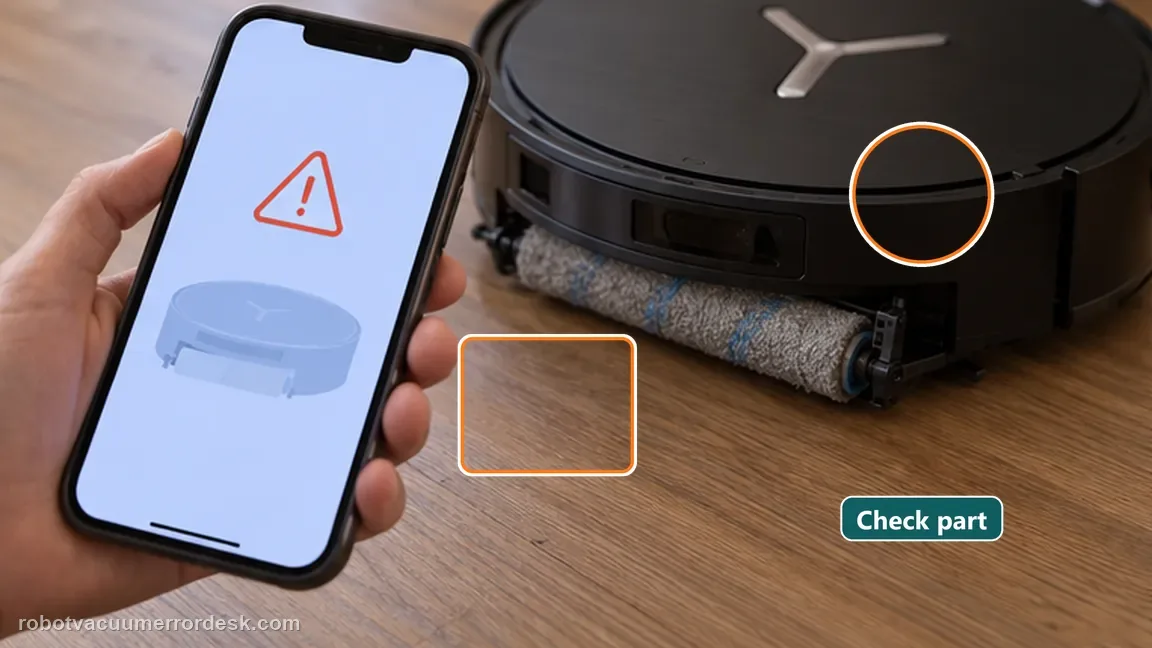
Information to have ready for support
Support can skip the basic troubleshooting script when you provide a reproducible case. That keeps the results of your checks from getting lost.
- Exact model name and the error code / voice prompt exactly as shown
- A photo or screenshot of the app error and the time it occurred
- A short list of the checks already completed and what happened after each one
- Photo or short video of the roller/tray/sensor state plus the exact app alert
Source and evidence level
Ecovacs X11 — Roller Mop Tangled
ECOVACS documents extending and removing the roller mop, removing the dirty-water box before inversion, cleaning the roller cavity, and checking smooth motor-bearing movement before reinstallation and restart. The order is important because reinstalling the roller before the cavity and bearing are checked can hide the remaining bind. The final proof is a short mop-active run after the roller clicks into the motor, retracts normally and the dirty-water box is back in place. The motor-bearing check is deliberately done while the roller is removed and the cavity is visible. That makes persistent stiffness distinguishable from hair wrapped only around the removable roller. If the bearing remains rough after accessible debris is cleared, do not force it; capture that mechanical result before service.
Additional official source: ECOVACS US — DEEBOT X11 OmniCyclone Support Center ↗Last editorial review: October 13, 2026Regional note: manufacturer help centers, model suffixes, mains-power requirements and warranty procedures can differ by country. If the source redirects to a local support site, confirm that the model/hardware scope still matches before following a region-sensitive step.
This guide is rated Official model support. See what each evidence label means →
Common questions
Why remove the dirty-water box first?
Ecovacs’ procedure removes it before flipping the robot, which protects the wet system while you access the roller cavity. Remove the dirty-water box before turning the robot over, then clean the cavity and check bearing movement before reinstalling the roller. If the bearing remains rough after cleaning, do not force it; that changes the case from a simple removable tangle to service.
Can I force the bearing if it feels stuck?
No. The manufacturer asks you to clean and check movement. A bearing that remains stuck after debris removal should be escalated. Do not force a stiff bearing. Persistent roughness after visible debris is removed is different from a simple hair wrap and is useful evidence for service.
What if the bearing remains stiff after all visible debris is removed?
Do not force it. A persistent mechanical bind after the published cleaning steps is a reason to contact ECOVACS. The correct proof is the full sequence—remove, clean cavity/bearing, click the roller back in, retract, reinstall the box, restart and run a short mop-active test.
How do I clear Roller Mop Tangled on a DEEBOT X11 OmniCyclone?
Use the X11 sequence from ECOVACS: extend the roller with a double press of Robot AUTO, release and clean the roller and end cover, remove the dirty-water box, turn the robot over, clean the roller cavity and check the motor bearing. Reinstall the roller until it clicks, retract it, replace the box and restart before testing again.
Why do I need to check the X11 roller-motor bearing for a tangle alert?
ECOVACS includes the bearing check because a clean roller surface does not prove the motor-side cavity moves freely. After clearing debris from the cavity, spin the roller-motor bearing and confirm smooth movement. If it remains rough or the roller cannot seat normally, repeatedly restarting the robot is less useful than documenting the mechanical result for customer support.
Did this diagnostic narrow the fault?
Use this as an editorial signal, not a popularity counter. If a feedback address is configured you can email the note; otherwise you can copy it for your own support record.