Ecovacs DEEBOT X11 OmniCyclone troubleshooting
Charging, navigation, obstacle, wheel, tank, threshold and station diagnostics. We route by the exact error or symptom rather than assuming a generic robot-vacuum fix applies.
Use ECOVACS' exact-model support page for the X11 manual, app guidance, and service options. Each diagnostic below links to the manufacturer evidence for that issue.
ECOVACS DEEBOT X11 OmniCyclone support →
X11 OmniCyclone instruction manual (PDF) →
ECOVACS publishes an X11 firmware-upgrade path. The site does not invent a “latest version” number; verify the installed/current version in ECOVACS HOME at the time of diagnosis.
Ecovacs DEEBOT X11 OmniCyclone issue index
20 guides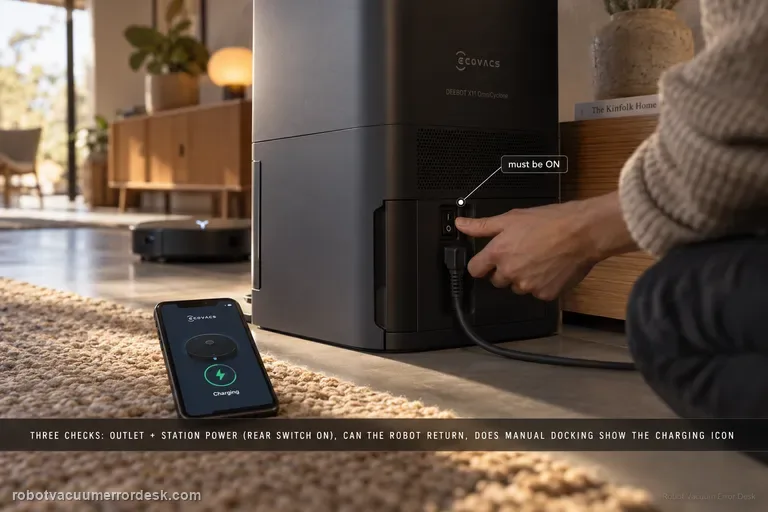
Not charging
Ecovacs’ X11 charging flow separates three things owners often mix together: whether the station has power, whether the robot can power/return, and whether manual contact charging works. First prove the wall outlet and station connection; on U.S. units, confirm the rear station switch is ON. Power the robot on and ask it to return. If it cannot power on, manually dock it and look for the charging indication—the Auto button blinking or the lightning icon in the app. If manual contact charging also fails, clean the station and rear robot contacts and make sure the station contacts rebound normally. This sequence prevents a navigation failure from being misdiagnosed as a bad battery or dock.
Map skewed / overlapping
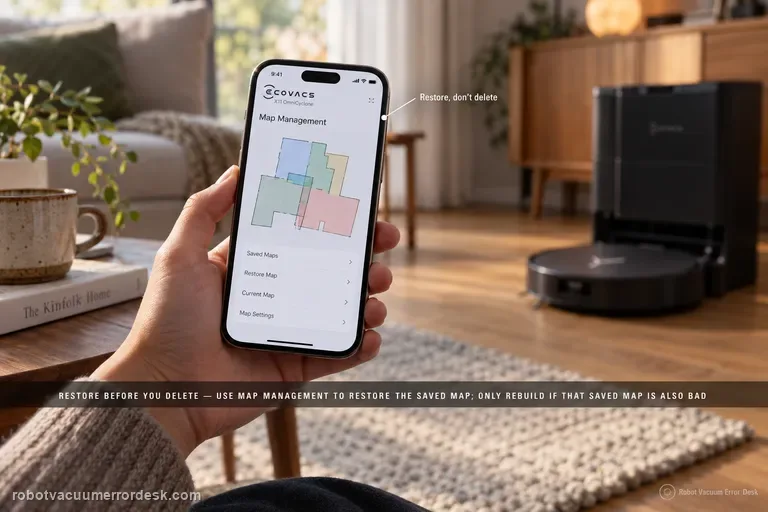
Restore before you delete. ECOVACS’ X11 support tells owners to use Map Management and restore the initially saved map when the floor plan becomes skewed or overlapping. ECOVACS’ broader map guidance explains why that order matters: restore returns to a saved/backup state, while deleting and Quick Mapping destroys the current map and starts over. If restore works, stop. If the saved map is also bad, prepare the home, start from the station and rebuild once under stable conditions.
Slips returning to station
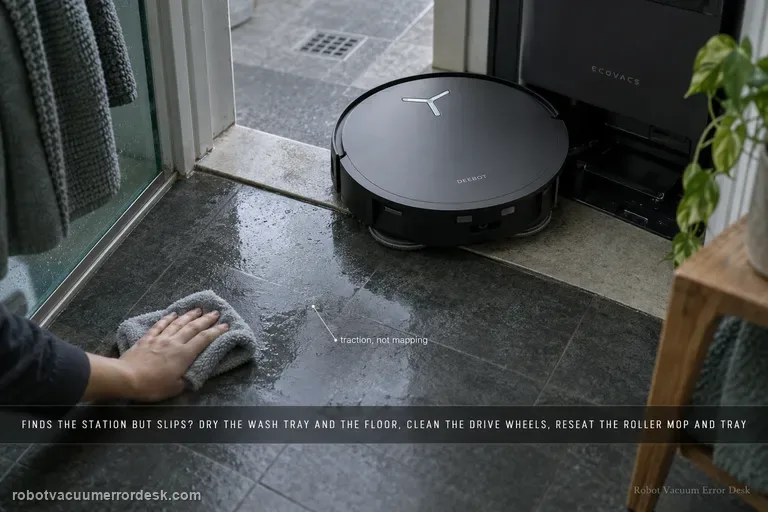
Treat “finds the station but slips” as a different fault from “cannot find the station.” ECOVACS’ X11 procedure starts at the last meter: remove excess water from the mop-washing tray and nearby floor, clean and dry the drive wheels, confirm the roller mop is seated, confirm the mop-washing tray is fully installed, then place the robot directly in front of the station and request Auto return. That sequence isolates traction and station-entry geometry before you blame mapping, charging electronics or the battery.
Auto Resume not working
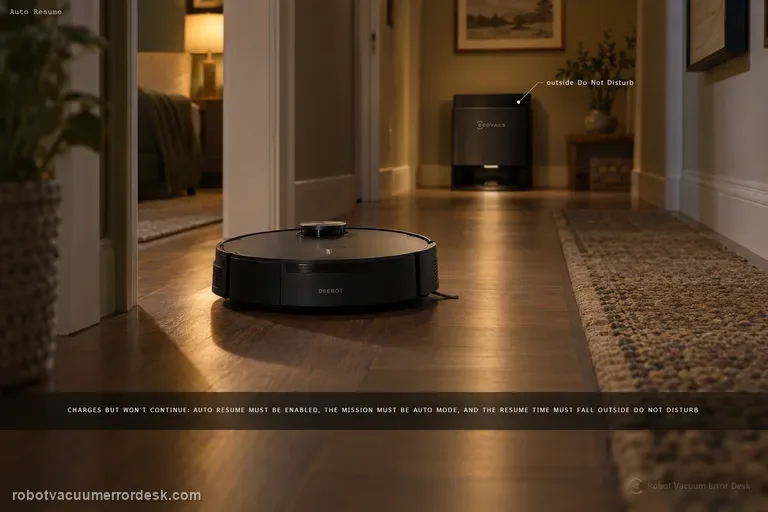
For X11 Auto Resume, prove the three prerequisites ECOVACS documents before touching charging hardware: Auto Resume must be enabled, the recharge/resume point must not fall inside Do Not Disturb, and the cleaning mission must be Auto mode. A robot can charge normally and still not resume if any one of those conditions is false. The best test is a controlled Auto-mode mission outside DND, with the setting visibly enabled and no manual mode change while the robot recharges.
Obstacle avoidance not working
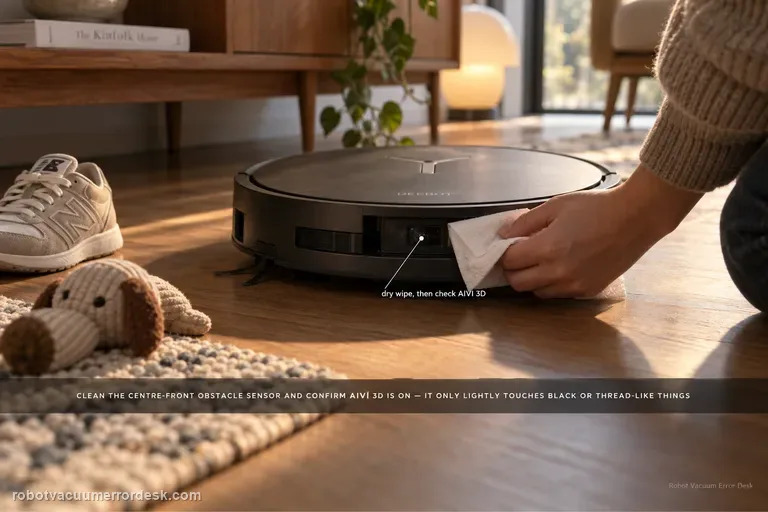
If the X11 starts bumping or fails to steer around objects, first clean the obstacle-avoidance sensor at the center front of the robot with a dry paper towel and confirm the AIVI 3D switch is enabled in DEEBOT settings. ECOVACS also notes a useful limit: the robot may slow and lightly touch black or thread-like objects. That behavior should not be confused with broad AIVI failure. Test with ordinary, visible obstacles after cleaning the sensor and verifying the setting.
Scheduled cleaning not starting
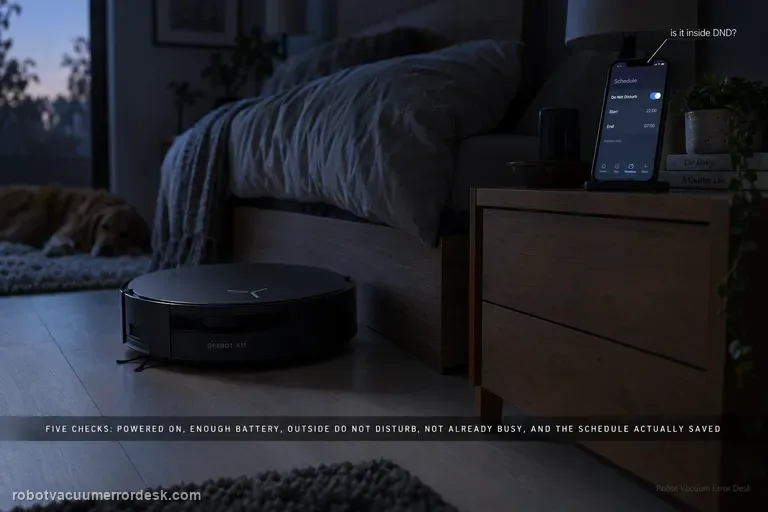
A missed X11 schedule has five official checkpoints: the robot must be powered on, battery charge must be sufficient, the scheduled time must be outside Do Not Disturb, the robot must not already be busy, and the schedule must actually be saved in the app. Check those in that order and compare the exact scheduled timestamp with DND and job history. This prevents an intentionally suppressed or conflicting task from being mistaken for a failed clock or app scheduler.
Missed cleaning areas
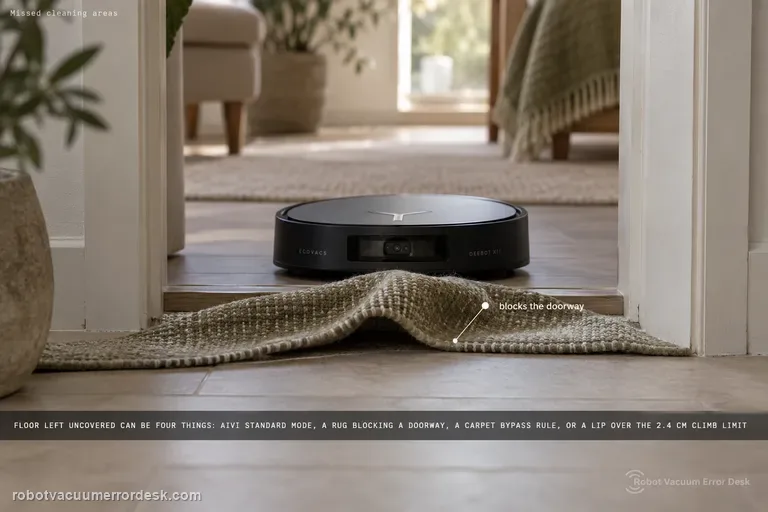
Use Ecovacs’ definition first: a 'missed cleaning area' is floor left uncovered after the robot announces that cleaning is complete. For the X11, Ecovacs then tells owners to enable AIVI 3.0 in Standard Mode, check rugs or mats that block doorways, review Map Management → Edit Map → Carpet Settings → Bypass, and remember the robot is rated to climb up to 2.4 cm. That gives you four different causes that can look identical on the finished map: a software avoidance setting, a doorway/carpet rule, a physical threshold limit, or clutter that makes the robot deliberately keep distance to protect furniture.
Messy cleaning routes
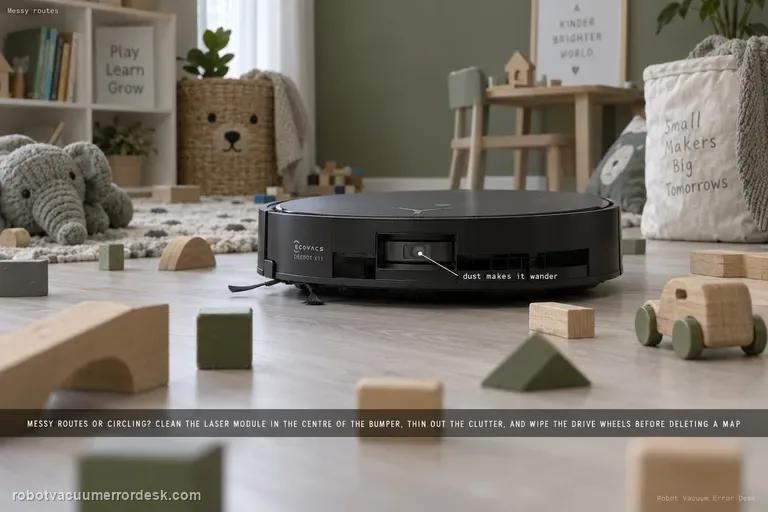
For X11 spinning, wandering or a route that suddenly looks messy, ECOVACS checks three physical/environmental inputs: dust on the laser module in the center of the bumper, a room with many obstacles that causes high-precision avoidance to make the path look irregular, and dirty drive wheels. Clean the laser with a dry paper towel, simplify one test area and wipe the wheels before deleting a map. A stable route in the controlled area points away from map corruption.
Cannot cross threshold
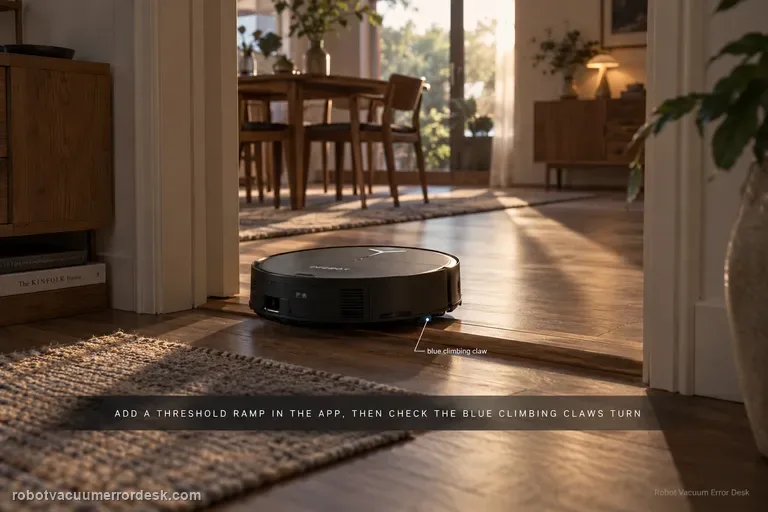
X11 threshold failures have a model-specific path that goes beyond generic “clean the wheels” advice. ECOVACS says to add a Threshold Ramp at the location in the app, power the robot off, remove the dirty-water box, clean the drive wheels and inspect the blue climbing claws for debris. Then press the trigger above a drive wheel while slowly rotating the wheel clockwise and confirm the blue claw rotates with it. A claw that does not rotate normally is an after-sales case.
Drive wheel difficulty alarm
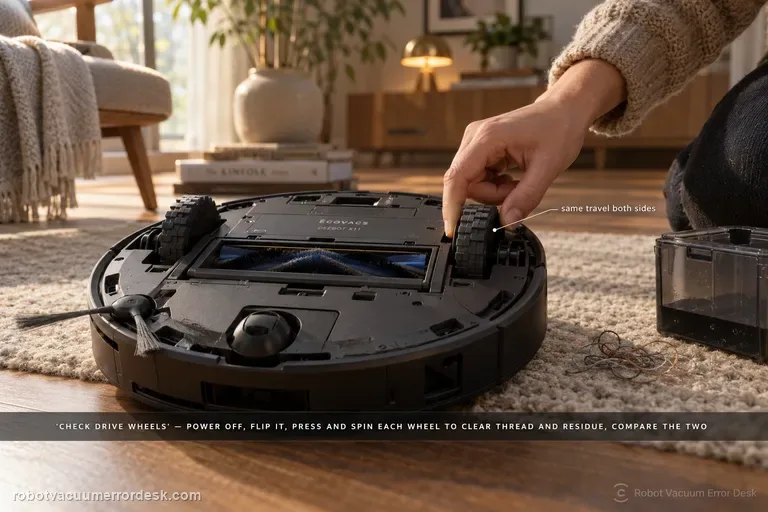
For the X11 “difficulty running / check drive wheels” alarm, ECOVACS tells you to power the robot off, remove the dirty-water box, turn the robot over, press and rotate the drive wheels to clear tangles, then wipe or brush away surface stains. The diagnosis should prove that each wheel can move through its travel without hair, thread or sticky residue. If one side remains mechanically different after cleaning, stop repeating cleaning missions and document that asymmetry for service.
Bumper stuck alert
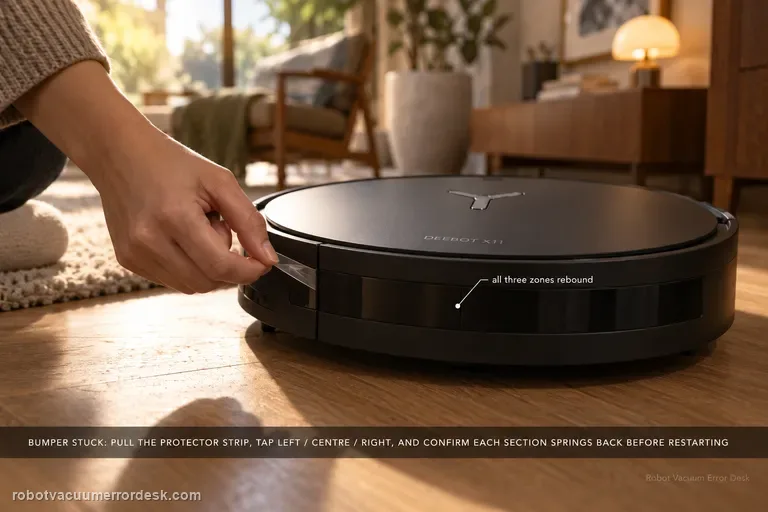
The X11 Bumper Stuck alert has a short official fix, but the useful diagnosis is to check the bumper across all three zones rather than just pushing once in the middle. Remove the bumper protector strip, gently tap the left, center and right sections, and confirm each area springs back. Restart the robot only after the mechanical response is normal. A section that stays depressed or feels different after accessible debris is cleared is the result to show ECOVACS.
Clean water not coming out
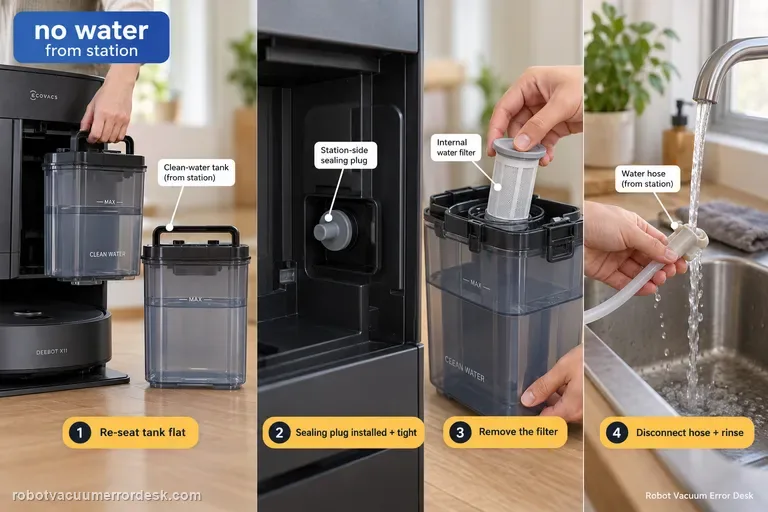
When the X11 station produces no clean water during mopping or self-cleaning, ECOVACS checks the supply path in a specific order: remove the clean-water tank, clear anything trapped between tank and station, seat the tank flat, verify the station-side sealing plug is correctly installed and tight, then open the tank, remove the filter, disconnect the water hose and rinse the filter with clean water before reassembly. That sequence distinguishes a seating/seal problem from a restricted filter/hose path.
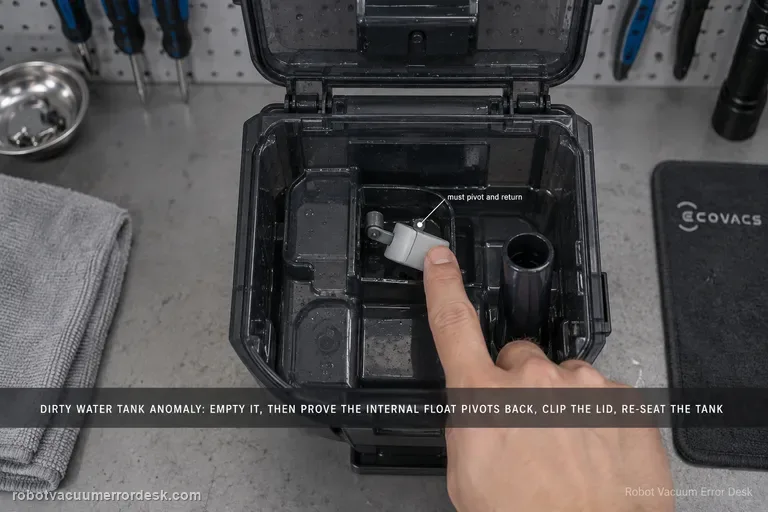
Dirty Water Tank Anomaly
For the X11 Dirty Water Tank Anomaly alert, ECOVACS tells owners to empty and clean the tank, check that the internal float pivots and returns normally, close the top lid with all clips secured, and reinstall the tank in the station. The key distinction is between a real full/dirty condition and a tank-state detection problem caused by a stuck float or poor sealing/seating. Test the float and lid deliberately instead of only emptying the water.
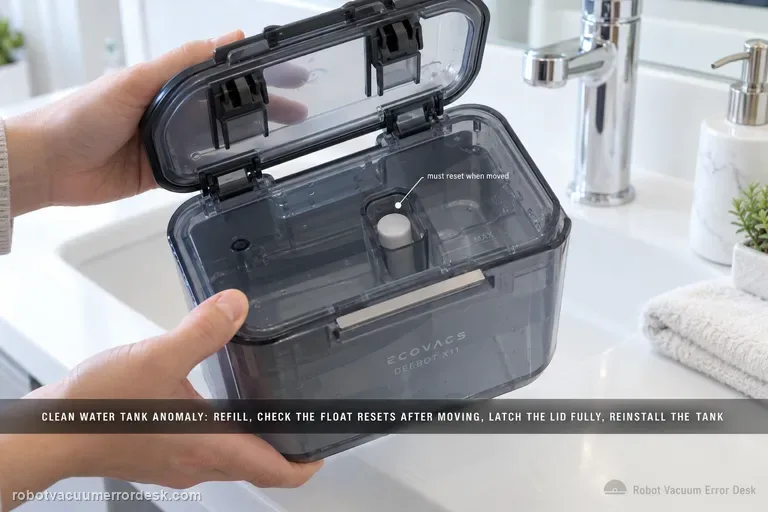
Clean Water Tank Anomaly
The X11 Clean Water Tank Anomaly path is about tank detection, not just whether water can flow. ECOVACS says to remove the clean-water tank, open it and refill as needed, inspect the float mechanism and make sure it resets after being moved, close the lid with all latches fully engaged, then reinstall the tank in the base station. If the tank is full but the float stays displaced or the lid/tank is not seated correctly, the alert can persist.
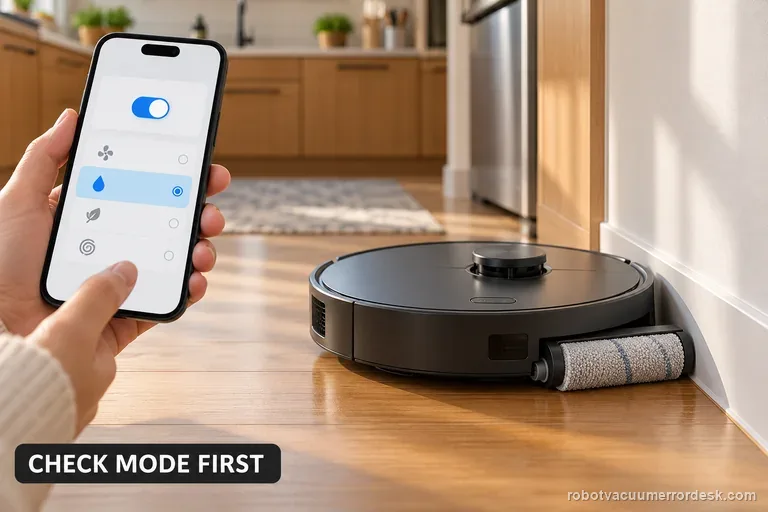
Roller mop will not expand
For an X11 roller mop that will not extend during edge cleaning, enable TruEdge Adaptive Edge Mopping and select Vacuum and Mop. If it stays retracted, check for debris and clean the removable roller using ECOVACS’ procedure. Test once beside a clear wall. If extension still fails, save the settings screens and a short video for support.
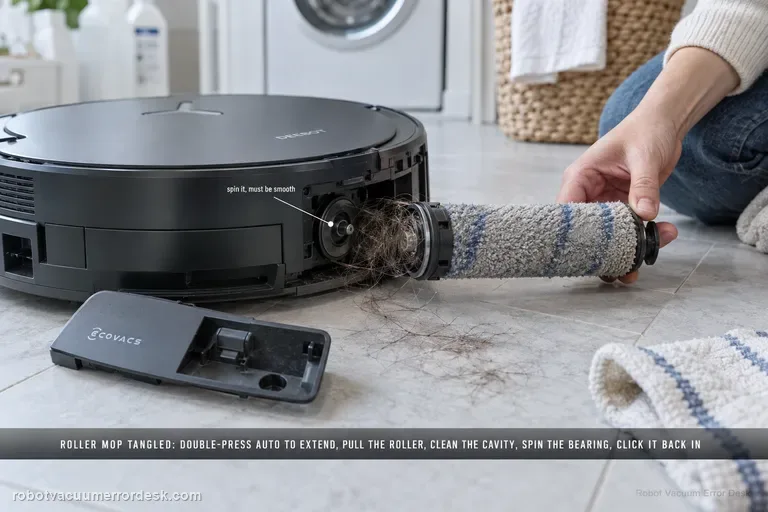
Roller Mop Tangled alert
The X11 Roller Mop Tangled alert has a detailed manufacturer service path. Double-press Robot AUTO to extend the roller component, release and remove the roller, separate the end cover and clean it. Remove the dirty-water box before turning the robot over; clear the roller cavity and spin the roller-motor bearing to confirm smooth movement. Refit the end cover, push the roller into the motor until it clicks, retract it with a double press, reinstall the dirty-water box and restart.
Drip Tray Not Installed alert
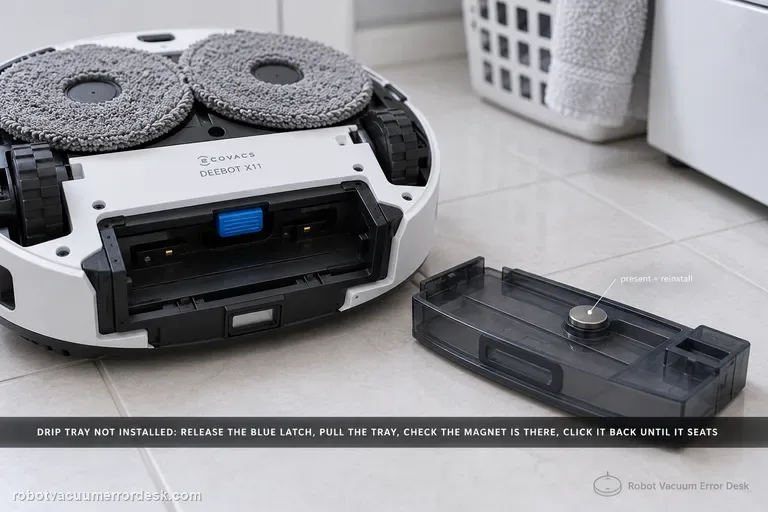
The X11 “Drip Tray Not Installed” alert has a clear hardware discriminator: ECOVACS tells owners to power the robot off, lift the roller-mop side, release the blue latch and remove the tray, then inspect whether the tray magnet is present. If the magnet is there, reinstall the tray until it clicks and restart. If the magnet is missing, contact customer service. Remove the dirty-water box first whenever you flip the robot to avoid leaks.
Anti-drop sensor dust alert
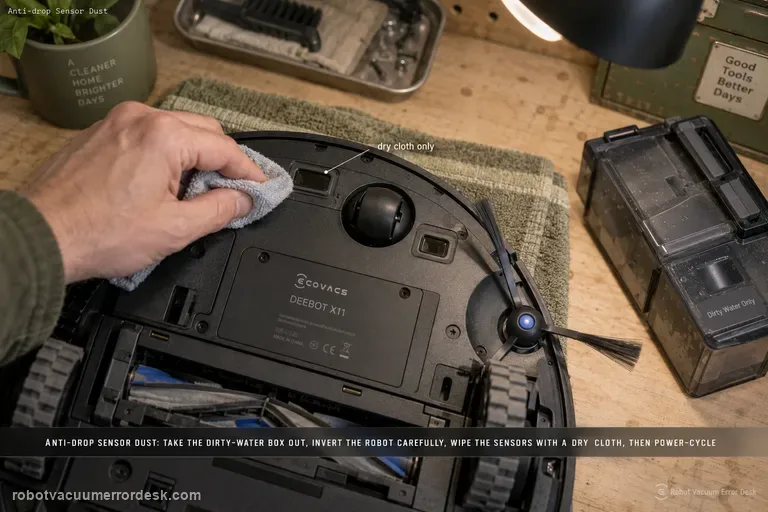
For the X11 “Anti-drop Sensors Dust Accumulation” or anti-drop sensor error, ECOVACS says to remove the dirty-water box, turn the robot over and gently wipe the anti-drop sensors with a soft, dry cloth. Reinstall the dirty-water box, then power the robot off and back on to check whether the alert clears. The important limits are dry cleaning, careful inversion and no attempt to defeat or cover the cliff sensors.
Full-house cleaning incomplete with PowerBoost
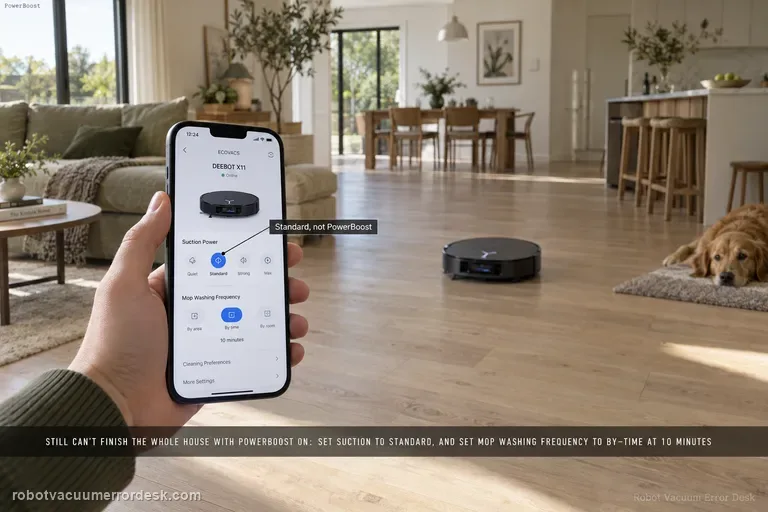
If the X11 still cannot finish a whole-home mission even after PowerBoost Charging is enabled, ECOVACS gives two model-specific settings to reduce the load on the mission: set suction to Standard from the control page, then go to Settings > Station Advanced Settings and set Mop Washing Frequency to “by time” at 10 minutes. Test a comparable full-house route after those changes. If it still cannot complete, preserve battery/job history rather than repeatedly changing several performance settings at once.
Abnormal cleaning sink alert
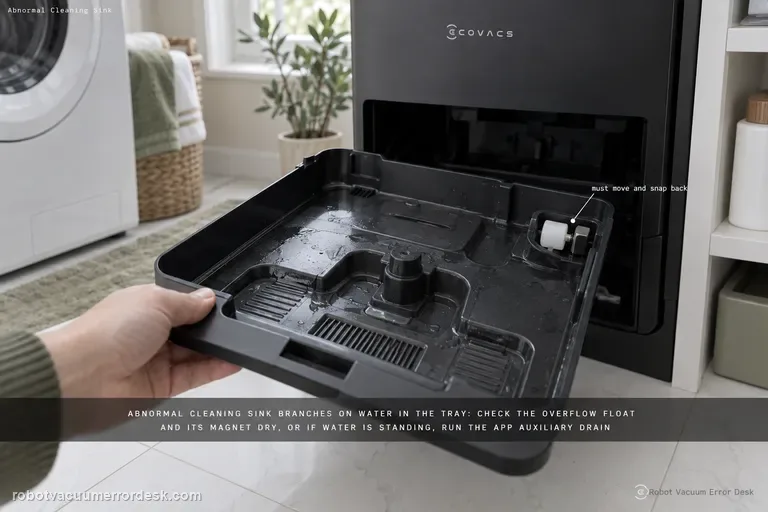
The X11 “Abnormal cleaning sink” alert branches on whether water is present in the mop-washing tray. First make sure the tray and overflow float are installed correctly and check the float magnet. If the tray is dry, clear any obstruction so the overflow float moves and snaps back. If water is standing in the tray, ECOVACS moves to dirty-water tank sealing, the tank-base plug, the app Auxiliary Drain function, tray cleaning/reinstallation and a station power-cycle before retesting drainage.