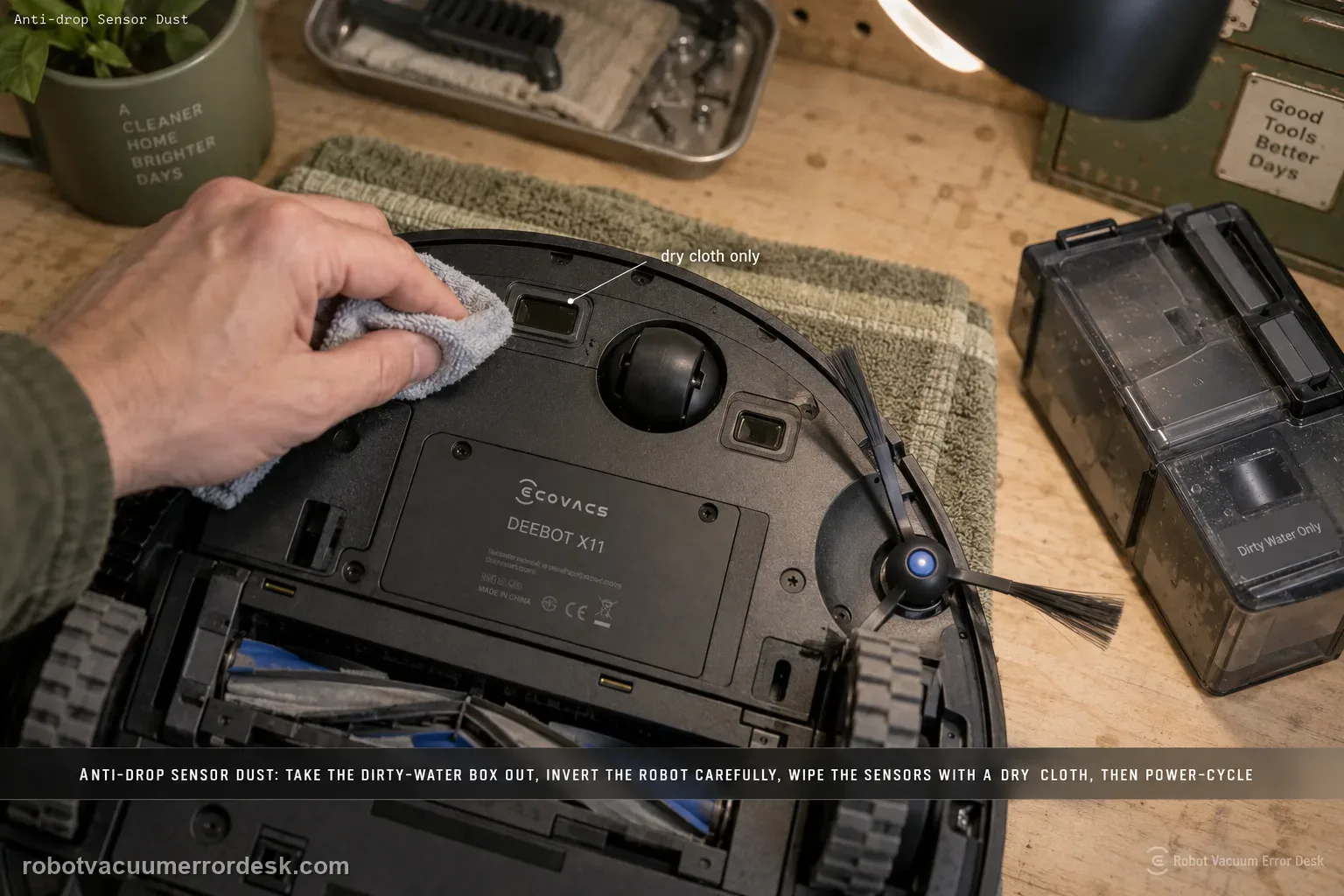
For the X11 “Anti-drop Sensors Dust Accumulation” or anti-drop sensor error, ECOVACS says to remove the dirty-water box, turn the robot over and gently wipe the anti-drop sensors with a soft, dry cloth. Reinstall the dirty-water box, then power the robot off and back on to check whether the alert clears. The important limits are dry cleaning, careful inversion and no attempt to defeat or cover the cliff sensors.
Confirm the exact model and exact code, light pattern or symptom.
Run the lowest-risk physical or software check first.
Use each pass condition to decide what the result actually narrows down.
Is this the problem you’re seeing?
- The X11 reports that an anti-drop sensor is covered with dust.
- The app reports an anti-drop sensors error.
- The robot may hesitate or refuse to continue near edges even though no cliff is present.
- The robot reports anti-drop sensor dust/error even though only one underside sensor looks dirty.
- You want to clear the alert without taping over or otherwise defeating the cliff-sensing system.
Likely root causes, ranked
Dust or debris covers one or more anti-drop sensors
Only one sensor was wiped while another remains contaminated
The sensors were cleaned with a wet/streaking material instead of a soft dry cloth
The dirty-water box was not reinstalled before the restart test
The alert returns immediately after all anti-drop windows are clean
A sensor fault remains and must be serviced rather than bypassed with tape or covers
What the result narrows down
| What you observe | What it narrows down | Next move |
|---|---|---|
| Sensor windows are dusty | Optical cliff sensing may be obstructed | Remove the dirty-water box, invert safely and dry-wipe all anti-drop sensors. |
| Moisture or cleaner was used on sensor windows | Residue can create a second sensing problem | Let surfaces become clean/dry; do not add sprays. |
| Alert clears after reassembly and restart | Dust contamination was likely the trigger | Run a short safe level-floor confirmation. |
| Alert returns on a normal level floor with clean sensors | The simple contamination branch is ruled out | Escalate with sensor photos and alert details. |
| Temptation is to cover/bypass the cliff sensors | That creates a fall risk and invalidates the safety function | Do not bypass; keep the robot away from stairs and contact ECOVACS. |
Do not factory-reset by default. Use the exact model’s reboot/network-reset procedure only when the manufacturer path calls for it.
Checks to run, in sequence
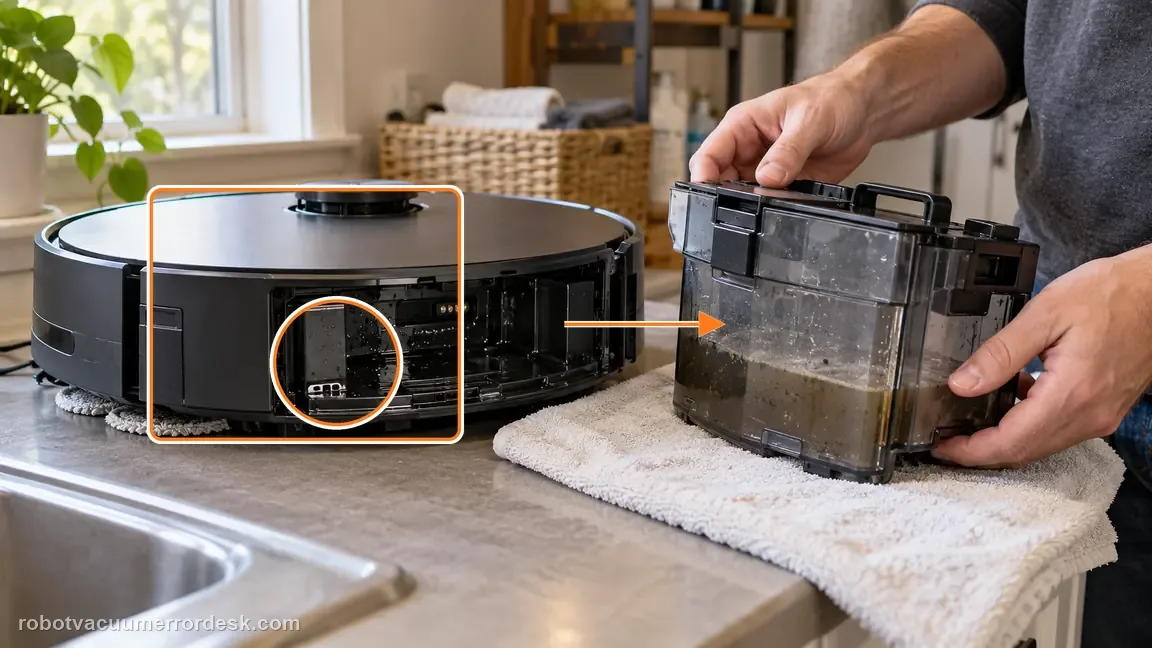
Remove the dirty-water box
Take out the dirty-water box before turning the robot upside down for access. Why it matters: Removing the dirty-water box before inversion follows the X11 service handling used for underside access and reduces the chance of leakage while the robot is upside down.
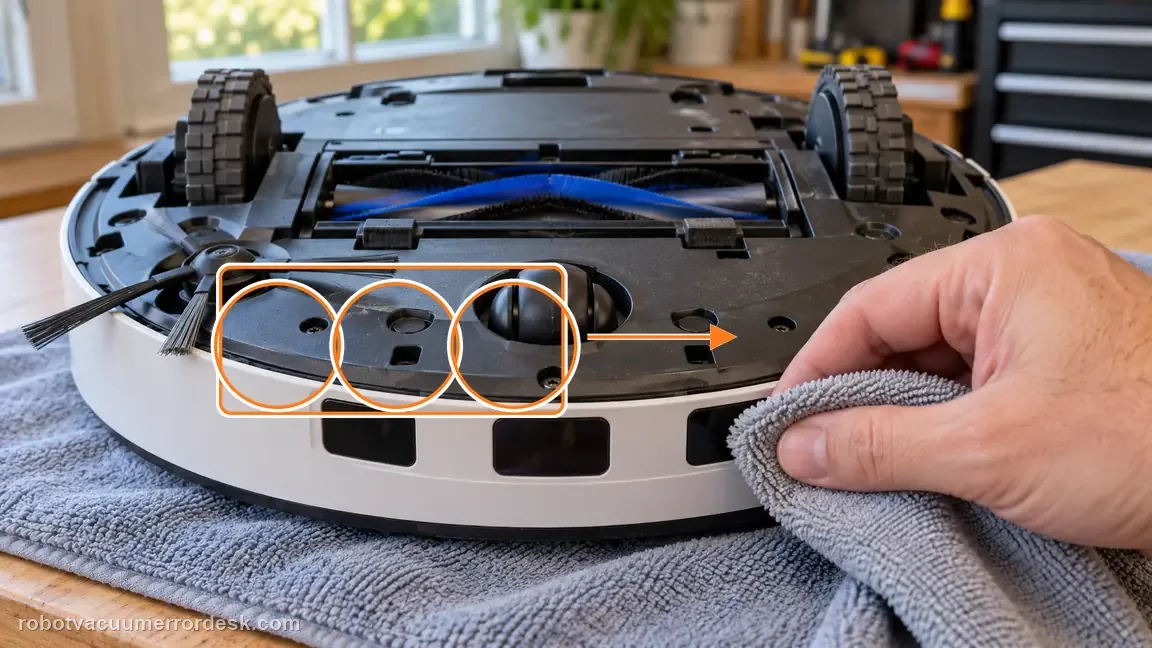
Wipe the anti-drop sensors dry
Use a soft, dry cloth to remove dust or debris from the anti-drop sensor windows. Do not spray cleaner into the sensor openings. Use a soft dry cloth on the anti-drop sensor windows. Moisture, cleaning spray or abrasive rubbing can create a new optical problem while you are trying to remove simple dust.
Reassemble and power cycle
Reinstall the dirty-water box, turn the robot off and back on, then run a short controlled test. Inspect all accessible anti-drop windows rather than wiping only one. The alert wording is plural and dust on a different sensor can leave the same warning active.
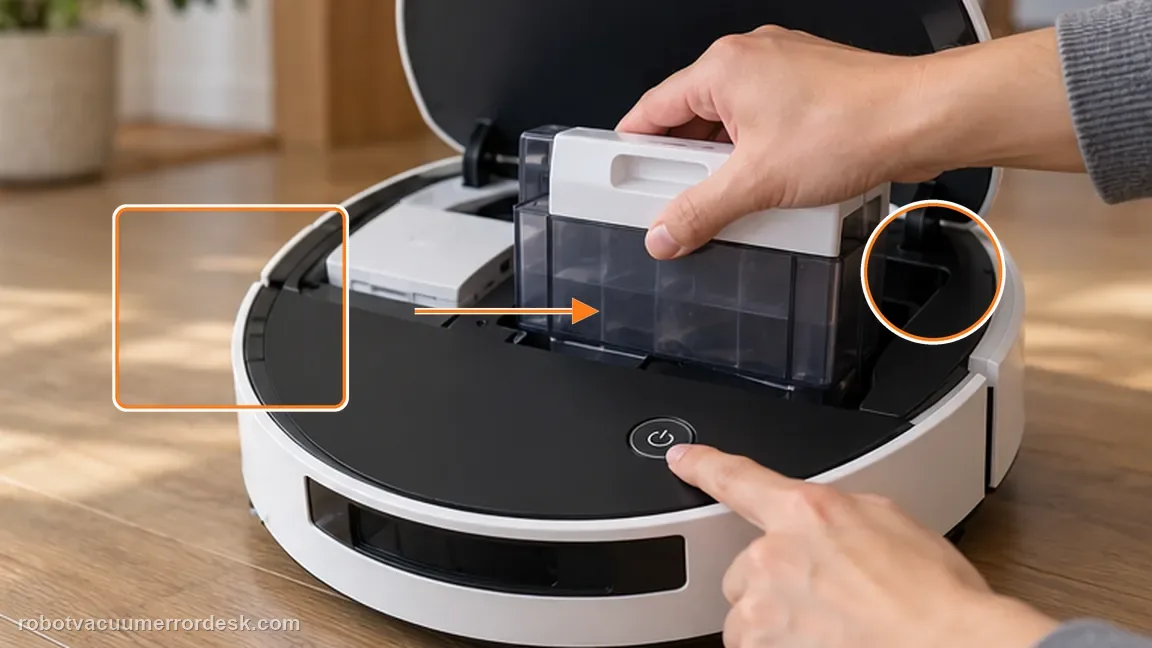
Verify the alert only after full reassembly
Reinstall the dirty-water box and return the robot to its normal upright position before powering back on. This prevents testing the anti-drop sensors while the robot is still in a service position. Reinstall the dirty-water box before the power-cycle check so the robot is back in its normal assembled state. Then restart once and observe whether the alert returns.
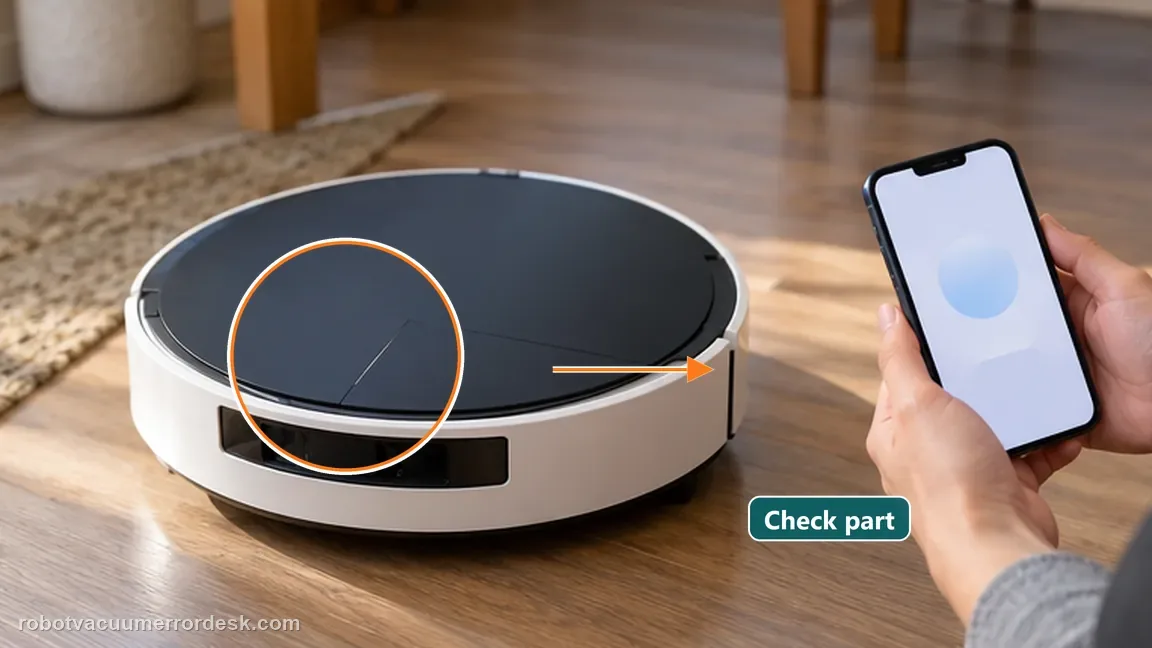
Use one safe flat-floor confirmation away from drop-offs
After the dirty-water box is reinstalled and the robot has been power-cycled, run a short test on a normal flat floor well away from stairs, ledges or other drops. This confirms whether the alert clears without asking the anti-drop system to handle a real cliff during diagnosis.
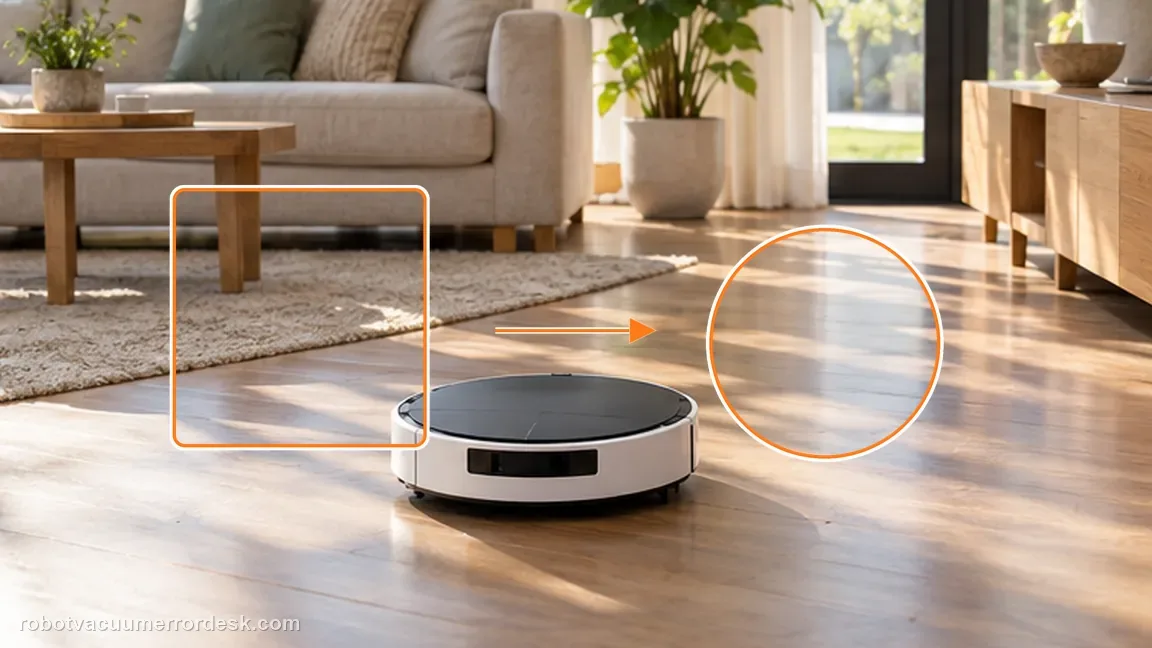
Escalate a persistent sensor alert without bypassing safety
If clean, dry anti-drop windows still trigger the alert, record a photo of the sensor surfaces and the app/voice warning. Do not tape over or disable anti-drop sensors to keep the robot running.
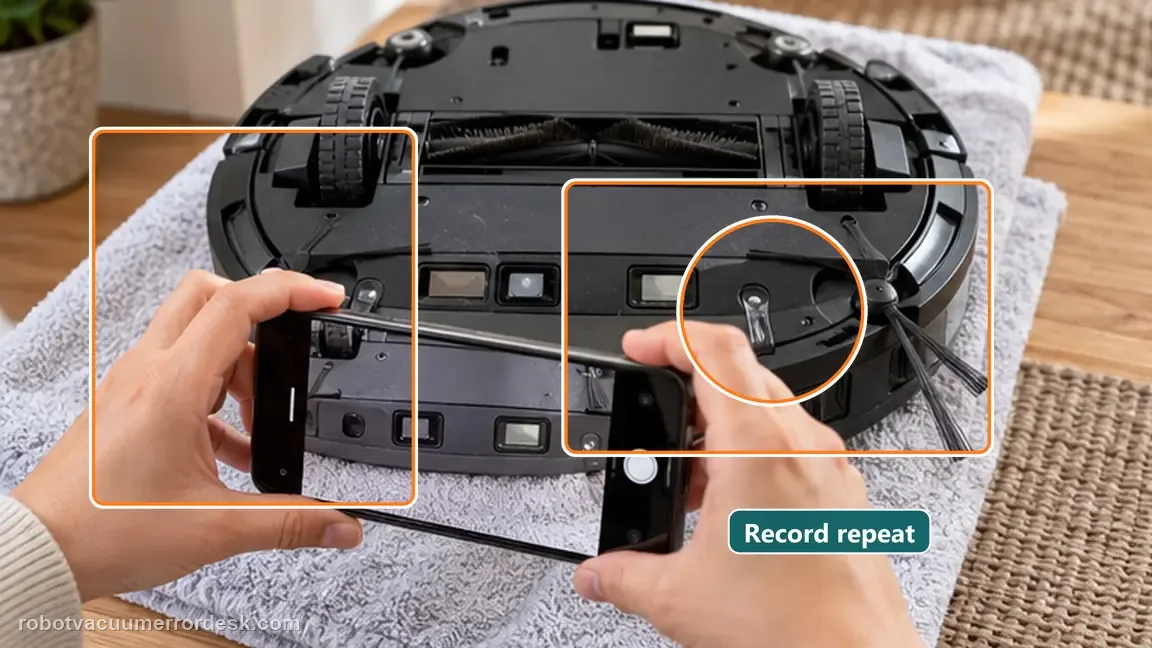
If the anti-drop alert returns immediately with clean, dry sensors, contact Ecovacs. Do not cover or bypass cliff sensors to make the robot run. Include photos of the cleaned anti-drop windows and the repeated alert after reassembly/power cycle; do not bypass the sensors.
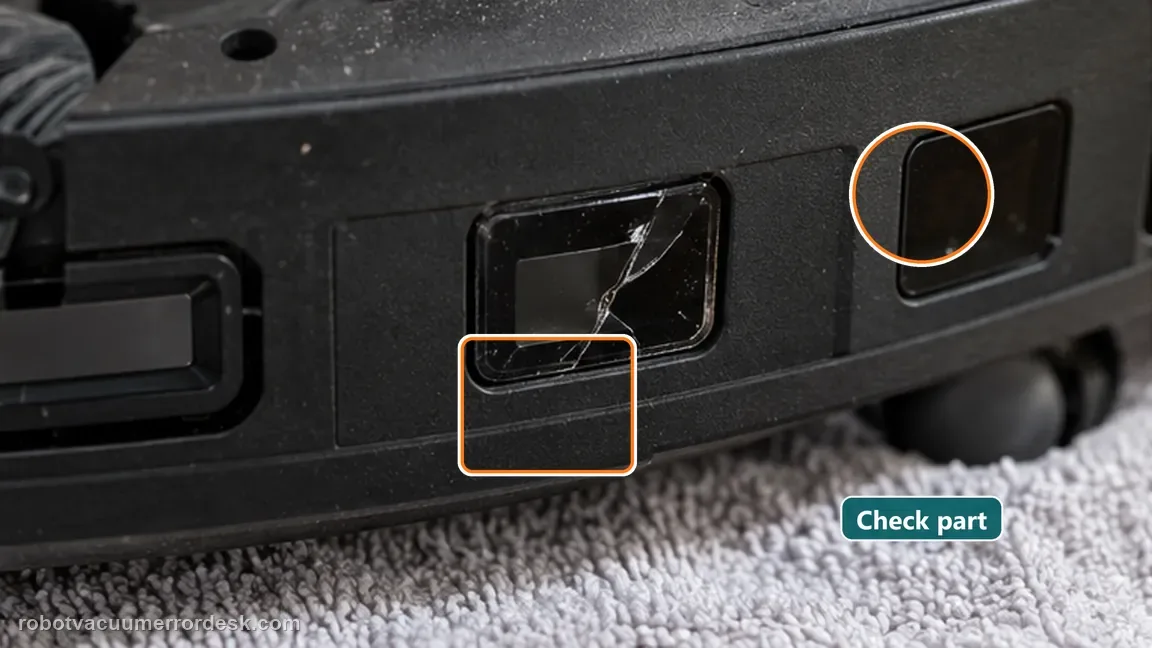
Information to have ready for support
Support can skip the basic troubleshooting script when you provide a reproducible case. That keeps the results of your checks from getting lost.
- Exact model name and the error code / voice prompt exactly as shown
- A photo or screenshot of the app error and the time it occurred
- A short list of the checks already completed and what happened after each one
- Photo or short video of the roller/tray/sensor state plus the exact app alert
Source and evidence level
Ecovacs X11 — anti-drop sensor dust
ECOVACS’ X11 page says to wipe the anti-drop sensors with a soft dry cloth, reinstall the dirty-water box and power-cycle for this alert. Because these sensors protect against stairs and ledges, the confirmation run should be on an ordinary flat floor away from drop-offs. A recurring alert after all sensor windows are clean is a service case; covering or taping a sensor would defeat the safety system instead of diagnosing it. A safe flat-floor pass should be short and boring: upright robot, dirty-water box reinstalled, no stairs nearby and no covers over the optical windows. If the warning returns immediately under those conditions, that repeatability is better service evidence than trying different floor edges or intentionally approaching a drop during diagnosis.
Additional official source: ECOVACS US — DEEBOT X11 OmniCyclone Support Center ↗Last editorial review: September 5, 2026Regional note: manufacturer help centers, model suffixes, mains-power requirements and warranty procedures can differ by country. If the source redirects to a local support site, confirm that the model/hardware scope still matches before following a region-sensitive step.
This guide is rated Official model support. See what each evidence label means →
Common questions
Can I tape over a sensor that keeps alerting?
No. Cliff/anti-drop sensors are safety-related. Clean them and escalate a persistent fault rather than bypassing them. Never tape over the anti-drop sensors. A persistent alert after careful dry cleaning is a service problem, not a reason to defeat cliff protection. If the alert still returns, keep the robot away from stairs while you document the persistent sensor state.
Should the cloth be wet?
ECOVACS specifies a soft, dry cloth for this anti-drop sensor cleaning step. Do not use a wet wipe, spray or liquid cleaner on the sensor windows. Use a soft dry cloth on every anti-drop window you can identify; moisture or streaks can make the next optical test harder to interpret.
Why reinstall the dirty-water box before the power cycle?
That reassembly step is part of ECOVACS’ exact X11 procedure and ensures the robot is tested in its normal operating configuration. Reinstall the dirty-water box and power-cycle before judging the result, then test only on a normal safe floor away from stairs or drop-offs. A safe flat-floor retest is enough; there is no need to challenge the cliff sensors over an actual drop.
How do I clean the anti-drop sensors on a DEEBOT X11 OmniCyclone?
ECOVACS says to remove the dirty-water box, turn the X11 over and gently wipe the anti-drop sensors with a soft, dry cloth. Reinstall the box, power-cycle the robot and check the alert on a safe level floor. Avoid sprays, wet wipes and any attempt to cover the sensors, because those can create optical residue or disable fall protection.
Why does the X11 anti-drop sensor alert come back after I wipe one sensor?
The X11 has multiple anti-drop sensing points, and the alert can remain if another window is still dusty or contaminated. Inspect and dry-wipe every accessible anti-drop sensor while the robot is safely inverted, then reassemble and restart once. If the warning returns on a normal level floor with all windows clean, preserve photos and contact ECOVACS instead of bypassing the sensors.
Did this diagnostic narrow the fault?
Use this as an editorial signal, not a popularity counter. If a feedback address is configured you can email the note; otherwise you can copy it for your own support record.