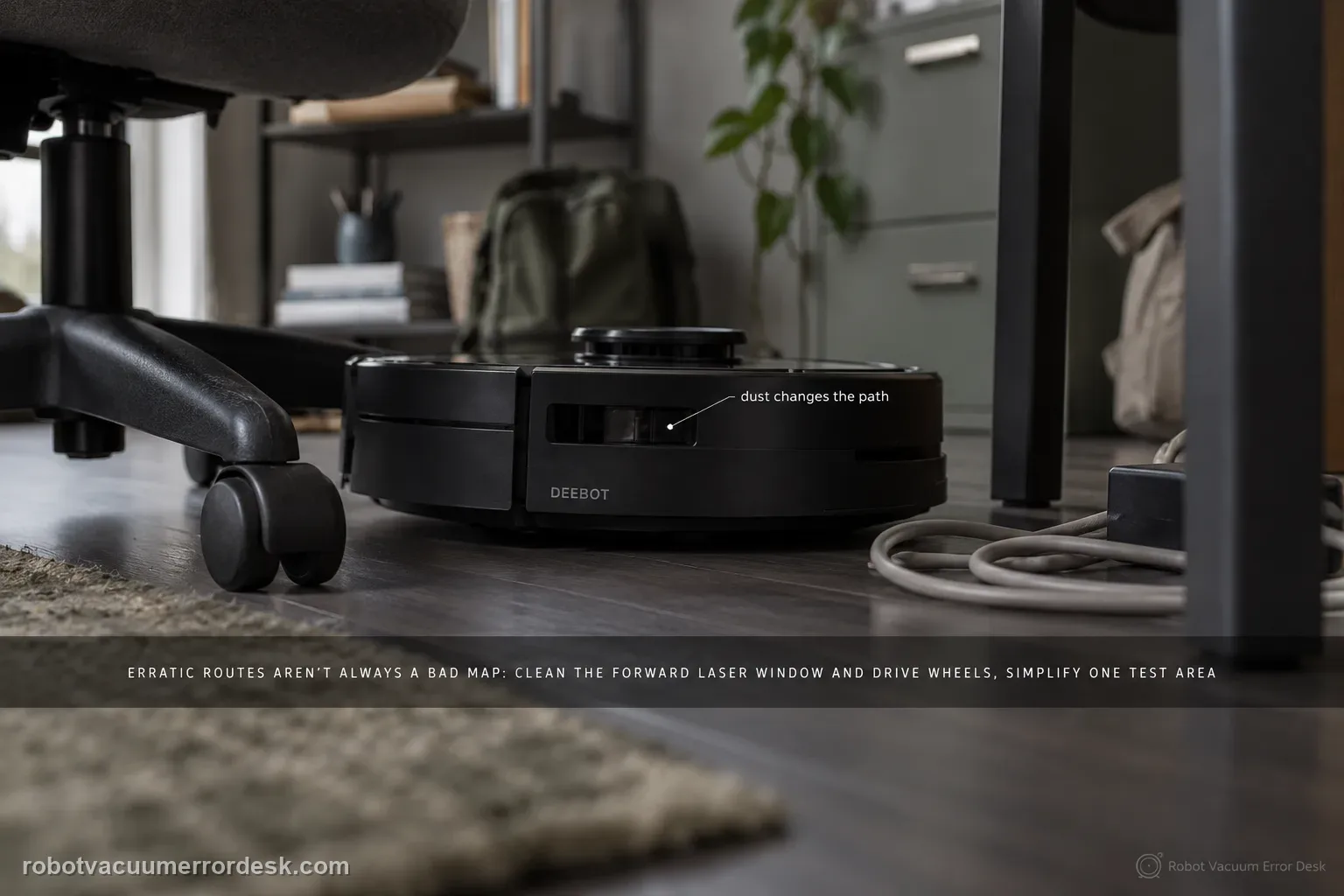
Erratic T80 routes are not automatically a bad map. ECOVACS' exact-model article starts with three concrete causes: dust on the forward laser module, an obstacle-dense room that makes high-precision avoidance look irregular, and dirty drive wheels that change the robot's actual motion. Clean the optical and traction inputs, simplify one small test area, and compare a repeated route before restoring or deleting the map. Use the separate map-distortion path only when the saved map itself shows overlap or skew.
Confirm the exact model and exact code, light pattern or symptom.
Run the lowest-risk physical or software check first.
Use each pass condition to decide what the result actually narrows down.
Is this the problem you’re seeing?
- The T80 spins, zig-zags or takes unusually indirect paths while the saved map still looks basically normal.
- Path shape changes dramatically in a cluttered room but improves in an open lane or cleared room.
- The robot's route drifts or arcs as though wheel traction, not localization, is changing its physical motion.
- The front laser window is dusty or the issue appeared after a heavy dust-cleaning session.
- You are tempted to delete the map but have not yet separated live navigation behavior from actual map distortion/overlap.
Likely root causes, ranked
Dust on the forward laser module degrades the ranging input used for live navigation
Closely spaced objects cause frequent high-precision avoidance maneuvers that look like a messy route
Dirty or slippery drive-wheel surfaces change the robot's real movement relative to its planned path
A saved-map problem exists, but it should be confirmed by visible distortion or overlap rather than inferred from one strange run
A persistent sensor or drive fault remains if the same abnormal path repeats in a clean open test area
What the result narrows down
| What you observe | What it narrows down | Next move |
|---|---|---|
| Route is messy only around dense clutter | Avoidance behavior may be dominating path shape rather than mapping failing. | Clear one small test lane and rerun the same area before touching the map. |
| Robot spins or hesitates with a dusty front laser window | Ranging input is a stronger suspect than the saved map. | Dry-clean the laser window and repeat the identical route. |
| Robot consistently arcs to one side | Wheel traction or a drive-wheel problem can alter the actual path. | Clean both treads and compare wheel movement with the drive-wheel guide. |
| Saved map itself is skewed or rooms overlap | This is evidence of a map-state problem, not only live path irregularity. | Use Restore Map first; rebuild only if the saved map remains unusable. |
| Same abnormal route repeats in a cleared room after cleaning | The easy environmental explanations have been removed. | Save the route/map evidence and escalate rather than cycling resets. |
Reset can erase maps/settings on this path. Use lower-risk checks first and document the current state before resetting.
Checks to run, in sequence
Capture one baseline route before changing anything
Choose a small room or straight lane where you can repeat the test and save a screenshot of the current map plus the robot's path. Note whether the robot spins in place, zig-zags around objects or simply takes a longer avoidance route. This baseline matters because cleaning three components and deleting the map at once can make the symptom disappear without telling you why. Keep the station in the same position and start the comparison under similar room conditions so later changes are meaningful.
Dry-clean the forward laser module
ECOVACS tells T80 owners to inspect the laser module in the center of the front crash plate. If dust is present, gently wipe it with a dry, non-scratching material. Do not spray cleaner into the sensor opening or aggressively rotate/force the assembly. Then run the same short route. A clear improvement immediately after cleaning is much more informative than a full factory reset because it ties the change to a specific ranging input used during navigation.
Reduce obstacle density in one controlled area
High-precision obstacle avoidance can produce a route that looks untidy when the T80 repeatedly negotiates chair legs, toys, cables and thin objects. Remove only temporary clutter from the chosen test zone while leaving the rest of the home unchanged. ECOVACS explicitly notes that a room with many obstacles can make the route appear messy. If the robot becomes orderly in the cleared lane, the saved map may be healthy; the observed path was being shaped by local avoidance decisions.
Clean drive-wheel surfaces and watch for physical drift
Wipe both drive wheels clean and dry, then compare how the robot tracks across the same flat floor. A dirty wheel can slip enough that actual motion no longer matches the planned trajectory. If the T80 repeatedly arcs around the same side or reports a wheel warning, pause this navigation guide and use the drive-wheel diagnostic. The useful distinction is whether the robot can physically travel straight in an open lane; mapping software cannot compensate reliably for a wheel that is losing traction or binding.
Inspect the saved map only after live-input checks
Open the current map and look for evidence that the map itself is wrong: rooms duplicated, walls skewed, large overlaps or geometry that no longer resembles the home. ECOVACS' separate T80 map article recommends Restore Map first, then deleting and remapping only if the original map is inadequate. If the map still looks correct, do not erase it just because one route was indirect. This order preserves useful localization evidence and prevents a sensor/traction problem from being hidden by a fresh map.
Run the same route again and classify what remains
Repeat the baseline run with the laser clean, the test area simplified and the drive wheels clean. If the route normalizes, reintroduce clutter gradually to understand what condition caused the irregular behavior. If the same spin/zig-zag persists in the open test area, capture a video together with the map screenshot and app state. Persistent behavior under controlled conditions is the point to involve ECOVACS, because you have already separated common environmental, optical, wheel and map-state explanations.
Escalate if the forward laser is clean, the drive wheels are clean and tracking normally, the test area is uncluttered, the station has not been moved, and the T80 still repeats the same spinning or unpredictable path. Include the before/after route screenshots, a short video and whether the saved map is visually normal. If the map itself shows distortion or overlap, use Restore Map before escalation; if that fails, say so explicitly rather than repeatedly deleting and rebuilding maps.
Information to have ready for support
Support can skip the basic troubleshooting script when you provide a reproducible case. That keeps the results of your checks from getting lost.
- Exact model name and the error code / voice prompt exactly as shown
- A photo or screenshot of the app error and the time it occurred
- A short list of the checks already completed and what happened after each one
- Photo or short video of the roller/tray/sensor state plus the exact app alert
Source and evidence level
ECOVACS T80 OMNI — Erratic Cleaning Paths
ECOVACS' exact T80 erratic-path article names three first-line causes: dust on the front laser module, obstacle density that makes precision avoidance look messy, and dirty drive wheels. The separate T80 map and obstacle-avoidance articles provide the correct next branches when the saved map itself is distorted or when AIVI/laser behavior is the actual symptom.
Additional official source: ECOVACS T80 OMNI — map distortion or overlap ↗Additional official source: ECOVACS T80 OMNI — obstacle avoidance check ↗Additional official source: ECOVACS T80 OMNI product support hub ↗Last editorial review: September 5, 2026Regional note: manufacturer help centers, model suffixes, mains-power requirements and warranty procedures can differ by country. If the source redirects to a local support site, confirm that the model/hardware scope still matches before following a region-sensitive step.
This guide is rated Official model support. See what each evidence label means →
Common questions
Why does my DEEBOT T80 OMNI clean in random or zig-zag paths?
ECOVACS' T80 article points first to three things: a dusty forward laser module, a room dense with obstacles, and dirty drive wheels. Test those before deleting the map. If the saved map still looks correct and the robot becomes orderly in a cleared test lane, the issue is more likely live sensing/avoidance or traction than map corruption.
Should I delete the T80 map when cleaning paths look erratic?
Not first. Save a baseline, clean the forward laser, simplify one test area and clean the drive wheels. Only move to map recovery when the saved map itself shows distortion or overlap. ECOVACS' T80 map guidance uses Restore Map before deleting the map, which preserves a known-good reference and avoids masking a sensor or wheel issue.
Can obstacle avoidance make the T80 route look messy even when it is working?
Yes. ECOVACS notes that high-precision obstacle avoidance in an environment with many objects can make the path look irregular. Compare the same robot in a temporarily cleared lane. If the route becomes much cleaner without any map change, that points to local obstacle negotiation rather than a global navigation failure. Reintroduce objects gradually if you want to identify the trigger.
How do dirty drive wheels affect DEEBOT T80 navigation?
The map can plan a straight path while the robot physically slips or drifts. That mismatch can create curved or corrective movement that looks like a navigation problem. Clean and dry both drive-wheel treads, then run a straight open-floor test. If the robot consistently arcs to one side or raises a wheel alert, use the drive-wheel diagnostic rather than repeatedly resetting maps.
When is an erratic T80 route likely to need support?
When the same behavior repeats in a clear open area after the forward laser and drive wheels are clean, physical tracking is normal, and the saved map is either healthy or has already been restored. Send ECOVACS a video plus map screenshots and describe whether the robot spins, zig-zags, drifts to one side or only behaves oddly around certain objects.
Did this diagnostic narrow the fault?
Use this as an editorial signal, not a popularity counter. If a feedback address is configured you can email the note; otherwise you can copy it for your own support record.