Ecovacs DEEBOT T80 OMNI troubleshooting
Exact-model charging, wet-system, navigation, sensor, Wi-Fi, roller-mop and return-to-station diagnostics from ECOVACS support. We route by the exact error or symptom rather than assuming a generic robot-vacuum fix applies.
ECOVACS publishes a T80 firmware-upgrade path but no current public version number is hard-coded here. Record the installed version in ECOVACS HOME before changing firmware or resetting the robot.
Ecovacs DEEBOT T80 OMNI issue index
16 guides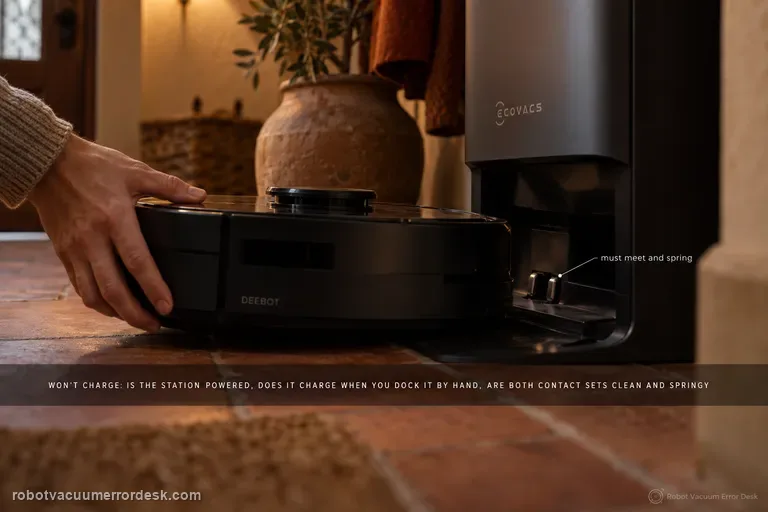
Not charging
A T80 OMNI that will not charge should be split into three questions before any battery guess: is the station actually powered, does the robot acknowledge charging when it is placed on the station by hand, and are the two sets of contacts clean and springing normally? ECOVACS also documents an Energy-Saving Charging setting, so a robot that holds near 30% outside the configured window is behaving differently from one that shows no charging state at all. Prove those states in order and save the battery hypothesis for last.
Clean Water Tank Anomaly
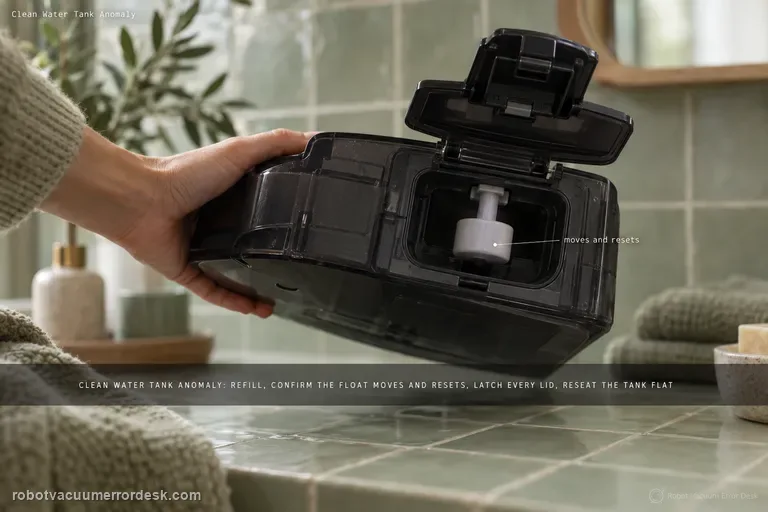
For the T80 OMNI Clean Water Tank Anomaly, stay on the tank-detection branch first: remove the fresh-water tank, refill it, verify that the float mechanism moves and resets, secure every lid latch, then reinstall the tank flat in the station. The goal of this page is to make the station recognize the tank and its level correctly. If the alert clears but fresh water still does not reach mopping or station self-cleaning, stop repeating tank-detection checks and switch to the separate clean-water-not-dispensing path, which tests the downstream seal, filter and hose. Keeping those two symptoms separate prevents a no-flow problem from being mistaken for a tank-state alert.
Clean water not dispensing
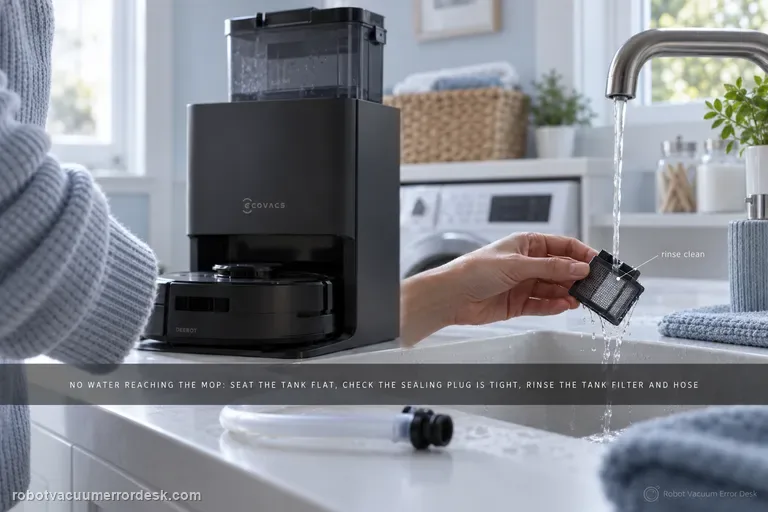
When the T80 OMNI has a recognized clean-water tank but no fresh water reaches mopping or station self-cleaning, troubleshoot the removable water path before assuming a pump failure. ECOVACS tells owners to seat the tank flat with no object trapped between tank and station, confirm the station sealing plug is fitted tightly, then remove the tank filter, disconnect the hose and rinse the filter with clean water. A separate Clean Water Tank Anomaly alert is a different branch that adds water level, float and lid checks.
Difficulty running / drive wheels
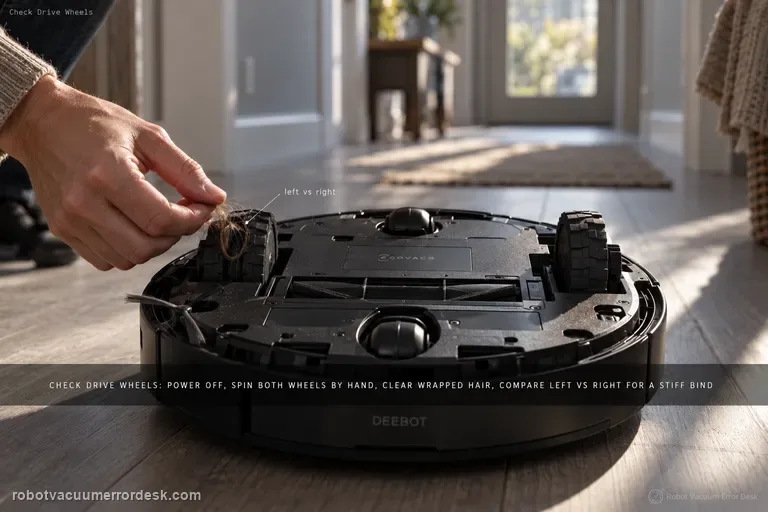
For the T80 OMNI 'difficulty running / check drive wheels' alarm, keep the first pass mechanical and comparative. Power the robot off, remove the dirty-water box before inversion, then press and rotate both drive wheels to find wrapped hair, thread or a hard bind. Clean the tread with a damp-but-wrung cloth or brush, dry it, and compare left versus right spring and rotation on a flat hard-floor test. If one wheel remains stiff or the alarm returns immediately on a clean dry surface, stop treating it as a map problem.
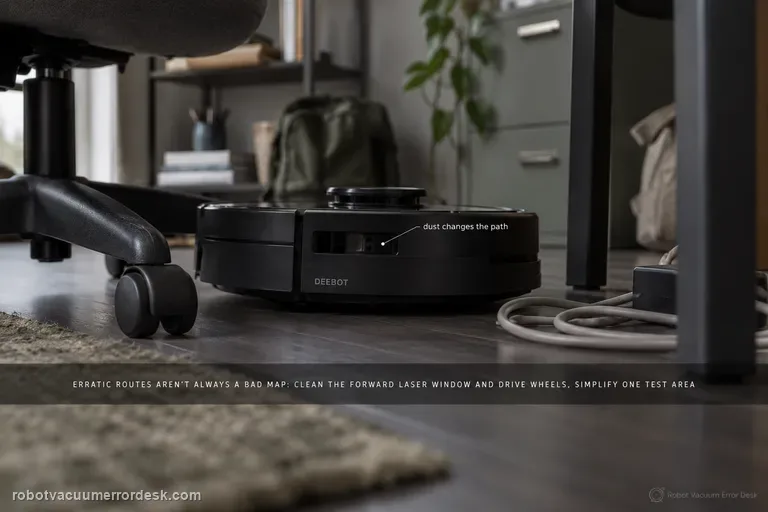
Erratic cleaning paths
Erratic T80 routes are not automatically a bad map. ECOVACS' exact-model article starts with three concrete causes: dust on the forward laser module, an obstacle-dense room that makes high-precision avoidance look irregular, and dirty drive wheels that change the robot's actual motion. Clean the optical and traction inputs, simplify one small test area, and compare a repeated route before restoring or deleting the map. Use the separate map-distortion path only when the saved map itself shows overlap or skew.
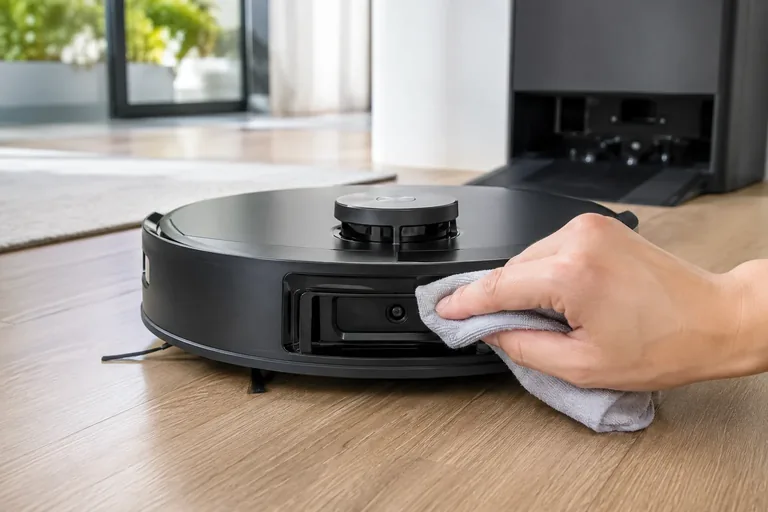
Laser Sensor Abnormal
For the T80 OMNI 'Laser Sensor Abnormal' alert, ECOVACS gives a short exact-model recovery path: gently orient the laser unit so its radar lens faces forward, clean that lens with a soft brush or clean cloth, power the robot off for a few seconds, then restart it. The important additions are diagnostic: do not force a laser unit that is mechanically stuck, do not use liquids on the optical window, and prove the result with a short open-floor run. If the alert returns immediately with a clean lens and free external movement, the fault has passed the sensible owner-maintenance boundary.
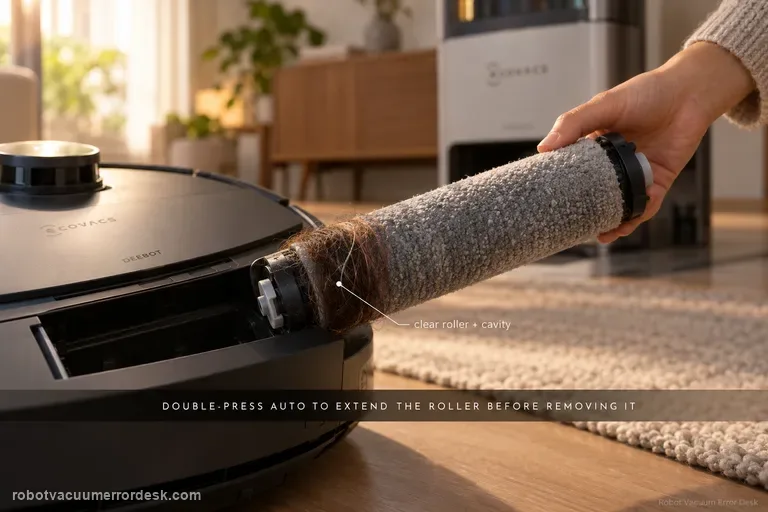
Roller Mop Tangled
Do not pull a tangled T80 roller while the mechanism is retracted. ECOVACS' exact-model sequence is to double-press AUTO so the roller-mop component extends, release and remove the integrated roller, take off its end cover, clear the roller and cavity, check the roller-motor bearing for smooth movement, reinstall the end cover, align the roller with the motor until it clicks, retract the component, reinstall the dirty-water box and restart. The companion removal guide also warns that expansion mode is required and that the roller and mop are integrated rather than separately replaceable.
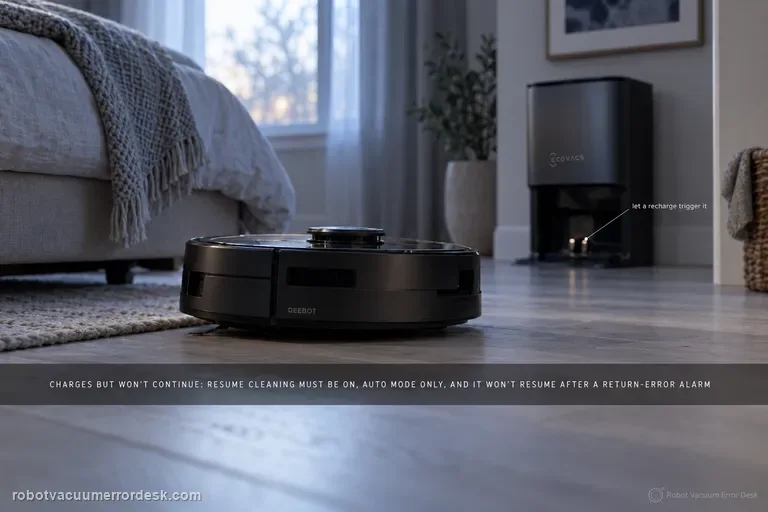
Resume Cleaning not working
A T80 OMNI that charges but never continues an unfinished cleaning job should be diagnosed as mission-state logic before it is treated as a charging failure. ECOVACS says Resume Cleaning must be enabled, only works in Auto mode, will not activate during Do Not Disturb, will not resume after the return-to-charge sequence produced an error alarm, and can be interrupted by restarting or resetting the robot. Build one controlled Auto-mode test that intentionally requires a recharge, leave the robot and map alone during that break, and observe whether it resumes after enough charge is available.
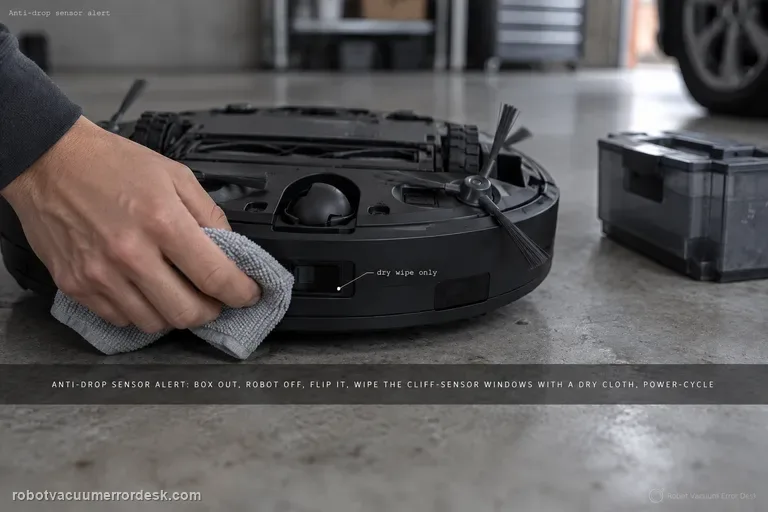
Anti-drop sensors dusty / error
For a DEEBOT T80 OMNI anti-drop sensor dust/error alert, use a dry optical-cleaning path rather than trying to defeat the cliff sensors. Remove the dirty-water box, switch the robot off, invert it safely, and wipe the anti-drop sensor windows gently with a soft dry cloth. Reinstall the box and power-cycle the robot, then test on level flooring well away from stairs. If the alert clears on a light, ordinary floor but returns only on a very dark or highly reflective edge condition, record that surface effect; if it returns immediately everywhere with clean sensor windows, the fault is no longer explained by surface dust.
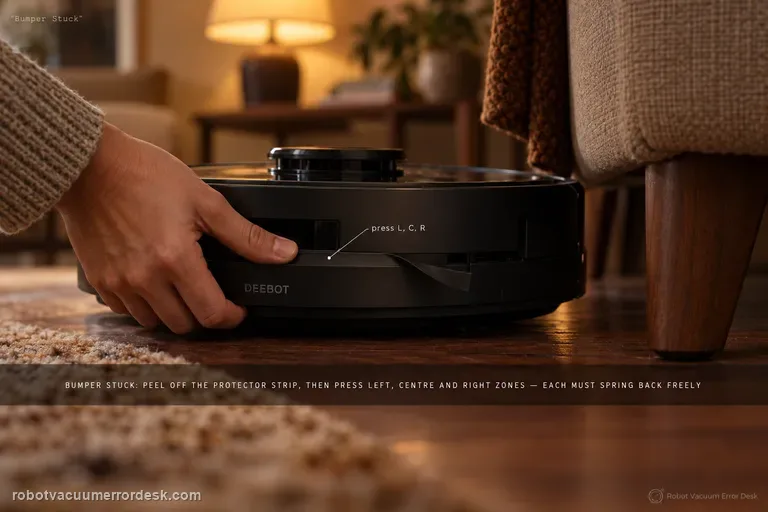
Bumper Stuck alert
For the T80 OMNI Bumper Stuck alert, ECOVACS asks for a direct mechanical spring-back test, not a map reset. Remove the bumper protector strip, then press/tap the left, center and right bumper zones separately. Each zone should move inward and return freely. Clean only accessible debris around the bumper seam, then run a short open-floor test. If one zone remains depressed, returns slowly or the alert recurs immediately with free visible movement, stop prying at the bumper assembly and send ECOVACS a video of the three-zone comparison.
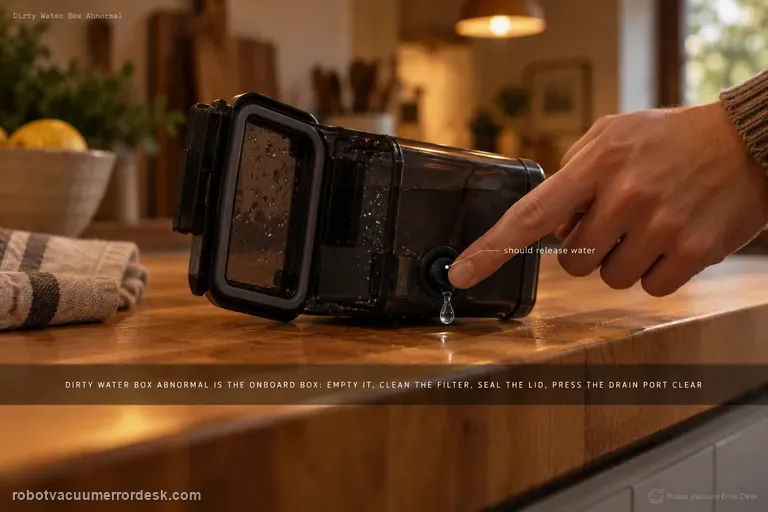
Dirty Water Box Abnormal
ECOVACS’ T80 Dirty Water Box Abnormal alert refers to the robot’s onboard Dirty Water Box, not the station’s larger Dirty Water Tank. Remove the onboard box, empty it, clean its filter and close the lid firmly for a tight seal. Then press the drain port: if the box contains water, pressing the port should release water; clean that port with a brush if it is blocked. The manufacturer adds a mechanical station test: press the charging contacts on the base’s right side for 1–2 seconds, release them and check whether the drain rod moves up/down smoothly. The same T80 support set also shows how to clean/reseat the dirty-water box and water tray, including the positive “click” on reinstallation.
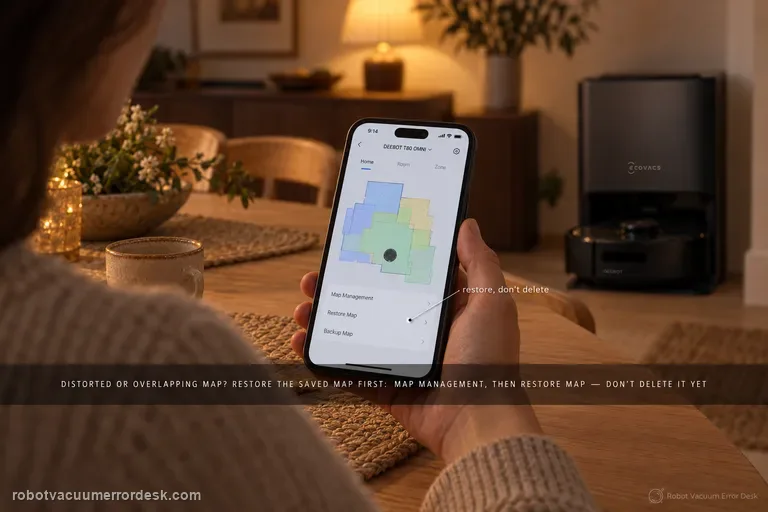
Map distorted or overlapping
Do not delete the T80 map first. ECOVACS’ exact distortion/overlap article says to use Map Management → Restore Map to revert to the original saved map. Only if that original map is inadequate does ECOVACS tell you to delete it and create a new one. When a rebuild is necessary, the T80 Mapping Guide adds the conditions that make the new test meaningful: open doors, remove floor obstacles, provide sufficient lighting, power the robot on, place it directly in front of the charging dock and let it dock, keep the robot online for Quick Mapping, wait for the “Mapping completed” announcement, and manually back up the map after editing.
Obstacle avoidance not working
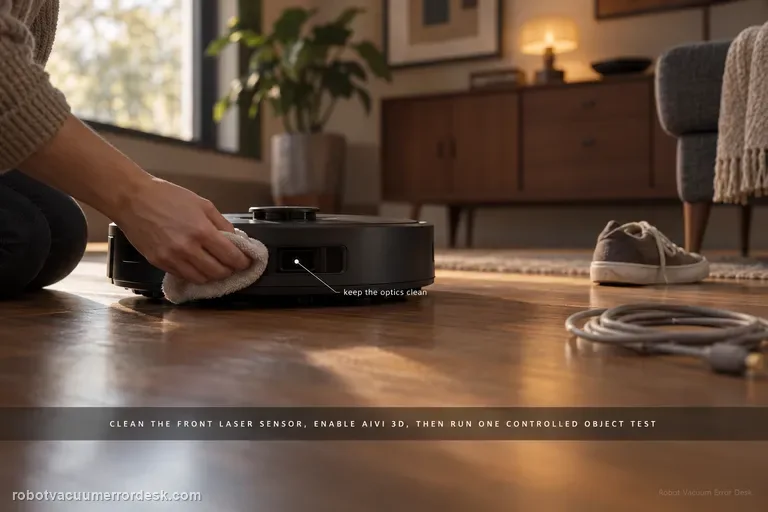
Do not judge the T80 from one bump. ECOVACS’ exact path says to clean the laser sensor centered on the front bumper and confirm Intelligent Avoidance/AIVI 3D is enabled. It also warns that black or thin objects may still be lightly touched. The useful test is therefore a controlled, repeatable obstacle in an open area: clean optics + enabled avoidance + a normal visible object. If that test fails repeatedly, you have evidence of a sensing problem rather than an object-class limitation.
Wi-Fi setup / connection failure
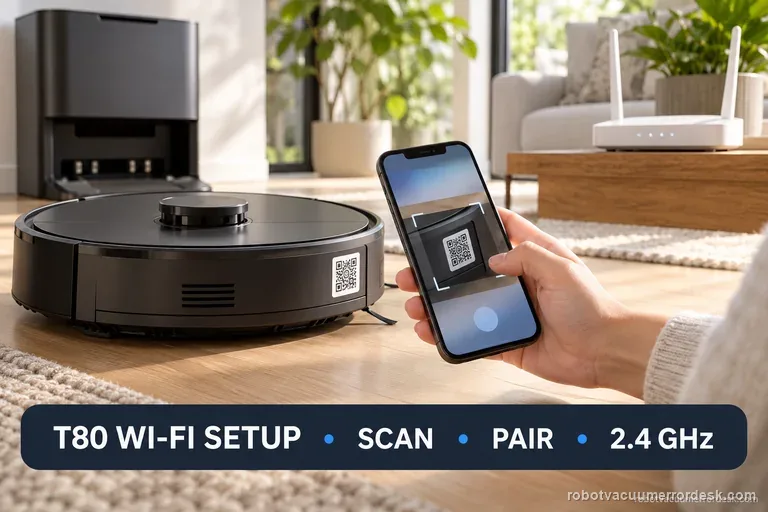
T80 setup starts in ECOVACS HOME: scan the robot QR, enter home Wi-Fi, power on, and briefly press the network button when prompted. Continue after hearing “Bluetooth hotspot released.” Use a visible 2.4 GHz or mixed network; turn off mobile data and VPN during setup. Record the failed stage and indicator before trying again. Save factory reset for ECOVACS support.
Roller mop will not expand
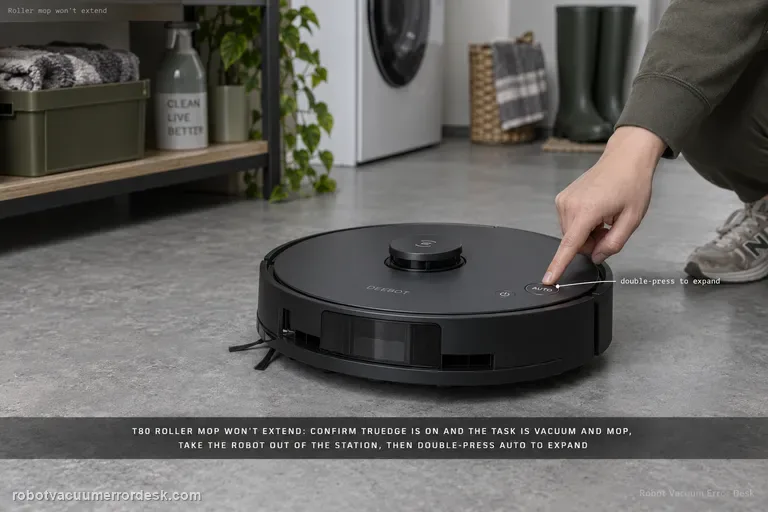
A T80 roller that will not extend should be treated as a conditions-and-mechanism problem, not immediately as a failed motor. ECOVACS says to confirm TruEdge Adaptive Edge Mopping is enabled and the task is in Vacuum and Mop mode, then check the roller for a debris jam. The companion roller guide adds two important installation facts: expansion mode is required for removal/installation, the robot should be outside the station when you double-press AUTO, and the roller must align to the motor until it clicks. Prove the settings, clean/reseat the roller, then run one repeatable edge pass.
Finds station but slips returning
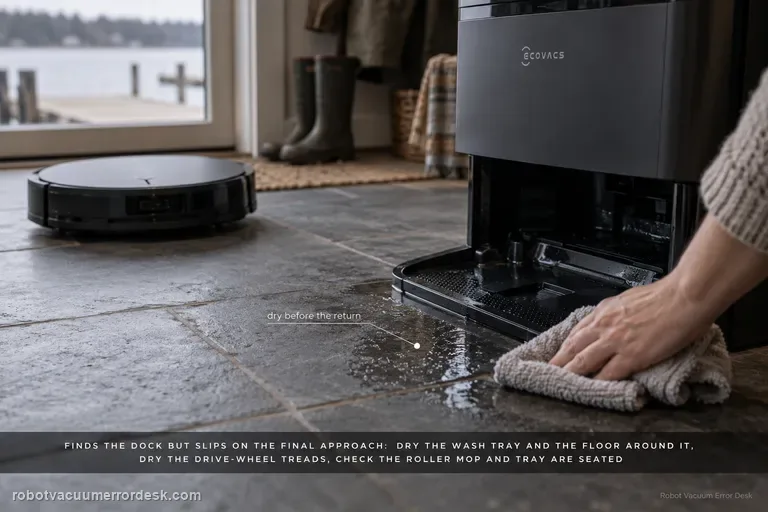
When a T80 OMNI finds the station but slips during the final approach, do not delete the map first—the robot has already demonstrated that it can locate the dock. ECOVACS' exact-model path is physical: dry excess water from the mop-washing tray and surrounding floor, clean then dry the drive-wheel treads, verify the roller mop is correctly installed, verify the mop-washing tray is seated, then place the robot directly in front of the base and press AUTO for a close return test. That test separates final traction/seating from long-range navigation.