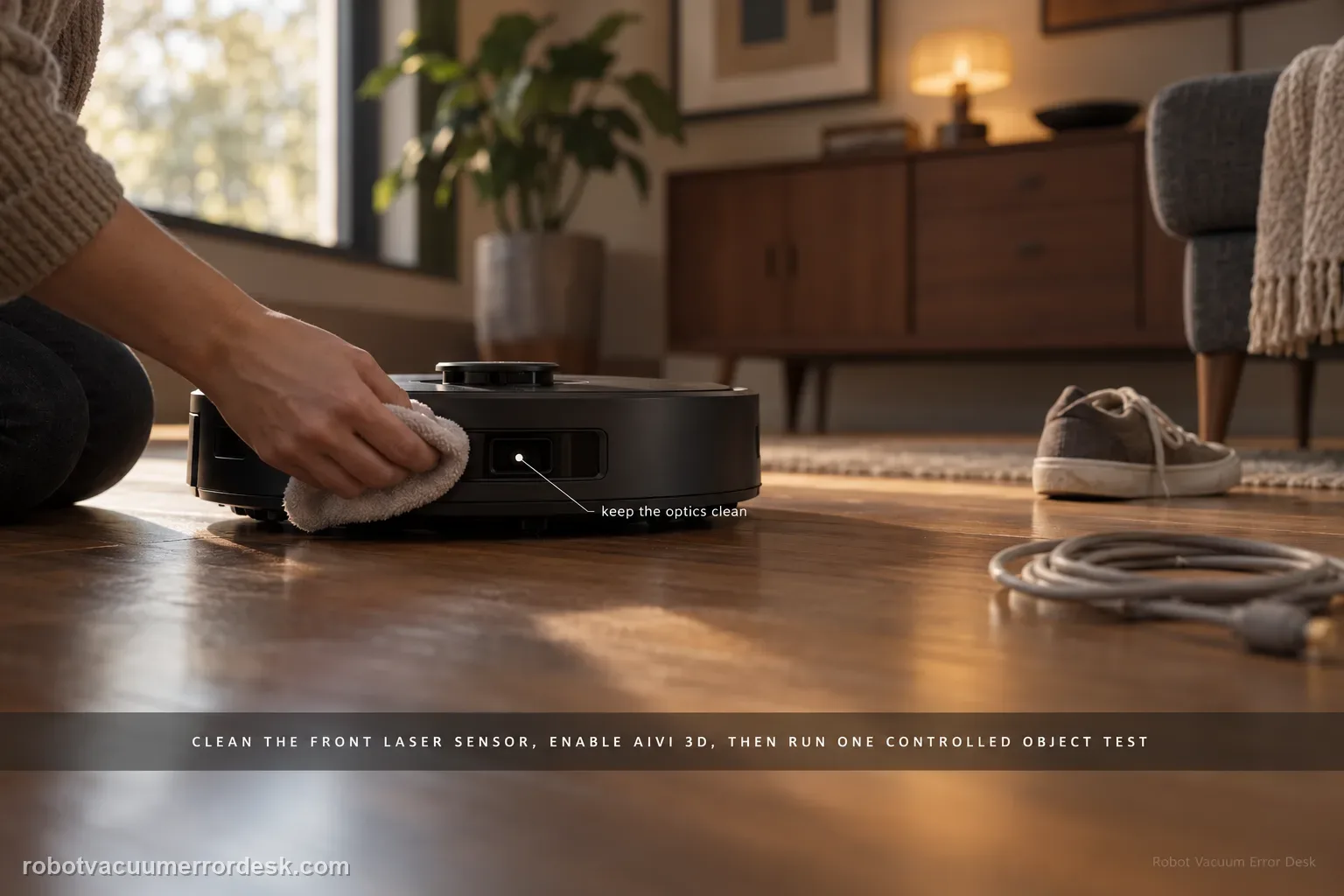
Do not judge the T80 from one bump. ECOVACS’ exact path says to clean the laser sensor centered on the front bumper and confirm Intelligent Avoidance/AIVI 3D is enabled. It also warns that black or thin objects may still be lightly touched. The useful test is therefore a controlled, repeatable obstacle in an open area: clean optics + enabled avoidance + a normal visible object. If that test fails repeatedly, you have evidence of a sensing problem rather than an object-class limitation.
Confirm the exact model and exact code, light pattern or symptom.
Run the lowest-risk physical or software check first.
Use each pass condition to decide what the result actually narrows down.
Is this the problem you’re seeing?
- The T80 repeatedly drives into ordinary furniture or objects that it previously routed around.
- Obstacle avoidance became worse while mapping and normal driving still appear functional.
- The robot lightly touches dark or very thin objects and you need to know whether that is expected behavior.
- The problem began after the front sensor became dusty, after an app setting change or after maintenance.
Likely root causes, ranked
Dust, film or residue on the front laser/obstacle-sensing optical surface
Intelligent Avoidance / AIVI 3D disabled in ECOVACS HOME
Test object is unusually thin, dark, reflective or otherwise a poor target for the avoidance system
Environmental clutter prevents a clean evaluation of the robot’s response
Persistent front-sensing or avoidance fault after optics, settings and a representative-object test are proven
What the result narrows down
| What you observe | What it narrows down | Next move |
|---|---|---|
| Robot avoids a large matte object but lightly touches a black/thin item | Avoidance is functioning; the result matches ECOVACS’ stated object-class limitation more than a total sensor failure. | Keep fragile/thin items out of the path and use map barriers where contact is unacceptable. |
| Avoidance improves immediately after dry-cleaning the front sensor | Optical contamination was reducing obstacle recognition. | Keep the sensor surface dry and include it in routine maintenance. |
| AIVI 3D was disabled and behavior normalizes when enabled | The hardware was not necessarily faulty; the intended avoidance mode was off. | Leave the setting enabled and repeat the same controlled test after any major app reset. |
| Clean optics + enabled AIVI 3D + ordinary object still produce repeated direct impacts | The documented owner checks no longer explain the behavior. | Capture a controlled-test video and escalate to ECOVACS. |
| Robot slows and changes heading before a normal object but still touches a thin/dark target | The avoidance system is responding; the remaining behavior matches the object-class limitation ECOVACS documents. | Protect fragile thin/dark items with environmental controls or map barriers instead of treating every light touch as sensor failure. |
Do not factory-reset by default. Use the exact model’s reboot/network-reset procedure only when the manufacturer path calls for it.
Checks to run, in sequence
Choose a safe obstacle that can actually test the system
Set up a simple test on open hard floor with one ordinary, clearly visible object such as a medium cardboard box or other stable matte object. Do not use stairs, glass, a cable, a knife-edge chair leg or something fragile. Remove unrelated clutter so the robot has a straightforward approach. This matters because ECOVACS explicitly notes that the T80 may slow down and lightly touch some black or thin objects; using one of those as your only test can make normal system limitations look like complete avoidance failure. Record the starting layout so you can repeat the same approach after cleaning the sensor or changing the app setting.
Dry-clean the front laser sensor and surrounding optical area
Locate the laser sensor centered on the front bumper, as ECOVACS describes, and inspect it in good light. Wipe the optical surface gently with a clean, dry, soft cloth. Remove dust film, fingerprints or loose debris without spraying cleaner onto the sensor. Also verify that nothing is physically covering the front sensing area. The objective is not a cosmetic polish; it is to give the avoidance system a known-clear optical path. If behavior improves immediately after this step, that is a meaningful diagnosis because you changed one relevant variable instead of resetting maps, deleting the app or altering multiple navigation settings at once.
Confirm Intelligent Avoidance / AIVI 3D is actually enabled
Open ECOVACS HOME for the T80 and verify that the intelligent obstacle-avoidance setting/AIVI 3D is enabled. Do not assume it survived an app reinstall, reset or configuration change. If it was off, enable it and leave the rest of the environment unchanged. Then repeat the same approach to the same ordinary object. A clear change from direct contact to slowing/routing around the object points to a configuration-state issue, not a failed sensor. If the setting was already enabled, keep it on and move to the behavior classification step rather than toggling unrelated map features.
Classify light contact versus a true avoidance failure
Watch the robot’s approach rather than grading the result only as ‘touched’ or ‘did not touch.’ A functioning avoidance system may slow, change heading and still make light contact with difficult black or thin targets — a limitation ECOVACS calls out. A more concerning result is repeated, ordinary-speed direct impact into a normal visible object with no meaningful slowing or route adjustment. Test from two sensible approach angles, not dozens of random trials. If the robot passes with the ordinary object but struggles only with a thin/dark target, document the limitation and use environmental controls for that object class instead of treating the whole AIVI system as dead.
Escalate only after a clean, repeatable representative-object failure
If the T80 repeatedly fails the ordinary-object test with clean optics and AIVI 3D enabled, capture a short video that shows the object, approach path, robot speed and impact behavior. Include the app screen showing the avoidance setting and note that the front sensor was dry-cleaned. This gives ECOVACS a reproducible case instead of a vague report that ‘it bumps things.’ Avoid covering sensors, taping over optics or using fragile objects to prove the fault. Those actions can create new safety/navigation problems and do not help distinguish software interpretation from a sensing failure.
Escalate if the T80 repeatedly drives into an ordinary visible obstacle under clean, dry front optics with AIVI 3D/Intelligent Avoidance enabled. Light contact with black or thin objects alone does not prove a hardware fault because ECOVACS documents that behavior as a possible limitation. Do not defeat sensors or rely on stair-edge testing.
Information to have ready for support
Support can skip the basic troubleshooting script when you provide a reproducible case. That keeps the results of your checks from getting lost.
- Exact model name and the error code / voice prompt exactly as shown
- A photo or screenshot of the app error and the time it occurred
- A short list of the checks already completed and what happened after each one
- Map/station screenshot when the problem involves return-to-station or mapping
Source and evidence level
ECOVACS T80 OMNI — Why Isn't the Robot Avoiding Obstacles?
ECOVACS’ T80 guidance establishes the two first checks — clean the front laser sensor and enable Intelligent Avoidance/AIVI 3D — and explicitly notes that black or thin objects may still be lightly touched. The T80 support hub is used to keep the procedure model-scoped; the controlled-object branches are diagnostic tests built around those manufacturer limits.
Additional official source: ECOVACS T80 OMNI — Product Support Hub ↗Last editorial review: September 5, 2026Regional note: manufacturer help centers, model suffixes, mains-power requirements and warranty procedures can differ by country. If the source redirects to a local support site, confirm that the model/hardware scope still matches before following a region-sensitive step.
This guide is rated Official model support. See what each evidence label means →
Common questions
Is any bump proof that the T80 obstacle system is broken?
No. ECOVACS specifically notes that the robot may slow down and lightly touch some black or thin objects. A better fault test uses a normal, visible, stable object in open space. Repeated direct impacts with clean optics and AIVI 3D enabled are much more meaningful than one light touch on a difficult target.
Should I delete the map when obstacle avoidance gets worse?
Not as the first move. The exact T80 support path starts with the front laser sensor and the avoidance setting. Deleting a good map changes another major variable without proving the obstacle sensor was the problem. Preserve the map while you run a controlled optics/settings test first.
What kind of obstacle should I use for testing?
Use a stable, ordinary, non-fragile matte object with enough width and height to be representative, placed on open hard floor. Avoid stairs, cables, transparent objects and very thin black items for the primary test because they mix safety risk or known detection difficulty into the diagnosis.
What should I send ECOVACS if the T80 still hits normal objects?
Send a short controlled-test video, a screenshot showing AIVI 3D/Intelligent Avoidance enabled, and note that the front laser sensor was cleaned with a dry cloth. State whether the robot slowed, turned or drove directly into the object. That evidence is more useful than a general complaint that it ‘bumps furniture.’
Why does my DEEBOT T80 still touch black or thin objects with AIVI 3D turned on?
ECOVACS says the T80 may slow down and lightly touch black or thread-like objects even when obstacle avoidance is operating. Judge the system with a normal, clearly visible matte object in open space. If the robot slows and routes around that control object, the difficult target is a limitation case; repeated direct impacts into the control object justify support escalation.
Did this diagnostic narrow the fault?
Use this as an editorial signal, not a popularity counter. If a feedback address is configured you can email the note; otherwise you can copy it for your own support record.