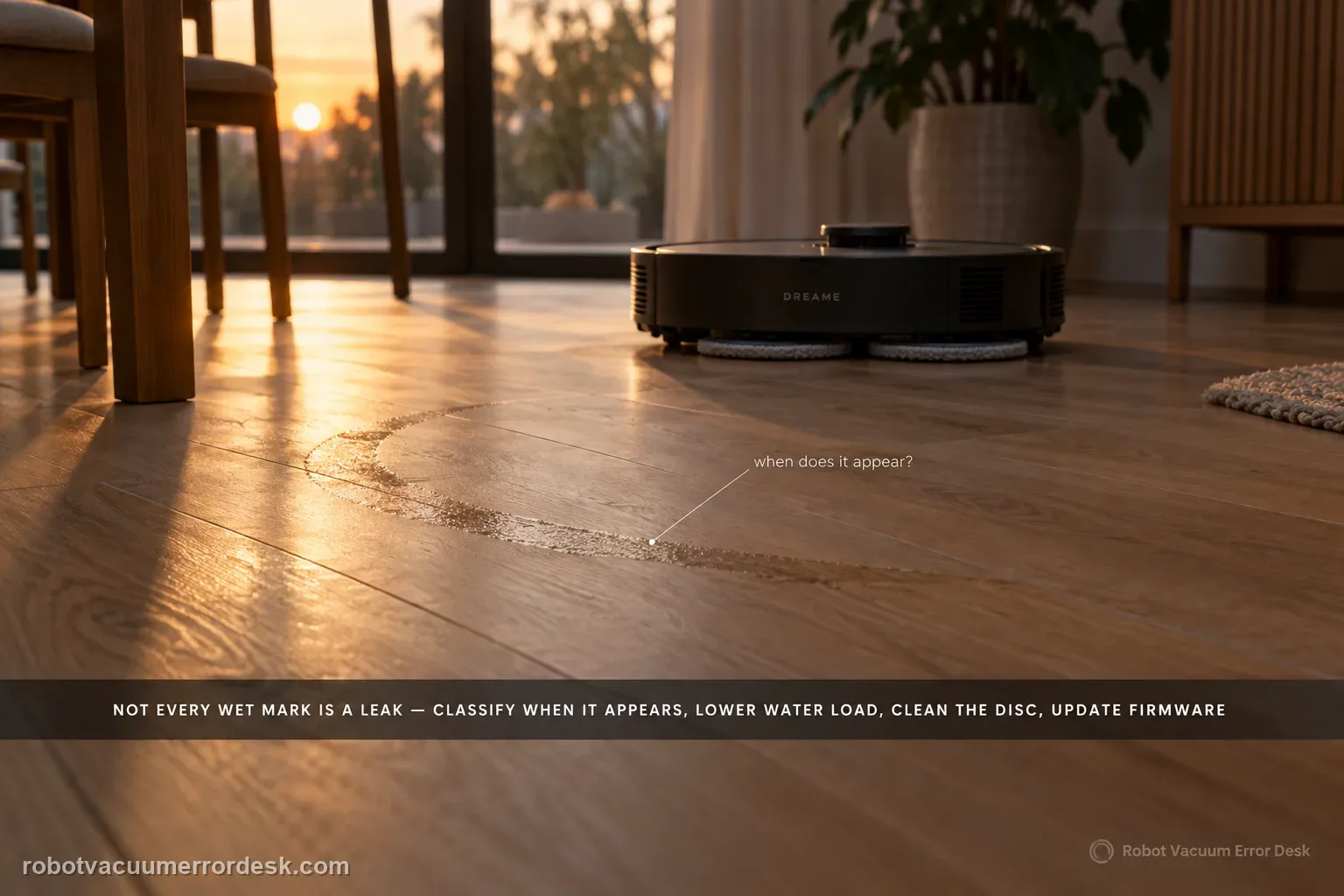
Not every wet mark under an X60 is a leak. Dreame distinguishes ordinary post-mop moisture, a few initial-use droplets left from factory water-circuit testing, and small droplets created when the robot rehydrates or spins the mop from persistent/excessive dripping that should go to service. Classify when the water appears, lower avoidable water load, clean the disc, update firmware, and use Dreame's 1–2-use observation window only for minor early-use droplets.
How much water, and when does it appear?
Confirm the exact model and exact code, light pattern or symptom.
Run the lowest-risk physical or software check first.
Use each pass condition to decide what the result actually narrows down.
Is this the problem you’re seeing?
- Water stains remain visible after the X60 mops even though the floor is not flooded.
- A few droplets appear while the robot turns, rehydrates the mop or reacts to a detected liquid stain.
- Dripping continues after the first uses, leaves repeated puddles, or seems excessive rather than occasional.
Likely root causes, ranked
Normal residual moisture is evaporating slowly because of floor material, lighting or humidity.
A small amount of water remains from factory water-circuit testing on a new unit.
Normal mop rehydration or high-speed mop rotation is throwing a limited number of droplets.
Water-flow setting, cleaning-disc blockage, worn/dirty mop conditions or a persistent wet-system fault is creating excessive water.
Liquid-stain detection can temporarily increase mop speed, and Dreame says centrifugal force can throw a small amount of water during that response.
Persistent dripping that survives a low-water, clean-disc test is outside the normal residue/rehydration branch and needs service evidence rather than a longer observation window.
What the result narrows down
| What you observe | What it narrows down | Next move |
|---|---|---|
| Thin moisture film remains after mopping but gradually evaporates | Floor material, lighting and humidity can make normal residual moisture more visible. | Lower water only if needed and compare drying time; do not call a thin evaporating film a leak. |
| A new unit leaves only a few droplets during its first uses | Factory water-circuit test residue is plausible in Dreame’s documented early-use window. | Observe only 1–2 uses; stop extending the window if dripping remains or grows. |
| A few droplets appear exactly when liquid-stain mode raises mop speed | Centrifugal splash from the high-speed stain response can be normal in a small amount. | Confirm the timing on one controlled patch and distinguish it from continuous dripping. |
| Wetness decreases markedly at the lowest water level after cleaning the disc | Water load/settings or disc condition were contributing. | Restore settings gradually and keep mop/disc maintenance current. |
| Continuous/excessive dripping persists after current firmware, clean disc and low-water test | Normal residue, humidity and brief rehydration explanations no longer fit. | Capture the first-drop timing/video and contact Dreame rather than repeating wet cycles. |
Do not factory-reset by default. Use the exact model’s reboot/network-reset procedure only when the manufacturer path calls for it.
Checks to run, in sequence
Classify stain, splash or continuous drip
Describe the symptom before changing settings. Dreame treats post-mop water stains, initial-use droplets, normal rehydration droplets and persistent/excessive dripping as different cases. Note the floor type, whether droplets happen only during turns or rehydration, and whether the water is a thin film, isolated drops or repeated pooling.
Update firmware and inspect the cleaning disc
Dreame recommends enabling Automatic Update under Settings → Firmware Upgrade and checking the cleaning disc for foreign objects, hair or blockage. Clear only user-serviceable debris. A blocked or contaminated wet-system surface can make a water-volume test misleading, so do this before judging the selected flow level.
Run a controlled low-water mopping test
For initial use, especially on dusty floors, Dreame recommends Mop after Vac with lower water volume. If water flow is high, reduce it to the lowest level for one comparison test; the X60 support article notes that the model provides 32 water-flow levels. Keep the test area small enough that you can see whether the water pattern changes.
Account for floor material and humidity
Dreame notes that visible water stains depend on floor material and lighting, and suggests timed cleaning or regular mop replacement on tile floors or during humid seasons. Allow ordinary thin moisture time to evaporate before labeling it a leak. This step does not normalize puddles or continuous dripping; it only prevents slow evaporation from being misclassified.
Separate liquid-stain splash from a general water leak
If the droplets appear only when the robot detects a liquid stain and the mop suddenly speeds up, repeat one small controlled patch and watch the timing. Dreame says high-speed rotation in that recognition state can throw a small amount of water by centrifugal force. That is different from water that drips continuously while the robot is travelling normally or while it is parked. Do not use the stain-detection explanation to normalize a trail of droplets through unrelated parts of the route.
Use the 1–2-use window only for minor early droplets
A new robot may release a small amount of factory-test water, and normal mop rehydration or high-speed rotation can create a few droplets. Dreame says to observe minor initial dripping for 1–2 uses. If dripping is continuous, excessive, worsening, or persists beyond that limited window, stop extending the observation period and capture a short video for service.
Contact Dreame when the X60 produces persistent or excessive dripping after the cleaning-disc check, current firmware and controlled low-water test, or when a new-unit symptom does not improve within the limited 1–2-use observation window. Send a short video that shows the exact moment water appears plus the selected water level and floor type; do not keep calling repeated puddles “normal rehydration.”
Information to have ready for support
Support can skip the basic troubleshooting script when you provide a reproducible case. That keeps the results of your checks from getting lost.
- Exact model name and the error code / voice prompt exactly as shown
- A photo or screenshot of the app error and the time it occurred
- A short list of the checks already completed and what happened after each one
- Short video showing the failed docking, mapping or base-station behavior
- Firmware version shown in Dreamehome
Source and evidence level
Dreame X60 Pro Ultra — Cleaning Function Issues
Dreame’s exact X60 cleaning-function page separates ordinary post-mop moisture, factory-test residue, normal rehydration droplets, liquid-stain high-speed splash and persistent/excessive dripping. It also documents firmware, cleaning-disc and low-water checks and a 1–2-use observation window for minor early droplets. The companion stain article anchors the recognition setting context.
Additional official source: Dreame X60 Pro Ultra Complete — Stain Detection Issues ↗Last editorial review: September 5, 2026Regional note: manufacturer help centers, model suffixes, mains-power requirements and warranty procedures can differ by country. If the source redirects to a local support site, confirm that the model/hardware scope still matches before following a region-sensitive step.
This guide is rated Official model support. See what each evidence label means →
Common questions
Can a brand-new Dreame X60 leave a few droplets without being defective?
Yes. Dreame says every unit receives a water-circuit test at the factory, so a small amount of residual water can remain in the tubing and appear during initial use. The manufacturer limits this explanation to minor early-use dripping that usually disappears after a few uses. Continuous, excessive or worsening water should not be kept in that normal-residue category.
Why does my X60 floor still look wet after mopping if there is no leak?
Some moisture remains after any mop pass and needs time to evaporate. Dreame notes that floor material, lighting and humidity change how visible water stains look. Compare a thin film that dries with repeated pooling. If necessary, test Mop after Vac with a lower water level after confirming the cleaning disc is clear and firmware is current.
Can the X60 throw water when it detects a liquid stain?
Yes, in a limited way. Dreame says the X60 can increase mop speed when a liquid stain is detected, and that higher rotation can throw a small amount of water through centrifugal force. Confirm that the droplets happen only during that brief response. A continuous drip trail outside the stain event still needs the leak-oriented checks.
What X60 water-flow setting should I use for a drip test?
Use the lowest available water level for one controlled diagnostic pass after updating firmware and clearing the cleaning disc. Dreame notes that the X60 provides 32 water-flow levels, so a low-water comparison can show whether heavy wetting depends on the selected flow. Keep the floor area and cleaning mode constant so the comparison remains meaningful.
When should I stop observing X60 drips and contact Dreame?
Stop extending the observation period when dripping is continuous, excessive or still present beyond the limited 1–2-use window Dreame gives for minor new-unit residue. Also escalate if the same leak remains after current firmware, a clear cleaning disc and a controlled low-water pass. Send a video showing the first moment water appears plus the selected water level and floor type.
Did this diagnostic narrow the fault?
Use this as an editorial signal, not a popularity counter. If a feedback address is configured you can email the note; otherwise you can copy it for your own support record.