Dreame troubleshooting
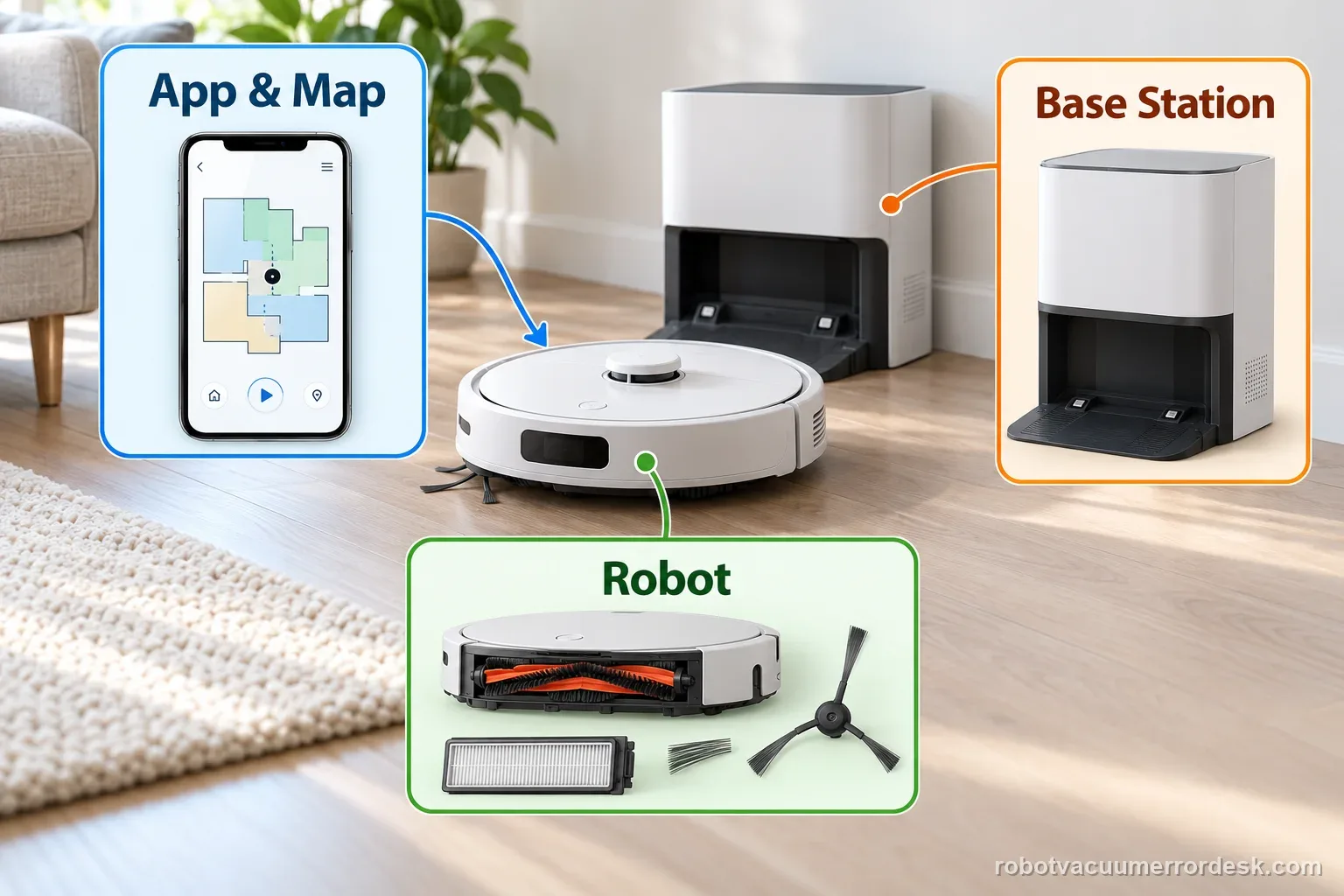
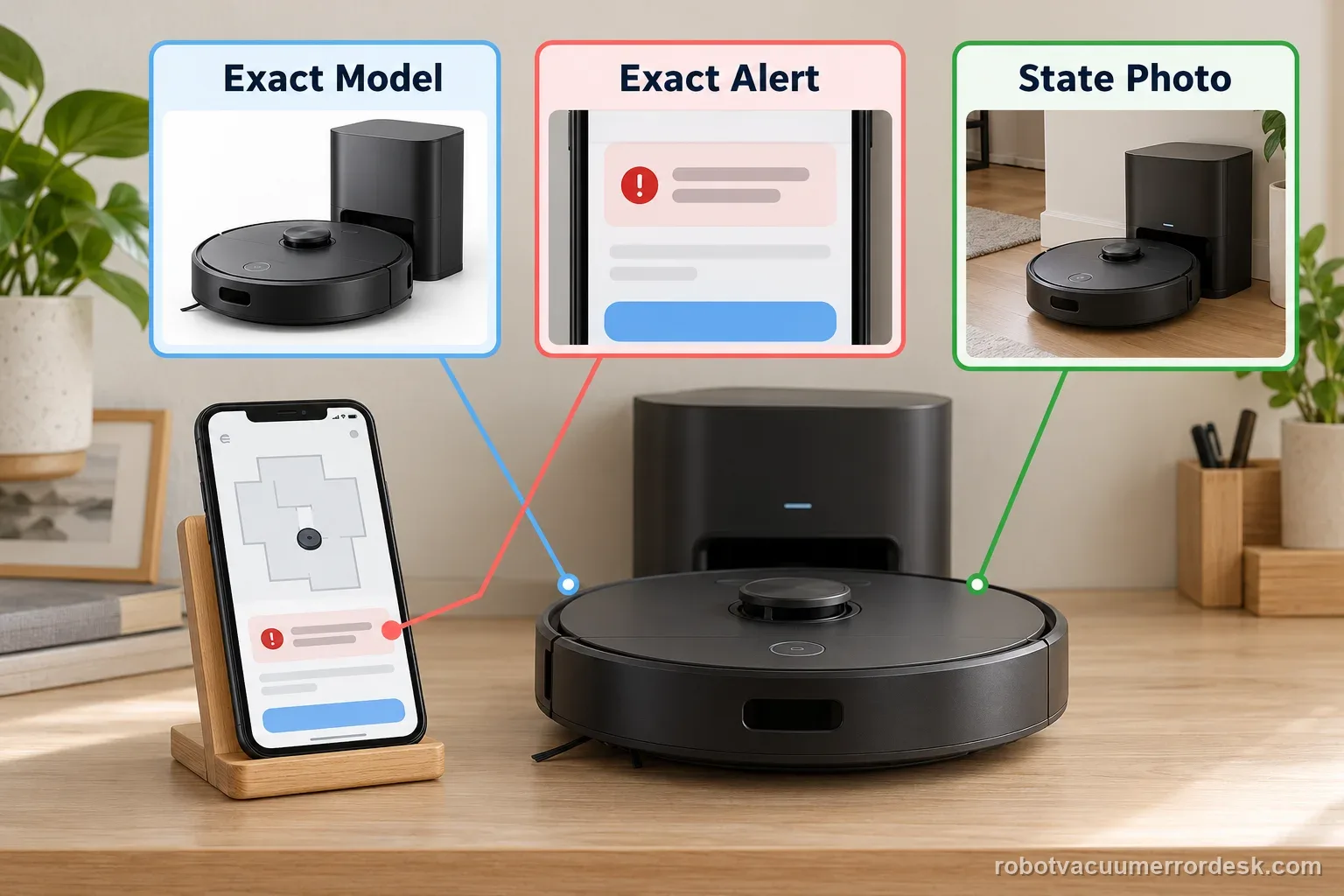
L20, X40, X50, X60, Aqua 10 and L50 robot-and-base-station diagnostics. Start with the exact model, then match the error code, light pattern, voice alert or symptom.
Dreame L20 Ultra
Charging, water, mapping and MopExtend diagnostics.
5 live diagnostics →UltraDreame X40 Ultra
Charging, resume cleaning, carpet side-brush and auto-empty diagnostics.
4 live diagnostics →X UltraDreame X50 Ultra Complete
Exact-model power, charging, docking, Wi-Fi, mapping, LDS, noise, pickup and mop-attachment diagnostics from Dreame support and the official manual.
12 live diagnostics →AquaDreame Aqua 10 Ultra Roller Complete
Roller, brush, mop, detergent, base-station and water-path troubleshooting.
14 live diagnostics →L UltraDreame L50 Ultra AE
Recharge, resume-cleaning, main-brush and abnormal-noise diagnostics from Dreame support.
4 live diagnostics →X UltraDreame X60 Pro Ultra Complete
Current X60 diagnostics for mop installation, brush noise, low-clearance navigation, thresholds, stains, water behavior and extension arms.
9 live diagnostics →All Dreame diagnostics
48 guidesNot charging
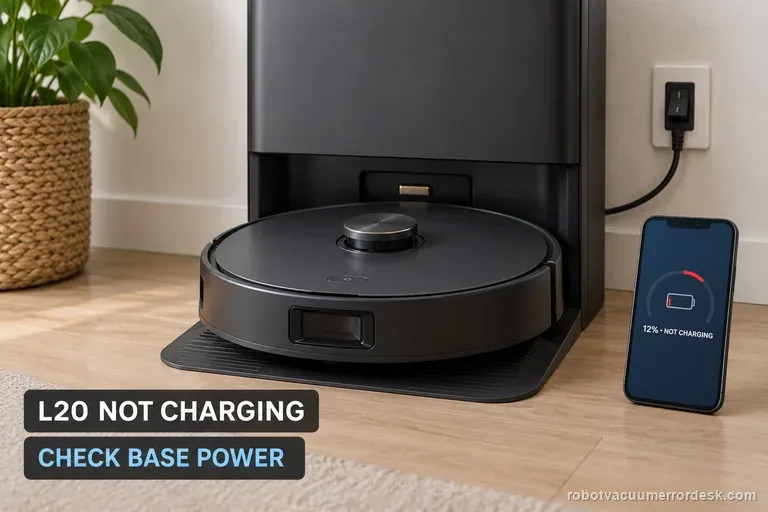
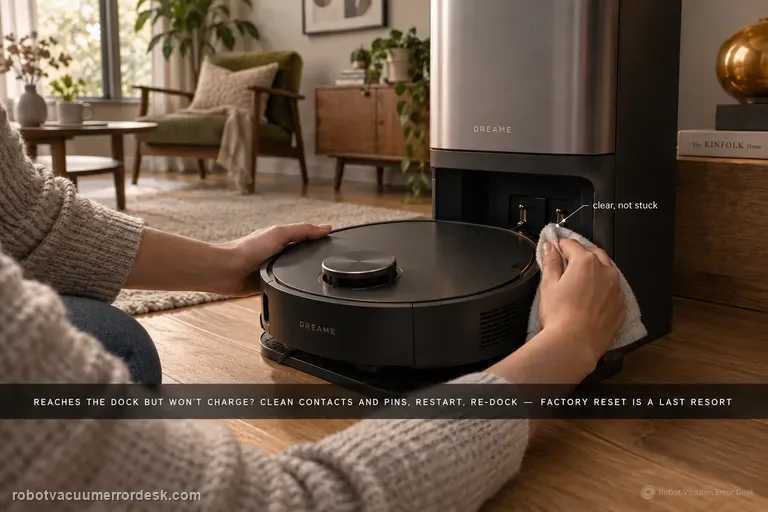
For an L20 Ultra that is already seated at the base but is not charging, prove station power before blaming the battery. Dreame’s charging guidance says to verify both ends of the base power cord and the rear power switch, then disconnect power and clean/realign the charging contacts. The exact L20 Ultra manual adds one more owner-safe check: remove any visible foreign object at the robot connector. Manually seat the robot and watch for a real battery-percentage increase; a return-to-base failure is a different navigation branch.
No wash water
This page is specifically for an L20 Ultra base that does not put water into the washboard while washing the mop pads. Dreame’s exact base-station procedure says to rule out incompatible cleaner, inspect the clean-water tank seal/piping interface, remove the robot and hold the base dock button for about 3 seconds to test water output. If the base can wash the pads but the robot later mops with no water, that is a different onboard-water path: Dreame now uses a holder-only five-minute flow test and checks the robot’s bottom water outlets.
Misses areas
When an L20 Ultra can reach a spot in Whole-House Cruise but skips it during cleaning, Dreame says cleaning can deliberately treat chair legs or multi-wheel furniture as wall/obstacle geometry to protect the brushes and mop pads. First simplify that local furniture cluster and rerun the same room without deleting a good map. For whole rooms that are missed, the exact manual adds a different access check: keep the door open, look for a threshold above about 2 cm, and dry any wet or slippery approach before calling it a navigation fault.
MopExtend not working
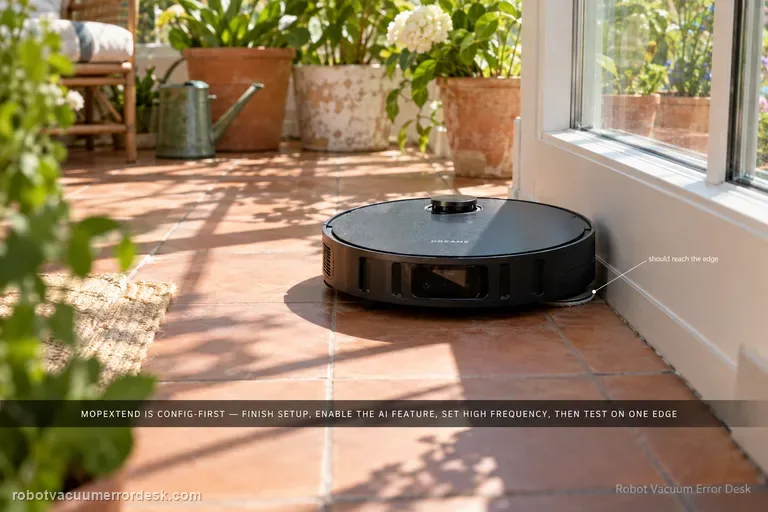
A non-extending L20 Ultra mop is often a settings/expectation problem before it is a failed actuator. Dreame’s current MopExtend article says the robot must finish network setup, AI-driven MopExtend must be enabled, and the selected mode matters: Standard runs the feature about once a week in Global Cleaning, Intelligence adjusts it by scenario, and High Frequency attempts extension during every cleaning. Use High Frequency on one clear hard-floor edge as the clean mechanism test.
Base station repair
Dreame’s current send-in matrix gives the L20 Ultra a model-level rule before the general symptom table: send the robot and base station together. That means you should not self-select only the component that appears faulty for charging, no-water, dock-finding or other paired-system failures. The matrix answers the major-hardware scope; the active support ticket still controls liquids, tanks, dust bags, mop pads and other accessories, so document the symptom and follow the case-specific packing list.
Not charging
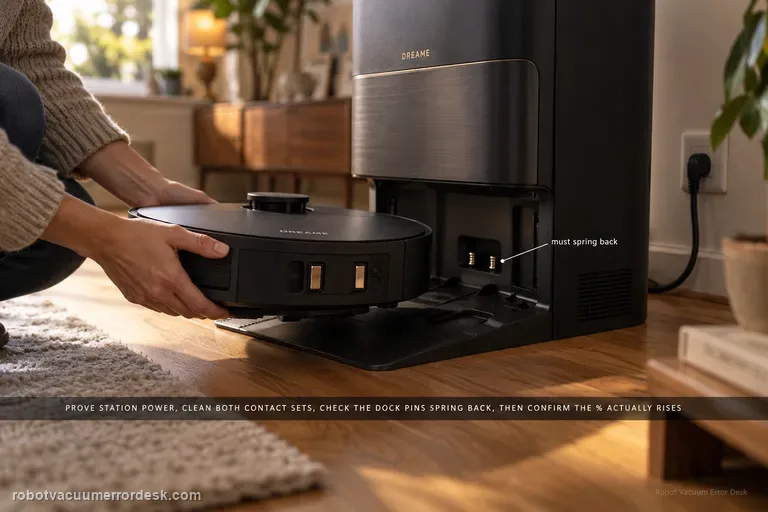
Use the X40 Ultra’s current charging and docking pages before blaming the battery. First prove the station has power and both ends of its cable are fully seated. Clean the robot and station charging contacts, then check that the station’s exposed charging pins are not stuck and spring back normally. Put the X40 directly into the dock and listen for the “Start charging” prompt; then confirm the battery percentage actually rises. If manual docking charges but an autonomous return does not, move to the separate docking/return path. If a correctly seated X40 still will not acknowledge charge, Dreame’s current X40 support allows a robot restart; a factory reset is a later step and erases maps, so preserve evidence before using it.
Won't power on
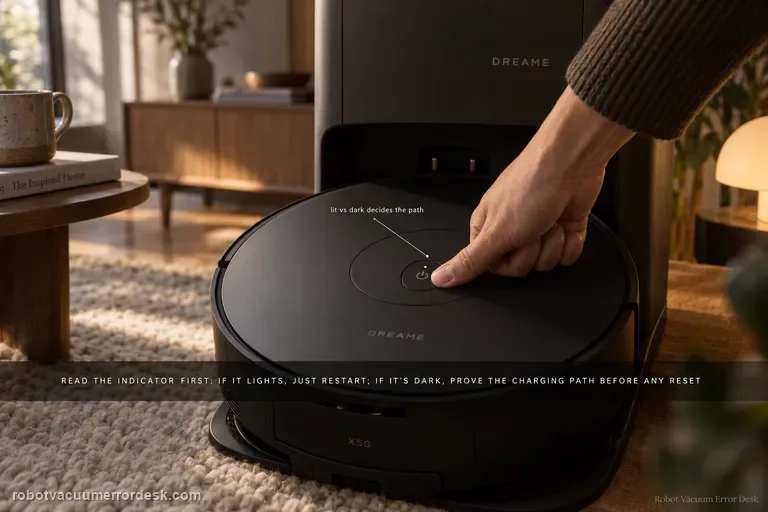
Do not jump straight to factory reset. Dreame’s exact X50 article first splits the diagnosis by the Power/Clean indicator. If the indicator lights, the robot has enough life to try a restart; reset is a later branch. If the indicator does not light, prove the charging path: base power, both ends of the power cord, clean robot/base contacts and a manual alignment on the dock. Dreame also says to hold Power/Clean for 3 seconds while docked if it does not start automatically. Only after those checks does the article return to reset, and it warns that factory reset clears all data including saved maps.
Docking failed
Use this guide only when the X50 reaches the dock area but repeatedly seats, backs out or fails to establish charging. Dreame’s exact Docking Failed article starts with the robot charging contacts and the dock’s metal pins: remove dust/foreign matter and confirm the pins are not stuck and can rebound. Then remove the robot, restart it, place it back on the dock and listen for the 'Start charging' voice prompt. Factory reset is third, not first, and Dreame warns that it erases saved maps. If the robot cannot find the base from 1–2 meters away, that belongs to the separate return-to-base path with power, placement, LDS and wheel checks.
Can't find base
Start with Dreame’s short-range proof test, not a map reset. Confirm the base is powered, place the X50 about 1–2 meters in front of it, then press Dock. If the robot cannot return from that short clean approach, Dreame says to contact after-sales rather than treating the problem as a normal room-layout issue. If the short-range return works, move to placement: keep the station against a wall with about 1.5 m clear in front and 0.5 m on each side, away from routers/TVs and mirror-like surfaces. Then confirm the robot normally starts from the base, the top LDS rotates, drive wheels move freely, and the ramp extension is clean. Restart/reset is a late branch because Dreame warns that reset clears saved data including maps.
Map not saving
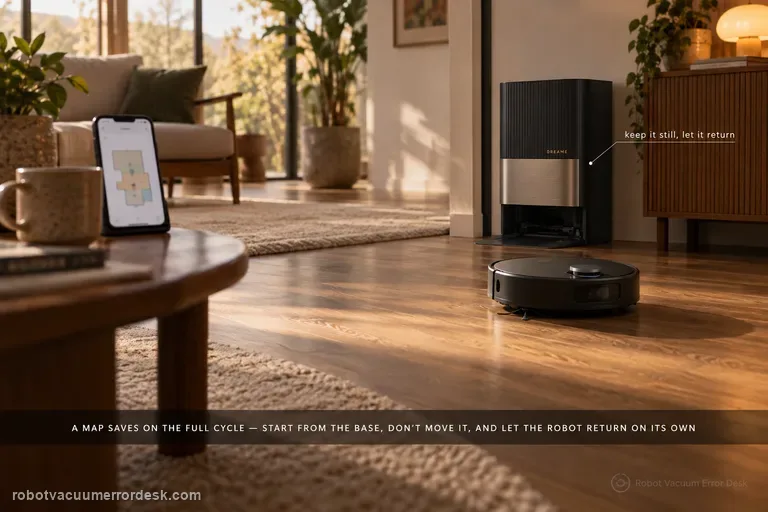
For the X50, a map is not just a drawing created at startup; Dreame ties reliable saving to the full mapping/cleaning cycle. Update firmware first, place the base where it can stay fixed with clear surroundings and good Wi-Fi, then rebuild the map only after that setup is stable. Start the robot from the station and do not move the base during the task. Most importantly, let the robot finish and return automatically: Dreame warns that manually sending it to charge or physically placing it on the base because the battery is low can prevent the map from saving successfully. If an alarm occurs while the robot is building the map, resolve it promptly and resume from a cleaned area rather than judging the final map while the task is still faulted.
Cleaning in circles
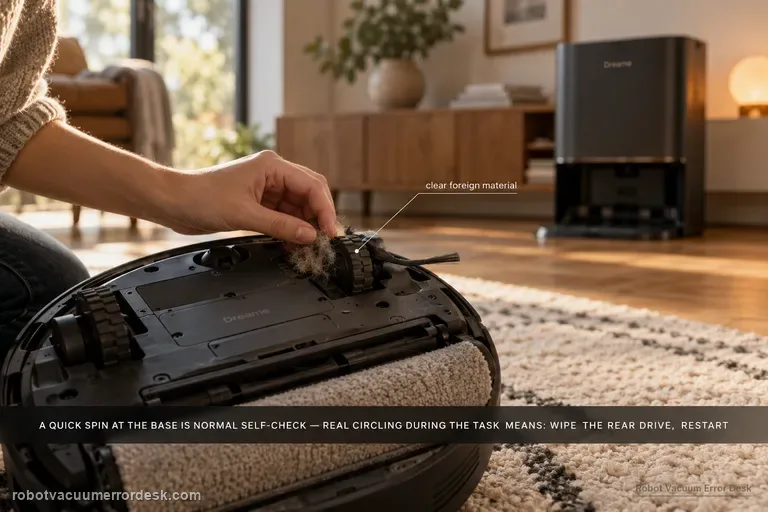
The Aqua10 can rotate around the base station briefly and still be behaving normally: Dreame says the robot locates itself and performs a self-check before leaving the base. The fault pattern is continued circling during the cleaning task. For that case, Dreame directs owners to inspect and wipe the rear drive for foreign material, power the robot off, restart the task, and escalate if the behavior persists.
Base not collecting dust
First determine whether the station never starts an emptying cycle or whether it runs but leaves debris in the robot. Dreame’s exact Aqua10 support article checks the dust bag, dust-compartment cover and robot dustbin for obstruction. The exact-model manual adds two important discriminators: auto-empty can be disabled or scheduled differently in the app, and blocked auto-empty vents on the robot, base or dust box can stop evacuation. Prove the trigger state first, then the seal/air path, using one light controlled debris load.
Mop cover / roller guard error
Dreame treats the Aqua 10 “mop cover error” as a firmware-and-obstruction check first. Confirm the robot is on current firmware, inspect the roller guard/cover area for foreign objects, clean it, then restart and see whether the guard retracts normally.
Washboard water level abnormal
Aqua10 'washboard water level abnormal' is primarily a drainage-and-sealing diagnosis in Dreame’s exact support article. First clear the base-station sewage outlet and rinse the washboard filter. Then inspect the used-water tank cover sealing ring for looseness or deformation, clean and close the sewage cover/buckle, inspect the sealing plug where the tank meets the station, and reseat the used-water tank firmly. The order matters: standing water with a blocked outlet points to drainage, while a clean drain plus a loose/deformed tank seal points to lost suction/sealing in the dirty-water path. Do not treat this as a clean-water refill problem unless the evidence actually points there.
Recharge / return fails
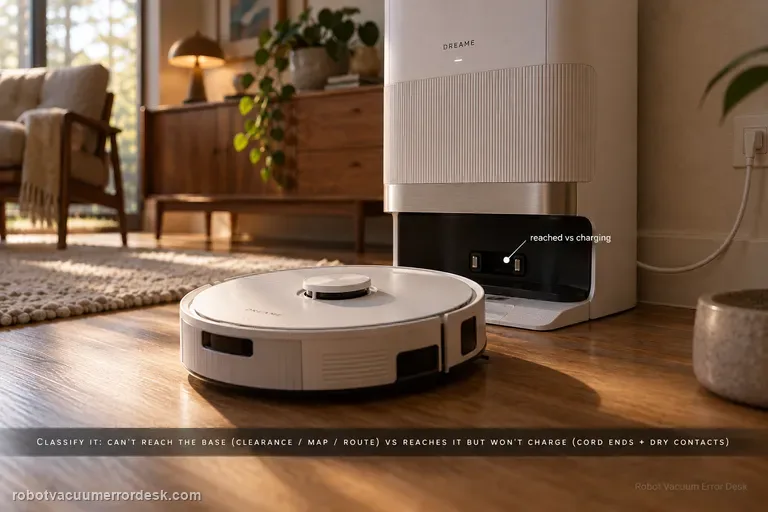
First classify where the L50 Ultra AE fails. If it cannot find or approach the base, Dreame’s exact recharge article points to dock clearance, distance, starting from the base and an abnormal saved map; the exact manual adds blocked return routes, a moved or unpowered station and a dirty signaling area. If the robot reaches the base correctly but charging never begins, stop remapping: the manual moves the diagnosis to both ends of the station power cord, dry charging contacts and foreign objects at the robot connectors.
Resume cleaning not working
A valid L50 Ultra AE resume test must create a real low-battery breakpoint. Dreame says Resume Cleaning must be enabled, the job must use Automatic Working Mode, DND must not suppress the departure, charging must remain fault-free, and restart/reset can disrupt the breakpoint. The exact manual adds a critical discriminator: the robot will not resume an unfinished job if you manually place it on the base or send it home with the app or Dock button. Let low battery trigger the return automatically.
Fluffing Roller Error
Dreame’s model-specific path is straightforward: remove the robot from the base, detach and thoroughly clean the fluffing roller, reinstall it correctly, return the robot to the station and run a short cleaning task. The proof is whether the error stays gone after the roller is re-seated.
Water leaking inside base
For water that appears inside the Aqua 10 Ultra Roller Complete base station, Dreame points first to the robot-side suction-port filter and the scraping channel around it. Treat this as a controlled leak-location test, not a reason to open the station. Stop repeated wet cycles, confirm the water is actually appearing inside the base rather than dripping outside it, remove the mop assembly, clear the filter and nearby channel, reinstall everything, then run one short task. If the base stays dry after that test, the blocked pickup path was the useful discriminator; if fresh water or sewage still accumulates inside the station, stop wet operation and escalate rather than disassembling powered wet-station parts.
Side brush not rotating
For a side brush that will not rotate, makes abnormal noise or falls off, Dreame first separates deformation from entanglement. Remove hair, thread or cable debris, replace a badly deformed brush for the rotation test, reinstall it securely and continue cleaning near the same area. The Aqua10 also has a separate exact-model article for curled nylon bristles; use that shape-only path when the motor still rotates and the problem is simply deformation. If a clean, correctly shaped and securely mounted brush still will not rotate, stop at support rather than opening the brush drive.
Mop does not extend
Dreame’s MopExtend troubleshooting is configuration-first, not a motor-disassembly path. Complete network setup, enable AI-driven MopExtend and read the selected mode correctly: Standard performs extension only once a week in Global Cleaning, Intelligence adapts automatically, and High Frequency is the proof mode because it extends during every cleaning. If the Aqua10 is online, MopExtend is enabled and High Frequency is selected but the mop still never extends during a normal edge-cleaning opportunity, record video and move to after-sales support.
Cleaning solution not installed
Treat “cleaning solution not installed” as a detection problem, not as proof that detergent is empty or not being consumed. Dreame's exact Aqua10 flow starts at the tank spring/electrode, then requires full seating, current firmware, a robot/base restart, and one global-cleaning observation when the robot returns to mop. That sequence separates a dirty contact or poor seating issue from a persistent detection fault before service.
Brush guard rubs floor
Dreame says brush-guard scraping, scratches on the guard and related abnormal noise can come from incorrect main-brush-guard installation. Before blaming wheel height or suspension, prove that every guard tab is seated correctly and the cover is not protruding. The key check is correct guard installation; repeated scraping is not a normal break-in condition. The useful proof is visual: the guard should sit flush at its normal clips before one brief hard-floor test. Do not sand, bend or shim the part to create clearance.
Abnormal noise
Dreame’s exact L50 Ultra AE noise article gives a useful boundary: normal operating noise is up to 76 dB(A), depending on function, and noise within that level can be normal. For noise that seems abnormal, the manufacturer points first to a clogged filter, hard objects in the main brush or dustbin, and foreign material tangled in the side/main brush. Clean those parts and compare the sound in Standard or Quiet suction. A second L50 article adds a stronger main-brush proof test: remove the brush cover and roller, clear hair/debris including the removable end cap, reinstall the roller, rotate it smoothly by hand, and make sure the cover plate is fully fastened.
Main brush jammed
Treat an L50 Ultra AE main-brush jam as a mechanical-path problem first. Dreame says large/hard debris, wires and wrapped hair can stop the conical roller, including hair hidden under the removable end cap. Remove the cover and roller, clean the full user-serviceable path, reinstall it and prove smooth hand rotation before powering the brush. The exact manual separately advises clearing hard/sharp floor objects before cleaning, which helps prevent an immediate repeat jam.
Foamy water marks
Dreame’s exact Aqua10 foam path checks four variables in order: mop-pad condition, wash frequency, app water-flow level and the suction-inlet filter. Hand-clean the removed mop pad with warm water and detergent as the support article instructs, rinse it thoroughly, and replace it if worn or permanently stained. Then increase wash frequency, reduce water flow and clean the suction-inlet filter. Do not pour household detergent into the robot’s clean-water tank; the Aqua10 manual says only clean water and officially approved cleaning solution belong there.
Water leaking outside base
Dreame says one or two drops from the robot’s water refill port after refilling can be normal. If water is instead coming from the robot’s used-water box, remove it, wipe the bottom surface clean, reinstall it tightly and retry. Larger or persistent leakage should not be normalized.
Abnormal noise
Dreame’s exact Aqua10 abnormal-noise article starts with foreign objects around the roller brush: remove the roller, clear debris, reinstall it and retest. The exact-model manual provides useful secondary discriminators if that first check is clean: a clogged dust-box filter, hard objects in the main brushes or dust box, tangles in the main/side brushes, and suction mode can all change operating noise. Use the exact roller check first, then the manual’s non-invasive comparisons; a repeated noise with all owner-serviceable paths clear belongs with support, not internal motor disassembly.
Side brush deformed
Dreame says the Aqua10 side brush uses nylon bristles that can curl in packaging or daily use. For deformation alone, remove the brush and follow the manufacturer’s hot-water straightening method using a tool rather than handling heated bristles directly; let the brush cool and dry before reinstalling it. If the bristles still do not recover, replace the brush. This page is not for a brush that will not rotate or keeps falling off — those symptoms use the separate side-brush drive/entanglement path.
Mop installation failed
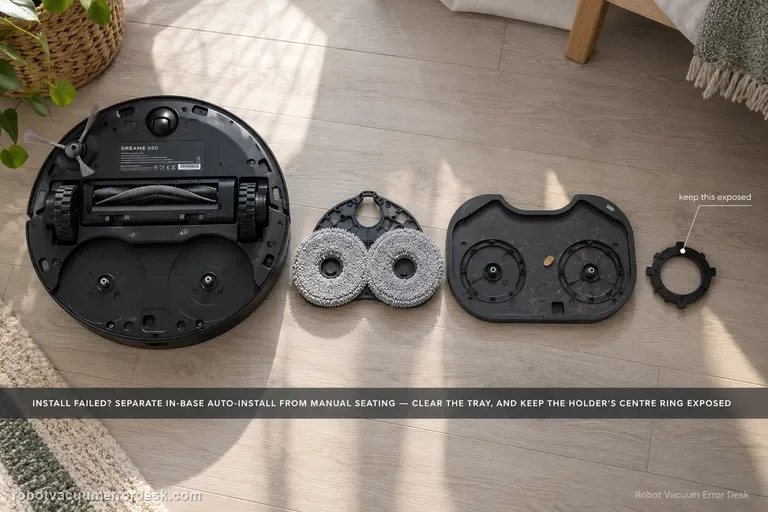
First classify where the error occurs. Dreame’s exact X60 article separates an in-base automatic installation failure from an outside-base case where the mop pad holder must be installed manually. A second X60 support article adds two high-value checks: foreign objects on the cleaning tray and whether the mop is fitted so the holder’s central ring remains fully exposed. If a clean, correctly fitted holder still fails after one restart/reinstall, document whether the same side fails and escalate instead of repeatedly cycling the installation mechanism.
Unusual main-brush noise
Treat a new X60 noise as an isolation problem, not a reason to replace the main brush immediately. Dreame’s exact-model procedure starts by removing the user-serviceable bottom components — side brush, roller-brush cover, roller brush and/or mop pad — and running a very short safe test. If the sound changes, reinstall one component at a time. A deformed side brush, hair around roller end caps, debris in the roller groove or a brush cover that is not secured on both sides can all create noise. If the sound remains with those parts removed, move to the drive wheels, caster and filter state. Dreame also notes that soft crawling mats can produce contact noise because the robot sinks slightly and the lowered roller reaches deeper. The useful endpoint is a repeatable source, not a long sequence of resets.
Cannot cross threshold
Measure the obstacle before calling the X60’s behavior a navigation fault. Dreame’s current X60 support page distinguishes obstacle height, double-layer width/geometry, dark surfaces, mechanical-foot behavior, chassis lifting and carpet strategy. The robot’s mechanical feet are used when a threshold is greater than 20 mm but less than 52 mm; if those feet do not reset in time, a tangling warning can appear. Double-layer obstacles add a width constraint of about 23 cm, and carpets thicker than 20 mm use a different chassis-lift strategy. Treat 52 mm as a conditional capability boundary, not a promise that every 52 mm doorway will be crossed regardless of shape, approach or surface.
Cannot enter low furniture
Measure before changing settings. Dreame states that the X60 Pro Ultra Complete needs approximately 89 mm of furniture clearance; an opening below that is a physical limit, not a mapping fault. If the lowest usable opening is at or above that figure, check Settings → Ground Cleaning Settings → Extreme Coverage and, where useful, mark a Low-Height Area in map editing. Because Extreme Coverage lowers the robot’s profile, Dreame also warns you to inspect the floor and underside of furniture for protrusions such as loose nails or hidden cable channels before enabling the behavior.
Stain detection wrong
First name the recognition error: reflection marked as a stain, dense pet hair not recognized, pet hair avoided instead of cleaned, blue active-light annoyance, a supported stain still missed, or a repeatable false positive. Dreame gives a different X60 action for each. Reflection false positives point to Active Light Enhancement Recognition in Settings → Lab Features. Dense pet-hair clumps need both Large Particle Boost and Active Light Enhancement Recognition; sparse low-profile hair may simply be handled by normal suction. You can disable the blue active light, but Dreame warns that stain-recognition ability will decrease. If a supported target is still missed or misidentified, update firmware, verify Stain Recognition/Large Particle Boost and use Report an Error with a controlled example rather than changing unrelated navigation settings.
Water stains or dripping
Not every wet mark under an X60 is a leak. Dreame distinguishes ordinary post-mop moisture, a few initial-use droplets left from factory water-circuit testing, and small droplets created when the robot rehydrates or spins the mop from persistent/excessive dripping that should go to service. Classify when the water appears, lower avoidable water load, clean the disc, update firmware, and use Dreame's 1–2-use observation window only for minor early-use droplets.
Extension arm stuck
First decide whether the X60 arm is actually stuck. Dreame says a slight outward-swinging sound from the dual motors/gearboxes can be normal; a sharp abnormal sound is not. If a wire or rag is caught, stop the robot, clear loose floor hazards, then use Settings → Auxiliary Functions → Equipment Maintenance to extend the module far enough to remove the obstruction safely. If the arm remains extended after the obstruction is gone, Dreame provides App Settings → More Functions → Device Maintenance → Reset Mop → Retract. Do not force the linkage by hand when the app can command the mechanism.
Missed cleaning areas
When the X60 misses a room or patch, do not delete the map first. Dreame’s X60 cleaning-function support page lists several distinct causes: access narrower than about 38 cm, carpet-avoidance rules, map overlap/positioning error, objects at entrances, thresholds beyond what the robot can cross, obstacle-avoidance behavior that leaves small margins, and dirty binocular lenses that can misjudge the scene. The fastest diagnosis is to classify the miss as physical access, intentional software avoidance, bad map position or perception. Preserve the map, measure the doorway, inspect carpet/threshold rules, clear only the entrance, clean the binocular lens, then run one targeted retest.
Cooling fan loud while charging
A strong airflow/fan sound from the X60 during charging can be normal. Dreame’s exact X60 article says the cooling fan may run at high speed when battery-pack temperature rises in scenarios such as “unlimited battery life” and 11A charging. A second X60 battery article explains that the fast charger monitors battery temperature with an NTC sensor and can reduce charging speed if overheating is detected. Confirm that the sound is smooth airflow tied to charging and that charging remains stable. Grinding, scraping, burning odor, repeated shutdowns or a charge fault belong to a different branch and should not be normalized as ‘just the fan.’
Resume cleaning off
If the X40 Ultra returns to the base and charges normally but never continues unfinished work, stop troubleshooting charging contacts and prove the resume feature itself. Dreame’s X40-specific setup path is Device home → Settings → More Functions → Resume Cleaning Mode. Dreame’s general recharge-and-resume guidance explains the intended behavior: a low-battery cleaning task returns to charge and later continues the unfinished area. Enable the exact X40 setting, start a sufficiently large normal cleaning job, let the robot create the recharge breakpoint by itself, and avoid cancelling or replacing the mission while it charges.
Side brush stops on carpet
On X40 Ultra, a side brush that lifts and stops on carpet can be normal behavior, not a failed motor. Dreame’s exact X40 carpet-setting page says side-brush cleaning on carpet is disabled by default to reduce secondary contamination, and you can enable Settings → Carpet Settings → “side brush rotates on carpet.” Dreame’s newer X40-series support adds that the brush may also lift during positioning, recharging, cross-zone navigation and voice calls. First prove the brush rotates on hard floor, then reproduce the same carpet transition before and after changing only the carpet setting.
Auto-empty not working
Dreame’s current X40 Ultra dust-collection page separates a cycle that never starts from one that runs but moves little debris. Confirm the station is powered, the dust bag is correctly installed and not full, and the robot/base/dust-box collection ports are clear. In Dreamehome, make sure Dust Collection is enabled and remember that DND blocks dust-collection commands. Clean the charging-contact window that carries station communication, then run one controlled empty cycle and inspect whether debris actually moved.
Charging abnormal
Treat an X50 that reaches the station but will not charge as a charging-path problem, not automatically as a docking problem. Dreame’s exact X50 support page starts with current firmware, a powered base station, clean charging contacts and a restart. The X50 manual adds two useful discriminators: make sure both ends of the station power cord are fully connected, and remove any foreign object at the robot’s connectors. Manually seat the robot so the metal contacts meet, then watch for the normal charging indication. If the robot cannot physically complete the final approach or the charging pins do not rebound normally, use the separate X50 docking-failed path instead. If contact is proven and charging still never begins, stop polishing the same contacts and send Dreame the charging state, firmware version and a short video.
Wi-Fi setup failure
For first-time X50 network configuration, start with the hard compatibility rule: Dreame says the robot supports 2.4 GHz Wi-Fi and does not support a 5 GHz Wi-Fi connection. Then keep the robot/phone in strong Wi-Fi coverage, allow phone location permission for the Dreamehome app, and complete the handoff from the robot’s temporary hotspot back to the app after the voice prompt. Dreame also recommends simple letters/numbers in the Wi-Fi name and password for troubleshooting and suggests testing a different phone or a second phone’s hotspot if pairing still fails. The X50 manual adds two useful checks: verify the Wi-Fi password and, if the robot is not ready to be configured, exit and re-enter the app before retrying. This page is for configuration failure, not a robot that was paired successfully and later went offline.
Abnormal noise
First reproduce when the X50 becomes noisy. Dreame’s exact model article splits the symptom into two scenarios: a strange sound during normal cleaning, where an entangled brush is the first check, and an unusual driving-wheel sound during rapid mapping, where tire/ground friction, debris or wear on the tire are the first owner checks. The X50 manual adds a broader operating-noise branch: a clogged dust-box filter, a hard object in the main brushes or dust box, tangled main/side brushes, or high suction can increase noise. That means the useful test is not ‘does it sound loud?’ but ‘does the sound track brush rotation, suction level, or wheel travel during mapping?’ Do not open a hub motor or fan because an internet post guesses at an internal bearing. Isolate the mode first, service only user-removable parts, then capture the sound for Dreame if it remains frequent or loud.
Spins in circles
Dreame’s exact X50 article gives a seven-check path for a robot that spins or keeps turning in the same place. Start with foreign material around the drive wheel, then confirm the LDS is rotating and that its upper cover rebounds normally. Check for hair/debris in the LDS rotating area and for a lifted/cocked sticker or larger object on the robot’s top surface. Then press the impact plate/bumper to confirm it rebounds and wipe the line-laser and AI-identification sensor windows clean. Restart only after those physical states are known. This is not the same intent as ‘map will not save’: a circling robot has a live movement/localization problem, while a map-save problem can occur after otherwise normal driving. Do not force the retractable LDS tower or dismantle a drive wheel. If the X50 still spins after the documented checks, preserve a short video and escalate.
LDS sensor malfunction
Use this page when the X50 reports an LDS sensor malfunction or the localization sensor itself appears obstructed/deformed—not merely because the retractable LDS will not raise or lower. Dreame’s exact model article gives four owner checks: update firmware, inspect the LDS for anything obstructing it or for deformation, clean the radar and robot cover, and restart. The manual identifies the retractable top unit as the VersaLift sensor and says it is intentionally lowered while the robot is in standby, charging, or cleaning low-clearance areas, so a lowered tower by itself is not proof of malfunction. If the problem is specifically that the LDS cannot raise/lower on command, switch to the separate lifting-function guide, which includes the app’s radar-lifting setting and remote-control test. For a true malfunction that persists after a clear/clean sensor and restart, do not dismantle the turret; send Dreame the exact message and a video.
LDS won’t raise/lower
For an X50 whose retractable LDS specifically will not raise or lower, use the lifting-function branch rather than the generic LDS-malfunction page. Dreame’s exact support article says to check current firmware, move the robot to an empty unobstructed area, verify that the radar lifting function is turned on in the app, and use the remote control in the app’s accessibility settings to test whether the radar can raise/lower normally. Then inspect the radar surface and top cover for lifted stickers or debris, clean them, and restart. The manual is important context: the VersaLift sensor is intentionally lowered in standby, while charging and during low-clearance cleaning. So ‘tower is down on the dock’ is not a failed lift test. Do not pull the tower upward or disassemble it. If the remote-control lift test fails in an open area after cleaning/restart, capture that exact result for Dreame.
Not vacuuming dust
For an X50 that runs but leaves dust or loose debris behind, Dreame’s exact model article starts with blockage, not motor replacement: inspect and clean the roller brush, roller-brush cavity and dust bin. For difficult scenes with accumulated debris or clumps of hair, Dreame recommends more frequent cleaning and a higher suction level, while stubborn material may still need manual removal. The X50 manual adds the maintenance detail that the dust-box filter can be removed, gently tapped, and—if rinsed along with the dust box—must be cleaned with water only, no detergent, and dried completely before reinstalling; it also warns not to clean the filter with a brush, finger or sharp object. Use a small controlled debris strip to prove pickup after each branch. This page is about vacuum pickup, not a side brush failing to reach a corner or the base failing to auto-empty after the cleaning run.
Mop falls off
Dreame’s exact X50 support says a mop tray/holder that falls off can be caused by installation state, the pad itself, floor obstacles or cleaning mode. A model-specific detail matters first: Dreame says the mop pad holder cannot be installed while the robot is turned off; after power-on, the holder shaft sleeve automatically extends, so install the holder with the robot powered on. Make sure the mop pad is attached evenly to the holder and replace a worn pad that will not hold securely. Then check the route: carpets, thresholds, small steps and loose cables can snag the tray. Dreame recommends a designated mopping area for problematic zones and Mop after Vac in Cleaning Settings, and notes that this model supports automatic mop installation/removal. If the holder physically detaches despite correct powered-on installation and a clear route, restart once and capture the detachment for support. Do not create a separate near-duplicate page for ‘mop pad holder falls off’ unless the diagnostic intent materially differs.