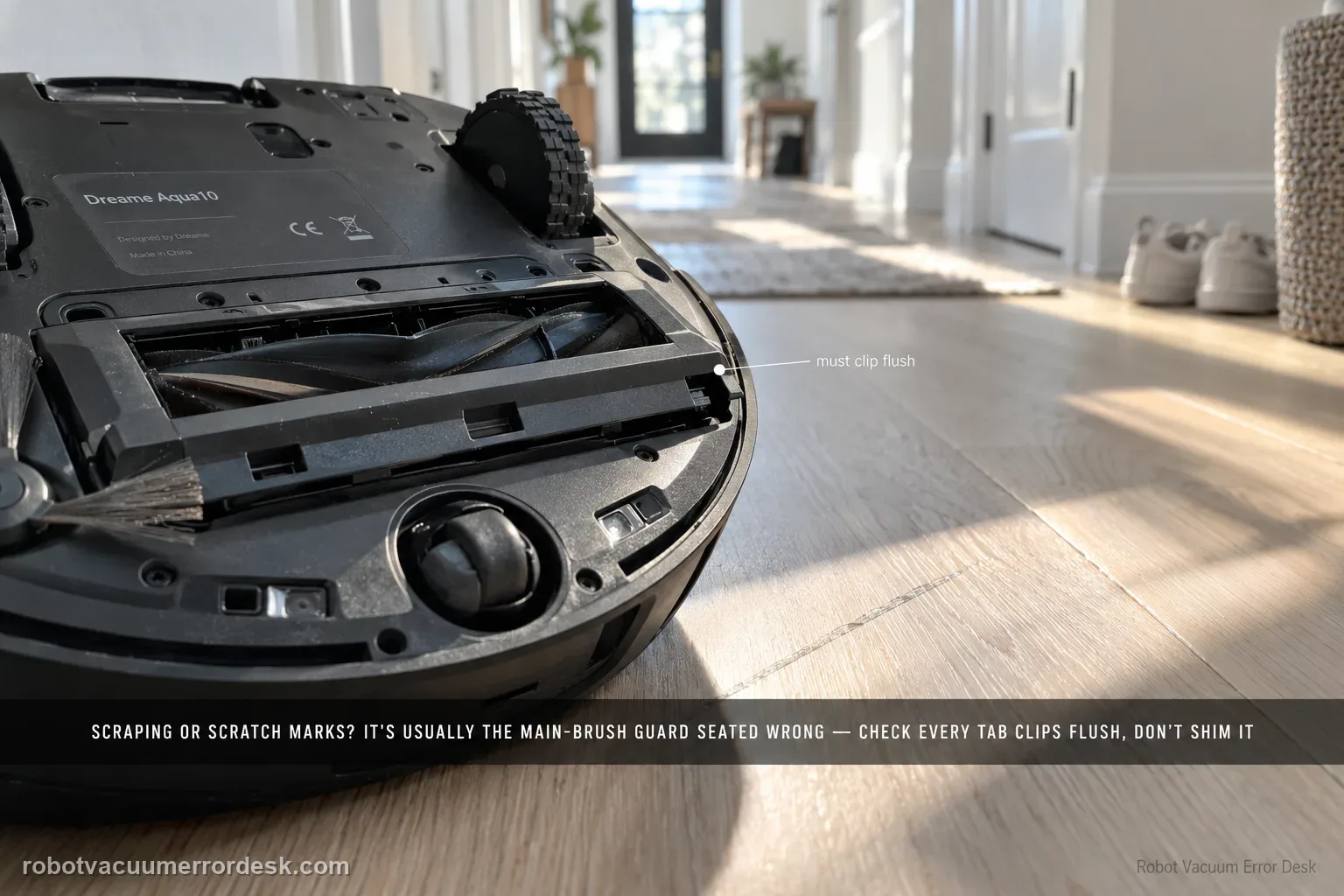
Dreame says brush-guard scraping, scratches on the guard and related abnormal noise can come from incorrect main-brush-guard installation. Before blaming wheel height or suspension, prove that every guard tab is seated correctly and the cover is not protruding. The key check is correct guard installation; repeated scraping is not a normal break-in condition. The useful proof is visual: the guard should sit flush at its normal clips before one brief hard-floor test. Do not sand, bend or shim the part to create clearance.
Confirm the exact model and exact code, light pattern or symptom.
Run the lowest-risk physical or software check first.
Use each pass condition to decide what the result actually narrows down.
Does this match your problem?
- The main brush guard scrapes or rubs the floor.
- The guard itself shows fresh scratches.
- Abnormal noise started after main-brush maintenance.
- One edge of the main brush guard sits lower than the other after maintenance, and fresh contact marks appear only after that reinstallation.
- The robot makes a scraping sound on hard floor and you need to prove actual guard-to-floor contact instead of assuming every underside noise comes from the roller brush.
Most likely causes
Main brush guard is not fully installed, leaving an edge low enough to contact the floor.
One or more brush-guard clips/tabs are not seated in their intended positions.
The symptom is actually internal roller noise without physical guard-to-floor contact.
A correctly installed guard still contacts the floor and needs after-sales inspection.
A clip or seating point is not fully engaged, leaving the guard visibly non-flush even though the part appears attached at first glance.
What your test result means
| What you observe | What it narrows down | Next move |
|---|---|---|
| Guard edge sits proud or uneven | Installation is not complete | Remove and reinstall all tabs/clips. |
| Guard becomes flush after reinstall | Seating was the likely cause | Run a short low-risk floor test. |
| Scraping stops on retest | Mechanical fit is restored | Monitor for new marks. |
| Guard is flush but still contacts floor | Simple seating explanation failed | Stop the test and document underside fit. |
| New scratches appear immediately | Continued running risks damage | Contact Dreame with photos/video. |
Do not factory-reset by default. Use the exact model’s reboot/network-reset procedure only when the manufacturer path calls for it.
Run these checks in order
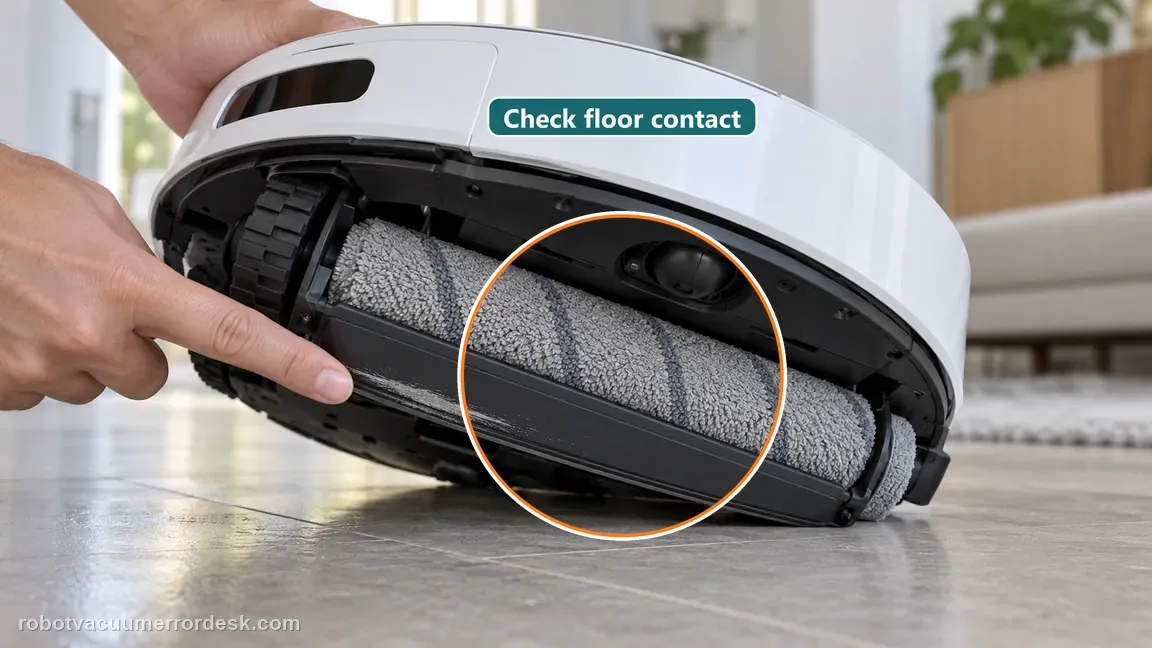
Stop and prove the guard is actually touching the floor
Pause the robot if you hear scraping or see fresh marks, especially on scratch-sensitive flooring. Inspect the underside for a low guard edge, new scuffing on the guard or visible contact. Dreame groups floor rubbing, guard scratches and abnormal noise under this installation check, but noise without physical contact may belong to the separate roller/noise path.
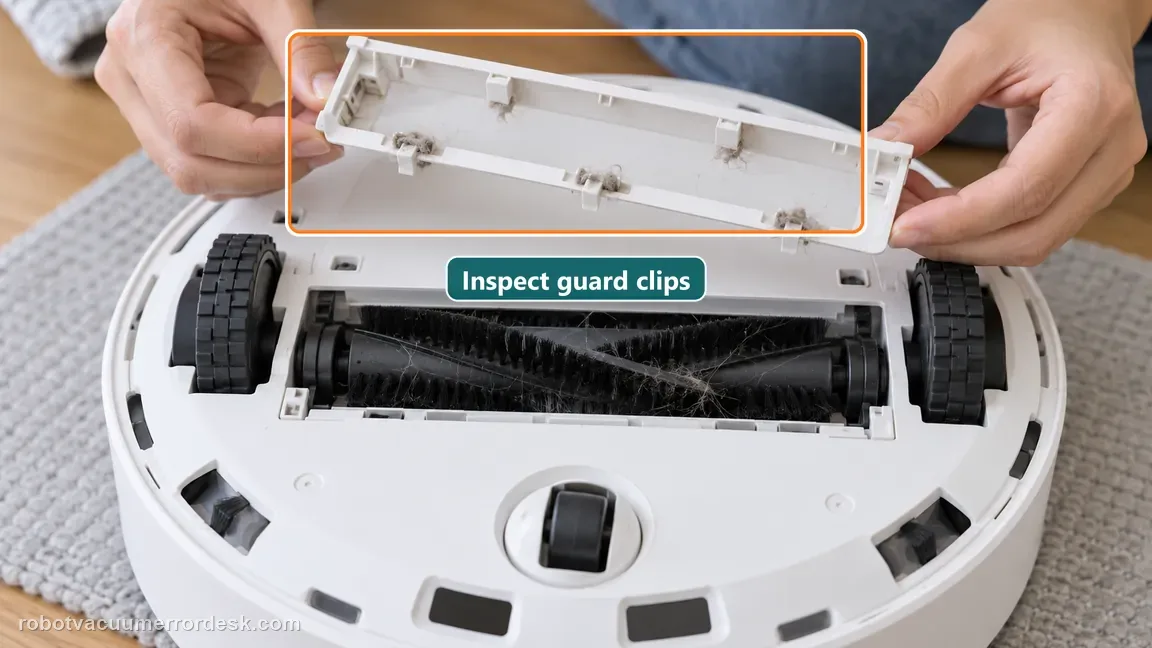
Remove and inspect the main brush guard seating points
Power the robot off and remove the guard through the normal owner-maintenance path. Check the clips/tabs and seating edges for trapped debris or an obvious misalignment. The Aqua10 manual identifies the brush guard and its clips as owner-accessible parts; do not sand, bend or permanently modify them.
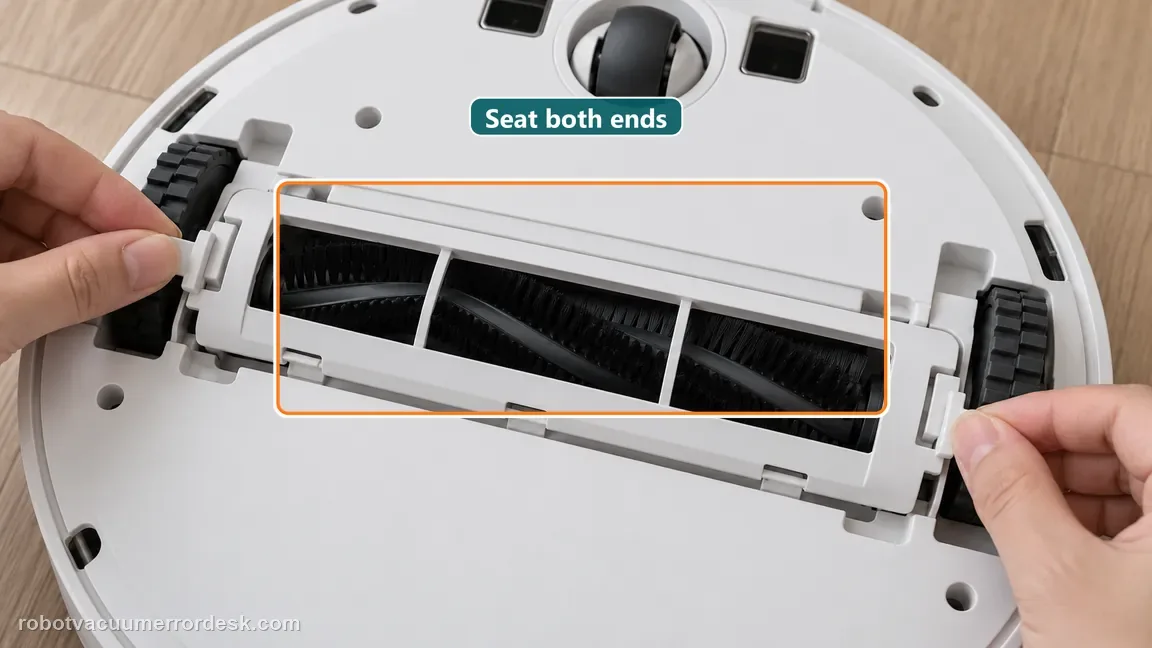
Reinstall the guard exactly in its intended position
Follow Dreame’s reinstallation orientation: align the guard with its slot and press it into place so every clip seats. Check both ends rather than assuming the center click means the whole guard is flush. A nearly seated corner can remain low enough to scrape even when the rest of the assembly looks normal.
Make one low-risk hard-floor test
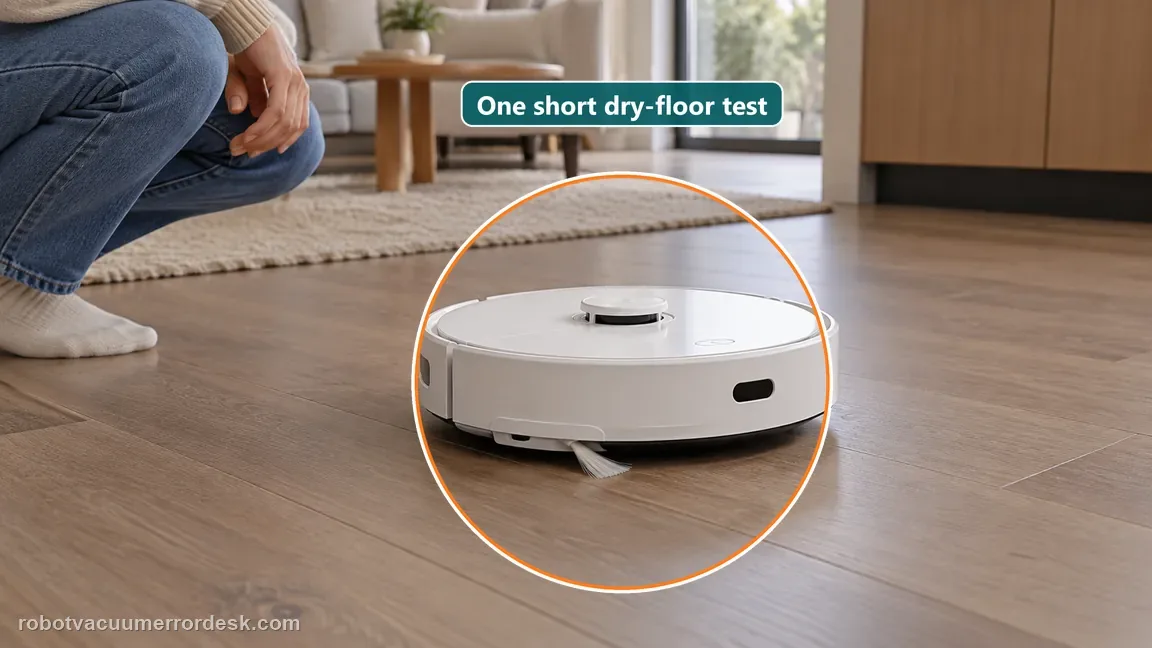
Use a small, clean hard-floor area that will not be easily damaged. Run only long enough to observe whether the guard clears the surface and whether new marks appear. Stop immediately if physical scraping returns. This single controlled pass is enough to prove whether correct installation resolved the issue.
Document persistent contact instead of modifying the guard
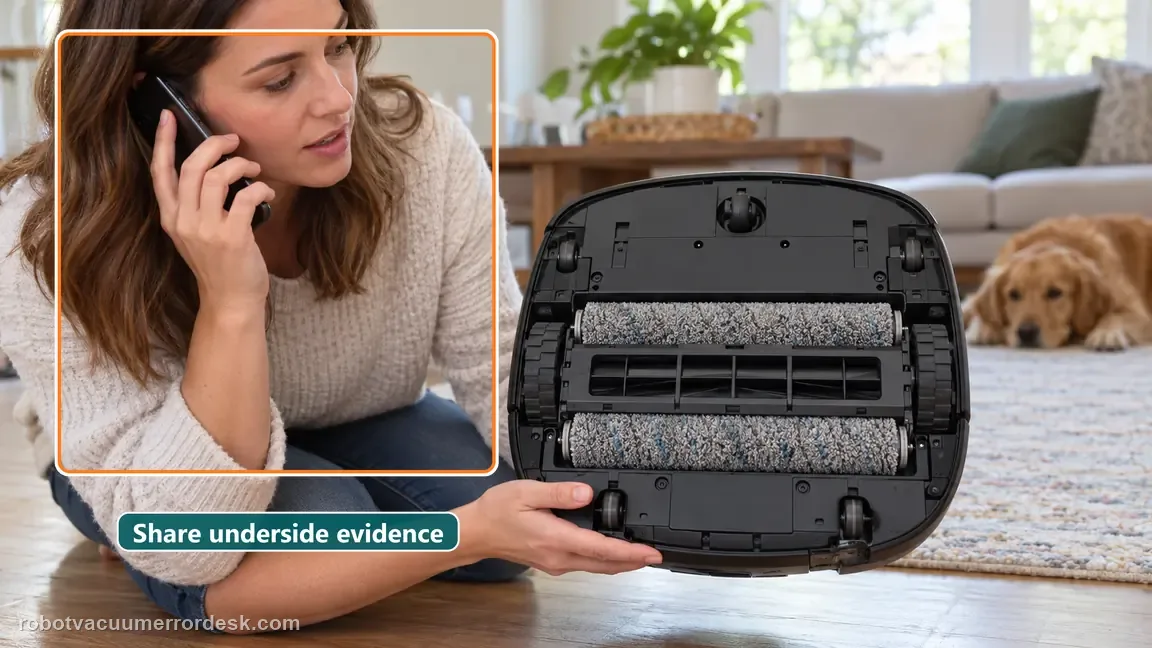
If a flush, correctly latched guard still contacts the floor, take an underside photo and a short movement video showing the contact. Do not sand the guard, add spacers or keep running it in hopes that it “wears in.” Dreame’s exact article moves to after-sales support when proper reinstallation does not solve the rubbing.
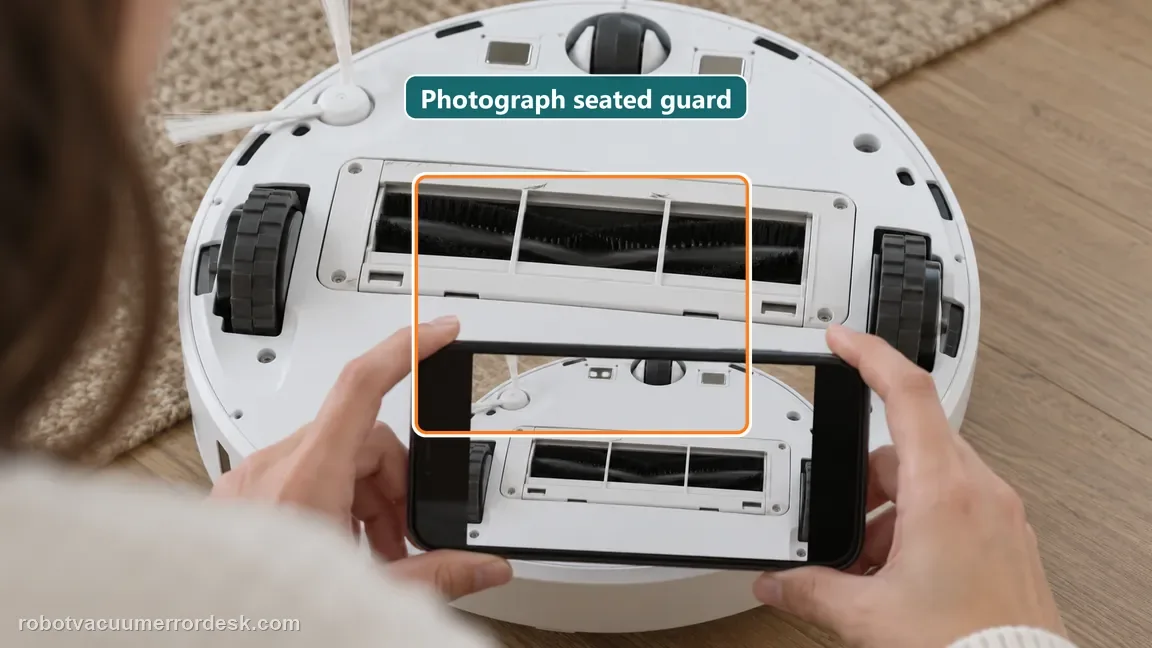
Stop using the robot on scratch-sensitive surfaces and contact Dreame if a correctly installed main brush guard still rubs the floor or creates new marks. Send underside photos showing the seated clips and a short video of the contact. Do not sand, bend or shim the guard; the exact manufacturer path is correct installation followed by after-sales support if rubbing remains.
What to collect before contacting support
Give support a reproducible case instead of “it doesn’t work.” That reduces repeated basic troubleshooting and preserves the clues from your tests.
- Exact model name and the error code / voice prompt exactly as shown
- A photo or screenshot of the app error and the time it occurred
- A short list of the checks already completed and what happened after each one
- Short video showing the failed docking, mapping or base-station behavior
- Firmware version shown in Dreamehome
Manufacturer evidence
Dreame Aqua10 — brush guard rubs floor
Dreame identifies improper main-brush-guard installation as the likely cause of floor rubbing, guard scratches or related abnormal noise on Aqua 10 Ultra Roller Complete/Aqua 10 Roller. The owner path is correct reinstallation followed by one cautious proof run; persistent contact after correct seating goes to after-sales support.
Additional official source: Dreame Aqua 10 Ultra Roller Complete — Support Hub ↗Additional official source: Dreame Aqua 10 Ultra Roller Complete — User Manual ↗Last editorial review: September 5, 2026Regional note: manufacturer help centers, model suffixes, mains-power requirements and warranty procedures can differ by country. If the source redirects to a local support site, confirm that the model/hardware scope still matches before following a region-sensitive step.
This guide is rated Official model support. See what each evidence label means →
FAQ
Can incorrect brush-guard installation cause noise as well as scraping?
Yes. Dreame’s exact Aqua10 article groups guard-to-floor rubbing, scratches on the guard and abnormal noise under the same installation check. Look for physical contact and a low or incompletely seated edge. If the guard is flush and there is no contact but the robot still makes an internal rolling sound, switch to the abnormal-noise path rather than repeatedly removing a correctly seated guard.
Should I keep running the robot to see if the guard settles into place?
No. Stop a scraping test quickly, particularly on scratch-sensitive flooring. Dreame identifies incorrect installation as the first cause to correct, not a part that needs to wear itself in. Reinstall the guard so all clips are seated and make one short low-risk proof run. If physical contact returns, document it and contact support rather than creating more floor or guard damage.
Can I sand or trim an Aqua10 brush guard that rubs the floor?
No. The manufacturer’s article points to installation, and the manual shows a clip-mounted guard intended to seat in a specific position. Removing material can change fit and make later diagnosis harder. Clean the seating points, reinstall the guard correctly and use one controlled test. If a properly seated guard still touches the floor, stop and send Dreame photos and video.
How do I tell brush-guard scraping from an Aqua10 roller noise?
Look for direct evidence of contact: a low guard edge, fresh scuffing on the guard or visible touch-down on the floor. Dreame’s separate abnormal-noise guidance starts with foreign objects around the roller brush. If there is sound but no guard contact and the guard is flush, use that roller-noise diagnostic instead. Keeping the symptoms separate prevents unnecessary guard replacement or repeated reinstallation.
What should I photograph before contacting support?
Photograph the underside after the guard is reinstalled, making sure both ends and the clips are visible, plus any fresh wear marks. A short side-angle video during the controlled hard-floor pass can show actual contact. State that the seating points were cleaned and every clip was engaged. That evidence is more useful than continuing to run a scraping guard until the marks become severe.
Did this diagnostic narrow the fault?
Use this as an editorial signal, not a popularity counter. If a feedback address is configured you can email the note; otherwise you can copy it for your own support record.