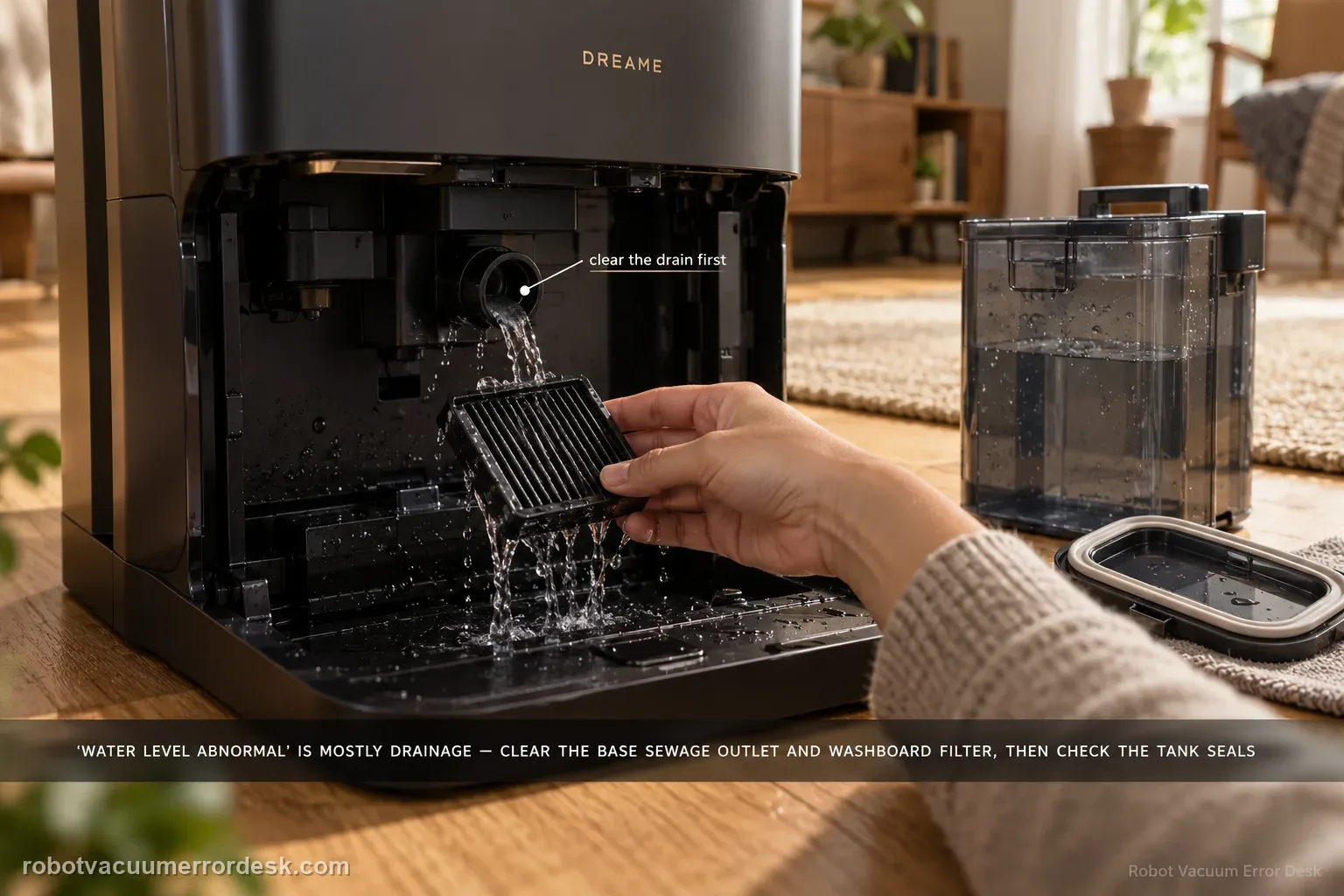
Aqua10 'washboard water level abnormal' is primarily a drainage-and-sealing diagnosis in Dreame’s exact support article. First clear the base-station sewage outlet and rinse the washboard filter. Then inspect the used-water tank cover sealing ring for looseness or deformation, clean and close the sewage cover/buckle, inspect the sealing plug where the tank meets the station, and reseat the used-water tank firmly. The order matters: standing water with a blocked outlet points to drainage, while a clean drain plus a loose/deformed tank seal points to lost suction/sealing in the dirty-water path. Do not treat this as a clean-water refill problem unless the evidence actually points there.
Confirm the exact model and exact code, light pattern or symptom.
Run the lowest-risk physical or software check first.
Use each pass condition to decide what the result actually narrows down.
Is this the problem you’re seeing?
- The base reports abnormal washboard water level during or after mop washing.
- Water remains in the washboard/tray area or does not drain as expected.
- The used-water tank has been removed/reinstalled recently or its lid/seals need inspection.
- You want to distinguish a blocked drain path from a used-water tank sealing/seating problem.
Likely root causes, ranked
Base-station sewage outlet obstructed
Washboard filter dirty or not seated after cleaning
Used-water tank lid sealing ring loose or deformed
Sewage cover/buckle not closed correctly
Tank-to-station sealing plug not seating normally
Used-water tank not fully installed in the base
What the result narrows down
| What you observe | What it narrows down | Next move |
|---|---|---|
| Water remains in washboard and outlet/filter contain debris | The first manufacturer branch is a restricted drainage path. | Clear the sewage outlet, rinse the washboard filter and reinstall it before testing seals. |
| Drain path is clear but lid sealing ring is loose/deformed | The used-water tank may not maintain the sealing condition Dreame expects. | Reseat the ring and verify the lid/buckle closes correctly. |
| Tank lid is correct but connection plug/tank seating is questionable | The station-side dirty-water connection has not been proven. | Inspect the sealing plug, reinstall the tank and press it down lightly as Dreame instructs. |
| All accessible drain/seal checks pass but warning returns | The exact owner-serviceable path is exhausted. | Stop repeated wet cycles and escalate with photos of the outlet, filter and tank seals. |
| Drain, filter, lid seal, buckle and tank connection all pass but the alert returns | The documented owner-serviceable dirty-water path is no longer explaining the fault. | Stop repeated wet cycles and send Dreame photos plus the final drain-test result. |
Drain restriction or lost dirty-water seal?
Dreame’s exact Aqua10 procedure has two distinct branches. Inspect the drain first, then move to seals only if water still cannot be evacuated.
| Evidence after inspection | Likely branch | Next step |
|---|---|---|
| Sewage outlet or washboard filter has debris | Restricted drainage. | Clear the outlet and rinse/reinstall the filter before checking tank seals. |
| Drain path is clear; lid ring is loose or deformed | Dirty-water tank may not seal correctly. | Reset the ring; clean the lid and close the sewage cover/buckle. |
| Lid looks sound; station connection plug or tank seating is uncertain | Connection/seating at the tank-to-base interface. | Inspect the sealing plug and press the used-water tank fully into place. |
| All listed checks pass but water-level alert returns | Fault persists beyond the documented owner-cleaning path. | Stop repeated wash cycles and give Dreame the exact alert plus the checks already completed. |
Do not factory-reset by default. Use the exact model’s reboot/network-reset procedure only when the manufacturer path calls for it.
Checks to run, in sequence
Stop and inspect the sewage outlet before changing app settings
Remove the base-station washboard filter and inspect the sewage outlet beneath/around the washboard path for blockage. Dreame puts this check first because a restricted outlet can leave water in the tray even when the rest of the robot is functioning. Photograph heavy debris before removal if you may need support evidence, then clear the outlet without forcing objects deeper into the station.
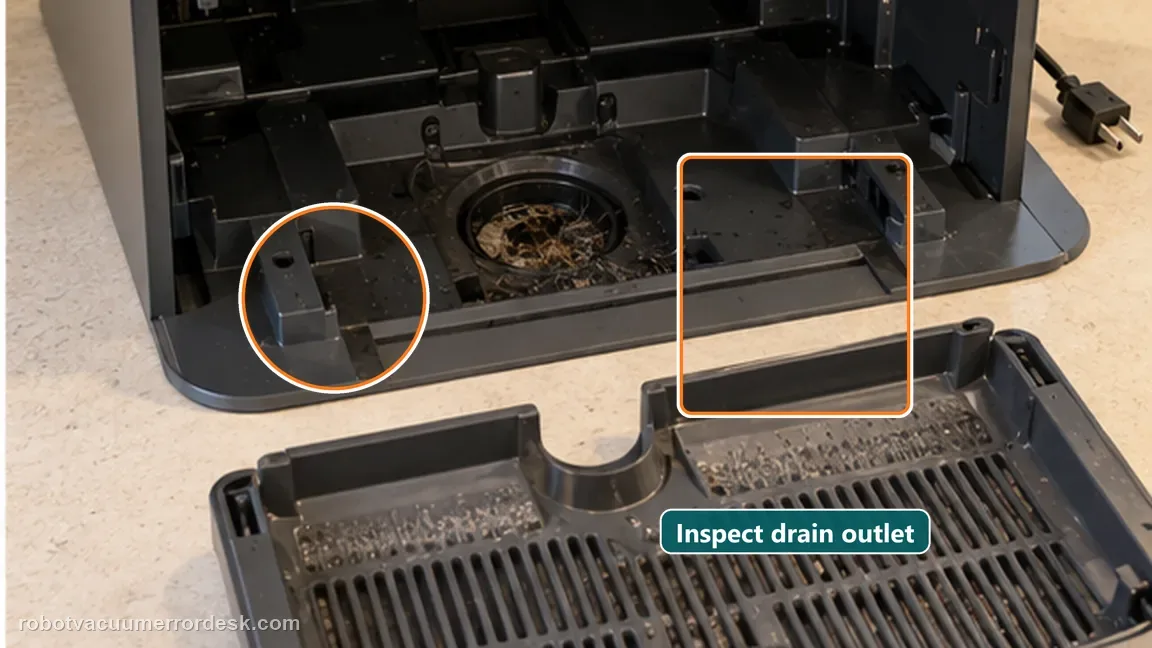
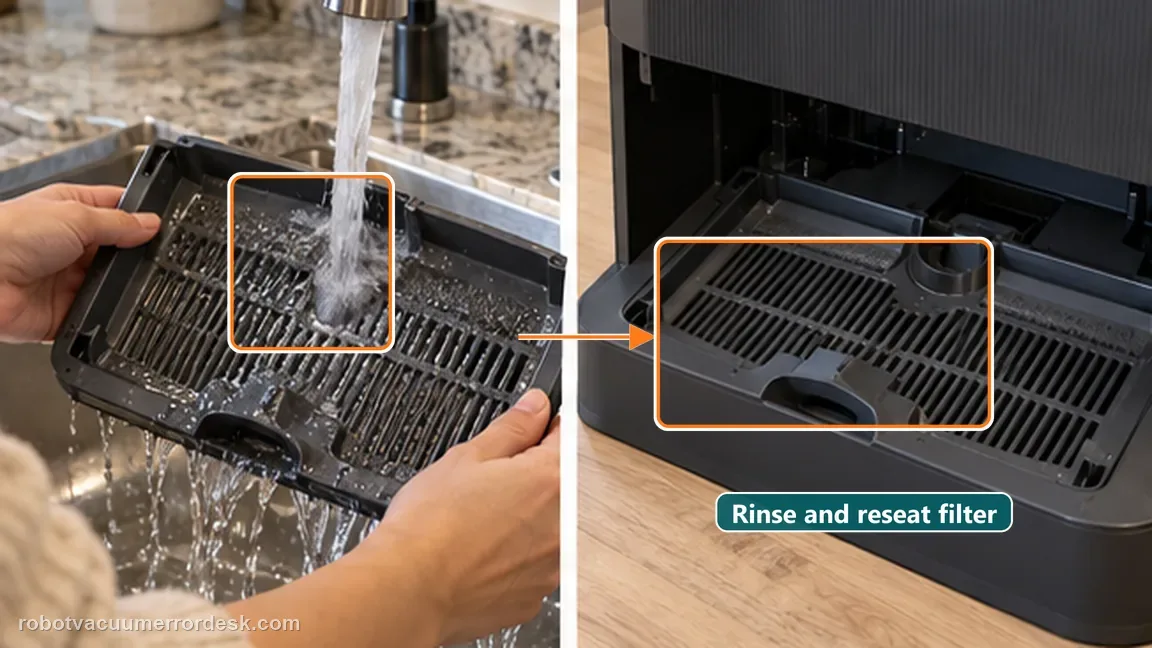
Rinse and reinstall the washboard filter correctly
Rinse the washboard filter under the faucet as the exact support article directs, then reinstall it in its normal seated position. A clean outlet with a filter left crooked or loaded with residue is not a complete test. Wipe obvious loose debris from the surrounding user-accessible area so the next wash cycle starts from a known condition.
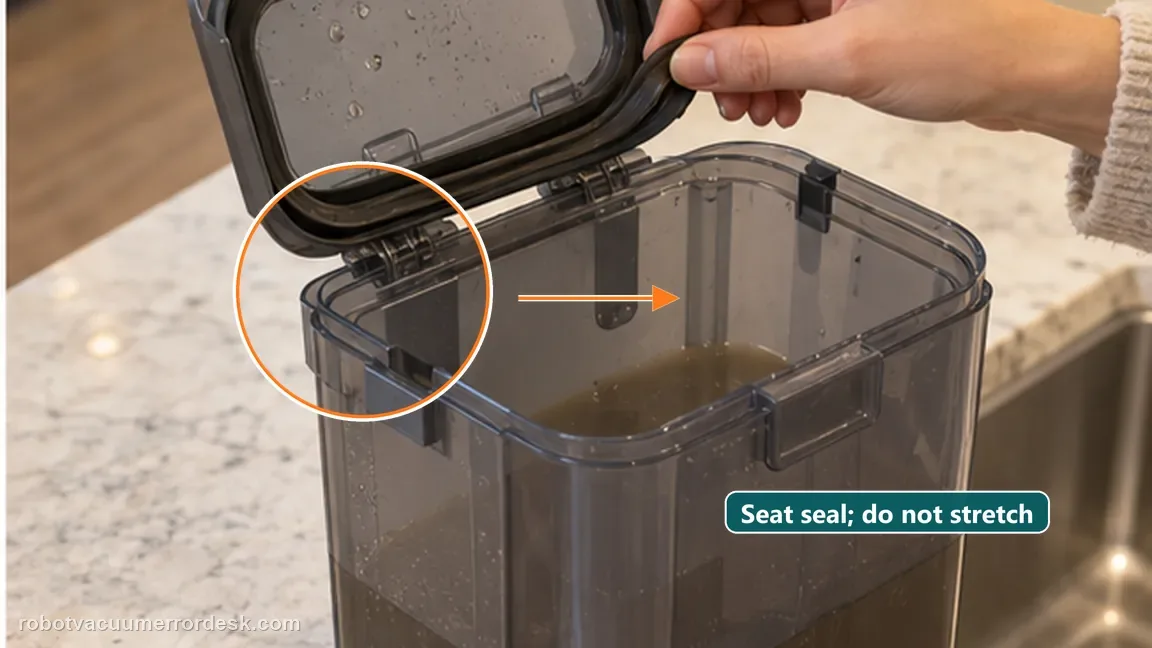
Inspect the used-water tank lid sealing ring
Open the used-water tank cover and inspect the sealing ring. Dreame specifically asks whether the ring is loose or deformed and says to manually reset it when needed. The goal is not to lubricate, stretch or modify the seal; it is simply to make sure the existing ring sits evenly in its intended position before the lid is closed.
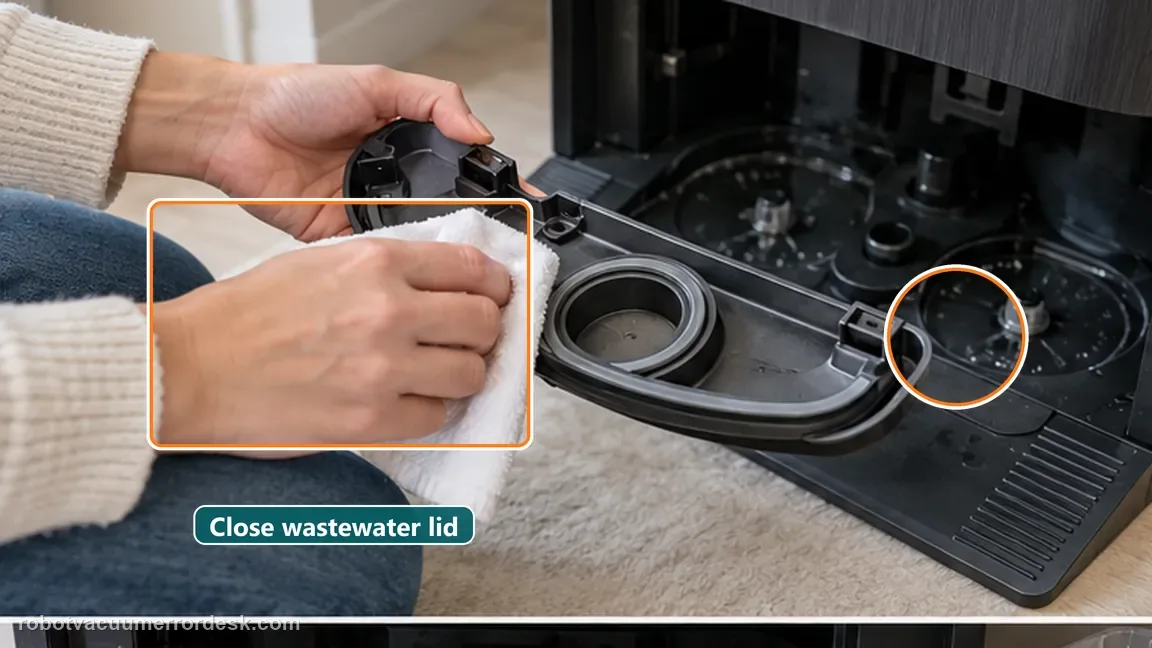
Clean the sewage cover and prove the buckle closes
Wipe the sewage cover area and make sure the buckle installs/closes in place. This is a separate check from the rubber sealing ring: a good ring with a cover that is not latched correctly still leaves the tank condition unproven. Close the lid normally and do not add tape, clamps or other improvised sealing pressure.
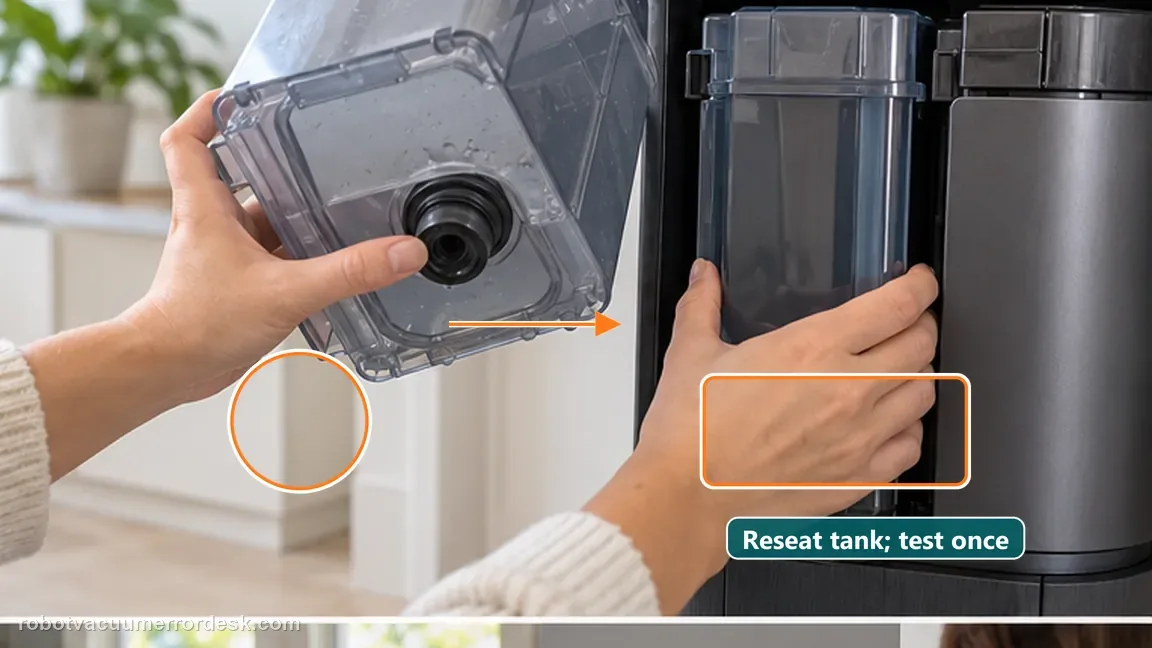
Check the tank connection seal, reseat the tank and retest once
Inspect the sealing plug at the connection between the used-water tank and the base station, then reinstall the tank and press it down lightly to ensure it is in place, matching Dreame’s instructions. Run one controlled mop-wash/drain cycle. Watch whether the washboard clears normally and whether the warning returns. If the accessible drain and seal path is correct but the alert persists, stop there rather than dismantling the station.
If the washboard water level remains abnormal after the sewage outlet is open, the filter is clean/seated, the used-water tank lid ring and buckle are correct, and the tank connection plug is normal, contact Dreame. Send photos of each accessible checkpoint and note whether the washboard fails to drain, drains slowly, or drains and then re-triggers the alert. Stop repeated cycles if water escapes the intended wash area; do not open internal station plumbing or energized components.
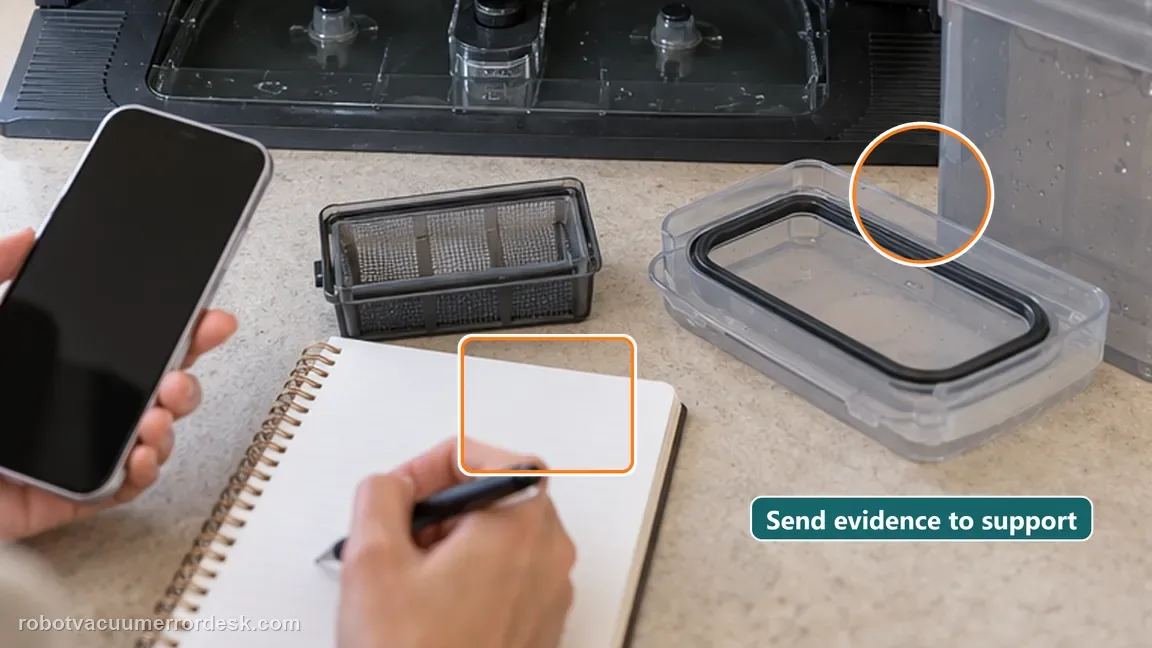
Information to have ready for support
Support can skip the basic troubleshooting script when you provide a reproducible case. That keeps the results of your checks from getting lost.
- Exact model name and the error code / voice prompt exactly as shown
- A photo or screenshot of the app error and the time it occurred
- A short list of the checks already completed and what happened after each one
- Short video showing the failed docking, mapping or base-station behavior
- Firmware version shown in Dreamehome
Source and evidence level
Dreame Aqua 10 Ultra Roller Complete — washboard water level
Dreame’s exact Aqua10 Ultra Roller Complete support article divides this alert into two owner-serviceable branches: clear/rinse the sewage outlet and washboard filter, then verify the used-water tank lid sealing ring, sewage-cover buckle, connection sealing plug and full tank seating.
Additional official source: Dreame Aqua 10 Ultra Roller Complete — Support Hub ↗Last editorial review: October 13, 2026Regional note: manufacturer help centers, model suffixes, mains-power requirements and warranty procedures can differ by country. If the source redirects to a local support site, confirm that the model/hardware scope still matches before following a region-sensitive step.
This guide is rated Official model support. See what each evidence label means →
Common questions
Why does the used-water tank seal affect washboard water level?
Dreame includes the used-water-tank lid sealing ring, sewage-cover buckle and tank-to-station sealing plug in the same exact troubleshooting path as the washboard drain. The station needs both an open sewage outlet and a correctly sealed collection path. A clean outlet alone therefore does not prove the system is healthy if the tank lid or connection cannot hold the intended seal.
Should I replace the washboard filter immediately?
No. Dreame’s first-line instruction is to remove the washboard filter, inspect and clear the sewage outlet, rinse the filter under the faucet and reinstall it. Replacement is not presented as the first step unless the part is damaged or support later recommends it. Use the cleaned, correctly seated filter for one controlled drain test before deciding the filter itself is defective.
Is this the same as a clean-water tank warning?
No. “Washboard water level abnormal” is a dirty-water drainage and sealing diagnosis. A clean-water tank warning or a symptom where fresh water will not dispense belongs to the supply side of the system. Mixing those paths can lead to repeated reseating of the wrong tank. Start from the exact alert and observe whether the washboard drains before choosing the next article.
How many wet cycles should I run after the drain and seal checks?
Use one controlled mop-wash/drain cycle. If the washboard clears normally and the warning stays gone, the test has passed. If standing water remains or the same warning returns with the sewage outlet open, filter clean and used-water tank correctly sealed, additional cycles add little information and can increase the water present around the station. Stop and document the repeatable failure.
What should I document if the water-level alert keeps returning?
Record whether water remains standing in the washboard, whether the sewage outlet drains at all, and the exact app alert. Photograph the cleaned washboard filter, used-water-tank lid seal and tank connection before the final test. If the same fault returns, send Dreame that sequence and stop wet testing if water escapes the intended wash area.
Did this diagnostic narrow the fault?
Use this as an editorial signal, not a popularity counter. If a feedback address is configured you can email the note; otherwise you can copy it for your own support record.