Dreame Aqua 10 Ultra Roller Complete troubleshooting
Roller, brush, mop, detergent, base-station and water-path troubleshooting. We route by the exact error or symptom rather than assuming a generic robot-vacuum fix applies.
Use Dreame's exact-model support collection for the user manual, maintenance guidance, and roller installation material. The diagnostics below keep each water, roller, and station symptom separate.
Dreame Aqua 10 Ultra Roller Complete support →
Aqua10 Ultra Roller user manual →
Dreame includes “update firmware to the latest version” inside some Aqua 10 fault paths. Record the installed version before updating so you can preserve the timeline.
Dreame Aqua 10 Ultra Roller Complete issue index
14 guides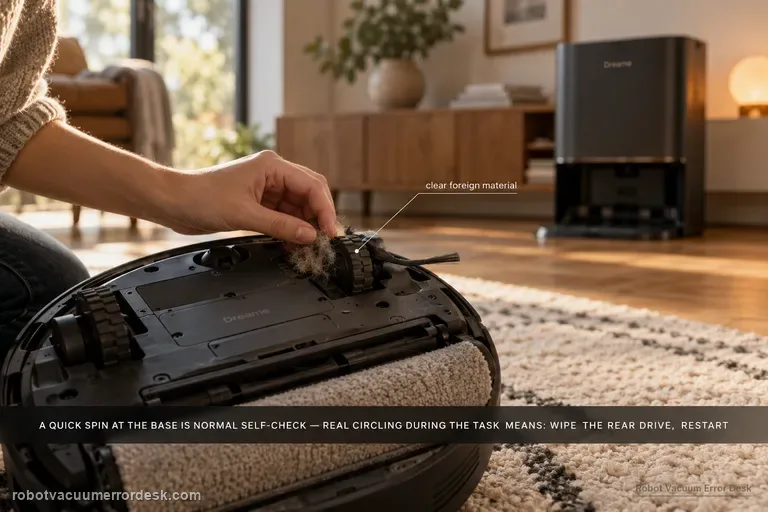
Cleaning in circles
The Aqua10 can rotate around the base station briefly and still be behaving normally: Dreame says the robot locates itself and performs a self-check before leaving the base. The fault pattern is continued circling during the cleaning task. For that case, Dreame directs owners to inspect and wipe the rear drive for foreign material, power the robot off, restart the task, and escalate if the behavior persists.
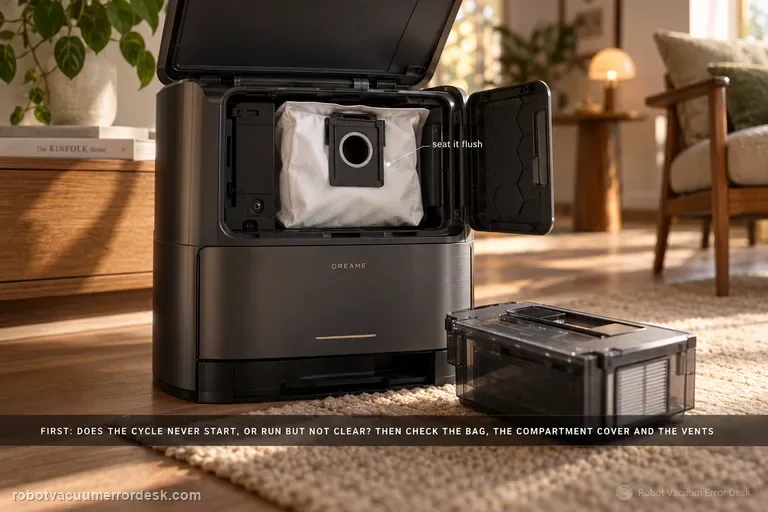
Base not collecting dust
First determine whether the station never starts an emptying cycle or whether it runs but leaves debris in the robot. Dreame’s exact Aqua10 support article checks the dust bag, dust-compartment cover and robot dustbin for obstruction. The exact-model manual adds two important discriminators: auto-empty can be disabled or scheduled differently in the app, and blocked auto-empty vents on the robot, base or dust box can stop evacuation. Prove the trigger state first, then the seal/air path, using one light controlled debris load.
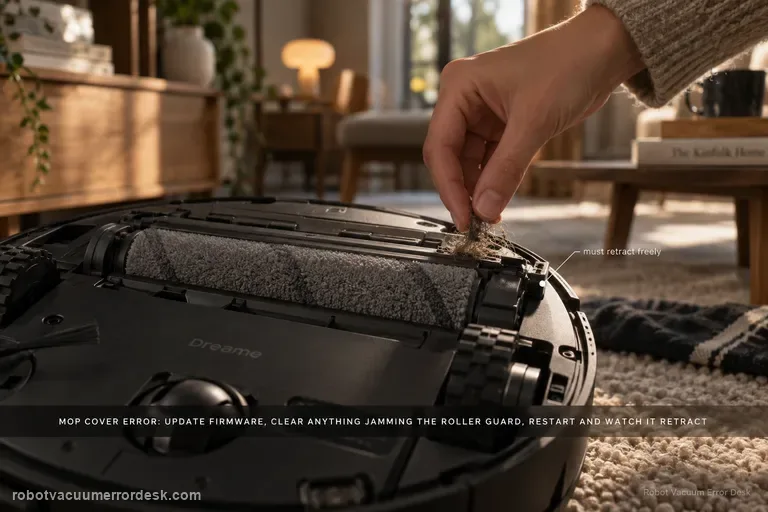
Mop cover / roller guard error
Dreame treats the Aqua 10 “mop cover error” as a firmware-and-obstruction check first. Confirm the robot is on current firmware, inspect the roller guard/cover area for foreign objects, clean it, then restart and see whether the guard retracts normally.
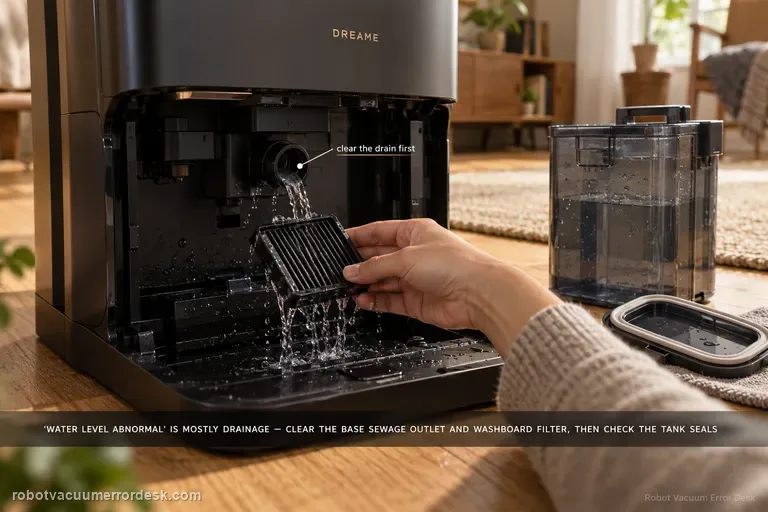
Washboard water level abnormal
Aqua10 'washboard water level abnormal' is primarily a drainage-and-sealing diagnosis in Dreame’s exact support article. First clear the base-station sewage outlet and rinse the washboard filter. Then inspect the used-water tank cover sealing ring for looseness or deformation, clean and close the sewage cover/buckle, inspect the sealing plug where the tank meets the station, and reseat the used-water tank firmly. The order matters: standing water with a blocked outlet points to drainage, while a clean drain plus a loose/deformed tank seal points to lost suction/sealing in the dirty-water path. Do not treat this as a clean-water refill problem unless the evidence actually points there.
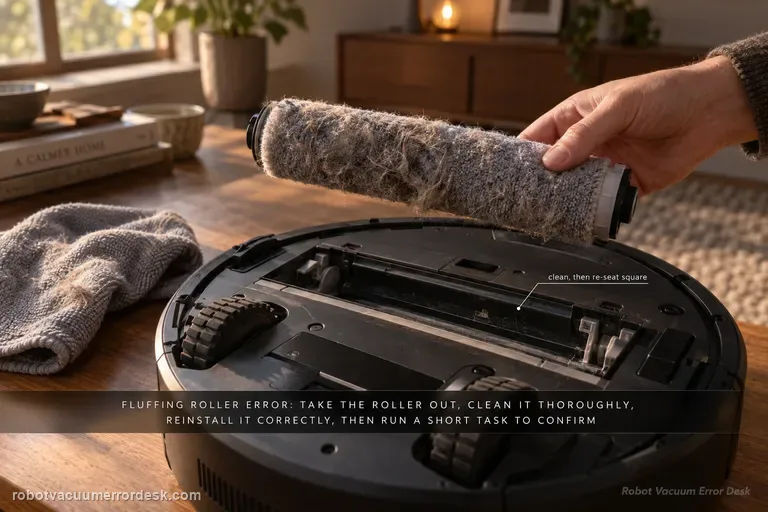
Fluffing Roller Error
Dreame’s model-specific path is straightforward: remove the robot from the base, detach and thoroughly clean the fluffing roller, reinstall it correctly, return the robot to the station and run a short cleaning task. The proof is whether the error stays gone after the roller is re-seated.
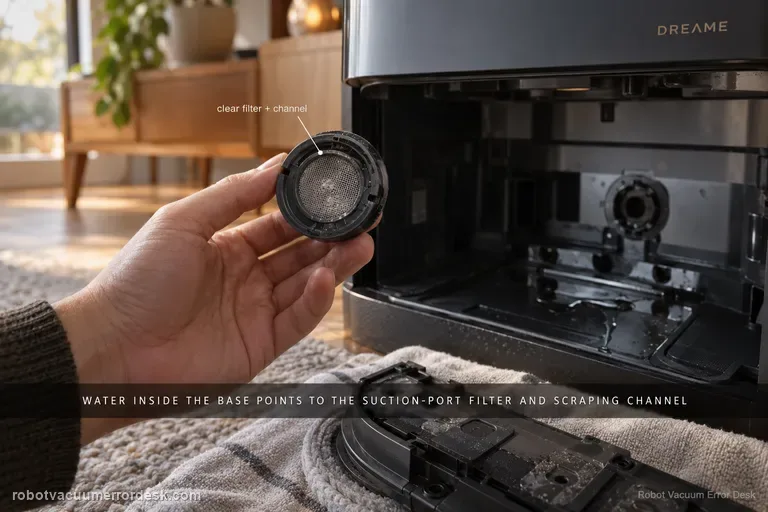
Water leaking inside base
For water that appears inside the Aqua 10 Ultra Roller Complete base station, Dreame points first to the robot-side suction-port filter and the scraping channel around it. Treat this as a controlled leak-location test, not a reason to open the station. Stop repeated wet cycles, confirm the water is actually appearing inside the base rather than dripping outside it, remove the mop assembly, clear the filter and nearby channel, reinstall everything, then run one short task. If the base stays dry after that test, the blocked pickup path was the useful discriminator; if fresh water or sewage still accumulates inside the station, stop wet operation and escalate rather than disassembling powered wet-station parts.
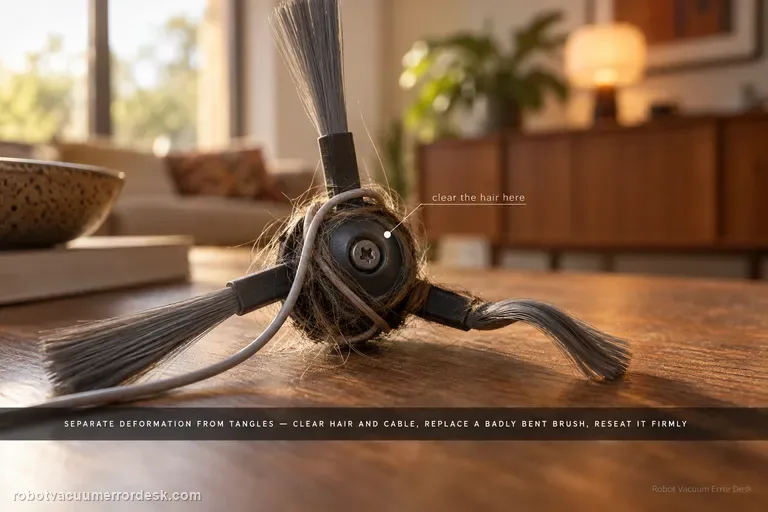
Side brush not rotating
For a side brush that will not rotate, makes abnormal noise or falls off, Dreame first separates deformation from entanglement. Remove hair, thread or cable debris, replace a badly deformed brush for the rotation test, reinstall it securely and continue cleaning near the same area. The Aqua10 also has a separate exact-model article for curled nylon bristles; use that shape-only path when the motor still rotates and the problem is simply deformation. If a clean, correctly shaped and securely mounted brush still will not rotate, stop at support rather than opening the brush drive.
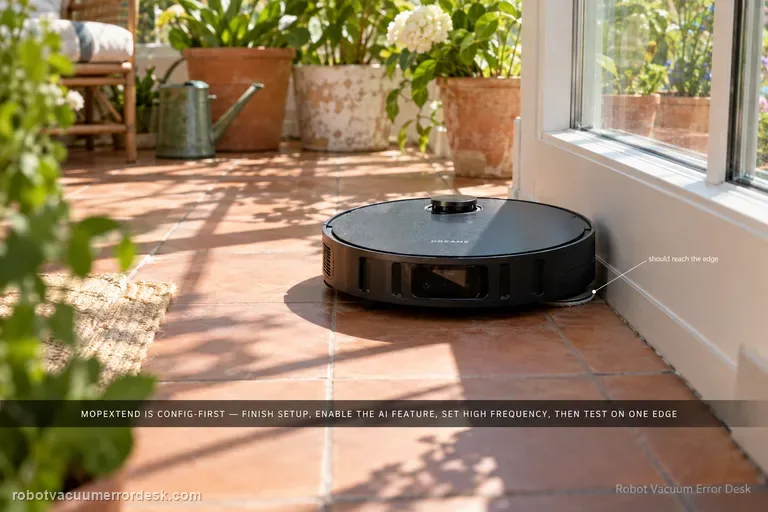
Mop does not extend
Dreame’s MopExtend troubleshooting is configuration-first, not a motor-disassembly path. Complete network setup, enable AI-driven MopExtend and read the selected mode correctly: Standard performs extension only once a week in Global Cleaning, Intelligence adapts automatically, and High Frequency is the proof mode because it extends during every cleaning. If the Aqua10 is online, MopExtend is enabled and High Frequency is selected but the mop still never extends during a normal edge-cleaning opportunity, record video and move to after-sales support.
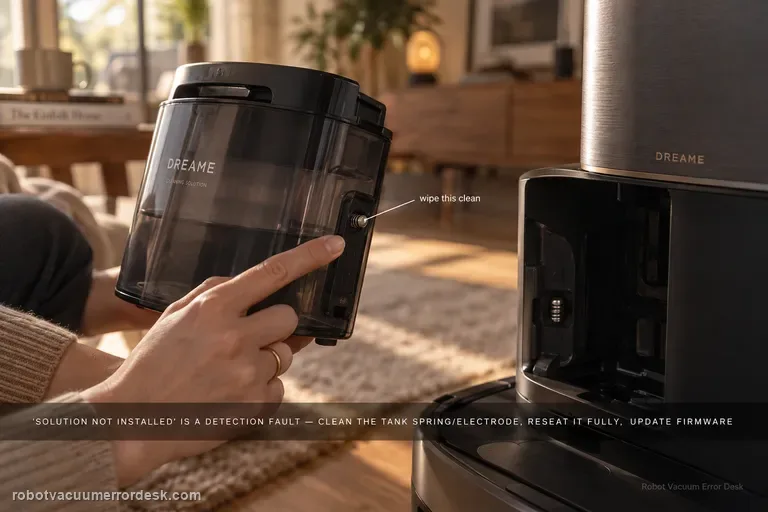
Cleaning solution not installed
Treat “cleaning solution not installed” as a detection problem, not as proof that detergent is empty or not being consumed. Dreame's exact Aqua10 flow starts at the tank spring/electrode, then requires full seating, current firmware, a robot/base restart, and one global-cleaning observation when the robot returns to mop. That sequence separates a dirty contact or poor seating issue from a persistent detection fault before service.
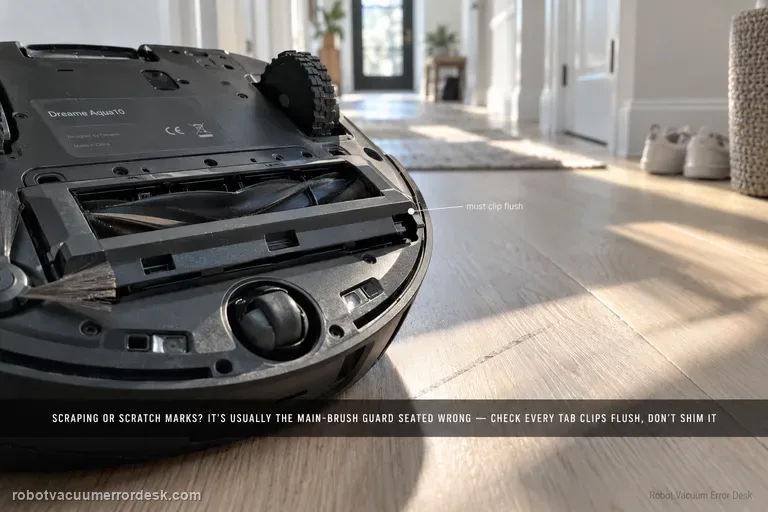
Brush guard rubs floor
Dreame says brush-guard scraping, scratches on the guard and related abnormal noise can come from incorrect main-brush-guard installation. Before blaming wheel height or suspension, prove that every guard tab is seated correctly and the cover is not protruding. The key check is correct guard installation; repeated scraping is not a normal break-in condition. The useful proof is visual: the guard should sit flush at its normal clips before one brief hard-floor test. Do not sand, bend or shim the part to create clearance.
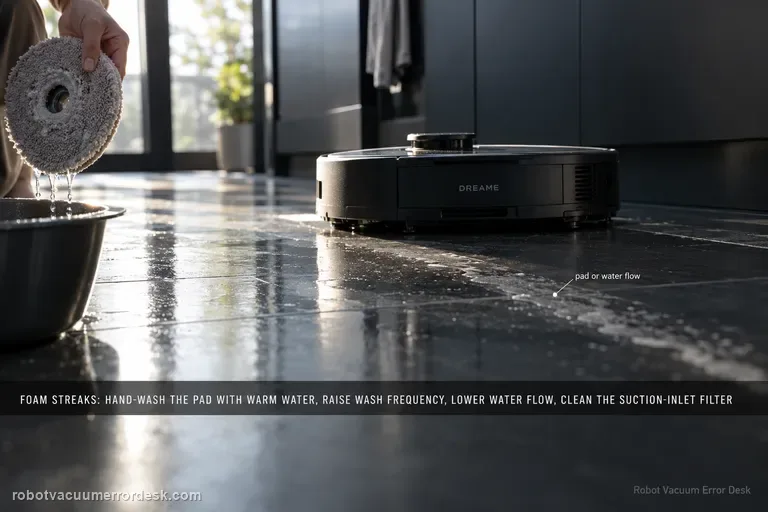
Foamy water marks
Dreame’s exact Aqua10 foam path checks four variables in order: mop-pad condition, wash frequency, app water-flow level and the suction-inlet filter. Hand-clean the removed mop pad with warm water and detergent as the support article instructs, rinse it thoroughly, and replace it if worn or permanently stained. Then increase wash frequency, reduce water flow and clean the suction-inlet filter. Do not pour household detergent into the robot’s clean-water tank; the Aqua10 manual says only clean water and officially approved cleaning solution belong there.
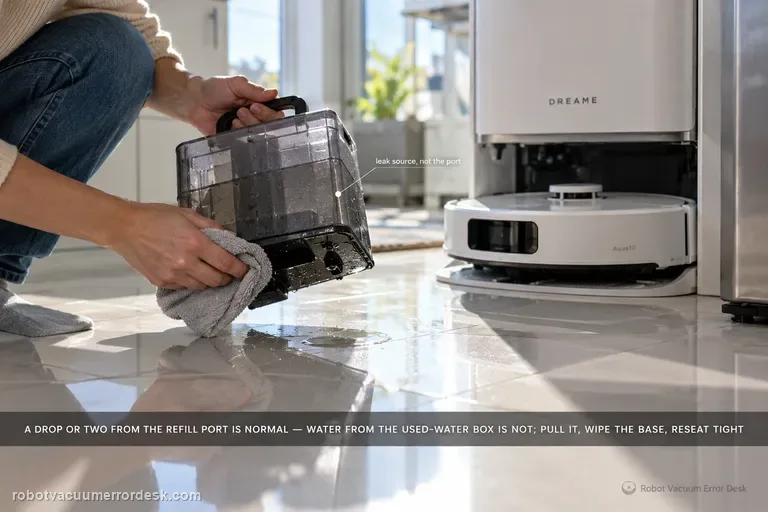
Water leaking outside base
Dreame says one or two drops from the robot’s water refill port after refilling can be normal. If water is instead coming from the robot’s used-water box, remove it, wipe the bottom surface clean, reinstall it tightly and retry. Larger or persistent leakage should not be normalized.
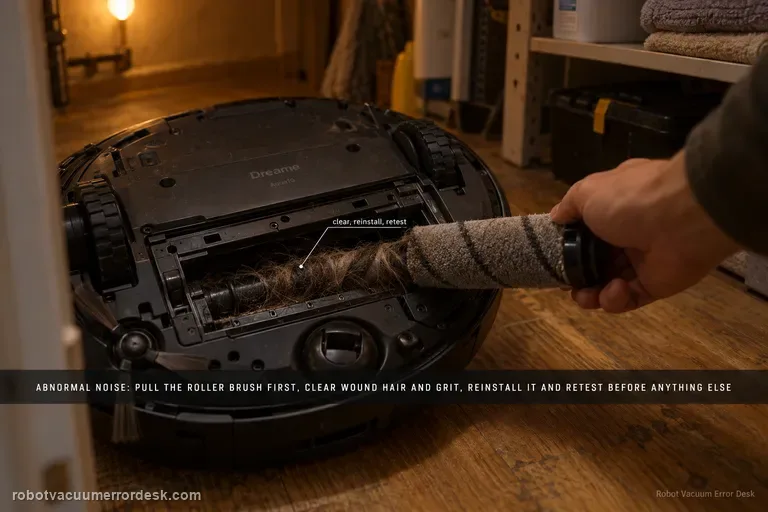
Abnormal noise
Dreame’s exact Aqua10 abnormal-noise article starts with foreign objects around the roller brush: remove the roller, clear debris, reinstall it and retest. The exact-model manual provides useful secondary discriminators if that first check is clean: a clogged dust-box filter, hard objects in the main brushes or dust box, tangles in the main/side brushes, and suction mode can all change operating noise. Use the exact roller check first, then the manual’s non-invasive comparisons; a repeated noise with all owner-serviceable paths clear belongs with support, not internal motor disassembly.
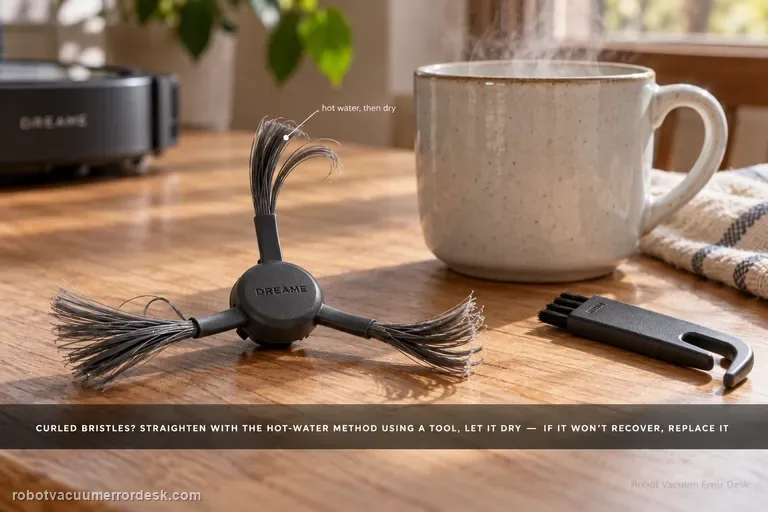
Side brush deformed
Dreame says the Aqua10 side brush uses nylon bristles that can curl in packaging or daily use. For deformation alone, remove the brush and follow the manufacturer’s hot-water straightening method using a tool rather than handling heated bristles directly; let the brush cool and dry before reinstalling it. If the bristles still do not recover, replace the brush. This page is not for a brush that will not rotate or keeps falling off — those symptoms use the separate side-brush drive/entanglement path.