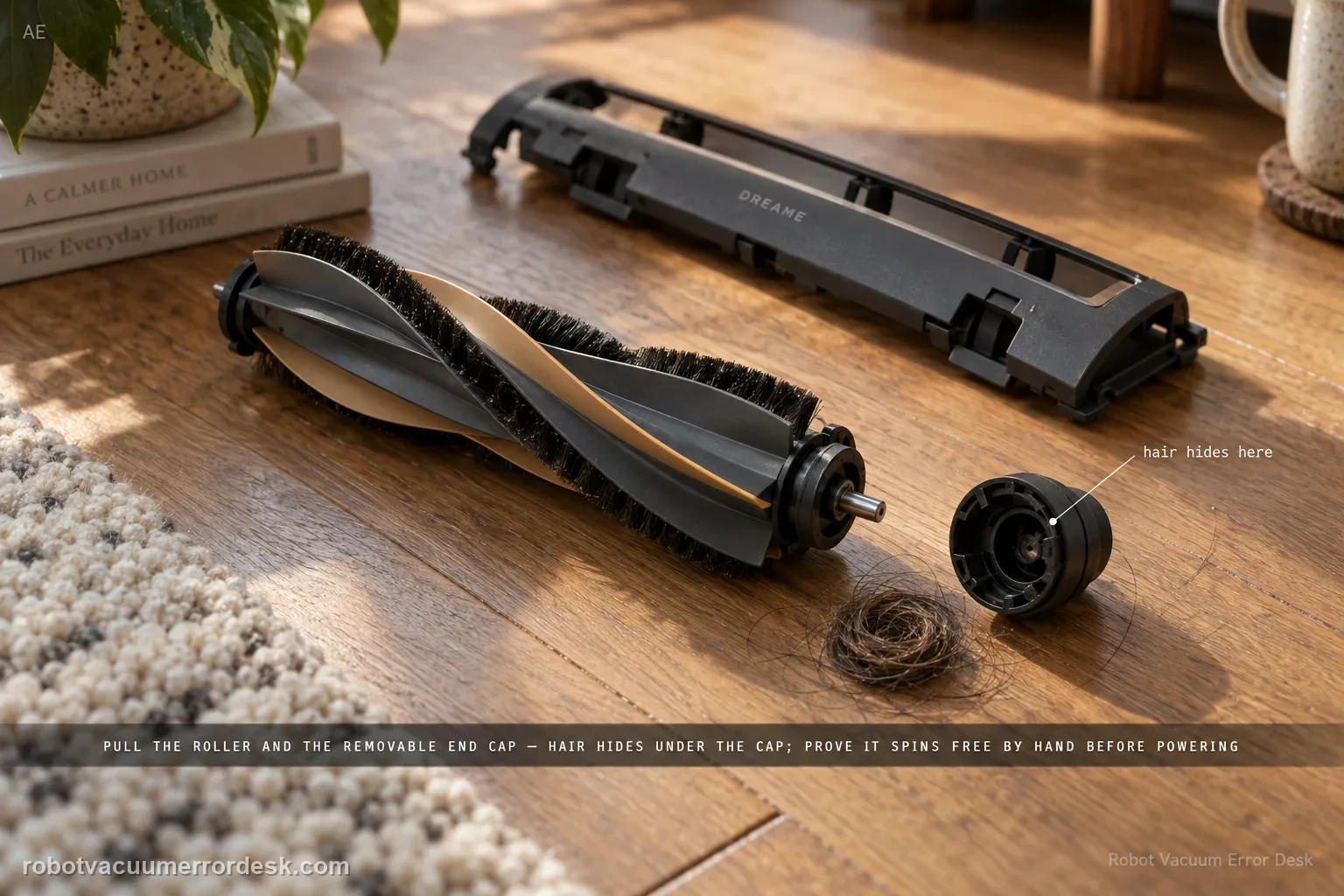
Treat an L50 Ultra AE main-brush jam as a mechanical-path problem first. Dreame says large/hard debris, wires and wrapped hair can stop the conical roller, including hair hidden under the removable end cap. Remove the cover and roller, clean the full user-serviceable path, reinstall it and prove smooth hand rotation before powering the brush. The exact manual separately advises clearing hard/sharp floor objects before cleaning, which helps prevent an immediate repeat jam.
Confirm the exact model and exact code, light pattern or symptom.
Run the lowest-risk physical or software check first.
Use each pass condition to decide what the result actually narrows down.
Confirm this is the right issue
- The L50 reports that the main brush is jammed or the roller stops turning during cleaning.
- Hair, wire or a hard object is visible around the roller or near one brush end.
- The warning began after the brush cover was removed, cleaned or reinstalled.
What’s most likely causing this
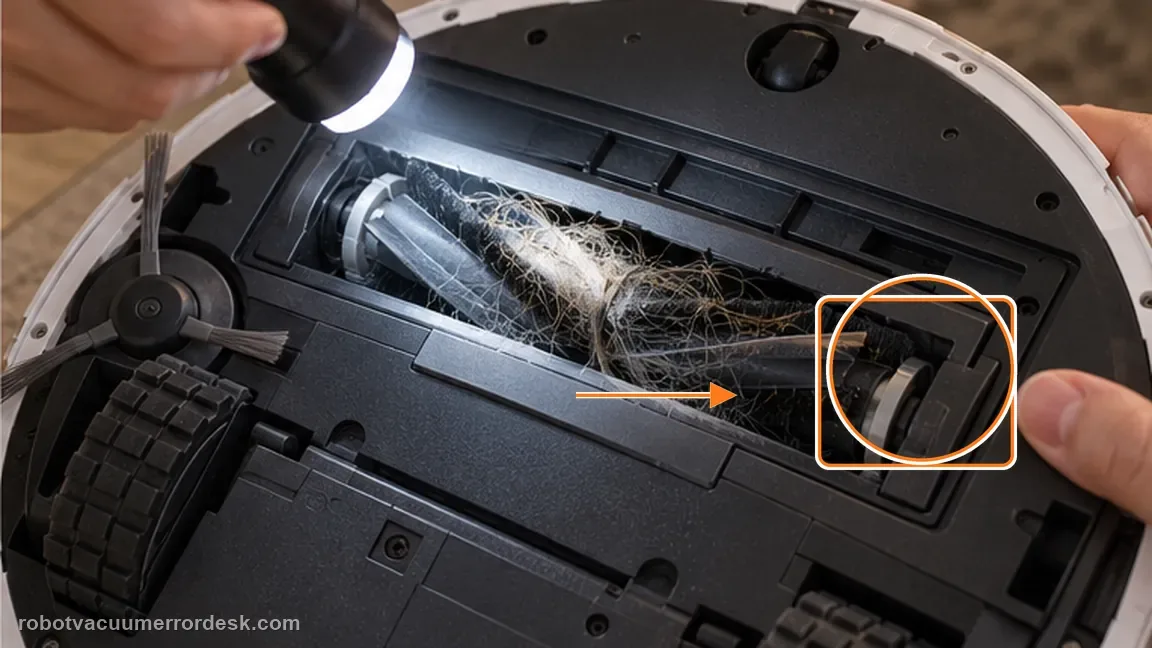
A wire, large piece of debris or other hard object is physically wedged in the main-brush path.
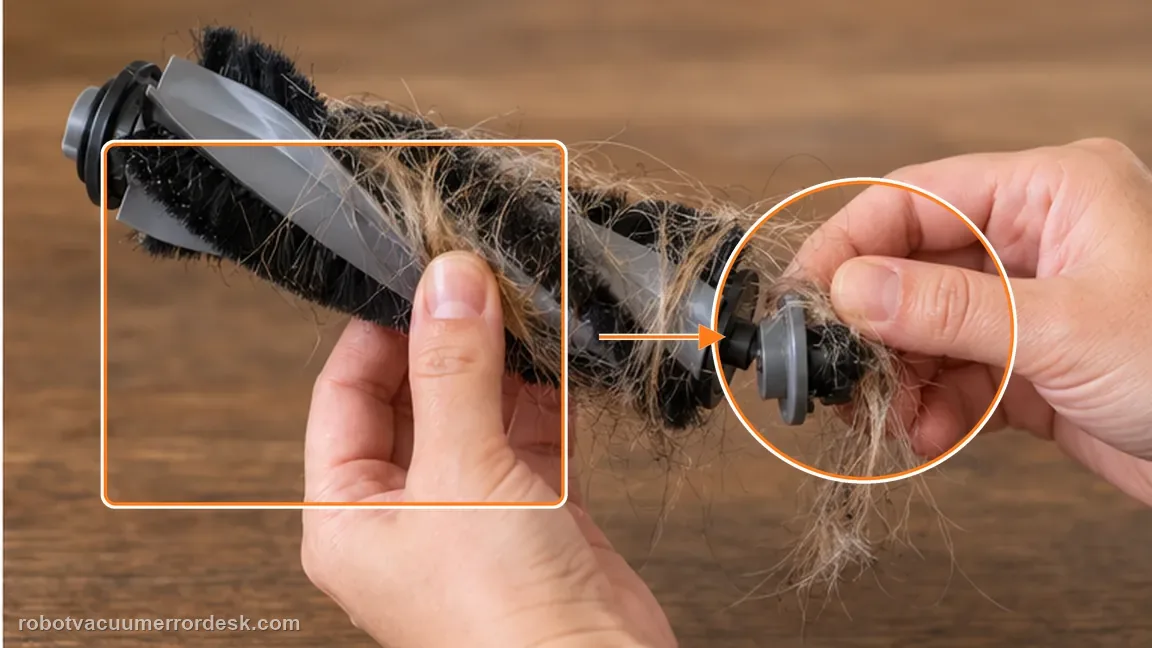
Hair is hidden around the removable end cap even though the center of the roller looks clean.
The roller is reinstalled in the wrong position or the cover plate is not fully fastened around it.
The clean brush still has abnormal mechanical resistance that needs service rather than more pulling or prying.
Reading your test result
| What you observe | What it narrows down | Next move |
|---|---|---|
| Hard object or wire is visible in the brush channel | The warning has a direct mechanical cause that can be cleared at the user-serviceable brush path. | Remove the cover and roller, clear the object, then inspect the end-cap area before reassembly. |
| Center of roller is clean but hair is packed under the removable end cap | Hidden end-cap entanglement can keep the roller from turning even when the bristles look clean. | Remove the end cap as Dreame describes, clear wrapped hair, reinstall it fully and hand-test the roller. |
| Roller turns smoothly by hand after cleaning | The user-serviceable mechanical path is no longer binding. | Secure the brush cover and run one short hard-floor proof test. |
| Roller still catches or has a hard stop by hand | The problem is not resolved by ordinary brush cleaning and may involve seating, a damaged end component or the drive path. | Keep the robot stopped; do not use motor torque to force the brush and prepare a support case. |
| Brush is smooth by hand but jam alert returns immediately | The visible roller is clean, so repeated obstruction cleaning is unlikely to add evidence. | Record the reassembled brush, cover fit and immediate alert for Dreame support rather than opening the drive housing. |
Do not factory-reset by default. Use the exact model’s reboot/network-reset procedure only when the manufacturer path calls for it.
Work through these checks in order
Stop the robot and classify the obstruction
Pause cleaning and inspect the brush opening before tugging on anything. Dreame specifically calls out large/hard debris and electrical wires as objects that can jam the main brush. Remove loose floor material from around the robot so the same object is not immediately pulled back into the roller during the proof test.
Remove the cover plate and roller
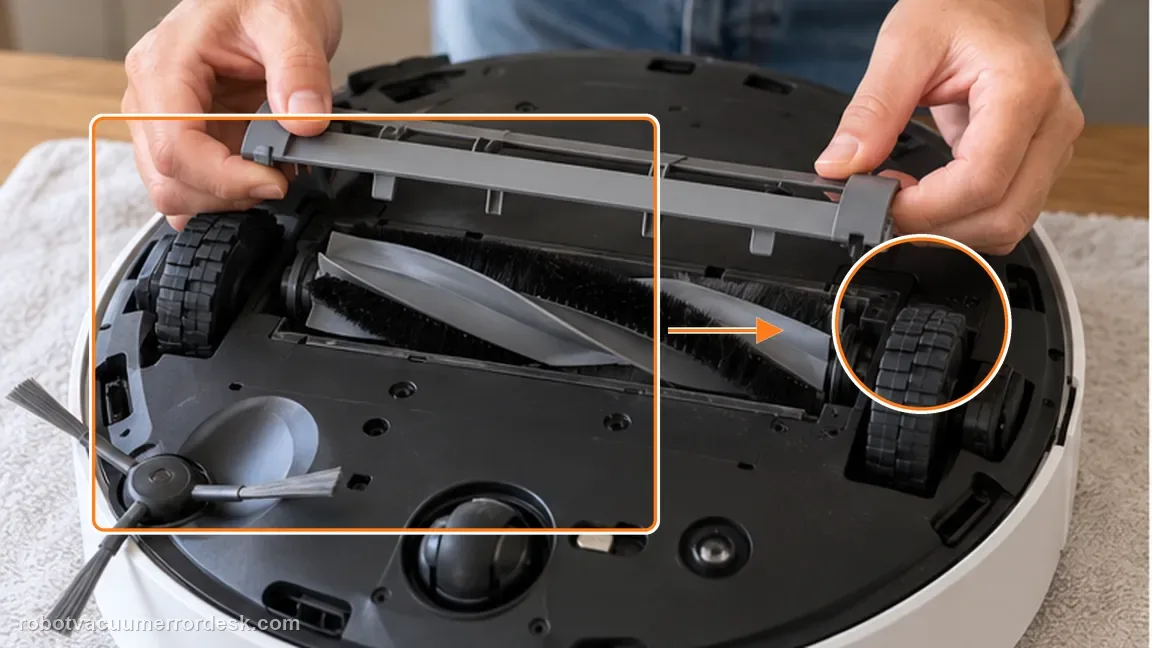
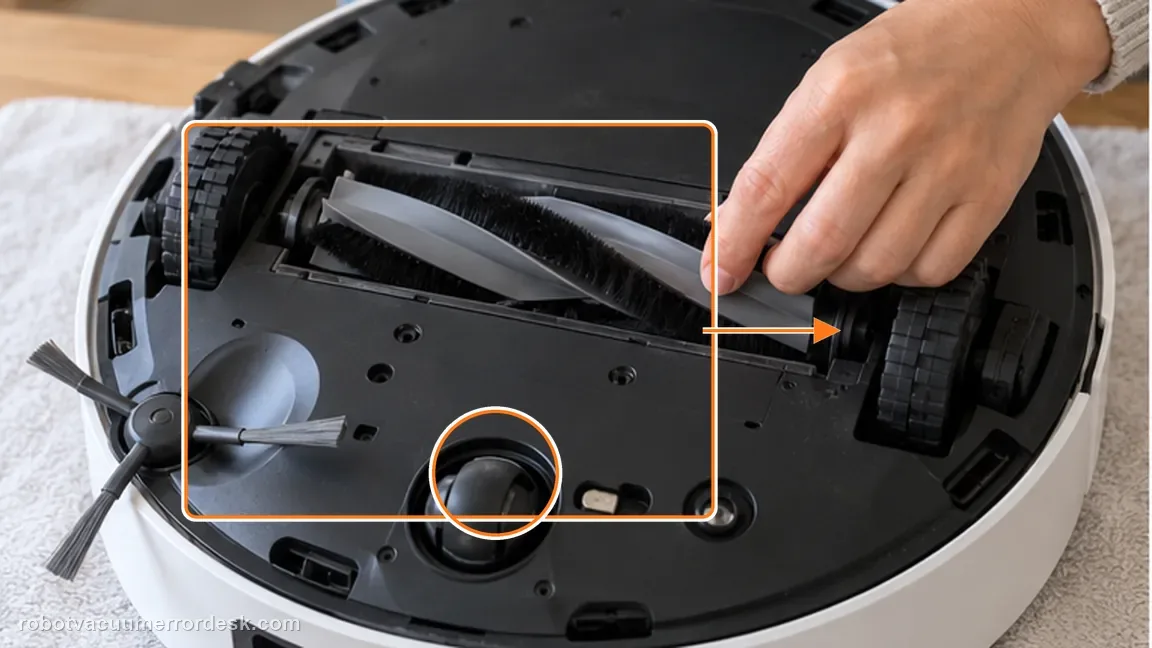
Release the main-brush cover plate and lift the roller out as Dreame instructs. Work on the removed brush rather than trying to power through a jam in place. Check the brush channel and cover edges for a hard object that could prevent the roller from seating or turning freely.
Clean the full roller and removable end cap
Cut or unwind hair and fibers from the roller without damaging the brush surface. Dreame specifically notes that the cap at one end of the roller can be pulled out so hidden hair can be removed. Clean around that cap and its seating area; a brush that looks clean in the middle can still bind at the end.
Reinstall and test rotation by hand
Put the end cap and roller back in their correct positions, then rotate the installed brush by hand before closing everything. Dreame includes smooth hand rotation as the key post-cleaning check. Do not use motor power to test a brush that still feels locked, catches sharply or sits crooked.
Secure the cover and run a short proof test
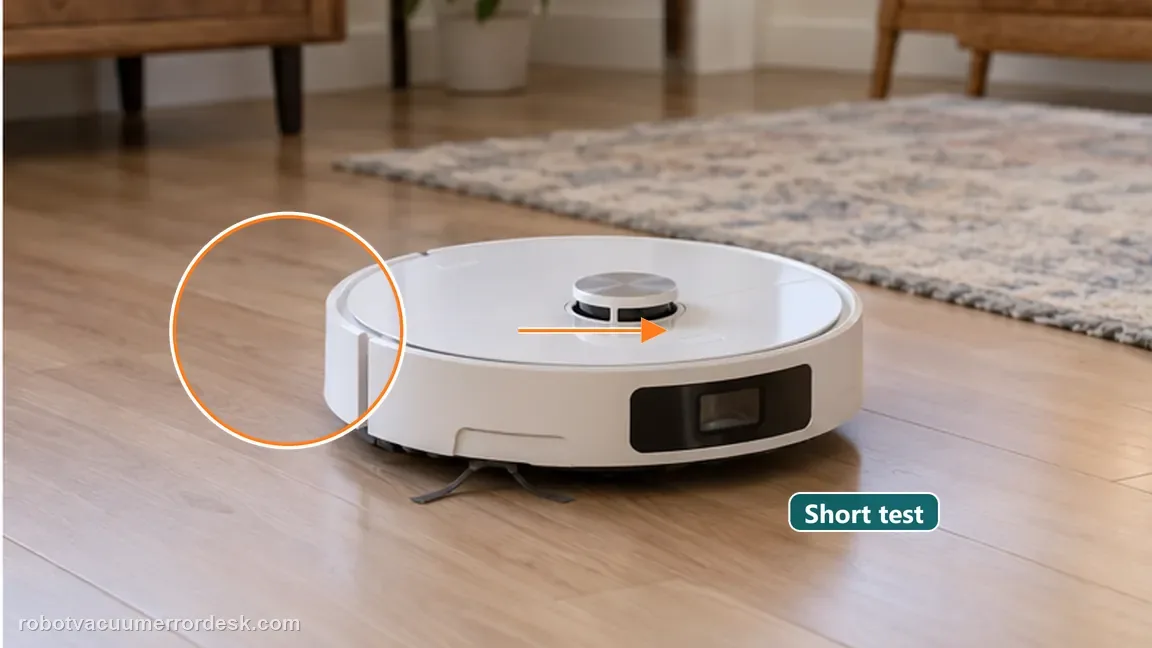
Fasten the main-brush cover plate completely around the roller; Dreame calls out secure cover installation as part of reassembly. Run a brief hard-floor cleaning test where you can listen for abnormal drag and see whether the jam warning returns. Stop immediately if the brush locks again.
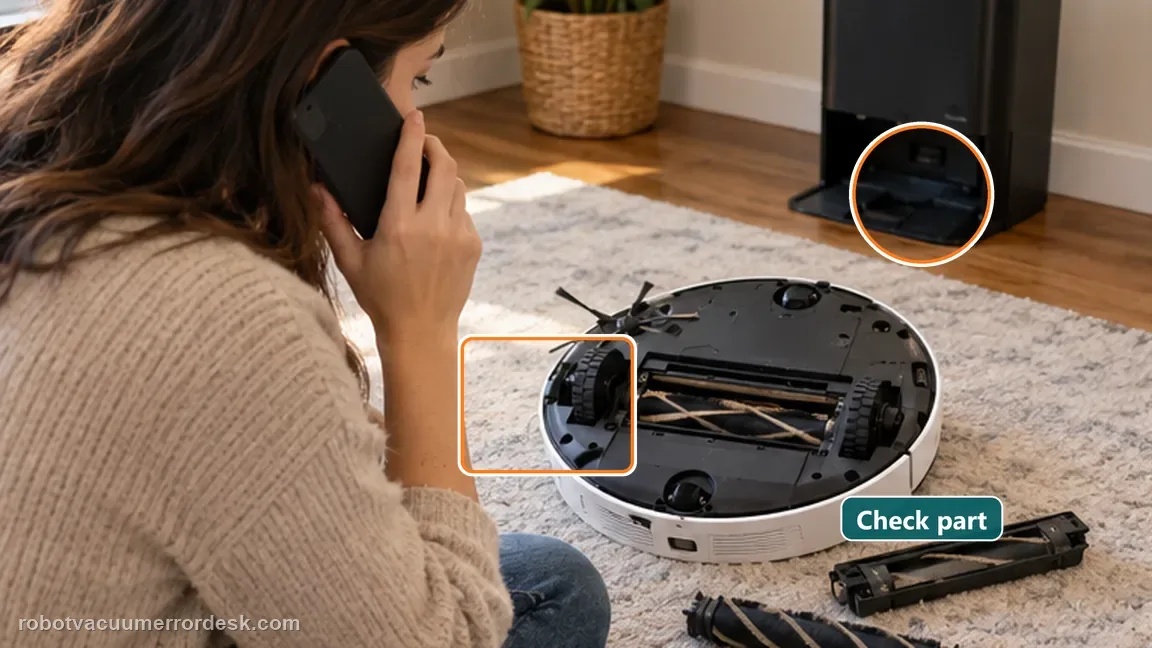
Contact Dreame if the cleaned roller does not rotate smoothly by hand after correct reassembly, the cover cannot sit securely, or the jam warning returns immediately with no foreign object present. Do not open the brush motor/drive housing or keep forcing a resistant roller; the useful support evidence is a clean brush, correct cover installation and the hand-rotation result.
Before you contact support, gather this
A reproducible case moves a support call past the basic troubleshooting script faster than “it doesn’t work” does, and it keeps the clues from your own tests on record.
- Exact model name and the error code / voice prompt exactly as shown
- A photo or screenshot of the app error and the time it occurred
- A short list of the checks already completed and what happened after each one
- Short video showing the failed docking, mapping or base-station behavior
- Firmware version shown in Dreamehome
Where this comes from
Dreame L50 Ultra AE — main brush jammed
Dreame’s exact L50 Ultra AE support path identifies large/hard debris, wires and hair as jam causes, instructs owners to remove the cover and roller, explicitly calls out the removable end cap, and requires smooth hand rotation plus secure cover-plate installation. The exact user manual reinforces owner-safe floor preparation and main-brush maintenance.
Additional official source: Dreame L50 Ultra AE User Manual ↗Last editorial review: September 5, 2026Regional note: manufacturer help centers, model suffixes, mains-power requirements and warranty procedures can differ by country. If the source redirects to a local support site, confirm that the model/hardware scope still matches before following a region-sensitive step.
This guide is rated Official model support. See what each evidence label means →
Questions people ask
Why can the L50 Ultra AE brush still be jammed when the roller surface looks clean?
Hair and string can hide around the removable cap at one end of the roller even when the center bristles look clear. Dreame specifically tells owners to pull that cap out and remove entanglement there. Clean the brush channel and both visible ends as well, then reinstall the cap fully and use smooth hand rotation—not appearance alone—as the proof that the jam is actually cleared.
Should I run the L50 Ultra AE motor to see whether a stiff brush frees itself?
No. Dreame’s post-cleaning check is that the reinstalled roller rotates smoothly by hand. If it still catches, stops hard or sits crooked, keep the robot stopped and correct the user-serviceable mechanical path first. Using motor torque against a resistant brush can turn a simple obstruction or seating problem into damage and does not provide better diagnostic evidence.
Does the main-brush cover matter after cleaning the L50 Ultra AE roller?
Yes. Dreame explicitly says the cover plate must be securely fastened around the reinstalled roller. A clean brush with a loose or mis-seated cover is not a valid proof test because the roller can sit incorrectly or rub. Confirm the cover locks fully, then hand-rotate the roller once more before running a short hard-floor cleaning test.
What if the L50 Ultra AE roller turns smoothly by hand but the jam warning returns immediately?
That result is different from a visible hair or wire jam. Confirm the cover is fully secured, record a short video showing smooth hand rotation before the test, and stop repeated runs if the alert immediately returns. The clean mechanical proof is useful evidence for Dreame because it shows ordinary owner-level obstruction removal did not resolve the fault.
What should I photograph before contacting Dreame about a repeated main-brush jam?
Photograph the cleaned roller, removable end-cap area, empty brush channel and cover after it is latched. If possible, add a short video showing smooth hand rotation before power is applied and the alert that returns during one controlled proof run. Do not dismantle the brush motor or drive housing just to obtain more evidence; the owner-serviceable path is enough for escalation.
Did this diagnostic narrow the fault?
Use this as an editorial signal, not a popularity counter. If a feedback address is configured you can email the note; otherwise you can copy it for your own support record.