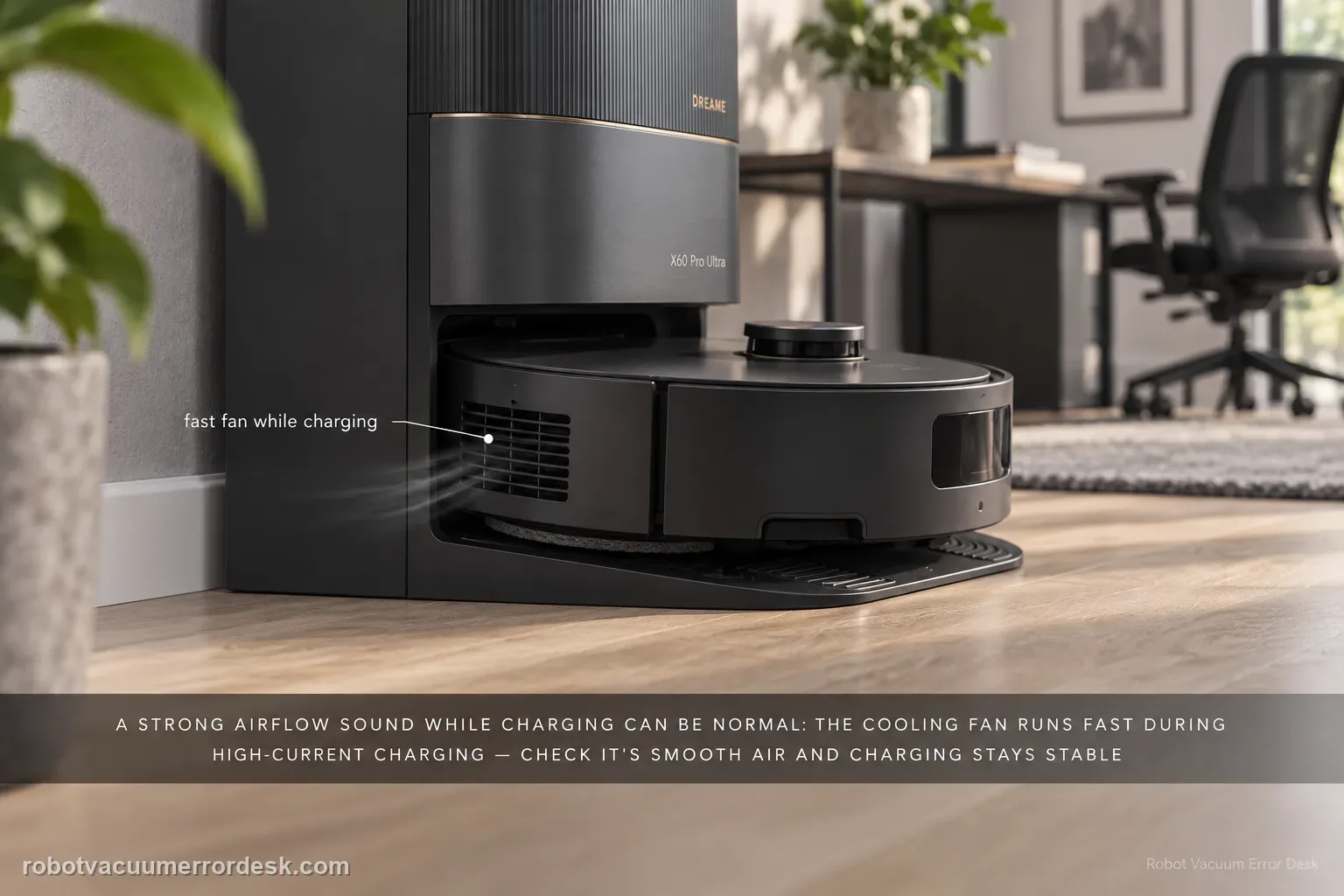
A strong airflow/fan sound from the X60 during charging can be normal. Dreame’s exact X60 article says the cooling fan may run at high speed when battery-pack temperature rises in scenarios such as “unlimited battery life” and 11A charging. A second X60 battery article explains that the fast charger monitors battery temperature with an NTC sensor and can reduce charging speed if overheating is detected. Confirm that the sound is smooth airflow tied to charging and that charging remains stable. Grinding, scraping, burning odor, repeated shutdowns or a charge fault belong to a different branch and should not be normalized as ‘just the fan.’
Confirm the exact model and exact code, light pattern or symptom.
Run the lowest-risk physical or software check first.
Use each pass condition to decide what the result actually narrows down.
Does this match your problem?
- A noticeably louder airflow sound starts while the X60 is fast-charging at the base.
- The noise is strongest after the robot returns warm from cleaning or during a high-current recharge phase.
- Charging continues and there is no brush contact because the robot is stationary in the dock.
- You need to distinguish normal thermal-management airflow from grinding, odor, shutdown or a charging fault.
Most likely causes
Normal high-speed fan operation is removing heat from a warm battery during high-current charging.
The battery returned from cleaning warm enough that thermal management is more audible during the next recharge.
High ambient temperature or direct sunlight at the base is increasing thermal load and can also reduce charging efficiency.
A different mechanical or electrical symptom is being described as fan noise even though the sound is grinding, scraping or accompanied by a fault.
What your test result means
| What you observe | What it narrows down | Next move |
|---|---|---|
| Smooth fan/airflow noise occurs only during high-current charging | This matches Dreame’s documented active battery-cooling behavior. | Monitor charging status; no repair is indicated by loud airflow alone. |
| Fan is louder after a warm cleaning run but charging remains stable | Higher battery temperature can require more active heat dissipation. | Allow normal cooling and compare a later cool-start charge. |
| Dock is in direct sun or an unusually hot area | External heat can increase thermal load and Dreame says it can affect charging efficiency. | Move/position the dock out of direct sunlight without blocking ventilation. |
| Noise is grinding/scraping rather than smooth airflow | The symptom is outside the manufacturer’s normal high-speed-fan description. | Stop classifying it as normal cooling and capture the sound for support. |
| Loud sound comes with charging fault, shutdown or burning odor | A fault/safety symptom is present, not merely audible cooling. | Stop use if appropriate and contact Dreame; do not open the battery or fan assembly. |
Do not factory-reset by default. Use the exact model’s reboot/network-reset procedure only when the manufacturer path calls for it.
Run these checks in order
Confirm the sound begins in the charging phase
Listen from a normal distance and note whether the louder airflow starts only after the robot docks and charging begins. Dreame’s exact article names “unlimited battery life” and 11A charging as scenarios where elevated battery-pack temperature can trigger high-speed fan cooling, so timing is the first discriminator. If the same sound occurs while the robot is away from the dock and follows brush movement, use the cleaning-noise path instead. Do not remove station covers to locate the fan.
Identify smooth airflow versus an abnormal mechanical sound
Normal cooling should sound like increased fan/air movement, not a repeating grind, scrape or impact. Record ten to twenty seconds without moving the dock. If the noise has a harsh mechanical rhythm, or there is a burning smell, stop treating loudness alone as the issue. Dreame’s normality statement covers high-speed heat dissipation; it does not certify every sound made near the charging station as normal.
Check whether charging remains normal while the fan is loud
Use the app/robot status to confirm the X60 remains in a normal charging state without repeated disconnects, faults or shutdowns. Dreame’s battery guidance says fast charging uses temperature monitoring and can reduce charging speed when overheating is detected. A functioning thermal-control system can therefore be audible without being defective. The useful observation is whether the charge process remains stable, not whether the fan is quiet.
Reduce avoidable external heat around the dock
Check that the base station is not sitting in direct sunlight or another unusually hot location. Dreame specifically warns that prolonged high-temperature exposure such as direct sun can affect charging efficiency. Do not cover vents to make the sound quieter. If the room or dock area is unusually hot, let the environment return to a normal indoor condition and compare the next charge cycle rather than trying to disable cooling.
Use the next cool-start charge as the pass/fail comparison
After the robot and room have returned to ordinary temperature, observe one later charge cycle. If the fan is quieter on a cool start and becomes louder only when thermal load is higher, that pattern fits active cooling. If grinding, odor, charging interruption or repeated shutdown occurs regardless of temperature, stop testing and contact Dreame. Do not attempt to service the battery or internal fan yourself.
Contact Dreame if the fan sound is accompanied by charging faults, repeated shutdowns, burning odor, grinding or other abnormal behavior. Loud airflow by itself during high-current charging is documented as normal.
What to collect before contacting support
Give support a reproducible case instead of “it doesn’t work.” That reduces repeated basic troubleshooting and preserves the clues from your tests.
- Exact model name and the error code / voice prompt exactly as shown
- A photo or screenshot of the app error and the time it occurred
- A short list of the checks already completed and what happened after each one
- Short video showing the failed docking, mapping or base-station behavior
- Firmware version shown in Dreamehome
Manufacturer evidence
Dreame X60 Pro Ultra — Cooling Fan During Operation
Dreame’s exact cooling-fan article says increased fan speed is a normal heat-dissipation response when battery temperature rises in scenarios such as “unlimited battery life” and 11A charging. The exact X60 battery article adds NTC temperature monitoring, automatic charging-speed reduction if overheating is detected and the instruction to keep the base out of direct sunlight. This guide stays within charging thermal management rather than mixing in floor-cleaning noise.
Additional official source: Dreame X60 Pro Ultra Complete — Battery Life Issues ↗Last editorial review: September 5, 2026Regional note: manufacturer help centers, model suffixes, mains-power requirements and warranty procedures can differ by country. If the source redirects to a local support site, confirm that the model/hardware scope still matches before following a region-sensitive step.
This guide is rated Official model support. See what each evidence label means →
FAQ
Why is the Dreame X60 cooling fan so loud while charging?
Dreame says the X60 may run its cooling fan at high speed when battery temperature is elevated in charging scenarios such as “unlimited battery life” and 11A charging. That louder airflow is part of active heat dissipation and is not abnormal by itself. Confirm that the robot is actually charging normally and that the sound is smooth airflow rather than grinding or scraping.
Does a loud X60 fan mean the battery is overheating?
Not automatically. Dreame’s battery guidance says the fast charger monitors battery temperature with an NTC sensor and can reduce charging speed if overheating is detected. Audible fan speed can therefore mean the thermal-management system is doing its job. A charging fault, repeated shutdown, burning odor or harsh mechanical sound is more important than fan loudness alone.
Can direct sunlight make X60 charging noisier or slower?
It can increase thermal load. Dreame specifically advises against placing the base station in direct sunlight because prolonged high temperature can affect charging efficiency. Keep the dock in a normal indoor location with its ventilation unobstructed. Do not cover vents to reduce noise; compare the fan on a later charge after the room and robot are cooler.
How do I tell normal X60 charging airflow from a bad mechanical noise?
Normal thermal-management noise should resemble smooth fan or airflow and should be tied to the charging phase. Grinding, scraping, clicking with impact, burning odor or repeated charge interruptions are not covered by Dreame’s statement that high-speed cooling is normal. Record the sound and charging state, then use support rather than opening the dock or battery assembly.
Should I disable fast charging just because the X60 fan gets loud?
Do not change a charging feature solely to chase normal airflow unless you have another reason to do so. First confirm that charging remains stable, the dock is not in direct sunlight and the sound is smooth. Dreame designed the fast-charge system with temperature monitoring and active cooling. If a fault appears, document that fault rather than treating loudness alone as proof of damage.
Did this diagnostic narrow the fault?
Use this as an editorial signal, not a popularity counter. If a feedback address is configured you can email the note; otherwise you can copy it for your own support record.