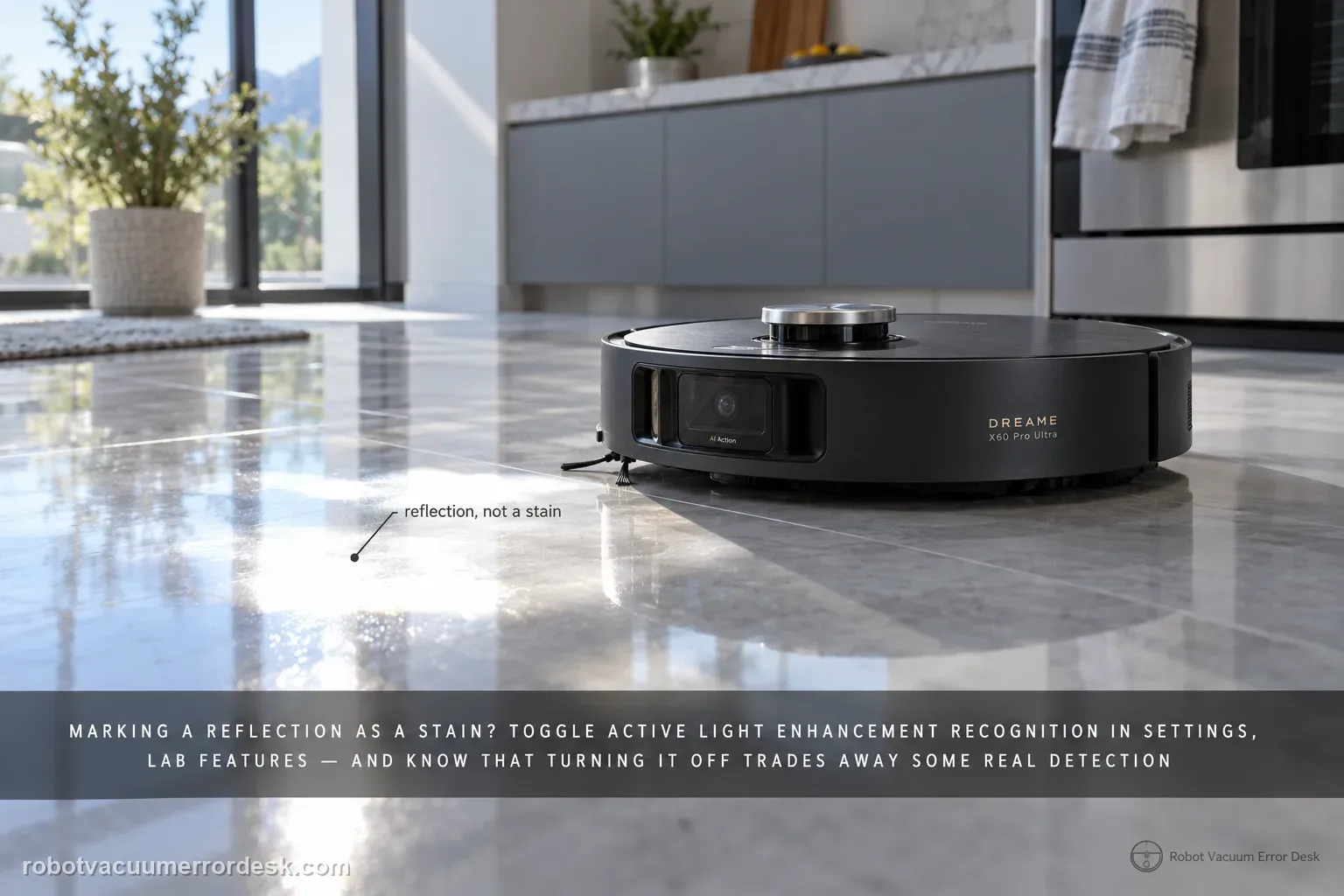
First name the recognition error: reflection marked as a stain, dense pet hair not recognized, pet hair avoided instead of cleaned, blue active-light annoyance, a supported stain still missed, or a repeatable false positive. Dreame gives a different X60 action for each. Reflection false positives point to Active Light Enhancement Recognition in Settings → Lab Features. Dense pet-hair clumps need both Large Particle Boost and Active Light Enhancement Recognition; sparse low-profile hair may simply be handled by normal suction. You can disable the blue active light, but Dreame warns that stain-recognition ability will decrease. If a supported target is still missed or misidentified, update firmware, verify Stain Recognition/Large Particle Boost and use Report an Error with a controlled example rather than changing unrelated navigation settings.
Confirm the exact model and exact code, light pattern or symptom.
Run the lowest-risk physical or software check first.
Use each pass condition to decide what the result actually narrows down.
Confirm this is the right issue
- A shiny or reflective patch is repeatedly labeled or treated as a stain.
- A dense pet-hair clump is ignored or avoided even though you expected an enhanced cleaning response.
- Sparse pet hair is cleaned normally but does not trigger a special recognition event.
- You want to disable the blue recognition light or need to understand the recognition trade-off.
- A large particle, liquid stain or pet-hair clump remains unrecognized after the relevant feature is enabled.
What’s most likely causing this
Ground reflection is being interpreted as a stain under the current lighting/floor geometry.
Active Light Enhancement Recognition is disabled for a scenario where Dreame expects it to help.
Large Particle Boost is disabled when testing a dense pet-hair clump.
The target is sparse, low-profile hair that Dreame expects normal suction to handle rather than a special recognition strategy.
The blue light has intentionally been disabled, reducing the recognition capability that depends on it.
Firmware or recognition settings are not current, or the test object is outside Dreame’s stated supported active-light categories.
Lighting/elevation conditions are producing the low-probability false detection that Dreame routes to Report an Error.
Reading your test result
| What you observe | What it narrows down | Next move |
|---|---|---|
| Shiny floor patch is repeatedly treated as a stain | Reflection false positive matches Dreame’s first X60 stain-detection scenario. | Enable Active Light Enhancement Recognition and retest the same patch. |
| Sparse low-profile pet hair is not specially classified | Dreame says standard suction can handle this case without a stronger recognition strategy. | Judge pickup performance instead of requiring a pet-hair label. |
| Dense pet-hair clump is ignored or avoided | Both Large Particle Boost and Active Light Enhancement Recognition may be needed. | Enable both and repeat a comparable clump test. |
| Blue light is unwanted but recognition otherwise works | The preference can be disabled, with a documented recognition trade-off. | Turn Active Light off only if you accept reduced stain recognition. |
| Supported target still misfires with current firmware/settings | Environmental false detection or model-recognition behavior remains. | Capture the controlled scene and use Report an Error instead of remapping/resetting unrelated systems. |
Do not factory-reset by default. Use the exact model’s reboot/network-reset procedure only when the manufacturer path calls for it.
Work through these checks in order
Classify the recognition failure before changing Lab Features
Use one clear example and decide which manufacturer scenario it matches: a reflection false positive, missed dense pet hair, pet hair avoided, unwanted blue light, missed supported stain or persistent misidentification. Photograph the test patch before touching settings. Do not combine the test with a new map, new room lighting and different cleaning mode at the same time. Recognition troubleshooting is only useful when the target and scene stay stable enough to compare.
Enable Active Light Enhancement Recognition for reflection false positives
For ground reflections that are misidentified as stains, Dreame directs owners to Settings → Lab Features and Active Light Enhancement Recognition. Enable it, then repeat the same reflective patch from the same approach. The goal is to see whether the extra illumination/recognition logic reduces the false-positive rate. If the scene changes between runs, a better result does not prove the setting caused the improvement.
Use both recognition aids for dense pet-hair clumps
Dreame distinguishes sparse hair from dense clumps with noticeable height. Sparse hair may be cleaned effectively by standard suction and may not trigger a special classification. For a dense clump that is ignored or avoided, verify that both Large Particle Boost and Active Light Enhancement Recognition are enabled. Then retest a similar clump in the same location rather than using a completely different pile of debris.
Treat blue-light preference as a trade-off, not a fault
If the blue light is the complaint, Dreame allows Active Light Enhancement Recognition to be turned off. The same support page warns that disabling it reduces the ability to recognize various stains. Decide which behavior matters more in that room: lower visible illumination or stronger recognition. Do not disable the feature and then use the resulting weaker recognition as evidence that the camera system is defective.
Verify firmware, recognition switches and supported target type
When a stain is still not recognized, update the X60 to the latest available firmware and confirm that Stain Recognition or Large Particle Boost is enabled as appropriate. Dreame currently lists large particles, liquid stains and pet-hair clumps as active-light recognition targets. A test outside those categories should not be used to claim the documented feature failed. Keep the target within one supported category for the final proof run.
Use Report an Error for a controlled persistent false result
If the same supported target is repeatedly missed or a clean patch is repeatedly misidentified after the relevant settings and firmware checks, save a photo plus the app result and use Dreame’s Report an Error path. The manufacturer notes that lighting conditions and floor elevation can still produce a low probability of false detection and that the recognition model continues to be optimized. Reporting a repeatable scene gives that software branch useful evidence.
If the X60 repeatedly misidentifies or misses a supported controlled target after firmware and relevant recognition settings are verified, use Dreame’s Report an Error path and keep a photo of the floor condition plus app screenshots.
Before you contact support, gather this
A reproducible case moves a support call past the basic troubleshooting script faster than “it doesn’t work” does, and it keeps the clues from your own tests on record.
- Exact model name and the error code / voice prompt exactly as shown
- A photo or screenshot of the app error and the time it occurred
- A short list of the checks already completed and what happened after each one
- Short video showing the failed docking, mapping or base-station behavior
- Firmware version shown in Dreamehome
Where this comes from
Dreame X60 Pro Ultra — Stain Detection Issues
Dreame’s exact-model X60 stain article separates reflection false positives, sparse versus dense pet hair, blue-light preference, missed supported targets and persistent misidentification. It specifies Active Light Enhancement Recognition, Large Particle Boost, current firmware and Report an Error. The X60 cleaning-function article independently documents high-speed mop behavior when a liquid stain is detected.
Additional official source: Dreame X60 Pro Ultra Complete — Cleaning Function Issues ↗Last editorial review: September 5, 2026Regional note: manufacturer help centers, model suffixes, mains-power requirements and warranty procedures can differ by country. If the source redirects to a local support site, confirm that the model/hardware scope still matches before following a region-sensitive step.
This guide is rated Official model support. See what each evidence label means →
Questions people ask
Why does my Dreame X60 think a floor reflection is a stain?
Dreame identifies ground reflection as a specific X60 false-positive case. The manufacturer recommends enabling Active Light Enhancement Recognition under Settings → Lab Features and repeating the same reflective patch. Keep the lighting and approach as consistent as possible so you can tell whether the feature changes recognition instead of accidentally comparing two different scenes.
Why does the X60 ignore some pet hair but react to a dense clump?
Dreame distinguishes sparse hair without much height from dense clumps. Sparse hair can be handled by normal suction, while a taller dense clump can trigger a stronger cleaning strategy. For the dense-clump test, make sure both Large Particle Boost and Active Light Enhancement Recognition are enabled before deciding the recognition feature is failing.
Can I turn off the blue Active Light on the Dreame X60?
Yes. Dreame says Active Light Enhancement Recognition can be disabled if the blue illumination is undesirable, but the same support article warns that doing so reduces the robot’s ability to recognize various stains. If you turn it off, do not use weaker recognition afterward as evidence of a hardware fault without first restoring the documented setting.
What kinds of dirt does X60 Active Light recognition officially support?
Dreame’s current X60 support page names large particles, liquid stains and pet-hair clumps as supported active-light recognition categories. If your test object falls outside those categories, use normal cleaning performance as the measure instead. For a supported target that is still missed, update firmware and verify Stain Recognition or Large Particle Boost before reporting the case.
What should I report if the X60 keeps misidentifying the same stain or clean patch?
Save a photo of the controlled floor scene, the relevant app setting state and the result you see after current firmware and the appropriate recognition switch are confirmed. Dreame notes that lighting and floor elevation can still produce occasional false detection and provides a Report an Error path. A repeatable scene is more useful than a broad factory reset.
Did this diagnostic narrow the fault?
Use this as an editorial signal, not a popularity counter. If a feedback address is configured you can email the note; otherwise you can copy it for your own support record.