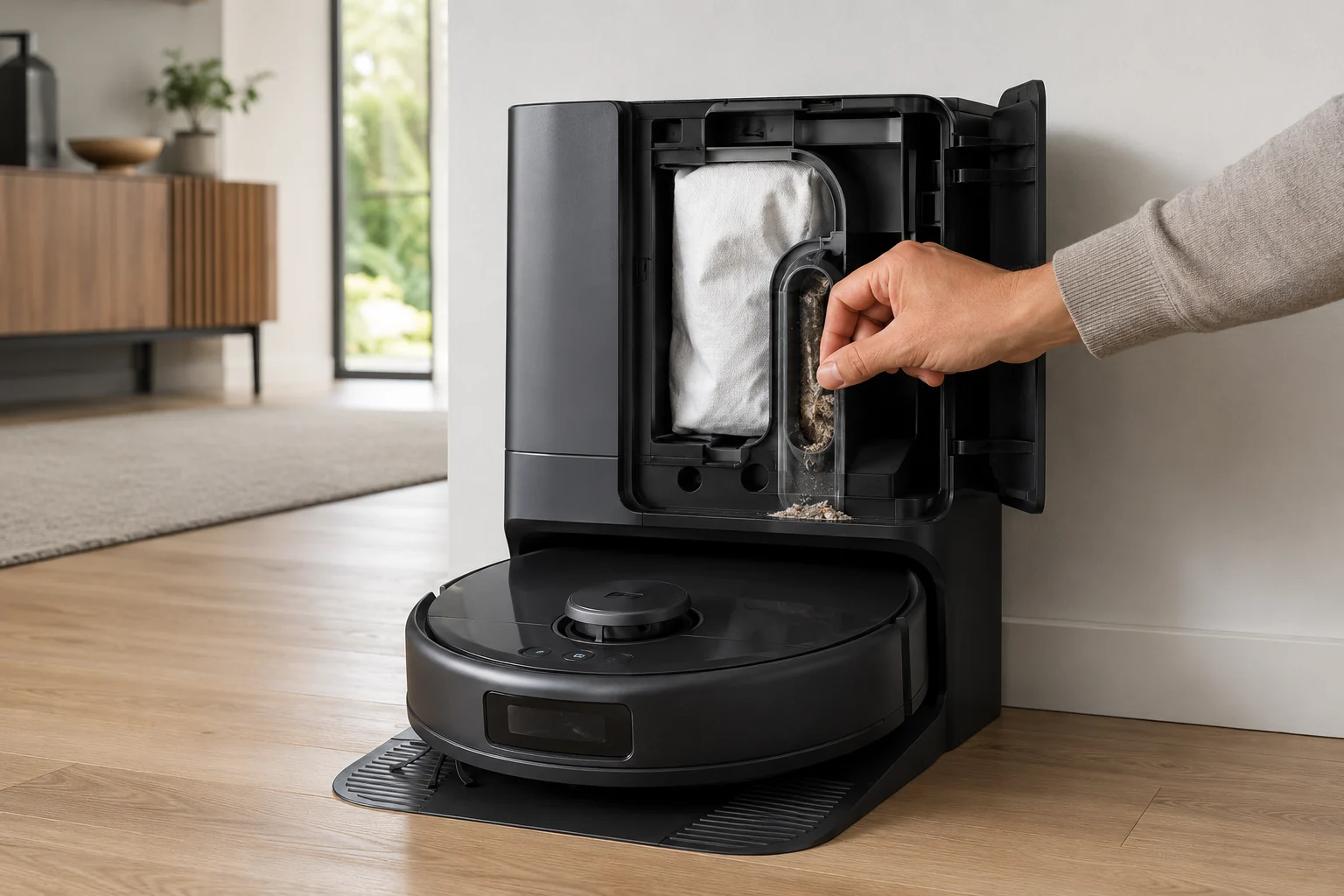
Treat X10 Pro Omni self-empty failures as two different states: “collection never starts” versus “fan runs but debris does not transfer.” First confirm the Omni Station has a steady white power light and its lid/bag state is normal, then clear the robot outlet and station path. eufy’s alert table also distinguishes a cooling self-empty fan from a permanent failure. In heavy-debris homes, eufy recommends 15-minute Pet-mode emptying with Turbo or Max suction to reduce repeated packing.
Does the Omni Station start an emptying cycle at all?
Confirm the exact model and exact code, light pattern or symptom.
Run the lowest-risk physical or software check first.
Use each pass condition to decide what the result actually narrows down.
Is this the problem you’re seeing?
- The X10 returns to the Omni Station but dust collection does not begin.
- The station runs but the robot dustbin stays partly or fully loaded.
- The problem began after a bag change, heavy pet-hair pickup or an unusually dirty first cleaning run.
- A useful discriminator is observed: omni Station has no steady power indication.
- A useful discriminator is observed: dust bag is full, missing or poorly seated.
Likely root causes, ranked
Omni Station not powered normally
Station lid not fully closed or dust bag missing, poorly seated or full
Dust-bag opening, robot dustbin/outlet or station collection path blocked by large debris/hair
Self-empty suction fan temporarily in cooling state
Bin repeatedly overpacked because collection interval/suction is too low for heavy debris
What the result narrows down
| What you observe | What it narrows down | Next move |
|---|---|---|
| Omni Station has no steady power indication | Dust collection cannot start from an unpowered station. | Verify cord seating and a working outlet before opening the dust path. |
| Dust bag is full, missing or poorly seated | The collection destination is not available to the station. | Install/reseat a compatible bag and replace it if full, then close the compartment normally. |
| Robot bin or collection port contains a packed plug | Airflow can start but debris cannot transfer. | Clear visible compacted debris from robot and station-side collection paths. |
| Station starts but transfers little/no debris after heavy hair cleaning | Frequent large debris loads can pack the duct between cycles. | Clear the path and increase self-empty frequency for the next controlled cleaning set. |
| Powered station + good bag + clear path still never starts/evacuates | External causes have been excluded and station collection hardware/state remains suspect. | Save a video of the return/empty event and contact eufy instead of opening the base. |
Do not factory-reset by default. Use the exact model’s reboot/network-reset procedure only when the manufacturer path calls for it.
Checks to run, in sequence
Prove the Omni Station is powered and the station lid is closed
Check that the station LED is steady white and the power cord is firmly connected to both the Omni Station and a working wall outlet. Also close the station lid fully; eufy’s X10 voice-alert table has a dedicated “station lid not closed” state, so treat that as a real precondition rather than an incidental cosmetic detail. A station that is unpowered or not in its normal closed state cannot provide a useful dust-collection test.
Verify the dust bag is installed, seated and not full
Open the station and inspect the disposable bag. eufy separates “no dust bag installed” from a bag that is full or obstructed. Reinstall a recently changed bag squarely and replace it when full. Check the bag opening for packed material that could prevent airflow even when the bag itself still has volume. Do not run repeated fan cycles with a known full or missing bag.
Clear the robot dustbin, outlet and the station collection path
Open the X10 dustbin, remove packed debris and inspect its collection outlet/path. Then inspect the station’s dust-collection port and the visible pathway toward the bag for hair, paper or large trash. eufy specifically calls out blockage in both halves of this path. Remove only accessible debris with the station idle; do not push tools deep into a powered duct.
Distinguish no-start, cooling and no-transfer states
Observe one normal return to the station. If collection never starts, note whether the app/voice prompt says the self-empty suction fan is cooling; eufy tells owners to wait and retry later for that state. If the fan starts but the robot bin stays loaded, the airflow/duct branch remains stronger. If no fan starts with normal power, lid and bag state and there is no cooling message, preserve that as a control-state failure for support.
Run one moderate-load transfer proof test after clearing the path
Put only a modest known amount of normal household debris in the robot through a short cleaning run, then let it return to the station normally. Observe whether the empty cycle starts and inspect the bin afterward. Do not hand-pack the bin to “stress test” the station. A clear before/after transfer result is more useful than repeated noisy cycles with an unknown debris load.
Use eufy’s heavy-debris prevention settings only after the path works
If the system can empty successfully but heavy pet hair or first-clean debris repeatedly packs the bin, eufy recommends self-emptying once every 15 minutes in Pet mode and using Turbo or Max robot suction. Those settings are a prevention branch for recurrent overload, not a substitute for fixing a missing bag, closed path or dead station. Change the frequency only after a normal empty cycle has been proven.
Escalate persistent no-start or no-transfer with the state already isolated
Contact eufy if collection still will not start after normal power/lid/bag checks and no cooling state is active, or if the fan runs but debris still will not transfer through a visibly clear path. Send the exact voice/app message, station LED state, bag photo and a short video of the controlled return. Stop before opening the station fan or internal ducting.
Escalate when the Omni Station is definitely powered, a compatible usable bag is fully seated, the accessible robot and station collection paths are clear, and a controlled normal return still fails to start or transfer debris. Send a video with sound and a photo of the robot bin afterward. Do not open the base fan or internal duct. If the failure is repeated clogging under extreme hair load rather than no collection, increase empty frequency first.
Information to have ready for support
Support can skip the basic troubleshooting script when you provide a reproducible case. That keeps the results of your checks from getting lost.
- Exact model name and the error code / voice prompt exactly as shown
- A photo or screenshot of the app error and the time it occurred
- A short list of the checks already completed and what happened after each one
- Device information / activity-log details from eufy Clean when the issue is mapping or routing related
Source and evidence level
eufy X10 Pro Omni — Does Not Start Dust Collection
eufy’s exact X10 self-empty article establishes the core path: steady-white station power, correctly installed/non-full dust bag, clear robot dustbin/outlet and clear station port/duct, then more frequent 15-minute Pet-mode emptying with Turbo or Max suction for recurrent heavy-debris packing. The X10 voice-alert table adds important states the basic article does not spell out: station lid not closed, no dust bag, a full/blocked bag opening, and a self-empty suction fan that is temporarily cooling. This guide keeps those states separate from a true no-start or no-transfer failure.
Additional official source: eufy — X10 Pro Omni T2351 English manual ↗Additional official source: eufy X10 Pro Omni — voice alerts and quick solutions ↗Last editorial review: September 5, 2026Regional note: manufacturer help centers, model suffixes, mains-power requirements and warranty procedures can differ by country. If the source redirects to a local support site, confirm that the model/hardware scope still matches before following a region-sensitive step.
This guide is rated Official model support. See what each evidence label means →
Common questions
Why is my eufy X10 Pro Omni not auto-emptying at the station?
Start by proving the Omni Station has power, then check that the dust bag is present, correctly seated and not full. Next inspect both sides of the dust path: the robot bin/collection outlet and the station inlet/duct. A station that never starts collection is different from one that runs but cannot move debris. eufy’s X10 support uses those checks before deeper station service.
How can I tell whether the X10 auto-empty problem is a clog or a station fault?
Run one moderate-load cleaning and let the robot return normally. If the station fan starts but the robot bin remains full, a blockage in the robot outlet or station dust path is more likely. If the station never starts despite power and a properly seated usable bag, the control/station branch is stronger. Save a short video with sound; it captures the difference better than an app screenshot alone.
Can a full or badly installed dust bag stop X10 Pro Omni auto-empty?
Yes. The bag is part of the collection path and eufy includes bag installation/fullness in its X10 station troubleshooting. Open the compartment, verify a compatible bag is seated in the intended position and replace it if full. Do not run the station without the required bag as a diagnostic shortcut. After reseating, use one normal return cycle to see whether collection starts and debris actually transfers.
What should I do if hair repeatedly blocks the X10 dust-collection path?
Clear visible packed hair/debris from the robot bin outlet and station-side accessible duct, then avoid waiting for the robot bin to become heavily compressed. eufy recommends increasing the self-empty frequency for repeated heavy-debris conditions. A more frequent transfer can prevent a large plug from forming. If the station still runs without moving debris on a clean moderate-load test, document the path and contact support.
When should I contact eufy about X10 Pro Omni auto-empty failure?
Contact eufy when the Omni Station is powered, a correctly installed non-full bag is present, visible robot/station dust paths are clear, and a normal return cycle still fails to start collection or move debris. Save a video showing whether the station fan starts and a photo of the post-cycle robot bin. Do not open the station fan or internal ducting; the external diagnostic branches are already exhausted.
Did this diagnostic narrow the fault?
Use this as an editorial signal, not a popularity counter. If a feedback address is configured you can email the note; otherwise you can copy it for your own support record.