eufy troubleshooting
X10 Pro Omni, Omni S2, Omni E28 and related eufy Clean robots. Start with the exact model, then match the error code, light pattern, voice alert or symptom.
eufy X10 Pro Omni
Exact-model LiDAR, brush, suction, water, charging, Wi-Fi and auto-empty troubleshooting.
12 live diagnostics →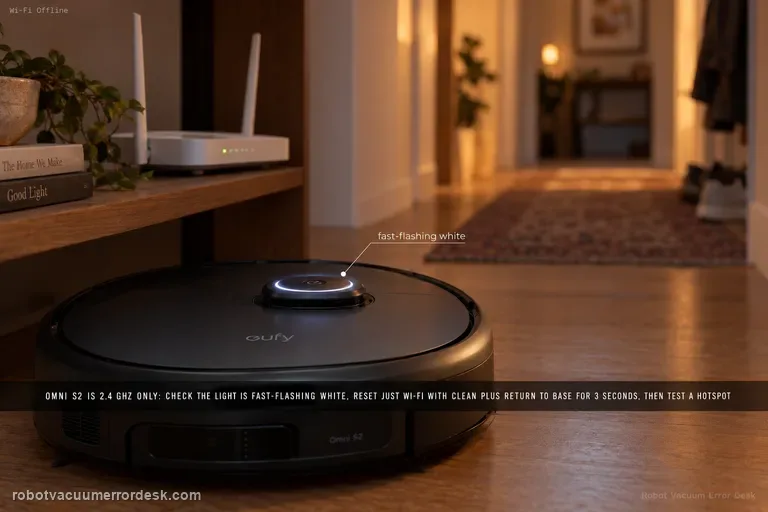
eufy Robot Vacuum Omni S2
2026 flagship exact-model Wi-Fi, navigation, cleaning-performance, charging, carpet handling, noise, mopping-finish, Vacuum & Mop mode, and UniClean station water/dust-collection diagnostics.
12 live diagnostics →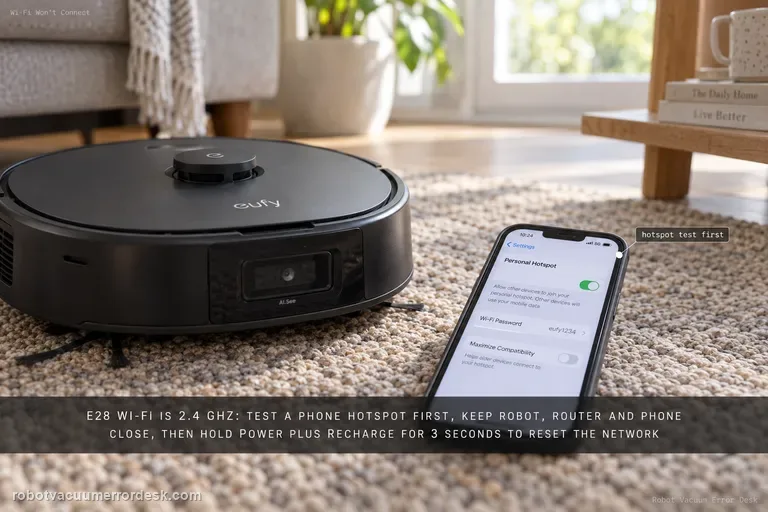
eufy Robot Vacuum Omni E28
Exact-model Wi-Fi, return-to-station, HydroJet injection, wastewater extraction, dirty-water leak and roller-mop drying diagnostics from eufy support.
6 live diagnostics →All eufy diagnostics
30 guidesLaser sensor error
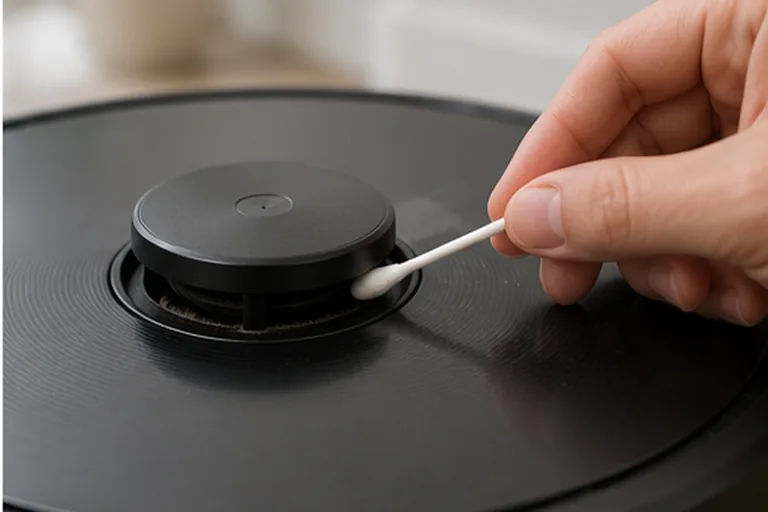
Start by writing down the exact X10 Pro Omni voice prompt, because eufy distinguishes four useful states: laser sensor stuck, laser sensor blocked, laser sensor error, and laser sensor cover stuck. Then power the robot on and watch the radar/LiDAR. If it rotates, clean the emission and reception apertures. If it does not rotate, remove the dustbin, gently invert/shake the robot as eufy instructs and verify the radar is not externally obstructed. If the cover-stuck prompt remains, press the cover only enough to confirm its normal click. A persistent hardware 'laser sensor error' after these external checks is a support case, not a reason to open the LiDAR module.
Roller brush stuck
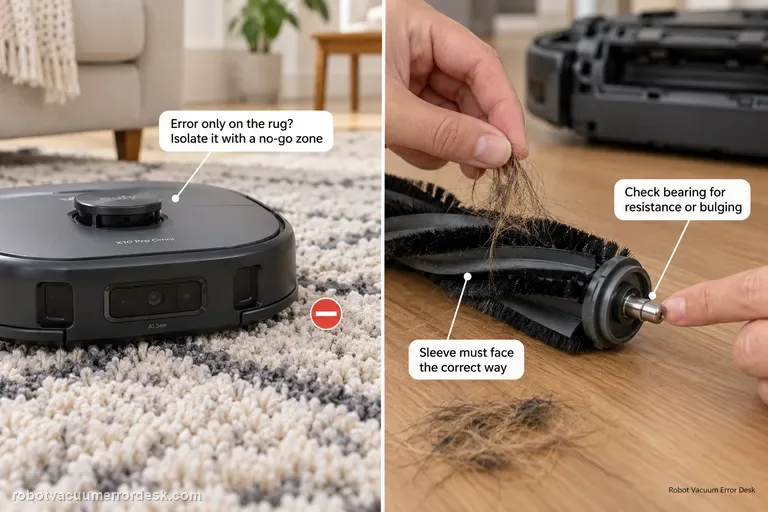
Separate surface overload from a real roller fault. First run the X10 Pro Omni on hard floor: if the error happens only on a high-pile rug, eufy recommends isolating that rug with a no-go zone. If it happens on hard floor too, remove the roller, clear hair from the middle and both ends, inspect the silver shaft/bearing for resistance or bulging, verify the sleeve is installed in the correct orientation, then retest.
Suction fan error
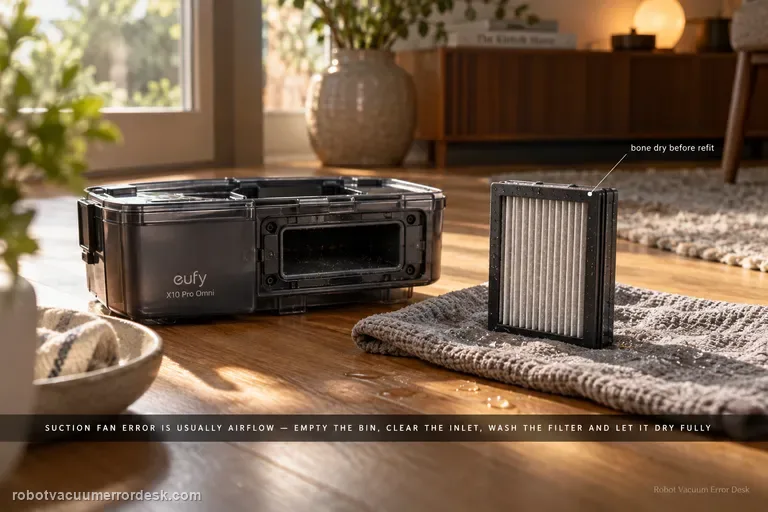
For an X10 Pro Omni suction fan error, prove the airflow path is open before assuming the fan motor has failed. Empty the dustbin, clear the bin inlet, clean the filter, and if the filter is washed with cold water let it dry completely before reinstalling it. Then run one short suction test; an immediate repeat with a clean, dry airflow path is the point to escalate.
Insufficient water
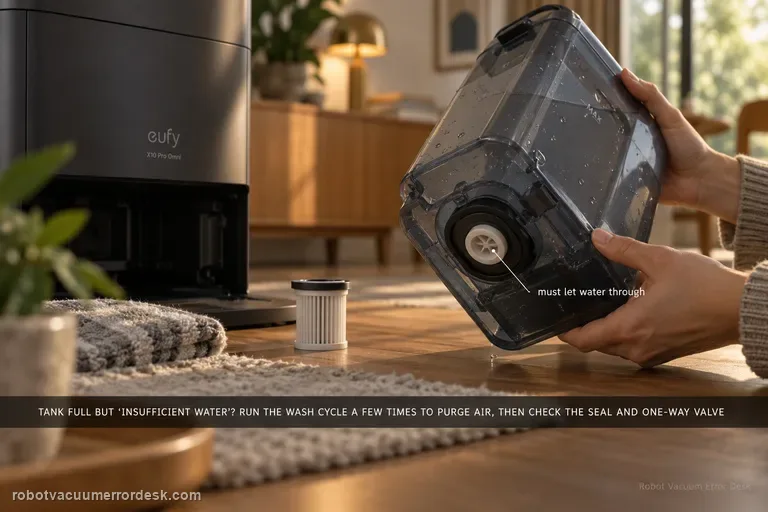
If the clean tank is filled but the station says water is insufficient, run the mop-washing task several times first; eufy notes trapped air can affect pumping. Then inspect the clean-water tank sealing ring and one-way valve behavior. Also inspect the clean-water filter and the tank-to-station water pipe; a full tank does not prove the supply path is open.
Wi-Fi won't connect
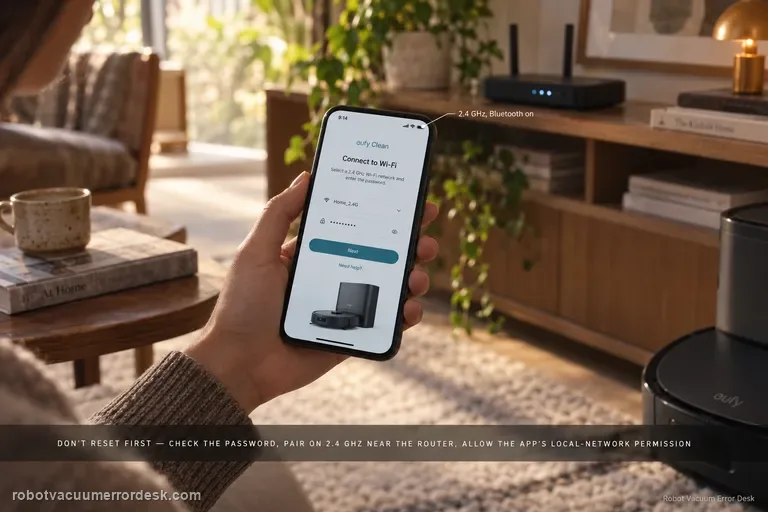
For X10 Pro Omni Wi-Fi setup, do not jump straight to factory reset. Confirm the network name/password, move the phone and robot closer to the router, allow eufy Clean location/precise-location and local-network permissions, pair on 2.4 GHz with Bluetooth enabled, then reset only the robot’s Wi-Fi by holding Home + Spot Cleaning for three seconds. If setup still fails, a phone-hotspot test can separate router configuration from robot/app problems.
Voice alerts
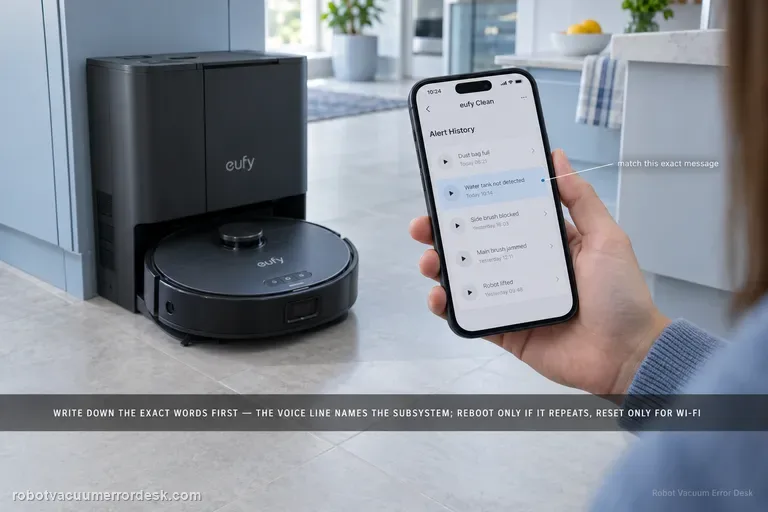
Treat the exact X10 Pro Omni voice prompt as the diagnostic key. Record the wording first, apply the matching quick solution in eufy’s alert table, then reboot the robot if the alert remains. Use the three-second Home + Spot Wi-Fi reset only for Wi-Fi faults; eufy’s separate Reset-button forced recovery is a power-off recovery and is not the same as a factory reset.
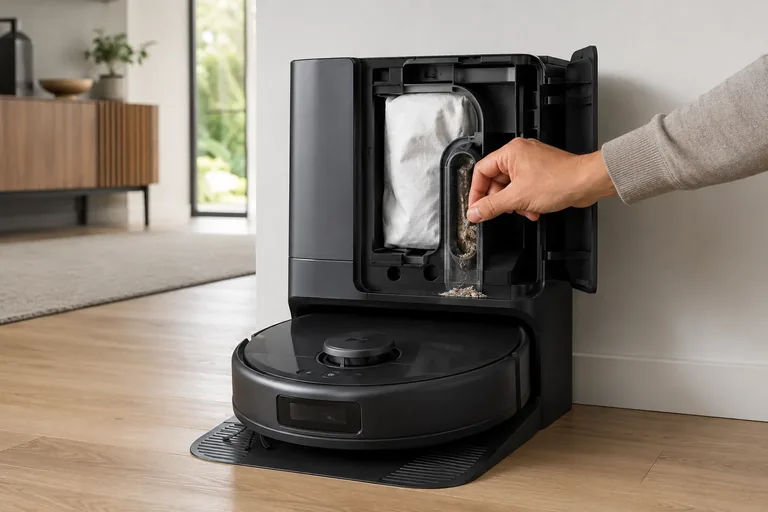
Auto-empty / dust collection not starting
Treat X10 Pro Omni self-empty failures as two different states: “collection never starts” versus “fan runs but debris does not transfer.” First confirm the Omni Station has a steady white power light and its lid/bag state is normal, then clear the robot outlet and station path. eufy’s alert table also distinguishes a cooling self-empty fan from a permanent failure. In heavy-debris homes, eufy recommends 15-minute Pet-mode emptying with Turbo or Max suction to reduce repeated packing.
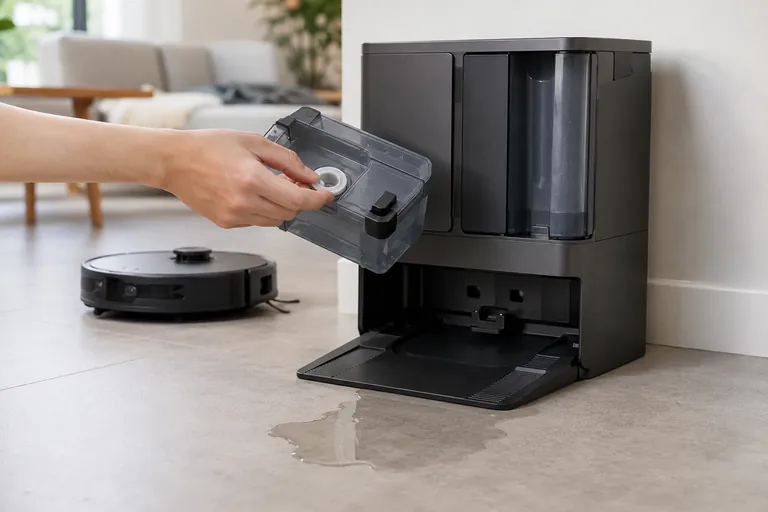
Omni Station leaking water
Stop repeated wash cycles and identify the leak path first. eufy’s exact X10 station guidance starts with the clean-water tank rubber seal, then the dirty-water tank seal, then the cleaning-tray float. If those are normal, the clean-water tank one-way valve becomes the next owner-level discriminator; persistent leakage beyond that can indicate an internal station water-path fault.
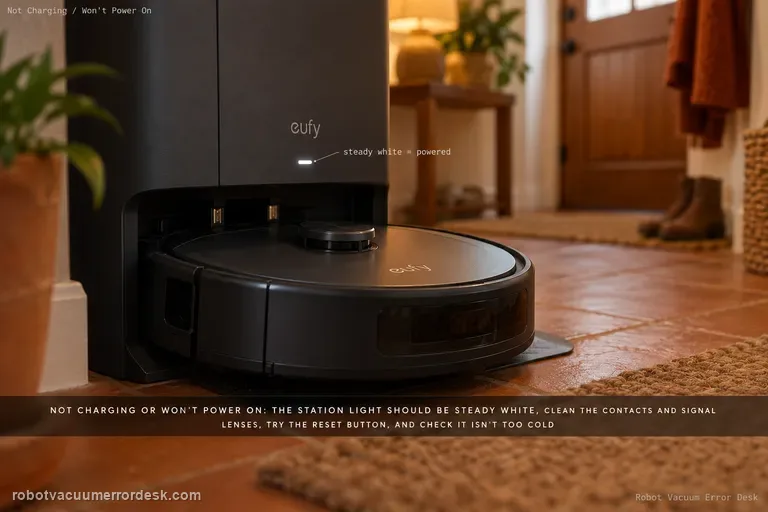
Not charging or powering on
Start at the powered dock, not the battery. eufy’s X10-specific sequence is: confirm the Omni Station shows a steady white indicator, clean the robot/station charging contacts and signal lenses, use the robot Reset button if it remains unresponsive, then rule out temperature protection. eufy lists 4–45°C (39.2–113°F) as the protective range boundary and advises warming/cooling farther into range before retrying charge.
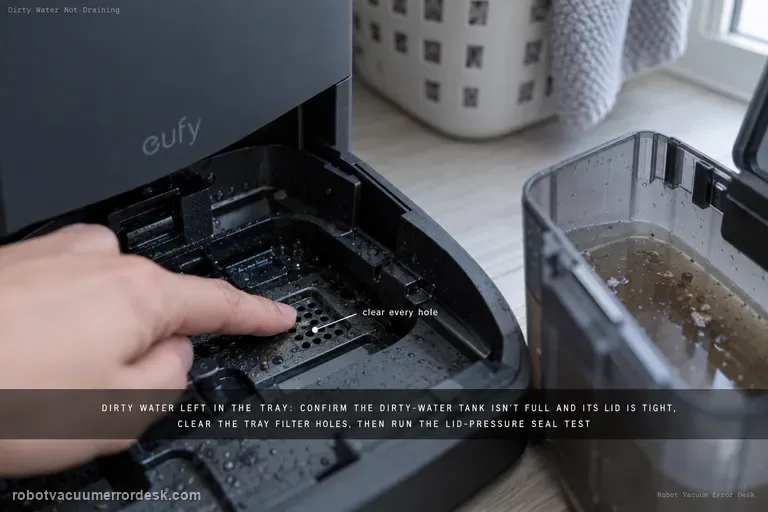
Dirty water not draining from cleaning tray
If dirty water remains in the X10 Pro Omni cleaning tray, start with the dirty-water tank: make sure the tank is not full and its lid is tightly closed. Clean clogged tray filter holes, then use eufy’s lid-pressure test during Wash Mop to check whether the dirty-water tank seal ring is leaking. Update firmware and collect logs/photos if the issue persists.
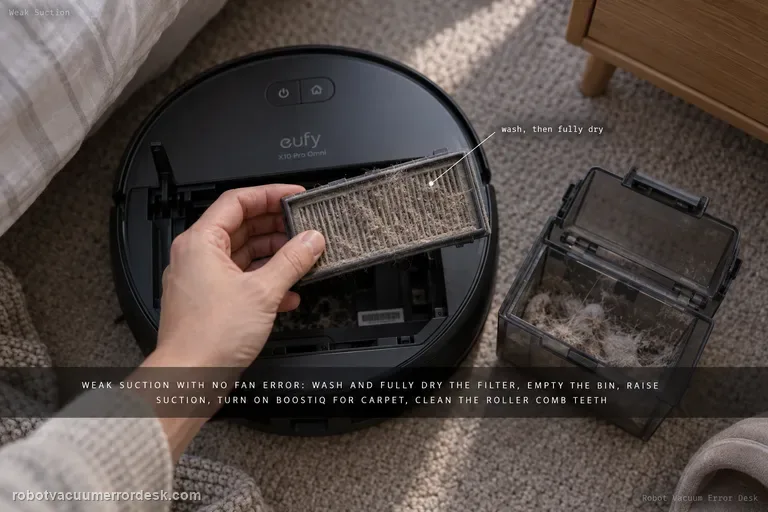
Weak suction / poor cleaning
For X10 Pro Omni weak pickup without a suction-fan error, follow eufy’s performance path in order: clean and fully dry the filter, empty the dustbin, raise suction power, enable BoostIQ for carpet, clean the roller-brush comb teeth, then inspect wear items that are easy to miss—the side brush and the rubber strip on the roller-brush guard. eufy says a filter older than about six months that still performs poorly after washing is a replacement candidate.
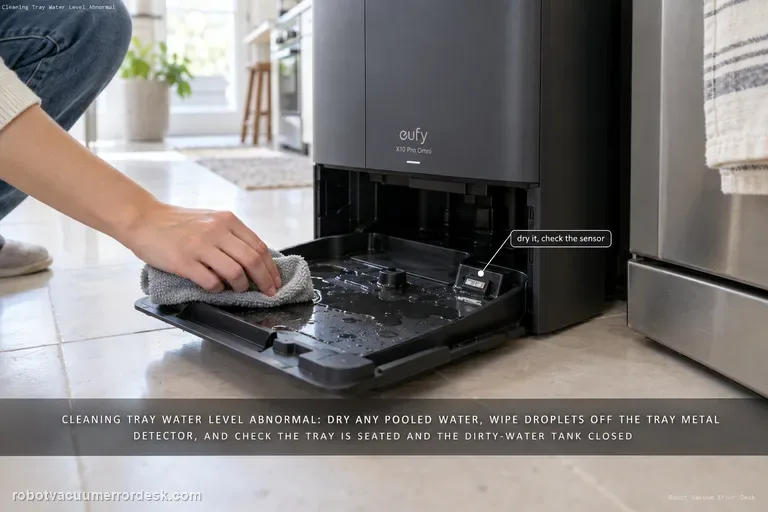
Cleaning tray water level abnormal
For the X10 Pro Omni “water level of the station’s cleaning tray is abnormal” alert, start by checking whether water is actually pooled in the tray and dry it if needed, then inspect the tray’s metal detector for water droplets. Also confirm the cleaning tray is installed correctly and the dirty-water tank is closed/seated so the station can pump water away.
Wi-Fi / Offline
Treat Omni S2 Wi-Fi as a pairing-path problem, not a reason to factory-reset the robot. eufy says S2 supports 2.4 GHz Wi-Fi only: verify the SSID/password, keep Bluetooth on, confirm the circular light is fast-flashing white, then reset only Wi-Fi by holding CLEAN + Return to Base for 3 seconds. A mobile-hotspot test is the clean discriminator before escalation.
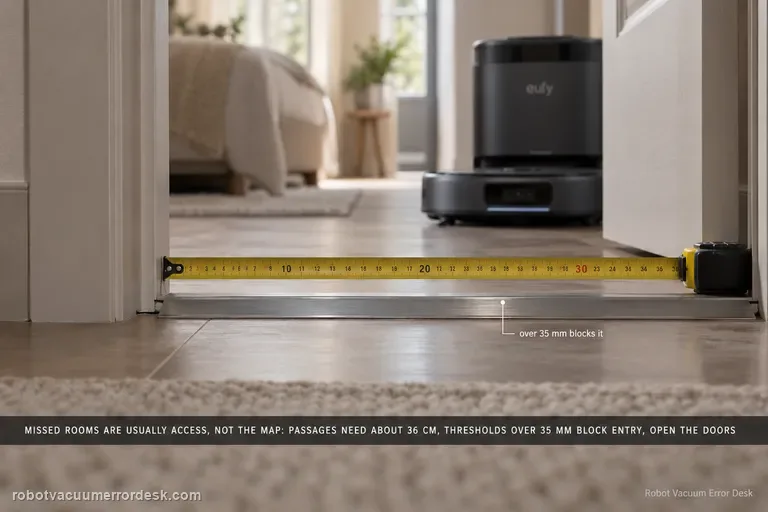
Missed Areas
Before remapping an Omni S2, prove the space is physically accessible. eufy lists concrete limits: passages need about 36 cm, thresholds over 35 mm can block room entry, some high/long-pile carpets are intentionally avoided, and furniture clearance below 10.5 cm is not reachable. Open doors, clear false obstacles, then use Spot Clean for an area skipped after objects moved.
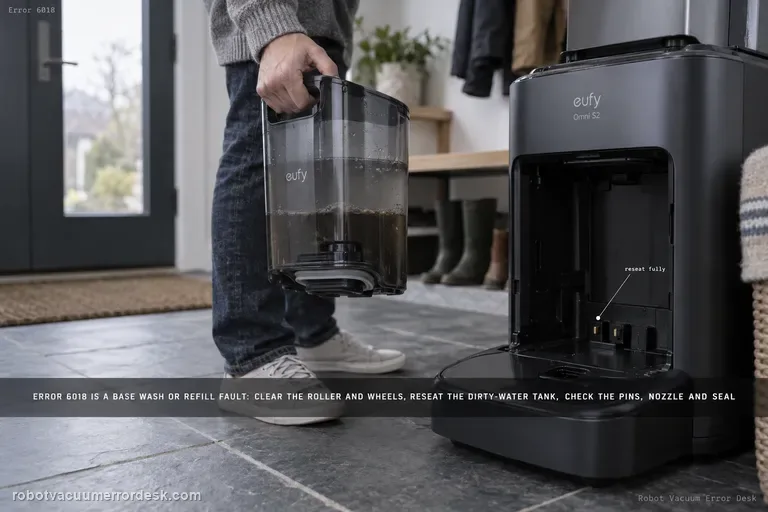
Error 6018
Error 6018 on the eufy Omni S2 means the UniClean base detected a problem during water refilling or mop washing. Do not confuse the model name S2 with older eufy 'Error S2' wheel-module codes. For Omni S2 Error 6018, eufy says to clear the robot's roller/brush/wheels, reseat the dirty-water reservoir, inspect charging pins, inspect the base water-injection nozzle and the screen-module silicone seal, then restart mop washing.
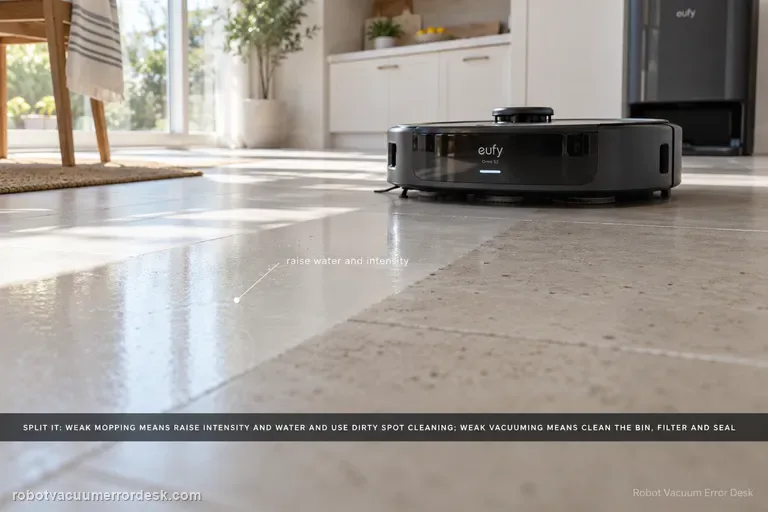
Poor Cleaning / Mopping
Split the symptom before changing parts. For weak mopping, eufy says to raise cleaning intensity and water level, enable Dirty Spot Cleaning for heavily soiled areas, and accept that hardened oil, glue or paint may still need manual cleaning. For weak vacuuming, clean the dustbin/filter, inspect the dustbin air-outlet silicone seal, replace worn brushes, then verify coverage and run a controlled second pass. Carpet results should be judged separately with higher suction if needed.
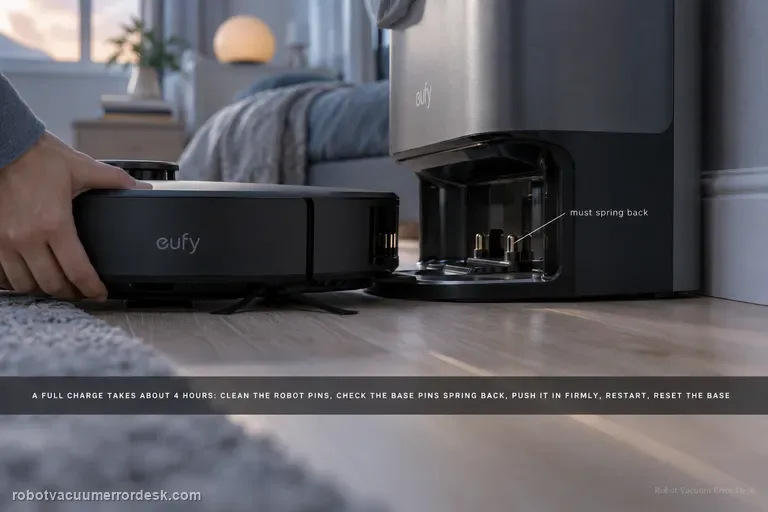
Not Charging / Slow Charge
eufy says a normal Omni S2 full charge takes about 4 hours. If the battery does not rise or charging is much slower, clean the robot charging pins, make sure the base pins move and spring back, push the robot fully into the base for firm alignment, restart the robot for 3 seconds, then unplug the base for 30 seconds. If a unit used for more than about a year still charges poorly after those checks, battery aging becomes a documented possibility.
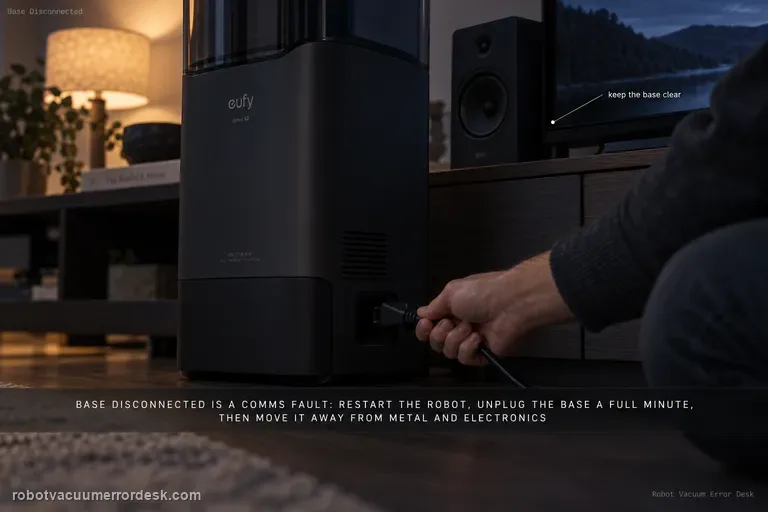
Base Station Disconnect
A base-disconnect message is a communication problem, not automatically a docking or charging failure. eufy’s S2 path is: restart the robot and wait about 1 minute, unplug the base for 1 minute and restore power, perform the documented manual robot–base reconnection if needed, then move the base to a more open location away from metal furniture or large electronics if interference is possible. Retest the link before deleting maps or troubleshooting charging hardware.
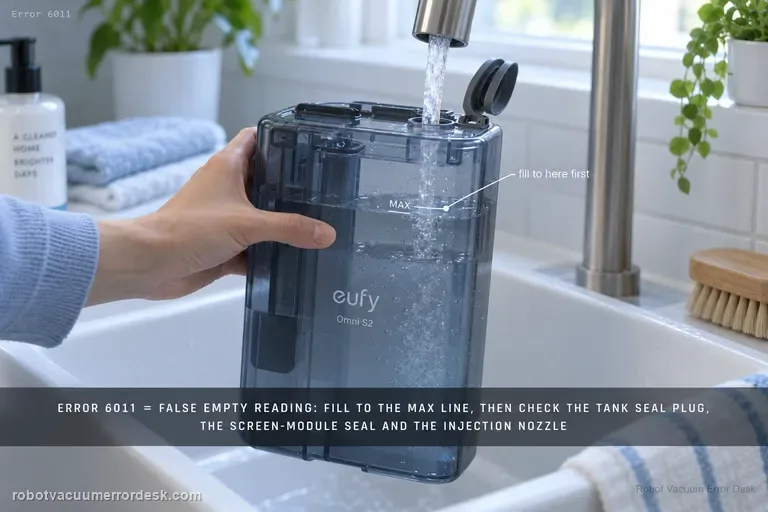
Error 6011
On the Omni S2, Error 6011 is the specific path for a clean-water tank that is reported empty even though water is still present. Start by filling above the minimum and up to the MAX line for the proof test. Then inspect the clean-water tank seal plug, the screen-module silicone seal and screen-module seating, and finally the base water-injection nozzle. This is different from Error 6018: 6011 is a false/failed clean-water-empty detection path; 6018 is a water-injection or mop-wash abnormality.
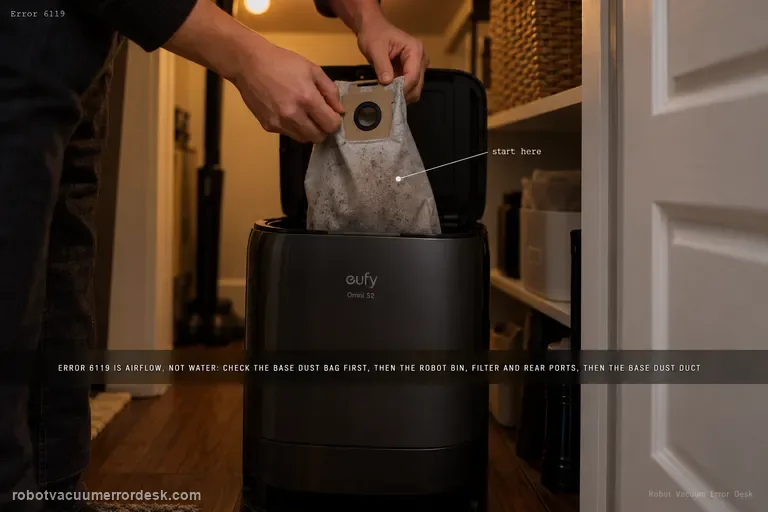
Error 6119
Error 6119 on the Omni S2 is a dust-collection airflow warning, not a water-system error. eufy's exact path starts with the base dust bag, then moves through the robot dustbin/filter and rear dust-collection ports, and finally the base-station dust duct/port. After the airflow path is physically clear, homes with pets or frequent hair buildup can use Standard dust-collection mode and increase collection frequency to reduce repeat blockages.
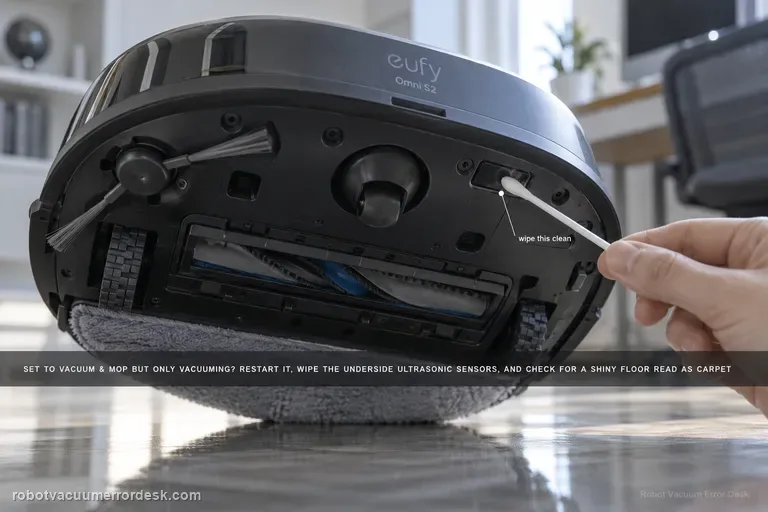
Vacuum & Mop only vacuums
If the Omni S2 is set to Vacuum & Mop but never activates mopping, do not use the weak-cleaning article first: this is a mode/surface-detection problem. eufy's exact S2 path says to restart the robot, clean the underside ultrasonic sensors, consider floors with large gaps or complex/reflective patterns that may be misidentified as carpet, and check multi-floor/no-base-station context. When the S2 cannot detect its base on another floor, it can switch to Vacuum-only to keep the task running.
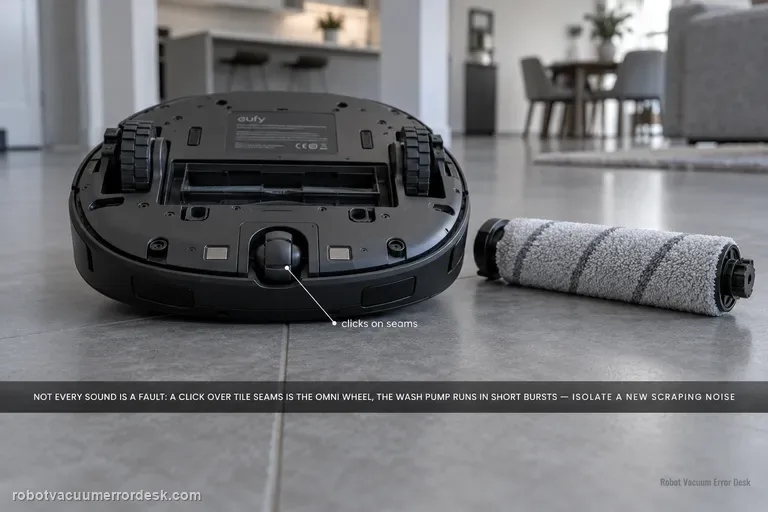
Unusual noise
Do not treat every Omni S2 sound as a failing motor. eufy's exact S2 support says a rhythmic click over large tile/wood seams can come from the omni-directional wheel, and the mop-wash pump can run every 40–80 seconds for about 10 seconds as part of normal dirty-water handling. For a new scraping, grinding, persistent rhythmic sound or high-pitched wash-station whistle, isolate the source: brush-cover seating and debris, omni/driving wheels, cleaning roller, dustbin/HEPA airflow, side-brush condition, then the dirty-water reservoir duckbill-valve path described by eufy.
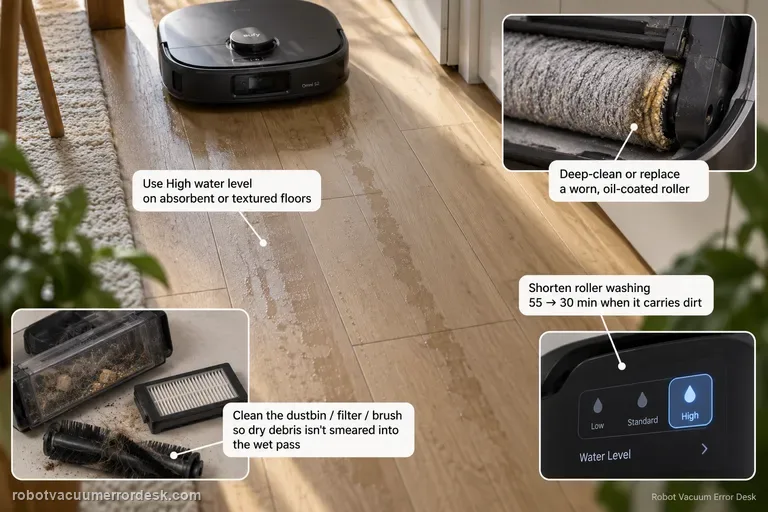
Mop streaks / water marks
Visible streaks or water marks are a finish-quality problem, not the same intent as 'mop never activates' or 'missed areas.' eufy's S2 support starts with water delivery and roller cleanliness: use High water level when low/medium dries too quickly on absorbent or textured flooring, shorten roller washing when the roller carries dirt (eufy's example is 55 → 30 minutes), clean the dustbin/filter/brush path so dry debris is not smeared into the wet pass, and deep-clean or replace a worn, oil-coated or sticky roller mop.
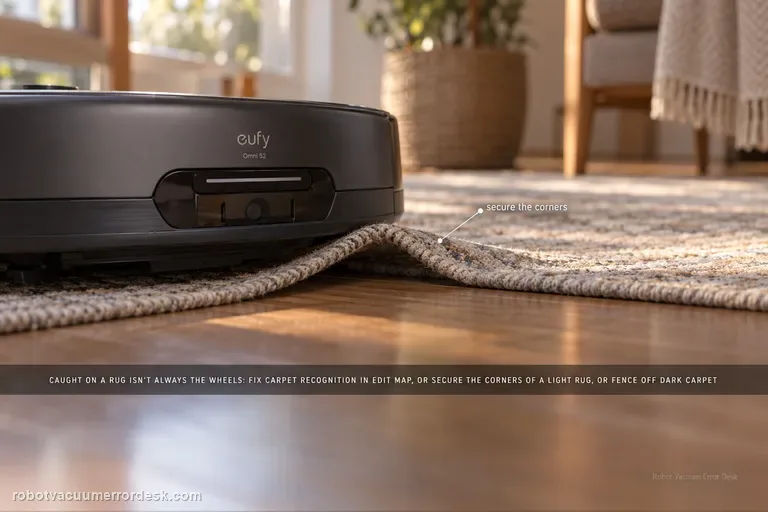
Stuck on carpet / rug
An Omni S2 that gets stuck because a rug edge or carpet material is caught is not automatically a drive-wheel failure. eufy's exact S2 path first checks carpet recognition: manually add the carpet in Edit Map > Carpet Editing > Add Carpet when detection is wrong. For thin/lightweight rugs that the bumper or brushes push or lift, secure the corners or create a no-go zone. Very dark or black carpets can also be misrecognized, so use a controlled comparison and isolate that surface rather than deleting a good map or replacing wheel hardware first.
Wi-Fi setup
The Omni E28 uses a 2.4 GHz Wi-Fi connection. Before resetting anything, confirm the password and test whether the robot can join a phone hotspot. For a clean pairing test, keep the robot, router and phone close together. If setup still fails, eufy says to hold the Power and Recharge buttons together for 3 seconds until the network-reset voice prompt, then reconnect. A hotspot that works while home Wi-Fi fails points away from a dead robot radio and toward the home network or credentials.
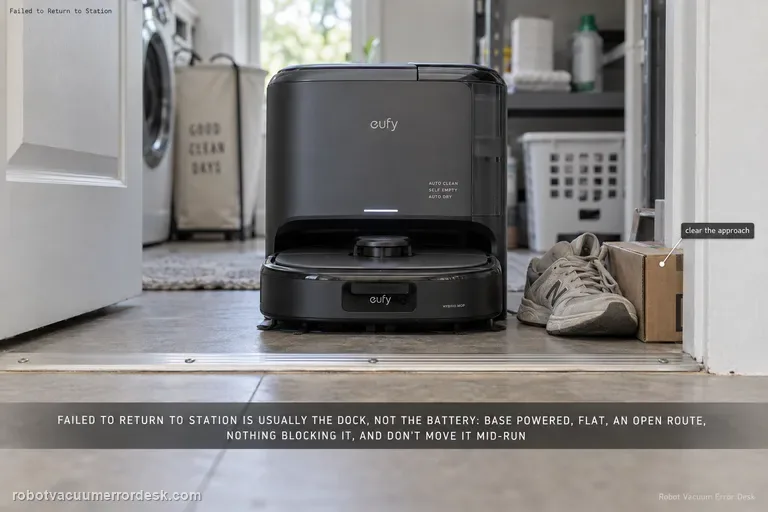
Failed to return to station
For the E28 message “Failed to return to station or dock,” eufy starts with the station environment rather than the battery: make sure the base is powered, sitting flat, reachable through an open doorway and not blocked by nearby objects. eufy also says not to power off or move the station while the robot is operating. If the robot charges normally when manually seated but cannot return autonomously, keep the diagnosis on dock visibility/placement and navigation rather than replacing charging hardware.
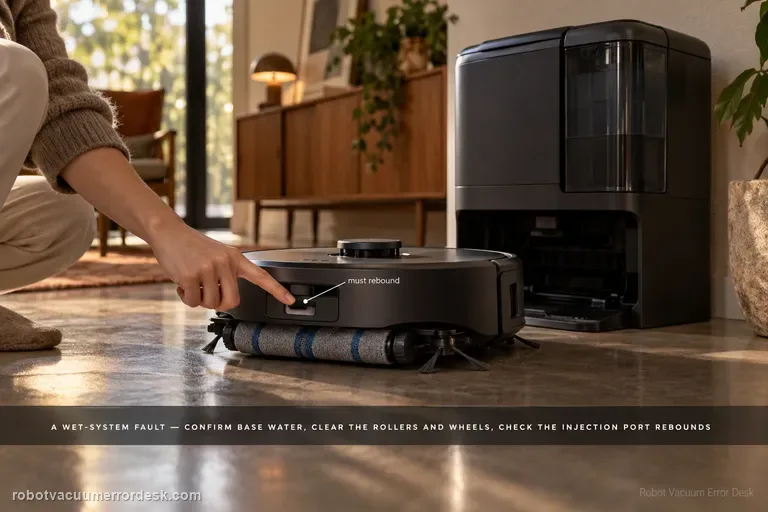
Water Injection Error
The E28 “Water Injection Error: Please check the app for troubleshooting” is a wet-system fault, not a generic low-water warning. eufy says to confirm water in the base tank, inspect the robot wheels/side brushes/roller brush/roller mop for obstruction and correct seating, check the Portable Deep Cleaner and cleaning tray, and keep the station on a hard level surface. The manufacturer also calls for checking water-injection-port rebound and sewage-outlet security, then using one Roller Self-Cleaning test to see whether water leaks into the tray.
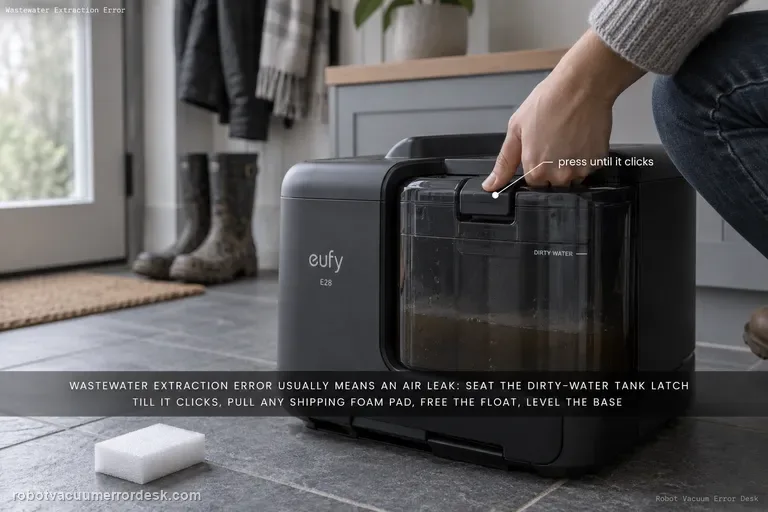
Wastewater Extraction Error
eufy says the E28 “Wastewater Extraction Error” usually means an air leak is preventing dirty water from being extracted into the tank. Start with the dirty-water tank latch and the foam shipping pad around the Portable Deep Cleaner, then inspect the robot/PDC/tray, free the dirty-water-tank float, place the base on a hard level surface, and check the exposed extraction/sewage interfaces. Finish with one Roller Self-Cleaning observation; persistent murky water or leakage in the tray is evidence to stop repeated wet cycles and escalate.
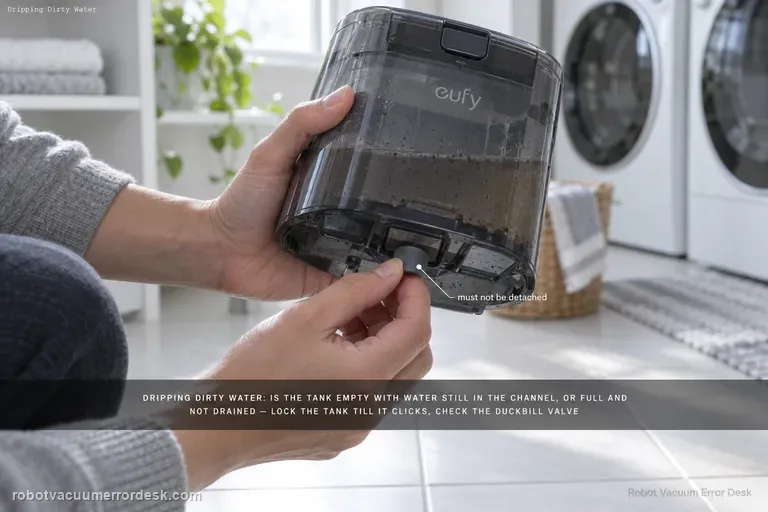
Dripping dirty water
For an E28 that drips dirty water, eufy first separates an empty dirty-water tank with water still in the drain channel from a full tank that the station failed to drain. Then lock the tank until it clicks, remove any Portable Deep Cleaner foam pad, inspect the dirty-water-tank duckbill valve for detachment, and check the tank-to-roller-mop contact area. If water flows correctly down the tank base, eufy says a worn roller mop or excessive water-output setting becomes the next discriminator.
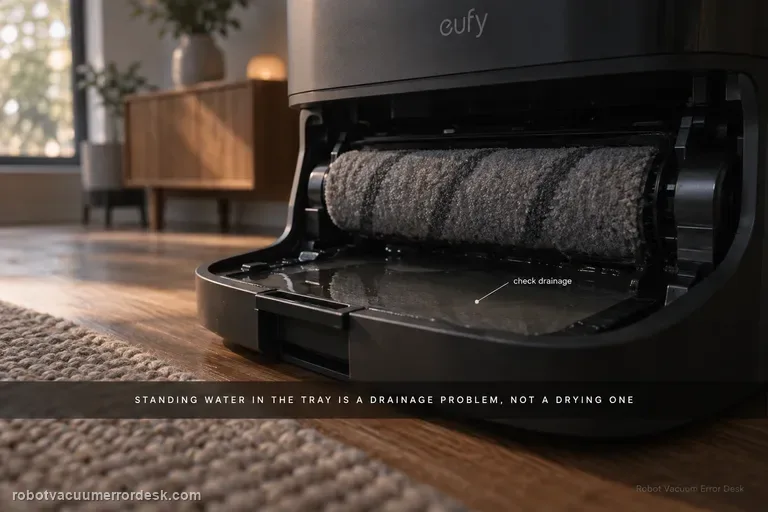
Roller mop not drying
For an eufy E28 roller mop that stays damp, first separate a wet-tray/drainage problem from a true drying problem. eufy says standing water in the cleaning tray can indicate a drainage issue that leaves excessive moisture in the roller. If the tray is draining normally, identify the selected drying mode: the station defaults to Adaptive Drying, while eufy recommends Standard Drying when high humidity prevents complete drying. The exact E25/E28 guidance also gives useful timing baselines—Standard Dry is 5 hours and Quick Dry is 3.5 hours. Run a complete cycle without interruption and evaluate the roller only at the end. A roller that remains clearly wet after a full 5-hour Standard Dry cycle with a normally drained tray is much stronger evidence of a station drying problem than dampness after an abbreviated Quick Dry cycle.