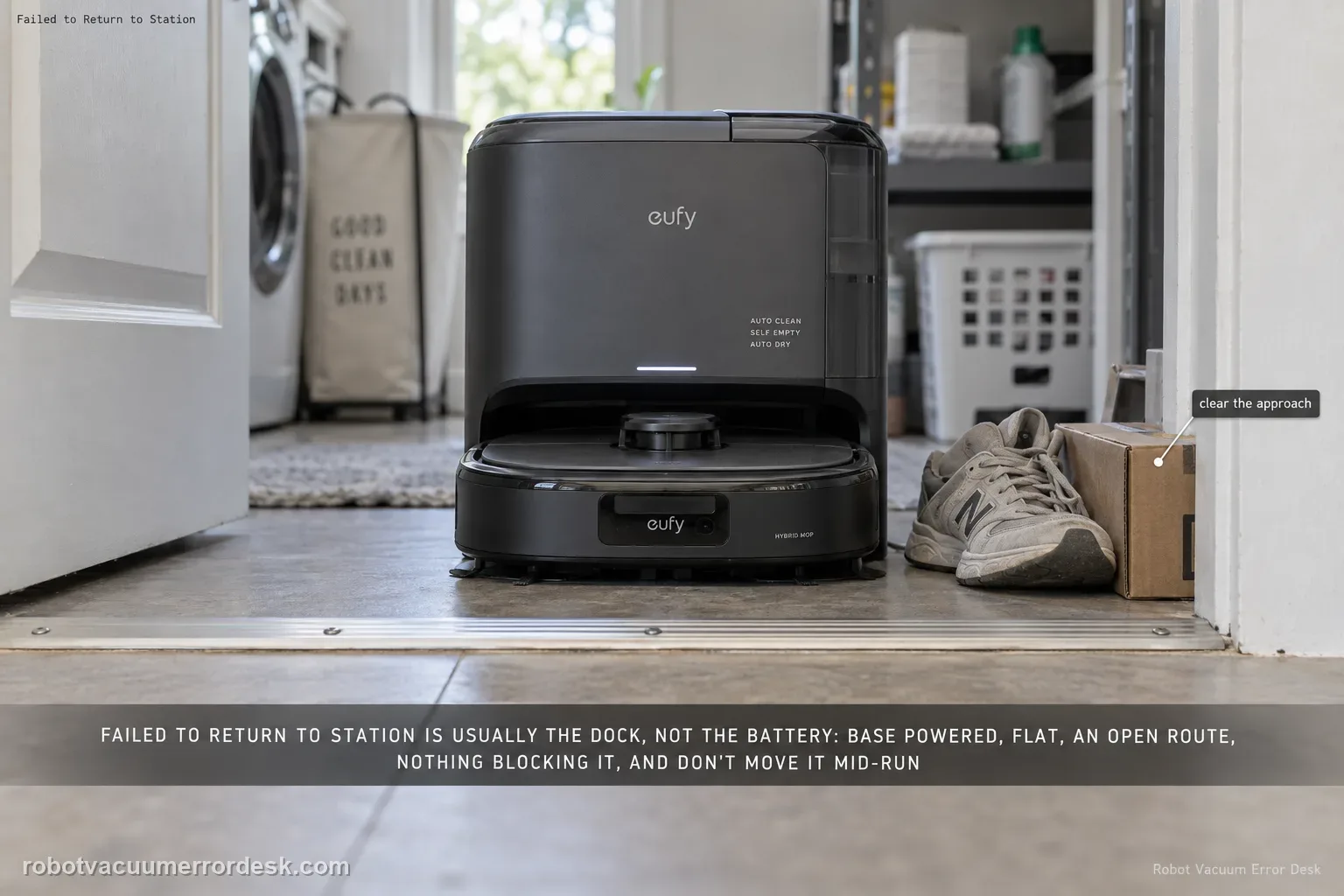
For the E28 message “Failed to return to station or dock,” eufy starts with the station environment rather than the battery: make sure the base is powered, sitting flat, reachable through an open doorway and not blocked by nearby objects. eufy also says not to power off or move the station while the robot is operating. If the robot charges normally when manually seated but cannot return autonomously, keep the diagnosis on dock visibility/placement and navigation rather than replacing charging hardware.
Does the E28 fail because the station is unavailable, the route is blocked, or final approach fails?
Confirm the exact model and exact code, light pattern or symptom.
Run the lowest-risk physical or software check first.
Use each pass condition to decide what the result actually narrows down.
Is this the problem you’re seeing?
- The app specifically reports “Failed to return to station or dock.”
- The E28 left the base normally but cannot get back after a cleaning task.
- Manual seating can be tested separately so charging and autonomous return are not mixed into one symptom.
Likely root causes, ranked
Base station lost power after the cleaning task began
Station is elevated, tilted or otherwise not flat on the floor
Door to the station area is closed or the approach route is blocked
Objects near the base interfere with the robot receiving/reaching the station
Station was moved or powered off while the robot was operating
What the result narrows down
| What you observe | What it narrows down | Next move |
|---|---|---|
| Task was started away from the base | eufy's return guidance says route planning is most reliable when a new cleaning task starts from the base. | Start the controlled test from the powered station before changing the map. |
| Robot returns after clearing 1.5 m in front and 0.5 m on each side | The immediate approach space was interfering with station recognition or docking. | Keep that clearance and avoid moving the base between tests. |
| Robot reaches the base area but misses the final approach | Close-range station visibility/alignment is a stronger clue than long-route navigation. | Clean the infrared sensor lenses on the robot and station and repeat one unchanged approach. |
| Robot cannot reach the station area at all | The route, closed doorway, map context or station signal availability is more important than charge-contact hardware. | Keep the door/path open, preserve the map and record the failed route. |
| Manual seating charges but autonomous return still fails | Charging power can work while autonomous return/navigation fails. | Keep the diagnosis on station visibility, placement and navigation instead of replacing charging parts. |
Do not factory-reset by default. Use the exact model’s reboot/network-reset procedure only when the manufacturer path calls for it.
Checks to run, in sequence
Prove the station is powered before remapping
Check that the Omni E28 base station is powered on. eufy identifies a powered-off station as a primary cause of this exact return error. Do this before deleting a map or changing navigation settings. A robot cannot use a station signal that disappeared after the cleaning task started, and remapping would only remove useful evidence.
Put the base on a flat, stable surface
Confirm the station is sitting flat on the floor, not perched on a rug edge, riser or uneven transition. eufy’s exact E28 return-to-station guidance explicitly calls for a flat surface. Do not confuse this with the separate wet-system guidance that may also care about station tilt; here the goal is a stable reference location the robot can approach consistently.
Keep the station room open and reachable
Open the door to the area that contains the base and leave it open for the controlled return test. Check the path from the active cleaning area back to the station. If a door closes after the robot leaves, the saved map may still show a route that is no longer physically available. Keep the test simple: one normal task with the return route physically open from start to finish.
Clear the immediate station approach
Remove objects around the station that can obstruct the robot’s approach or interfere with station signal reception. Do not move the base itself as part of this step. The useful test is whether the E28 can return to the same known station location after nearby obstacles are removed; changing the dock position at the same time destroys that comparison.
Run one autonomous return without moving the station
Start a normal cleaning task with the station powered, flat and accessible, then allow the robot to return on its own. eufy warns not to power off or move the station while the robot is operating. If the E28 repeatedly reaches the station area but cannot dock, capture a video of the final approach. If it cannot navigate back at all despite a stable setup, preserve the map/task record for support.
Escalate a repeatable E28 return failure when the station stayed powered and unmoved on a flat surface, the station room remained open, and the approach was clear. Include the cleaning record/map and a short video showing whether the robot never reaches the station area or reaches it but cannot complete the final approach. If manual seating also fails to charge, switch to a charging/power diagnosis rather than treating that as the same navigation fault.
Information to have ready for support
Support can skip the basic troubleshooting script when you provide a reproducible case. That keeps the results of your checks from getting lost.
- Exact model name and the error code / voice prompt exactly as shown
- A photo or screenshot of the app error and the time it occurred
- A short list of the checks already completed and what happened after each one
- Device information / activity-log details from eufy Clean when the issue is mapping or routing related
Source and evidence level
eufy Omni E28/E25 — failed to return to station or dock
eufy’s E25/E28 article ties this exact return alert to base power, flat placement, an open door/path, nearby obstacles and moving/powering off the station during operation.
Additional official source: eufy E25/E28 — failed to find station or dock, returning to start point ↗Additional official source: eufy Robot Vacuum Omni E28 User Guide (T2352) ↗Last editorial review: September 5, 2026Regional note: manufacturer help centers, model suffixes, mains-power requirements and warranty procedures can differ by country. If the source redirects to a local support site, confirm that the model/hardware scope still matches before following a region-sensitive step.
This guide is rated Official model support. See what each evidence label means →
Common questions
Should I delete the E28 map when it cannot return to the station?
Not as the first move. eufy’s exact troubleshooting path starts with station power, flat placement, an open station room and obstacle clearance, so preserve the map while you control those simpler variables.
Can I move the base closer while the E28 is cleaning?
eufy says not to move or power off the station while the robot is operating. Keep the station fixed for a valid return test.
What if the E28 returns when I place it near the station?
That is useful evidence that close-range station approach may work. Preserve that observation and compare it with the full autonomous route rather than immediately replacing charging parts.
How much open space should I leave around the E28 base for a return test?
eufy's exact E25/E28 return guidance recommends at least 1.5 meters of clear space in front of the base and 0.5 meters on both sides. Treat those dimensions as a controlled test condition: keep the base fixed, remove nearby obstacles, and compare the return behavior before making map changes.
Can dirty infrared sensors make the E28 miss its station?
Yes. eufy's return-to-dock guidance specifically tells owners to inspect and gently clean the infrared sensor lenses on both the robot and base station. Use a soft lint-free cloth or cotton swab, then repeat the same route without moving the station so the sensor cleaning is the only changed variable.
Did this diagnostic narrow the fault?
Use this as an editorial signal, not a popularity counter. If a feedback address is configured you can email the note; otherwise you can copy it for your own support record.