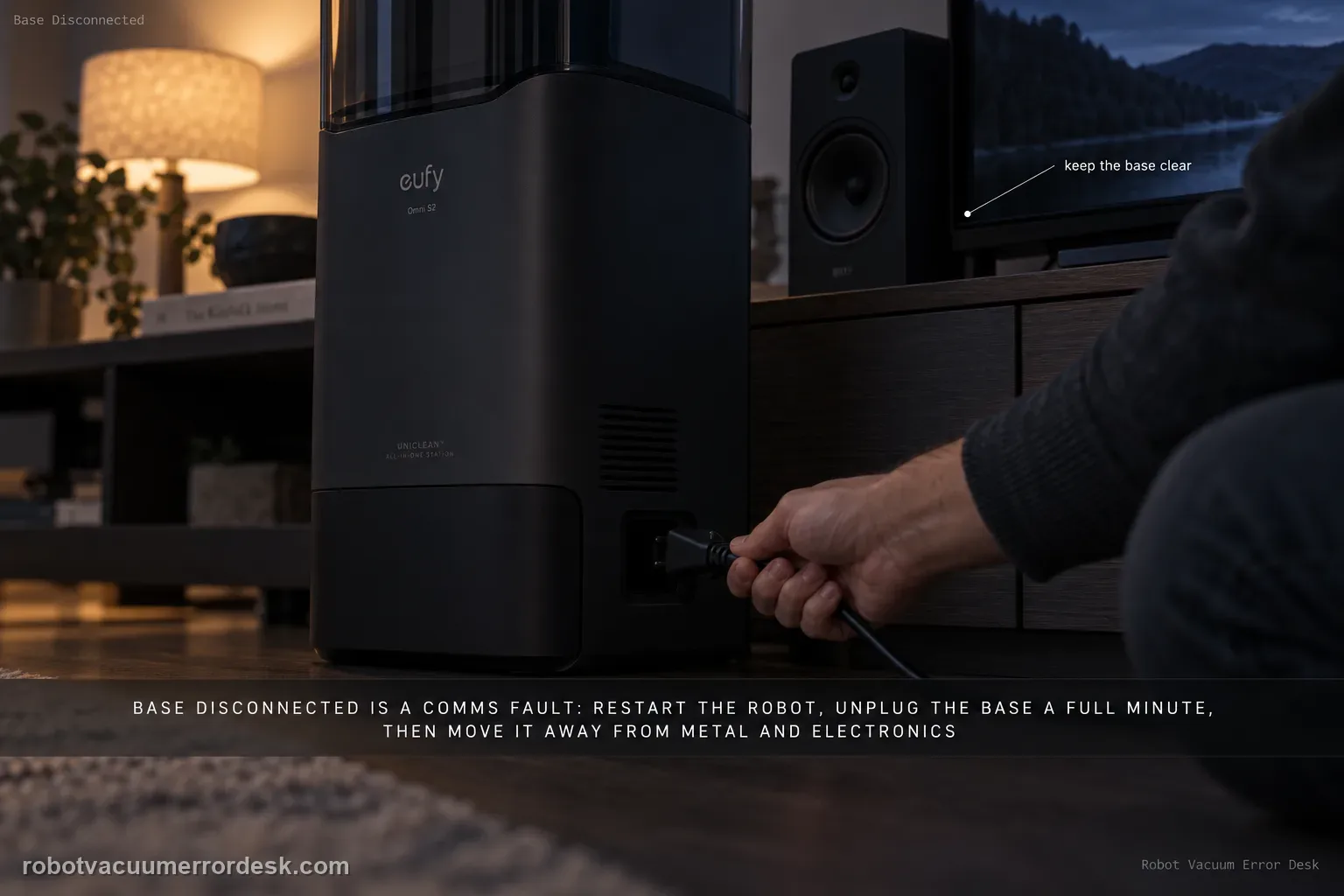
A base-disconnect message is a communication problem, not automatically a docking or charging failure. eufy’s S2 path is: restart the robot and wait about 1 minute, unplug the base for 1 minute and restore power, perform the documented manual robot–base reconnection if needed, then move the base to a more open location away from metal furniture or large electronics if interference is possible. Retest the link before deleting maps or troubleshooting charging hardware.
Is this a communication disconnect, a homing failure, or a charging failure?
Confirm the exact model and exact code, light pattern or symptom.
Run the lowest-risk physical or software check first.
Use each pass condition to decide what the result actually narrows down.
Confirm this is the right issue
- The app explicitly says the Omni S2 is disconnected from the base station.
- Robot and station both have power, but their communication/link state drops.
- The symptom appears as a connection problem even when physical docking or cleaning may still work intermittently.
What’s most likely causing this
Robot communication state did not recover after a restart or power event
Base station needs a full communication/power reinitialization
Robot and base need to be manually reconnected
Walls, metal furniture, large electronics or a cluttered placement are interfering with the link
The failure persists after owner-level link recovery and needs support diagnosis
Reading your test result
| What you observe | What it narrows down | Next move |
|---|---|---|
| Disconnect began immediately after a robot reboot or brief base power loss | The communication pair may simply need time/reinitialization. | Restart the robot, wait about one minute, then power-cycle the base for one minute if needed. |
| Restart/power-cycle does not restore communication | The relationship may need manual reconnection rather than another reboot. | Use eufy’s S2 base-reconnection procedure/video and verify the pair completes. |
| Connection improves when the base is moved into open space | Environmental interference or placement is strongly implicated. | Keep the station away from walls/metal furniture/large electronics that crowd the communication path. |
| Robot docks and charges but app still reports base disconnected | Physical dock contact and base communication are not the same state. | Record charging behavior plus the exact app disconnection message and test reconnection separately. |
| Disconnect persists after restart, base reboot, reconnection and open placement | Owner-level communication recovery is exhausted. | Enable logs, record the timing/environment and escalate to eufy rather than repeatedly re-pairing. |
Do not factory-reset by default. Use the exact model’s reboot/network-reset procedure only when the manufacturer path calls for it.
Work through these checks in order
Restart the robot and give the link time to return
Press and hold the Power button to restart the S2. eufy says to wait approximately one minute after restart so the robot has time to re-establish communication with the base. Do not judge the result the instant the robot powers back on.
Reset base-station power for a full minute
Unplug the base power cord from the wall, wait one full minute, then reconnect it. This is longer than the 30-second charging reset because this exact support path is reinitializing robot–base communication. Confirm normal base power before moving on.
Use the documented manual robot–base reconnection path
If restart and base power reset do not restore the link, perform the manual reconnection procedure referenced by eufy for the S2. Keep this as a communication repair: do not factory-reset maps, Wi-Fi and cleaning data unless eufy’s reconnection process specifically requires a later escalation step.
Remove environmental interference before blaming the base electronics
eufy notes that complex or cluttered environments can interrupt the link. Move the base to a more open test location, away from walls where practical, large metal furniture and large electronic devices. Change only placement for this test so you know whether the connection stabilizes.
Run one controlled disconnect/reconnect test and preserve the result
After recovery steps, observe the app and robot through one normal undock/return cycle. Record whether the link drops immediately, only after distance/time, or stays stable. If it disconnects again in an open environment after both devices were restarted and manually reconnected, stop repeated resets and send eufy the timing and placement evidence.
Separate station communication from ordinary home Wi-Fi
The S2 can have a base-station relationship problem even when the robot is still visible in the app, and it can have a home-Wi-Fi problem without the same base-disconnect symptom. Read the exact message and note whether charging/docking functions continue. If the app says the robot itself is offline, use the Wi-Fi guide. If it specifically reports base disconnection, keep the diagnosis on restart, base power, reconnection and placement.
Test placement with one controlled relocation, not repeated random moves
eufy identifies clutter, walls, metal furniture and large electronics as potential interference around the base. If practical, place the station in a more open test position and run one reconnection cycle. A connection that stabilizes only in open placement is useful evidence. If the same disconnect occurs in both positions, move on rather than continuing to rearrange the room without changing the result.
Escalate after robot restart plus the one-minute wait, a one-minute base power reset, the documented manual robot–base reconnection and an open-placement comparison fail to stabilize communication. Send the exact app message, whether charging/docking still works, a short video if useful, Device Information and the troubleshooting sequence already completed. Keep this separate from home-Wi-Fi offline problems unless both symptoms actually occur together.
Before you contact support, gather this
A reproducible case moves a support call past the basic troubleshooting script faster than “it doesn’t work” does, and it keeps the clues from your own tests on record.
- Exact model name and the error code / voice prompt exactly as shown
- A photo or screenshot of the app error and the time it occurred
- A short list of the checks already completed and what happened after each one
- Device information / activity-log details from eufy Clean when the issue is mapping or routing related
Where this comes from
eufy Omni S2 — Disconnects from Base Station
eufy’s exact S2 base-disconnect article prescribes robot restart with about a one-minute reconnection wait, a one-minute base power reset, manual robot/base reconnection and station placement away from clutter, walls, metal furniture and large electronics. The S2 user guide/model landing page are stable companion references. This guide explicitly separates base communication from home-Wi-Fi/offline and from charging-contact symptoms.
Additional official source: eufy — Omni S2 User Guide (T2081) ↗Additional official source: eufy — Omni S2 model support desk ↗Additional official source: eufy — What support needs for S2 technical issues ↗Last editorial review: September 5, 2026Regional note: manufacturer help centers, model suffixes, mains-power requirements and warranty procedures can differ by country. If the source redirects to a local support site, confirm that the model/hardware scope still matches before following a region-sensitive step.
This guide is rated Official model support. See what each evidence label means →
Questions people ask
Why does my eufy Omni S2 say the base station is disconnected?
eufy lists power reset, signal interruption and environmental interference as likely causes. Restart the robot and allow about a minute for reconnection, then power-cycle the base for about a minute if necessary. If communication does not recover, use the manufacturer’s manual base-reconnection procedure and test the station in a more open location away from metal furniture or large electronics.
How long should I wait after restarting the Omni S2 for the base to reconnect?
eufy’s S2 base-disconnect article says to wait approximately one minute after restarting the robot so it can re-establish communication. Give that restart a fair test before immediately power-cycling again. If the connection does not return, reboot the base and then proceed to the documented manual reconnection path rather than alternating power repeatedly without observing which step changes the state.
Can the Omni S2 charge even if the app says the base is disconnected?
It is possible for physical docking/contact and communication status to provide different clues, so record both instead of assuming they are identical. If the robot charges normally while the app reports base disconnection, preserve that detail. It suggests you should focus on the communication/reconnection branch, not automatically treat the symptom as a charging-contact failure or general home-Wi-Fi outage.
Can metal furniture or electronics interfere with Omni S2 base communication?
Yes. eufy specifically recommends moving the base to a more open area away from walls, metal furniture and large electronic devices when disconnections persist. Make one controlled placement comparison. If communication stabilizes in open space, placement/interference is meaningful. If the disconnect happens in both positions after reconnection, preserve that result and move to support rather than endlessly relocating the base.
When should I contact eufy for repeated Omni S2 base disconnections?
Contact eufy after restarting the robot, rebooting the base, completing the manual reconnection procedure and testing a reasonable open placement, yet the disconnect still returns. Send the exact app message, whether the robot still docks/charges, the approximate time between disconnects and logs if available. Do not keep re-pairing without recording which recovery step briefly works or fails.
Did this diagnostic narrow the fault?
Use this as an editorial signal, not a popularity counter. If a feedback address is configured you can email the note; otherwise you can copy it for your own support record.