eufy Robot Vacuum Omni S2 troubleshooting
2026 flagship exact-model Wi-Fi, navigation, cleaning-performance, charging, carpet handling, noise, mopping-finish, Vacuum & Mop mode, and UniClean station water/dust-collection diagnostics. We route by the exact error or symptom rather than assuming a generic robot-vacuum fix applies.
eufy maintains an active Omni S2 support center and app-specific troubleshooting. This site does not hard-code a firmware version without a version-history source; record the installed robot/app versions before reset or update.
eufy Robot Vacuum Omni S2 issue index
12 guides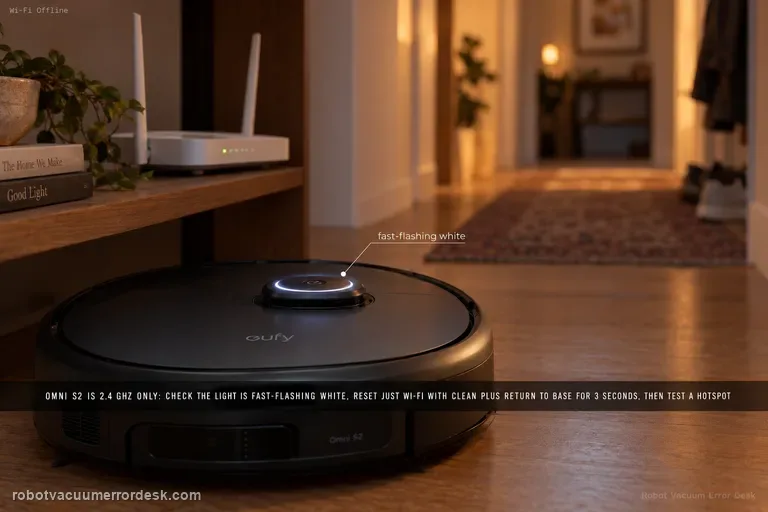
Wi-Fi / Offline
Treat Omni S2 Wi-Fi as a pairing-path problem, not a reason to factory-reset the robot. eufy says S2 supports 2.4 GHz Wi-Fi only: verify the SSID/password, keep Bluetooth on, confirm the circular light is fast-flashing white, then reset only Wi-Fi by holding CLEAN + Return to Base for 3 seconds. A mobile-hotspot test is the clean discriminator before escalation.
Missed Areas
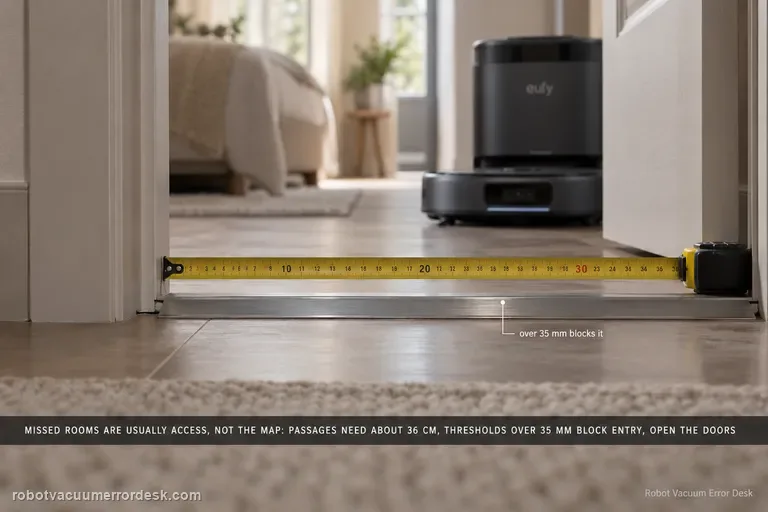
Before remapping an Omni S2, prove the space is physically accessible. eufy lists concrete limits: passages need about 36 cm, thresholds over 35 mm can block room entry, some high/long-pile carpets are intentionally avoided, and furniture clearance below 10.5 cm is not reachable. Open doors, clear false obstacles, then use Spot Clean for an area skipped after objects moved.
Error 6018
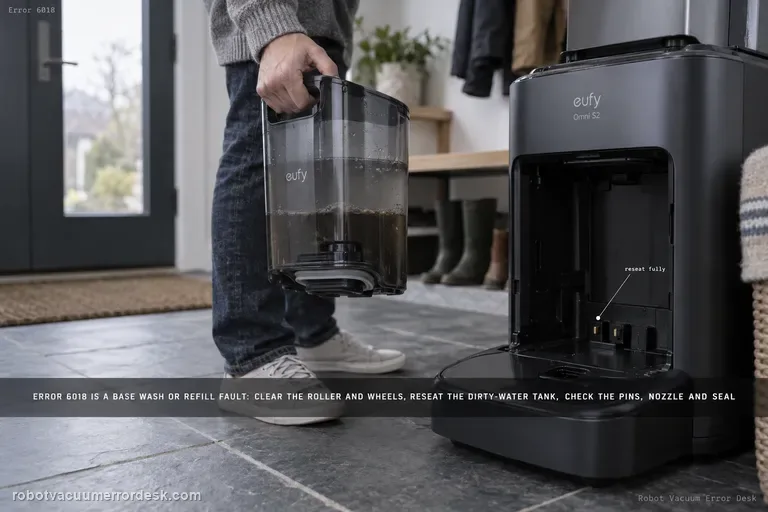
Error 6018 on the eufy Omni S2 means the UniClean base detected a problem during water refilling or mop washing. Do not confuse the model name S2 with older eufy 'Error S2' wheel-module codes. For Omni S2 Error 6018, eufy says to clear the robot's roller/brush/wheels, reseat the dirty-water reservoir, inspect charging pins, inspect the base water-injection nozzle and the screen-module silicone seal, then restart mop washing.
Poor Cleaning / Mopping
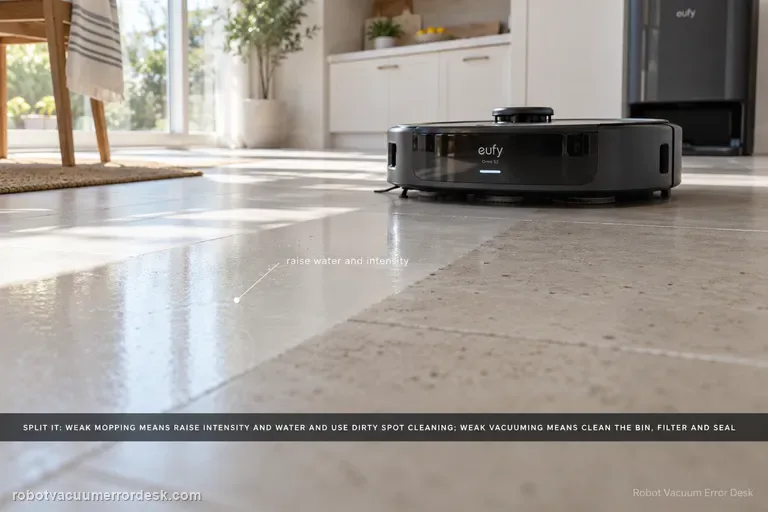
Split the symptom before changing parts. For weak mopping, eufy says to raise cleaning intensity and water level, enable Dirty Spot Cleaning for heavily soiled areas, and accept that hardened oil, glue or paint may still need manual cleaning. For weak vacuuming, clean the dustbin/filter, inspect the dustbin air-outlet silicone seal, replace worn brushes, then verify coverage and run a controlled second pass. Carpet results should be judged separately with higher suction if needed.
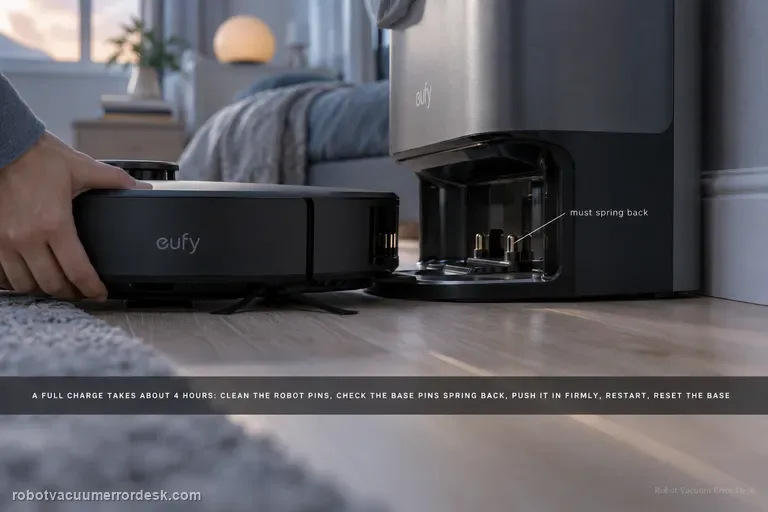
Not Charging / Slow Charge
eufy says a normal Omni S2 full charge takes about 4 hours. If the battery does not rise or charging is much slower, clean the robot charging pins, make sure the base pins move and spring back, push the robot fully into the base for firm alignment, restart the robot for 3 seconds, then unplug the base for 30 seconds. If a unit used for more than about a year still charges poorly after those checks, battery aging becomes a documented possibility.
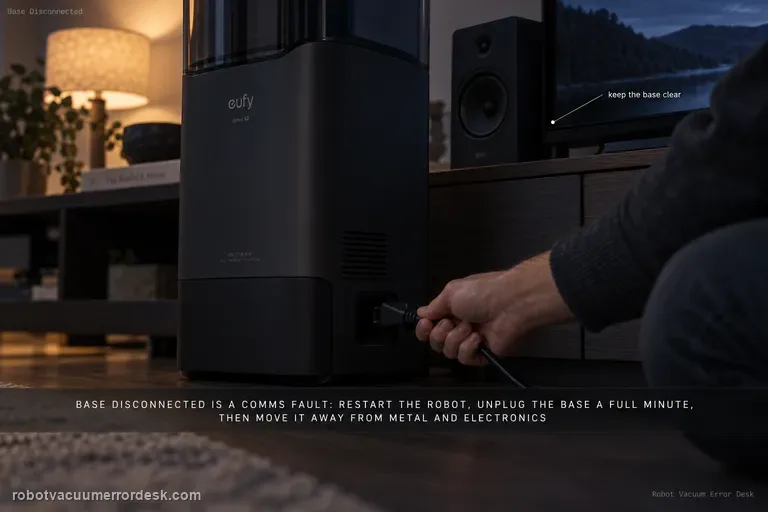
Base Station Disconnect
A base-disconnect message is a communication problem, not automatically a docking or charging failure. eufy’s S2 path is: restart the robot and wait about 1 minute, unplug the base for 1 minute and restore power, perform the documented manual robot–base reconnection if needed, then move the base to a more open location away from metal furniture or large electronics if interference is possible. Retest the link before deleting maps or troubleshooting charging hardware.
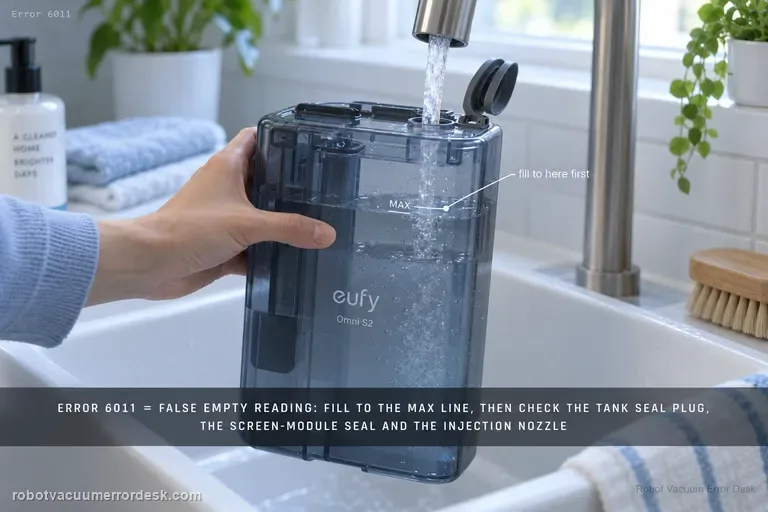
Error 6011
On the Omni S2, Error 6011 is the specific path for a clean-water tank that is reported empty even though water is still present. Start by filling above the minimum and up to the MAX line for the proof test. Then inspect the clean-water tank seal plug, the screen-module silicone seal and screen-module seating, and finally the base water-injection nozzle. This is different from Error 6018: 6011 is a false/failed clean-water-empty detection path; 6018 is a water-injection or mop-wash abnormality.
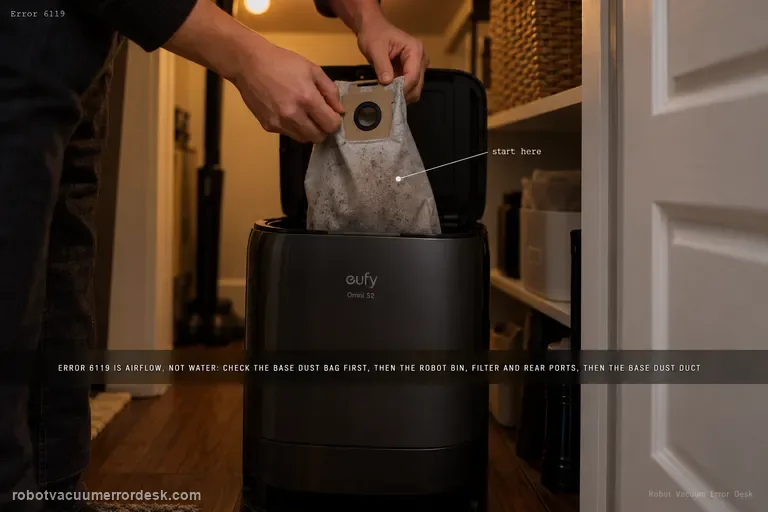
Error 6119
Error 6119 on the Omni S2 is a dust-collection airflow warning, not a water-system error. eufy's exact path starts with the base dust bag, then moves through the robot dustbin/filter and rear dust-collection ports, and finally the base-station dust duct/port. After the airflow path is physically clear, homes with pets or frequent hair buildup can use Standard dust-collection mode and increase collection frequency to reduce repeat blockages.
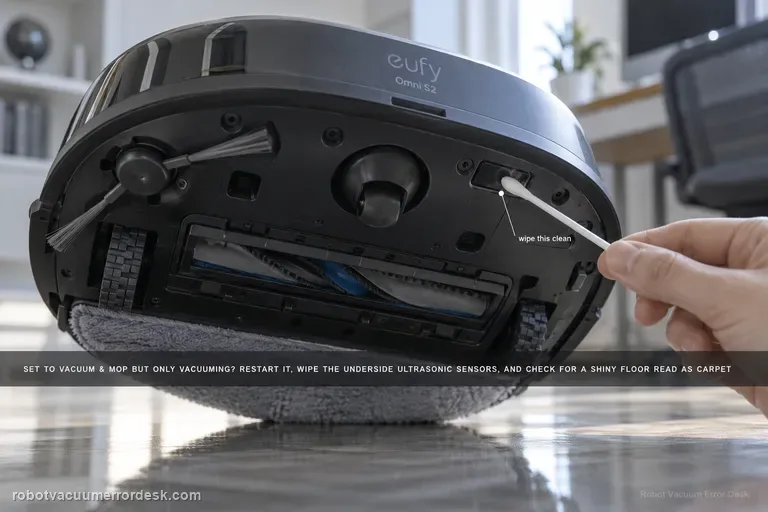
Vacuum & Mop only vacuums
If the Omni S2 is set to Vacuum & Mop but never activates mopping, do not use the weak-cleaning article first: this is a mode/surface-detection problem. eufy's exact S2 path says to restart the robot, clean the underside ultrasonic sensors, consider floors with large gaps or complex/reflective patterns that may be misidentified as carpet, and check multi-floor/no-base-station context. When the S2 cannot detect its base on another floor, it can switch to Vacuum-only to keep the task running.
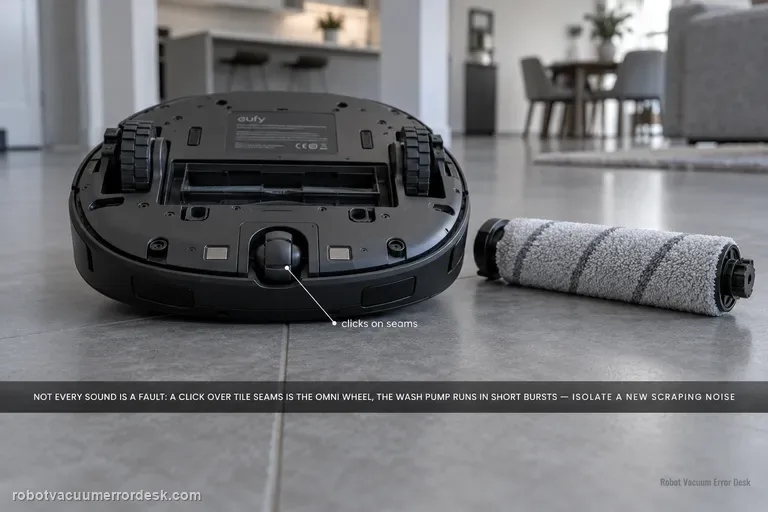
Unusual noise
Do not treat every Omni S2 sound as a failing motor. eufy's exact S2 support says a rhythmic click over large tile/wood seams can come from the omni-directional wheel, and the mop-wash pump can run every 40–80 seconds for about 10 seconds as part of normal dirty-water handling. For a new scraping, grinding, persistent rhythmic sound or high-pitched wash-station whistle, isolate the source: brush-cover seating and debris, omni/driving wheels, cleaning roller, dustbin/HEPA airflow, side-brush condition, then the dirty-water reservoir duckbill-valve path described by eufy.
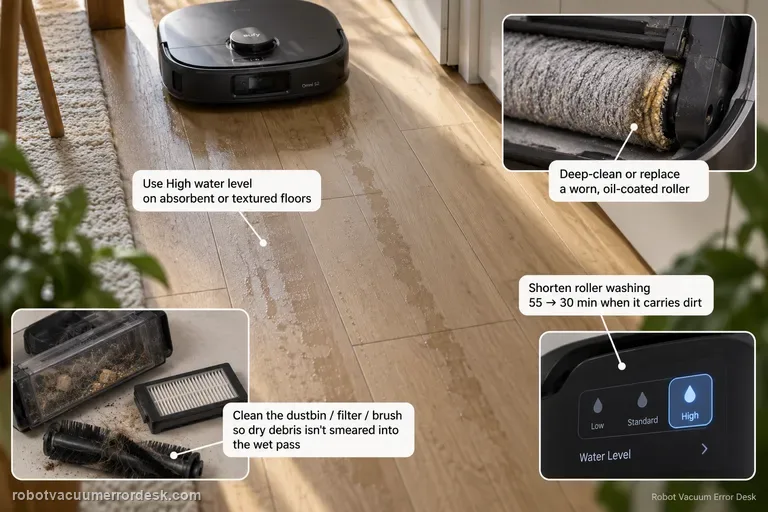
Mop streaks / water marks
Visible streaks or water marks are a finish-quality problem, not the same intent as 'mop never activates' or 'missed areas.' eufy's S2 support starts with water delivery and roller cleanliness: use High water level when low/medium dries too quickly on absorbent or textured flooring, shorten roller washing when the roller carries dirt (eufy's example is 55 → 30 minutes), clean the dustbin/filter/brush path so dry debris is not smeared into the wet pass, and deep-clean or replace a worn, oil-coated or sticky roller mop.
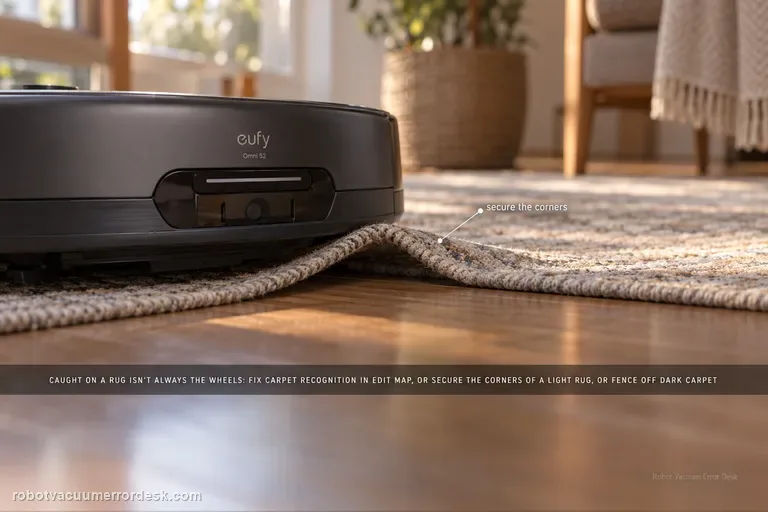
Stuck on carpet / rug
An Omni S2 that gets stuck because a rug edge or carpet material is caught is not automatically a drive-wheel failure. eufy's exact S2 path first checks carpet recognition: manually add the carpet in Edit Map > Carpet Editing > Add Carpet when detection is wrong. For thin/lightweight rugs that the bumper or brushes push or lift, secure the corners or create a no-go zone. Very dark or black carpets can also be misrecognized, so use a controlled comparison and isolate that surface rather than deleting a good map or replacing wheel hardware first.