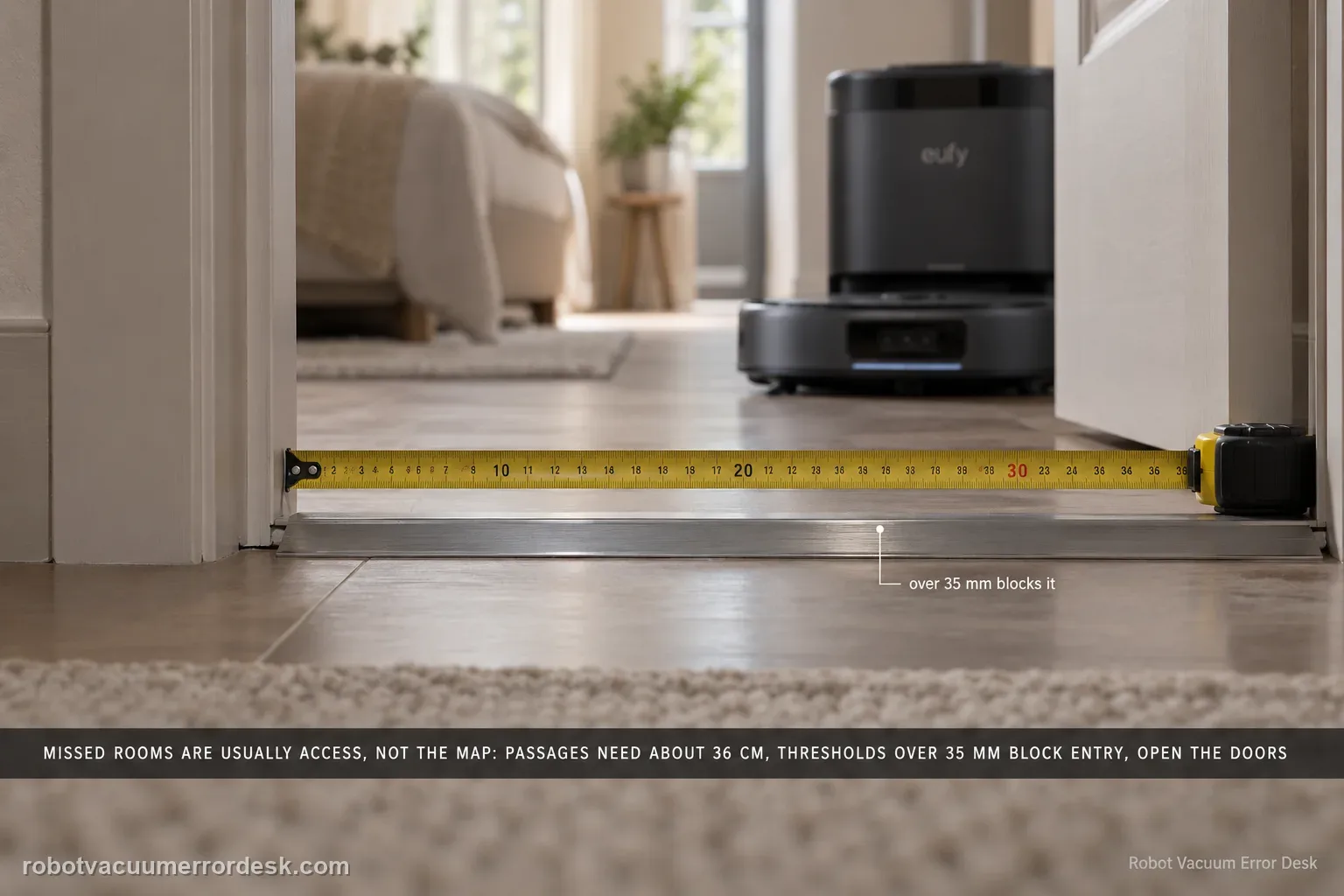
Before remapping an Omni S2, prove the space is physically accessible. eufy lists concrete limits: passages need about 36 cm, thresholds over 35 mm can block room entry, some high/long-pile carpets are intentionally avoided, and furniture clearance below 10.5 cm is not reachable. Open doors, clear false obstacles, then use Spot Clean for an area skipped after objects moved.
Is the missed area physically inside Omni S2 documented access limits?
Confirm the exact model and exact code, light pattern or symptom.
Run the lowest-risk physical or software check first.
Use each pass condition to decide what the result actually narrows down.
Is this the problem you’re seeing?
- The S2 repeatedly skips one room even though the map shows it.
- The robot crosses part of a carpet but leaves another section untouched.
- A missed area appeared after doors, rugs, furniture or objects changed rather than after a total map loss.
Likely root causes, ranked
A closed door or passage narrower than the S2’s documented 36 cm access width
A doorway threshold or carpet transition exceeds the model’s documented access limits
Long, thick, tiny or very thin carpets trigger different documented skip/traverse behaviors
Pets, people, debris, pet-feeding/litter context or moved objects change what the S2 treats as reachable
The target is under furniture below the documented 10.5 cm clearance
What the result narrows down
| What you observe | What it narrows down | Next move |
|---|---|---|
| One room is always skipped and its doorway is narrow | Physical access is more likely than map corruption when the same entrance is the boundary. | Open the door fully, clear both sides and verify roughly 36 cm of passage width before touching the map. |
| The skipped room has a threshold near or above 35 mm | The obstacle may exceed eufy’s documented reliable crossing range. | Measure the transition and solve the physical threshold/ramp issue rather than repeatedly remapping. |
| Only a long-pile, very thick or loose-fiber carpet is skipped | The S2 can intentionally avoid carpet conditions that risk entanglement or exceed climbing limits. | Classify the carpet height/fiber type and use a targeted carpet/no-go strategy instead of treating it as navigation failure. |
| The missed patch is under low furniture | Clearance below eufy’s 10.5 cm figure is a physical reach limit, not a software miss. | Measure clearance and clean manually or raise furniture if appropriate. |
| An ordinary open hard-floor area is skipped despite valid access | Documented geometry no longer explains the behavior. | Keep the map, run Spot Clean on the exact area, save a screenshot/video and escalate if the same accessible patch remains missed. |
Do not factory-reset by default. Use the exact model’s reboot/network-reset procedure only when the manufacturer path calls for it.
Checks to run, in sequence
Prove the room entrance is open and wide enough
Open the target room door fully before the job begins and clear objects from both sides of the entrance. eufy says the S2 needs a passage about 36 cm wide; a partly open door can make an otherwise valid room inaccessible.
Measure the threshold before blaming the map
Check the height of the doorway threshold or track. eufy says a threshold higher than 35 mm can prevent room entry. If only one room fails and its threshold is the outlier, remapping is unlikely to fix a physical climb limit.
Classify the carpet instead of treating every rug alike
Treat carpet height and construction as separate variables. eufy says a carpet near a room entrance above 50 mm can block entry; in its carpet-specific section it says the S2 cannot climb carpet above 55 mm, may skip long pile above 30 mm or total thickness above 35 mm, may pass over very thin carpet below 5 mm without active cleaning, and may not trigger cleaning on carpet smaller than the robot footprint. Carpets near pet bowls or litter areas may also be skipped to avoid contamination.
Remove temporary or AI-detected obstacles
Clear pets, children, loose debris, hair piles and objects near the path. eufy notes that some debris can be interpreted as a fixed obstacle. Run one controlled test without moving objects mid-task so the robot does not mark a changed area as already handled.
Check furniture clearance and retest only the missed zone
Areas under furniture below 10.5 cm clearance are outside eufy's stated access. For an otherwise reachable patch that was skipped after the environment changed, use the app's Spot Clean function rather than deleting a good whole-home map immediately.
Use measurements to decide whether remapping can plausibly help
For a repeatable miss, record doorway width, threshold height, carpet thickness and under-furniture clearance before deleting the map. eufy’s S2 article gives concrete values for several of these limits. If the failed room is the only one with an out-of-range entrance, a new map cannot create physical clearance. If every measurement is ordinary, the map/navigation branch becomes more credible and your evidence is much stronger.
Retest the exact patch with a stable environment
Do not move chairs, toys or pet items during the test. eufy notes that moved obstacles and AI-recognized debris can affect what the robot considers reachable or already handled. Use Spot Clean for the specific patch while doors and obstacles remain fixed. This is more diagnostic than launching another whole-home mission because you can see whether the S2 approaches, refuses, detours or traverses without active cleaning.
Escalate an ordinary accessible-area miss only after the doorway is fully open, passage width and threshold are within the documented range, the surface does not match an intentional carpet/pet-area skip condition, clearance is adequate and a stable Spot Clean retest still fails. eufy asks routing/mapping cases to include an Activity Log upload, cleaning-history or current-task screenshot, copied Device Information, photos/video of the location and the troubleshooting already tried. Keep the current map until that evidence is saved.
Information to have ready for support
Support can skip the basic troubleshooting script when you provide a reproducible case. That keeps the results of your checks from getting lost.
- Exact model name and the error code / voice prompt exactly as shown
- A photo or screenshot of the app error and the time it occurred
- A short list of the checks already completed and what happened after each one
- Device information / activity-log details from eufy Clean when the issue is mapping or routing related
Source and evidence level
eufy Omni S2 — Missed Areas / Mopping Spots
eufy’s exact S2 missed-area article documents room access, a 36 cm passage width, 35 mm doorway-threshold behavior, separate carpet limits and skip cases, 10.5 cm furniture clearance, AI-obstacle effects, pet-feeding/litter context and Spot Clean after environmental changes. The S2 manual/model landing page and support-information checklist provide companion operating and escalation context. Measurements come before map deletion so a physical reach or carpet-policy limitation is not mislabeled as map corruption.
Additional official source: eufy — Omni S2 User Guide (T2081) ↗Additional official source: eufy — Omni S2 model support desk ↗Additional official source: eufy — What support needs for S2 technical issues ↗Last editorial review: September 5, 2026Regional note: manufacturer help centers, model suffixes, mains-power requirements and warranty procedures can differ by country. If the source redirects to a local support site, confirm that the model/hardware scope still matches before following a region-sensitive step.
This guide is rated Official model support. See what each evidence label means →
Common questions
Why does my eufy Omni S2 keep skipping the same room?
Start with the entrance, not the map. eufy says the S2 needs about 36 cm of passage width and may fail at thresholds above 35 mm. A partly closed door, thick entrance carpet or temporary obstruction can make one room consistently inaccessible. Measure those conditions first; remapping is only useful after you have proved the room is physically reachable.
Can a doorway threshold cause the Omni S2 to miss an entire room?
Yes. eufy documents a roughly 35 mm reliable threshold limit for S2. If the only missed room sits behind a taller transition, the behavior is better explained by physical climbing capability than by corrupted mapping. Measure the threshold and consider a suitable transition aid if safe; repeated map deletion will not make the chassis clear a higher obstacle.
Why does my Omni S2 drive over a thin rug but not clean it?
eufy distinguishes carpet behaviors by height and construction. Very thin carpet can be traversed without the same active carpet-cleaning behavior, while thick or long-pile material may be avoided to prevent entanglement. That is different from a missed hard-floor patch. Compare the rug with ordinary flooring and use the carpet-specific controls rather than assuming the map forgot the area.
Should I delete the Omni S2 map if only one small area was missed?
Not first. Open the route, measure the doorway/threshold, clear temporary obstacles and confirm the target is not under furniture below the documented clearance. Then use Spot Clean for the exact patch. If a controlled targeted run still skips an ordinary accessible area, save the map screenshot and that repeatable behavior before considering a remap or contacting eufy.
When is an Omni S2 missed-area problem worth escalating?
Escalate when the area has an open passage of about 36 cm or more, a threshold below the documented limit, normal floor conditions and adequate furniture clearance, yet the S2 repeatedly skips it. Send eufy a map screenshot, photos of the entrance and measurements. Note whether Spot Clean approaches, detours or refuses the area; that behavior narrows the navigation issue.
Did this diagnostic narrow the fault?
Use this as an editorial signal, not a popularity counter. If a feedback address is configured you can email the note; otherwise you can copy it for your own support record.