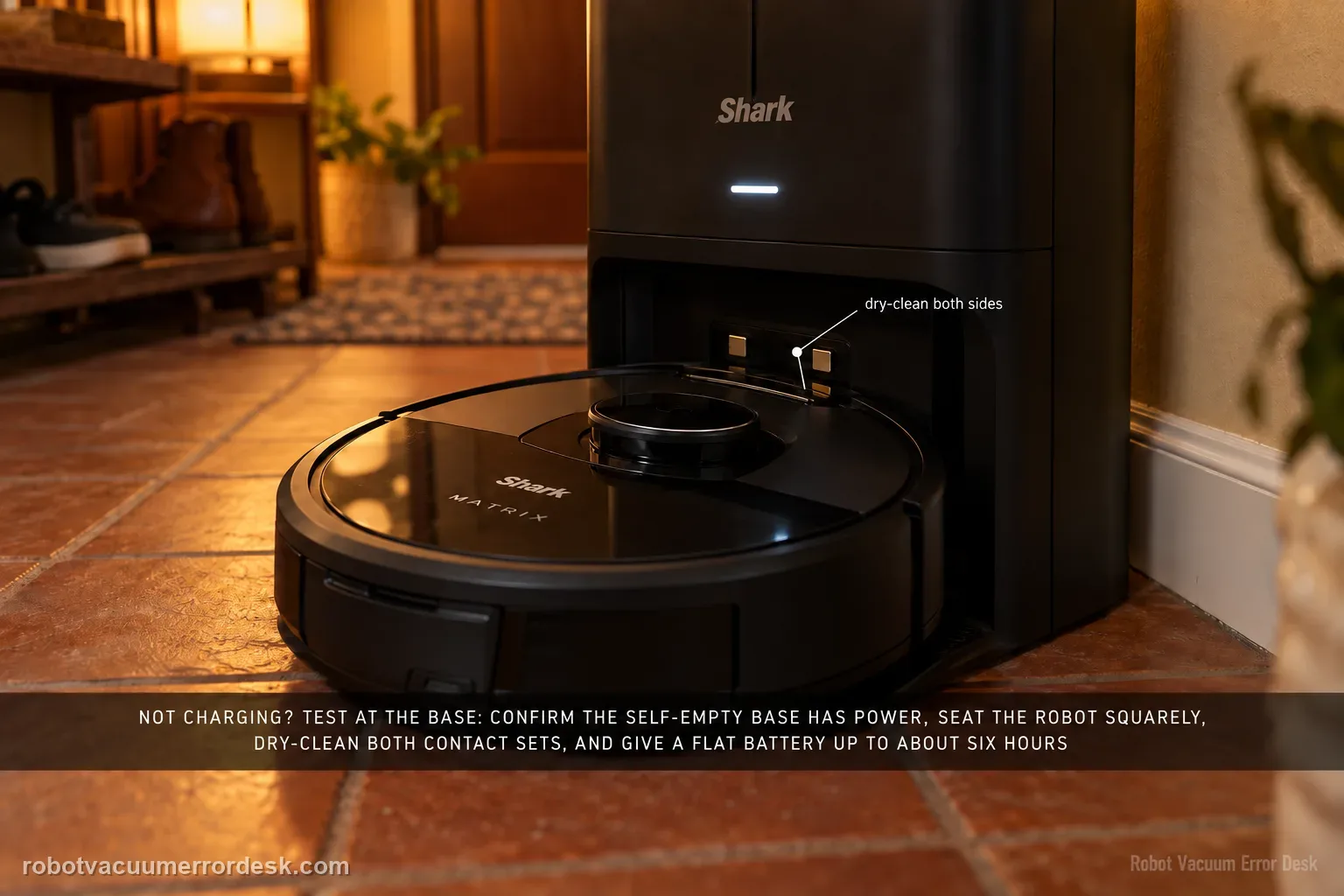
A Shark Matrix that will not charge should be tested at the base before you blame the battery. The RV2300-series owner guide distinguishes the base's powered/not-charging state from its charging state and describes the robot's charging indicators. Confirm the Self-Empty Base has power, manually seat the robot squarely, dry-clean the charging contacts on both sides, and allow a very low battery enough time to recover; the guide notes that a full charge can take up to about six hours. If the robot charges only after repositioning, treat alignment and docking as the stronger issue. If the base is powered and the robot never acknowledges charge even when hand-seated, charging hardware or battery service becomes more credible.
Confirm the exact model and exact code, light pattern or symptom.
Run the lowest-risk physical or software check first.
Use each pass condition to decide what the result actually narrows down.
Does this match your problem?
- The Matrix sits on the Self-Empty Base but does not enter a clear charging state.
- The robot charges only when repositioned by hand.
- The battery is critically low and the robot repeatedly leaves or fails to wake on the base.
- The base is powered but the robot does not show the expected charge progression.
Most likely causes
Robot is not fully seated on both charging contacts
Dust or residue is increasing contact resistance
Base has power but the robot is not entering the charging state
Critically low battery needs a stable extended charge interval
Battery, base or robot charging hardware remains faulty after controlled checks
What your test result means
| What you observe | What it narrows down | Next move |
|---|---|---|
| Manual seating starts charging | Battery acceptance and base output can work. | Investigate autonomous docking/alignment only if returns remain unreliable. |
| No charging state with base powered | The fault remains in contact, power delivery, battery or robot charging electronics. | Clean contacts, confirm correct cord and run the extended charge test. |
| Battery is critically low but progresses on base | The robot is recovering rather than demonstrating a dead charging circuit. | Leave it undisturbed until the charge state becomes usable. |
| Charges only after pushing/repositioning | Contact geometry or final parking alignment is unstable. | Inspect dock approach and contact seating instead of replacing the battery first. |
| Charging-specific light code appears | The robot is reporting a defined base/charging condition. | Follow the exact model code chart and verify the correct Shark power cord. |
Do not factory-reset by default. Use the exact model’s reboot/network-reset procedure only when the manufacturer path calls for it.
Run these checks in order
Confirm the base is powered before reading battery symptoms
Check the wall outlet and the Self-Empty Base power lead, then observe the base indicator behavior described in the RV2300-series guide. The important distinction is whether the base itself has power, not whether the robot battery is healthy. A battery replacement cannot solve an unplugged or intermittent base. Keep the base on a hard stable surface and do not move it while testing, because base movement can also create a separate docking problem that looks like charging failure.
Seat the Matrix manually and watch for the charging state
Place the robot squarely on the base rather than relying on an autonomous return for the first test. The owner guide describes different base/robot indicator behavior when charging is established. Note whether the robot recognizes the base and begins the normal charge-light sequence. If manual seating works immediately, the battery can accept charge and the next problem may be final docking alignment. If manual seating never establishes charge, continue with contact and power checks.
Dry-clean both charging-contact surfaces
Turn the robot off for maintenance and use a dry cloth on the robot and base charging contacts as Shark directs. Remove dust that can hold the robot slightly off-angle, and inspect the base area for debris under the robot's wheels. Do not wet the contacts or add conductive cleaners. Re-seat the Matrix in the same position after cleaning and compare the indicator behavior. A result that changes only after cleaning is evidence of contact resistance or seating, not automatically a battery fault.
Allow a critically low battery a real recovery interval
If the battery is extremely low, stop repeatedly sending the robot away from the base. The Matrix 2-in-1 manual uses a critically-low-battery code that tells the owner to place the robot on the base and confirm the base indicator; the RV2300-series guide notes a full charge can take up to roughly six hours. Use that as a realistic upper reference, not a guarantee for every charge. Record whether the robot progresses from critically low toward normal operation during an uninterrupted session.
Separate charging from autonomous docking
After manual charging is proven, command Dock from a short clear approach. If the robot finds the base but repeatedly parks crooked until you push it, the electrical path may be fine and the problem belongs to final alignment, wheel/caster condition or base placement. If it cannot find the base at all, Error 23 and navigation are more relevant. Keeping these stages separate prevents a charging article from becoming a catch-all for every base-related symptom.
Check for the correct cord and charging-error pattern
For Matrix 2-in-1 hardware, Shark's manual includes a charging error pattern that specifically tells owners to make sure the correct power cord is being used for the base. If your Matrix variant reports a charging-specific light code, follow the code chart for that exact model rather than substituting another Shark charger. Do not test with an improvised adapter simply because the connector fits; charging systems depend on the correct manufacturer power specification.
Escalate after a repeatable manual-seat failure
If a powered base with dry clean contacts still cannot establish charging when the robot is placed correctly by hand, record the base indicator, robot light pattern and battery state over time. Tell Shark whether the robot ever wakes, whether repositioning changes anything, and whether a correct cord is installed. That evidence makes battery, base output or robot-side charging electronics the remaining service candidates. Do not open the base or lithium-ion battery pack.
Contact Shark if the Matrix cannot enter a charging state when manually placed on a confirmed powered Self-Empty Base with the correct cord and dry clean contacts, or if the battery never progresses during an uninterrupted charge interval. Provide the exact robot/base indicator pattern, whether hand-positioning changes the result and whether autonomous docking is a separate failure. If manual placement charges normally, do not describe the case as a dead battery; use the docking/navigation path instead.
What to collect before contacting support
Give support a reproducible case instead of “it doesn’t work.” That reduces repeated basic troubleshooting and preserves the clues from your tests.
- Exact model name and the error code / voice prompt exactly as shown
- A photo or screenshot of the app error and the time it occurred
- A short list of the checks already completed and what happened after each one
- Firmware/app version if the issue began after a software change
Manufacturer evidence
Shark RV2300 Series Matrix owner guide
The Matrix owner guide documents base placement, charging behavior, dry contact maintenance and an up-to-six-hour charging reference; Shark troubleshooting also separates charging from return-to-base problems.
Additional official source: Shark RV2300S/RV2300AE Matrix troubleshooting guide ↗Additional official source: Shark Matrix 2-in-1 manual — charging error and critically low battery patterns ↗Last editorial review: September 5, 2026Regional note: manufacturer help centers, model suffixes, mains-power requirements and warranty procedures can differ by country. If the source redirects to a local support site, confirm that the model/hardware scope still matches before following a region-sensitive step.
This guide is rated Official series support. See what each evidence label means →
FAQ
How can I tell if my Shark Matrix is actually charging?
Start by confirming the Self-Empty Base has power, then place the Matrix squarely on the contacts by hand and watch for the charging indicator behavior in the owner guide. A robot that is merely sitting on the plastic base is not enough evidence. If the charging state appears only after repositioning, alignment or contact seating is the stronger suspect; if it never appears, continue with power/contact diagnosis.
How long can a Shark Matrix take to fully charge?
The RV2300-series owner guide notes that a full charge can take up to about six hours. Use that as a practical upper reference when the battery is very low, not as a reason to ignore a robot that never acknowledges the base. First prove the charging state, then allow an uninterrupted interval and look for battery progression. Repeatedly removing the robot makes the result harder to interpret.
Can dirty contacts make a Shark Matrix look like the battery is dead?
Yes. Dust or residue can prevent reliable electrical contact even when the robot looks correctly parked. Shark directs owners to clean the robot and base charging contacts with a dry cloth. After cleaning, re-seat the robot squarely and compare the indicator state. If charging becomes reliable, the earlier symptom was consistent with contact/seating trouble rather than proof that the lithium-ion battery had failed.
What if my Shark Matrix charges only when I place it on the base myself?
That result shows the basic charging path can work. The remaining problem is more likely the final autonomous approach, contact alignment, base placement or wheel movement. Run a short Dock test with a clear approach and keep the base fixed. If the robot cannot find the base at all, use the Error 23 path; if it finds the base but parks poorly, stay focused on final alignment rather than replacing the battery.
When should a Shark Matrix not-charging problem be escalated?
Escalate when the base has confirmed power, uses the correct Shark cord, the contacts are dry and clean, and the robot still cannot enter or maintain charging when hand-seated. Include the robot and base light pattern and whether the battery changes over a timed interval. That evidence leaves battery, base output or robot charging electronics as stronger possibilities and helps Shark avoid repeating navigation checks that you have already ruled out.
Did this diagnostic narrow the fault?
Use this as an editorial signal, not a popularity counter. If a feedback address is configured you can email the note; otherwise you can copy it for your own support record.