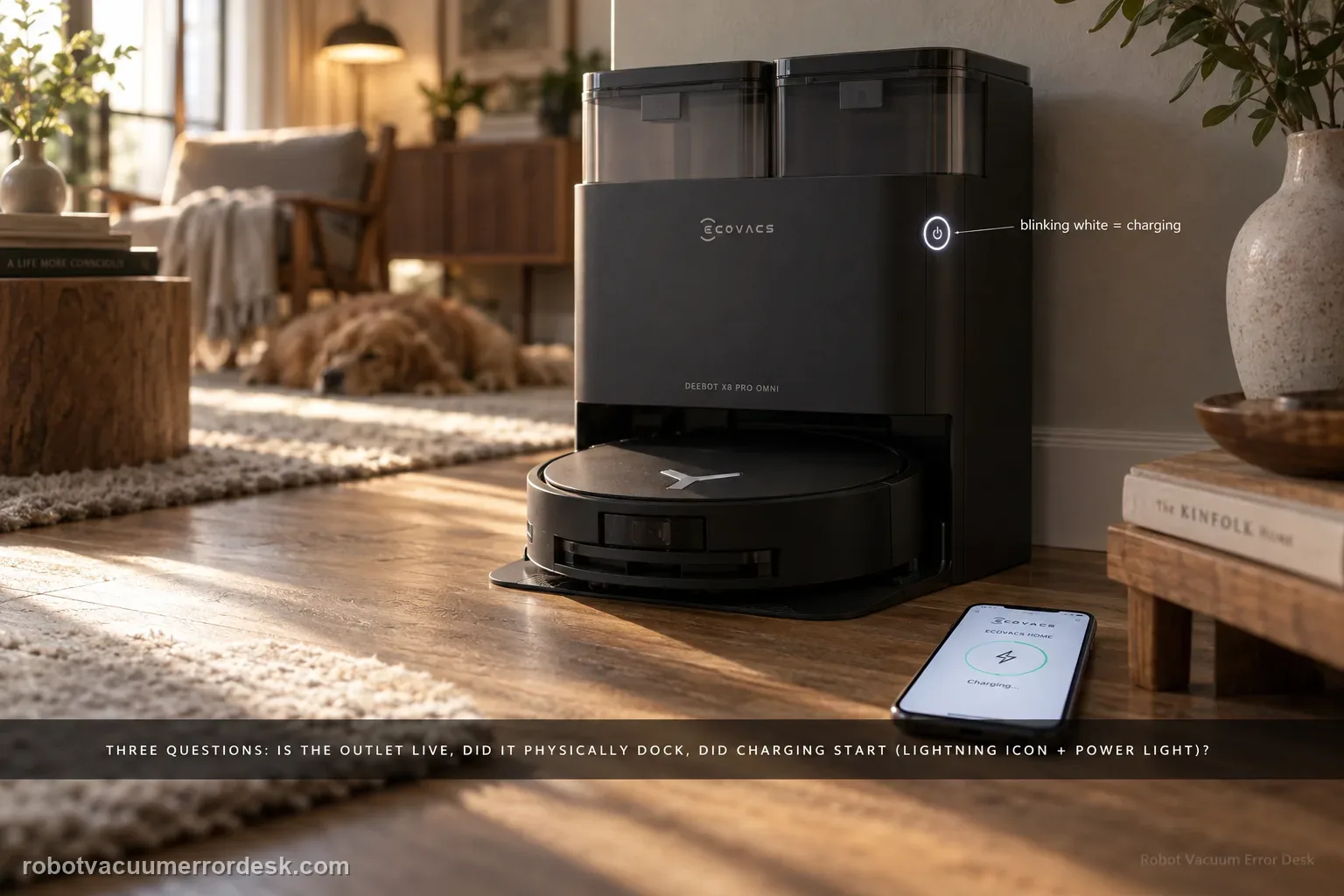
Treat X8 Pro Omni charging as three separate questions: does the station have power, can the robot make a correct physical dock, and does electrical charging actually begin once the contacts touch? ECOVACS’ exact X8 support says to confirm a live outlet and the station cord, switch the robot to I, try an automatic return, then manually dock if the robot will not power on. A blinking white power-button light and the lightning icon in ECOVACS HOME are the evidence that charging has started. If neither automatic nor manual docking charges, clean both contact pairs and confirm the station contacts press down and spring back normally. If a powered station and a manually seated robot still show no charging indication after those checks, stop treating the symptom as navigation and escalate it as a charging-hardware case.
Confirm the exact model and exact code, light pattern or symptom.
Run the lowest-risk physical or software check first.
Use each pass condition to decide what the result actually narrows down.
Is this the problem you’re seeing?
- The X8 reaches or sits in the OMNI station but the battery percentage does not rise.
- The robot is too depleted to drive itself to the station, so you need a manual-dock proof test.
- The robot can return to the station but charging starts only when it is nudged or reseated.
- You need to separate an outlet/station-power problem from poor physical contact or an internal charging fault.
Likely root causes, ranked
The wall outlet, station cord or station power state is not actually live even though the robot is parked nearby
The X8 power switch under the top cover is not in the I position, so the normal charging/return sequence cannot be evaluated cleanly
The robot reaches the station but does not settle into the same physical position required for the charging contacts to meet
Dust, film or residue on the robot or station charging surfaces increases contact resistance
One or more spring-loaded station contacts are dirty or mechanically stuck and cannot maintain pressure against the robot pads
The station has power and the robot is correctly seated, but the charging circuit still does not register current and needs service
What the result narrows down
| What you observe | What it narrows down | Next move |
|---|---|---|
| Station indicator does not light when connected | The first failure is upstream of the robot; a charging test is not valid until station power is proven. | Reseat the station cord and test the outlet with a known-good device before touching robot settings. |
| Automatic return fails, but manual docking immediately shows the lightning icon | Electrical charging works; the remaining problem is return/docking behavior rather than the charger itself. | Use the separate X8 return-to-station diagnostic instead of replacing a battery or charger. |
| Robot sits in the station but no white charging blink or app lightning icon appears | Physical position alone is not proof of charge transfer. | Clean both contact pairs, confirm spring rebound, then reseat the robot without changing other variables. |
| Charging begins only while you press or hold the robot in place | Contact pressure or alignment is unstable even though the charging electronics can work intermittently. | Inspect station base seating, contact rebound and contamination; capture the behavior on video if it repeats. |
| Powered station + clean springy contacts + manual dock still gives no charging indication | The user-serviceable power and contact causes have been largely exhausted. | Stop repeated docking attempts and contact ECOVACS with the outlet/contact/manual-dock results. |
Do not factory-reset by default. Use the exact model’s reboot/network-reset procedure only when the manufacturer path calls for it.
Checks to run, in sequence
Prove the wall outlet and station power before diagnosing the robot
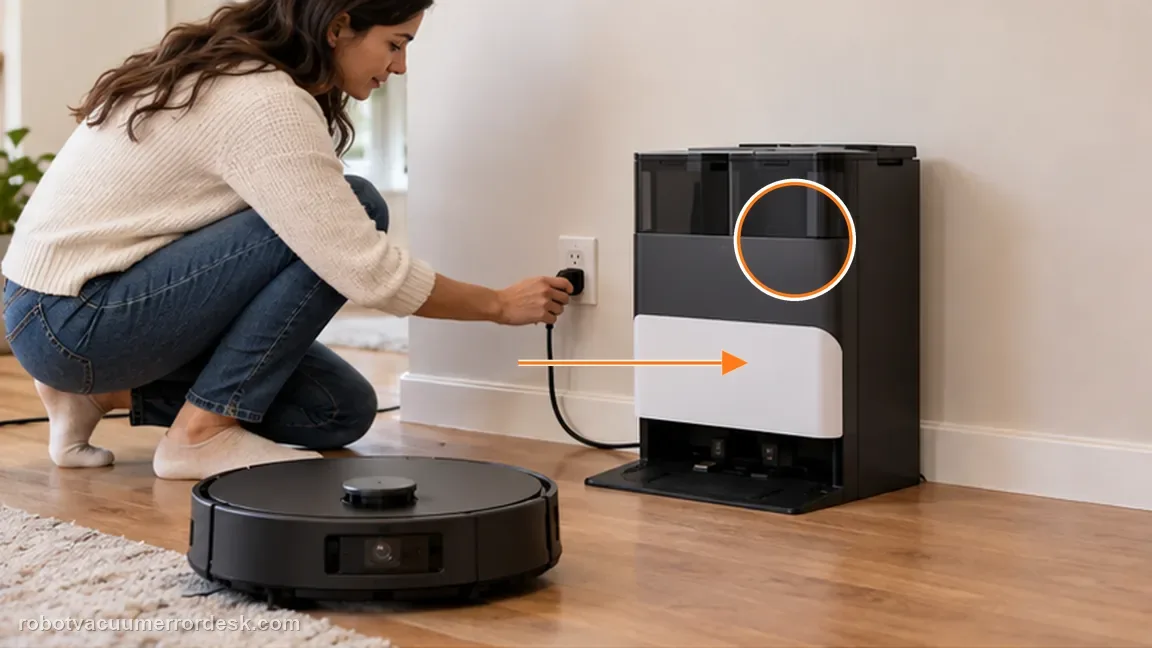
Start with the station disconnected from the robot. Push the station power cord fully into its connector and verify the wall outlet with another appliance or tester you already know works. ECOVACS’ X8 charging article uses the station indicator as the first confirmation that power has reached the station. Do not infer power from the fact that the robot is physically parked there or from an old app status. If the indicator does not behave as expected, move the power test to another known-good outlet before changing maps, Wi-Fi, battery settings or cleaning the robot. This establishes whether the fault is upstream of the charging contacts.
Put the X8 power switch at I and try one normal return-to-charge command
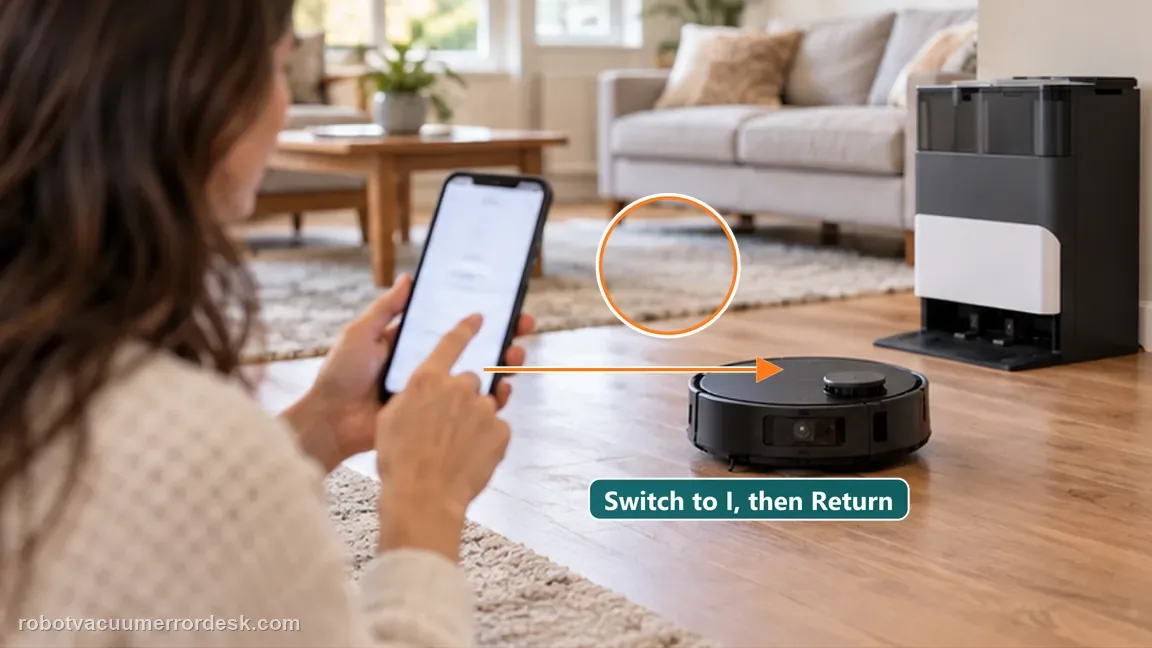
Remove the top cover and confirm the X8’s physical power switch is at I. If the robot can power on, use the documented return-to-station control so the robot performs one normal approach and attempts to dock by itself. Watch the full sequence rather than judging only the final position. If it never reaches the station area, that is a navigation/return problem. If it reaches the station but repeatedly backs out, that is a final-docking problem. If it docks and immediately shows the charging indication, the charging hardware is functioning and the original symptom may have been intermittent positioning or contact contamination.
Use manual docking to remove navigation from the charging test
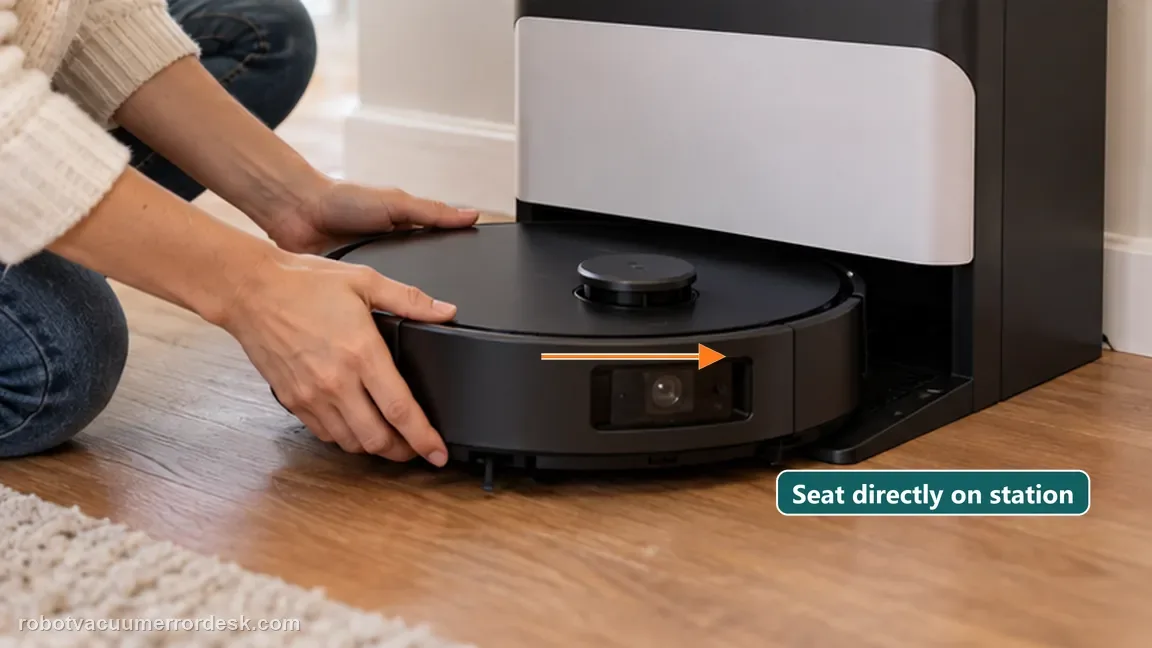
If the robot cannot power itself across the floor, or the automatic-return result is ambiguous, manually place it into the station in the correct charging position. ECOVACS explicitly tells owners to use manual docking when the X8 cannot turn on. The purpose is diagnostic: a manual dock bypasses map quality, station-finding and the final approach. After seating the robot, look for the X8 power-button light blinking white and check ECOVACS HOME for the lightning icon. Those indicators matter more than the robot merely appearing to be inside the station. Record whether either indicator appears and whether battery percentage then rises over a reasonable observation period.
Clean both charging-contact pairs without adding liquid to the station
Power down as appropriate and wipe the metal charging surfaces on both the station and the robot. Remove dust, dried residue and film that can increase resistance even when the pads look visually close. Use the manufacturer’s maintenance approach rather than abrasive sanding or soaking the contact area. Pay attention to the rear robot contacts and the matching station pieces; cleaning only one side leaves half the electrical interface untested. When the surfaces are dry, reseat the X8 exactly as in the prior manual-dock test so the only changed variable is contact cleanliness. Then re-check the charging light and app icon.
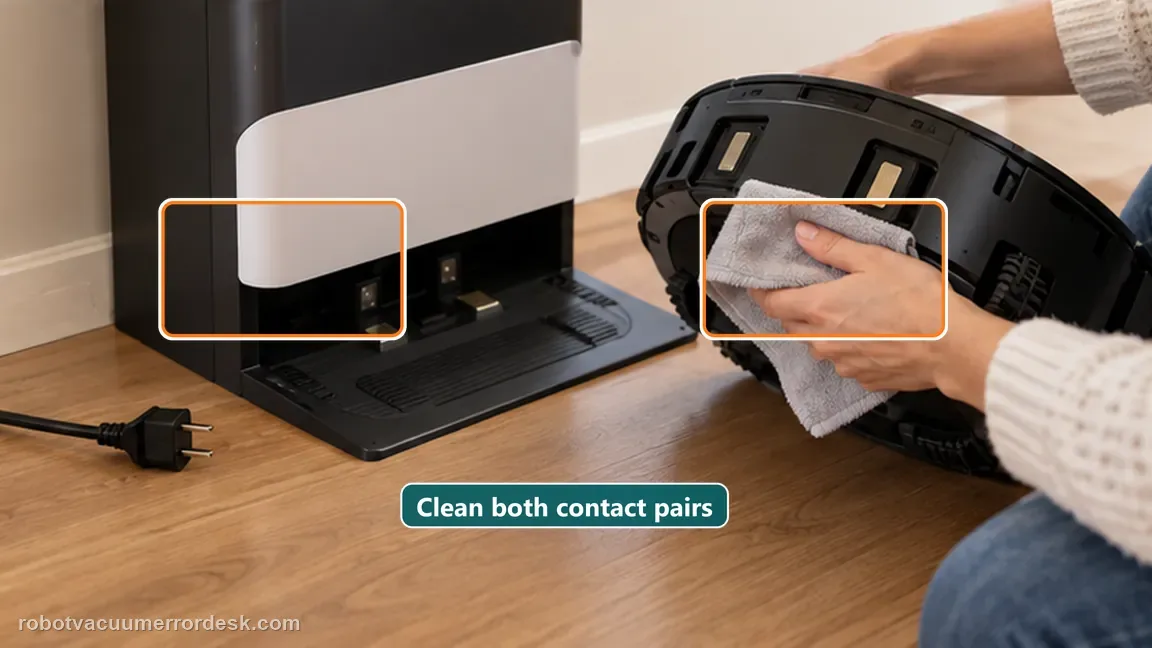
Press the station contacts and confirm they rebound freely
ECOVACS specifically instructs X8 owners to verify that the station charging contacts rebound normally. Press each user-accessible spring contact gently and compare its movement with the other side. A contact that remains depressed, returns slowly or feels mechanically different can fail to maintain pressure when the robot settles in the station. Do not pry the contact out or open the station housing. If debris around the exposed moving surface can be removed safely, clean it and retest. If the contact is visibly damaged or still does not rebound, document that condition instead of repeatedly forcing the robot against it.
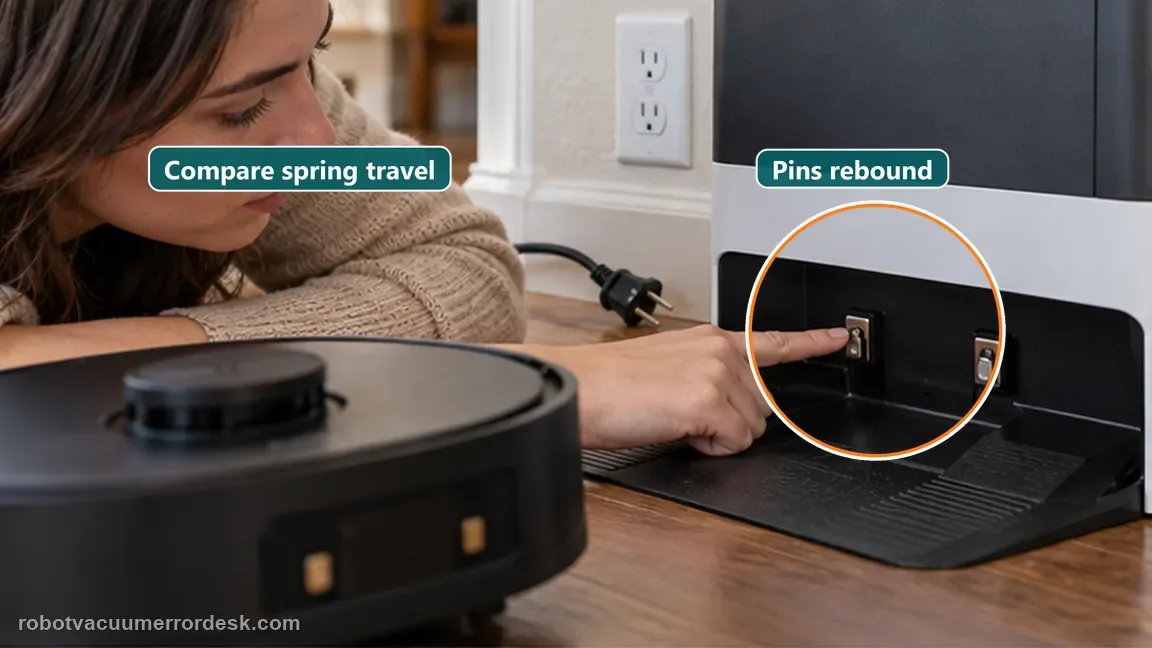
Separate contact alignment from an actual charging-current failure
Repeat one controlled manual docking after the contact check. If charging now starts but stops when the robot shifts slightly, focus on base installation, station seating and contact alignment rather than the battery. If the X8 stays solidly in the expected dock position yet never shows the white blink or lightning icon, the evidence points further downstream. Do not interpret a low battery percentage that takes time to rise as immediate failure if the charging indicators are active; first confirm the robot remains in a stable charging state. Conversely, do not call it fixed just because the robot remains physically parked with no charging indication.
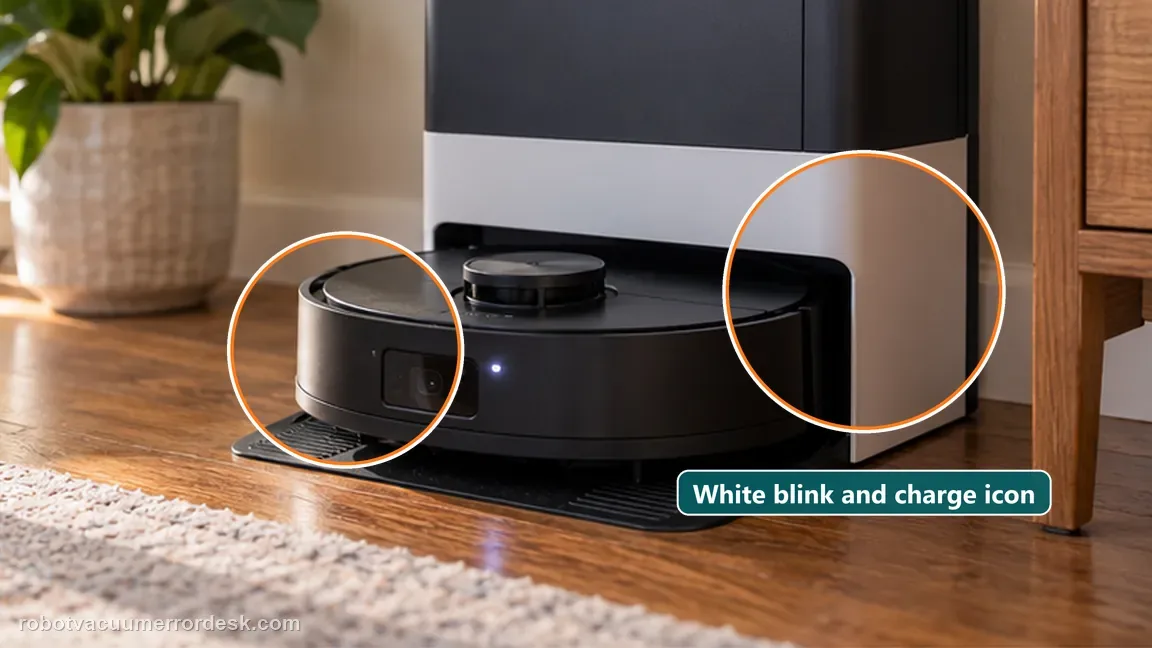
Escalate with a reproducible power-and-contact record instead of replacing random parts
If a known-good outlet powers the station, the robot switch is at I, both contact pairs are clean, the station contacts rebound and a correctly seated manual dock still produces no charging indication, owner-level testing is complete. Save a short video that shows the powered station, the robot being manually seated, the contact condition and the missing charging indication in the app. Include the exact model/region and whether the robot can power on away from the dock. That evidence lets ECOVACS distinguish station, charging-contact and robot-side charging electronics without starting over with navigation advice or an unnecessary battery purchase.
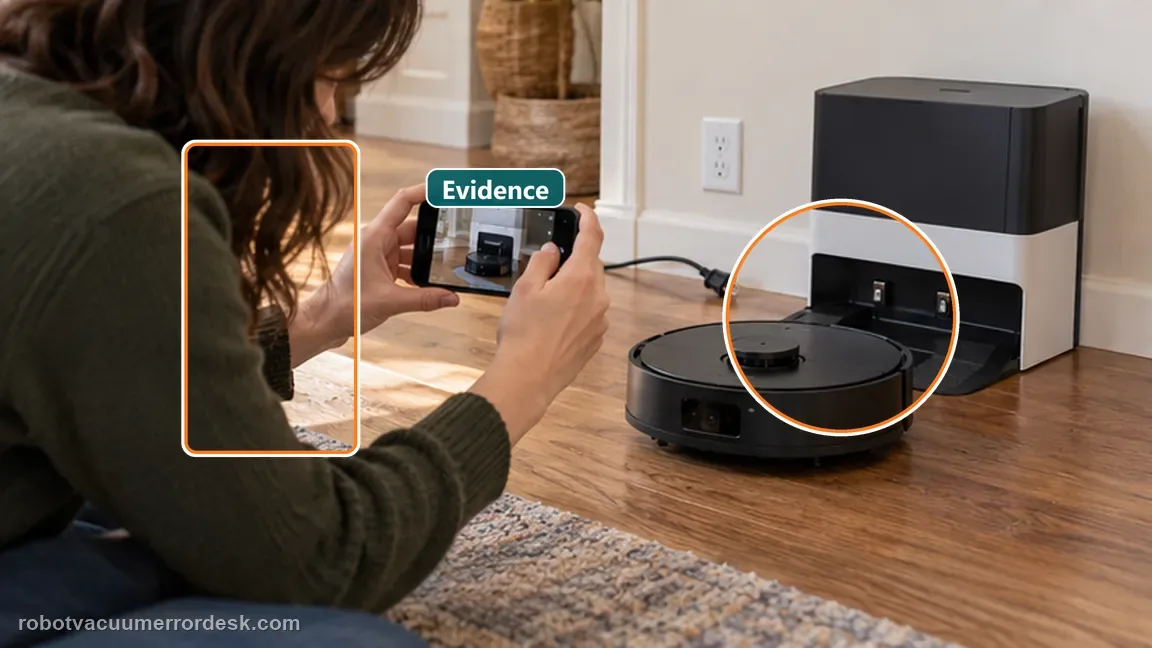
Stop owner-level troubleshooting when a live outlet and powered station are proven, both contact surfaces are clean, the station contacts rebound normally, the X8 is correctly seated manually and no charging light/app lightning icon appears. Also escalate if a contact is physically damaged or will not rebound. Do not open the station or robot charging electronics. If manual docking charges but automatic docking does not, use the separate return-to-station guide because the electrical charger has already passed the most important proof test.
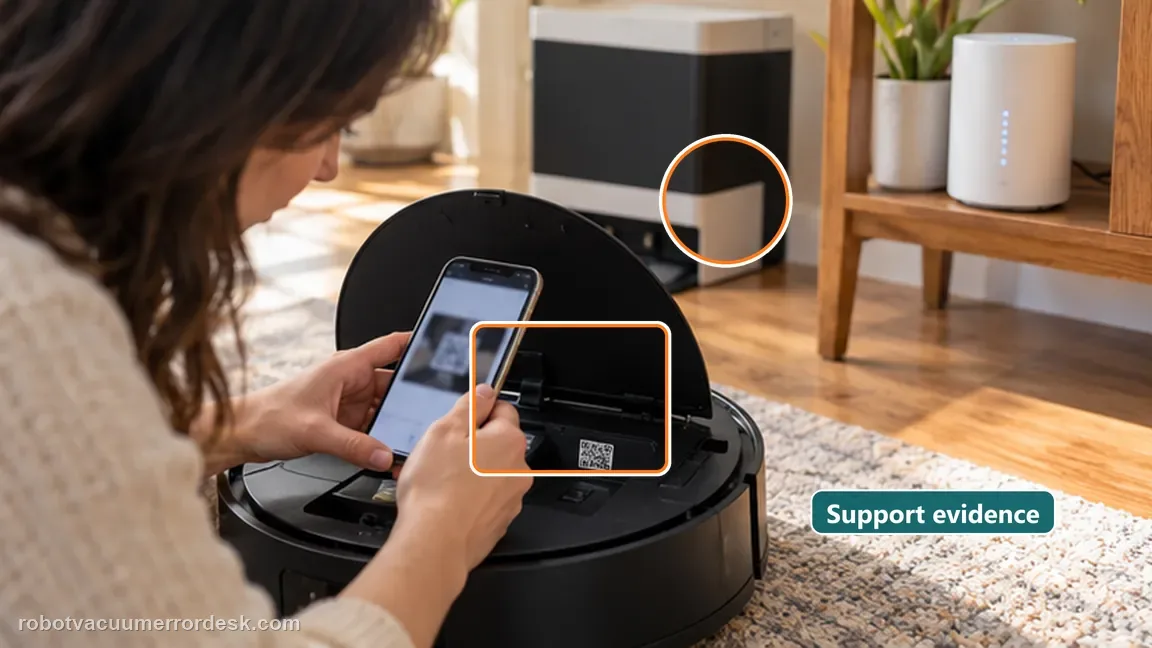
Information to have ready for support
Support can skip the basic troubleshooting script when you provide a reproducible case. That keeps the results of your checks from getting lost.
- Exact model name and the error code / voice prompt exactly as shown
- A photo or screenshot of the app error and the time it occurred
- A short list of the checks already completed and what happened after each one
- Map/station screenshot when the problem involves return-to-station or mapping
Source and evidence level
ECOVACS X8 Pro Omni — robot can't be charged
The exact X8 Pro Omni article documents live outlet/station power, the I power-switch position, automatic versus manual docking, the blinking-white charging indication, ECOVACS HOME lightning icon, cleaning both contact pairs and checking station-contact rebound before after-sales service.
Additional official source: ECOVACS DEEBOT X8 Pro Omni support hub ↗Additional official source: ECOVACS — current fails-to-charge troubleshooting ↗Last editorial review: September 5, 2026Regional note: manufacturer help centers, model suffixes, mains-power requirements and warranty procedures can differ by country. If the source redirects to a local support site, confirm that the model/hardware scope still matches before following a region-sensitive step.
This guide is rated Official model support. See what each evidence label means →
Common questions
Why does my DEEBOT X8 Pro Omni sit on the station but still not charge?
Being physically inside the station is not proof that current is transferring. ECOVACS tells X8 owners to look for the blinking white power-button light and the lightning icon in ECOVACS HOME, then clean both contact pairs and confirm the station contacts spring back. If those indicators never appear after a correct manual dock, treat it as a charging-path problem.
Should I replace the X8 Pro Omni battery first when it will not charge?
No. A battery purchase is premature until the free upstream checks are proven: live outlet, station power, robot switch at I, correct manual docking, clean robot/station contacts and normal contact rebound. If the robot charges when manually seated, the battery and charging electronics can accept power and the more likely problem is docking or contact alignment rather than battery failure.
What does manual docking tell me that automatic return does not?
Manual docking removes navigation, map state and the final approach from the experiment. If the X8 cannot find the station automatically but begins charging as soon as you seat it correctly, the electrical charge path passes and you should troubleshoot return-to-station behavior. If manual docking also fails on a powered station, power, contacts and charging hardware become the main branch.
Why do the X8 station charging contacts need to spring back?
The spring movement maintains pressure between the station contacts and the robot pads as the robot settles into the dock. ECOVACS explicitly asks owners to confirm normal rebound. A contact stuck low can look clean yet fail to stay pressed against the robot, causing intermittent or absent charging that may change when you push the robot by hand.
When should I stop retrying and contact ECOVACS for X8 charging failure?
Escalate after you have a known-good outlet, powered station, robot switch at I, clean dry contacts on both sides, normal spring rebound and a correct manual dock that still shows no white charging blink or app lightning icon. Also stop if a station contact is damaged or mechanically stuck. A short video of that controlled test is more useful than repeated resets.
Did this diagnostic narrow the fault?
Use this as an editorial signal, not a popularity counter. If a feedback address is configured you can email the note; otherwise you can copy it for your own support record.