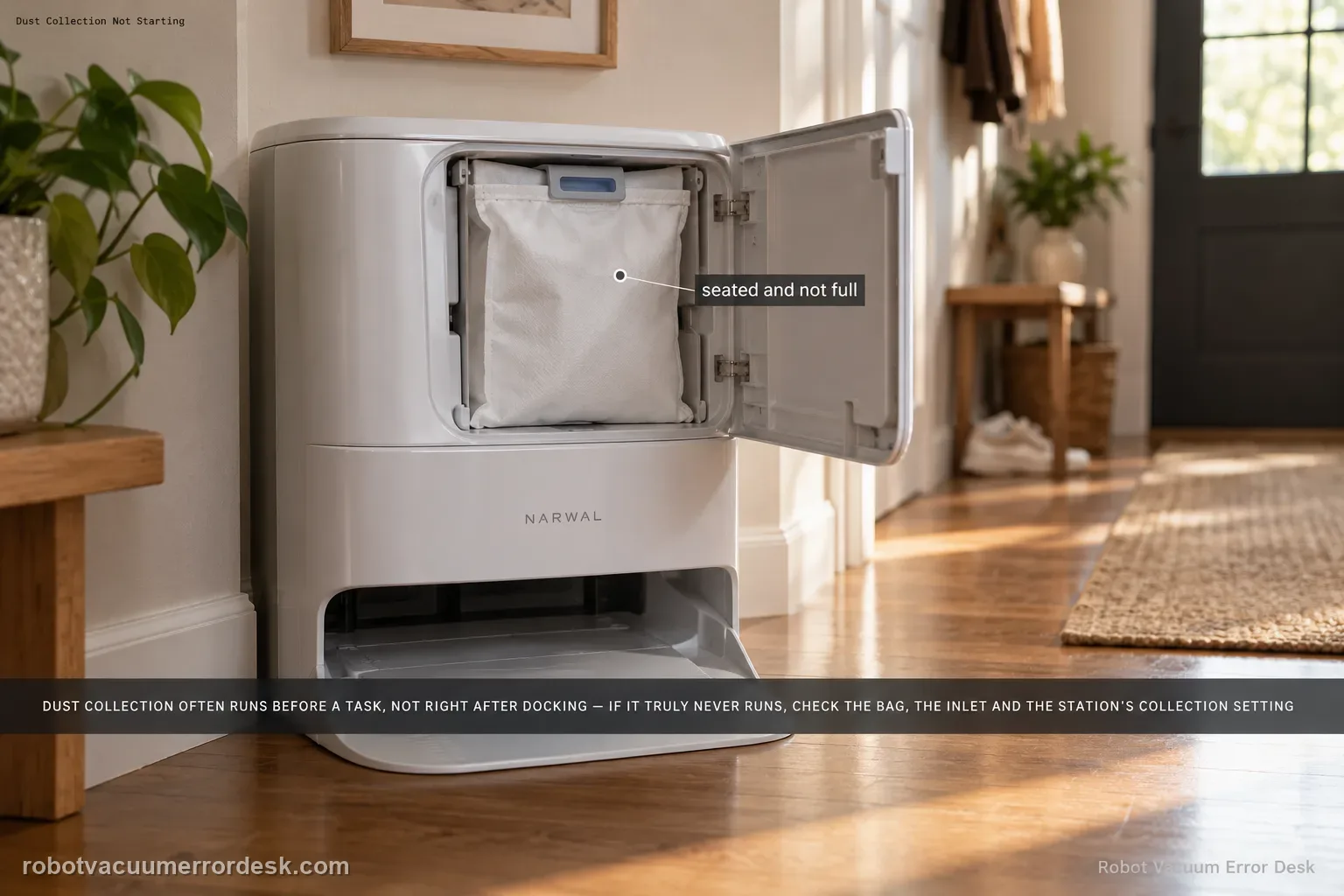
Freo Z Ultra can look like it “forgot to auto-empty” when it is actually following Narwal’s moisture-control sequence. Narwal’s exact-model product help says that after a cleaning task, the robot dust bin is dried to avoid pulling sticky wet waste into the collection path, and dust collection starts before the next task rather than immediately after the previous one. So the first diagnostic question is timing: did collection fail when it was genuinely scheduled to run, or are you expecting an after-task empty cycle that this model intentionally postpones? If a real collection cycle starts but debris remains, Narwal’s base-station guide says to check whether the dust bag/bin is full and inspect all three dust inlets for hair clogs, then manually run intensive dust collection from the app. If no collection starts when requested, preserve the app/station state and avoid repeatedly cycling a blocked system.
Confirm the exact model and exact code, light pattern or symptom.
Run the lowest-risk physical or software check first.
Use each pass condition to decide what the result actually narrows down.
Confirm this is the right issue
- Freo Z Ultra finishes a wet cleaning task and you expect the base to collect dust immediately, but it does not.
- Dust collection starts before a later task and you want to know whether that timing is normal.
- The station makes collection noise but debris remains in the robot bin or the bag compartment shows a problem.
- Manual station dust collection does not start or repeatedly fails after bag and inlet checks.
- You need to separate normal Z Ultra moisture-control timing from a true auto-empty/dust-collection malfunction.
What’s most likely causing this
Normal Freo Z Ultra timing: robot-bin drying follows a task and dust collection is deferred until before the next task to avoid sticky wet waste.
Dust bag or robot dust container is full, incorrectly installed or at end of useful service life.
Hair/debris blocks one of the station’s three dust inlets or the robot-side evacuation path.
The user is judging a wet-task end state instead of manually triggering/observing a real dust collection cycle.
A station setting/state or robot-base communication issue prevents a requested collection cycle from starting.
A persistent station dust-collection fault remains after normal timing, bag seating and airflow path are verified.
Reading your test result
| What you observe | What it narrows down | Next move |
|---|---|---|
| No auto-empty immediately after a wet task, but next task starts with collection | Narwal says this can be normal Freo Z Ultra sequencing. | Do not treat timing alone as a fault; confirm a real scheduled/manual cycle. |
| Station runs loudly but robot bin stays full | The motor starts, so airflow blockage/bag seating is more likely than missing scheduling. | Check bag/bin and all three dust inlets before more cycles. |
| Dust bag/bin is full or not seated | The collection path cannot maintain normal airflow. | Replace/reseat the consumable/container and retest once. |
| Manual Station Dust Collection works | Core station collection can operate. | Focus on expected timing/settings rather than replacing collection hardware. |
| Manual cycle will not start after normal power/connection checks | This is closer to a station/control fault than normal timing. | Capture app/station indicators and contact Narwal. |
Do not factory-reset by default. Use the exact model’s reboot/network-reset procedure only when the manufacturer path calls for it.
Work through these checks in order
First decide whether the timing is actually abnormal
On Freo Z Ultra, Narwal says dust collection is deliberately not started immediately after a task because sticky wet waste could contaminate the bin or collection duct. The robot dust bin is dried after the task, and collection starts before the next task. If your only symptom is “it did not empty right after mopping,” observe the next-task sequence before changing settings or parts. Normal timing should not be converted into a false auto-empty diagnosis.
Inspect the bag/bin before forcing repeated collection
Open the station’s dust compartment and check whether the dust bag or relevant bin is full and correctly installed. Narwal’s base guide starts there for dust-bag/collection faults. Replace a full consumable and make sure the compartment closes normally. If the insert bin/dust bag arrangement was disturbed during maintenance, reinstall it before testing; an airflow system with a poor seal can run loudly while moving little debris.
Check the three station dust inlets for hair clogs
Narwal specifically tells owners to inspect all three dust inlets when collection is abnormal. With the station not actively running, remove visible hair and debris from accessible openings without pushing tools deep into the powered duct. Also check the robot bin outlet area for a compacted mat that would block transfer. Repeated intensive cycles against a hard blockage only add heat and noise; restore the visible airflow path first.
Trigger one manual station dust-collection cycle
Use the station/dock controls in the Narwal Freo App to start a manual intensive dust-collection cycle as described by Narwal. Watch whether the station actually starts, whether airflow/noise is present and whether debris moves from the robot to the bag. This test separates scheduling expectations from collection capability. Do not run many cycles back-to-back if nothing moves; stop and recheck the path instead.
Interpret motor-noise and debris movement together
If the station runs strongly but the robot bin remains full, stay on the airflow/seating branch: bag, inlets, outlet and seals. If there is no collection sound or station response, confirm the robot is properly docked/connected and the station has normal power before blaming the dust path. The exact symptom matters because a blocked duct and a non-starting station require different support evidence even though both appear to the user as ‘not emptying.’
Retest after the bin has had time to dry
If the issue appeared after a wet or mixed cleaning mission, allow the model’s intended drying sequence to complete, then test dust collection at the point Narwal expects it. This matters because the Z Ultra deliberately avoids pulling sticky wet waste immediately after the task. A successful collection before the next task is a pass even if the user preferred an immediate after-task empty. Avoid changing the model’s sequence based on another robot’s behavior.
Escalate a true collection failure with the right video
If the bag is serviceable, the three accessible inlets are clear and a manual collection cycle still fails, record a short video from docking through the attempted cycle. Show the app command and whether the station motor starts. Include a photo of the installed bag/bin and the robot bin afterward. This evidence lets Narwal distinguish a sensor/control problem from a blocked airflow path without asking you to repeat multiple hot intensive cycles.
Contact Narwal if a manual Freo Z Ultra dust-collection cycle fails after the bag/bin is correctly installed, the accessible dust inlets are clear and the robot is properly docked to a powered station. Send video showing whether the motor starts, photos of the bag/inlet/robot-bin state, and note whether the issue is merely after-task timing or also occurs before the next task/manual command. Stop repeated collection cycles if airflow is obviously blocked or the station becomes unusually hot.
Before you contact support, gather this
A reproducible case moves a support call past the basic troubleshooting script faster than “it doesn’t work” does, and it keeps the clues from your own tests on record.
- Exact model name and the error code / voice prompt exactly as shown
- A photo or screenshot of the app error and the time it occurred
- A short list of the checks already completed and what happened after each one
- Map screenshots and robot location when the problem involves localization, zones or docking
Where this comes from
Narwal Freo Z Ultra Product Help
Narwal’s exact Freo Z Ultra product help explains the unusual dust-collection timing after wet tasks. The base-station troubleshooting guide supplies the bag/bin, three-inlet and manual intensive-collection checks for a genuine transfer failure.
Additional official source: Narwal Base Station Troubleshooting ↗Additional official source: Narwal Freo Z Ultra Dust Bag Replacement ↗Last editorial review: September 5, 2026Regional note: manufacturer help centers, model suffixes, mains-power requirements and warranty procedures can differ by country. If the source redirects to a local support site, confirm that the model/hardware scope still matches before following a region-sensitive step.
This guide is rated Official model support. See what each evidence label means →
Questions people ask
Why does Freo Z Ultra not empty the dust bin right after cleaning?
Narwal says this can be normal. To avoid drawing sticky wet waste into the dust bin or collection duct, the Freo Z Ultra dries the robot dust bin after a task and starts dust collection before the next task. If collection occurs normally at that later point, the after-task delay is expected sequencing rather than evidence that the station motor failed.
How do I tell normal dust-collection timing from a real fault?
Observe or manually trigger a genuine dust-collection cycle. Normal timing means the model skips immediate after-task collection but later collects before the next task. A real fault is when a scheduled/manual cycle fails to start or runs without moving debris. Check bag/bin seating and the three station dust inlets before escalating a repeat transfer failure.
Why does the station run but leave dirt in the robot bin?
When the collection motor clearly starts but debris does not transfer, airflow restriction or seating becomes more likely than a scheduling problem. Narwal tells owners to check whether the dust bag/bin is full and inspect all three dust inlets for hair clogs. Clear accessible blockages, reinstall the bag/bin correctly and perform one controlled manual collection test.
Should I run intensive dust collection repeatedly to clear a clog?
Narwal suggests manual intensive collection after checking the bag and three dust inlets, but repeated cycles should not replace physical blockage inspection. If the motor runs against a hard clog and debris does not move, stop, clear the accessible path and retest once. Repeated hot cycles can add stress without proving anything new about the cause.
What should I show Narwal if Freo Z Ultra still will not collect dust?
Record a manual collection attempt from the app through the station response. Show whether the station motor starts, the installed dust bag/bin, the three accessible inlet areas and how much debris remains in the robot afterward. Also state whether the issue occurs only after wet tasks or during genuine before-task/manual collection, because that timing is a critical model-specific discriminator.
Did this diagnostic narrow the fault?
Use this as an editorial signal, not a popularity counter. If a feedback address is configured you can email the note; otherwise you can copy it for your own support record.