Narwal troubleshooting
Freo error codes, localization and base-station diagnostics. Start with the exact model, then match the error code, light pattern, voice alert or symptom.
Narwal error codes and what to try first
66 code entries1001–1060: battery, brushes, wheels, sensors and navigation
| Code | What it means | First thing to try | Full guide |
|---|---|---|---|
| 1001 / 1003 / 1004 | Battery fault | Restart the robot. If the code comes back, contact Narwal support. | — |
| 1005 / 1006 | Battery too hot (1005) or too cold (1006) | The robot works best between 5 °C and 40 °C (41–104 °F). Move a base station that sits on a balcony or in direct sun indoors, let the robot rest for 30 minutes, then retry. Remap afterwards if you moved the base. | — |
| 1007 / 1008 | Roller brush fault | Take out the roller brush, clear wrapped hair, refit it and restart the robot. | — |
| 1009 / 1010 | Mop pad or mopping-module fault | Freo Pro, Freo X Ultra and Freo Z Ultra: clean the mopping module and restart. Freo Z10 and Z10 Ultra: remove the mopping module and check its sealing plate for damage first. | Open guide →Narwal Freo Z Ultra guide |
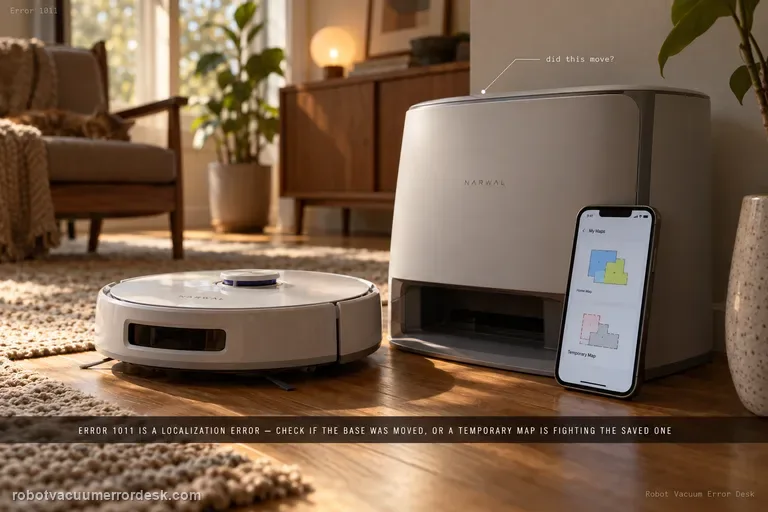
| 1011 | Localization error: the robot cannot match where it is to the saved map | Remap if the base station was moved, and check that a temporary map is not active. | Open guide →Narwal Freo Z Ultra guide |
| 1012 | Robot trapped | Clear obstacles, move the robot to open floor and restart the task. Check that the bumper springs back and the LiDAR turns without red blinking. | Open guide →Narwal Freo Z Ultra guide |
| 1013 | Robot entered a no-go zone | Move it out of the zone and restart. If it keeps happening, send Narwal a screenshot of the map with its zones and where the robot stopped. | Open guide →Narwal Freo Z Ultra guide |
| 1014 / 1015 / 1016 | Drive wheel fault | Spin both rear wheels by hand. Clear debris from a wheel that turns unevenly, then restart. | — |
| 1017 | Cliff (anti-drop) sensor triggered | Wipe the cliff sensors, set the robot on flat, open floor and restart the job. | — |
| 1018 / 1019 | System malfunction | Power the robot off and back on. If the code returns, contact Narwal support. | — |
| 1020 / 1021 | Base station connection error | Wipe the charging contacts on the robot and the base with a damp cloth, and check that the base power cable is firmly seated. | — |
| 1022 / 1023 | Base station not found | Near the base: check base power and that the roller brush, wheels and cleaning tray are fitted; remap if the base moved. Far from the base: clean the reflector stickers on the base. | Open guide →Narwal Freo Z Ultra guide |
| 1024 / 1025 | Robot can't leave or return to the base | Clear the floor in front of, behind and beside the base so the robot has a flat, open approach, then restart the task. | — |
| 1026 | Robot lost its connection to the base | A short drop at long range is normal. If it doesn't recover, unplug the base until its screen goes dark, restart the robot and dock it again. | — |
| 1027 | Base station malfunction | Unplug the base station to restart it. | — |
| 1028 / 1029 | Mopping paused: poor contact between robot and base | Clean the charging contacts on both, reseat the robot so the contacts line up, then restart. Oxidized or damaged contacts need Narwal support. | — |
| 1030–1038 | Mopping-module fault | Check the mopping module is fitted correctly and restart. If it returns, tell Narwal which task was running. | — |
| 1039 / 1040 | Mop-pad drying interrupted | Narwal asks for a short video of the problem, so contact support. | Open guide →Narwal Freo Z Ultra guide |
| 1041 / 1042 / 1043 | Side brush fault | Clear hair and debris from the side brush, or fit a new one if it is bent. | — |
| 1044 | Roller brush tangled | Remove the brush cover and clear anything wrapped around the brush or stuck in its grooves. | — |
| 1045 | Dustbin or dust bag not in place | Reseat the bin or bag, clean its detection sensor and power-cycle the robot. | — |
| 1046 | Robot malfunction | Restart the robot. If it picked up a lot of liquid, leave it switched off for 12 hours first. | — |
| 1047 / 1048 | LiDAR not turning | Check whether the LiDAR spins. If it doesn't, nudge it gently with a cotton swab; if it stays stuck or feels stiff, contact support. | — |
| 1049–1054 | LiDAR malfunction | Power the robot off and back on. | — |
| 1060 | System malfunction | Restart the robot. | — |
1065–1200: sensors, mapping and system faults
| Code | What it means | First thing to try | Full guide |
|---|---|---|---|
| 1065 / 1066 | Sensor malfunction | Restart with the robot still, the base on level ground and the base slot clean. Don't move the robot while it runs its self-check. | — |
| 1079 | Relocalization failure | Clean the LiDAR, check for conflicting maps in Map Editing, then dock the robot with its contacts lined up and remap. | — |
| 1082 | System malfunction | Restart the robot. | — |
| 1083 / 1084 | Perception system malfunction | Power off, let it charge on the base for 30 minutes, then restart. | — |
| 1089 / 1090 / 1093 | Sensor malfunction — Narwal's fix points to the cliff sensors | Look for dirt or condensation on the cliff sensors and clean them. Condensation that won't clear needs Narwal support. | — |
| 1095 | Sensor malfunction | Restart and retry the task. | — |
| 1113 | Bumper stuck or jammed | Contact Narwal support with a short video. | — |
| 1121 | Self-test interrupted | Contact Narwal support with a video and a screenshot of the app error. | — |
| 1122 | Mopping-module fault | Clear debris tangled in the mopping module and reseat it. | — |
| 1123 / 1124 | Robot trapped | Same checks as 1012: clear obstacles, move it to open floor, check the bumper and the LiDAR. | Open guide →Narwal Freo Z Ultra guide |
| 1126 / 1142–1145 | Robot trapped (LiDAR-related) | Check that the LiDAR spins freely; nudge it with a cotton swab if it doesn't. | — |
| 1127 / 1128 | Robot can't leave or return to the base | Clear the area around the base and restart the task. | — |
| 1130 / 1131 | Base station charging error | Clean the charging contacts on the robot and base, and check the base power cable. | — |
| 1140 | Battery fault, usually a non-Narwal battery | Stop using the battery and contact Narwal about a replacement; Narwal treats a non-original battery as a safety risk. | — |
| 1141 | Battery malfunction | Restart the robot. | — |
| 1150–1156 | Mapping failure | Contact Narwal support with a video, a screenshot of the app error and the robot's serial number. | — |
| 1160 | Rear drive wheel or system error | Check that both rear wheels spin evenly, clear anything tangled, then restart. | — |
| 1170–1176 | Front (binocular) sensors blocked or dirty | Clean the front sensor windows thoroughly. | — |
| 1177 / 1178 | Chip temperature abnormal | Power off, charge on the base for 30 minutes, then restart. | — |
| 1179–1187 | System malfunction | Restart the robot. | — |
| 1200 | Top cover not seated | Press the dustbin down, close the top cover firmly and press evenly on both sides of the bin area. | — |
2000–2042: base station
| Code | What it means | First thing to try | Full guide |
|---|---|---|---|
| 2000 / 2001 / 2002 | Base station malfunction | Unplug the base station, then plug it back in. | — |
| 2003 | Base station water overflow | Follow the overflow checks in the full guide. | Open guide →Narwal Freo Z Ultra guide |
| 2004 | Cleaning module not seated | Reseat the cleaning module. Rusted or missing magnets on it need Narwal support. | — |
| 2005 | Clean water tank not installed | Reseat the clean water tank and check that its magnets are intact. | — |
| 2006 / 2017 | Clean water tank not dispensing | Check the tank's internal tubing, then clean the filter pad inside the tank. Use only Narwal cleaning solution. | — |
| 2007 | Dirty water tank full or not installed | Empty and reseat the tank, then check the float ball moves and the seal ring is intact. | — |
| 2008 | Detergent pump malfunction | Unplug the base station, then restart it. | — |
| 2010 / 2012 | Base station malfunction | Unplug the base station, then restart it. | — |
| 2013 / 2014 / 2015 | Maintenance agent not detected | Replace the agent if it has run out; otherwise reseat its container. | — |
| 2016 | Maintenance interrupted | Contact Narwal support with the time it happened and the robot's serial number. | — |
| 2032 / 2033 / 2034 | Dust collection fault | Replace a full dust bag, clear hair from the three dust inlets, then run intensive dust collection a few times from the app. | Open guide →Narwal Freo Z Ultra guide |
| 2035 | Dust bag temperature abnormal | Stop all base-station tasks and let it cool to room temperature. | — |
| 2036 | Dust bag drying error | Unplug the base station, then restart it. | — |
| 2040 / 2041 / 2042 | Electrolyzed water module fault | Unplug the base station, then restart it. | — |
3000–3010: automatic water-change module
These codes only appear on base stations connected to a water supply and drain. Narwal labels all of them as an automatic water-change module fault; the middle column says what Narwal's fix points to.
| Code | What it means | First thing to try | Full guide |
|---|---|---|---|
| 3000 / 3005 | Water-change fault — Narwal's fix points to the water supply | Update the firmware, confirm the supply valve is open, check the pipes for leaks or kinks, reseat the top cover and hold the water-drop button for 10 seconds to run the self-test. | — |
| 3001 / 3006 | Water-change fault — Narwal's fix points to the drain line | Check the drain pipe for sharp bends. If there are none, Narwal treats it as a blockage in the pipe: contact support. | — |
| 3002 / 3008 | Water-change fault — Narwal's fix points to water left inside the base | Remove the cleaning module and base tray, dry the inside of the base, wipe the black conductive silicone in the base slot, let everything dry, then restart after at least 10 seconds off. | — |
| 3003 / 3009 / 3010 | Water-change fault — Narwal's fix points to how the unit is seated | Make sure the unit sits flush with the base, then switch the robot and base off for at least two minutes. | — |
| 3004 | Water-change fault — Narwal's fix points to the control-box wiring | Check the control-box wiring and its DC cable to the base, then restart the base after at least 10 seconds off. | — |
| 3007 | Water-change fault — Narwal's fix points to a clog | Clear the base's wastewater pipe and clean the base slot and water intake. | — |
This table summarizes Narwal's robot-vacuum index, not its separate handheld vacuum-mop codes. Availability and first checks can differ by model; for example, Narwal gives different 1009 / 1010 instructions for Freo Z10 than for Freo Pro, Freo X Ultra, and Freo Z Ultra. Check the model-specific note and linked diagnostic before removing a module or changing a map. Summarized from Narwal Support: Error Code Index and Resolution – Robot Vacuum, checked October 17, 2026.
Narwal Freo Z Ultra
Exact-model mapping, network, perception, mop, dust-collection and base-station diagnostics grounded in Narwal support.
12 live diagnostics →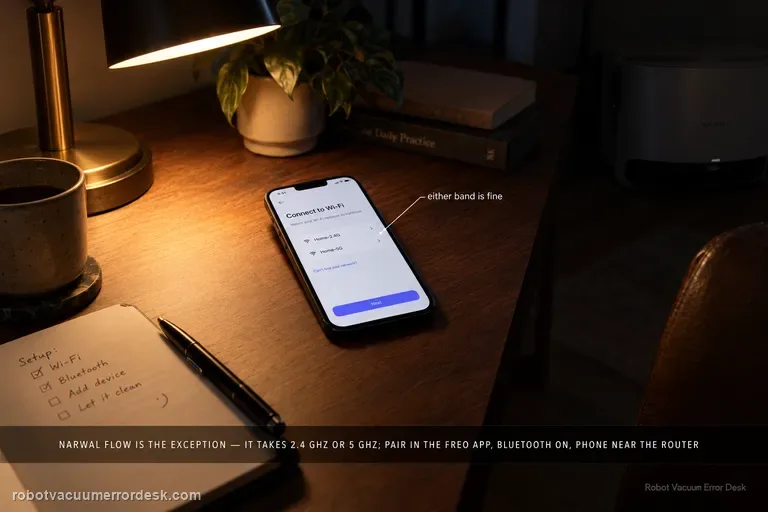
Narwal Flow
Flow-specific Wi-Fi, docking, dock-version, detergent and noise diagnostics.
7 live diagnostics →Narwal problems that don't show a code
10 guidesBefore you contact Narwal support
Narwal's index asks for some combination of these when a code comes back after a restart. In the US and Canada, Narwal lists support.na@global.narwal.com as its support address.
- The exact code, and the time it appeared
- The robot's serial number (SN)
- A screenshot of the error in the Freo app
- A short video of the robot or base when the fault happens
- For location or no-go-zone codes: a screenshot of the map showing where the robot stopped
All Narwal diagnostics
19 guidesNarwal troubleshooting questions
What does Narwal error 1019 mean?
Narwal groups 1018 and 1019 as a system malfunction. The fix Narwal gives is a full restart: power the robot off, then back on. If the code comes back, contact Narwal support with the code and the robot's serial number.
How do I restart a Narwal robot and base station properly?
Power the robot off and back on. For the base station, unplug it and wait until its screen goes completely dark before plugging it back in. If the robot's indicator is flashing red, Narwal's forced restart is to hold the start button for 2 seconds, wait about 30 seconds for the lights to go out, then press start again.
Why does my Narwal say the base station can't be found?
That is 1022 or 1023. If it happens on or near the base, check the base has power and that the roller brush, wheels and cleaning tray are fitted properly. If it happens across the room, clean the reflector stickers on the base. If you moved the base, remap.
Do I need to remap after moving the Narwal base station?
Yes. Narwal notes that moving the base station requires a new map, and several codes, including 1011 localization errors and 1022 / 1023, can follow a base that was moved without remapping.
What does Narwal error 1140 mean?
Narwal says 1140 usually indicates a non-original battery, which it treats as a safety risk. Stop using the battery and contact Narwal about a factory replacement.
What if my Narwal code is not listed here?
Confirm the exact model and capture the full code in the Freo app; do not choose a fix based on a nearby code. Check that model's Product Help page or send Narwal support the code, robot serial number, app screenshot, and a short video if the fault is visible.