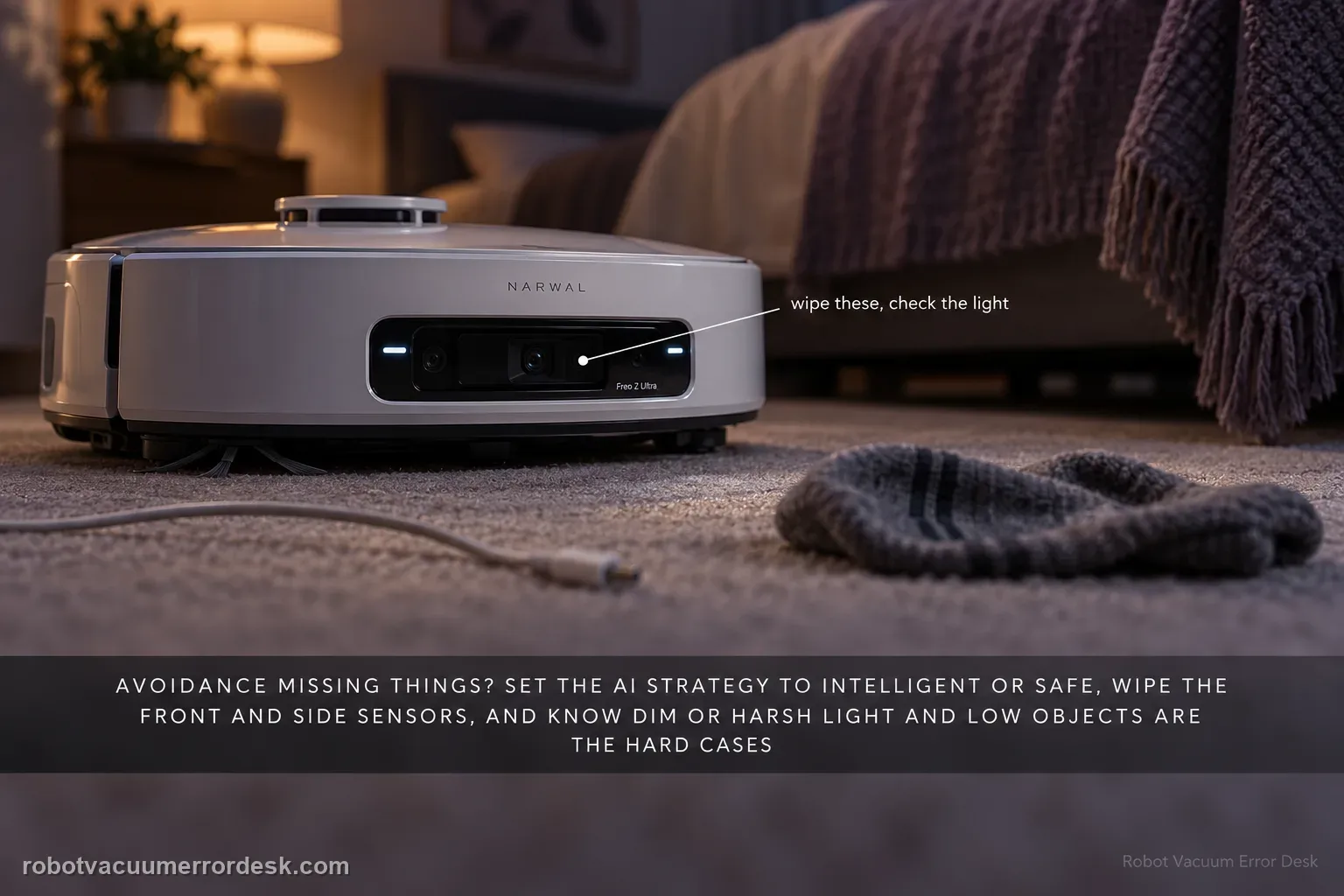
Freo Z Ultra obstacle avoidance is not a single sensor with a single cleaning step. Narwal’s exact-model guidance says the AI avoidance strategy can be set to Intelligent or Safe, and it also explains that dim light, direct strong light and blind spots around low objects can reduce visual avoidance performance. Narwal’s broader recognition troubleshooting says to clean the forward and side sensor surfaces and notes that very small obstacles can remain challenging even on AI-camera models. Start by documenting the object, lighting and approach direction, then clean only the user-accessible sensor surfaces and repeat the same controlled route. If Safe mode improves clearance, the hardware may be functioning but the selected avoidance behavior was too permissive for that scene. A persistent miss on a clear, well-lit test object after cleaning is a better support case than random resets.
Confirm the exact model and exact code, light pattern or symptom.
Run the lowest-risk physical or software check first.
Use each pass condition to decide what the result actually narrows down.
Does this match your problem?
- Freo Z Ultra bumps furniture harder than expected or runs into objects it previously avoided.
- The robot misses cables, low items, pet-related hazards or objects near the left/right edge of its vision.
- Avoidance seems worse at night, in dim rooms, under direct bright light or near reflective surfaces.
- You want to know whether Intelligent versus Safe avoidance strategy can change the robot’s clearance behavior.
- Obstacle misses repeat after sensor cleaning and you need a controlled test before assuming the camera or structured-light hardware failed.
Most likely causes
Dust, smears or fingerprints on forward/side sensing surfaces reduce the robot’s view of obstacles.
Lighting is too dim or direct strong light reduces visual recognition quality for the AI camera system.
The object is extremely low, thin, close to a blind spot or otherwise difficult for the current recognition model to classify.
The selected Intelligent avoidance strategy permits closer bypassing than the user expects; Safe mode trades more clearance for possible missed cleaning.
Clutter density or multiple table legs create overlapping blind spots during a particular approach angle.
A persistent perception fault remains after a clean, repeatable, well-lit test and needs support evidence.
What your test result means
| What you observe | What it narrows down | Next move |
|---|---|---|
| Avoidance is worse only in dim light | Narwal says visual avoidance can degrade when the fill light cannot fully compensate. | Repeat the same object test in normal room lighting before calling it hardware failure. |
| Robot passes closer than desired but still recognizes the object | The selected avoidance strategy may favor efficiency over clearance. | Switch from Intelligent to Safe and compare the exact route. |
| Miss happens only with very low/thin objects | This can be a detection-limit case rather than a completely failed perception system. | Pre-clear high-risk small objects and use No-Go Zones where repeat misses would be damaging. |
| Front/side sensors are visibly smeared | Sensor contamination is a direct first-line cause. | Clean the exposed surfaces gently and rerun the same controlled scene. |
| Large obvious object is missed repeatedly in good light after cleaning | The result is no longer explained by the common environment cases. | Save video, app settings and object dimensions/lighting and contact Narwal. |
Do not factory-reset by default. Use the exact model’s reboot/network-reset procedure only when the manufacturer path calls for it.
Run these checks in order
Record the exact miss instead of testing random clutter
Choose one repeatable object and save a short video showing the Freo Z Ultra’s approach direction, room lighting and whether the collision is front or side. Note the object’s approximate height and whether it is reflective, black, transparent, thin or very low. This matters because Narwal documents different limitations for low objects, visual blind spots and lighting. A controlled scene lets you see whether a change actually improves avoidance instead of comparing different rooms each run.
Clean the accessible forward and side sensing surfaces
With the robot stopped, wipe the exposed forward and side sensor windows gently with a clean dry soft cloth. Do not flood camera or sensor openings and do not use abrasive cleaner. Narwal’s recognition troubleshooting specifically starts with dirty forward/side sensors for collision problems. After cleaning, inspect for a film that only shows at an angle; fingerprints can be enough to soften the visual scene without producing a separate error code.
Normalize the room lighting for one comparison run
Repeat the exact object test under ordinary, even room lighting. Narwal says the Z Ultra can turn on a fill light in darkness, but its range and intensity are limited; direct strong light can also reduce what the visual module sees. Avoid testing beside a bright window or with the object in deep shadow. If the same object is avoided normally under balanced light, the evidence points to scene conditions rather than a total sensor failure.
Compare Intelligent and Safe avoidance strategies
In the app, open Settings > AI Obstacle Avoidance > Avoidance Strategy and note the current selection. Narwal describes Intelligent as adjusting bypass distance by recognized object type, while Safe uses a more conservative distance and may leave more area uncleaned. Change only this one setting and rerun the same object route. Do not simultaneously remap, move furniture and update firmware or you will lose the discriminator.
Test the object class against known recognition limits
If the failure is a cable, very flat object or tiny item, treat it differently from a chair leg or larger box. Narwal’s recognition guide warns that small obstacles are not perfectly detectable even with AI-camera systems and recommends pre-clearing high-risk items. For repeated problem spots, a No-Go Zone is safer than intentionally scattering more hazardous objects to see whether the robot eventually learns them.
Check whether the miss is direction-specific
Approach the same safe object from a second direction only if doing so will not damage the robot or floor. Narwal notes that multiple low obstacles and blind spots can create direction-specific collisions. If the Z Ultra avoids the object head-on but clips it from one side, capture that distinction. A direction-specific miss is better evidence than the broad statement ‘obstacle avoidance does not work.’
Escalate only after the controlled route still fails
Return the app to the preferred avoidance setting and run the same well-lit, clean-sensor route once more. If a large ordinary object is still missed in a repeatable way, stop resetting or deliberately creating collisions. Save the video, app strategy, robot firmware/app version if visible, and whether the behavior began after an update. That packet gives Narwal a reproducible perception case rather than a collection of unrelated bumps.
Contact Narwal when the Freo Z Ultra repeatedly misses ordinary, clearly visible obstacles under normal lighting after the exposed sensor surfaces are clean and both avoidance-strategy behavior and object type are documented. Send a short video from a safe test, the AI avoidance setting, approximate object size, lighting condition, app/firmware versions if available and whether the failure is direction-specific. Do not keep testing with pet waste, stairs, glass or other high-consequence hazards.
What to collect before contacting support
Give support a reproducible case instead of “it doesn’t work.” That reduces repeated basic troubleshooting and preserves the clues from your tests.
- Exact model name and the error code / voice prompt exactly as shown
- A photo or screenshot of the app error and the time it occurred
- A short list of the checks already completed and what happened after each one
- Map screenshots and robot location when the problem involves localization, zones or docking
Manufacturer evidence
Narwal Recognition & Collision Troubleshooting
Narwal’s recognition guide covers sensor contamination, small-object limits and collision behavior. The exact Freo Z Ultra product-help page adds Intelligent/Safe avoidance strategy and the model-specific effects of dim light, strong light and visual blind spots.
Additional official source: Narwal Freo Z Ultra Product Help ↗Additional official source: Narwal Robot Comprehensive Troubleshooting ↗Last editorial review: September 5, 2026Regional note: manufacturer help centers, model suffixes, mains-power requirements and warranty procedures can differ by country. If the source redirects to a local support site, confirm that the model/hardware scope still matches before following a region-sensitive step.
This guide is rated Official series support. See what each evidence label means →
FAQ
Why is Freo Z Ultra obstacle avoidance worse at night?
Narwal says the robot can turn on a fill light in dim conditions, but the light’s range and intensity are limited, so visual obstacle avoidance may still weaken. Reproduce the same safe object under ordinary room lighting before diagnosing hardware. If avoidance improves with better light, use lighting, scheduling or No-Go Zones for high-risk areas rather than repeated resets.
What is the difference between Intelligent and Safe avoidance on Freo Z Ultra?
Narwal describes Intelligent mode as varying bypass distance according to the recognized obstacle, while Safe mode uses a more conservative clearance. Safe mode can reduce collisions but may also leave more area uncleaned. For troubleshooting, run the same object once in each mode and change nothing else; that isolates strategy behavior from sensor, map and lighting variables.
Why does my Freo Z Ultra still hit small cables?
Small, flat or thin obstacles are harder for robot perception systems to detect reliably, and Narwal’s recognition guidance explicitly treats very small objects as a limitation case. Clean the sensors and verify performance with a larger ordinary object, but pre-clear high-risk cables and use No-Go Zones where appropriate. Do not use dangerous debris as a repeated test target.
Should I remap the house for an obstacle-avoidance problem?
Not automatically. Mapping and obstacle recognition interact, but a robot that sees the map correctly and only clips specific objects should first be tested with clean sensors, normal lighting and the avoidance-strategy setting. If the app shows exact Error 1012 / Robot Trapped, use that code-specific path instead. Remap only when separate evidence shows the map or localization itself is wrong.
When is repeated collision evidence strong enough for Narwal support?
A useful support case is a large, ordinary object missed repeatedly on a clear floor under normal lighting after the forward/side sensors are clean. Include video, object size, approach direction, AI avoidance strategy and current app/firmware versions. If the problem happens only with a tiny cable or one unusual reflective scene, document that limitation separately instead of calling the whole perception system failed.
Did this diagnostic narrow the fault?
Use this as an editorial signal, not a popularity counter. If a feedback address is configured you can email the note; otherwise you can copy it for your own support record.