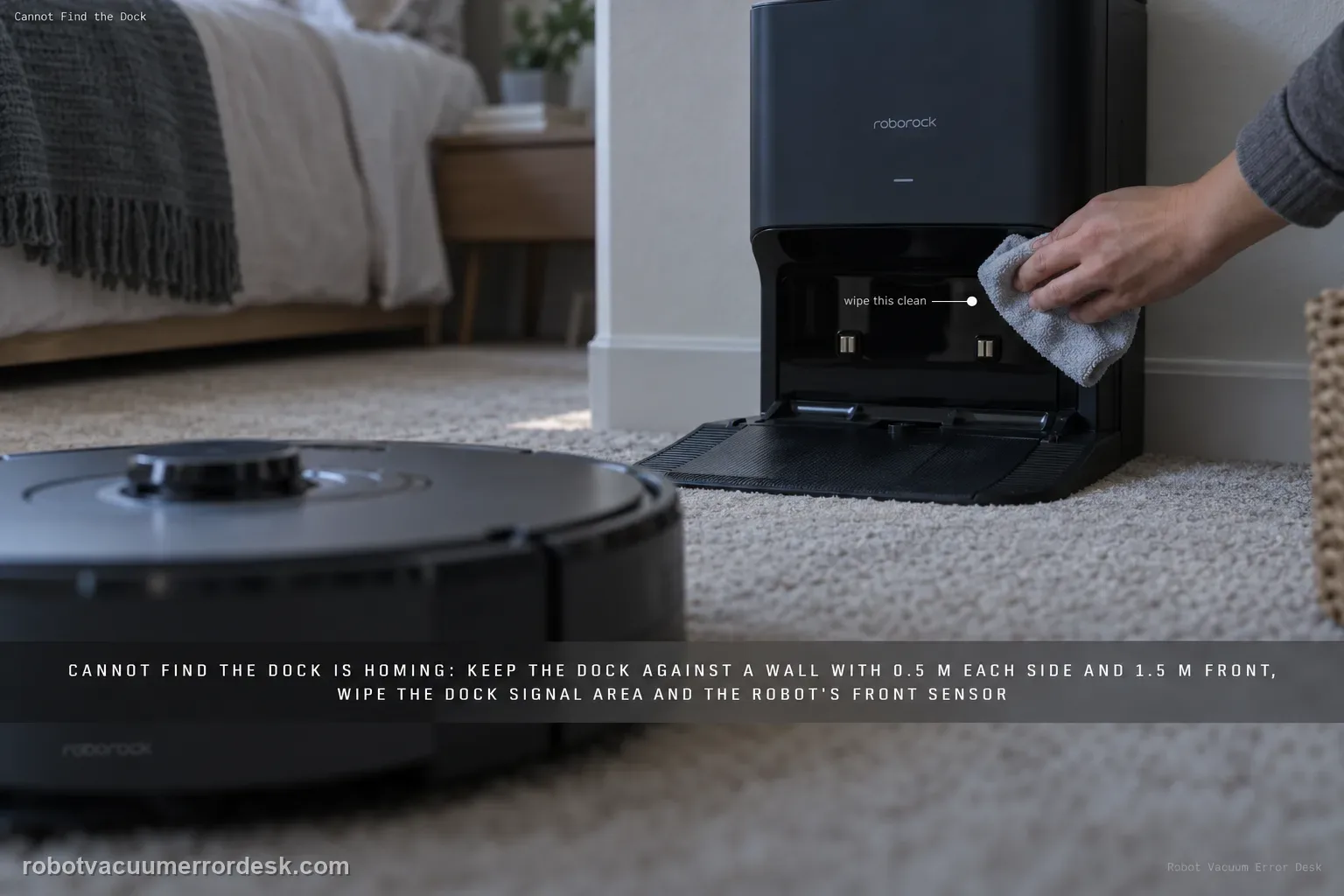
Treat 'cannot find the dock' as a homing problem until the S8 actually reaches the station. Roborock says return failures can follow a different starting location, manual movement, obstacles, poor dock placement or dirty homing surfaces. Keep the dock against a wall with about 0.5 m clear on each side and 1.5 m in front, clean the dock signal-transmission area and the robot’s front sensor, then compare a nearby Home test with a full cleaning return started from the dock. If nearby docking works but whole-room return fails, map/localization becomes stronger. If the S8 reaches the dock but will not charge, stop using this guide and switch to charging/Error 13 diagnostics.
Confirm the exact model and exact code, light pattern or symptom.
Run the lowest-risk physical or software check first.
Use each pass condition to decide what the result actually narrows down.
Does this match your problem?
- The S8 finishes or pauses cleaning but cannot locate the charging dock.
- The robot returns inconsistently after being carried or started from another location.
- The dock position on the saved map may no longer match the physical room.
Most likely causes
Robot was manually moved and lost its current localization context
Dock is obstructed, cramped or no longer in the saved-map location
Dock front signal-transmission area is dirty
S8 front sensor is dirty or blocked
Saved map no longer matches the physical dock environment after close-range homing is proven
What your test result means
| What you observe | What it narrows down | Next move |
|---|---|---|
| S8 fails from directly in front of the dock | Final homing signal, dock environment or local alignment is the leading branch. | Correct clearance and clean the dock signal area/front sensor before touching the map. |
| Near-dock Home works but whole-room return fails | Final approach is proven; map/localization context is stronger. | Run from the fixed dock, preserve the current map, then do one controlled Map Saving rebuild if needed. |
| Problem started after the dock was moved or robot was carried | The saved dock reference or robot localization may no longer match the physical room. | Fix the dock in one compliant location and retest without manually relocating the robot. |
| S8 reaches/alines with dock but does not charge | The robot found the station; this is no longer a cannot-find-dock failure. | Switch to charging contacts/Error 13 rather than remapping. |
| Fresh map + compliant dock + clean homing path still fail | The main owner-controlled placement/map variables are exhausted. | Send Roborock the failed-return video and map screenshot for model-specific support. |
Do not factory-reset by default. Use the exact model’s reboot/network-reset procedure only when the manufacturer path calls for it.
Run these checks in order
Recreate a clean S8 starting condition without carrying it mid-run
Put the dock in its fixed location and begin the test with the S8 associated with that station. Roborock lists starting from a different location and manually moving the robot as reasons it can fail to return. For the first proof run, avoid carrying the S8 to another room after cleaning starts and do not move or rotate the dock. Note whether the problem began after a dock move, furniture rearrangement or manual relocation, because those events make a localization mismatch more plausible than a failed charging contact.
Set the dock to Roborock’s published homing clearance
Place the dock flat against a wall on level flooring. Roborock’s troubleshooting guidance for the S8 specifies about 0.5 m of open space on each side and 1.5 m in front for reliable homing. Remove boxes, chair legs, loose cables and objects that narrow the final approach. If the dock was recently moved, keep it in the new compliant location for the rest of the diagnostic; moving it again while also changing the map makes it impossible to know which variable changed the result.
Clean the dock signal-transmission area and the S8 front sensor
Roborock specifically identifies the dock’s front signal-transmission area and the robot’s front sensor as the pair used to locate the station. Wipe both gently with a clean dry cloth and remove film, dust or anything covering the front of the dock. This is a homing-signal test, not a charging-contact test. You can clean charging contacts separately if needed, but do not interpret dirty contacts as proof the S8 could not find the dock; a robot that reaches the dock has already solved the homing problem.
Run a near-dock Home test to isolate the final approach
Place the S8 a short distance directly in front of the dock on open level flooring, then send it Home without manually pushing it onto the station. This test removes most whole-room map complexity. If the S8 cannot locate or align with the dock from nearby, continue working on clearance, signal surfaces and the dock environment. If it reliably docks from nearby, the final homing hardware and local signal path have passed a useful proof test and the next branch should examine how the robot returns from a real mission.
Compare the near test with a real cleaning return started from the dock
Start a normal cleaning mission from the dock and let the S8 navigate away and return on its own. Do not carry it during the run. If the nearby Home test succeeded but the S8 now wanders, returns to the wrong location or ends at its starting point, map/localization context becomes the stronger branch. If both near and whole-room returns fail, the dock environment or homing signal path remains more likely. Preserve a screenshot of the map before changing Map Saving so you can compare dock position and robot path later.
Rebuild Map Saving only after physical homing has passed
Roborock suggests toggling Map Saving off and back on to create a new map when placement/map state remains the problem. Do this only if the S8 can find and dock from nearby, the station has compliant clearance, and the signal surfaces are clean. A map rebuild is much less persuasive when the robot cannot see the dock from directly in front of it. Keep the dock fixed throughout the new mapping run and start the map from the dock so the saved station reference is created under controlled conditions.
Separate 'found the dock but will not charge' and package evidence for support
Watch the last part of the return closely. If the S8 reaches and aligns with the station but charging does not start, it has found the dock; switch to charging-contact/Error 13 diagnostics instead of deleting maps again. If it still cannot find the station after a clean near test, compliant placement and a controlled fresh map, capture a short video of the failed return plus a map screenshot showing the dock location. That evidence lets Roborock distinguish final-approach signaling from localization without another round of random remapping.
Contact Roborock when the S8 still cannot find the station after the dock is fixed in a compliant location, the front signal-transmission area and robot front sensor are clean, a nearby Home test has been performed, and a controlled fresh map has been tried only after nearby homing passed. Send a short video of the final return and a map screenshot showing the dock. If the robot reaches the station but does not charge, use the charging/Error 13 path instead; that is a different failure state.
What to collect before contacting support
Give support a reproducible case instead of “it doesn’t work.” That reduces repeated basic troubleshooting and preserves the clues from your tests.
- Exact model name and the error code / voice prompt exactly as shown
- A photo or screenshot of the app error and the time it occurred
- A short list of the checks already completed and what happened after each one
- Firmware/app version if the issue began after a software change
Manufacturer evidence
Roborock S8 troubleshooting — cannot find dock
Roborock’s S8 troubleshooting identifies different starting location/manual movement, obstacles, dock placement and dirty homing surfaces as causes of return failure. It specifies about 0.5 m side clearance and 1.5 m in front, cleaning the dock signal-transmission area plus the robot front sensor, and a Map Saving rebuild when mapping remains suspect. The official S8 manual is the companion source for start-from-dock/return behavior and regional model documentation. Recent third-party guides often combine S7/S8/Q/Qrevo into one docking article; this page keeps the S8-specific support path and explicitly separates homing failure from Error 13 charging failure.
Additional official source: Roborock S8 product support and manuals ↗Additional official source: Roborock S8 CE multilingual user manual ↗Last editorial review: September 5, 2026Regional note: manufacturer help centers, model suffixes, mains-power requirements and warranty procedures can differ by country. If the source redirects to a local support site, confirm that the model/hardware scope still matches before following a region-sensitive step.
This guide is rated Official model support. See what each evidence label means →
FAQ
Why can my Roborock S8 find the dock from nearby but not after cleaning a room?
That pattern is useful evidence. If the S8 can complete the final approach from nearby with clean homing surfaces and proper clearance, the local dock signal path is working. A failure only after a longer mission points more strongly to map/localization context, especially if the dock or robot was moved. Preserve the map, start from the dock and test one controlled remap only after nearby homing passes.
How much space does the Roborock S8 dock need when it cannot be found?
Roborock’s troubleshooting guidance uses about 0.5 m of clear space on each side of the dock and 1.5 m in front. Place it against a wall on level flooring and remove objects that narrow the final approach. Keep the dock fixed during testing. Changing both dock position and map at the same time makes a successful retest much less diagnostic.
Which sensors should I clean when a Roborock S8 cannot find its dock?
For homing, Roborock specifically points to the dock’s front signal-transmission area and the robot’s front sensor. Clean those gently and keep them unobstructed. Charging contacts are a separate issue: if the S8 reaches the station but does not begin charging, it has already found the dock and you should switch to charging/Error 13 diagnostics rather than repeatedly deleting the map.
Should I delete the Roborock S8 map as the first fix for docking trouble?
No. Prove the physical homing path first. Put the dock in the published clearance, clean the signal surfaces and run a short Home test from nearby. Only if nearby docking works but whole-room return repeatedly fails should you move toward a controlled Map Saving rebuild. Deleting a map cannot repair a robot that cannot locate the station even from directly in front of it.
When should I contact Roborock because my S8 still cannot find the dock?
Escalate after the dock is fixed in a compliant location, homing surfaces are clean, a near-dock Home test has been compared with a real return, and one controlled fresh map has been tried when localization evidence justified it. Send a video and map screenshot. If the S8 reaches the dock but simply will not charge, report that as charging/Error 13 instead of a homing failure.
Did this diagnostic narrow the fault?
Use this as an editorial signal, not a popularity counter. If a feedback address is configured you can email the note; otherwise you can copy it for your own support record.