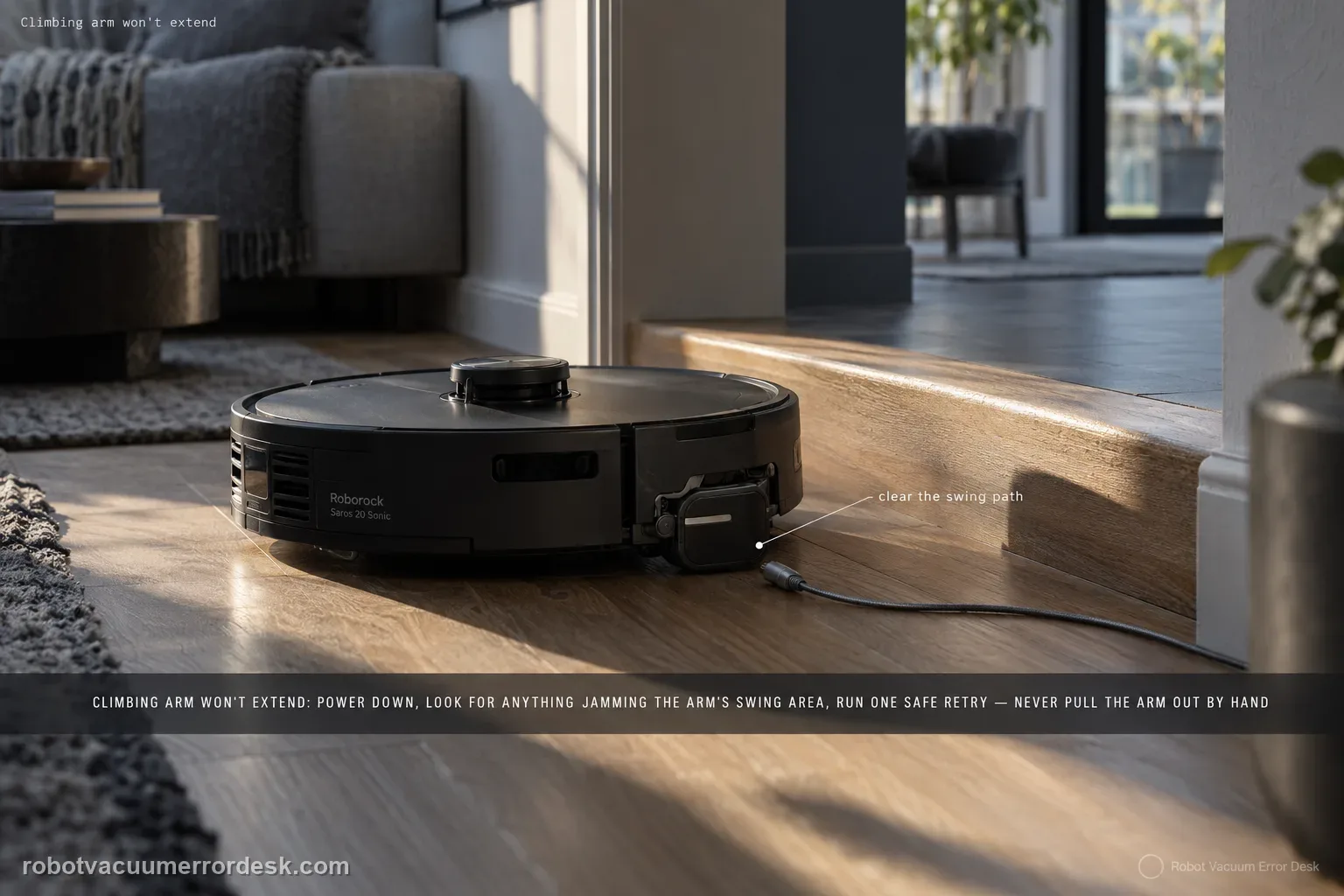
For the Saros 20 Sonic climbing arm, Roborock’s manual gives a deliberately narrow owner check: look for foreign objects obstructing the climbing arm’s swing area. That means the safest diagnosis is mechanical observation, not a reset sequence or internal repair. First confirm the complaint is tied to an actual obstacle/threshold attempt, power the robot down, inspect the visible swing area and remove accessible debris. Then run one safe repeat. Do not pull the arm outward by hand or assume it must extend continuously; the useful evidence is whether a clear mechanism still fails during a repeatable crossing attempt.
Confirm the exact model and exact code, light pattern or symptom.
Run the lowest-risk physical or software check first.
Use each pass condition to decide what the result actually narrows down.
Confirm this is the right issue
- The robot struggles at a threshold and the climbing arm appears not to extend.
- The climbing-arm swing area may contain a foreign object.
- The complaint occurs only during obstacle crossing rather than normal flat-floor driving.
- The arm still fails after the accessible swing area is clear.
What’s most likely causing this
A foreign object is physically blocking the climbing arm’s swing path.
Loose debris is wedged near the moving arm during a threshold attempt.
The test obstacle is unsafe or unsuitable, making the robot bind before useful arm movement can be observed.
A persistent climbing-arm mechanism fault remains after the manual’s external obstruction check.
Reading your test result
| What you observe | What it narrows down | Next move |
|---|---|---|
| Failure only appears at one obstacle | The symptom must be separated from the obstacle geometry itself. | Use a safe repeat and document the exact crossing condition. |
| Foreign object is visible in the swing area | The manual identifies obstruction as the owner-serviceable cause. | Power down, remove accessible debris and retest once. |
| Crossing improves after debris removal | The obstruction was a meaningful cause. | Stop changing variables and monitor future crossings. |
| Swing area is clear but failure repeats | The published owner check no longer explains the symptom. | Capture natural motion and contact Roborock. |
| Further testing would require pulling/opening the arm | The owner-safe boundary has been reached. | Do not force the mechanism; escalate instead. |
Do not factory-reset by default. Use the exact model’s reboot/network-reset procedure only when the manufacturer path calls for it.
Work through these checks in order
Confirm the symptom during a real crossing attempt
Observe the Saros 20 Sonic on a safe, familiar threshold where it normally attempts to cross. Do not diagnose the climbing arm while the robot is simply driving on flat floor. Note whether the chassis reaches the obstacle, whether one side appears blocked and whether any visible object is contacting the arm area. Stop the test if the robot risks tipping or damaging the surface.
Power down before inspecting the swing area
Turn the robot off and move it to a stable surface before putting fingers near any moving underbody parts. The manual’s check is for foreign objects obstructing the climbing arm’s swing area. Use good lighting and inspect only the visible user-accessible region. Do not run the robot while reaching underneath it.
Remove only accessible foreign objects
Look for small debris, fibers or objects caught where the climbing arm needs to swing. Remove them gently without opening the chassis or inserting tools deep into the mechanism. Avoid lubricants, bending and scraping. The objective is simply to restore a clear swing space, matching the exact owner action documented by Roborock.
Use the same safe obstacle for one retest
Return the robot to the original safe threshold and repeat the crossing once with the area clear. Keep the surroundings unchanged so you can compare directly with the baseline. If crossing improves, the obstruction check was meaningful. If the same side still fails, capture the natural motion rather than repeatedly ramming the obstacle or moving the arm by hand.
Do not force the climbing arm to prove movement
A hand-pulled arm can move even if the robot cannot actuate it, and force can damage the mechanism. The manual does not instruct owners to pry, extend or disassemble the arm. Use video from a safe angle to document what the robot does on its own. If the arm appears mechanically fixed with no visible obstruction, stop the physical test.
Escalate a clear-area repeat
If the swing area is visibly clear and the same crossing attempt still shows no expected arm movement, send Roborock the obstacle dimensions or description, which side fails and a short video. Mention that the external obstruction check is complete. That preserves the narrow evidence the manual supports without inventing a reset or service procedure that is not published for this issue.
Escalate when the climbing-arm swing area is clear of accessible foreign objects yet the same safe obstacle-crossing attempt repeatedly fails. Send a video of the natural motion and identify the obstacle and affected side. Do not pull the arm outward, lubricate it or open the chassis. The manual’s owner path stops at checking the swing area for obstruction, so deeper mechanism work belongs with Roborock service.
Before you contact support, gather this
A reproducible case moves a support call past the basic troubleshooting script faster than “it doesn’t work” does, and it keeps the clues from your own tests on record.
- Exact model name and the error code / voice prompt exactly as shown
- A photo or screenshot of the app error and the time it occurred
- A short list of the checks already completed and what happened after each one
- Firmware/app version if the issue began after a software change
Where this comes from
Roborock Saros 20 Sonic CE EN User Manual — Common Issues
This is intentionally a narrow guide because the Saros 20 Sonic manual provides one owner-facing cause for a climbing arm that cannot extend: a foreign object in the swing area. The page adds controlled observation and safety boundaries, but it does not turn that single official check into unsupported claims about motors, calibration or threshold specifications.
Additional official source: Roborock Saros 20 Sonic official product support hub ↗Last editorial review: September 5, 2026Regional note: manufacturer help centers, model suffixes, mains-power requirements and warranty procedures can differ by country. If the source redirects to a local support site, confirm that the model/hardware scope still matches before following a region-sensitive step.
This guide is rated Official manual. See what each evidence label means →
Questions people ask
What should I check first if a Saros 20 Sonic climbing arm will not extend?
Roborock’s manual says to check for foreign objects obstructing the climbing arm’s swing area. Power the robot down, inspect the visible area with good light and remove only accessible debris. Do not pull the arm outward to test it. After the area is clear, repeat one safe threshold crossing under the same conditions and observe whether the behavior changes on its own.
Should the climbing arm extend while the robot is on flat floor?
Do not use flat-floor driving alone as proof that the arm is faulty. Tie the complaint to an actual safe obstacle-crossing attempt where climbing behavior is relevant. The manual’s troubleshooting entry addresses inability to extend by checking the swing area for foreign objects. Record what happens at the obstacle, then inspect while powered down rather than trying to make the arm move continuously in normal driving.
Can I manually pull the Saros 20 Sonic climbing arm out?
The manual does not instruct owners to force the arm. Pulling or prying can damage the mechanism and also creates a poor diagnostic result because it no longer shows what the robot can actuate itself. Use a powered-down visual obstruction check, then film one natural crossing attempt. If the area is clear but movement still fails, that is enough evidence for Roborock support.
What kind of obstruction should I look for?
Look only for visible foreign material in the user-accessible swing area—small debris, fibers or an object that physically blocks movement. Remove it gently while the robot is off. Do not insert tools deep into the chassis, add lubricant or scrape the mechanism. The goal is a clear swing space, not internal servicing. Retest the same obstacle once after cleaning so the before/after comparison remains meaningful.
When should a climbing-arm problem go to Roborock?
Escalate when the visible swing area is clear and the same safe threshold test still shows a repeatable climbing-arm failure. Send a video, identify the obstacle and affected side, and state that the external obstruction check was completed. Because the manual does not publish an owner disassembly or calibration procedure here, a clear-area repeat is the appropriate stopping point rather than forcing or opening the mechanism.
Did this diagnostic narrow the fault?
Use this as an editorial signal, not a popularity counter. If a feedback address is configured you can email the note; otherwise you can copy it for your own support record.