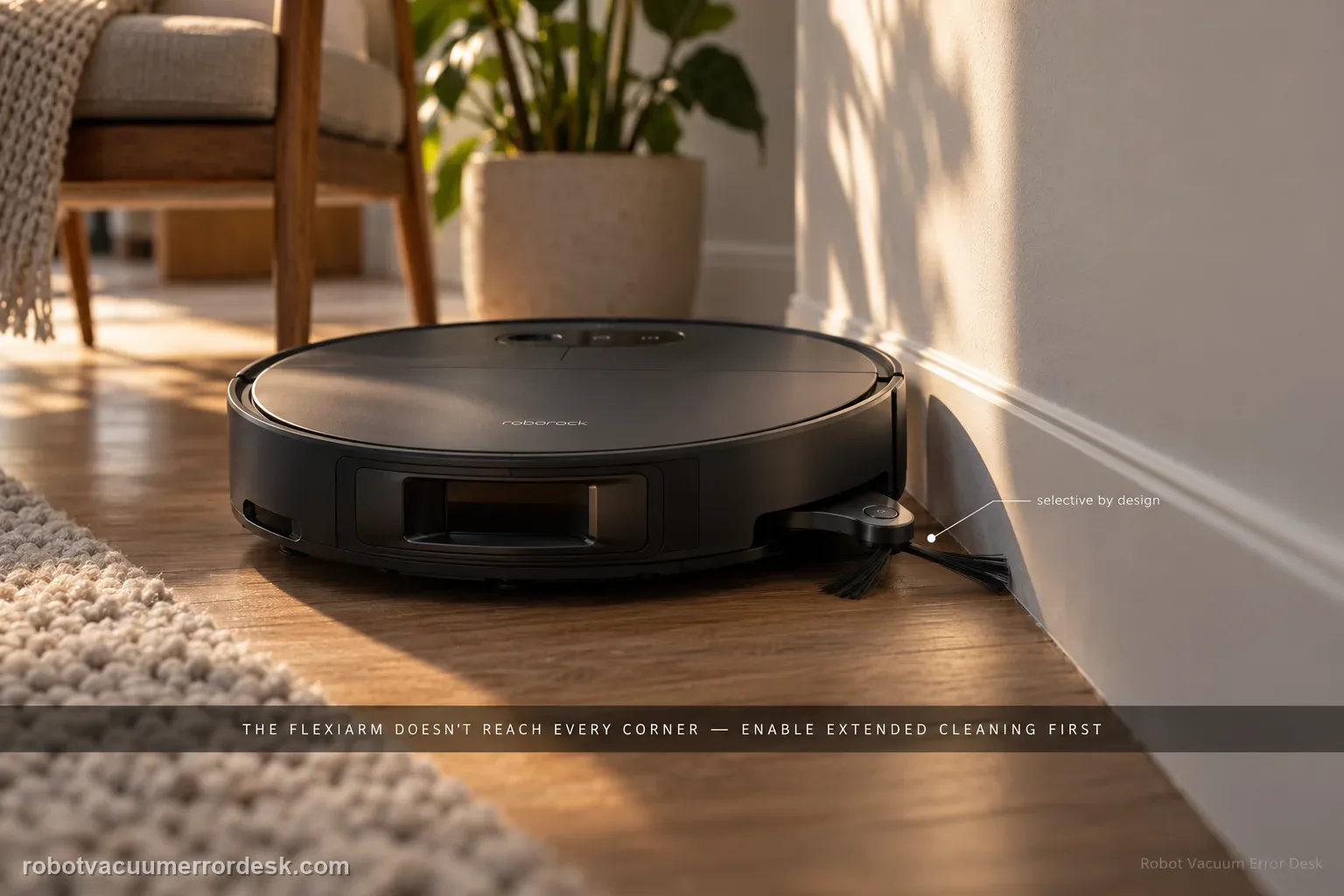
A Saros 20 Sonic side brush that does not extend at every corner is not automatically broken. Roborock’s manual says to verify FlexiArm Design Extended Cleaning is enabled, and it explicitly notes that the side brush does not extend for every corner or every pass along a wall. That normal selective behavior is the key discriminator. Only after the feature is on and the robot reaches a suitable edge should you check whether the side brush is physically jammed. Use one repeatable wall/corner test instead of expecting extension continuously across the room.
Confirm the exact model and exact code, light pattern or symptom.
Run the lowest-risk physical or software check first.
Use each pass condition to decide what the result actually narrows down.
Is this the problem you’re seeing?
- The FlexiArm side brush never appears to extend during edge cleaning.
- The side brush extends sometimes but not at every corner or along every wall segment.
- The app feature may be disabled.
- The brush or extension path may be jammed when extension is actually requested.
Likely root causes, ranked
FlexiArm Design Extended Cleaning is disabled in the app.
Normal selective logic is being mistaken for a fault because extension is not expected at every corner.
Hair or debris is preventing the side brush from moving freely.
A persistent extension mechanism fault remains after the setting and external jam checks.
What the result narrows down
| What you observe | What it narrows down | Next move |
|---|---|---|
| Extended Cleaning is disabled | The feature is not being asked to extend the brush. | Enable it and run a fresh edge-cleaning test. |
| Brush extends sometimes but not every corner | This matches the manual’s selective-extension note. | Treat intermittent deployment as potentially normal and monitor. |
| Visible hair or debris blocks the brush | A user-accessible jam can explain failed movement. | Clear the obstruction, reinstall normally and retest. |
| Feature is on and brush never extends across clear edges | Configuration and normal selectivity no longer explain the pattern. | Record several edge approaches for Roborock. |
| Extension would require forcing the arm by hand | The owner-safe check has reached its limit. | Stop forcing and escalate the repeatable no-extension result. |
Do not factory-reset by default. Use the exact model’s reboot/network-reset procedure only when the manufacturer path calls for it.
Checks to run, in sequence
Check the FlexiArm Extended Cleaning setting first
Open the app and verify that FlexiArm Design Extended Cleaning is enabled. This is the manual’s first check for a side brush that will not extend. Save the setting before retesting, and avoid changing unrelated obstacle-avoidance or suction options at the same time. If the feature was off, one controlled edge-cleaning run is enough to see whether configuration explains the symptom.
Reset expectations: extension is selective, not constant
Roborock states that the side brush does not extend for every corner or every time the robot cleans along a wall. Judge the feature over a suitable edge route rather than a single random turn. A brush that extends at some supported moments may be operating normally even if it remains retracted through other corners.
Inspect the side brush for an external jam
Power the robot down and check the side brush and accessible movement area for hair, string or debris. Remove only material you can reach without opening the robot. Spin or move the brush only within normal free play; do not force the extension mechanism. Reinstall any removed user-serviceable piece exactly as intended before the next run.
Run one repeatable wall-and-corner route
Choose a clear wall and corner where the robot can approach normally. Start the same cleaning mode with Extended Cleaning enabled and watch several edge interactions. The goal is not to demand extension every time, but to see whether the mechanism ever responds under conditions where the feature has an opportunity to operate. Keep cords and clutter out of the test path.
Separate selective behavior from a true no-extension fault
If the brush extends at some corners, treat that as evidence against a total mechanism failure because the manual says deployment is selective. If it never extends across repeated suitable edge interactions, and the brush is not jammed, record the route and app setting. Do not create a new problem by forcing the arm outward by hand.
Escalate a repeatable mechanism failure
For support, provide a screenshot showing Extended Cleaning enabled and a short video covering several edge approaches where the brush never extends. Mention that the brush area is clear. That evidence is stronger than a still photo of the brush retracted in the center of a room, where retraction may be normal.
Escalate when FlexiArm Design Extended Cleaning is enabled, the side brush is free of accessible jams, and the brush never extends across a repeatable wall/corner test. Include the setting screenshot and video of several edge approaches. Do not force the arm outward or open the extension mechanism. If the brush extends sometimes, remember the manual says it will not deploy at every corner or every wall pass.
Information to have ready for support
Support can skip the basic troubleshooting script when you provide a reproducible case. That keeps the results of your checks from getting lost.
- Exact model name and the error code / voice prompt exactly as shown
- A photo or screenshot of the app error and the time it occurred
- A short list of the checks already completed and what happened after each one
- Firmware/app version if the issue began after a software change
Source and evidence level
Roborock Saros 20 Sonic CE EN User Manual — Common Issues
The manual gives two unusually important qualifiers for this symptom: the feature must be enabled, and extension is intentionally selective. Keeping those together prevents a normal retracted state from being mislabeled as hardware failure. The only physical owner check listed is whether the side brush is jammed.
Additional official source: Roborock Saros 20 Sonic official product support hub ↗Last editorial review: September 5, 2026Regional note: manufacturer help centers, model suffixes, mains-power requirements and warranty procedures can differ by country. If the source redirects to a local support site, confirm that the model/hardware scope still matches before following a region-sensitive step.
This guide is rated Official manual. See what each evidence label means →
Common questions
Why doesn’t my Saros 20 Sonic side brush extend at every corner?
Because Roborock says it is not designed to extend for every corner or every pass along a wall. The feature is selective. First verify FlexiArm Design Extended Cleaning is enabled, then watch several suitable edge interactions rather than one turn. If the brush extends sometimes, that is evidence the mechanism can operate. A true fault is more convincing when it never extends across repeated clear edge tests.
Where do I enable FlexiArm side-brush extension?
Check the Roborock app for FlexiArm Design Extended Cleaning and make sure it is enabled. The Saros 20 Sonic manual names that setting as the first check for a side brush that will not extend. Save the setting, then run one controlled wall-and-corner route. Avoid changing other navigation settings during the same test so the result stays tied to the extension feature.
Can hair stop the Saros 20 Sonic side brush from extending?
Yes, the manual tells owners to check whether the side brush is jammed. Power the robot down and remove visible hair, thread or debris from the user-accessible brush area. Do not pry the extension arm outward or open the mechanism. After cleaning, reinstall the brush correctly and repeat the same edge route with Extended Cleaning enabled to see whether the behavior changes.
How do I know if selective extension is normal or broken?
Observe several wall and corner interactions with the feature enabled. If the brush extends on some of them, the mechanism is demonstrably moving and the manual warns that it does not extend every time. If it never extends across repeated suitable edge approaches and the brush is clear of jams, preserve that repeatable pattern. That is a much stronger support case than one retracted moment.
What evidence should I send Roborock for a no-extension complaint?
Send a screenshot showing FlexiArm Design Extended Cleaning enabled and a short video of multiple clear edge approaches where the brush remains retracted. State that you checked the brush for accessible jams. This directly addresses the manual’s setting, selective-behavior and jam branches. Avoid forcing the arm for the video; support needs the natural behavior, not a mechanism altered by hand.
Did this diagnostic narrow the fault?
Use this as an editorial signal, not a popularity counter. If a feedback address is configured you can email the note; otherwise you can copy it for your own support record.