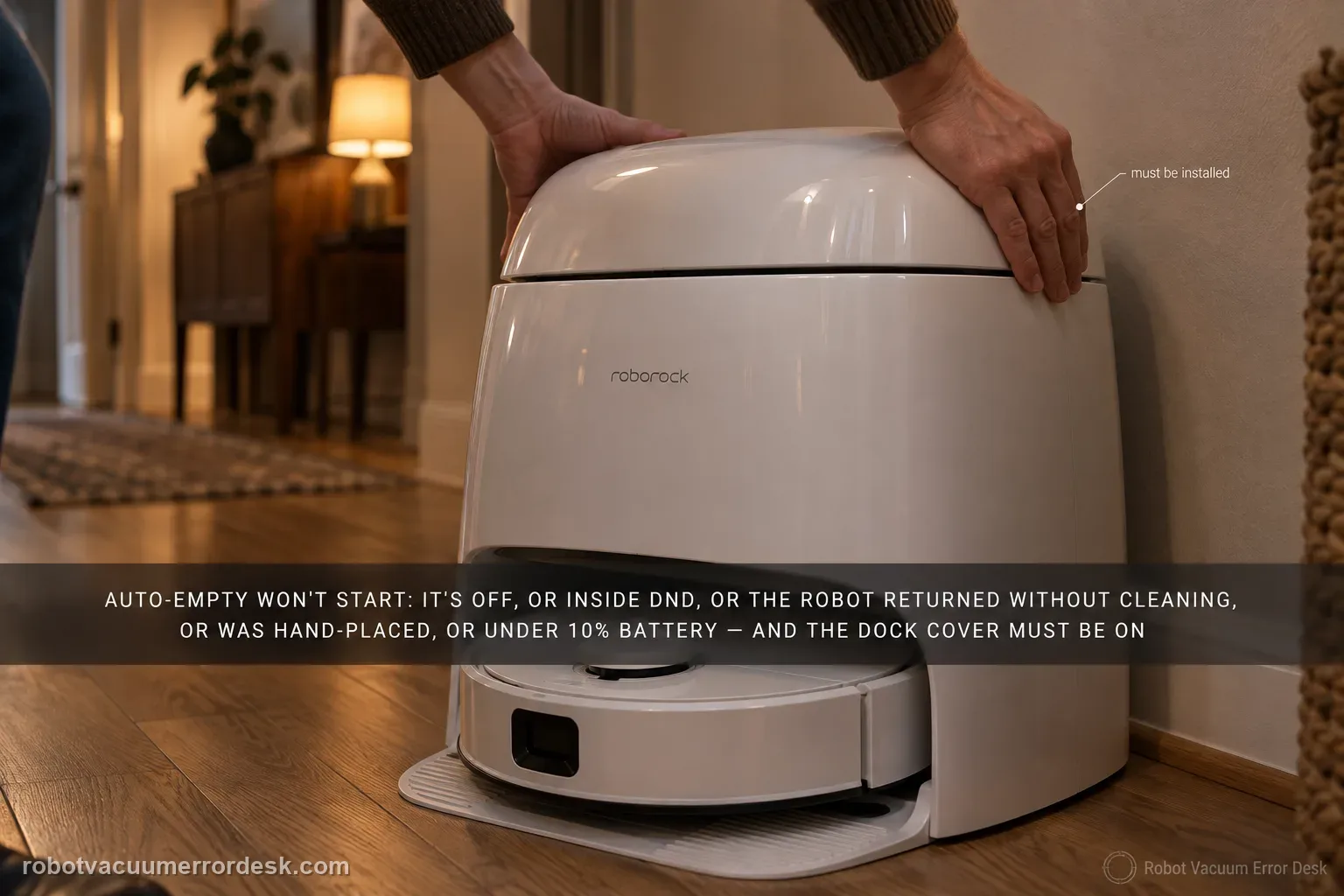
Do not treat every Qrevo Curv emptying complaint as a clogged dock. Roborock's Curv manual separates a cycle that never starts from a cycle that starts but empties poorly. Automatic emptying can be disabled, is suppressed after a return during DND, does not trigger when the robot comes back without cleaning, does not trigger when you place the robot on the dock by hand, and is blocked below 10% battery. The dock dust-container cover also has to be installed. After those trigger conditions are proven, run one manual emptying cycle. If manual emptying starts strongly, the hardware can create suction and the remaining fault is automatic trigger/state logic. If the motor starts but airflow is weak or noisy, switch branches and inspect the main brush/cover, filter, air duct, suction and air inlets, robot dustbin and disposable bag instead of repeating app resets.
Did the Curv complete a real clean-and-return under valid auto-empty conditions?
Confirm the exact model and exact code, light pattern or symptom.
Run the lowest-risk physical or software check first.
Use each pass condition to decide what the result actually narrows down.
Is this the problem you’re seeing?
- The Qrevo Curv docks and charges, but no automatic emptying motor starts after cleaning.
- Manual emptying may work even though automatic emptying is skipped.
- The emptying motor starts but debris stays in the robot, which is a different airflow branch.
- The symptom changes with DND, battery level, manual dock placement or whether a real cleaning task occurred.
- You want to prove trigger state before opening or replacing any dock component.
Likely root causes, ranked
Auto-Empty disabled in the Roborock app
DND suppressing the automatic cycle
Robot returned without completing a cleaning task
Robot was placed on the dock manually instead of returning by itself
Battery below Roborock’s 10% automatic-emptying threshold
Dock dust-container cover or disposable bag not correctly installed
Airflow restriction in the brush cover, filter, duct, inlet, dustbin or bag when a cycle does start
What the result narrows down
| What you observe | What it narrows down | Next move |
|---|---|---|
| No cycle after vacuum-only/no real cleaning | The Curv may have no valid auto-empty trigger; this is not proof of a dock fault. | Run a short real cleaning task from the dock and let it return autonomously. |
| No cycle only during DND or after manual dock placement | The manual documents both as states that suppress automatic emptying. | Test outside DND after an autonomous return, or use manual emptying deliberately. |
| Battery is below 10% on return | Roborock gives a hard battery threshold for automatic emptying. | Charge above 10% and repeat one controlled clean-and-return test. |
| Manual emptying starts normally but automatic emptying does not | The dock can produce an emptying cycle; trigger/state logic is the stronger branch. | Recheck Auto-Empty, DND, clean-return history and manual placement before escalation. |
| Motor starts but emptying is weak/noisy | The trigger worked; the problem has moved to airflow/installation rather than no-start logic. | Inspect brush cover, filter, air path, dustbin, disposable bag and dock cover. |
Reset can erase maps/settings on this path. Use lower-risk checks first and document the current state before resetting.
Checks to run, in sequence
Name the failure: no start, or weak emptying after start
Run one short cleaning task and observe the return. If the dock never starts its emptying motor, stay on this no-start path. If the motor starts but the robot dustbin remains full, or the sound is unusually strained, do not keep changing DND and app settings: Roborock lists a separate reduced-emptying path involving the main brushes or brush cover, filter, air duct, suction inlet, air inlet, dustbin and disposable dust bag. Writing down this distinction first prevents a common troubleshooting mistake—using trigger fixes for an airflow restriction, or dismantling the air path when the automatic cycle was never permitted to start.
Record Auto-Empty and DND before changing them
Open the Roborock app and capture the current Auto-Empty and Do Not Disturb settings. The Curv manual explicitly says automatic emptying can be disabled and will not run automatically after a return during DND. For the controlled test, enable Auto-Empty and either run outside the DND period or temporarily choose a test window that permits the function. Do not erase the schedule before recording it; if the symptom occurs only at night, the DND state is useful evidence rather than random behavior. If you intentionally keep DND active, use manual emptying and treat the lack of automatic emptying as expected until proven otherwise.
Create a valid trigger: clean from the dock and return autonomously
Start a real, brief cleaning job with the robot initially docked. Let it leave, collect debris and navigate back by itself. Roborock documents two valid reasons automatic emptying may not trigger: the robot returned without cleaning, or it was moved to the dock manually. That means manually setting the Curv on the contacts after carrying it across the room is a poor auto-empty test even if charging begins. Likewise, sending it home immediately without a cleaning task may legitimately produce no emptying cycle. A short clean-and-return sequence removes both ambiguities while preserving the map and dock location.
Check the 10% battery threshold before judging the result
Read the battery percentage at the end of the test. The Qrevo Curv common-issues table gives an unusually useful hard threshold: automatic emptying will not trigger when battery level is below 10%. If the robot arrives at 7–9%, allow it to charge past 10% and repeat one controlled short clean rather than concluding that the dock motor failed. Keep the result tied to the number you actually observed. If automatic emptying begins normally once the battery is above the threshold, you have a documented trigger explanation and do not need a reset, replacement bag experiment or station disassembly.
Inspect the dock cover, bag and owner-accessible airflow path
Confirm the dock dust-container cover is installed correctly; the manual lists a missing cover as a reason auto-emptying will not run. Verify a disposable dust bag is present and seated as required by the dock instructions. If the motor starts but extraction is weak, inspect the owner-accessible airflow path rather than the electronics: robot dustbin, filter, main brush cover, suction opening, dock inlet and disposable bag. Remove dry debris and reseat parts. Do not wash a component unless its manual permits washing, and do not run the dock with covers or interlocks defeated simply to see whether suction improves.
Run one manual emptying cycle as the hardware discriminator
With the Curv correctly docked and battery state recorded, start emptying manually from the app or the documented dock/robot control. This test is valuable because it separates automatic permission from the dock’s ability to create an emptying cycle. If manual emptying starts with normal sound and transfers debris, the motor and basic airflow path are demonstrably capable, so focus on Auto-Empty, DND and how the robot reached the dock. If manual emptying also fails to start, or the dock reports an error, stop repeating the command and capture the app/dock indication for support.
Escalate with trigger evidence instead of opening the powered dock
Escalate only after a valid clean-and-return test outside a blocking DND window, battery at or above 10%, correctly installed dock cover/bag and one manual-empty attempt. Send Roborock the Auto-Empty/DND screenshots, battery percentage, whether the robot returned autonomously, whether manual emptying worked, and a short video or recording of any motor/error behavior. If the motor runs but debris transfer is poor, say that explicitly and include which airflow components were checked. Do not open the dock’s powered suction or mains sections, bypass covers or probe internal wiring; those actions add risk without improving the diagnostic evidence.
Contact Roborock when automatic emptying still fails after a real cleaning task and autonomous return, Auto-Empty enabled, a non-blocking DND state, battery at least 10%, and the dust-container cover/bag correctly installed. Include the result of one manual-empty test. If manual emptying works, describe it as an automatic-trigger problem; if the motor starts but suction is weak, describe it as an airflow/emptying-performance problem. Do not open the powered dock or defeat safety interlocks.
Information to have ready for support
Support can skip the basic troubleshooting script when you provide a reproducible case. That keeps the results of your checks from getting lost.
- Exact model name and the error code / voice prompt exactly as shown
- A photo or screenshot of the app error and the time it occurred
- A short list of the checks already completed and what happened after each one
- Firmware/app version if the issue began after a software change
Source and evidence level
Roborock Qrevo Curv official manual — auto-emptying
The official Qrevo Curv manual distinguishes automatic-trigger conditions from reduced emptying performance. It documents Auto-Empty setting, DND, no-clean return, manual dock placement, dust-container cover and the 10% battery threshold, plus owner checks for weak/noisy airflow and manual emptying.
Additional official source: Roborock — Qrevo Curv Series User Manual (2026) ↗Additional official source: Roborock — Qrevo Curv CE multilingual user manual ↗Additional official source: Roborock — What can the Qrevo Curv Multifunctional dock do? ↗Last editorial review: September 5, 2026Regional note: manufacturer help centers, model suffixes, mains-power requirements and warranty procedures can differ by country. If the source redirects to a local support site, confirm that the model/hardware scope still matches before following a region-sensitive step.
This guide is rated Official manual. See what each evidence label means →
Common questions
Why does my Qrevo Curv charge normally but never auto-empty?
Charging proves the robot is on powered contacts, but emptying has additional trigger rules. The Curv manual says Auto-Empty may be disabled, DND can suppress the automatic cycle, manual placement on the dock does not trigger it, returning without cleaning does not trigger it, and battery below 10% blocks it. Prove those states before treating the suction motor as failed.
Does manually putting the Qrevo Curv on the dock trigger auto-emptying?
No, not automatically. Roborock specifically lists manual dock placement as a state in which automatic emptying is not triggered. If you carried the robot to the station, start emptying manually if you want a hardware test. For a valid automatic test, begin a short cleaning from the dock and let the robot return to it on its own.
Why does Qrevo Curv skip auto-emptying when the battery is low?
The Qrevo Curv manual gives a specific threshold: automatic emptying will not trigger below 10% battery. That makes battery percentage a diagnostic signal, not a vague suggestion. Charge above 10%, then repeat one short clean-and-return test. If emptying starts normally, the prior no-empty result was expected trigger behavior rather than evidence of a failed dock.
What if manual emptying works but automatic emptying does not?
That is useful evidence. A normal manual cycle shows the dock can start its emptying motor and move air, so the stronger branch is automatic trigger/state logic: Auto-Empty setting, DND, whether a real cleaning occurred, how the robot reached the dock and battery level. Preserve those states instead of opening the station or repeatedly replacing bags without evidence.
What if the emptying motor runs but the robot dustbin stays full?
Then the automatic trigger has already worked, so switch from the no-start path to airflow performance. Roborock points to the main brush or brush cover, filter, air duct, suction and air inlets, robot dustbin and disposable bag. Check owner-accessible blockages and seating. If airflow remains weak or noisy after those checks, escalate it as an emptying-performance problem.
Did this diagnostic narrow the fault?
Use this as an editorial signal, not a popularity counter. If a feedback address is configured you can email the note; otherwise you can copy it for your own support record.