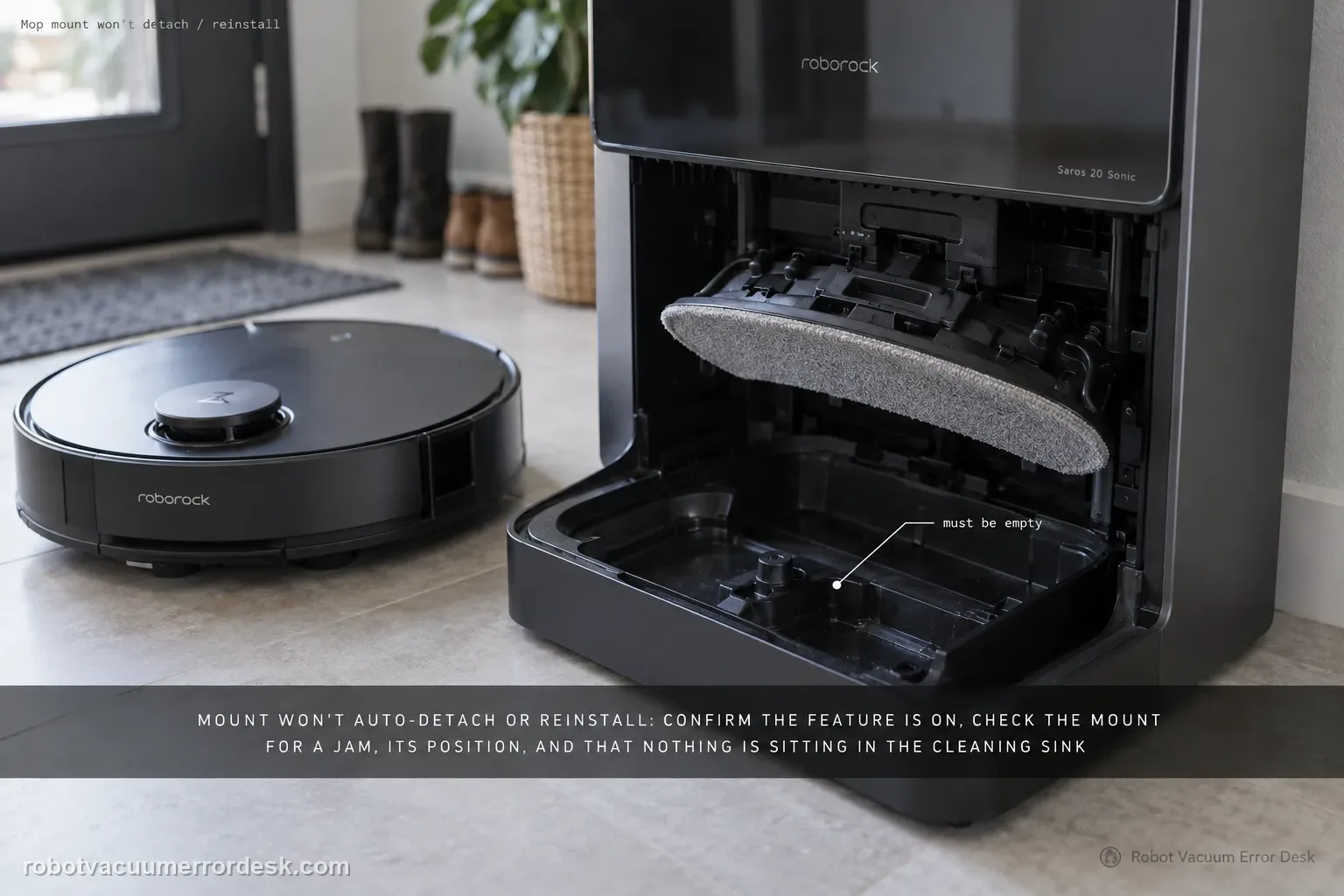
When the Saros 20 Sonic will not automatically detach or reinstall its mop cloth mount, the manual gives a multi-branch checklist. First verify Auto-Detach/Reinstall Mop Cloth Mounts is enabled; the feature works only under specific conditions, so a non-detach event is not always a fault. Then check whether the mount is jammed, whether it is placed in the position where removal occurs, whether it is installed correctly on the robot, and whether anything is sitting in the cleaning sink. Run one controlled dock cycle after those conditions are set instead of manually forcing the mount.
Confirm the exact model and exact code, light pattern or symptom.
Run the lowest-risk physical or software check first.
Use each pass condition to decide what the result actually narrows down.
Confirm this is the right issue
- The mop cloth mount stays on the robot when you expect automatic removal.
- A detached mount is not picked up or reinstalled correctly.
- The app feature may be disabled or the current task may not meet its operating conditions.
- The mount, removal position or cleaning sink may be physically obstructed.
What’s most likely causing this
Auto-Detach/Reinstall Mop Cloth Mounts is disabled.
The current cleaning/dock condition is outside the feature’s supported trigger conditions.
The mop cloth mount is jammed or not correctly installed on the robot.
The mount is not sitting in the expected removal/reinstall position.
An object in the cleaning sink blocks the dock-side handling path.
Reading your test result
| What you observe | What it narrows down | Next move |
|---|---|---|
| Auto detach/reinstall setting is off | The automation is not enabled. | Enable it and use a workflow where the feature should operate. |
| Task does not meet the feature’s conditions | Non-detachment may be normal for that run. | Retest in a supported automatic dock workflow. |
| Mount or latch area is visibly jammed | Physical obstruction can block automatic handling. | Power down, clear accessible debris and reinstall correctly. |
| Mount is displaced or sink contains an object | Dock-side handling geometry is compromised. | Restore the intended position and clear the cleaning sink. |
| Same automatic stage fails with every prerequisite controlled | The owner checklist is exhausted. | Escalate with a stage-specific video and app setting. |
Do not factory-reset by default. Use the exact model’s reboot/network-reset procedure only when the manufacturer path calls for it.
Work through these checks in order
Enable Auto-Detach/Reinstall Mop Cloth Mounts
Open the Roborock app and verify the Auto-Detach/Reinstall Mop Cloth Mounts feature is enabled. The manual lists this as the first check. Record the setting before testing again, and avoid toggling several dock automations at once. If the feature was disabled, re-enable it and use a normal dock-related task that should exercise mount handling.
Account for the feature’s conditional behavior
Roborock notes that automatic detach/reinstall applies only under specific conditions. Do not treat every cleaning run as a guaranteed detach event. Use a task and dock workflow where the feature is expected to operate, then judge whether the mechanism responds. If you are unsure whether your chosen task qualifies, preserve the app configuration and use the manufacturer workflow rather than manually pulling the mount off.
Inspect the mop mount for an accessible jam
Power the robot down and check the mop cloth mount, its latches and visible travel area for hair, fibers or foreign material. Remove only accessible debris. Do not twist, bend or pry the mount to make it detach. Refit the mop cloth flat and ensure the mount can sit normally against the robot before continuing.
Check the mount’s parking/removal position
The manual tells owners to confirm the mop cloth mount is placed in the position where it is removed. Inspect the dock/cleaning area and position the mount only as intended by the normal mechanism. A mount sitting outside its expected pickup/removal location can look like a robot-side failure even though the dock simply cannot engage it correctly.
Verify installation on the robot and clear the cleaning sink
Make sure the mop cloth mount is properly installed on the robot, then inspect the cleaning sink for objects that could interfere with the dock mechanism. Remove loose debris from the user-accessible sink area. Keep these checks together because the manual lists both robot-side installation and dock-side obstruction as separate causes of the same auto-handling complaint.
Run one normal automatic handling cycle
With the feature enabled, valid conditions chosen, mount clear and correctly positioned, and the sink unobstructed, let the robot and dock perform the cycle without helping by hand. Record where the sequence stops: before detachment, after detachment, during pickup or during reinstall. That stopping point is the most useful discriminator if support is needed.
Contact Roborock when the feature is enabled, the task uses a valid auto-detach/reinstall condition, the mount is not jammed, it is in the correct removal position and correctly installed, and the cleaning sink is clear, yet the same automatic stage still fails. Send a short video showing where the sequence stops. Do not pry or hand-force the mount mechanism.
Before you contact support, gather this
A reproducible case moves a support call past the basic troubleshooting script faster than “it doesn’t work” does, and it keeps the clues from your own tests on record.
- Exact model name and the error code / voice prompt exactly as shown
- A photo or screenshot of the app error and the time it occurred
- A short list of the checks already completed and what happened after each one
- Firmware/app version if the issue began after a software change
Where this comes from
Roborock Saros 20 Sonic CE EN User Manual — Common Issues
This guide follows the Saros 20 Sonic manual’s full owner checklist rather than collapsing the symptom into 'reboot the dock.' The feature’s conditional nature is important: a non-detach event outside supported conditions is not equivalent to a jam, while a repeatable failure at one automatic stage after the position and sink checks is much stronger service evidence.
Additional official source: Roborock Saros 20 Sonic official product support hub ↗Last editorial review: September 5, 2026Regional note: manufacturer help centers, model suffixes, mains-power requirements and warranty procedures can differ by country. If the source redirects to a local support site, confirm that the model/hardware scope still matches before following a region-sensitive step.
This guide is rated Official manual. See what each evidence label means →
Questions people ask
Why doesn’t the Saros 20 Sonic detach the mop mount every time?
The manual says Auto-Detach/Reinstall Mop Cloth Mounts works only under specific conditions. First verify the feature is enabled, then judge it during a workflow where automatic handling is expected. A run that never asks the dock to detach the mount is not proof of failure. Use one controlled dock cycle and observe the exact stage rather than manually pulling the mount off to see whether it is loose.
What should I check if the mop mount seems jammed?
Power the robot down and inspect the visible mount, latches and surrounding area for hair, fibers or debris. Remove only accessible material and keep the mop cloth attached flat. Do not twist or pry the mount. Reinstall it correctly on the robot and then use the automatic cycle. If the mechanism still stops at the same point, capture that repeat rather than applying more force.
Why does the mount’s position in the dock matter?
Roborock specifically says to check that the mop cloth mount is placed in the position where it is removed. The dock needs the mount in its intended handling location to detach or reinstall it automatically. If it is displaced, the robot may appear unable to pick it up even though the problem is alignment. Correct the normal position, clear the sink and retest without moving it by hand mid-cycle.
Can something in the cleaning sink stop mop-mount reinstallation?
Yes. The Saros 20 Sonic common-issues table tells owners to check for objects in the cleaning sink when auto detach/reinstall fails. Remove visible loose debris from the user-accessible area, confirm the mount is correctly fitted and positioned, and rerun one automatic cycle. Do not reach into moving dock parts while a cycle is active; power down before clearing any obstruction.
What should I record before contacting Roborock?
Record whether the failure occurs before detachment, after the mount is removed, during pickup, or during reinstallation. Also show that Auto-Detach/Reinstall Mop Cloth Mounts is enabled, the mount is correctly installed and positioned, and the cleaning sink is clear. That stage-specific video follows the manual’s branches and is much more useful than a generic statement that the mop attachment is not working.
Did this diagnostic narrow the fault?
Use this as an editorial signal, not a popularity counter. If a feedback address is configured you can email the note; otherwise you can copy it for your own support record.