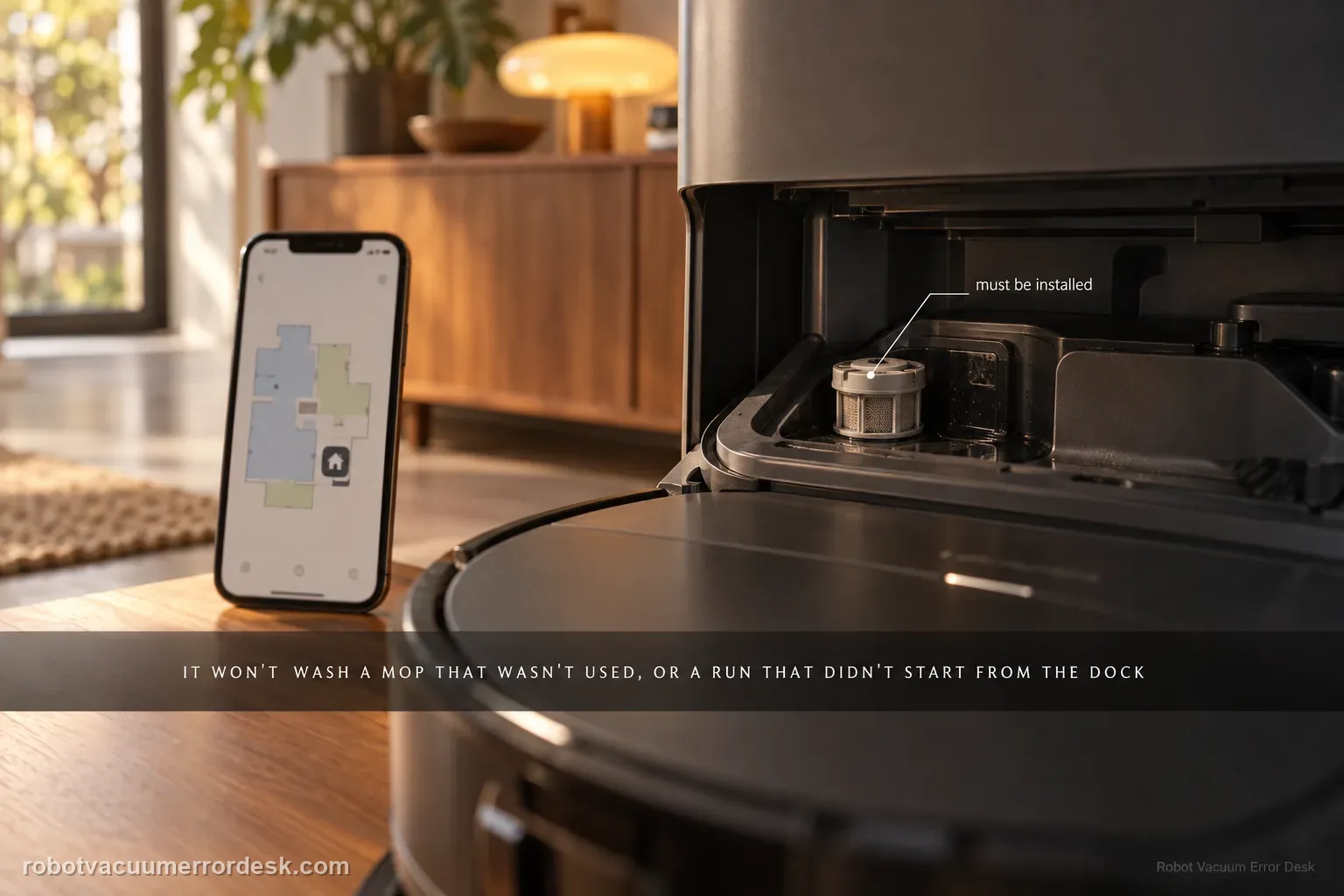
If the Roborock Saros 20 Sonic will not wash its mop cloth, first separate a normal no-wash condition from a dock fault. The manual says the mop will not be washed if it was not used, and the robot will not return for mop washing if it did not start from the dock or no dock is present on the app map. After those conditions pass, check clean-water supply, dirty-water capacity and the cleaning-sink water filter. A controlled mop task that starts at the dock is the cleanest proof because it tests the full return-and-wash path without mixing in manual relocation.
Confirm the exact model and exact code, light pattern or symptom.
Run the lowest-risk physical or software check first.
Use each pass condition to decide what the result actually narrows down.
Is this the problem you’re seeing?
- The Saros 20 Sonic finishes a mopping task but the dock does not wash the mop cloth.
- The robot returns to the dock yet the expected wash cycle does not begin.
- The robot was started away from the dock, or the dock is missing from the active map.
- A water-tank or cleaning-sink filter condition may be preventing the wash sequence.
Likely root causes, ranked
The mop cloth was not actually used during the preceding task, so an automatic wash is not expected.
The robot did not begin from its mapped dock, preventing the normal return-for-wash sequence.
The clean-water tank is empty, low or not seated correctly.
The dirty-water tank is full, missing or not seated correctly.
The cleaning-sink water filter is missing or installed incorrectly.
What the result narrows down
| What you observe | What it narrows down | Next move |
|---|---|---|
| Previous task was vacuum-only | No mop use means no automatic mop wash is required. | Run a real mopping control task before troubleshooting the dock. |
| Robot started away from dock or dock is absent on map | The automatic return-for-wash context is not established. | Start from the mapped dock and avoid carrying the robot. |
| Clean-water tank is low or not seated | The wash cycle lacks a proven water supply. | Refill/reseat the clean-water tank and retry the same task. |
| Dirty-water tank is full or not seated | The dock may not be ready to receive wash water. | Empty/reseat the dirty-water tank before retesting. |
| All prerequisites pass but wash never begins | The manual-listed owner checks are exhausted. | Escalate with map, tank and post-task dock evidence. |
Do not factory-reset by default. Use the exact model’s reboot/network-reset procedure only when the manufacturer path calls for it.
Checks to run, in sequence
Confirm that the preceding task actually used the mop
Review the task you are testing. Roborock states that the mop cloth will not be washed if it was not used. Run a short hard-floor mopping task with the mop cloth fitted correctly rather than judging the dock after a vacuum-only job. This prevents a normal no-wash outcome from being mistaken for a station failure.
Start the control task from the mapped dock
Place the robot on its normal dock and verify that the dock appears on the active app map before starting the mopping run. The manual says a robot that does not start from the dock, or cannot find a dock on the map, will not return there for mop washing. Do not carry the robot during this test because manual relocation removes the exact return condition you need to prove.
Check the clean-water tank before repeating the wash
Remove the clean-water tank, confirm it contains enough water for the test, and reinstall it fully. Keep this as a simple supply check; do not add unapproved chemicals just to make a wash cycle start. If the tank was low or poorly seated, correct that condition and repeat the same dock-started mop task before changing anything else.
Check dirty-water capacity and seating
Empty the dirty-water tank if needed and reinstall it correctly. A full or poorly seated dirty-water tank can prevent the dock from handling wash water normally. Use the same test sequence after correcting it so you know whether wastewater capacity, rather than mapping or mop use, was the blocking condition.
Verify the cleaning-sink water filter is installed
Inspect the water filter in the cleaning sink and confirm it is present and seated in its intended position. The manual includes this check specifically under an unable-to-wash-mop condition. Remove only accessible debris and reinstall the filter normally; do not open the dock or probe internal plumbing.
Run one complete dock-started mop-and-wash proof
With the mop used, the dock mapped, both tanks ready and the cleaning-sink filter installed, run one short mopping task from the dock and let the robot return on its own. Watch whether washing begins. If it does, the last corrected condition was meaningful. If it still does not, preserve the app state and dock behavior for Roborock instead of cycling through unrelated resets.
Contact Roborock when the mop was actually used, the robot started from a mapped dock and returned without being moved, clean water is available, dirty-water capacity is available, and the cleaning-sink filter is installed correctly, yet washing still does not begin. Send a screenshot of the dock on the map and a short video of the post-task dock state. Do not open the dock water path or bypass tank sensors.
Information to have ready for support
Support can skip the basic troubleshooting script when you provide a reproducible case. That keeps the results of your checks from getting lost.
- Exact model name and the error code / voice prompt exactly as shown
- A photo or screenshot of the app error and the time it occurred
- A short list of the checks already completed and what happened after each one
- Firmware/app version if the issue began after a software change
Source and evidence level
Roborock Saros 20 Sonic CE EN User Manual — Common Issues
The Saros 20 Sonic manual lists five distinct prerequisites for an unable-to-wash condition: the mop must have been used, the robot must have a valid dock context, clean water must be available, dirty-water capacity must be available, and the cleaning-sink filter must be installed. This guide keeps those branches separate so a mapping problem is not confused with a water-handling problem.
Additional official source: Roborock Saros 20 Sonic official product support hub ↗Last editorial review: September 5, 2026Regional note: manufacturer help centers, model suffixes, mains-power requirements and warranty procedures can differ by country. If the source redirects to a local support site, confirm that the model/hardware scope still matches before following a region-sensitive step.
This guide is rated Official manual. See what each evidence label means →
Common questions
Why won’t my Saros 20 Sonic wash the mop after vacuuming?
If the preceding task did not use the mop cloth, the manual says the mop will not be washed. That is a normal condition rather than proof of a dock failure. Run a short mopping task from the mapped dock with the mop fitted correctly, then let the robot return on its own. Only diagnose the water tanks or cleaning-sink filter if the expected wash still does not start.
Does the Saros 20 Sonic need to start from the dock for mop washing?
For the automatic return-and-wash path, the manual says the robot will not return to the dock for mop washing if it did not start from the dock or if no dock is found on the app map. Use one controlled task that begins on the mapped dock. Avoid carrying the robot back, because that does not prove the normal navigation and wash trigger.
Can a full dirty-water tank stop the mop wash?
Yes. The manual includes dirty-water tank placement and capacity in the unable-to-wash checklist. Empty the tank if required, reinstall it fully and repeat the same dock-started mopping task. Pair that check with adequate clean water and a correctly installed cleaning-sink filter. If the wash begins only after the dirty tank is corrected, you have isolated the blocking condition.
What should I check in the cleaning sink?
Check that the cleaning-sink water filter is installed correctly and remove only obvious accessible debris. Roborock names that filter in the Saros 20 Sonic common-issues table for a mop that will not wash. Do not probe internal hoses or dismantle the station. A correctly installed filter plus ready water tanks creates a clean baseline for the next automatic wash attempt.
When is a Saros 20 Sonic mop-wash failure ready for support?
Escalate after a real mop task begins from the mapped dock, returns without manual relocation, and still fails to wash with clean water available, dirty-water capacity available and the cleaning-sink filter correctly installed. Save the map state and one short post-return video. Those details show that the manual’s normal prerequisites have already been controlled and keep support from restarting with generic dock advice.
Did this diagnostic narrow the fault?
Use this as an editorial signal, not a popularity counter. If a feedback address is configured you can email the note; otherwise you can copy it for your own support record.