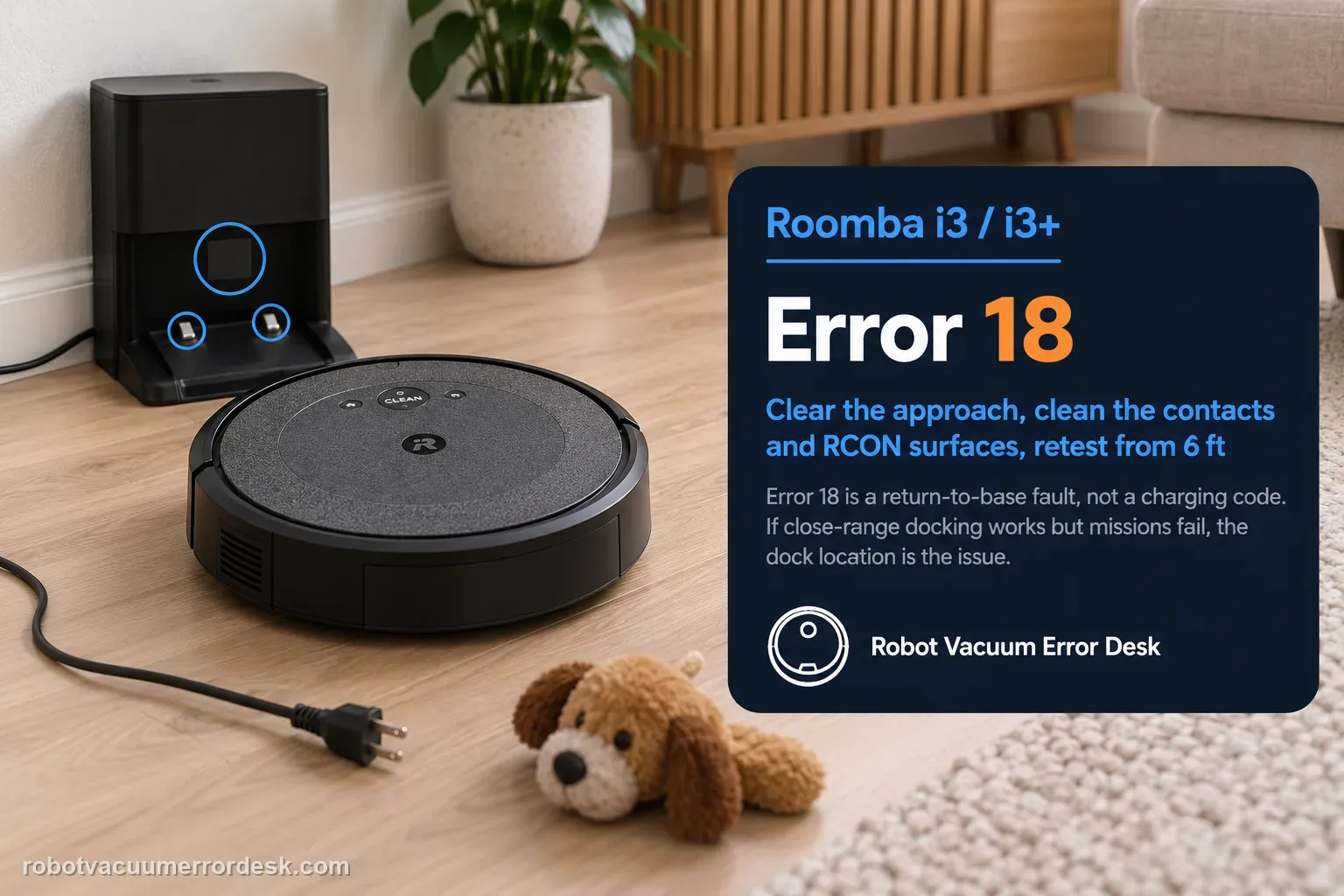
On the Roomba i3/i3+, Error 18 means the robot could not return to the Home Base or its starting position; it is not a charging-error code by itself. Prove the dock has power and has not moved, clear the approach, clean both charging-contact sets and the dock/RCON homing surfaces, check the caster and drive wheels, reboot the i Series robot, then face it toward the dock from within about 6 ft (1.8 m) and send it Home. If that close-range test works but a normal mission still fails, dock placement, environmental interference or mission range becomes the stronger lead. iRobot lists i3/i3+ coverage at up to about 1,600 ft², so a long mission ending with a very low battery can also reduce the margin for a successful return.
Confirm the exact model and exact code, light pattern or symptom.
Run the lowest-risk physical or software check first.
Use each pass condition to decide what the result actually narrows down.
Confirm this is the right issue
- The iRobot app or the Roomba i3/i3+ reports Error 18 after a cleaning mission.
- The robot cleans normally but stops, circles or ends the task before reaching the Home Base.
- The i3 can sometimes charge when placed manually on the dock, yet it fails to return there by itself.
- You need to separate a homing/navigation failure from a true charging-contact problem before replacing parts.
What’s most likely causing this
Home Base lost power, was moved or rotated after the mission started
Clutter, another dock/Virtual Wall, stickers or other obstructions are interfering with the approach
Charging contacts, dock target or the i Series RCON/front homing area is contaminated
Front caster or one drive wheel drags, binds or has damaged tread during the final climb onto the dock
A temporary robot/dock state needs a normal reboot before the controlled return test
Dock location, direct sunlight, environmental interference or low remaining battery makes the long-range return unreliable
Reading your test result
| What you observe | What it narrows down | Next move |
|---|---|---|
| Dock shows no power response and the robot does not acknowledge manual placement | Navigation cannot be judged until the Home Base power path is proven. | Reseat the line cord, test the outlet with another device and inspect the cord before continuing. |
| Robot charges when manually placed but cannot find the dock from nearby | The electrical charging path can work; homing signal, obstruction, RCON or wheel behavior is now more important. | Clean the homing surfaces, clear the approach and run the controlled 6-ft Home test. |
| Close-range Home test succeeds but a full mission still ends with Error 18 | Final docking works in controlled conditions; environment, dock location, mission distance or low battery is the stronger branch. | Keep the dock fixed, remove interference/direct sunlight and repeat a normal mission from the Home Base. |
| Robot reaches the dock but cannot climb or repeatedly backs away | Caster/drive-wheel drag, tread damage, debris or contact alignment may be disrupting the last few centimeters. | Inspect caster axle, both drive wheels and charging-contact condition before another test. |
| Powered dock, clean path, free wheels, reboot and nearby return all still fail | Owner-level evidence now points beyond simple placement or maintenance. | Save the Error 18 occurrence and test observations, then escalate to iRobot Customer Care. |
Do not factory-reset by default. Use the exact model’s reboot/network-reset procedure only when the manufacturer path calls for it.
Work through these checks in order
Prove the Home Base has power before diagnosing navigation
Start with the base rather than the map. Confirm the Home Base was not unplugged during the mission, reseat the line cord at both the wall and the dock, and test the same outlet with another simple appliance if power is uncertain. iRobot notes that a dock indicator may turn off after a short period to save power, so a permanently dark LED is not enough by itself to condemn the base. Manually place the i3 on the charging contacts and watch for the robot’s charging response. If the outlet works but the dock never shows a usable power/charging response, stop treating Error 18 as a navigation mystery: the robot cannot return successfully to a base that is not operating. Inspect the cord for damage and resolve the dock power path first.
Restore the dock position and clear the final approach lane
Error 18 can follow a base that was moved, rotated or surrounded after the robot started cleaning. Put the Home Base on a hard, level surface against the wall, remove clutter from the approach and keep it at least 4 ft (1.2 m) from stairs as iRobot specifies. Make sure tape, stickers, paint or objects do not cover the robot bumper or dock target. If another charging station or a Dual Mode Virtual Wall is very close, move the interfering accessory; iRobot’s full Error 18 guidance warns that nearby compatible IR accessories can affect docking. For a clean diagnostic, leave the dock in one place throughout the test. If the i3 did not start from a Home Base, also clear the original starting position because Error 18 can mean failure to return there, not only failure to reach a dock.
Clean charging contacts and the i3 homing/RCON path without mixing the two jobs
There are two different surfaces to maintain. First clean the metal charging contacts on both the robot and dock using the owner-safe materials iRobot lists: clean lightly dampened melamine foam, or a lightly dampened cloth when melamine foam is unavailable. Let the surfaces dry and inspect for abnormal green/copper discoloration or physical damage. Second, clean the dock’s visual/IR target with a clean dry cloth. The i Series uses an RCON sensor for compatible dock/Virtual Wall detection, so a robot that can charge when manually seated may still fail the return if the homing path is dirty or obstructed. Do not use aggressive abrasives or flood the contacts with cleaner. Keeping the electrical contact test separate from the homing-sensor test helps identify whether the robot cannot find the base or finds it but cannot establish charging.
Inspect the front caster and both drive wheels for the last-approach failure
A Roomba may recognize the Home Base yet still fail Error 18 if it cannot physically complete the approach. Remove hair and debris from the front caster and its well, then push and rotate both side wheels to compare their movement and resistance. iRobot specifically calls out a dislodged front-caster axle and damaged wheel tread as conditions that can interfere with returning to and mounting the dock. If one wheel binds, does not spring similarly to the other, or has torn tread, record that difference instead of repeatedly forcing the robot to dock. Clean only the user-serviceable wheel areas described by iRobot. A short-range return test is much more meaningful after the chassis can roll and climb normally; otherwise a navigation symptom can actually be a mechanical final-approach problem.
Reboot the i3 and the dock before the controlled homing test
After the physical checks, perform a normal reboot rather than deleting maps or factory-resetting the robot. iRobot’s current Error 18 procedure says a reboot can clear typical robot states without deleting maps, schedules or preferences. For the i Series, the manual-button reboot uses the CLEAN button for roughly 20 seconds; the app can also expose a reboot command depending on software. Briefly power-cycle the dock as well. Wait for the robot to finish restarting before issuing another command. The purpose is not to assume software caused the problem, but to ensure the next homing test is not contaminated by a stale error state. If the reboot alone changes the behavior, note that; if it does not, you still keep the valuable physical checks already proven.
Run iRobot’s close-range RCON/Home test from about 6 ft (1.8 m)
This is the most useful discriminator in the official flow. Clear the previous cleaning job, place the i3 facing the Home Base within about 6 ft (1.8 m), and send it Home using the app or the robot’s Home control. Do not nudge or manually align it after the command. Watch whether it detects the base, approaches in a controlled line, climbs onto it and establishes charging. If the nearby test succeeds, the RCON/final docking path can function under controlled conditions; run another normal mission before changing anything else. If the nearby test fails even though dock power, homing surfaces and wheels are already proven, capture exactly where it stops—cannot detect the base, turns away, reaches but cannot climb, or seats but does not charge—because those outcomes point to different next actions.
Only after the short test, evaluate location, sunlight, mission range and escalation
If the controlled nearby return works but Error 18 appears after ordinary cleaning, shift attention to the environment instead of replacing hardware. iRobot notes that direct sunlight at the dock can interfere with the visual docking process and recommends relocating the dock when earlier checks pass. Keep a new location on a hard, level wall section with a clear approach, then start the next test mission from that dock so the robot has a consistent reference. Also consider range: iRobot lists i3/i3+ at up to about 1,600 ft², and a robot that is very far from the dock with little battery left may not have enough margin to make it home. If Error 18 still occurs after a powered, correctly placed dock, clean homing path, free wheels, reboot and successful/failed short-range test, stop cycling resets and contact iRobot with the observations.
Contact iRobot when Error 18 persists after you have proven dock power, restored a stable Home Base position, cleaned both charging-contact sets and the homing/RCON path, verified free wheels, rebooted, and completed the close-range return test. Send the exact app error, whether the i3 can charge when manually seated, whether it can return from about 6 ft, where a full mission starts/ends, and whether direct sunlight or a relocated dock changes the result. Do not repeatedly delete maps or replace the battery solely because Error 18 appeared; the manufacturer’s flow is primarily a dock, homing, environment and mobility diagnosis.
Before you contact support, gather this
A reproducible case moves a support call past the basic troubleshooting script faster than “it doesn’t work” does, and it keeps the clues from your own tests on record.
- Exact model name and the error code / voice prompt exactly as shown
- A photo or screenshot of the app error and the time it occurred
- A short list of the checks already completed and what happened after each one
- Robot serial number and proof of purchase if warranty may apply
Where this comes from
iRobot Error 18 support — explicitly covers i Series and i3/i3+
iRobot defines Error 18 as failure to return to the dock/start position and provides dock power, obstruction, contact/homing target, wheel, reboot, RCON short-range and relocation checks. The current article explicitly lists i3/i3+ in the coverage table and uses a roughly 6-ft (1.8-m) return test. The i Series support/manual hub is cited separately for model context.
Additional official source: iRobot i Series owner guides and model support hub ↗Additional official source: iRobot i3/i3+ anatomy and RCON overview ↗Last editorial review: September 5, 2026Regional note: manufacturer help centers, model suffixes, mains-power requirements and warranty procedures can differ by country. If the source redirects to a local support site, confirm that the model/hardware scope still matches before following a region-sensitive step.
This guide is rated Official model support. See what each evidence label means →
Questions people ask
Does Roomba i3 Error 18 mean the battery is failing?
No. Error 18 means the i3 could not return to the Home Base or starting position. iRobot’s diagnostic path starts with dock power, placement, contacts, homing surfaces, wheels and a controlled nearby return. Low battery can matter on a long mission, but Error 18 alone is not evidence that the battery should be replaced.
Why can my Roomba i3 charge when I place it on the dock but still show Error 18?
Manual charging proves that the electrical path can work when you align the robot yourself; it does not prove that the i3 can detect and approach the Home Base autonomously. Clean the dock target/RCON path, clear the approach, check wheels and run iRobot’s roughly 6-ft Home test to isolate the homing part of the failure.
How far from the dock should I test Roomba i3 after Error 18?
iRobot’s current Error 18 procedure uses a controlled return from within about 6 ft, or 1.8 m, with the robot facing the dock. Run that test only after confirming dock power and cleaning the return path. A successful nearby test shifts attention toward dock location, environmental interference or long-mission conditions rather than the final homing hardware.
Should I factory-reset or delete the map for Roomba i3 Error 18?
Not as a first response. iRobot includes a normal reboot in the Error 18 flow, and a reboot does not delete maps, schedules or preferences. Preserve the map while you test dock power, placement, contacts, RCON/homing surfaces, wheels and the nearby Home command. A destructive reset adds variables before the physical return path has been classified.
Can sunlight or Home Base placement cause Roomba i3 Error 18?
Yes. iRobot notes that environmental interference and direct sunlight at the dock can affect return behavior, and it recommends relocation after the earlier checks. Keep the Home Base on hard, level flooring against a wall, away from stairs and clutter. If you move it, start the next mission from the new dock so the diagnostic conditions remain consistent.
Did this diagnostic narrow the fault?
Use this as an editorial signal, not a popularity counter. If a feedback address is configured you can email the note; otherwise you can copy it for your own support record.